


Which chipset powers the Jinvoo SM-AW502S IR controller?
The board uses Tuya’s CB3S module built around the BK7231N Wi-Fi SoC[Elektroda, markus9656, post #20271136]



Czy wolisz polską wersję strony elektroda?
Nie, dziękuję Przekieruj mnie tam

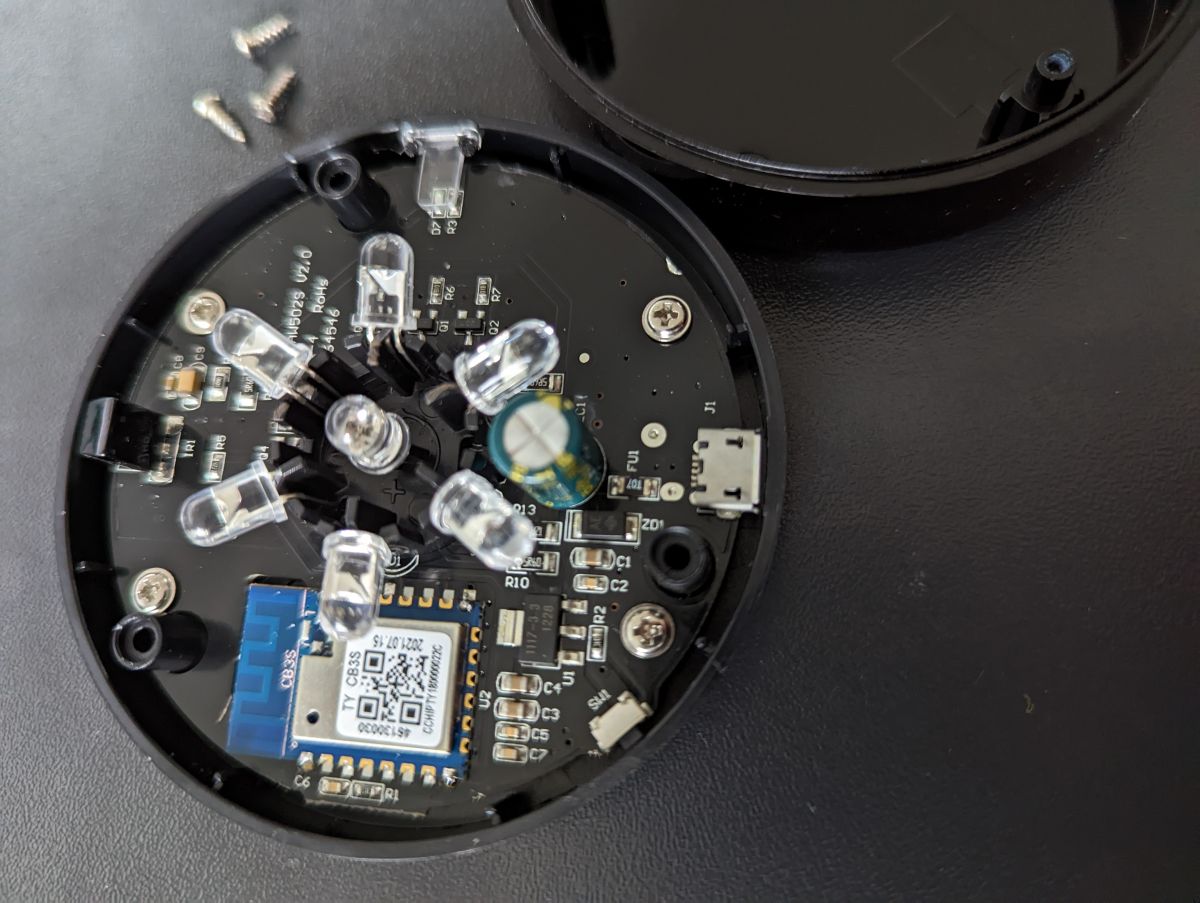
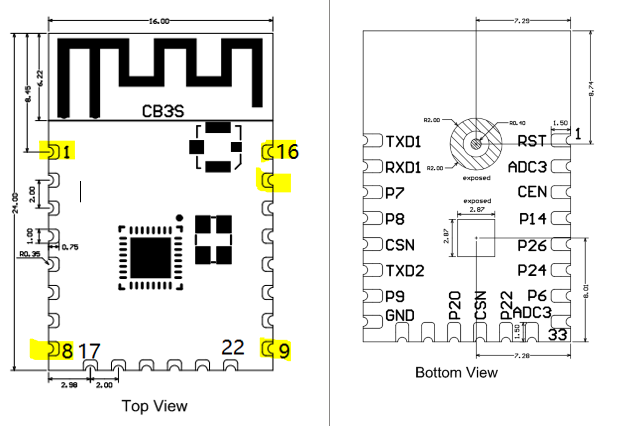
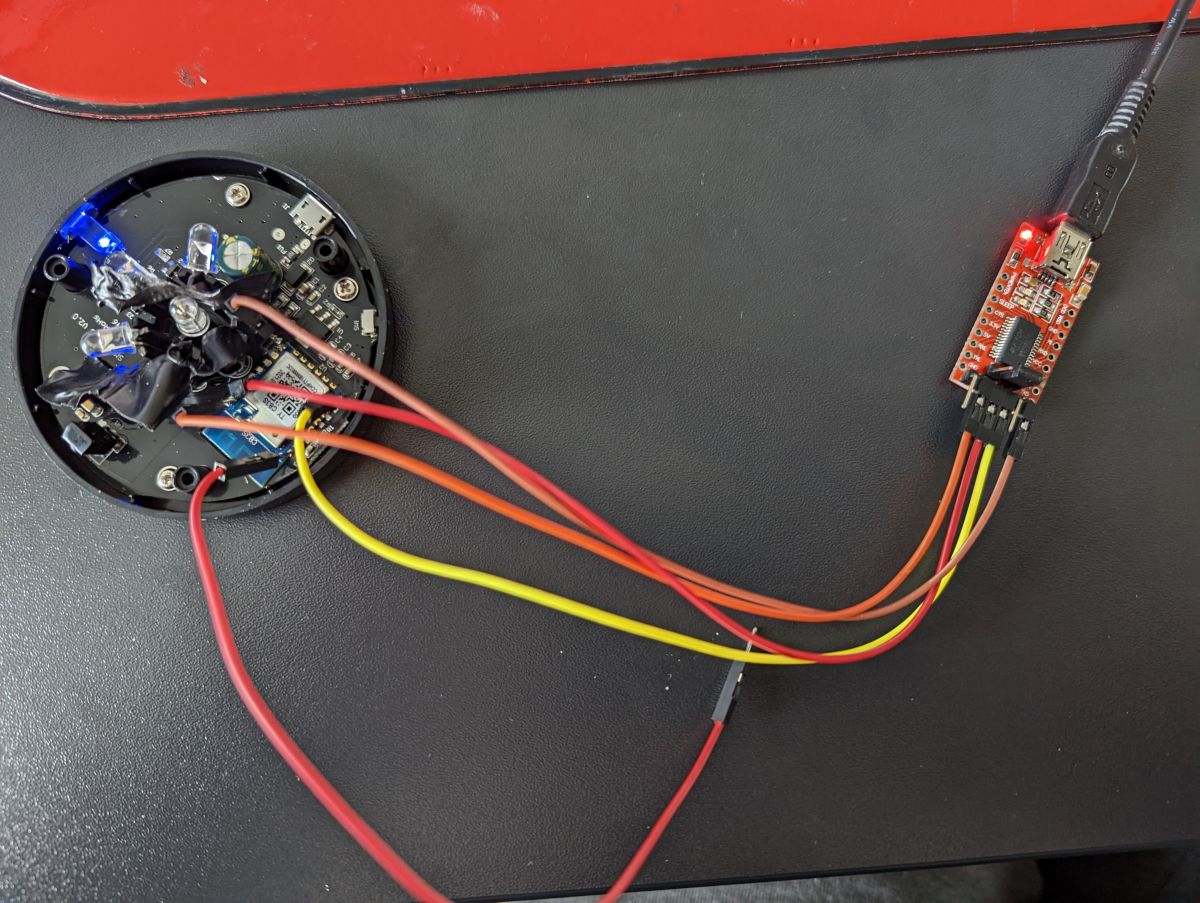
| CB3S PIN | FTDI PIN | Note | 1 (RESET) | Short to GND for 1s after issuing the flashing command below | 8 (VCC) | VCC | DC 3.3v! | 9 (GND) | GND | 15 (RX) | TX | 16 (TX) | RX |
| PIN | Type | 6 | Btn | 7 | IRRecv | 8 | WifiLED | 26 | IRSend |
TL;DR: Flashing the Jinvoo SM-AW502S IR hub costs about €10 hardware, "people are using our latest contribution, the IR driver"[Elektroda, p.kaczmarek2, post #20271751] OpenBK7231N firmware enables MQTT, Home-Assistant control, and scriptable IR send/receive in under 15 minutes.
Why it matters: It turns a budget IR blaster into a fully-scriptable Wi-Fi automation node.
• SoC: Tuya CB3S (BK7231N) 32-bit @ 120 MHz[Elektroda, markus9656, post #20271136] • Flash voltage: 3.3 V DC only[Elektroda, markus9656, post #20271136] • Typical IR carrier: 38 kHz[Microchip, 2019] • Firmware file: OpenBK7231N_QIO_X.Y.Z.bin (≈ 508 kB)[Elektroda, markus9656, post #20271136] • Street price: €9-12 on Amazon/Aliexpress[Elektroda, markus9656, post #20271136]
delay_s 1
IRSend RC5-0x0-0x54-1
yaml
alias: Bedroom IR
sequence:
- service: mqtt.publish
data:
topic: cmnd/obk8C000020/IRSend
payload: "{{ ir_command }}"
Comments
I am very happy to see that people are using our latest contribution from @btsimonh , the IR driver. Thank you for teardown. By the way, you can also send IR from a script that is saved in LittleFS file... [Read more]
I have a similar noname ir remote purchased on aliexpress. Flashed firmware OpenBK7231N. The remote control is working, receives and sends commands via the command line and Little FS scripts. But it does... [Read more]
I just entered the MQTT data into the configuration, and it worked for me. In HomeAssistant I just added a new script with a parameter that published to the according MQTT topic: alias: Bedroom... [Read more]