logo elektroda
logo elektroda
X
logo elektroda

Simple HTTP server/file hosting for Home Assistant (useful for OTA)

p.kaczmarek2  17 9513 Cool? (+7)
📢 Listen (AI voice):

TL;DR

  • Home Assistant can host OTA firmware files directly from its built-in HTTP server for devices like Tasmota and Sonoff NSPanel.
  • Place files in config/www and access them through /local/ URLs, so devices can download updates with plain HTTP GET and no login.
  • A sample download link is http://192.168.0.113:8123/local/ns-panel.tft.
  • This avoids setting up extra servers with Visual Code, Node.JS, or Python tools when web hosting forces HTTPS.
  • If Home Assistant stays on a local network, the hosted files are visible only inside that network.
AI summary based on the discussion. May contain errors.
Home Assistant logo with WWW text on a blue background.
Home Assistant offers a built-in, very simple way to host files on its own HTTP server. This can be very useful when we want to perform OTA (remote firmware update) on some device that expects to give it a URL with a file and only supports HTTP. An example of such a situation may be Tasmota (when we want to upload our own build) or Sonoff NSPanel (the FlashNextion command to change the display firmware also requires the file URL).
The situation is complicated by the fact that often newer hosting solutions available on the web force HTTPS, which makes it impossible, for example, to download this Nextion via ordinary HTTP. For the same reason, for example, it is not possible to download binaries directly from Github.
You can easily set up an HTTP server at your place, for example using Visual Code, or Node.JS, or other Python tools, but why? Just use HA...
Here I will briefly show how this can be done.

HTTP hosting in HA
I wrote quite a lot about HA itself in this topic:
Tutorial Home Assistant - configuration, WiFi, MQTT, Zigbee, Tasmota
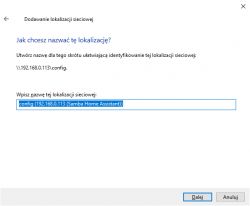
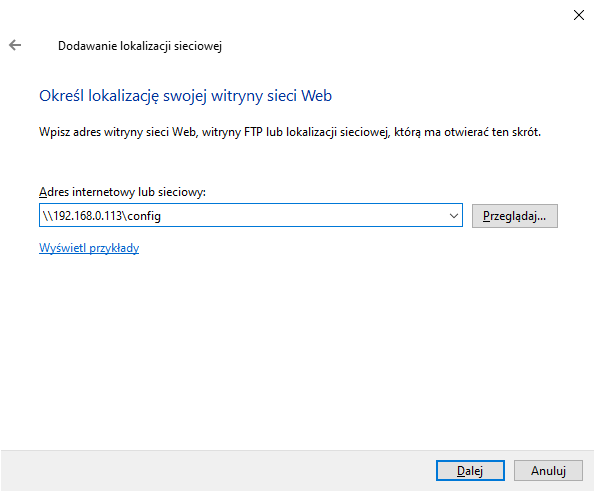
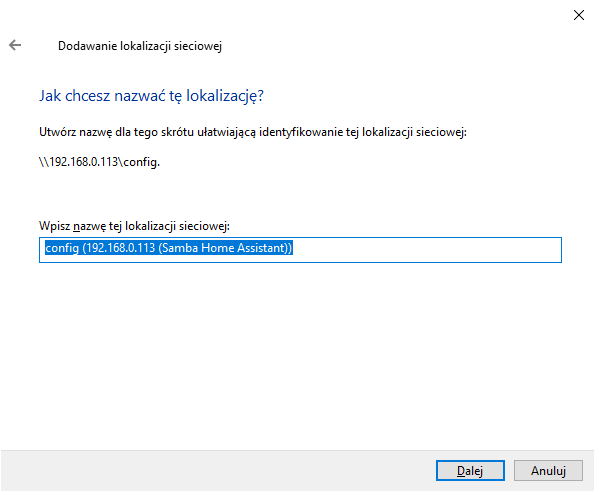
Some convenient access to it will be useful, I mapped the config folder via SMB:
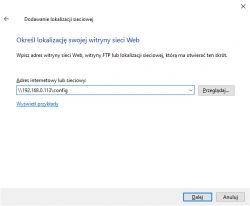
Window for adding network location in Windows
Network location addition dialog with Home Assistant configuration.
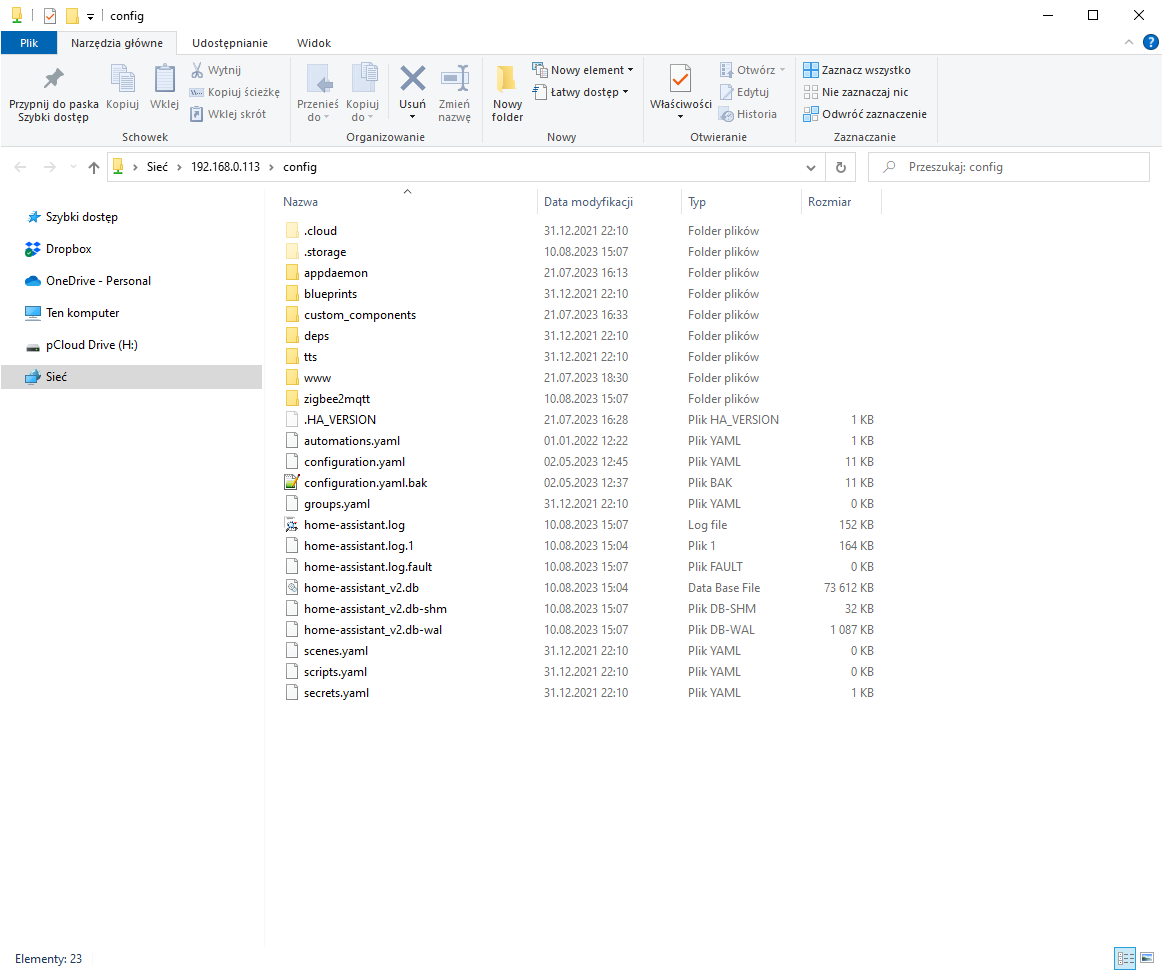
This allows you to conveniently operate on the Assistant's files:
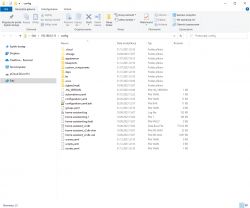
View of the Home Assistant configuration folder with its contents.
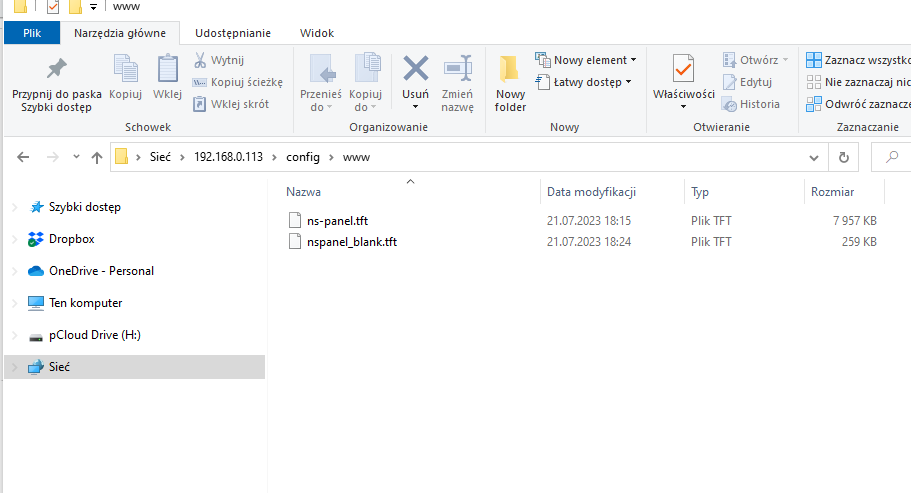
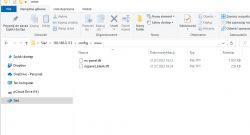
We upload the files we want to host to config/www :
Screenshot of a Windows folder with TFT files.
For me, there are ripples for the Sonoff panel, which I will describe soon.
You can get to them from a web address like:

http://192.168.0.113:8123/local/ns-panel.tft

The subdirectory is very important local We can't get to them without him!
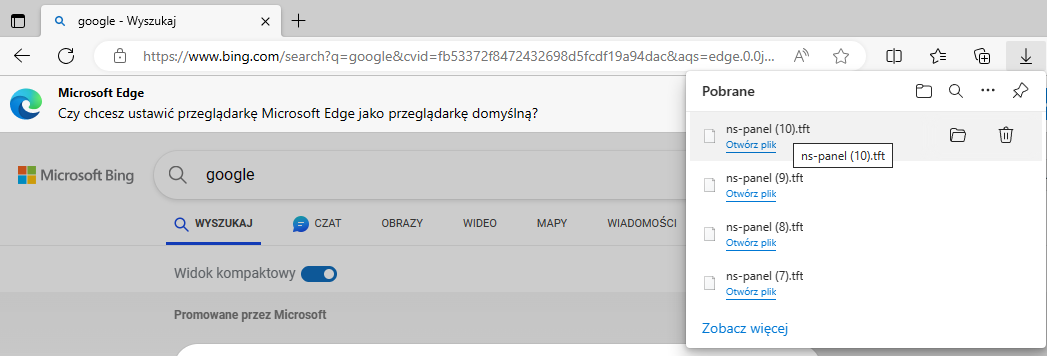
Just opening this URL will download the file - without logging in:

Screenshot of Microsoft Edge browser with the Downloads pane open, showing the file ns-panel (10).tft.
And it is this URL that can be given to devices that need to download our update via HTTP GET...

Summary
I have the impression that few people know about this option, and it is most useful. It is worth knowing about it, the more that no one will guess that these files are available in the subdirectory local and as we know, users often skip reading the documentation...
It turns out that hosting files on HA itself is very simple - just right for OTA.
PS: Of course, remember that if our HA is only in the local network, these files will only be visible in the local network. But we rather know that, don't we? Same as other servers.


About Author
p.kaczmarek2
p.kaczmarek2 wrote 14708 posts with rating 12772 , helped 658 times. Been with us since 2014 year.

Comments

morgan_flint 16 Apr 2024 19:53

Hello, @pkaczmarek2 I'm trying to do this without success... I have Home Assistant installed via Docker in a local server with Ubuntu Server as OS. Could this be the cause? Thanks! [Read more]

p.kaczmarek2 16 Apr 2024 20:40

I've been testing the HASS HTTP server on my dedicated HASS VM, made with official (?) image downloaded from web. I am not sure about Docker, but maybe first you should try whether the HTTP port is open... [Read more]

miegapele 17 Apr 2024 07:44

This seems way too complicated for such small task. Python has build in server, just run python -m http.server [Read more]

p.kaczmarek2 17 Apr 2024 09:04

It depends, some people may have blocked incoming connections to their machine for security purposes. Still, the Python http server is very useful, I am also sometimes using it as a base for my custom... [Read more]

morgan_flint 17 Apr 2024 12:43

Progress so far, after reading this : - Added "http:" to configuration.yaml file in HA /config directory - Created "www" under /config - Files stored in "www" are accessible via http://192.168.1.249:8123/local/filename.ext... [Read more]

p.kaczmarek2 17 Apr 2024 14:11

I do not remember well but I check this and it seems that you need to first install SMB Samba Share addon for HA. I think I did that, but it was a year ago or so... https://obrazki.elektroda.pl/2047092300_1713355856_thumb.jpg... [Read more]

morgan_flint 17 Apr 2024 18:51

I'm afraid I can't access the add-on store because of my docker-compose install of HA... I remember I read some (most) of the add-ons also have a docker version, but I still haven't found this one. What... [Read more]

p.kaczmarek2 18 Apr 2024 07:14

Good job! So, everything is working now? [Read more]

morgan_flint 18 Apr 2024 12:49

Yes, but still trying to figure out how to host Webapp in there... Copied the contents of https://github.com/OpenBekenIOT/webapp/tree/gh-pages to config/www and then changed the URL of the app in the... [Read more]

morgan_flint 27 Jul 2024 14:32

I tried again after re-reading this thread and related ones but with no luck... This is the error I get: https://obrazki.elektroda.pl/7647758800_1722083473_thumb.jpg Maybe I have to configure... [Read more]

p.kaczmarek2 27 Jul 2024 14:34

So currently you're not able to host any files on HA? Any web page, not just OBK Web App [Read more]

morgan_flint 27 Jul 2024 18:32

I've tried with a simple txt and can read it from the browser. Also, if I put 192.168.1.249:8123/local/startup.js in the browser it lists the script there so yes, files are hosted there, but the webapp... [Read more]

p.kaczmarek2 27 Jul 2024 23:09

This is not the correct way to run web app. Do you change Web App URL In the OBK device setting to point to your self-hosted app? [Read more]

morgan_flint 28 Jul 2024 10:50

That was just a test to check that the files are accessible but, as I said here , I also changed the app's URL to http://192.168.1.249:8123/local/ in OBK's configuration. EDIT: Another test, devicesList.html... [Read more]

morgan_flint 20 Aug 2024 13:56

Problem solved! With a "little help" from ChatGPT . I just had to add the following to configuration.yaml in Home Assistant: http: cors_allowed_origins: - http://localhost:8123 ... [Read more]

donaldwaters434 30 Aug 2024 22:26

It’s great to see Home Assistant being used for file hosting! This built-in HTTP server feature is a lifesaver when devices need to access files via HTTP, like with Tasmota or Sonoff NSPanel. It’s a real... [Read more]

sjjduesndheh 30 Aug 2024 23:34

If you're looking for a straightforward HTTP server or file hosting, they offer reliable offshore server options that could be perfect for your needs. [Read more]

FAQ

TL;DR: In 3 steps, Home Assistant can host OTA files over plain HTTP; as the thread starter put it, "Just use HA". Put files in config/www, open them through /local/, and give that URL to devices like Tasmota, Sonoff NSPanel, or OBK. This FAQ is for Home Assistant users who need local HTTP hosting for firmware, web apps, or quick file sharing.[#20688909]

Why it matters: It solves a common local-network problem: many device update flows accept HTTP URLs, while modern hosting platforms often force HTTPS.[#20688909]

Option Setup location Typical URL form from the thread Best use in the thread Main limitation seen in the thread
Home Assistant built-in hosting config/www http://<HA-IP>:8123/local/<file> OTA files, simple local hosting OBK web app needed path and CORS fixes
Python http.server Any local folder local HTTP server Very quick ad-hoc sharing May be blocked by local security rules
GitHub Pages / other HTTPS hosting External web host HTTPS URL Public hosting Some devices in the thread could not use HTTPS

Key insight: Home Assistant file hosting works well for direct file downloads, but full web apps can fail on /local/ because of URL formatting and CORS. Fix the path first, then allow the right origins in configuration.yaml.

Quick Facts

  • Files placed in Home Assistant config/www were reachable at http://192.168.1.249:8123/local/filename.ext, and the /local/ segment was required for access.[#21048704]
  • A plain file download worked without login in the original example at http://192.168.0.113:8123/local/ns-panel.tft, which made it suitable for HTTP GET firmware delivery.[#20688909]
  • One Docker Compose setup mapped Home Assistant config to /home/morgan/domotica/ha/config, then exposed that path to Windows through Samba on Ubuntu Server.[#21049230]
  • The OBK self-hosted web app failed first with 404 on /local//startup.js, then later with a CORS error until two origins were added under http.cors_allowed_origins.[#21170646]
  • The final working CORS example allowed exactly 2 origins: http://localhost:8123 and http://192.168.1.132 in configuration.yaml.[#21197391]

How do I host OTA firmware files in Home Assistant using the config/www folder and the /local/ URL path?

Put the firmware file in config/www, then open it through a /local/ URL on your Home Assistant server. Use these 3 steps: 1. Create or open config/www. 2. Copy the OTA file there. 3. Give the device a URL like http://192.168.0.113:8123/local/ns-panel.tft. Home Assistant serves the file over HTTP, so devices that only support HTTP GET can download it directly from your local network.[#20688909]

Why does Home Assistant require files in config/www to be accessed through /local/ instead of /www/?

Home Assistant maps the config/www folder to the /local/ web path, not to /www/. The thread states this explicitly and notes that files were unreachable without the local subdirectory in the URL. In practice, a file stored on disk under config/www becomes available as http://<HA-IP>:8123/local/<filename>, which is why /www/ is the wrong public path here.[#20688909]

What is OTA in the context of Tasmota, Sonoff NSPanel, and Home Assistant file hosting?

"OTA" is a firmware update method that delivers files over a network connection, instead of using a cable or local flashing tool. In this thread, OTA means giving Tasmota, Sonoff NSPanel, or similar devices an HTTP URL so they can fetch firmware or display files directly. The original post names Tasmota custom builds and Sonoff NSPanel FlashNextion as concrete examples that need a downloadable file URL.[#20688909]

What is CORS, and why can it block the OpenBeken web app when the files are served from Home Assistant?

"CORS" is a browser security policy that controls which web origins may request resources from another origin, using response headers to allow or block access. In the thread, the OBK web app loaded startup.js after a path fix, but then failed because Home Assistant did not send an Access-Control-Allow-Origin header for the requesting origin. That blocked the app even though the files themselves were reachable in a browser.[#21170646]

Which HTML file does OpenBeken call when I click "Launch web application" on an OBK device?

The thread does not identify a specific HTML file by name. It shows that the OBK launch flow requests startup.js, then tries to load other required files from the configured web app path. That means the actionable fact from this thread is not a named HTML entry point, but that startup.js is one of the first visible resources involved when the OBK web app starts.[#21170646]

Why can I open a .txt or .js file from Home Assistant in a browser, but the OpenBeken web app still does not load correctly?

A single file can load correctly while the full web app still fails on its dependent resources. In the thread, a simple .txt opened fine and startup.js was readable, yet the OBK web app still broke because the generated paths were wrong, including /local//startup.js, and later because browser CORS rules blocked cross-origin requests. A working static file proves hosting exists; it does not prove the whole app path chain and origin policy are correct.[#21170293]

How should I configure cors_allowed_origins in Home Assistant configuration.yaml to make a self-hosted OpenBeken web app work?

Add an http: section in configuration.yaml and list every origin that the OBK web app uses to call Home Assistant. The working example in the thread was:
  1. http:
  2. cors_allowed_origins:
  3. - http://localhost:8123 and - http://192.168.1.132 That solved the reported problem on August 20, 2024, after the self-hosted OBK web app had already been copied to Home Assistant and the path issues were narrowed down.[#21197391]

What causes double-slash URL problems like /local//startup.js when hosting the OpenBeken web app on Home Assistant?

The double slash comes from joining a base URL that already ends with / to a resource path that also starts or assumes /. In the thread, using http://192.168.1.249:8123/local/ caused a request for /local//startup.js, which returned 404. Removing the trailing slash fixed that specific path, although other resource paths then exposed additional problems. One extra / was enough to break the first script request.[#21170646]

Can someone explain why the OpenBeken web app works from https://openbekeniot.github.io/webapp/ or a simple local server, but fails from Home Assistant's /local/ path?

It worked on GitHub Pages and a simple local server because those setups did not trigger the same path-format and CORS issues seen on Home Assistant /local/. The thread shows two separate failures on Home Assistant: first a 404 from /local//startup.js, then a browser CORS block from http://192.168.1.132. Once the path issue was patched and cors_allowed_origins was added, the Home Assistant-hosted version finally worked too.[#21197391]

Home Assistant built-in file hosting vs Python's built-in http.server — which is better for local OTA updates and quick file sharing?

Home Assistant built-in hosting is better when Home Assistant already runs on the target network and you want OTA files under the same server. Python http.server is better for the fastest ad-hoc share from any folder. The thread starter defended Home Assistant because some users block incoming connections to their own machine, while another user preferred Python for simplicity. For OTA inside an existing HA setup, the built-in /local/ path is the more integrated option.[#21048390]

What's the best way to check whether the Home Assistant HTTP port is open and reachable before troubleshooting file hosting?

First test whether the Home Assistant HTTP port is reachable in a browser using the same host and port that should serve files. The thread specifically suggests checking whether the HTTP port is open and available before digging deeper. A practical check from the discussion is opening a known file such as http://192.168.1.249:8123/local/filename.ext; if that loads, the HA HTTP service on port 8123 is reachable and file hosting basically works.[#21047996]

How can I access the Home Assistant config directory from a Windows 11 PC when Home Assistant is installed with Docker Compose on Ubuntu Server?

Share the Docker-mounted Home Assistant config path through Samba on Ubuntu, then open that share from Windows 11. In the thread, the working path was /home/morgan/domotica/ha/config, which matched the config directory defined in docker-compose.yml. The user could then browse its contents from Windows after editing /etc/samba/smb.conf. That approach avoided relying on Home Assistant add-ons, which were unavailable in that Docker Compose installation.[#21049230]

What is the SMB Samba Share add-on in Home Assistant, and when do I need it instead of configuring Samba directly on Ubuntu?

The SMB Samba Share add-on is the Home Assistant add-on mentioned in the thread for exposing the HA config folder over SMB. You need it when you run a Home Assistant installation that supports the add-on store and you want an HA-managed file share. In the thread, that route was suggested for a VM-style HA setup, but it was unavailable on a Docker Compose install, where direct Samba configuration on Ubuntu became the working alternative.[#21048841]

How do I host the OpenBeken web app from Home Assistant so an OBK device can use a local URL instead of the default GitHub Pages address?

Copy the gh-pages web app files into config/www, then point the OBK device's Web App URL to the Home Assistant-hosted path. In the thread, the intended local URL was http://192.168.1.249:8123/local or /local/, but success required more than copying files. The user had to fix a trailing-slash path issue and then add CORS allowances in Home Assistant before the self-hosted OBK web app worked reliably from the local URL.[#21197391]

Why is Home Assistant's local HTTP hosting useful for devices that only support HTTP and cannot download firmware from HTTPS sources like GitHub?

It is useful because Home Assistant can serve plain HTTP files from your own network, while many modern hosts force HTTPS. The original post gives two concrete cases: Tasmota custom firmware and Sonoff NSPanel display firmware via FlashNextion. The thread starter summarized the value clearly: “Just use HA.” In short, Home Assistant turns one existing server into a local OTA source for devices that reject HTTPS-only links such as direct GitHub downloads.[#20688909]
AI summary based on the discussion. May contain errors.
%}