FAQ
TL;DR: A reported 10����14�����������������������������������������������������������������������°C drop on LN882H, and a maintainer says, "not a deep sleep." This FAQ is for OpenBeken users who want lower WiFi heat and power draw without losing MQTT or HTTP access, plus guidance on persistence, SDK limits, and failure cases after OTA. [#21089455]
Why it matters: PowerSave 1 can improve stability, lower heat, and reduce stress on weak Tuya power supplies while keeping the device online.
| Approach |
WiFi status |
Responsiveness |
Heat/power effect seen in thread |
Main limitation |
| Dynamic sleep / PowerSave 1 |
Connected |
Still responds quickly to MQTT and HTTP |
LN882H example fell from 54b0C to 44b0C, later 40b0C |
Savings drop if logs keep refreshing |
| Deep sleep with GPIO wakeup |
Offline until wake |
No live MQTT/HTTP while asleep |
Suggested as an alternative for energy saving |
Does not help while relay is actively operating |
| Full WiFi off after boot |
Offline after timeout |
No WiFi control after timeout |
Requested for boot + 300 seconds use case |
No OpenBeken command existed in the thread |
Key insight: Use PowerSave 1 when you need a live WiFi device that runs cooler. Use deep sleep or WiFi-off only when losing connectivity during operation is acceptable.
Quick Facts
- OpenBeken describes dynamic power saving as online operation, not deep sleep, and says the device can still answer MQTT and HTTP packets quickly. [#20785931]
- One LN882H user measured a temperature drop from 54b0C to 44b0C, then to 40b0C after OTA to firmware 1.17.589 and a full power cycle. [#21089455]
- A BK7231N use case asked to disable WiFi after boot + 300 seconds to reduce overheating in a small enclosure while keeping the first 5 minutes available for script tuning. [#20842708]
- OpenBeken was noted to use W800 SDK v0.00.04 dated 2020/06/04, while a newer package was identified as W800 SDK v1.00.10 dated 2023/08/25. [#21218938]
What is dynamic sleep (PowerSave 1) in OpenBeken for BK7231T, BK7231N, W600, and W800, and how does it reduce WiFi module power usage without taking the device offline?
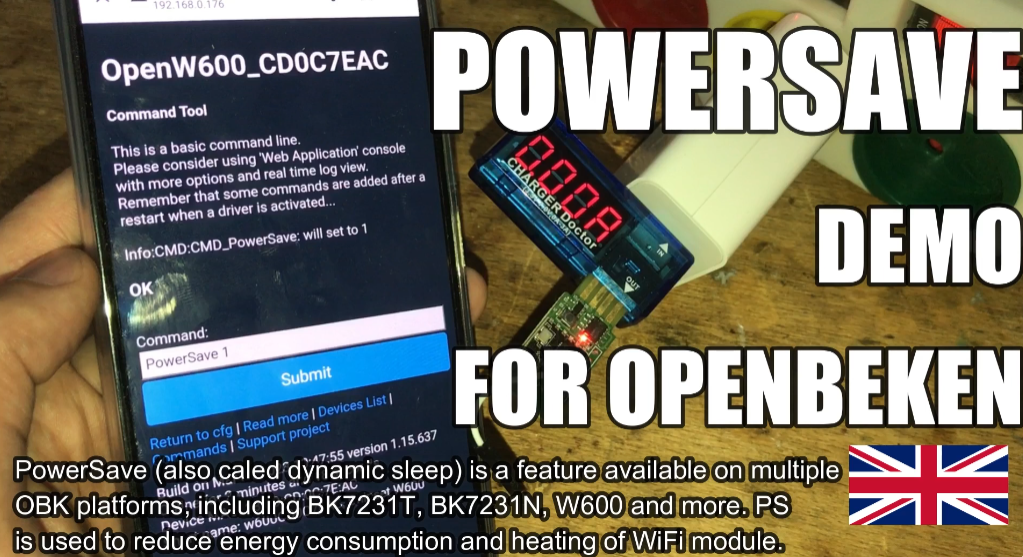
Dynamic sleep, called PowerSave 1, is a WiFi power-saving mode that lowers module energy use while the device stays connected. OpenBeken describes it as online operation, not deep sleep, so it can still answer network traffic quickly. It also helps reduce board heating and can improve stability on low-cost Tuya hardware with weak power supplies. One maintainer summarized it plainly: "Dynamic power saving is not a deep sleep."
[#20785931]
How does PowerSave 1 affect MQTT and HTTP responsiveness on OpenBeken devices while WiFi is still connected?
PowerSave 1 keeps OpenBeken responsive enough for normal MQTT and HTTP use because WiFi stays online. The thread states the module can still respond quickly to MQTT and HTTP packets even when powersave is enabled. That makes it suitable for devices that must stay reachable but run cooler than in full active WiFi mode.
[#20785931]
Why does keeping the OpenBeken Web App log open reduce the power-saving effect of dynamic sleep?
Keeping the Web App log open reduces savings because constant refresh activity keeps waking the WiFi stack. The thread warns that power save may be reduced if you leave the constantly refreshing Web App log open. In practice, frequent browser polling adds traffic, so the module spends less time in its lower-power state.
[#20785931]
How can I make a PowerSave command persist after reboot in OpenBeken, and where should I save it in the Web Application or startup configuration?
Save the command in the Web Application command field under Pin Settings, not only in Startup Command Text. One user reported that Startup Command Text did not survive reboot, but the Web Application page made it stick. Do it in 3 steps:
- Open the Web Application.
- Go to Config -> Pin Settings.
- Put the PowerSave command in the field labeled Command and save. [#21089455]
What is deep sleep with GPIO wakeup on BK7231N, and how is it different from dynamic sleep for reducing heat and power consumption?
Deep sleep with GPIO wakeup is a low-power sleep mode that turns the device inactive until a pin event wakes it.
"Deep sleep with GPIO wakeup is a sleep mode that stops normal online operation, wakes from a GPIO signal, and trades network availability for lower idle power." Dynamic sleep differs because WiFi remains online and responsive. Deep sleep was suggested as an alternative for BK7231N energy saving, but not as a drop-in replacement for live WiFi control.
[#20842740]
Dynamic sleep vs deep sleep on BK7231N or W600 � which approach is better if I want to reduce overheating but still keep the device usable?
Dynamic sleep is better if you want lower heat while keeping the device usable over WiFi. The thread says PowerSave 1 keeps MQTT and HTTP responsiveness, while deep sleep would switch the device out of normal online operation. A BK7231N user specifically noted that relay-on peak load happens during operation, when deep sleep would be off, so deep sleep would not solve the main overheating concern in that case.
[#20842810]
How can I completely turn off WiFi in OpenBeken after boot plus 300 seconds on a BK7231N device to lower temperature and energy use?
You could not do that with an existing OpenBeken command in this thread. A BK7231N user asked for WiFi shutdown after boot plus 300 seconds, and the reply said no such command existed because nobody had requested it before. The maintainer said adding it should be easy if the BK7231 or W600 SDK supports the feature, and suggested deep sleep with GPIO wakeup as the nearest current alternative.
[#20842740]
Which BK7231 or W600 SDK functions are relevant for disabling WiFi, and what do items like wf_ap_stop or FN_NETCFG_STOP actually do?
The thread identifies
wf_ap_stop and
FN_NETCFG_STOP as promising SDK entry points, but it does not define them fully. A user found them in
netcfg_module.h and
wf_basic_intf.h while searching for WiFi-related controls on BK7231N. The maintainer pointed to the W600 SDK and BK7231 SDK as the places to check if a true WiFi-off feature exists, but no confirmed implementation details were given.
[#20842810]
Why might a cheap Tuya device benefit from PowerSave 1 even if the main goal is stability rather than battery life?
Cheap Tuya devices can benefit because lower WiFi load reduces stress on weak power supplies, not just power draw. The thread states some low-cost devices cannot provide higher current for long periods and may degrade their capacitors quickly under heavier load. In that situation, PowerSave 1 can reduce heating and improve stability even on mains-powered hardware.
[#20785931]
What could cause a BK7231N device to show the same temperature whether the OpenBeken powersave field is blank or set to different values?
A likely cause is that powersave is not working on that specific BK7231N setup. One later report says the chip showed the same temperature regardless of whether the powersave field was blank or set to any value. Another practical cause from the thread is constant WiFi activity, such as a refreshing log view, which can erase most of the expected savings.
[#21325101]
How well is PowerSave implemented on LN882H in OpenBeken, and why might WiFi issues appear until powersave starts after the connect event?
PowerSave appears to work on LN882H, but the implementation was described as imperfect and delayed. A maintainer said it was implemented "in some form," yet WiFi issues existed and PowerSave startup was delayed programmatically until after the WiFi connect event. That delay likely avoids interfering with association, but it also means savings do not begin at the earliest boot phase.
[#21089423]
Why would an LN882H device become unreachable by IP after an OTA update with powersave enabled, then recover after a full power cycle?
The thread points to a WiFi-side instability rather than a hard device failure. On LN882H, one user updated to firmware 1.17.589, then lost IP access after reboot even though the hardware button still worked. After disconnecting mains and powering it again, the device became reachable and the temperature dropped to 40b0C. That matches the previously mentioned LN882H WiFi issues around powersave timing.
[#21089455]
What changes in the newer WinnerMicro W800 SDK versions might improve WiFi power saving compared with the older W800 SDK used by OpenBeken?
Several newer W800 SDK releases mention WiFi power and sleep improvements beyond the older 0.00.04 base. The thread lists v0.00.06 adding power-save mode when WiFi is disconnected, v1.00.01 improving low-power functions, v1.00.02 optimizing STA power saving, and later versions fixing sleep-mode power fluctuation issues. It also notes OpenBeken was using W800 SDK v0.00.04 from 2020/06/04, while v1.00.10 from 2023/08/25 was available.
[#21218938]
How should I test a newer W800 SDK with OpenBeken if I want to evaluate power-save improvements without breaking the existing build setup?
Test it in a separate branch and swap the W800 submodule there first. The thread suggests creating a branch in the OpenW800 repository, then changing the linked W800 submodule in the main OpenBeken repository pull request for evaluation. That approach isolates SDK experiments and limits the risk of breaking the current build while you compare power-save behavior.
[#21218940]
What is APSTA mode in the W800 SDK changelog, and how can WiFi library or sleep-mode fixes there affect OpenBeken power consumption and connectivity?
APSTA mode is a WiFi operating mode where a device acts as both client and access point at once.
"APSTA mode is a combined WiFi mode that joins another access point while broadcasting its own AP, which increases radio activity and makes connectivity bugs more visible." In the W800 changelog, fixes for APSTA connection issues, WiFi recovery, and sleep-mode power fluctuation could improve both reachability and power behavior in OpenBeken builds using newer SDK code.
[#21218938]
AI summary based on the discussion. May contain errors.







Comments
kaczmarek, I would like to ask if it is possible in your firmware to programatically (or anyhow) completely turn off wifi? My goal is to disable wifi after boot+300seconds to prevent overheating and... [Read more]
There is no such command because no one has requested anything like that before. I can add such command easily if W600 SDK supports such a feature. Have you tried looking at our W600 SDK? Or, BK7231 SDK,... [Read more]
Hm, thanks, I try to check. By SDK are you referring to "Tuya IoTOS" SDK at github or is there any other SDK that I haven't found? It is the BK7231N. I checked now deepsleep/pindeepsleep which could... [Read more]
As to tell from the title, this command can not be used for LN882H Chipset, right? Or is it meanwhile implemented there? [Read more]
I think it was implemented on LN882H in some form, but we had some WiFi issues with that and the PowerSave startup was delayed programmatically after the WiFi connect event. @max4elektroda may also know... [Read more]
Thank you for your fast response. I tried it on the command line, and temperature dropped from 54°C to 44°C. But first I couldn't get it permanent via Config -> Change Startup command text. After a reboot,... [Read more]
just noticed this big LN882H SDK commit https://gitee.com/lightningsemi/ln882h/commit/b2d811378d07960f3800d8b3f0ac3145f961f127 I wonder if there's anything in there that may affect our powersave/wifi... [Read more]
@dedamraz re PowerSave on W800, I notice OBK uses W800 SDK v0.00.04 | 2020/06/04 . The latest appears to be W800 SDK v1.00.10 | 2023/08/25 the full translated changelog: ========================================================== |... [Read more]
That's good find, we've spoke about it with @dedamraz yesterday. What a coincidence. Can you link to that new SDK so I can give it a go? Or at least to try.... because at the moment even I don't know... [Read more]
alas, not so much of a coincidence ;) @dedamraz mentioned it elsewhere to me and I was having a look around this morning. https://www.winnermicro.com/upload/1/editor/1692954953451.rar [Read more]
Maybe this is the right place to ask the question from here: Link In my opinion the powersave is not working on that chip-type (BK7231N). Regardless if I put any value or leave the field blank, temperature... [Read more]