FAQ
TL;DR: Two EUROLAMP smart bulbs, a 9W E27 and 6W GU10, use BK7321N-family modules and BP1658 drivers; the practical lesson is "be careful" when opening the GU10 because its folded antenna and glued LED board damage easily. This FAQ helps modders extract firmware, map GPIOs, and build OpenBeken or Cloudcutter profiles faster. [#20851141]
Why it matters: These teardown details turn a risky first opening into a repeatable path for firmware dumping, GPIO mapping, and RGBCW profile correction.
| Model |
Power |
Base |
Module |
LED driver |
Notable risk |
| EUROLAMP Smart WiFi LED Bulb A60 |
9W |
E27 |
CB2L |
BP1658 |
Unit was fried during teardown |
| EUROLAMP Smart WiFi LED GU10 |
6W |
GU10 |
CBLC5 |
BP1658 |
Folded WiFi antenna and glued LED PCB |
Key insight: The GU10 is the better reference device because it has a usable dump, known BP1658CJ pin mapping on P24 and P26, and a posted OpenBeken template. The E27 teardown identifies the hardware, but the thread does not recover its GPIO map.
Quick Facts
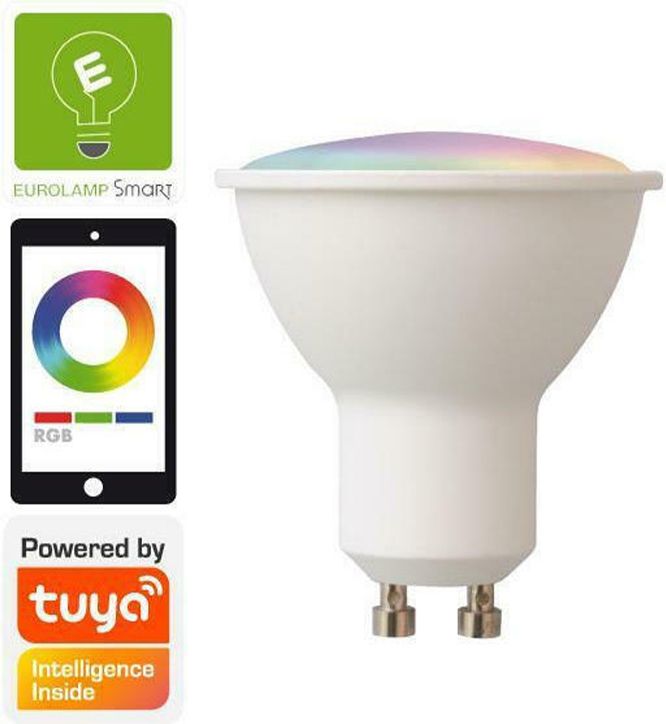
- The GU10 dump produced a concrete OpenBeken mapping: BP1658CJ data on P24, clock on P26, and LED remap
1 0 2 4 3. [#20851788]
- The GU10 profile targets a 6W, 220–240V RGBW lamp, model
147-77903, with a CBLC5 board and BK7231N-class support in the posted template. [#20851788]
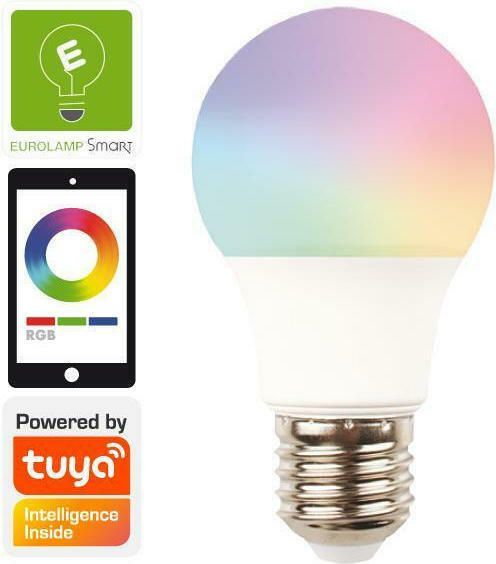
- The E27 bulb is a 9W, 220–240V RGBW A60 lamp using a CB2L module and a BP1658 driver, but its unit was destroyed before a dump was saved. [#20851141]
- The Tuya configuration block in the GU10 dump starts at offset
2023424, which is the key anchor for extracting device settings from the 2MB image. [#20851788]
How do you safely open the EUROLAMP Smart WiFi GU10 RGBW bulb without damaging the folded WiFi antenna or tearing the glued LED PCB pads?
Open the GU10 slowly from the cap side and do not pry the LED PCB from the main board. 1. Lift the cap carefully because the WiFi antenna is folded directly underneath it. 2. Keep the antenna shape unchanged. 3. Leave the LED PCB and heatsink bonded, because forcing them apart can tear pads and create repair work. The thread explicitly warns that reshaping the antenna can stop the bulb from working.
[#20851141]
What chips and modules are used inside the EUROLAMP Smart WiFi E27 9W RGBW bulb and the GU10 6W RGBW bulb?
The E27 9W bulb uses a BK7321N CB2L module with a BP1658 driver, and the GU10 6W bulb uses a BK7321N CBLC5 module with a BP1658 driver. The later configuration post describes the GU10 template as CBLC5 with BK7231N naming, which matches the same Beken family used for OpenBeken work. Both lamps are specified for 220–240V operation.
[#20851788]
How can I dump the firmware from the EUROLAMP GU10 BK7321N/BK7231N bulb and use it to create a Tuya Cloudcutter profile?
You dump the GU10 firmware first, then extract the device data needed for a Cloudcutter profile. 1. Read the full 2MB flash from the working GU10. 2. Extract the Tuya configuration section and product identifiers. 3. Save the resulting JSON profile, as the thread author already did for model 147-77903. The E27 could not follow this path because it was fried before dumping.
[#20851166]
What is a Tuya Cloudcutter profile, and how does it help when flashing a smart bulb like the EUROLAMP 147-77903?
A Tuya Cloudcutter profile is a device-specific JSON definition that identifies a Tuya product so the correct exploit and settings can be applied during conversion. In this thread, the GU10 firmware dump was sufficient to produce a Cloudcutter profile for EUROLAMP model 147-77903, which turns a generic bulb into a known, targetable device for reflashing workflows.
[#20851141]
What is an OBK Web App template, and how do I use one for a BK7231N or BK7321N smart bulb?
"OBK Web App template" is a device template that assigns GPIO roles, stores product metadata, and lets OpenBeken configure hardware correctly after flashing. In this thread, the posted GU10 template names the vendor, model 147-77903, chip BK7231N, board CBLC5, and the BP1658CJ pins on 24 and 26. You use it by importing those values into OpenBeken so the RGBCW channels map to the real hardware.
[#20851788]
Which GPIO pins are used for the BP1658CJ data and clock lines on the EUROLAMP GU10 bulb, and how is the LED channel remap configured?
The GU10 uses BP1658CJ data on P24 and clock on P26, with LED remap set to
1 0 2 4 3. Those values came directly from the extracted Tuya configuration and were repeated in the OpenBeken template text. This is the core hardware map you need before testing color and white-channel behavior.
[#20851788]
Why are cool white and warm white swapped on the EUROLAMP GU10 with the posted profile, and how do I correct the channel mapping?
Cool white and warm white are swapped because the initial profile mapped the two white channels in the opposite order from the real bulb wiring. The thread author confirmed this after testing and corrected the configuration in the OpenBeken interface so the white outputs matched the physical channels. If your GU10 shows inverted white temperature, adjust the white-channel order rather than the BP1658 clock or data pins.
[#20851877]
What 2MB flash dump or configuration details are needed to build an OpenBeken template for a EUROLAMP smart bulb?
You need the full 2MB dump plus the extracted Tuya device configuration that reveals module type, GPIO assignments, and LED remap. For the GU10, the useful details were CBLC5, BK7231N-family support, BP1658CJ data on P24, clock on P26, and remap
1 0 2 4 3. Without the dump, you lose the cleanest path to a reliable template.
[#20851788]
How do the CB2L and CBLC5 modules compare for OpenBeken or Tuya-based RGBW bulb modding?
CB2L and CBLC5 both appear in EUROLAMP RGBW bulbs, but only CBLC5 has a complete, reusable modding record in this thread. CB2L identifies the E27 hardware, while CBLC5 on the GU10 has a 2MB dump, extracted Tuya config, OpenBeken template, and tested white-channel correction. For practical OpenBeken work, CBLC5 is the proven path here.
[#20851788]
What is the BP1658 or BP1658CJ LED driver, and how is it used in RGBCW smart bulbs?
"BP1658CJ" is an LED driver IC that controls multiple color and white channels, using serial control lines to drive RGBCW outputs in a smart bulb. In the GU10, the controller talks to it over two pins, P24 and P26, and the firmware applies a remap so red, green, blue, cool white, and warm white land on the intended outputs. The E27 also uses a BP1658-family driver.
[#20851788]
How can I tell whether a EUROLAMP bulb uses a BK7231N/BK7321N module before I start a teardown?
You usually cannot confirm the exact module from the outside using only this thread. The reliable identification happened after opening the lamps and visually reading the module families: CB2L in the E27 and CBLC5 in the GU10, both tied to the BK7321N or BK7231N naming used in the posts. The product links alone do not expose the internal module.
[#20851141]
What went wrong when the EUROLAMP E27 bulb was fried during teardown, and what precautions help avoid that kind of damage?
The E27 was damaged during teardown badly enough that no firmware dump was saved afterward. The thread does not document the exact electrical failure, but it clearly shows the consequence: the E27 became unusable while the GU10 remained recoverable. To avoid repeating that outcome, open the housing gently, avoid stressing internal boards, and stop before forcing glued or fragile parts.
[#20851166]
Where does the Tuya configuration section start in the GU10 firmware dump, and why is that offset useful when analyzing the device?
The Tuya configuration section starts at offset
2023424 in the GU10 dump. That offset matters because it marks where the readable device settings begin, including module name, firmware version
1.2.16, GPIO assignments, and product metadata. Once you know that location, you can extract the configuration faster from the full 2MB image.
[#20851788]
What GPIO was used for I2C LED control on the EUROLAMP E27 bulb with the CB2L module?
The thread does not provide the E27 GPIO mapping for LED control. A follow-up post asks which GPIO handled I2C on the CB2L-based E27, but no answer appears in the supplied discussion. The only confirmed pin map in the thread is for the GU10, not the E27.
[#20851788]
How do I convert the extracted Tuya device configuration from a EUROLAMP GU10 bulb into a working OpenBeken JSON template?
Convert the extracted configuration by copying the hardware identifiers and pin roles into OpenBeken template fields. 1. Set vendor, model
147-77903, chip
BK7231N, and board
CBLC5. 2. Map pin 24 to
BP1658CJ_DAT and pin 26 to
BP1658CJ_CLK. 3. Test whites and fix the swapped cool/warm order if needed. The thread includes a ready-made JSON template built exactly this way.
[#20851788]
AI summary based on the discussion. May contain errors.










Comments
Hello, can you attach here either 2MB dumps for each device, or maybe a OBK Web App template? [Read more]
Attached the dump and profile link. Unfortunately, I only dumped the GU10 as the E27 was fried. [Read more]
Ok, so GU10 config is: { "rstnum":"3", "rstcor":"c", "Jsonver":"1.1.9", "brightmin":"10", "gmwb":"75", "title20":"0", "deftemp":"0", "gmwg":"70", "wfcfg":"spcl_auto", "colormin":"10", "pmemory":"1", "gmkb":"60", "iicb":"2", "cjccur":"2", "cmod":"rgbcw", "mixway":"0", "iicscl":"26", "wt":"10", "cwtype":"0", "prodagain":"0", "rstbr":"50", "remdmode":"0", "colormax":"100", "cagt":"10", "iicw":"3", "notdisturb":"0", "module":"CBLC5", "cjwcur":"3", "colorpfun":"0", "iicsda":"24", "cwmaxp":"100", "iicc":"4", "dmod":"5", "gmwr":"100", "rgbt":"10", "gmkg":"60", "onoffmode":"0", "brightmax":"100", "iicg":"0", "wfct":"3", "rsttemp":"0", "category":"0505", "gmkr":"80", "iicr":"1", "defcolor":"c", "defbright":"100", "crc":"45", "}3fkAwf_start_md3bLdAgw_di{abi":"0", "id":"null", "swv":"1.2.16", "bv":"40.00", "pv":"2.2", "lpv":"3.3", "pk":"key8u54q9dtru5jw", "firmk":"key8u54q9dtru5jw", "cadv":"1.0.3", "cdv":"1.0.0", "dev_swv":"1.2.16", "s_id":"null", "dtp":"0", "sync":"0", "attr_num":"0", "mst_tp_0":"0", "mst_ver_0":"null", "mst_tp_1":"0", "mst_ver_1":"null", "mst_tp_2":"0", "mst_ver_2":"null", "mst_tp_3":"0", "mst_ver_3":"null... [Read more]
Also, for some reason cool white and warm white were swapped with that profile. I had to change the config like this for it to be correct: https://obrazki.elektroda.pl/7882329000_1702029527_thumb... [Read more]