FAQ
TL;DR: With 7 mapped GPIOs and "Cloudcutter will not work," this FAQ helps OpenBeken users open, wire, flash, and calibrate the Action LSC Smart Plug 3202087 safely. It covers CB2S/BK7231N pinout, BL0937 metering, Linux UART resets, and no-solder flashing methods for Tuya firmware 1.1.17. [#20905019]
Why it matters: This thread turns a cheap retail energy plug into a documented, repeatable OpenBeken target instead of a trial-and-error teardown.
| Method |
Works on 3202087 / Tuya 1.1.17 |
Main requirement |
Reported limitation |
| Tuya Cloudcutter OTA |
No |
Matching OTA profile |
Patched SDK 2.3.3 blocks it |
| BK7231 Easy UART Flasher |
Yes |
USB-to-TTL wiring |
Flash-mode entry can be confusing |
| ltchiptool |
Yes |
Wired serial flashing |
Requires manual setup |
Key insight: The decisive takeaway is simple: for firmware 1.1.17 on this plug, use wired serial flashing, not OTA. Once opened, the CB2S/BK7231N and BL0937 pin map is already known and usable.
Quick Facts
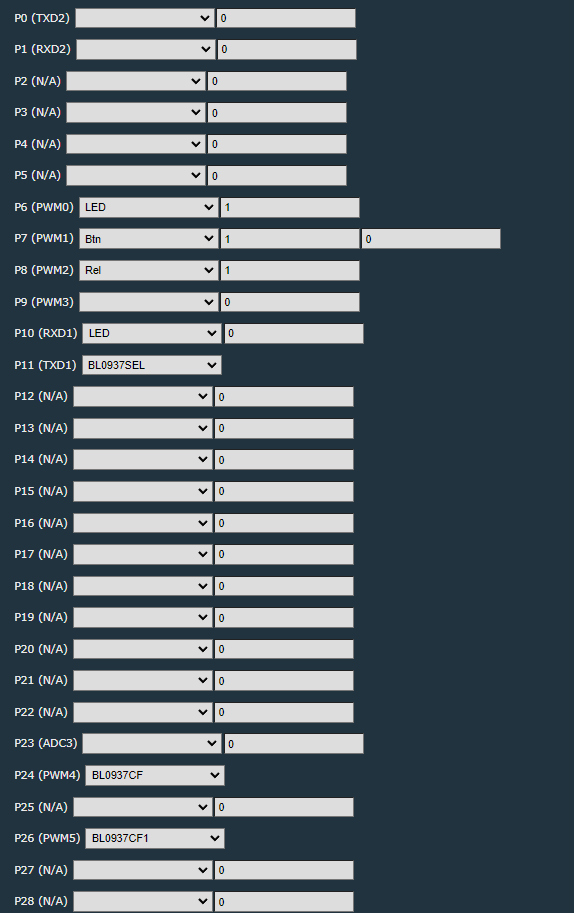
- The extracted Tuya config maps 7 active signals: LED P6, button P7, relay P8, Wi-Fi LED P10, BL0937 SEL P11, BL0937 VI/CF1 P24, and BL0937 ELE/CF P26. [#20857163]
- The published OpenBeken device profile identifies the plug as Action model 3202087 with BK7231N on a CB2S module and power metering support. [#20858024]
- Tuya firmware 1.1.17 was reported as using SDK 2.3.3 patched, which is why Cloudcutter OTA was said to fail on this device. [#20905019]
- One ESPHome user reported better readings with voltage_divider: 800 instead of 1600, and added two status LEDs on P10 and P6. [#20915418]
- A later user confirmed successful no-solder flashing with a USB-to-TTL converter, jumper wires, and test hooks, after powering the module from a stronger 3.3 V source than a CH340 adapter alone. [#21029538]
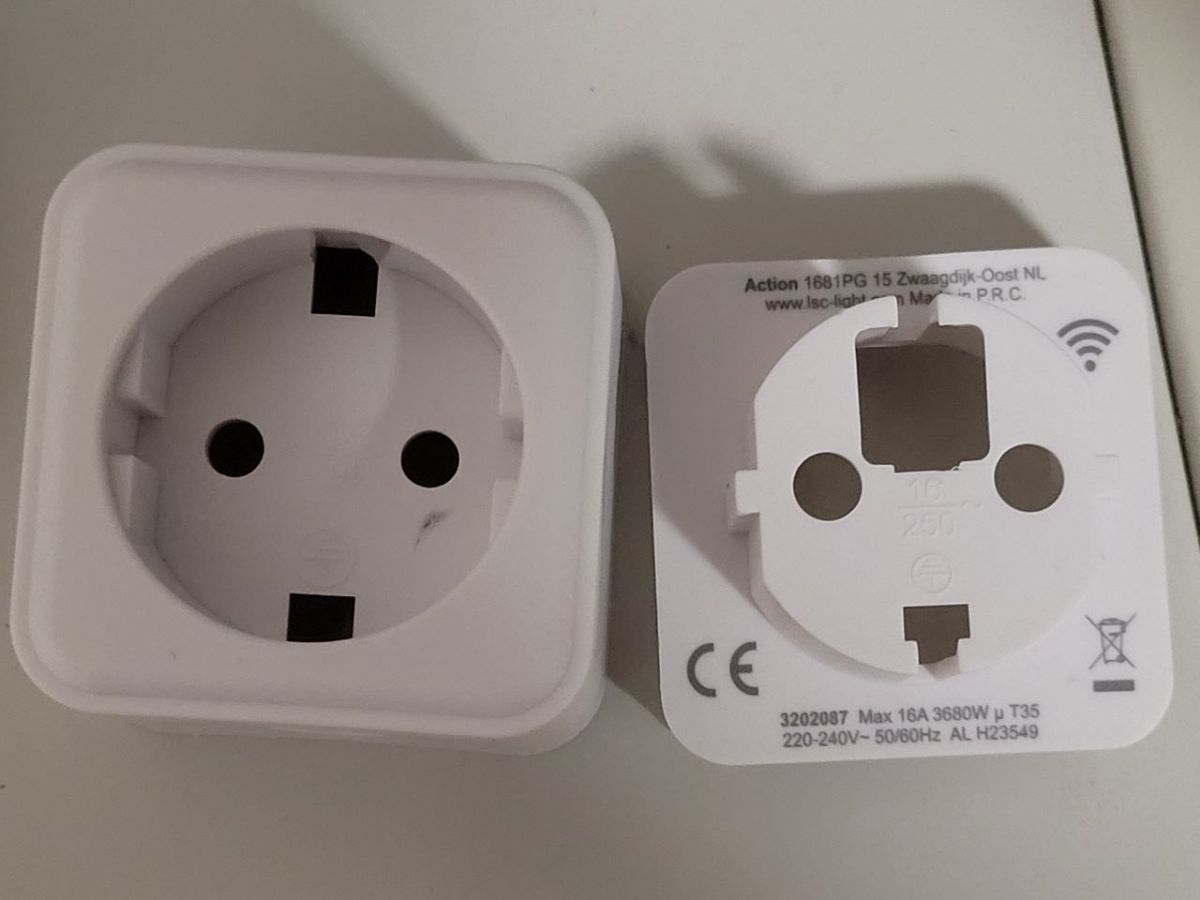
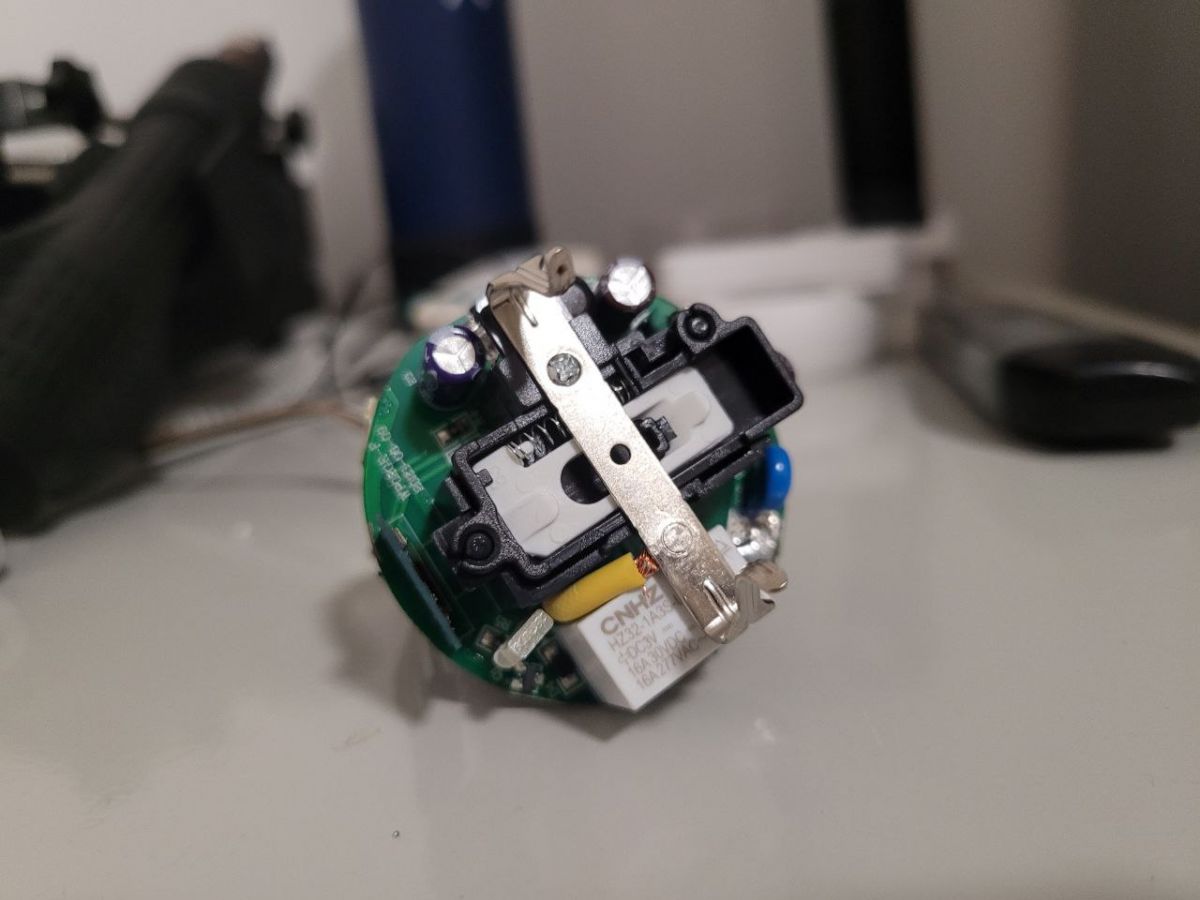
How do I open the Action LSC Smart Plug 3202087 without breaking the housing clips?
Open it by releasing the four rear corner clips instead of prying the seam randomly. 1. Press the plug edge against a table at about
45°. 2. Push near the left or right grounding contact with a slim tool. 3. Work each of the
4 corners until the shell separates. Another user used thin plastic wedges cut from a credit card to hold the tabs open.
[#20867538]
What is the correct OpenBeken pin configuration for the Action LCS Smart Plug 3202087 with CB2S and BL0937 energy metering?
The working OpenBeken mapping is P6 LED, P7 button, P8 relay, P10 WiFiLED_n, P11 BL0937SEL, P24 BL0937CF1, and P26 BL0937CF. The published profile names the device as Action model
3202087 with chip
BK7231N and board
CB2S. That gives you a ready-made baseline for switching, status LEDs, and energy monitoring.
[#20858024]
Why doesn’t Tuya Cloudcutter OTA work on the Action LSC smart plug with firmware 1.1.17?
Tuya Cloudcutter OTA does not work here because firmware
1.1.17 was reported to use a
patched SDK 2.3.3. That patch blocks the usual Cloudcutter path for this device. The practical consequence is simple: stop trying OTA and use wired serial flashing instead.
[#20905019]
Which Tuya Cloudcutter profile should be used for the Action LSC Smart Plug 3202087 running Tuya firmware 1.1.17?
No working Tuya Cloudcutter profile was identified for this plug on firmware
1.1.17. One user explicitly said the device was not in the profiles yet, and later the thread concluded Cloudcutter would not work on this firmware anyway. So the correct answer is: none, use UART flashing.
[#20872184]
What is the CB2S module, and how is it related to the BK7231N chip in this smart plug?
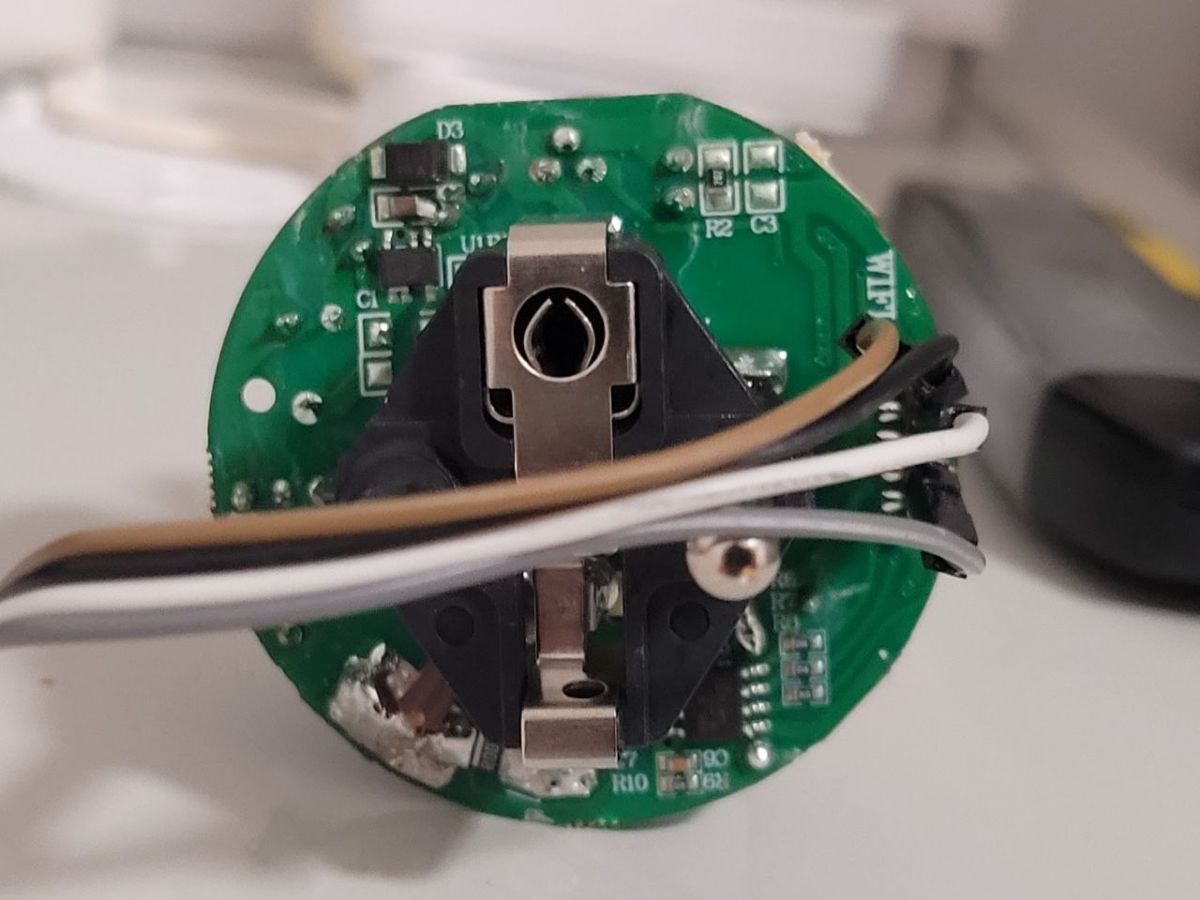
"CB2S" is a Wi‑Fi module that hosts the main control chip, exposing GPIOs for relay, LEDs, button, and metering signals. In this plug, the thread identifies the module as
CB2S and the chip on it as
BK7231N, so CB2S is the board and BK7231N is the MCU/Wi‑Fi SoC on that board.
[#20857163]
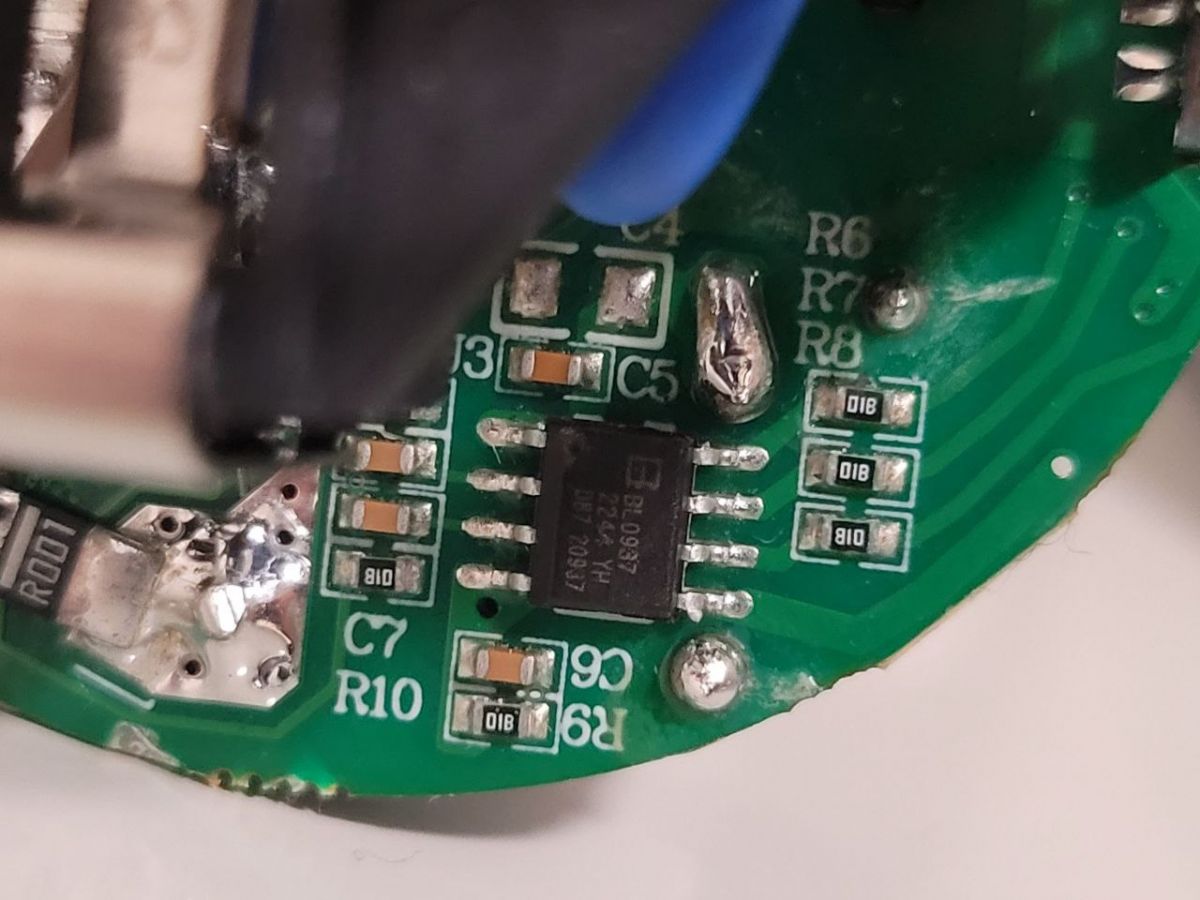
What is the BL0937, and which GPIO pins does it use on this Action smart plug for power measurement?
"BL0937" is an energy-measurement IC that reports voltage, current, and power using pulse outputs, with a select pin that switches measurement channels. On this plug it uses
P11 for SEL,
P24 for VI/CF1, and
P26 for ELE/CF. Those three pins are the critical metering connections in OpenBeken or ESPHome.
[#20857163]
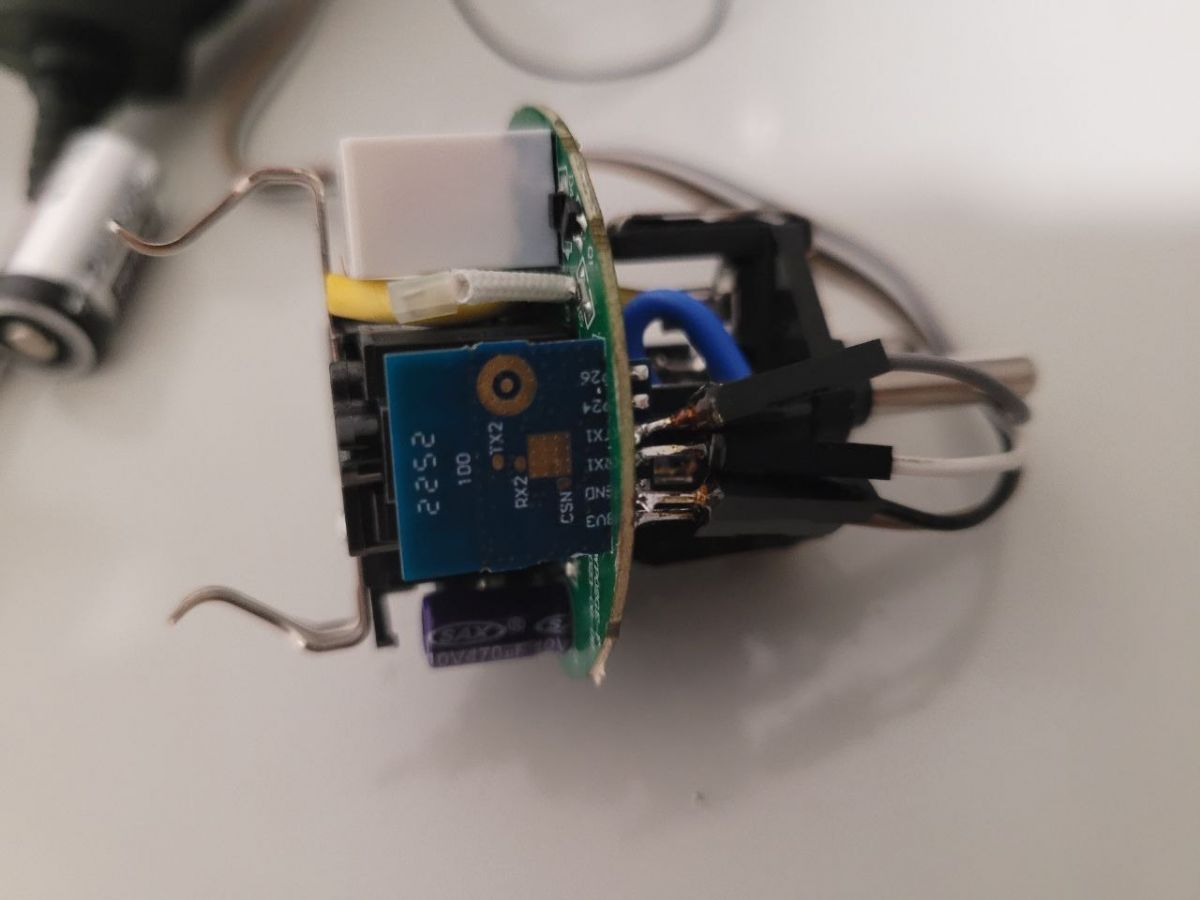
How do I flash the BK7231N-based Action LSC smart plug with a USB-to-TTL adapter and OpenBeken?
Flash it over wired UART after opening the housing and connecting a
3.3 V serial adapter to the CB2S module. 1. Open the case and access the module pads. 2. Connect power, GND, TX, and RX with a USB-to-TTL adapter. 3. Use BK7231 Easy UART Flasher or ltchiptool to back up and write OpenBeken. Multiple users reported success, including no-solder setups with hooks or grabbers.
[#20914389]
Why does Linux lose the UART port during BK7231 flashing when I power-cycle the module, and how should I reset it properly?
Linux loses the UART port when you disconnect power from the
USB-to-UART converter instead of only resetting the target module. The thread’s advice is to remove
3.3 V from the Wi‑Fi module, not unplug USB. That keeps the serial device present while the BK7231N reboots. Poor power wiring can also make the port disappear during inrush.
[#20872214]
What’s the difference between BK7231 Easy UART Flasher, ltchiptool, and Tuya Cloudcutter for flashing CB2S devices?
BK7231 Easy UART Flasher and ltchiptool are wired serial tools, while Tuya Cloudcutter is an OTA method. In this thread, Easy UART Flasher worked after changing flash-write settings, and ltchiptool on Debian CLI also worked. Cloudcutter did not work on firmware
1.1.17 because the SDK was reported as patched.
[#20915418]
How can I enter flash mode reliably on a CB2S/BK7231N smart plug when the CEN pin method is unclear?
Use a clean wired reset and keep trying simple power sequencing, because the thread did not provide one proven CEN-only recipe. One user said the
CEN input did not behave as expected and could not state exactly what triggered flash mode. The most reliable pattern reported was stable
3.3 V power, preserved UART connection, and repeated module-only resets.
[#20872184]
What settings should I change in BK7231 Easy UART Flasher before writing OpenBeken to this Action plug?
Change the OBK device settings before flashing, and disable two automatic options. One user said to use
“change obk settings for flash write”, enter the JSON-derived details, then switch off
“Automatically extract Tuya…” and
“Do firmware backup.” That combination worked on this plug when the profile was not yet ready in the tool.
[#20872184]
How do I flash an LSC smart plug without soldering using jumper wires, test hooks, or mini grabbers?
You can flash it without soldering by gripping the module contacts with temporary probes. 1. Open the plug and expose the CB2S area. 2. Attach jumper wires, test hooks, or mini grabbers to
3.3 V, GND, TX, and RX. 3. Power it from a stable source and flash over UART. Users reported success with test hooks, mini terminals, and even improvised access holes that were sealed afterward.
[#21029538]
Why does the flashed Action LSC plug report about 2.5 W even when the connected appliance is fully off?
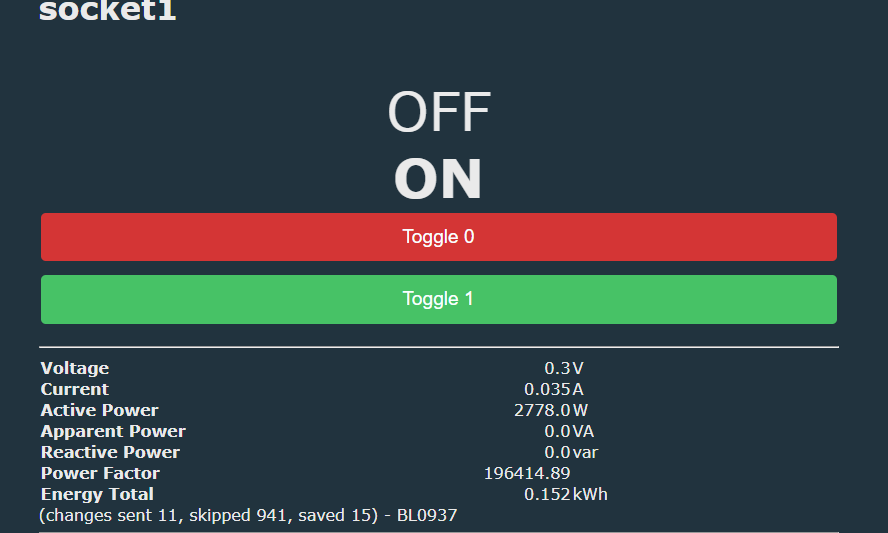
The thread does not confirm a final fix; it flags
about 2.5 W idle reading as a known metering issue to investigate. The follow-up question asked whether larger loads like
100 W and
200 W were measured correctly, which implies the offset may affect low-end calibration more than full-scale readings. Treat it as a calibration or measurement-floor problem, not proven hardware failure.
[#21041264]
How should I configure BL0937 voltage divider and status LEDs in ESPHome or OpenBeken for this smart plug?
Use BL0937 on
P26,
P24, and
P11, and check the voltage divider carefully. One user reported the profile’s divider felt wrong and got better results with
voltage_divider: 800 instead of
1600. That same setup defined two status LEDs: blue on
P10 and red on
P6. If your voltage reads high or low, start by checking that divider value first.
[#20915418]
How can I use an ESP32 dev board’s CP2102 USB-serial interface to power and flash a CB2S smart plug safely?
Use the ESP32 board only as a CP2102 USB-serial adapter by disabling the ESP32 itself. Connect
3V3 to 3V3,
GND to GND,
TX to TX,
RX to RX, and pull
EN to GND. The thread explains that TX/RX are labeled from the ESP32 side, so TX-to-TX and RX-to-RX are correct in this special case. This method also provides a strong enough
3.3 V supply for CB2S.
[#21544388]
AI summary based on the discussion. May contain errors.







Comments
OBK config: { "vendor": "Action", "bDetailed": "0", "name": "Teardown Action LCS Smart Plug (with Energy Meter)", "model": "3202087", "chip": "BK7231N", "board": "CB2S", "keywords":... [Read more]
Hi, Thanks for the info. How did you open it without breaking the housing? Ok, found it: The hooks that hold it together are in the corners. So you have to press the edge on the side of a table at a 45°... [Read more]
In each corner on the back, there is a clip. I used a slim metal blade to force it a bit. [Read more]
Hello everyone, I also received the sockets today. Unfortunately, it is not possible for me to flash these with the Tuya Cloudcutter OTA. Which profile should you choose? The Tuya firmware is V1.1.17. Thanks... [Read more]
AFAIK, it is not in the profiles yet. I simply entered the settings listed in the JSON. In "BK7231 Easy UART Flasher," I used the button "change obk settings for flash write" and edited the details before... [Read more]
If you are referring to OBK profile, it seems to be here: https://obrazki.elektroda.pl/5843347000_1703230509_thumb.jpg Have you watched our tutorial videos? We have videos one per each device... [Read more]
Thanks for the information. It's a shame that it's currently not possible to flash these sockets OTA. Unfortunately, I don't have the time for soldering work at the moment. I tried to create a custom profile... [Read more]
Don't lose too much time trying. This firmware version 1.1.17 is using the SDK 2.3.3 that is patched. Cloud cutter will not work with it. [Read more]
It's easy to flash with wires, even if socket is hard to open. Here's how I handled one like that: https://obrazki.elektroda.pl/1882438300_1705054865_thumb.jpg https://obrazki.elektroda.pl/3917410300_1705054866_thumb.jpg... [Read more]
Thanks for the hint. I honestly didn't realize that. Fortunately, the LSC sockets are not glued and can be opened easily. Do you have a tutorial for flashing using a USB to TTL serial adapter?... [Read more]
We have many tutorials for that, here are two examples, N platform: T platform: [Read more]
Hello everyone, today I successfully flashed said sockets to openbk using a USB to TTL converter. The whole thing worked without soldering using jumper cables and test hooks. If you are interested,... [Read more]
Great Tip ! Just ordered those too ! Hinzugefügt nach 4 [Minuten]: Just managed yesterday to also flash one by myself. But I am personally using ltchiptool on debian cli myself to flash. Worked... [Read more]
The simplest way to get it automatically configured is to use our OBK Web App config extraction: Thanks to this, you can get GPIO config directly from Tuya partition. It's always better than guessing. Anyway,... [Read more]
Did it with a dump to get the pinout. Worked too. As said: only Voltage divider was wrong. [Read more]
I have just spontaneously registered here to add some more information. Maybe it will help some successors. Thanks also for the help I found here. "Action" in Germany still has some of these sockets... [Read more]
Hey! so i flashed the chip and all well. But when i calibrate the power, it stays on 2.5watt even the attached appliance is 100% off? Did i do something wrong or is the onboard powermeter not very reliable?... [Read more]
Apart from the 2.5W issue, which seems similiar to the problem I read in this topic: https://www.elektroda.com/rtvforum/topic4047633.html do everything else works correctly? Are 100W, 200W, etc, loads... [Read more]
thank you for the quick reply. Ill have a new go at calibrating (although i did it the same way as the athom) and read the given topic. once i know more ill report bank! [Read more]