



logo elektroda
logo elektroda
X
logo elektroda
Dostępna jest polska wersja

Czy wolisz polską wersję strony elektroda?

Nie, dziękuję Przekieruj mnie tam

[BK7231N CB2S] 2- and 3-channel WiFi flush-mount switches - description, photos, configuration OpenB

@GUTEK@  20 5259 Cool? (+2)
📢 Listen (AI):

TL;DR

  • MINI-W1 2- and 3-gang flush-mount WiFi wall switches from AliExpress use a BK7231N CB2S module and ship as unlabeled MINI-W1-2CH and MINI-W1-3CH variants.
  • The pin mapping was extracted from Tuya, and both versions can be programmed without desoldering if an external 3.3V supply powers the module alongside UART.
  • Both units run firmware 1.3.10, and Smart Life detects them as PSW-2CH-CB2S and PSW-3CH-CB2S.
  • OpenBeken WebApp configurations list relay, button, and WiFi LED pins, including P6/P7/P10/P11/P23/P24 for 2CH and P8/P26 for 3CH.
  • CloudCutter cannot flash them yet, so the posted configurations and original firmware attachment are the main practical value.
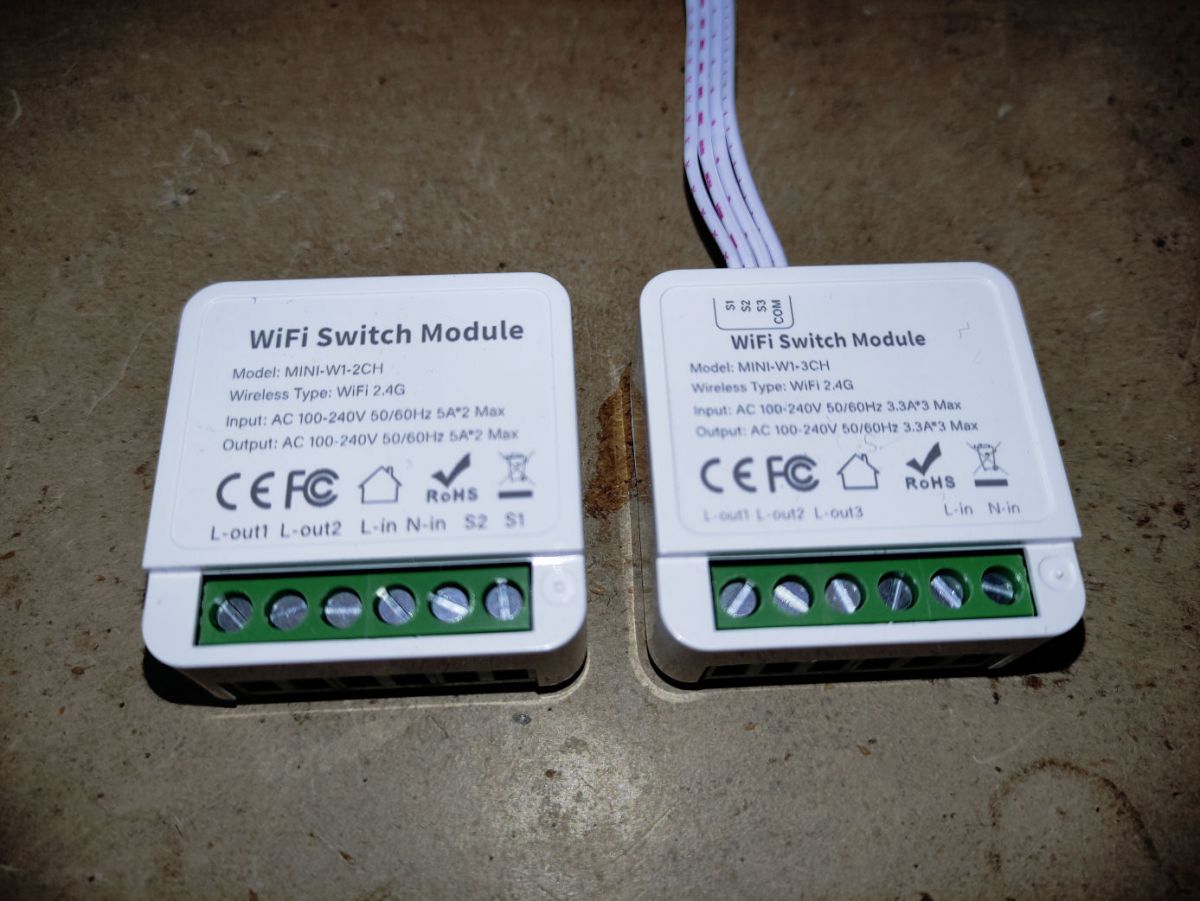
Two WiFi switch modules MINI-W1-2CH and MINI-W1-3CH lying on a surface.

Hello.
I haven`t found a configuration for these wall switches, so I`m posting my own. Bought on AliExpress: https://www.aliexpress.com/item/1005005773648155.html
They are available in 1/2/3/4 channel versions. I have the 2 and 3 channel version.
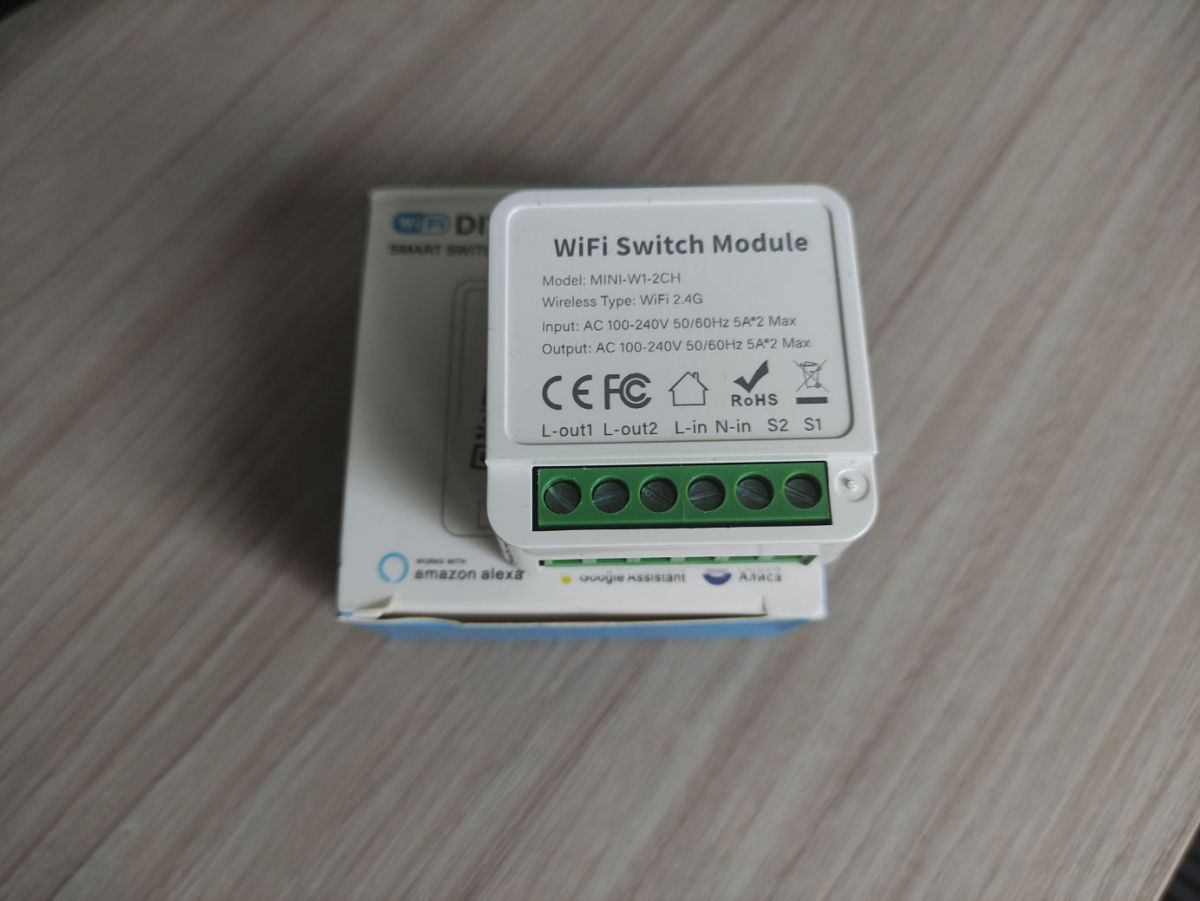
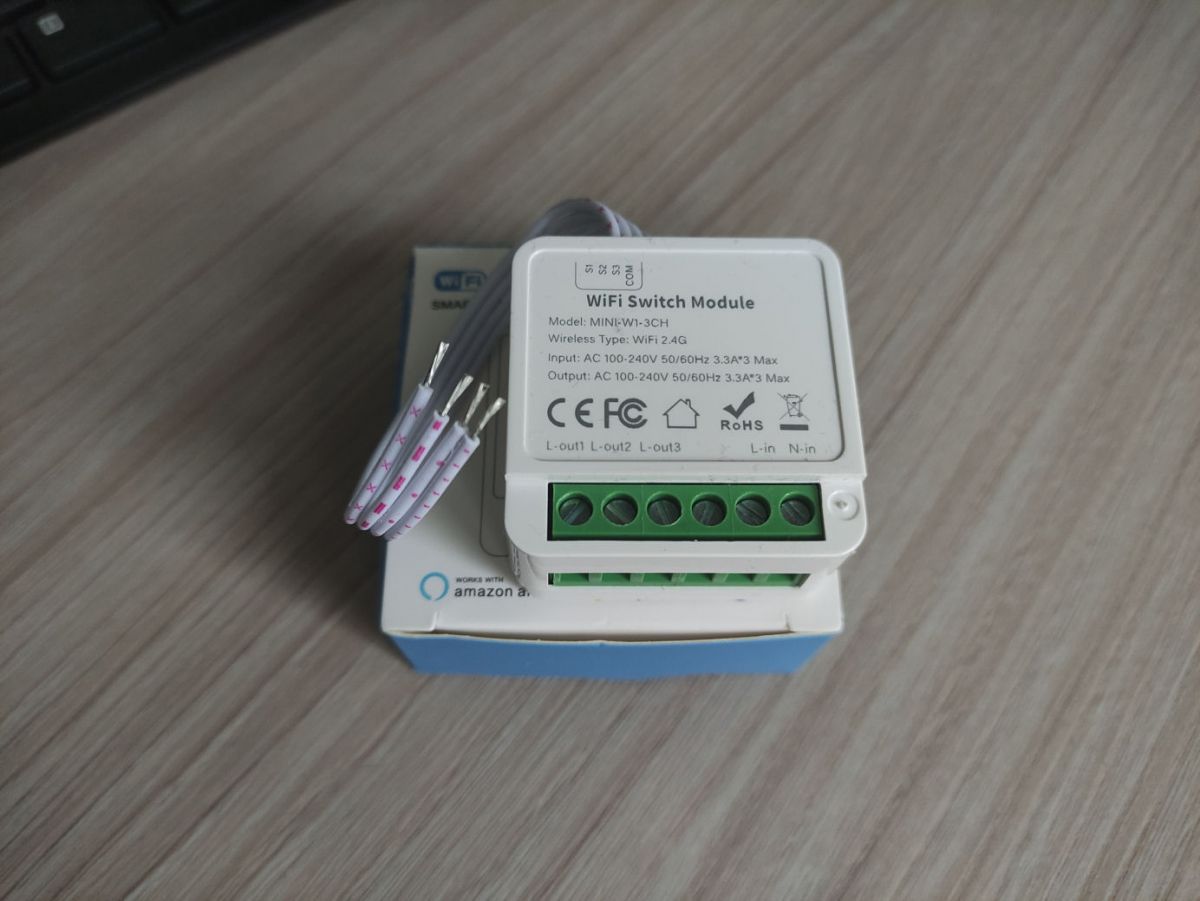
They have no manufacturer, neither on them nor on the box. Only the general model is MINI-W1, while specific versions are MINI-W1-2CH and MINI-W1-3CH.
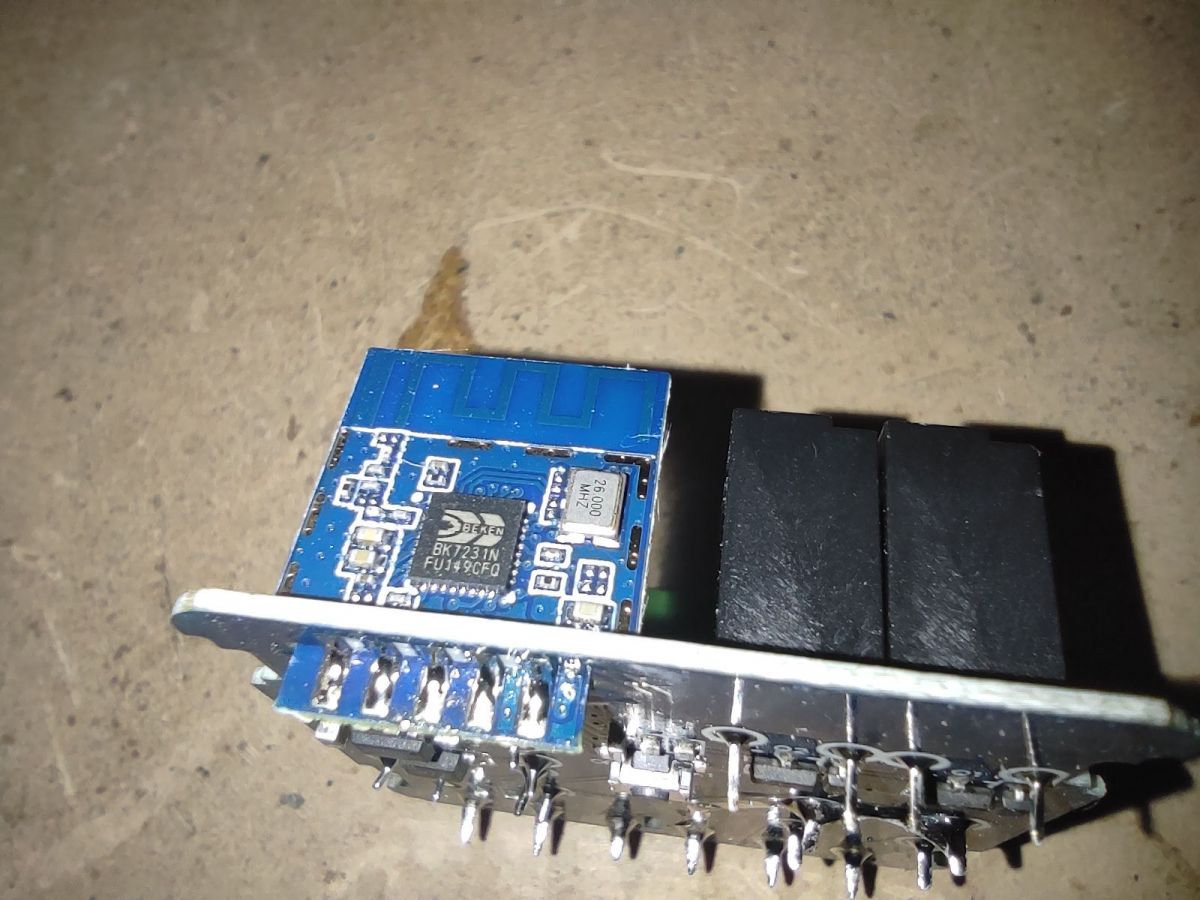
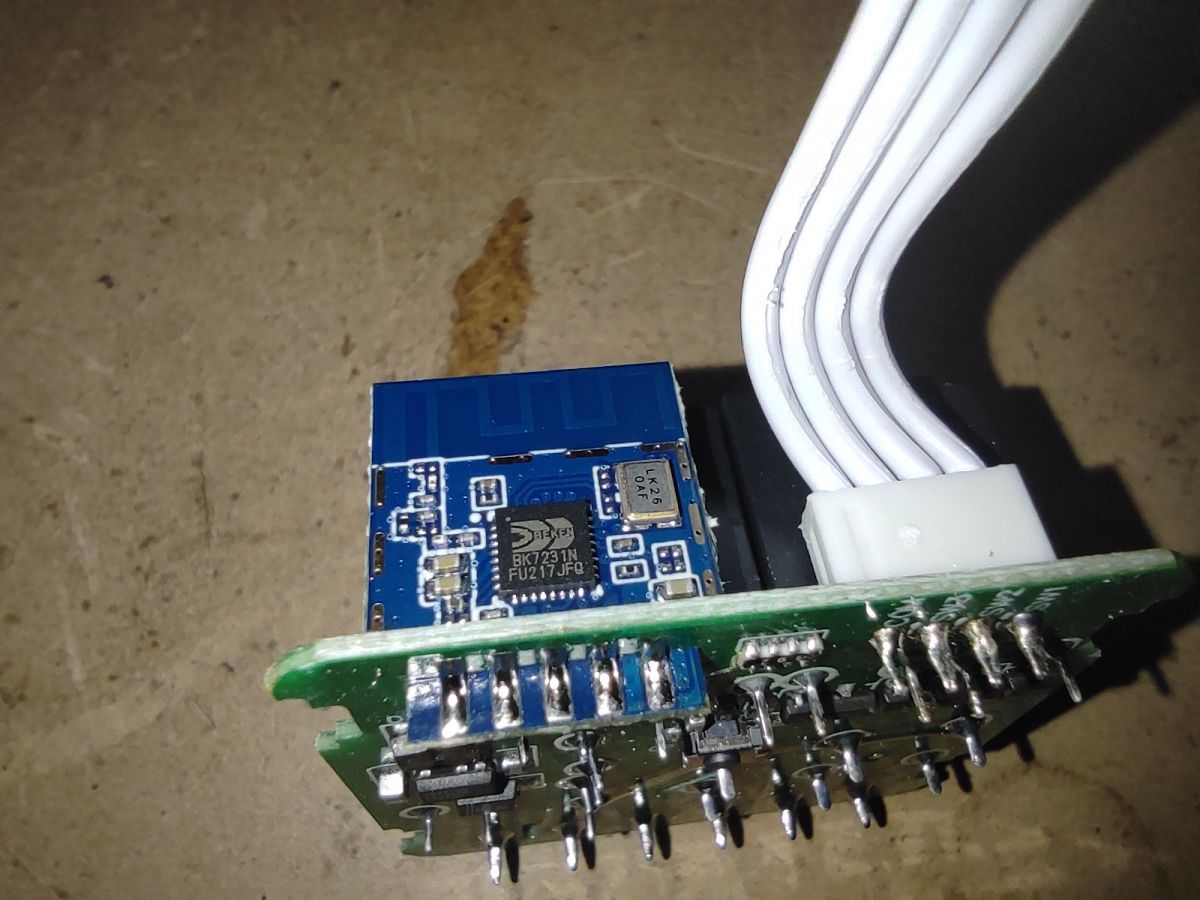
They are based on the BK7231N CB2S system and firmware 1.3.10. So at the moment they cannot be reprogrammed using CloudCutter.
In the Smart Life application they are detected as PSW-2CH-CB2S and PSW-3CH-CB2S.

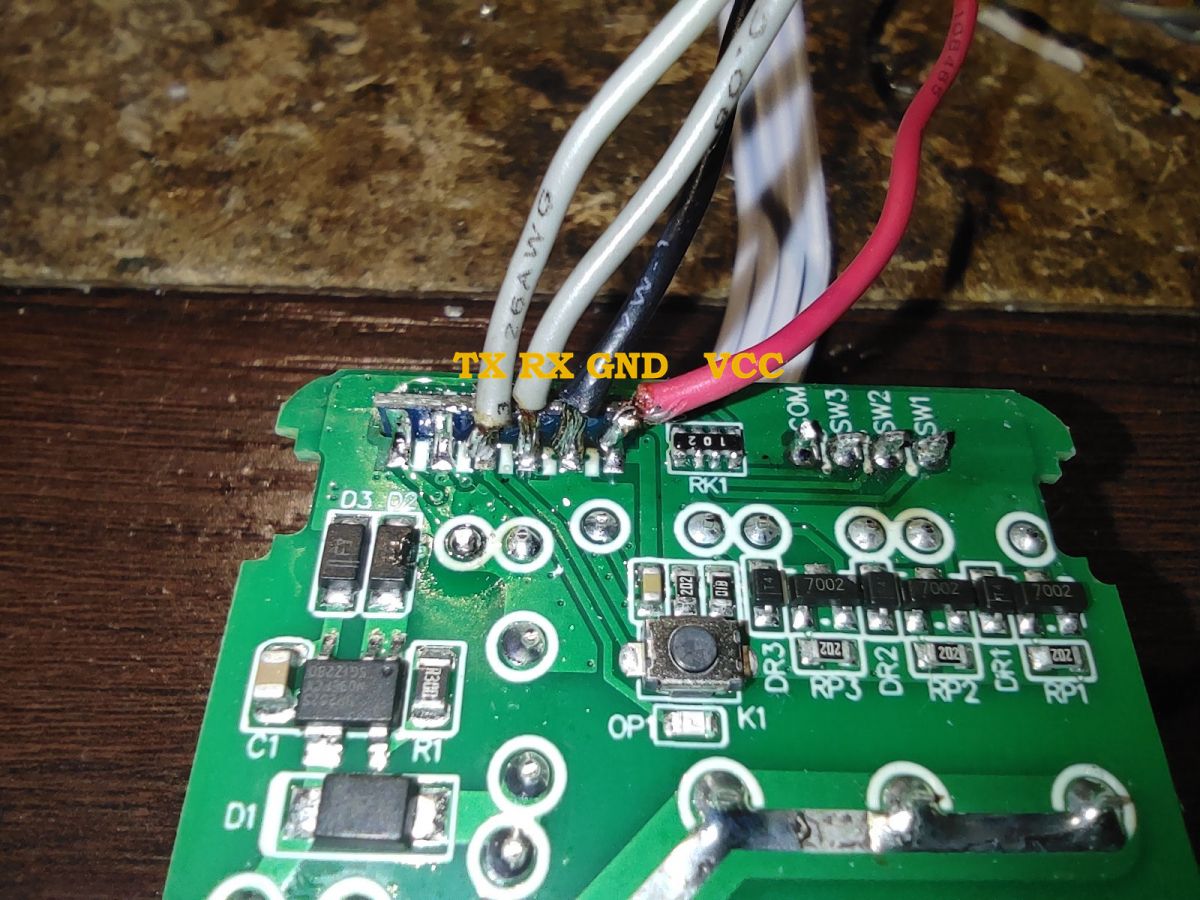
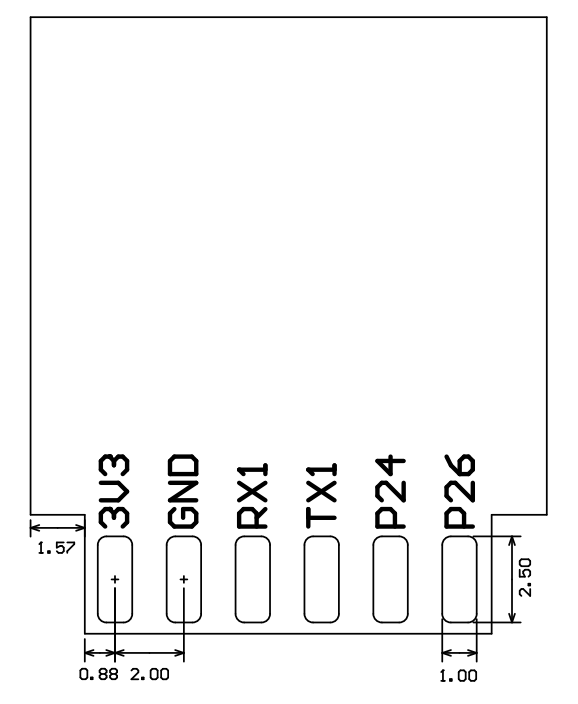
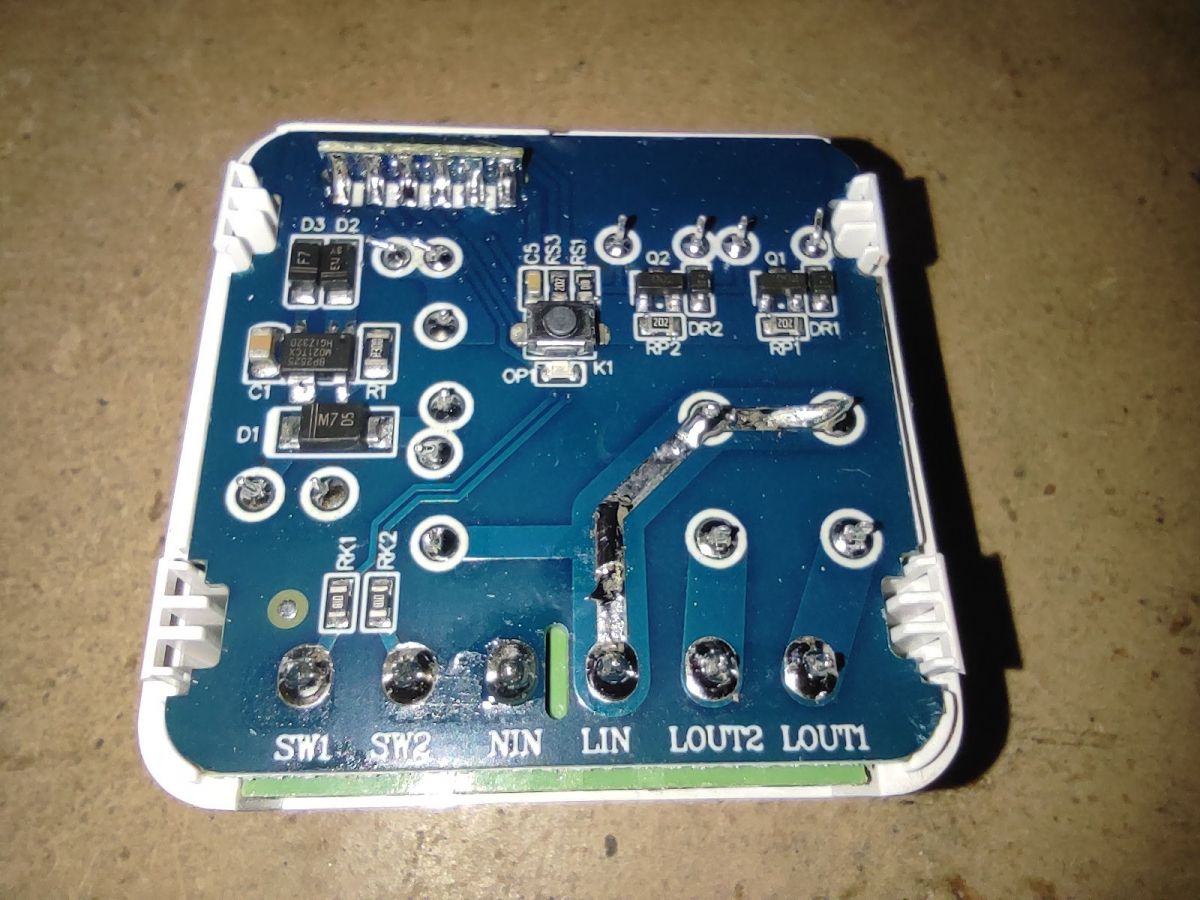
The housing is assembled with 4 latches, which release quite easily when lifted. You can program without desoldering the module, but you need to connect an additional 3.3V power supply. Because it does not produce current from the UART converter.
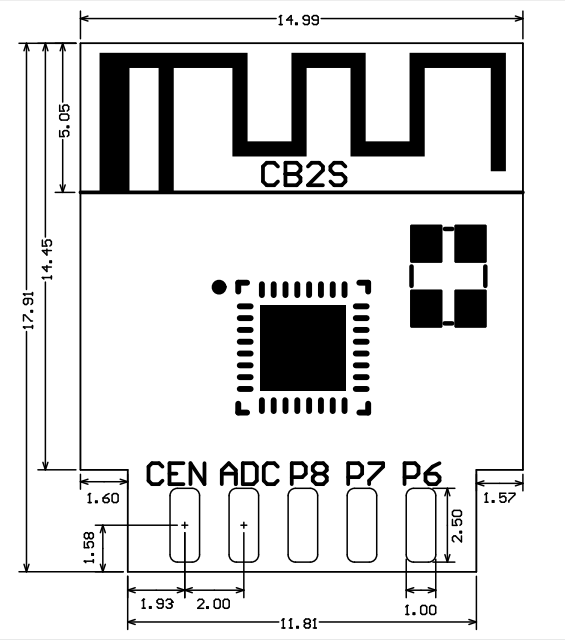
Pinout:
Close-up of a printed circuit board with pin labels: TX, RX, GND, VCC and connected wires. Technical drawing of the CB2S module. Diagram of electrical module pins labeled 3V3, GND, RX1, TX1, P24, and P26.

2 channel version (2 Gang):
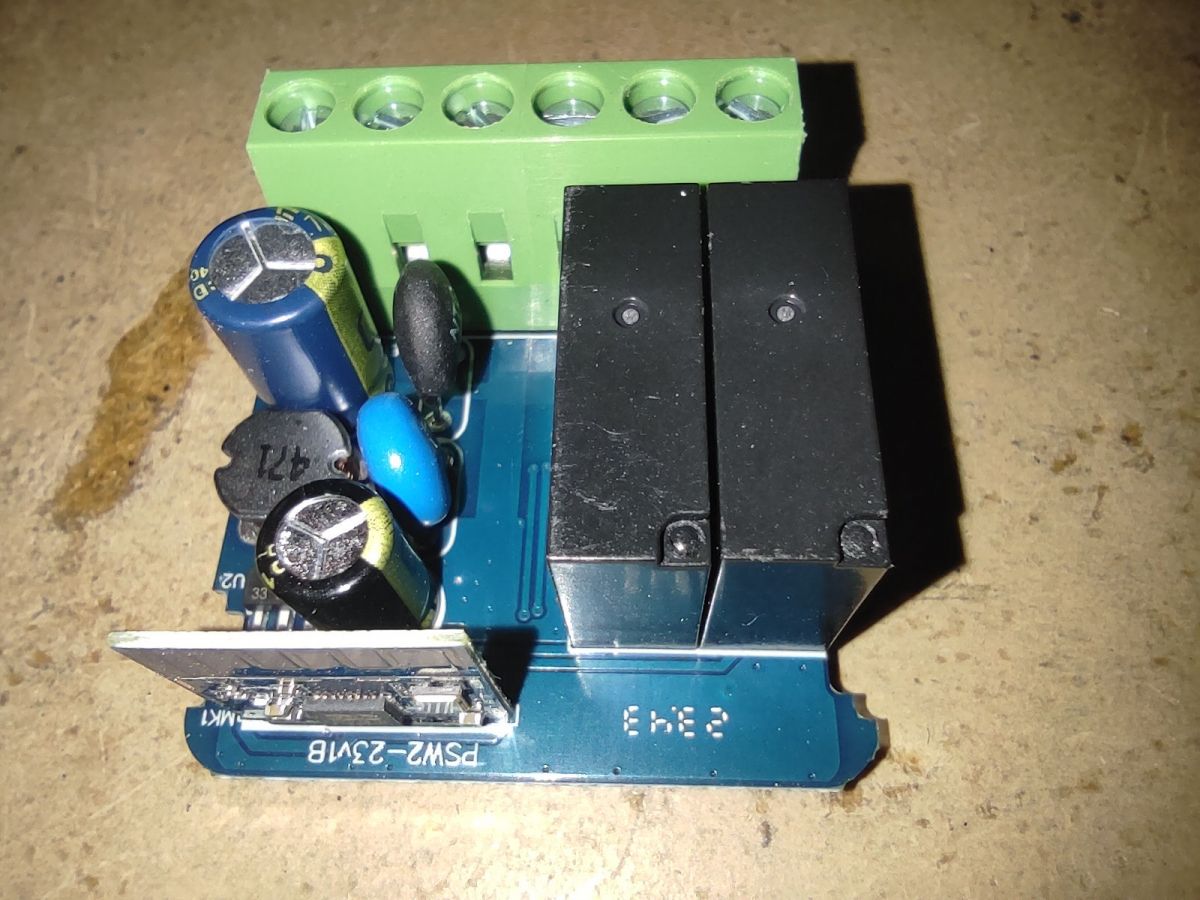
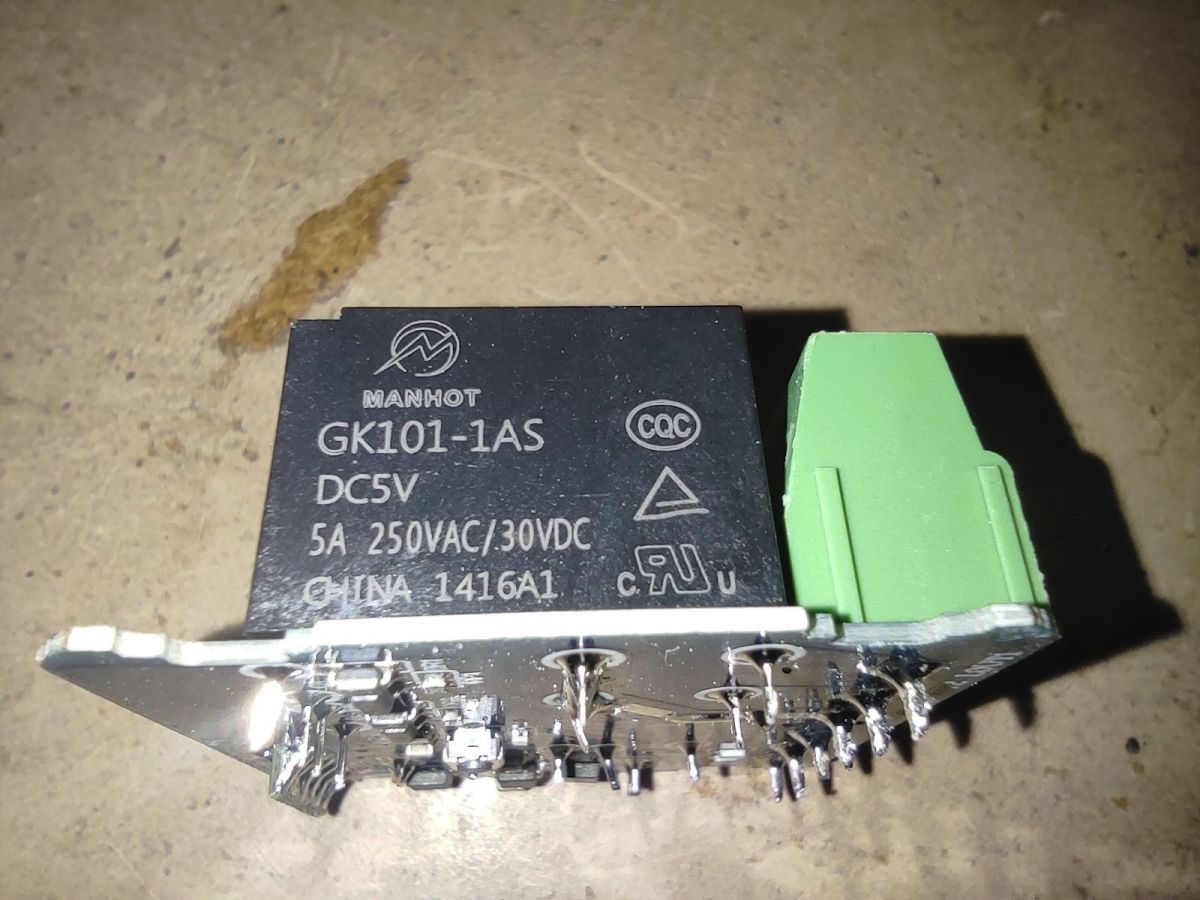
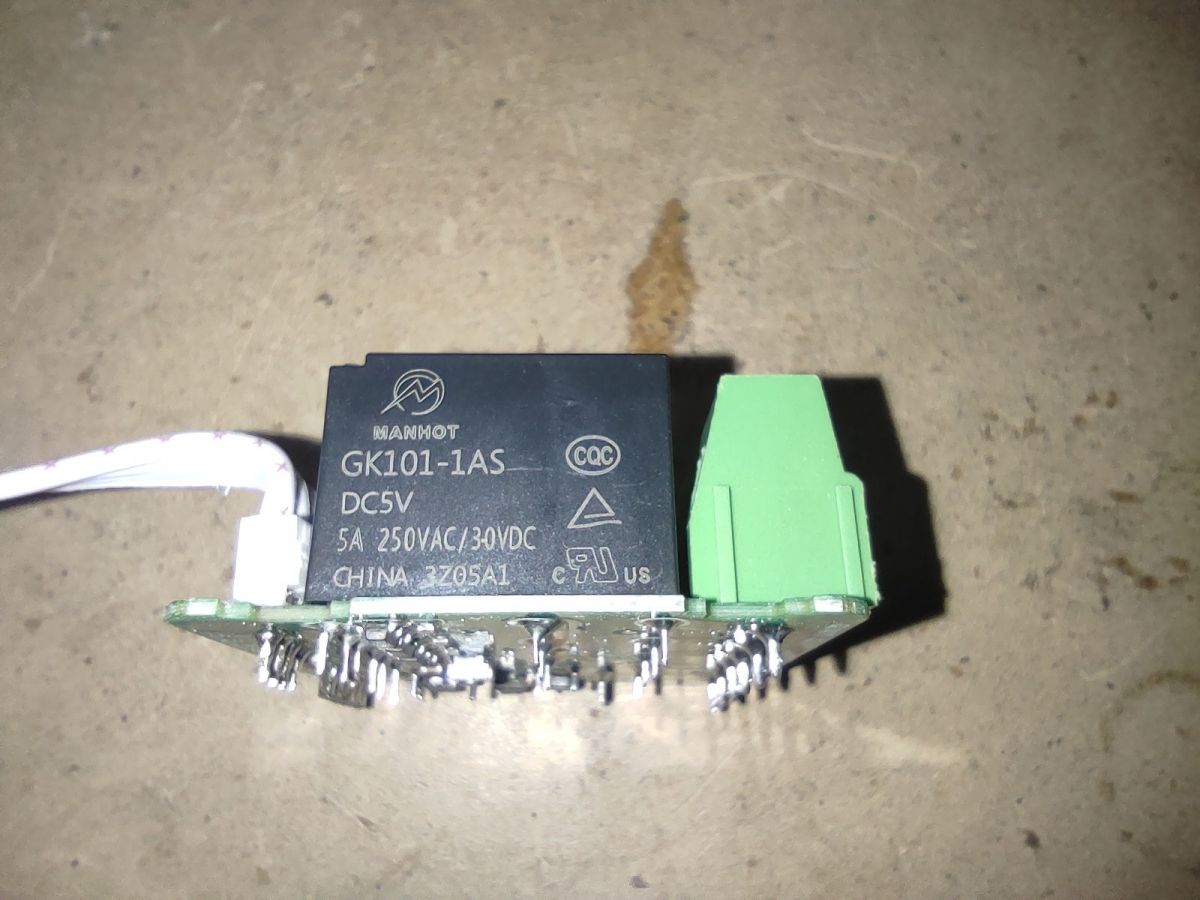
MINI-W1-2CH WiFi switch module on packaging. PCB of a flush-mounted switch module WiFi switch module with two relays and electronic components. MANHOT GK101-1AS relay module on a work surface. WiFi switch module with BK7231N chip

JSON configuration:
{
	"rl1_lv":"1",
	"on_off_cnt":"10",
	"onoff_rst_m":"1",
	"onoff_clear_t":"10",
	"rand_dpid":"42",
	"net_trig":"4",
	"onoff_n":"5",
	"netled1_lv":"1",
	"jv":"110.0.0",
	"onoff_rst_type":"2",
	"ffc_select":"2",
	"total_bt_pin":"23",
	"nety_led":"2",
	"total_stat":"0",
	"reset_t":"5",
	"netled1_pin":"11",
	"rl2_lv":"1",
	"remote_add_dp":"49",
	"remote_list_dp":"50",
	"net_type":"0",
	"inch_dp":"44",
	"module":"CB2S",
	"ch_cddpid1":"9",
	"inch_en2":"0",
	"inch_en1":"0",
	"onoff1":"6",
	"ble_pair_time":"30",
	"onoff2":"7",
	"clean_t":"5",
	"init_conf":"38",
	"rl2_pin":"24",
	"zero_select":"0",
	"onoff_type":"0",
	"series_ctrl":"0",
	"ch_cddpid2":"10",
	"total_bt_lv":"0",
	"cyc_dpid":"43",
	"ch_num":"2",
	"rl1_pin":"10",
	"netn_led":"2",
	"ch_dpid1":"1",
	"ch_dpid2":"2",
	"crc":"94",
	"}>$Agw_di{abi":"0",
	"id":"null",
	"swv":"1.3.10",
	"bv":"40.00",
	"pv":"2.2",
	"lpv":"3.4",
	"pk":"keyjnuy4s3kre7m7",
	"firmk":"keyjnuy4s3kre7m7",
	"cadv":"1.0.5",
	"cdv":"1.0.0",
	"dev_swv":"1.3.10",
	"s_id":"null",
	"dtp":"0",
	"sync":"0",
	"attr_num":"1",
	"mst_tp_0":"9",
	"mst_ver_0":"1.3.10",
	"mst_md5_0":"null",
	"mst_tp_1":"0",
	"mst_ver_1":"null",
	"mst_md5_1":"null",
	"mst_tp_2":"0",
	"mst_ver_2":"null",
	"mst_md5_2":"null",
	"mst_tp_3":"0",
	"mst_ver_3":"null",
	"mst_md5_3":"null }Ainch_time_key 0KAgw_wsm{nc_tp",
	"ssid":"null",
	"passwd":"null",
	"md":"0",
	"random":"0",
	"wfb64":"1",
	"stat":"0",
	"token":"null",
	"region":"null",
	"reg_key":"null",
	"dns_prio":"0 }{uuid",
	"psk_key":"FDItek6yQeqW9EdJPm5SYUUf6XuntIwPvPwnO",
	"auth_key":"5X00RcxhgeHaxlRPn9levSBYGlfAfjM7",
	"ap_ssid":"SmartLife",
	"ap_passwd":"null",
	"country_code":"null",
	"bt_mac":"null",
	"bt_hid":"null",
	"prod_test":"false",
	"fac_pin":"sqgfy9njgvghohai }{nc_tp"
}

Device configuration, as extracted from Tuya: 
- Pair/Toggle All Button on P23
- WiFi LED on P11
- TglChannelToggle (channel 1) on P6
- TglChannelToggle (channel 2) on P7
- Relay (channel 2) on P24
- Relay (channel 1) on P10
Device seems to be using CB2S module, which is using BK7231N.
And the Tuya section starts, as usual, at 2023424


Configuration for WebApp:
{
  "vendor": "Tuya",
  "bDetailed": "0",
  "name": "MINI-W1 2-Gang WiFi Switch Module",
  "model": "MINI-W1-2CH",
  "chip": "BK7231N",
  "board": "PSW2-23v1B",
  "flags": "1024",
  "keywords": [
    "TODO",
    "TODO",
    "TODO"
  ],
  "pins": {
    "6": "TglChanOnTgl;1",
    "7": "TglChanOnTgl;2",
    "10": "Rel;1",
    "11": "WifiLED_n;0",
    "23": "Btn_Tgl_All;0",
    "24": "Rel;2"
  },
  "command": "",
  "image": "https://obrazki.elektroda.pl/4786852700_1704633029.jpg",
  "wiki": "https://www.elektroda.pl/rtvforum/topic4026798.html"
}


3 channel version (3 Gang):
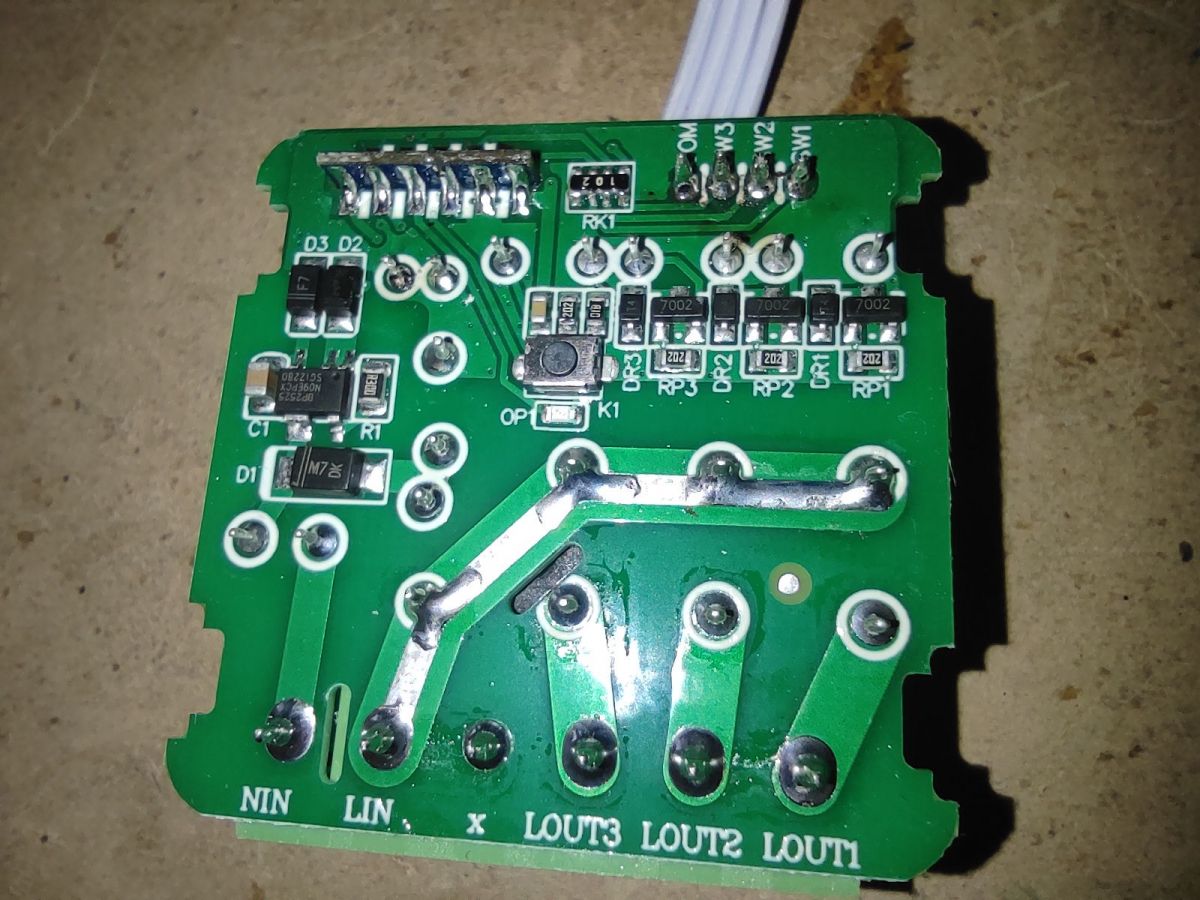
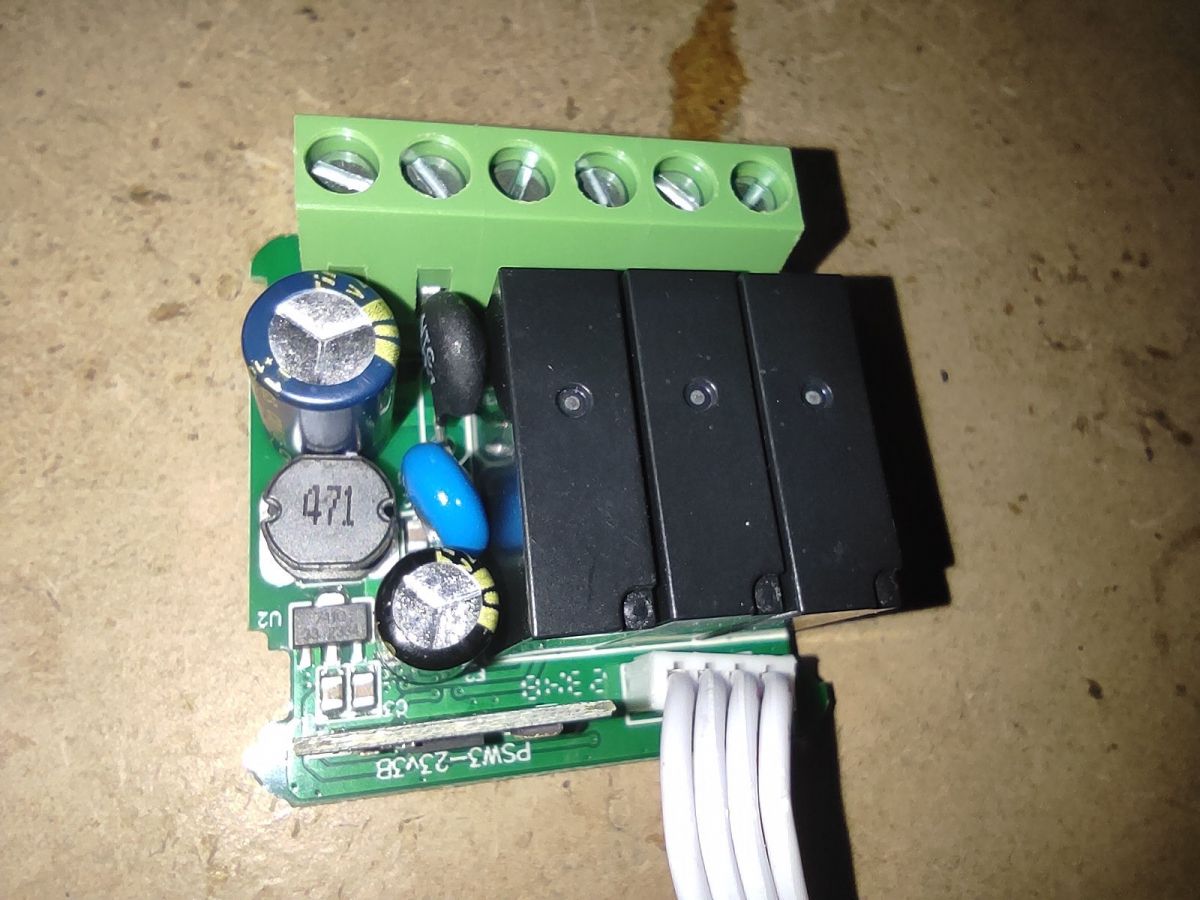
MINI-W1-3CH WiFi switch module on a box with wiring Circuit board of the MINI-W1 WiFi switch module without casing. Photo of an electronic relay module from AliExpress Electronic relay module against a concrete surface. WiFi switch module with CB2S circuit and BK7231N chip on a circuit board.

JSON configuration:
{
	"rl1_lv":"1",
	"on_off_cnt":"10",
	"onoff_rst_m":"1",
	"rl3_pin":"26",
	"rl3_lv":"1",
	"onoff_clear_t":"10",
	"rand_dpid":"42",
	"net_trig":"4",
	"onoff_n":"5",
	"netled1_lv":"1",
	"jv":"110.0.0",
	"onoff_rst_type":"2",
	"ffc_select":"2",
	"total_bt_pin":"23",
	"nety_led":"2",
	"total_stat":"0",
	"reset_t":"5",
	"netled1_pin":"11",
	"rl2_lv":"1",
	"remote_add_dp":"49",
	"remote_list_dp":"50",
	"net_type":"0",
	"inch_dp":"44",
	"module":"CB2S",
	"ch_cddpid1":"9",
	"inch_en2":"0",
	"inch_en3":"0",
	"inch_en1":"0",
	"onoff1":"6",
	"ble_pair_time":"30",
	"onoff2":"7",
	"clean_t":"5",
	"init_conf":"38",
	"onoff3":"8",
	"rl2_pin":"24",
	"zero_select":"0",
	"onoff_type":"0",
	"series_ctrl":"0",
	"ch_cddpid2":"10",
	"ch_cddpid3":"11",
	"total_bt_lv":"0",
	"cyc_dpid":"43",
	"ch_num":"3",
	"rl1_pin":"10",
	"ch_dpid3":"3",
	"netn_led":"2",
	"ch_dpid1":"1",
	"ch_dpid2":"2",
	"crc":"20",
	"}Agw_di0Ainch_time_keyv":"40.00",
	"pv":"2.2",
	"lpv":"3.4",
	"pk":"keyjnuy4s3kre7m7",
	"firmk":"keyjnuy4s3kre7m7",
	"cadv":"cdv",
	"dev_swv":"1.3.10",
	"s_id":"null",
	"dtp":"0",
	"sync":"0",
	"attr_num":"1",
	"mst_tp_0":"9",
	"mst_ver_0":"1.3.10",
	"mst_md5_0":"null",
	"mst_tp_1":"0",
	"mst_ver_1":"null",
	"mst_md5_1":"null",
	"mst_tp_2":"0",
	"mst_ver_2":"null",
	"mst_md5_2":"null",
	"mst_tp_3":"0",
	"mst_ver_3":"null",
	"mst_md5_3":"null "
}

Device configuration, as extracted from Tuya: 
- Relay (channel 3) on P26
- Pair/Toggle All Button on P23
- WiFi LED on P11
- TglChannelToggle (channel 1) on P6
- TglChannelToggle (channel 2) on P7
- TglChannelToggle (channel 3) on P8
- Relay (channel 2) on P24
- Relay (channel 1) on P10
Device seems to be using CB2S module, which is using BK7231N.
And the Tuya section starts, as usual, at 2023424


Configuration for WebApp:
{
  "vendor": "Tuya",
  "bDetailed": "0",
  "name": "MINI-W1 3-Gang WiFi Switch Module",
  "model": "MINI-W1-2CH",
  "chip": "BK7231N",
  "board": "PSW3-23v3B",
  "flags": "1024",
  "keywords": [
    "TODO",
    "TODO",
    "TODO"
  ],
  "pins": {
    "6": "TglChanOnTgl;1",
    "7": "TglChanOnTgl;2",
    "8": "TglChanOnTgl;3",
    "10": "Rel;1",
    "11": "WifiLED_n;0",
    "23": "Btn_Tgl_All;0",
    "24": "Rel;2",
    "26": "Rel;3"
  },
  "command": "",
  "image": "https://obrazki.elektroda.pl/9026804300_1704633863.jpg",
  "wiki": "https://www.elektroda.pl/rtvforum/topic4026798.html"
}


The original firmware is downloaded in the attachments.
Attachments:
  • readResult_BK7231N_QIO_MINI-W1_3CH_2024-04-1-19-51-11.bin (2 MB) You must be logged in to download this attachment.
  • readResult_BK7231N_QIO_MINI-W1_2CH_2024-04-1-19-25-59.bin (2 MB) You must be logged in to download this attachment.

About Author
@GUTEK@
@GUTEK@ wrote 1561 posts with rating 367 , helped 163 times. Live in city Gliwice. Been with us since 2005 year.

Comments

p.kaczmarek2 07 Jan 2024 17:51

I don ve seen this version with the cables leading outside: https://obrazki.elektroda.pl/2593275500_1704646016_thumb.jpg I hope that the instructions contain appropriate warnings, because these devices... [Read more]

@GUTEK@ 07 Jan 2024 18:37

Yes, the manual contains a warning, information that it should be connected by a qualified electrician, and connection diagrams for various versions. From what I measured, the cable described as COM is... [Read more]

@GUTEK@ 29 Jan 2024 16:40

I noticed a strange problem. I installed a 2-channel switch and after connecting the switch - bistable. When the switch is reset or started, the relay corresponding to the S2 input turns on. I have both... [Read more]

p.kaczmarek2 29 Jan 2024 17:33

The 2-channel version has one TglChanOnTgl on channel one and another TglChanOnTgl on channel two. Try swapping their channels. If only the S2 input is still to blame (those signed as S2, physically,... [Read more]

@GUTEK@ 29 Jan 2024 20:04

I have it set like this: "6": "TglChanOnTgl;1", "7": "TglChanOnTgl;2", "10": "Rel;1", "11": "WifiLED_n;0", "23": "Btn_Tgl_All;0", "24": "Rel;2 - if I physically disconnect the cable from S2, the... [Read more]

@GUTEK@ 30 Jan 2024 19:52

However, I conclude that this is a software problem. I have now reprogrammed another switch, exactly the same one with a blue plate as in this topic: https://www.elektroda.pl/rtvforum/topic3945316.html#20853216 ... [Read more]

@GUTEK@ 02 Feb 2024 21:30

I found the same problem and solution on github. The problem is that the input state is read too quickly at startup. Here is the corrected version of the software: https://github.com/openshwprojects/OpenBK7231T_App/issues/1000 ... [Read more]

p.kaczmarek2 04 Feb 2024 13:41

Since it helps in your case, I decided to add it to the main code: https://github.com/openshwprojects/OpenBK7231T_App/commit/a634e2b8b30f12eccd94e421d2c4fc8af0199176 It should be publicly available from... [Read more]

@GUTEK@ 05 Feb 2024 19:23

Something is still wrong. In the version shared on XJIKKA`s github, the problem does not occur. However, I have just uploaded today`s version 1.17.450 and it still starts after restart. As I understand... [Read more]

p.kaczmarek2 05 Feb 2024 20:14

You`re right, I added the correction, try it now, thank you. This is what happens when you do a big project in your free time. [Read more]

@GUTEK@ 05 Feb 2024 20:40

Now it`s ok. On version 1.17.451 the problem does not occur. Thank you. [Read more]

p.kaczmarek2 05 Feb 2024 22:49

Thank you for testing and for your donation. If you have any problems, please write to the forum. [Read more]

LordZiemniak 07 Feb 2024 21:09

I have this device and the gateway from Tuya and I can find it without any problems, but I bought the Sonoff Zigbee2mqtt and all the devices from Tuya, including temperature sensors, but I can`t find it,... [Read more]

p.kaczmarek2 08 Feb 2024 08:04

Check the logs for any additional information about the failure. Make sure you are entering the pairing state correctly. [Read more]

Advian1 25 Mar 2024 20:02

replying here, since I can't find this topic over at the english version. I've one of these 3 channel module. Flashed it successfully. But after a day of usage, it started acting weird. Switch 2... [Read more]

rt400yuval 18 Aug 2024 13:41

Hi, i have the same problem the switch are on on boot if i flash the latest firmware 1.17.662 i have the problem, but if i flash the https://github.com/openshwprojects/OpenBK7231T_App/issues/1000 firmware... [Read more]

p.kaczmarek2 18 Aug 2024 16:06

https://obrazki.elektroda.pl/1756566700_1723989906_thumb.jpg It seems to be still in place: https://github.com/openshwprojects/OpenBK7231T_App/blob/main/src/new_pins.c Can you track which commit/update... [Read more]

rt400yuval 18 Aug 2024 16:53

I don't know Because I took the firmware from this link https://github.com/openshwprojects/OpenBK7231T_App/issues/1000 that the guy "xjikka" made it, And the and the problem disappeared for me, but... [Read more]

luudi1 01 Mar 2025 17:17

Gentlemen. I have these modules in 1, 2 and 3 circuit versions. I used the 2-circuit version for the lighting in the bedroom. That is, channel one turns on one. chandelier bulb and channel two turns on... [Read more]

FAQ

TL;DR: These BK7231N CB2S MINI-W1 switches come in 2- and 3-channel versions, and “you need to connect an additional 3.3V power supply” to flash them without desoldering. This FAQ helps OpenBeken users map pins, avoid unsafe wiring mistakes, and fix the boot-time relay glitch that affected early builds. [#20896104]

Why it matters: These modules are cheap and flexible, but incorrect flashing, unsafe external wiring, or the wrong OpenBeken build can cause dangerous behavior or random relay toggles.

Variant Board / model detail Input pins Relay pins Shared pins
MINI-W1-2CH PSW2-23v1B P6, P7 P10, P24 P11 WiFi LED, P23 Pair/Toggle All
MINI-W1-3CH PSW3-23v3B P6, P7, P8 P10, P24, P26 P11 WiFi LED, P23 Pair/Toggle All
Boot-bug status 1.17.450 vs 1.17.451 issue still present in .450 fixed in .451 fix tied to startup input timing

Key insight: The main real-world issue was not basic pin mapping. It was startup input timing and noisy external switch wiring, especially on S2 and S3, which could briefly energize relays or cause random double-toggles.

Quick Facts

  • The devices discussed are labeled MINI-W1, sold in 1/2/3/4-channel versions, while the tested units were the 2-channel and 3-channel models using a CB2S module with a BK7231N chip and original firmware 1.3.10. [#20896104]
  • The flash procedure can be done without desoldering, but the UART adapter alone is not enough; the module needs an additional 3.3 V supply during programming. [#20896104]
  • Measured field wiring data matters here: the COM lead was reported shorted to N-in, the input leads carried 3.3 V, and one user measured about 80 V phantom voltage on long switch wiring in a 5x1.5 cable run. [#20896674]
  • Hardware access is straightforward because the housing uses 4 latches, but the external switch leads deserve caution because the power supply is non-isolated and mains potential can appear outside the enclosure. [#20896104]
  • Long external leads can trigger instability: one bench test used a 1.5 m cable with a switch, and that alone was enough to make the startup issue appear on S2 and S3. [#20935199]

How do I flash OpenBeken on a BK7231N CB2S MINI-W1 flush-mount switch without desoldering the module?

You can flash it in-circuit without desoldering the CB2S module. 1. Open the housing by releasing its 4 latches. 2. Connect to the UART programming pads shown in the thread pinout. 3. Add a separate 3.3 V supply, because the UART converter does not provide enough current for this board. The tested switches used a BK7231N-based CB2S module, and the author explicitly confirmed that external 3.3 V power was required during programming. [#20896104]

What is the pinout and OpenBeken configuration for the MINI-W1-2CH WiFi switch module based on CB2S/BK7231N?

The 2-channel mapping is P6=TglChanOnTgl;1, P7=TglChanOnTgl;2, P10=Rel;1, P11=WifiLED_n;0, P23=Btn_Tgl_All;0, and P24=Rel;2. The WebApp config also names the board PSW2-23v1B and the module MINI-W1-2CH. That gives you two local switch inputs, two relay outputs, one Wi-Fi LED pin, and one pair/toggle-all button pin on a BK7231N CB2S design. [#20896104]

What is the correct pin mapping for the 3-channel MINI-W1-3CH switch in OpenBeken?

The correct 3-channel mapping is P6=TglChanOnTgl;1, P7=TglChanOnTgl;2, P8=TglChanOnTgl;3, P10=Rel;1, P11=WifiLED_n;0, P23=Btn_Tgl_All;0, P24=Rel;2, and P26=Rel;3. The posted WebApp profile identifies the board as PSW3-23v3B, chip BK7231N, and module name MINI-W1 3-Gang WiFi Switch Module. This is the reference mapping to start from before troubleshooting noisy inputs. [#20896104]

Why does the relay on S2 or S3 turn on briefly at boot when TglChanOnTgl is used on these BK7231N switches?

The relay blips because the firmware read the input state too early at startup. Users reproduced it on S2 and S3, especially with TglChanOnTgl assigned and longer external wires attached. The thread later linked the cause directly to startup timing, and a corrected build removed the false state read that briefly energized the relay before pull-up behavior stabilized. [#20941774]

Which OpenBeken version fixes the startup input-read bug on MINI-W1 switches, and why did 1.17.450 still fail while 1.17.451 worked?

Version 1.17.451 fixed the reported startup bug, while 1.17.450 still failed on the tested switch. The user flashed 1.17.450 and still saw relays start after reboot, then confirmed that 1.17.451 solved it. The follow-up reply admitted the correction had not been fully added at first, which explains why the earlier build still behaved incorrectly. [#20946860]

How can I debug random double-toggles on channels P7 or P8 after flashing a 3-channel CB2S switch with OpenBeken?

Start by isolating the input pin and watching whether the MQTT log still shows paired 1 then 0 events. One user saw random double-toggles on channel 2, then stopped them by setting P7 to none; later the same behavior appeared on another channel. 1. Remove the external wire from the suspect input. 2. Set that pin to none and retest. 3. Reconnect only after confirming whether wiring length or input mode triggers the false toggles. [#21019518]

What is TglChanOnTgl in OpenBeken, and how is it different from Btn or Btn_Tgl_All for wall switch inputs?

TglChanOnTgl is an input role that toggles a specific channel when the input changes state, while Btn is treated as a button-style input and Btn_Tgl_All controls all channels together. In this thread, TglChanOnTgl on S2 or S3 exposed the boot-time glitch, but Btn and Btn_Tgl_All often did not. That makes the choice of input role a practical workaround when bistable wall switches behave badly at startup. [#20935199]

What is CloudCutter, and why can't firmware 1.3.10 on these CB2S/BK7231N switches be reprogrammed with it?

CloudCutter is a firmware reprogramming method mentioned here as an unavailable path for this device and firmware combination. The author stated that these MINI-W1 switches use BK7231N CB2S hardware with firmware 1.3.10 and therefore “cannot be reprogrammed using CloudCutter” at that time. For this thread, the actionable path was UART flashing with an added 3.3 V supply, not CloudCutter. [#20896104]

Why do non-isolated power supplies in Tuya flush-mount switches make the external switch wires potentially dangerous?

They are dangerous because a non-isolated converter can place mains potential onto wires that leave the enclosure. One reply warned that these devices have non-isolated converters and that “there may be network potential on these cables led outside the housing.” Another measurement found COM shorted to N-in, and an accidental reversed phase connection could put live voltage on the cable and destroy the circuit if shorted. [#20896674]

How do I enable PowerSave 1 in OpenBeken to stop chirping or squeaking in low-cost smart switch power supplies?

Enable PowerSave 1 in OpenBeken on these switches if they chirp or squeak. The maintainer wrote that “you must enable PowerSave 1 on these devices,” otherwise the power supply issue can repeat on these low-cost converters. That advice was specific to this MINI-W1 family and tied to the limited performance of the cheapest onboard AC-DC section used by the manufacturer. [#20896541]

What is the difference between the Tuya Smart Life identifiers PSW-2CH-CB2S and PSW-3CH-CB2S and the MINI-W1 hardware models?

PSW-2CH-CB2S and PSW-3CH-CB2S are the Smart Life app identifiers, while MINI-W1-2CH and MINI-W1-3CH are the hardware model names printed for the product family. The thread states that the same devices appeared in Smart Life under those PSW names even though the hardware itself was described generically as MINI-W1, with no visible manufacturer branding on the unit or box. [#20896104]

Why would only the first Startup command run in OpenBeken when I enter multiple SetChannel commands?

Because the thread shows that chaining startup commands as entered there did not execute both actions reliably. The user reported that with “SetChannel 3 1; SetChannel 2 1;” only the first command ran at boot. No final fix was posted in the discussion, so the safe conclusion is that this exact startup-command format was not working as expected on that build and needed different handling or separate testing. [#20935199]

Sonoff Zigbee2MQTT vs a Tuya gateway: which is the right platform for discovering this MINI-W1 device, and why might it not appear in Zigbee2MQTT?

The Tuya gateway is the right platform from the thread evidence, not Zigbee2MQTT. The user could discover the device with a Tuya gateway but not with Sonoff Zigbee2MQTT, while the replies did not confirm any Zigbee2MQTT compatibility. That strongly suggests this MINI-W1 is not a Zigbee2MQTT-target device in the reported setup, so failure to appear there is expected unless logs show a different pairing problem. [#20950393]

How can phantom voltage on long switch wires cause random switching when the module controls neutral instead of phase?

Phantom voltage can capacitively couple into long input wires and falsely trigger the switch input. One user described a 5x1.5 cable run, neutral switching, and about 80 V appearing between neutral and the S1/S2 conductors because a live conductor shared the same multicore cable. That creates a capacitor-like effect, and on sensitive 3.3 V logic inputs it can produce random on/off events even when the physical wall switch looks idle. [#21461561]

What's the best workaround for unstable external switch inputs on these MINI-W1 modules: firmware fix, pull-up changes, shorter wiring, or hardware filtering?

Start with the firmware fix, then shorten or clean up wiring, and only then consider hardware filtering. The thread proved that version 1.17.451 removed one startup bug, but later reports still linked instability to long wires, phantom voltage, and sensitive inputs on S2 or S3. “TglChanOnTgl” is an input mode that toggles a channel on state change, which makes it sensitive to brief false edges on noisy lines. If noise remains, reduce wire length or apply the external filtering approach referenced later in the discussion. [#21461571]
%}