logo elektroda
logo elektroda
X
logo elektroda

Implementation of sending IR signals for air-conditioning control - raw format - step by step

p.kaczmarek2  3 2871 Cool? (+3)
📢 Listen (AI):

TL;DR

  • A BK7231-based IR blaster was built to send raw Flipper Zero-compatible air-conditioner commands from a microcontroller.
  • The implementation uses a 38 kHz PWM carrier, a timer interrupt, and a timing table that toggles PWM state according to raw pulse lengths.
  • The timer runs every 50 μs, and the PWM carrier is derived from a 26 MHz MCU clock with a 33% duty cycle.
  • A Galanz AUS-12HR53FA2/AS-12HR53F2F air conditioner responded to the converted Flipper Zero ON command and started successfully.
  • The code still relies on library calls and 50 μs polling, with planned optimizations for direct register access and 1:1 Flipper file support.
Generated by the language model.
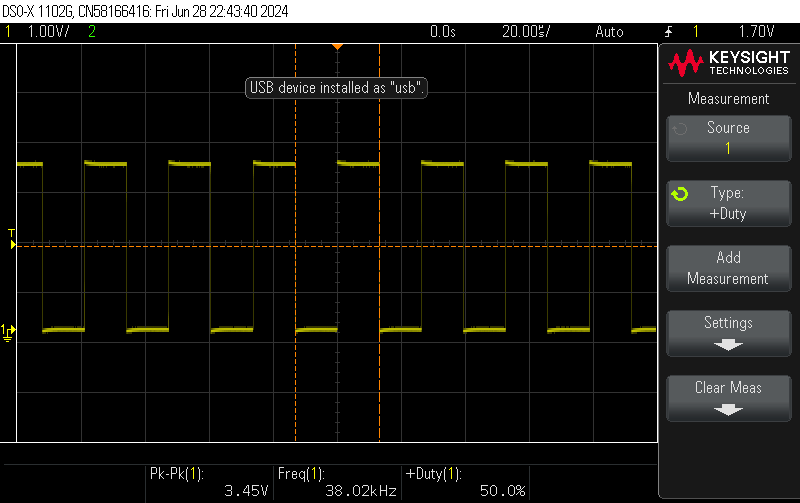
PWM signal waveform on an oscilloscope screen showing visible pulses. .
Here I will describe the implementation process of sending an IR signal based on a PWM and a timer. The signal sent like this from the microcontroller will be able to control the air conditioning. In addition, the signal format used will be compatible with what Flipper Zero captures, allowing the signals captured in this way to be used to send them from my platform. I will implement the topic based on the MCU on which I am doing my project, but I think the steps shown here will be analogous on other platforms as well.

Plan of action .
In the previous topic we looked at the IR signal captured by Flipper Zero:
Building an IR signal, captured in Flipper Zero, written in raw format .
So we already know that you will need:
- PWM, in this case 38kHz with adjustable fill
- some form of timer to be able to wait a given time to switch the PWM on/off
As a reminder, this is the format we want to send:

name: Power
type: raw
frequency: 38000
duty_cycle: 0.330000
data: 2204 708 834 1342 882 1344 837 632 836 1392 836 615 723 738 836 633 861 684 835 658 838 710 835 657 838 656 837 641 723 762 838 1397 727 101537 2257 704 761 1417 884 1342 762 737 731 1467 836 612 828 634 760 707 787 760 835 658 761 786 835 658 761 733 836 637 827 660 763 1473 726
.
This means that we need to turn on the 38kHz PWM with a fill of 33%, leave it on for 2204 us, then turn it off and wait 708 us, then turn it on again, and so on.
So we need to have some kind of table into which we write these timing values and operate according to them.
It is necessary to wait for these times somehow. I see two options here:
- set the timer anew with each time to a given value, after which the interrupt will occur
- rigidly choose some unit of timer precision
For simplicity, I have chosen the second way. With a sufficiently small interrupt period, errors will be negligible. Looking at these timer values, I decided to call the timer every 50 us.


Starting the timer .
So we start the timer. This looks different depending on the platform. I implemented this on a BK7231, so documentation was practically non-existent. I had to search through the Chinese SDK myself for what and how. Here is the timer launch:
Code: C / C++
Log in, to see the code
.
In addition, in order to check if the timer works, I decided to "wave" some GPIO. Setting the pin to output mode:
Code: C / C++
Log in, to see the code
.
Well, and our ISR - Interrupt Service Routine - handling the interrupt from the timer:
Code: C / C++
Log in, to see the code
.
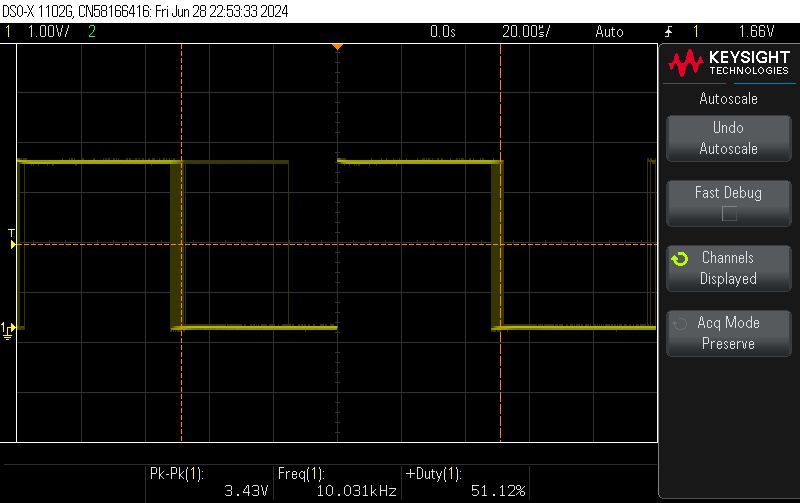
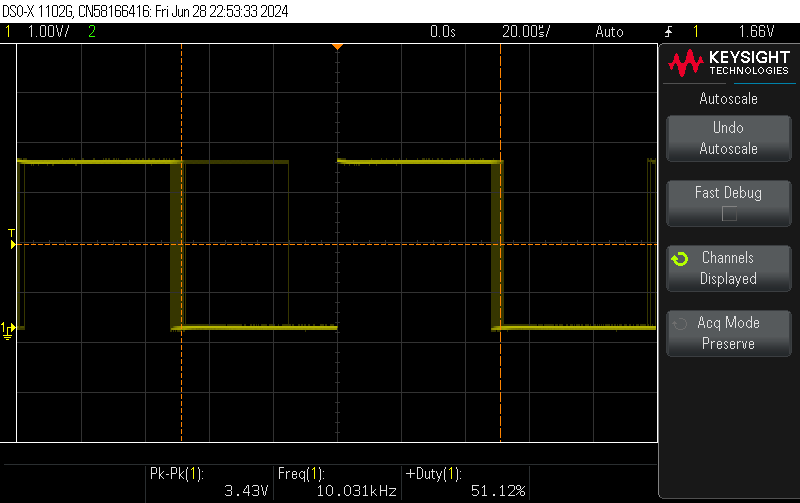
Uploading, testing:
Oscilloscope screenshot showing PWM signal. .
Indeed, it all comes together. The whole thing could still be significantly optimised by replacing the pin handling by a function with direct register operations, but for now we're just running the timer, so I'll skip that.

Run the PWM .
Similarly, we now need to run PWM. All for now as a separate example. On my BK7231 it looks like this:
Code: C / C++
Log in, to see the code
.
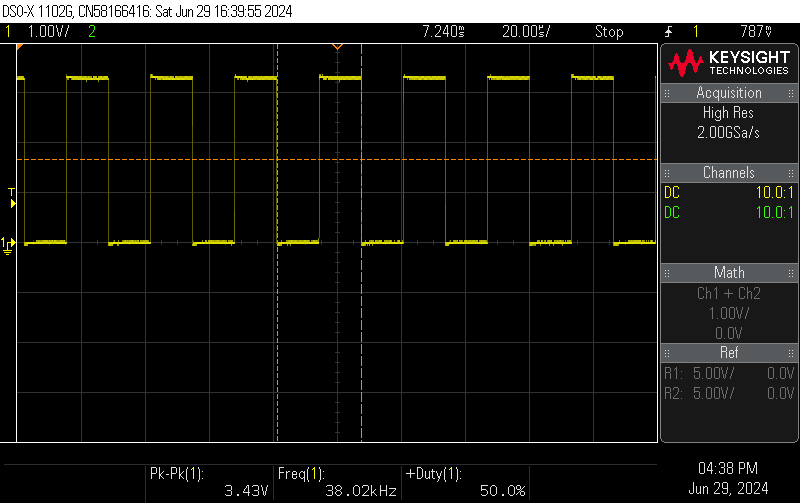
26000000 is the MCU clock frequency, which is 26MHz. We divide it by 38kHz to get the PWM period value. Then we set the fill to half the period - 50%. It works:
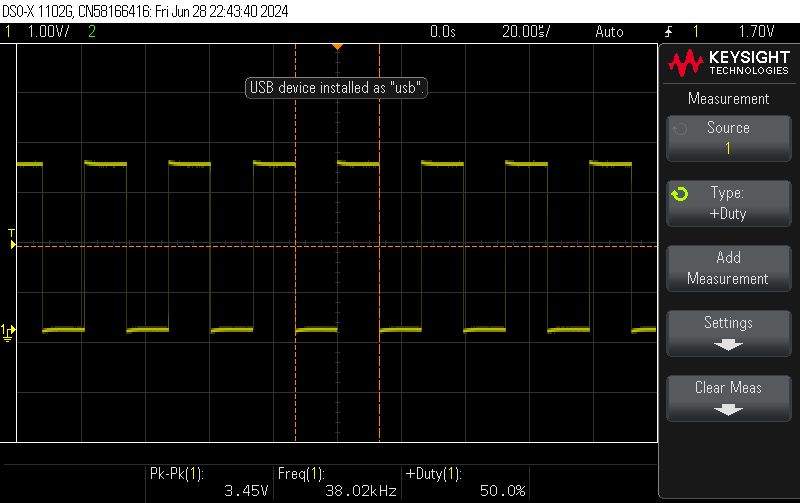
Oscilloscope displaying a PWM signal at 38 kHz frequency. .

Starting the time queue
Now we need to consider how we will represent the raw data in memory.
Let's make it as simple as possible - the circular buffer can be introduced later. Let's create an array of fixed size:
Code: C / C++
Log in, to see the code
.
Now you need to remember what is next in the queue to be sent - let's say it will be a pointer to a given element in the array. When it is zero, it means we have sent everything.
Code: C / C++
Log in, to see the code
.
You also need to know where to stop - let's just enter a stop indicator.
Code: C / C++
Log in, to see the code
.
Now let's still set the timer period and the variable counting the elapsed time. By the way, we need to remember the state (we are sending PWM or not) so that we can convert it to the opposite when the timer expires:
Code: C / C++
Log in, to see the code
.
And now our ISR, however, without PWM to start with - just waving a pin:
Code: C / C++
Log in, to see the code
.
The above code counts how much time has elapsed, compares the elapsed time with the next threshold and if the threshold has been passed, the code 'jumps' it and subtracts its value from the current time (so as not to accumulate an error).

I also added command parsing to this in the format:

Send 100,500,300,500,100
.
This topic is not about parsing ASCII text into a buffer, but I'll mention that I used strtok anyway - code for reference:
Code: C / C++
Log in, to see the code
.
The only important thing here is to remember not to start sending data prematurely, during parsing. This is why I set the "cur" pointer to the first element of the array at the end, already after parsing.

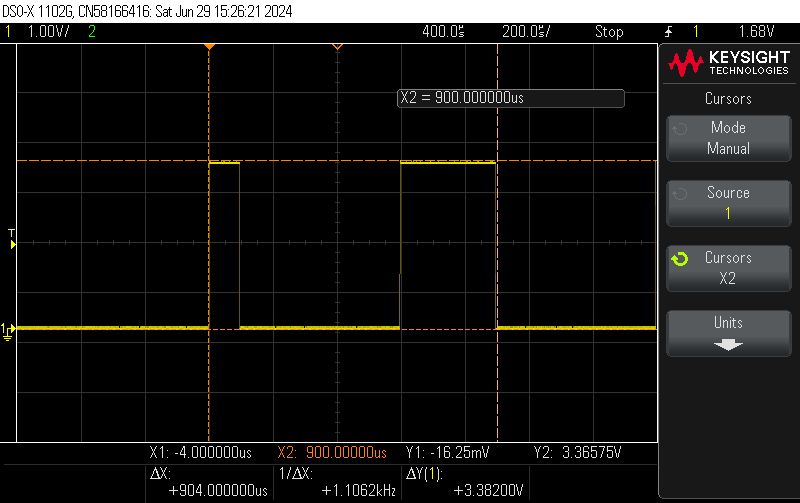
We test - we send the "data":
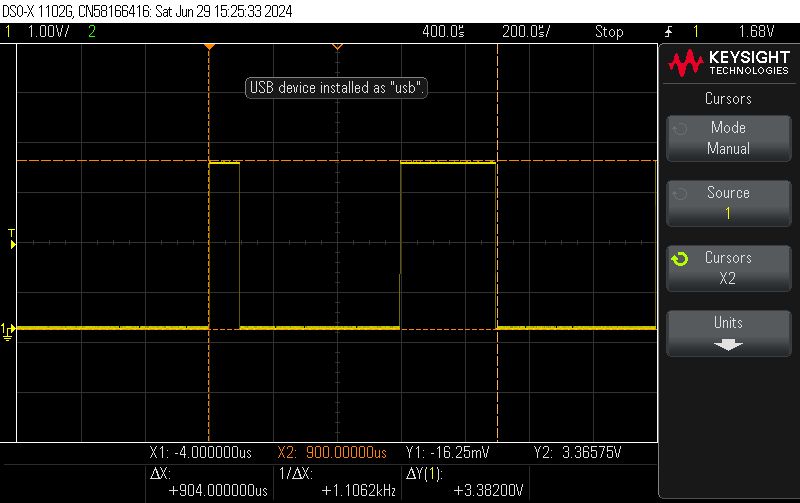
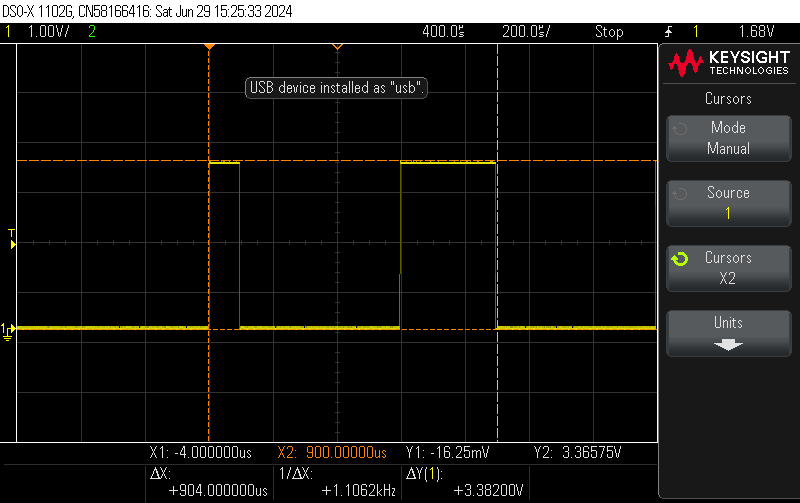
Oscilloscope screenshot showing a PWM signal in rectangular waveform. .
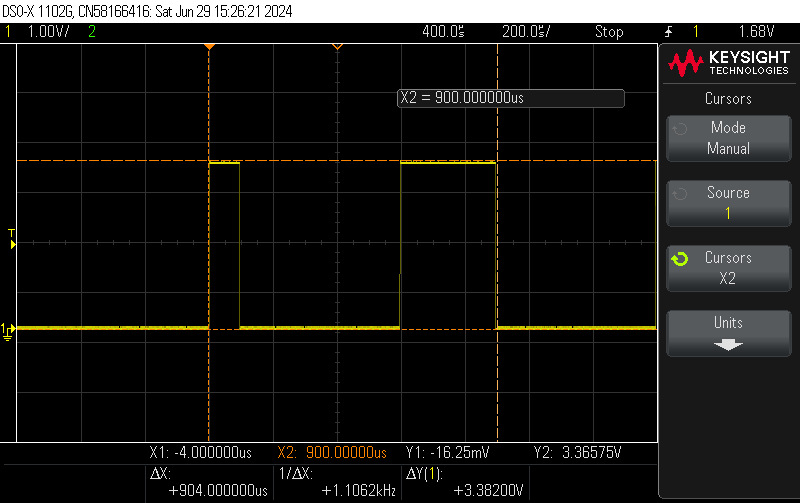
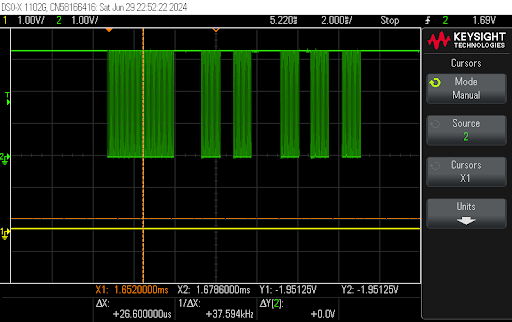
Oscilloscope screenshot showing a waveform signal lasting 900 μs. .
It all adds up. The high state is about 100us, then a low of 500us and again a high of 300us. This is what I have specified in the file.


PWM comes into action .
Since swiping the pin according to the times already works, PWM can be plugged in. Basically we just change a few lines. Depending on the state (sending or not), we set the appropriate fill (although you could just as well turn off the whole PWM...):
Code: C / C++
Log in, to see the code
.
Time to test this. In my environment, everything is wrapped in text commands that look roughly like this:

// start the driver
startDriver IR2
// start timer 50us
// arguments: duty_on_fraction, duty_off_fraction
StartTimer 50 0.5 0
// send data
Send 3500, 1500, 500, 1000, 1000, 500,
.
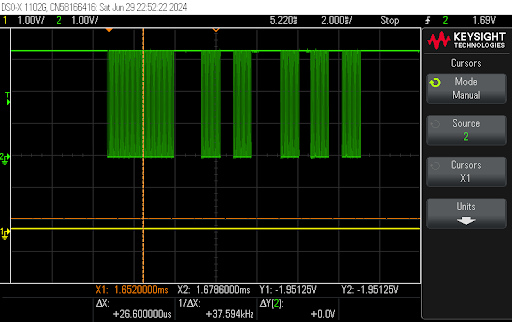
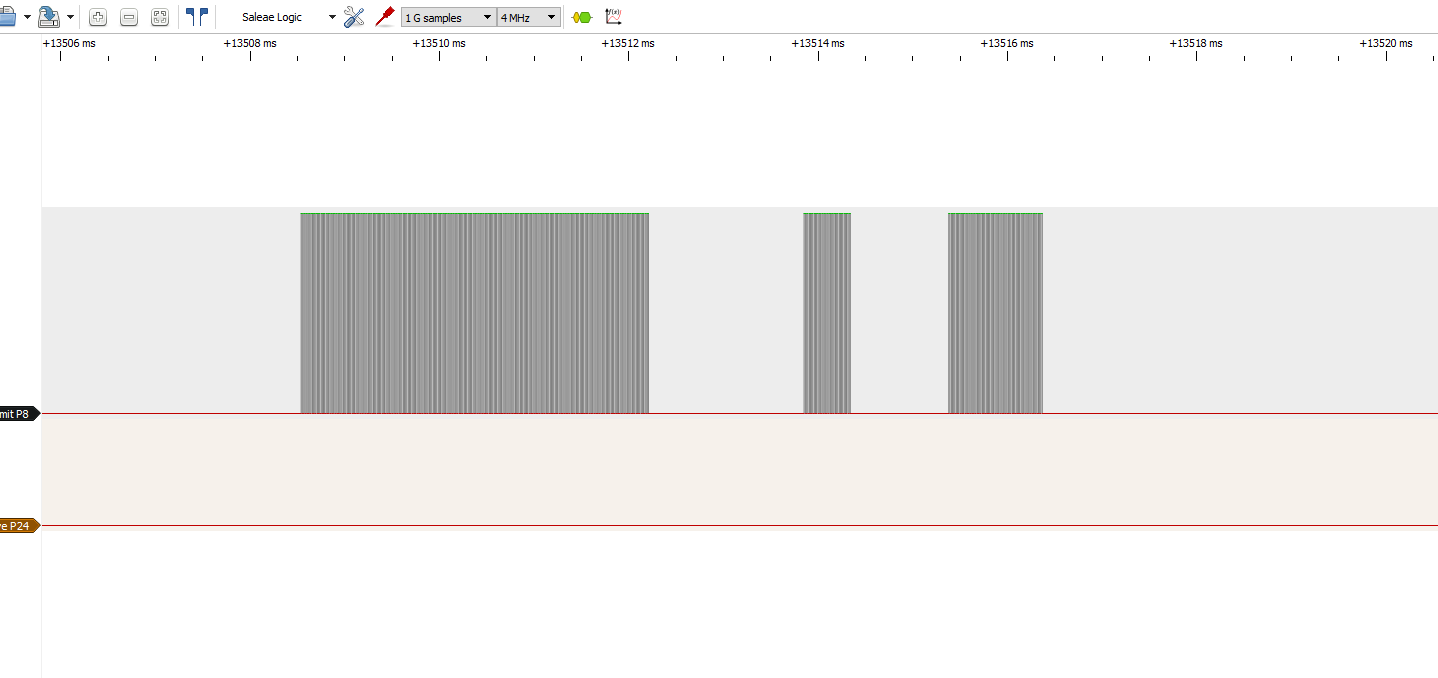
Example result (screenshot from Sigrok):
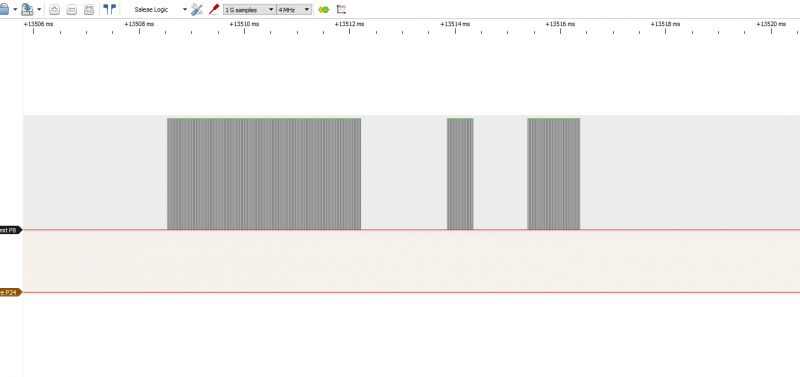
Screenshot of IR signal analysis. .
When zoomed in you can see the PWM (here from the oscilloscope):
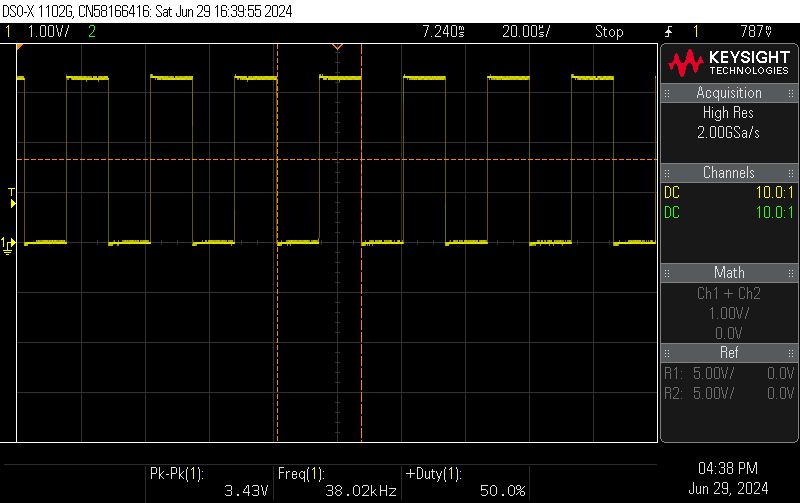
PWM signal graph at 38 kHz frequency from an oscilloscope. .
Another example:

// start the driver
startDriver IR2
// start timer 50us
// arguments: duty_on_fraction, duty_off_fraction, pin for sending (optional)
StartTimer 50 0.5 0
// send data
Send 3200,1300,950,500,900,1300,900,550,900,650,900

The result - looks good.
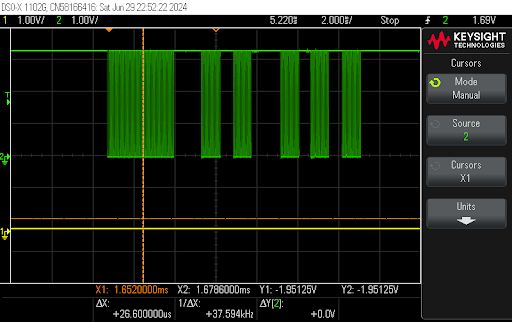
Oscilloscope display showing a PWM signal with a frequency of approximately 38 kHz. .
One could already test with air-conditioning, but there is still a moment....

Minor optimisations
One could end here - but are we sure?
Remember that time and precision are of the essence here, and library functions are not always optimal.
Let's consider how we update the PWM:
Code: C / C++
Log in, to see the code
.
Does it look innocent? But what's hiding under the hood?
Code: C / C++
Log in, to see the code
.
This just brings up another function... what is sddev_control?
Code: C / C++
Log in, to see the code
.
Well, it doesn't look very efficient.
First of all, here is an iteration and comparison of .... character strings? What is PWM_DEV_NAME?
Code: C / C++
Log in, to see the code
.
Yes, these are the subtitles.
And what does the array they iterate look like?
Code: C / C++
Log in, to see the code
.
That's pretty long. And without a hash table? No no, it can't be like that, it needs to be optimised.
Let's see where the call finally goes.
Where is CMD_PWM_SINGLE_UPDATA_PARAM used?
Only in PWM is there a big switch with multiple cases:
Code: C / C++
Log in, to see the code
.
And this ultimately calls:
Code: C / C++
Log in, to see the code
.
In summary, I see a few things to improve here:
- firstly, you can write directly in the IR driver after registers instead of calling these many functions as in the SDK
- secondly, these variables can be fetched once and kept in memory afterwards:
Code: C / C++
Log in, to see the code
.
- thirdly, as I only change the first duty_cycle, the other REG_WRITEs can be omitted:
Code: C / C++
Log in, to see the code
.
- fourthly, as we know that group will be constant, what does REG_GROUP_PWM0_T1_ADDR do? It's a macro;
Code: C / C++
Log in, to see the code
.
This final address value can also be counted once and then held in memory....

I've done most of these optimisations, I'll be adding the rest. Whoever wants can find the code on my repository: https://github.com/openshwprojects/OpenBK7231T_App

Final test .
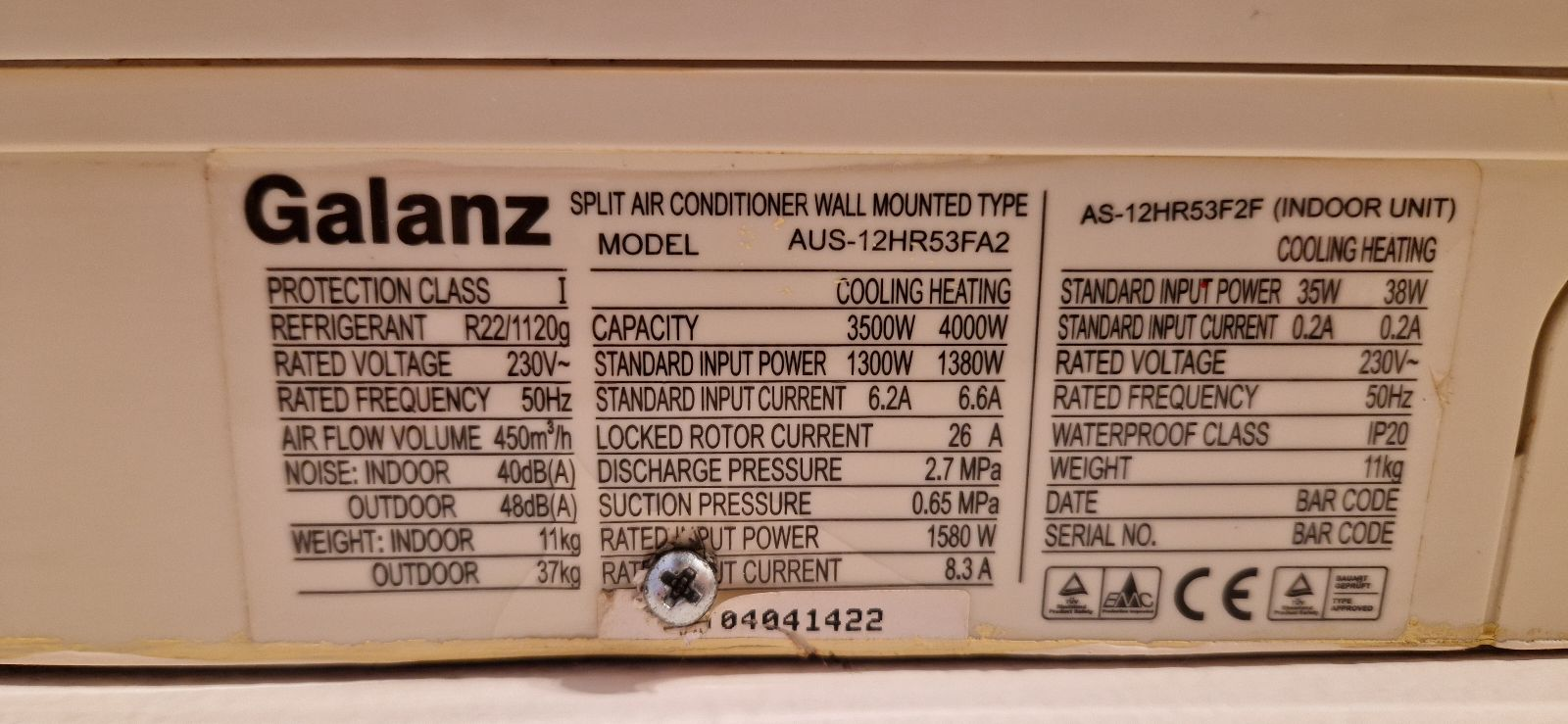
For our final test, we used the Galanz AUS-12HR53FA2/AS-12HR53F2F air conditioner:
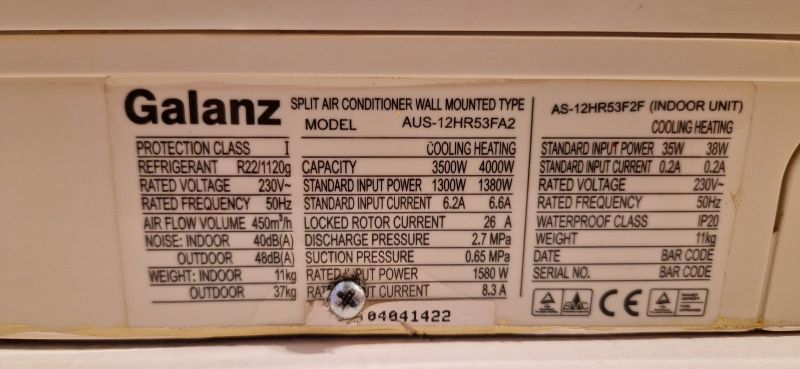
Galanz air conditioner label with technical specifications. .
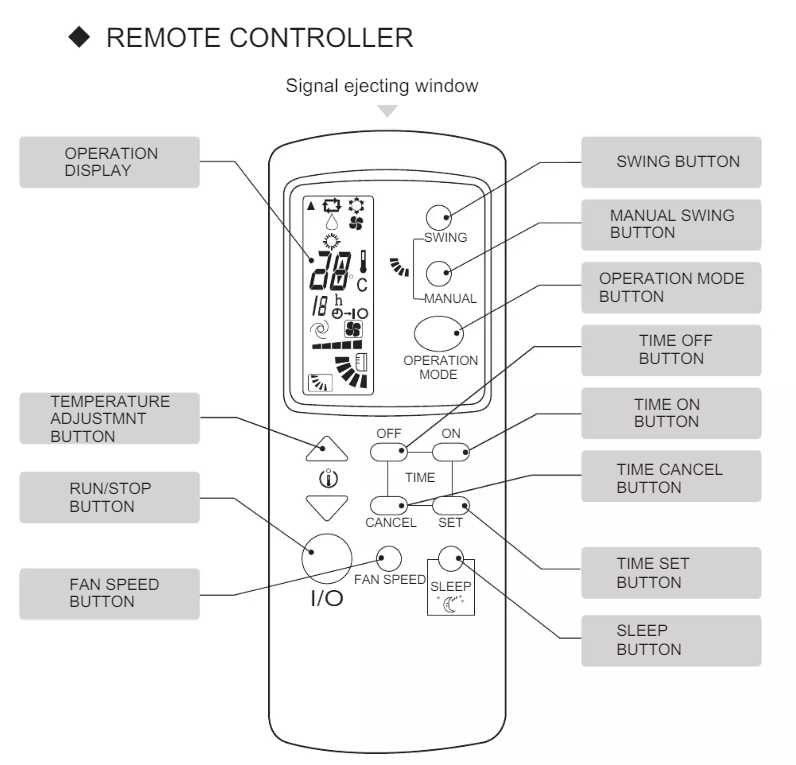
This air-conditioning does not have WiFi, but has a remote control with enough functions for comfortable use:
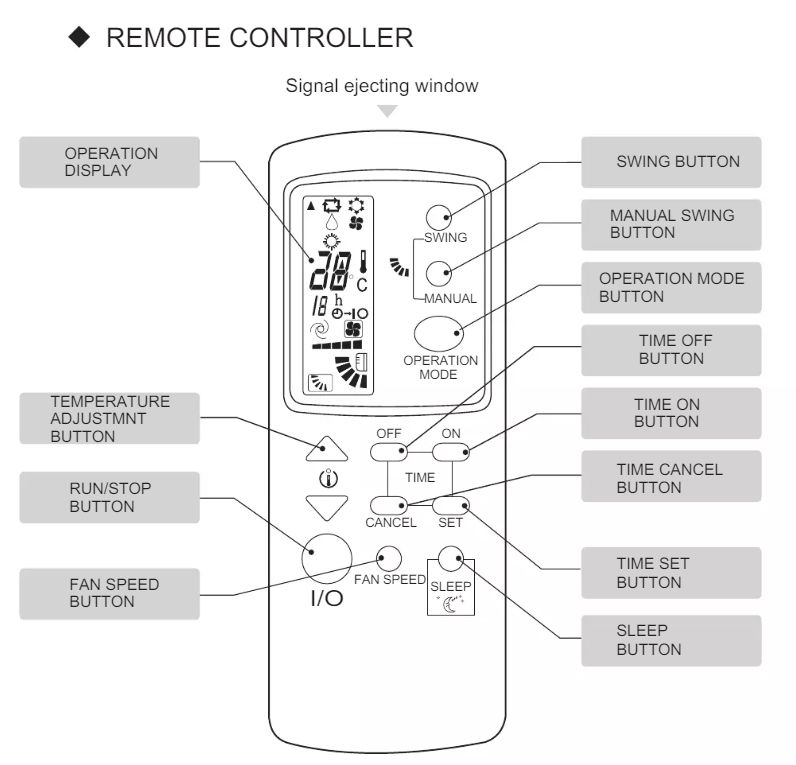
Air conditioner remote control with button labels .
We captured the Flipper Zero command ON:

Filetype: IR signals file
Version: 1
# 
name: Galanz_on
type: raw
frequency: 38000
duty_cycle: 0.330000
data: 3665 1547 605 1078 527 1151 507 498 605 415 584 415 584 1098 585 415 507 501 522 1152 507 1175 585 417 528 1154 506 497 502 523 579 1081 524 1160 550 493 584 1080 603 1077 503 502 600 416 583 1105 578 417 582 419 504 1178 582 445 477 503 599 416 583 416 506 500 524 499 579 417 506 492 507 523 579 417 582 415 508 496 553 451 601 416 583 421 501 500 549 468 584 1104 579 418 581 417 506 1176 583 416 507 503 546 1129 528 1156 504 499 550 450 601 417 583 418 505 523 526 469 583 416 507 1176 583 1101 582 417 582 418 505 500 601 417 582 419 504 1176 583 418 506 1179 580 1102 581 416 586 419 502 523 578 418 581 418 505 500 525 494 582 417 506 495 505 502 547 468 582 422 502 499 524 500 526 469 581 420 504 501 549 467 582 418 506 501 575 468 582 418 506 498 502 502 548 468 582 420 504 500 550 467 532 467 507 496 528 494 532 465 534 468 506 500 550 468 531 470 531 1177 531 1155 528 1133 550 1132 524 501 526 469 530 1152 531 467 534
.
We converted the command to the format for my firmware (times separated by commas) and.... the air conditioning started! .

[i]For the upload we used an 'IR blaster' from Tuya with OpenBeken uploaded.

Summary .
It looks like my IR upload is working. I'll still probably add 1:1 support for the same files that Flipper Zero creates, but that's already a matter of parsing the data, so it's not as interesting or important as the upload itself. Additionally, I think you could try setting the timer to pulse time instead of checking every 50μs, but I'll try to implement that later. At the moment I have met all the assumptions set for myself, so I am satisfied.
Has anyone reading implemented IR sending themselves, or does everyone use a ready-made solution - and if so, which one? A little art for art's sake for educational and hobby purposes is unlikely to hurt anyone.


About Author
p.kaczmarek2
p.kaczmarek2 wrote 14386 posts with rating 12305 , helped 650 times. Been with us since 2014 year.

Comments

acctr 05 Jul 2024 09:51

. Isn't it better to set the timer time "dynamically" without using such counters? That is, first the timer interrupt comes in at time 2204, then at time 708, 834, 1342, etc. [Read more]

p.kaczmarek2 05 Jul 2024 10:27

As a matter of fact, there is such an option and I mentioned it in the text. I also intend to try it out. Out of curiosity, I looked at how it is in the IRLibrary : void IRsend::sendRaw(const... [Read more]

morgan_flint 18 Aug 2024 19:26

Hello! From what I've read and my own investigations some time ago (I would have to refresh all that to be able to explain it better), the problem with air conditioning IR remotes is that they send a... [Read more]

FAQ

TL;DR: With a 38 kHz PWM carrier and a 50 us timer tick, you can replay Flipper Zero raw IR timings on BK7231/OpenBeken; as the author put it, "the air conditioning started!" This FAQ helps makers send AC commands by alternating PWM mark and silence from a timing array. [#21143297]

Why it matters: Air-conditioner remotes use long stateful IR frames, so reliable replay needs correct carrier frequency, duty cycle, timing storage, and ISR behavior.

Approach Timing method Precision model Main advantage Main trade-off
Fixed tick loop 50 us interrupt Compares elapsed time to next threshold Simple to implement and close to Arduino-IRremote's 50 us tick style Small quantization error and ISR overhead
Dynamic timer scheduling Next interrupt set to 2204 us, 708 us, 834 us, etc. Exact per-pulse timing Fewer interrupts and potentially better accuracy More complex timer reprogramming logic
Blocking mark/space mark() / space() delays Waits exact requested duration Very simple flow Blocks execution during send

Key insight: The essential job is not decoding protocol semantics first; it is replaying alternating mark and space durations accurately enough. Once 38 kHz PWM turns on for each mark and off for each space, even a long AC raw frame can control the unit.

Quick Facts

  • The demonstrated carrier was 38 kHz, and the Flipper-style file used duty_cycle: 0.330000, meaning about 33% PWM on-time during each mark. [#21143297]
  • The implementation chose a 50 us timer period because the author judged the resulting timing error negligible for the listed raw durations. [#21143297]
  • On BK7231, PWM period was computed from a 26 MHz clock using 26000000 / 38000, then duty was derived from that period. [#21143297]
  • The simple buffer example used #define MAX_TIMES 512, plus cur and stop pointers to track queued durations and the end of the frame. [#21143297]
  • The verified test device was a Galanz AUS-12HR53FA2/AS-12HR53F2F, driven from a Tuya IR blaster flashed with OpenBeken. [#21143297]

How do I send a Flipper Zero raw IR signal step by step using PWM and a timer on a BK7231 or OpenBeken device?

Use a timer ISR to step through raw durations and switch a 38 kHz PWM carrier on and off. 1. Configure PWM on BK7231 for 38,000 Hz with the desired duty cycle. 2. Store the Flipper data: timings in an array in microseconds. 3. Run a 50 us timer ISR that accumulates elapsed time, flips state at each threshold, and updates PWM duty to mark or silence. The author validated this flow on OpenBeken and reported that the captured AC power command successfully started the unit. [#21143297]

What is the raw IR format used by Flipper Zero, and how should the timing data be interpreted when transmitting an air-conditioner command?

Flipper Zero raw IR stores alternating mark and space durations in microseconds. A file example contains type: raw, frequency: 38000, duty_cycle: 0.330000, and a long data: list such as 2204 708 834 1342 .... You interpret it sequentially: enable the 38 kHz carrier for the first value, disable it for the second, then continue alternating until the list ends. For AC control, this raw list is often long because it represents a full state frame, not just a single short key code. [#21143297]

Why did the implementation use a fixed 50 us timer tick instead of dynamically reprogramming the timer for each IR pulse length?

The implementation used a fixed 50 us tick because it was simpler and still accurate enough for the shown timings. The author explicitly considered two options: reprogramming the timer for every pulse or choosing one constant precision unit. He chose the second method because, with a sufficiently small interrupt period, the error stays negligible, and the code becomes easier to port and debug. He also noted that Arduino-IRremote uses a 50 us tick for one of its raw formats, which supports this design choice. [#21143644]

Dynamic timer scheduling vs a fixed 50 us interrupt loop — which approach is better for accurate IR transmission on a microcontroller?

Dynamic scheduling is better for peak timing accuracy, while a fixed 50 us loop is better for implementation simplicity. One reply proposed programming the timer directly to 2204 us, 708 us, 834 us, 1342 us, and so on, instead of counting ticks. The author agreed this is a valid option and said he intended to test it. He chose the fixed loop first because it is straightforward, matches a known 50 us raw timing model, and lets the ISR potentially handle more than just sending. [#21143644]

How can I represent raw IR timings in memory with a simple array and pointers before switching to a circular buffer?

Represent the timings with a fixed integer array and two pointers. The example used #define MAX_TIMES 512 and int times[MAX_TIMES];, then tracked the current element with cur and the end with stop. Parse comma-separated durations into the array, avoid starting transmission during parsing, and set cur only after the buffer is complete. This layout is enough for single-frame playback before adding a circular buffer for streaming or queuing multiple commands. [#21143297]

What is an ISR in this context, and how does the timer interrupt toggle between PWM mark and silence during IR sending?

An ISR here is the timer callback that advances IR transmission at fixed intervals. "ISR is an interrupt service routine that executes on each timer event, updates elapsed time, and switches the IR output state with deterministic latency." In the shown Send_ISR, the code adds 50 us to curTime, compares it with *cur, toggles state when the threshold is reached, updates PWM duty to duty_on or duty_off, then advances cur. When cur == stop, it ends transmission and forces PWM off. [#21143297]

How do mark() and space() work in Arduino-IRremote, and how do they relate to PWM on/off periods in a raw IR sequence?

mark() sends carrier, while space() sends silence for the requested duration. The cited Arduino-IRremote example loops through raw timings and calls mark() on even indexes and space() on odd indexes. The thread shows that space() simply delays for the specified microseconds, and the library also defines MICROS_PER_TICK 50L for a tick-based raw format. That maps directly to the BK7231 idea: PWM on during marks, PWM off during spaces, whether you schedule with delays or an ISR. [#21143644]

How can I configure a 38 kHz PWM carrier with the correct duty cycle for an IR LED on a BK7231 running at 26 MHz?

Compute the PWM period from the 26 MHz clock and set duty from that period. The example used uint32_t pwmfrequency = 38000; and period = (26000000 / pwmfrequency);, then initialized PWM and started it on the selected channel. For a simple test, the duty was set to half the period, or 50%, before later switching between duty_on and duty_off during transmission. This produced a visible 38 kHz carrier on the oscilloscope. [#21143297]

What does duty_cycle mean in a Flipper Zero IR file, and how should I map values like 0.330000 when generating PWM?

duty_cycle is the fraction of each carrier period during which the IR output is high. In the shown Flipper-style file, duty_cycle: 0.330000 means about 33% on-time during each 38 kHz mark. To generate that on BK7231, calculate the PWM period from the clock, then set the on-time count to roughly one-third of that period when sending marks, and set it to 0 when sending spaces. The thread’s early tests used 50% duty for convenience, then switched to mark/space duty control in the ISR. [#21143297]

How do I convert a Flipper Zero IR signals file into the comma-separated Send format used by OpenBeken or a custom IR driver?

Copy the numeric values from the Flipper data: line and join them as comma-separated microsecond durations. The custom command format shown was Send 100,500,300,500,100 and later longer AC examples like Send 3200,1300,950,500,.... The parser used strtok with commas, converted tokens with atoi, and wrote them into the timing array. The author also prepended a 500 us zero entry in his parser, so your exact conversion must match your driver’s expected starting condition. [#21143297]

What should I optimize if SDK PWM update calls are too slow for precise IR timing on BK7231, and when is direct register access worth it?

Optimize the PWM update path first, because repeated SDK calls can add unnecessary overhead inside the ISR. The author traced bk_pwm_update_param() through sddev_control(), string-name lookup such as "pwm", a large device table, multiple function calls, group/channel extraction, and several register writes. He recommended caching constant values like group, channel, and final register addresses, and writing only the changing duty register when possible. Direct register access is worth it when ISR timing is tight and only one PWM field changes every edge. [#21143297]

Why are air-conditioner IR commands so much longer than TV remote commands, and what extra state do AC remotes usually transmit?

Air-conditioner commands are longer because they often transmit the full operating state, not just one key code. A later reply explains that AC remotes usually send settings such as temperature, mode, swing, and fan state every time you press a button, which makes captured frames much longer than typical TV commands. That matches the thread’s very long data: example for a power-on capture. A short TV-style command can be easy to clone, but an AC frame can silently restore multiple settings with the same transmission. [#21195313]

How can I verify whether a captured AC power-on IR sequence also restores temperature, mode, fan speed, or swing settings?

Test it by changing one AC setting at a time before replaying the captured frame. 1. Use the original remote to set a different temperature, mode, or swing position. 2. Turn the unit off with the original remote. 3. Replay the saved power-on raw sequence and observe whether the unit also restores those earlier settings. The thread explicitly recommends this check because an AC raw frame can encode more than power state alone. That makes verification essential before calling a capture a pure ON command. [#21195313]

Which tools are useful for analyzing and reverse-engineering AC IR protocols besides Flipper Zero, such as IrScrutinizer, Sigrok, or IRremoteESP8266?

Useful tools named in the thread include Flipper Zero, Sigrok, IrScrutinizer, Arduino-IRremote, and IRremoteESP8266. The author used Sigrok and an oscilloscope to verify waveform timing and carrier visibility, while a later reply recommended IrScrutinizer for capture analysis and IRremoteESP8266 resources for adding new AC protocols. That same reply described a practical method: record several frames while changing one parameter at a time, then compare them in a spreadsheet to locate changing bits. [#21195313]

What ready-made solutions do people use for IR sending instead of implementing it from scratch, especially for AC control with Tuya IR blasters or Beken-based hardware?

A practical ready-made route is a Tuya IR blaster flashed with OpenBeken or a Beken-based universal IR remote. The final test in the thread used exactly that setup: a Tuya IR blaster running OpenBeken to replay a captured Galanz AC command. Another reply mentioned two universal IR remotes with Beken chips purchased for later flashing. The thread also references established software stacks such as Arduino-IRremote and IRremoteESP8266 for users who prefer mature libraries over writing a custom ISR and PWM driver. [#21195313]
Generated by the language model.
%}