logo elektroda
logo elektroda
X
logo elektroda

Print Server WiFi on ESP32-C3 by piotr_go

piotr_go  22 6363 Cool? (+27)
📢 Listen (AI):

TL;DR

  • Built a WiFi print server for an Ender 3 Pro using an ESP32-C3, letting the printer be managed over UART instead of shuttling SD cards.
  • The printer connects to RXD0/TXD0 at 3.3V logic, and the network name and password are loaded from a two-line wifi.txt file on the card.
  • Marlin needs at least a 1kB receive buffer, and file uploads over the web interface reach about 300...600kB/s.
  • A 32MB file printed in 6h25m +-1m from both the printer card and the ESP32-C3 card, so WiFi printing matched direct card speed.
  • The software does not support errors, and the attached code is marked for non-commercial use only.
Generated by the language model.
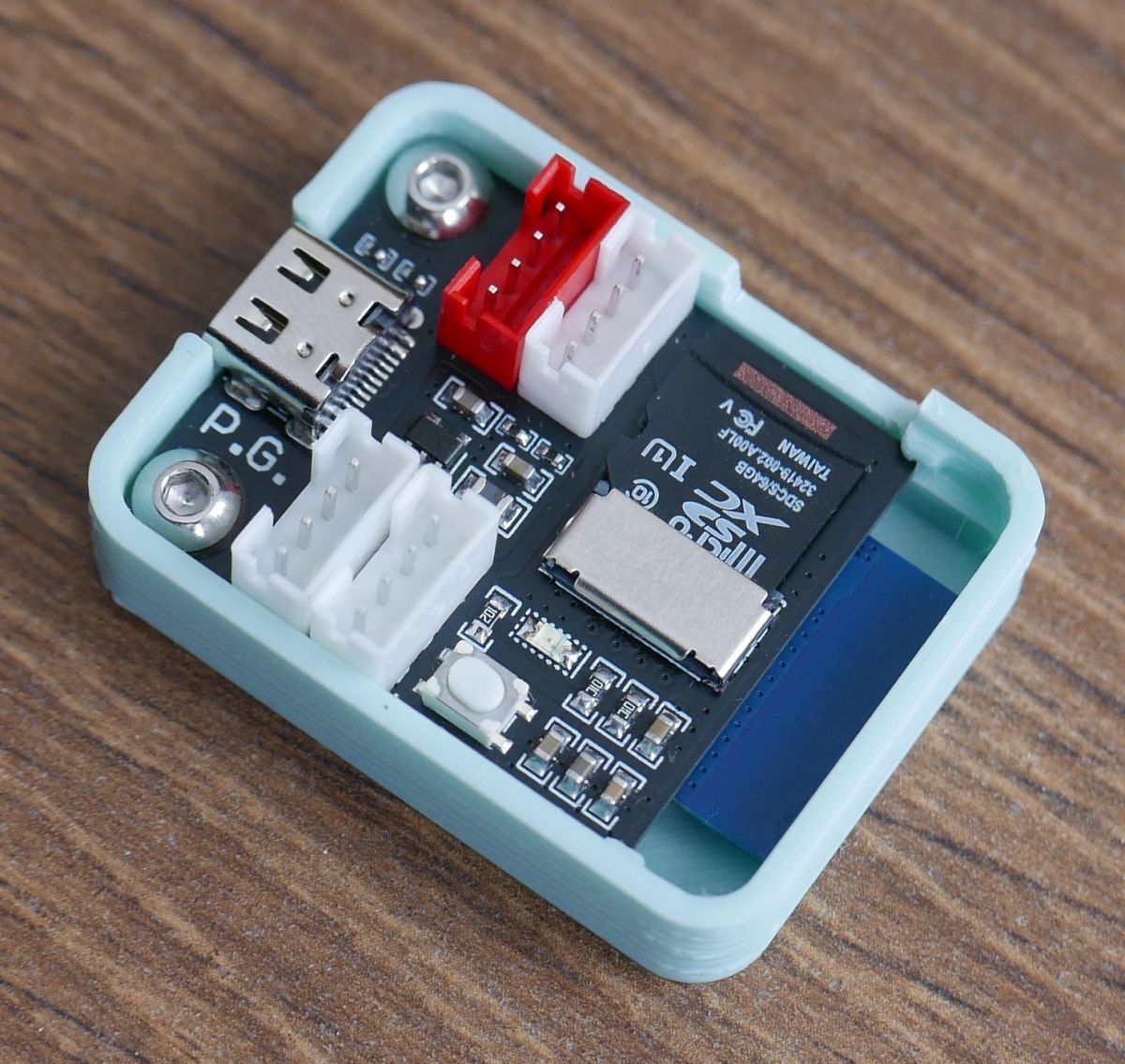
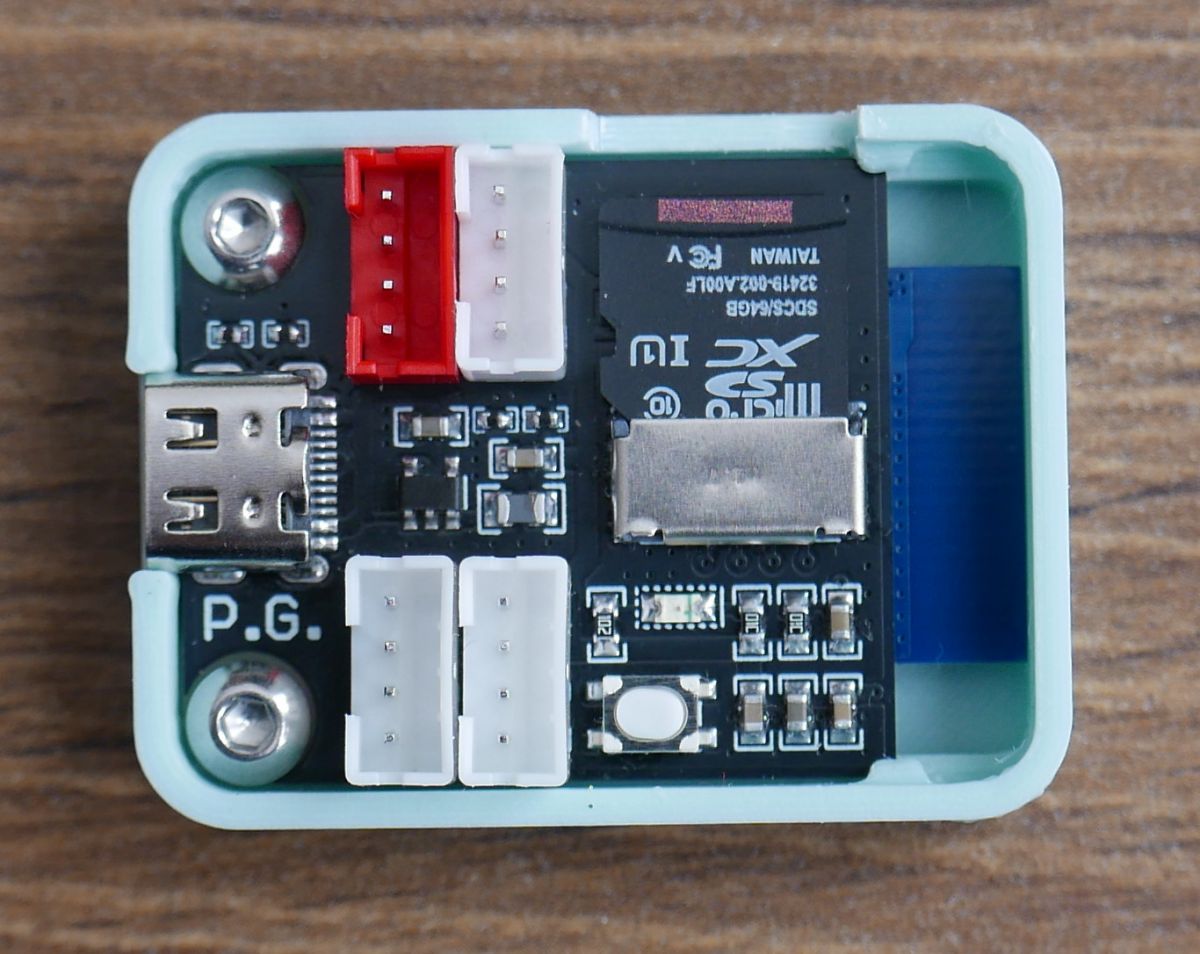
Electronic module with various connectors and an SD card mounted on a PCB. .
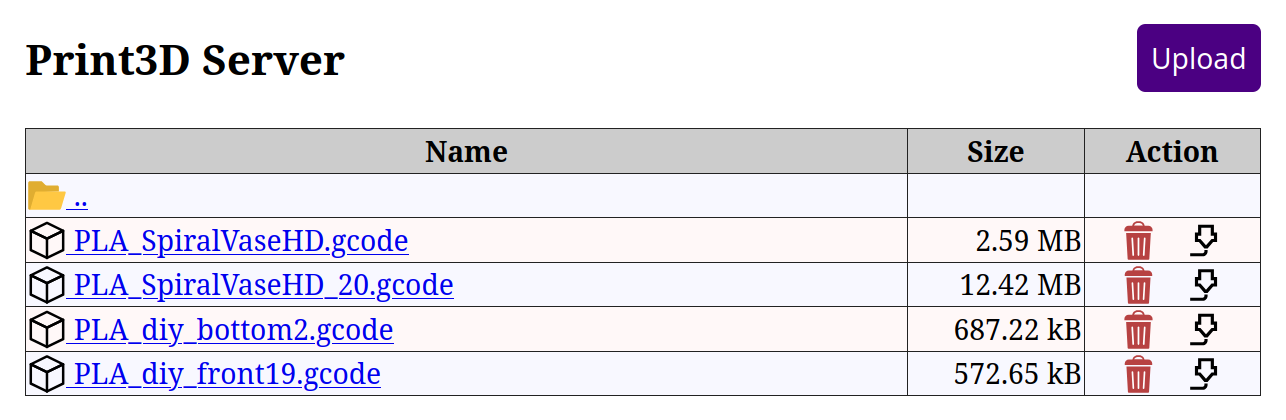
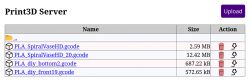
Print3D server page showing a list of 3D printing files .

Hello.
Due to the fact that I have a Ender 3 Pro printer, which is no longer the latest one, and I got bored of constantly chasing the card back and forth I decided to do something about it. Searching the internet didn't help much, I didn't find what I wanted. Plugging in a Raspberry Pi didn't interest me, projects with ESP32 were either too slow or required plugging in instead of a printer card. I didn't like these ideas very much so I decided to make something of my own. Connected exclusively via UART. It was going to be reasonably fast uploading over WiFi, with no water features. Printing could not be slower than from a card connected directly to the printer.
A few days later I already had the first prototype code.
At first I experimented on the ESP32-S3, then I moved to the cheaper ESP32-C3.

Requirements: .
In marlin you need to set the receive buffer to a minimum of 1kB ("Configuration_adv.h").
Code: C / C++
Log in, to see the code
.

Limits: .
Soft does not support errors.

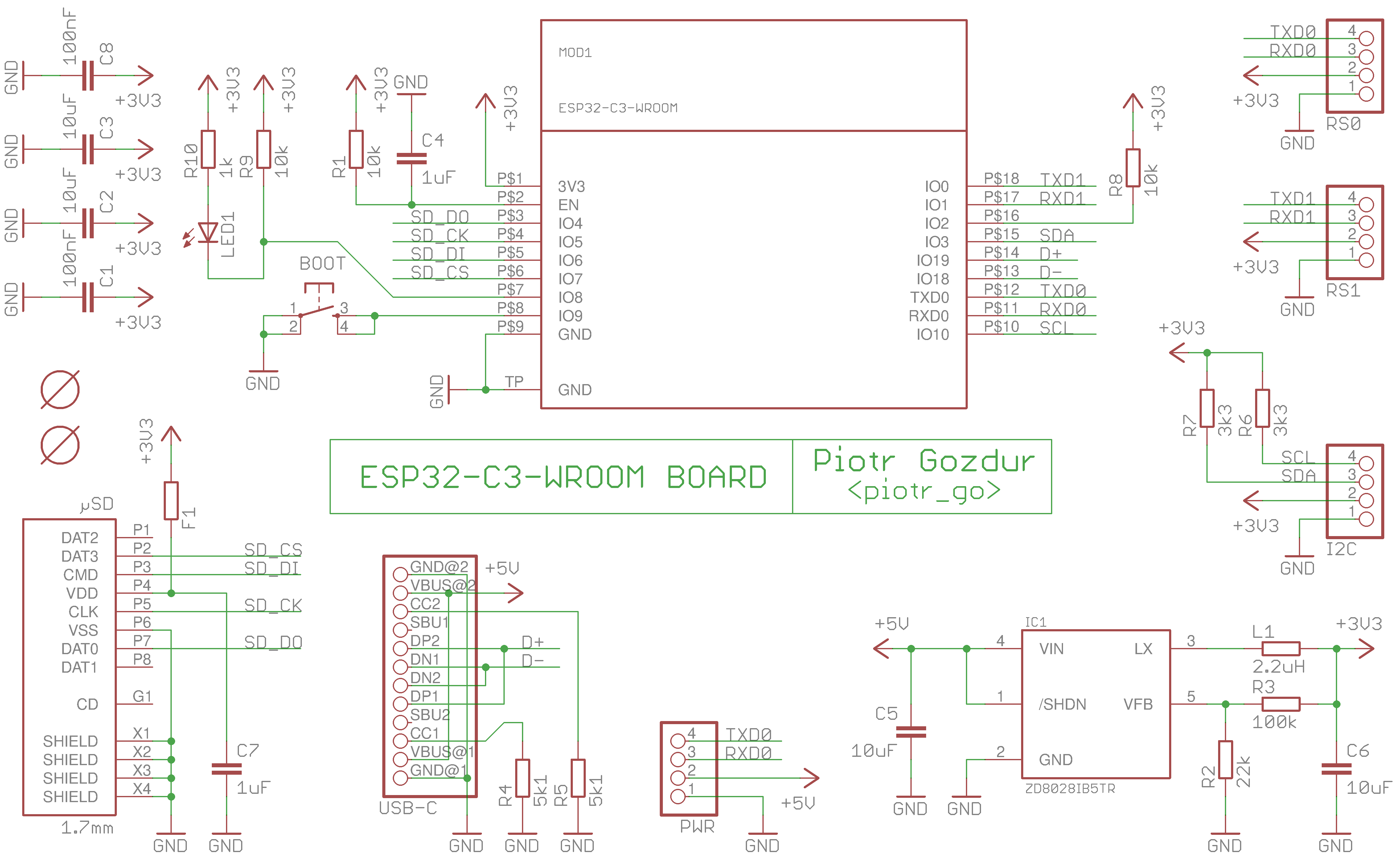
Scheme: .
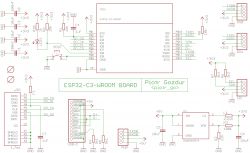
ESP32-C3-WROOM board schematic for a 3D print server. .
The printer is connected to RXD0/TXD0 (note, 3.3V logic).
Baud rate 115200.

PCB: .
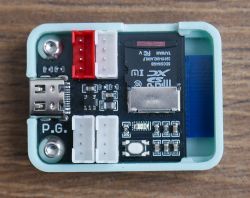
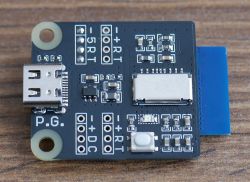
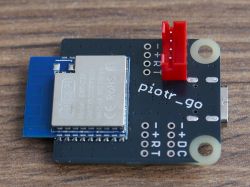
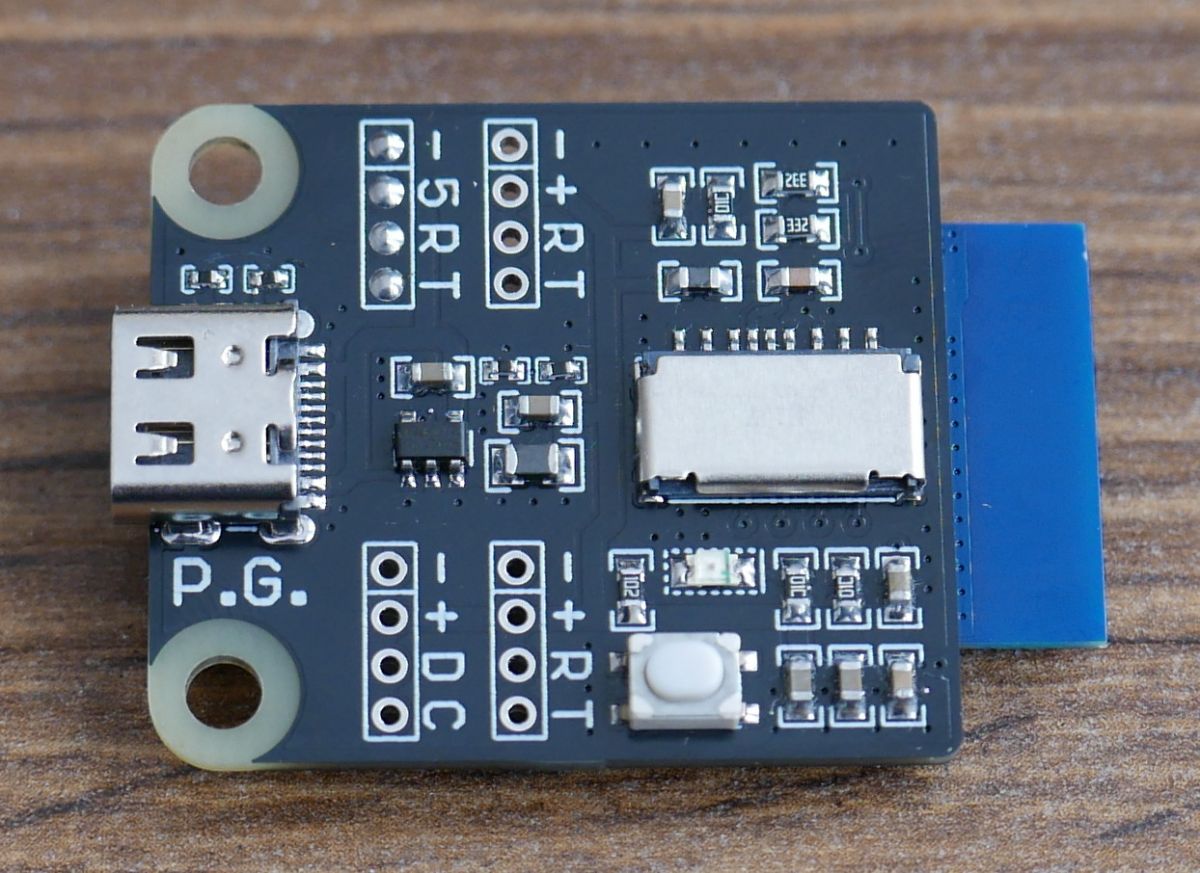
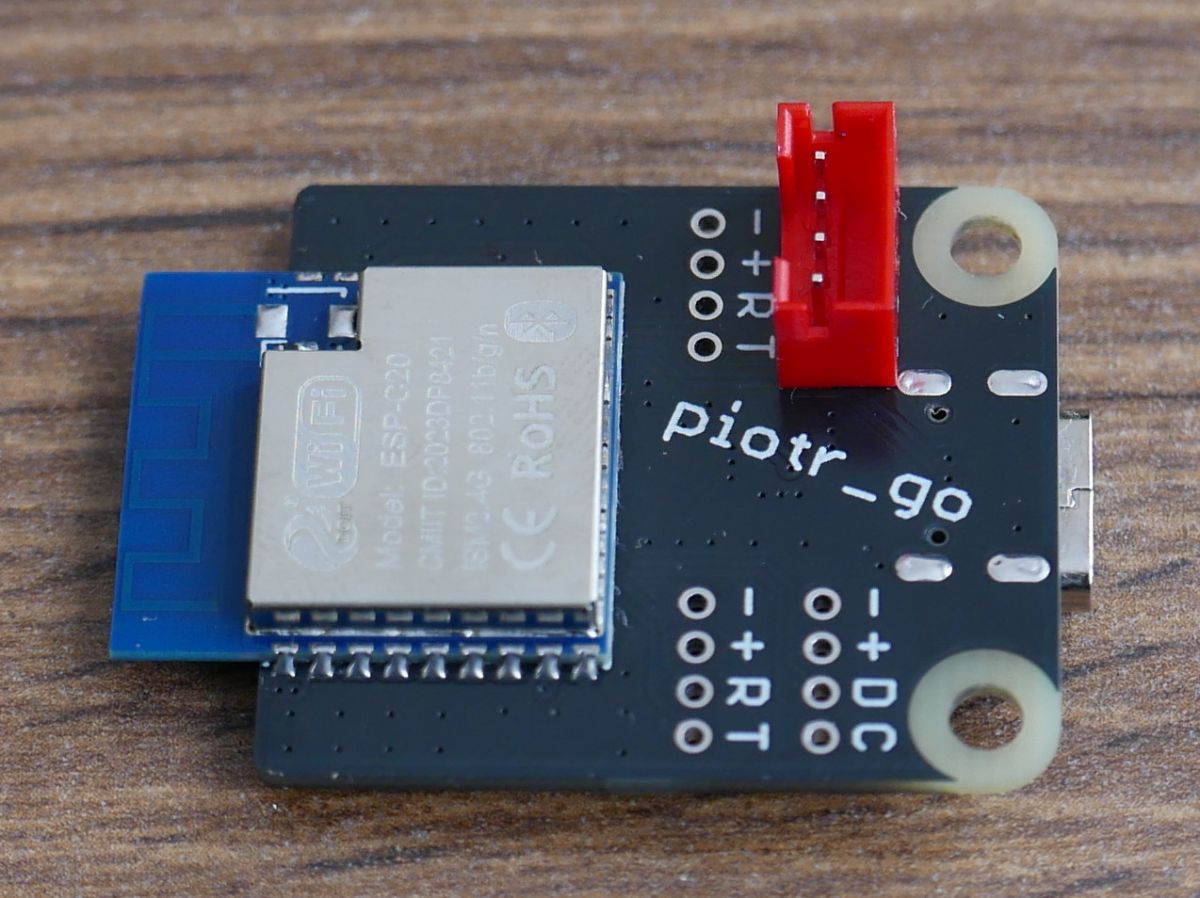
Electronic module with various connectors and an SD card slot. Electronic module on a wooden background, with a USB-C port and SMT components. ESP32-C3 module mounted on a PCB. .

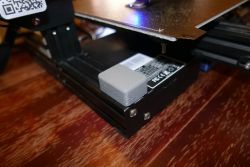
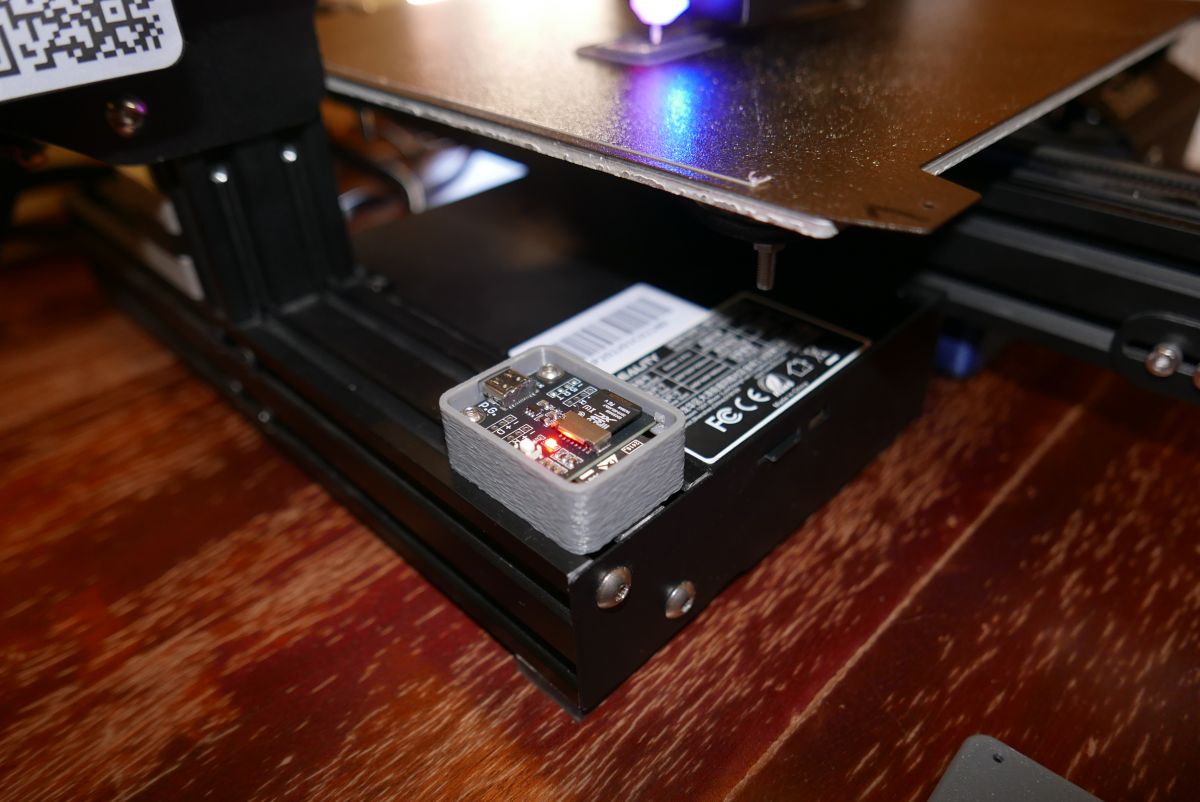
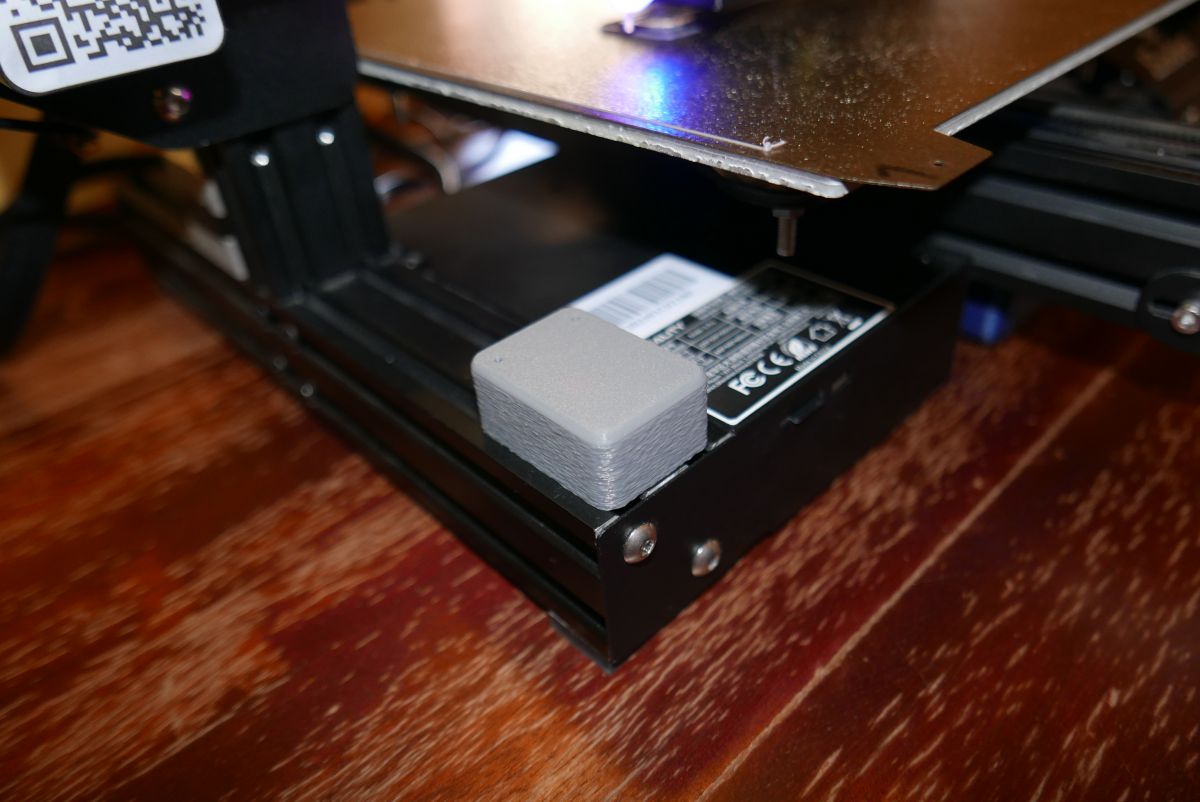
Print server installed in the Ender 3 Pro printer:
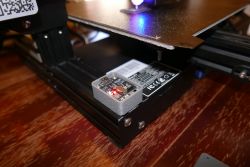
ESP32-C3 module connected to Ender 3 Pro printer with a red LED indicator. Adapter on Ender 3 Pro printer. .

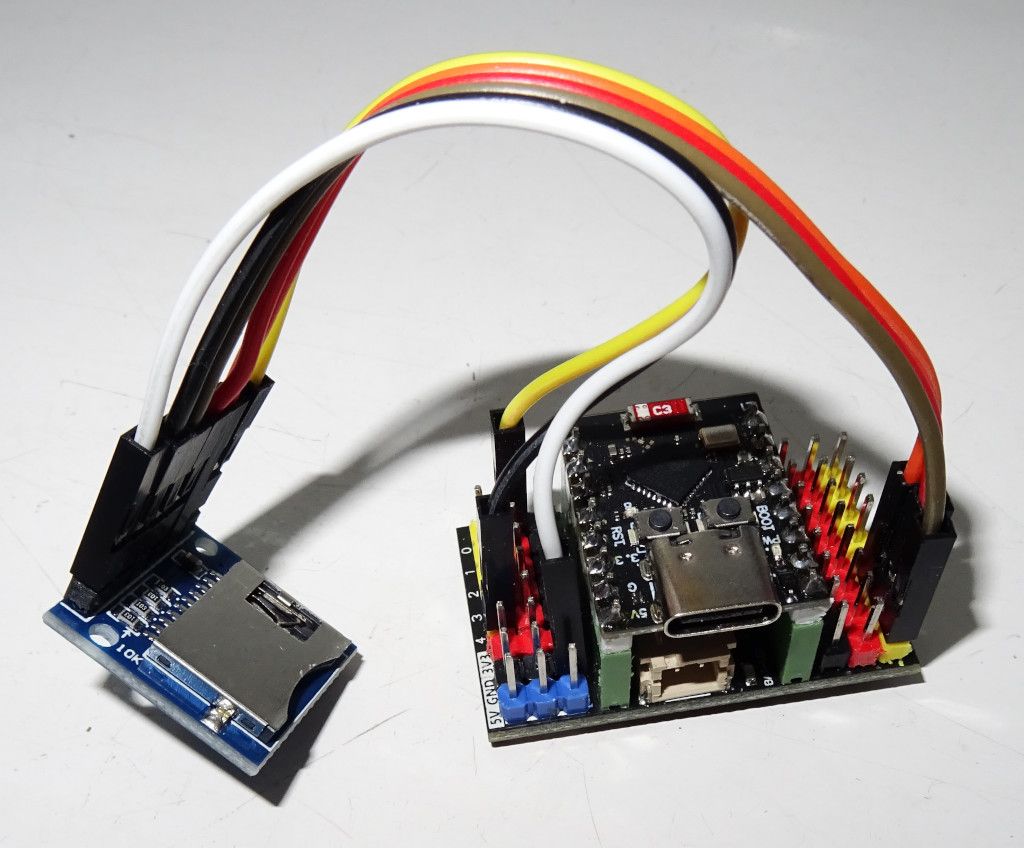
The circuit can be assembled on cheap modules from Ali.......:
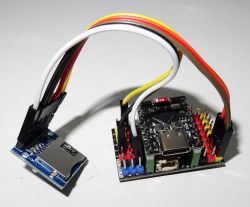
ESP32-C3 module connected to a microSD card adapter using cables. .

Put the file "wifi.txt" with the network name and password (2 lines) on the card.
When the printer is switched on, the display will show the IP address that the printer has received.

Fire up the browser, type in the address and you can upload files:
Print3D server page showing a list of 3D printing files .
The upload speed is approximately 300...600kB/s.

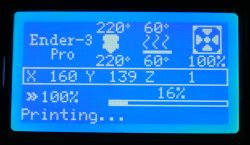
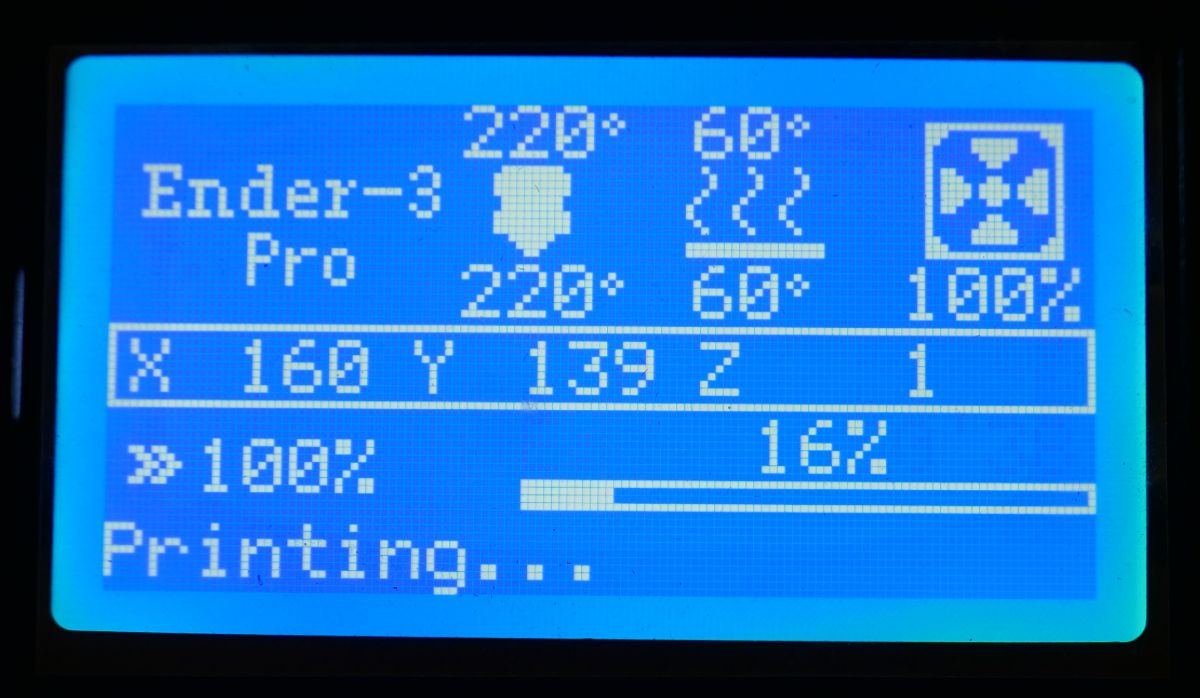
When printing, both the web interface and the LCD display show progress:

Printing progress bar showing 67%. .
Ender 3 Pro printer screen during printing, showing 16% progress. .

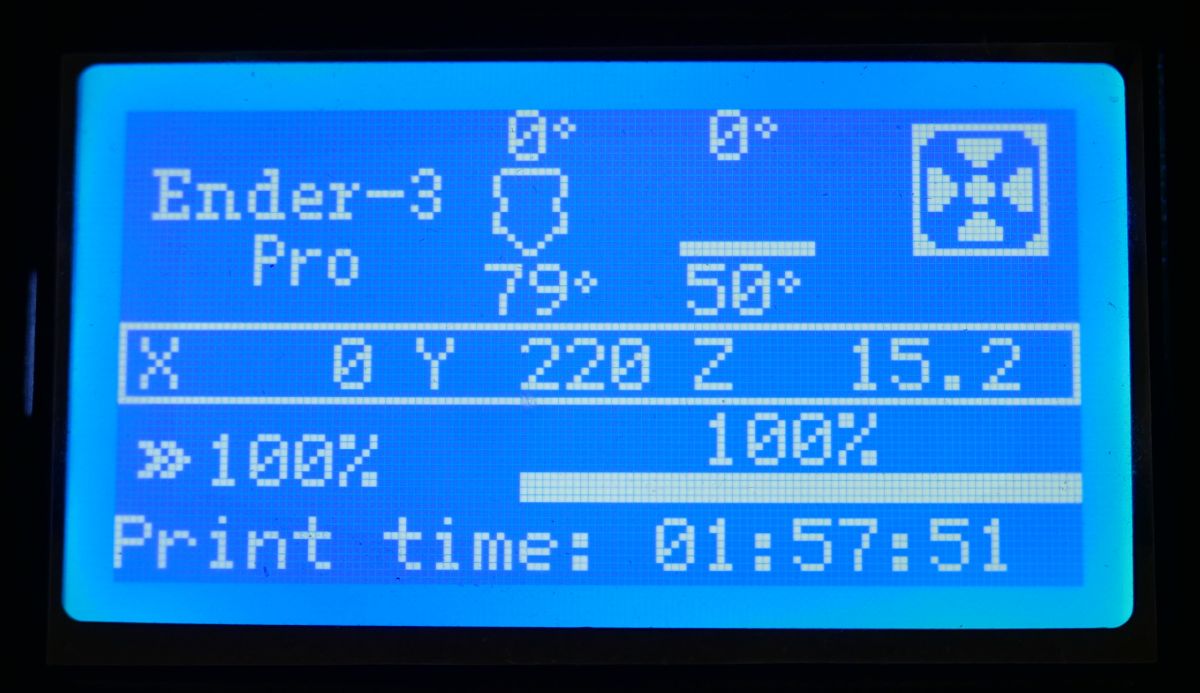
When the printout is complete, we can see the printing time on the display:
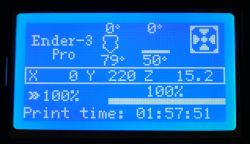
Ender-3 Pro printer display showing parameters and print time. .

Printing time for an example 32MB file:
- from printer card 6h25m +-1m
- from ESP32-C3 card 6h25m +-1m
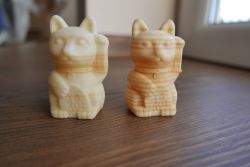
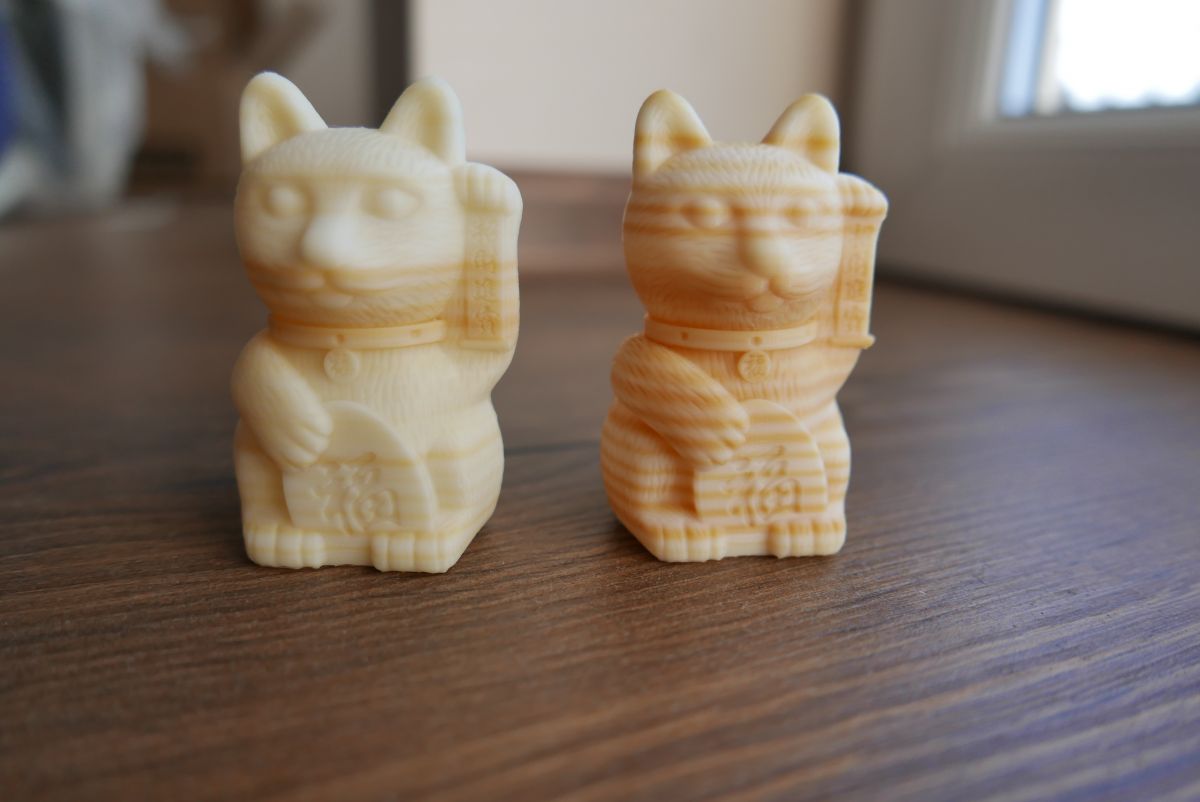
Two 3D printed cat figurines on a wooden surface. .

Interest:
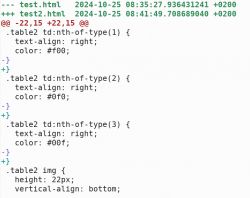
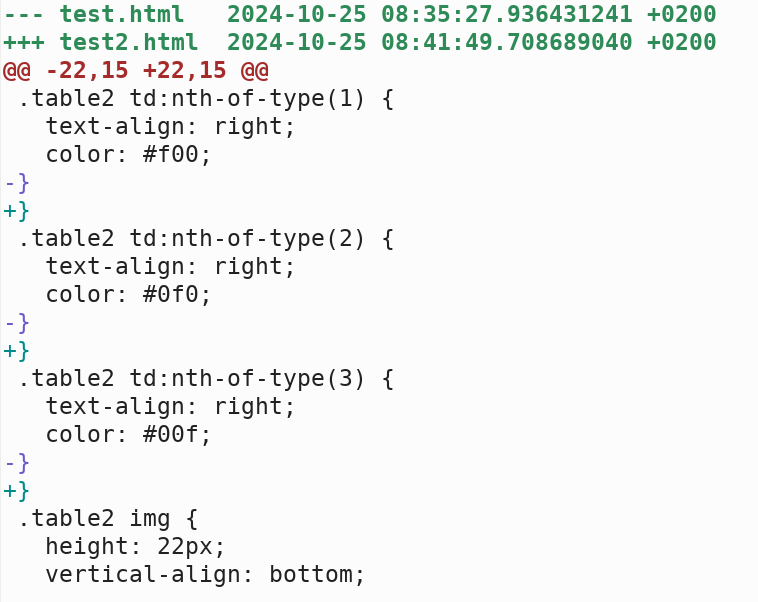
Comparison of HTML code differences between two file versions. .
"diff" from the image shows the difference between not working and working code.
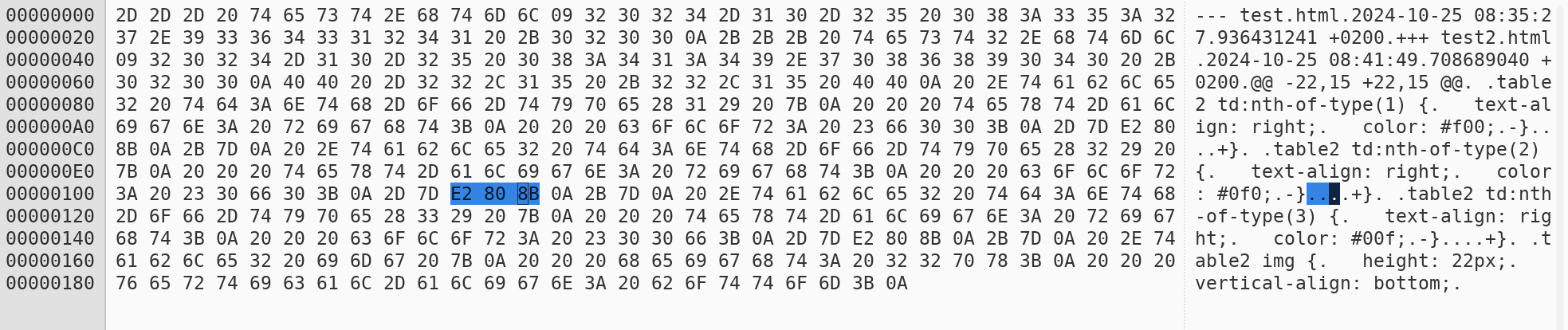
The text editor I'm using doesn't display anything but brackets and plus/minus there.
There is no invisible character.
Only a peek in the hex-editor reveals the extra bytes after the brackets.
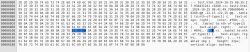
Differences in code in a hex editor using diff example. .
I came across such wonders while writing the software.

Soft attached.
Commercial use prohibited.
Attachments:
  • print3d_v0.1_by_piotr_go.tar.gz (660.38 KB) You must be logged in to download this attachment.

About Author
piotr_go
piotr_go wrote 2904 posts with rating 3336 , helped 94 times. Been with us since 2003 year.

Comments

Anonymous 16 Dec 2024 14:12

Wouldn't it be better to make a clipper on some cheap microcomputer ? [Read more]

piotr_go 16 Dec 2024 14:26

There is shit..... wifi in all the raspberry pi's I have. The ESP32-C3 is tiny, costs $2 and works as expected. I am not going to invest more money in this printer. This is probably its last modifica... [Read more]

mmaker 16 Dec 2024 18:08

I have such an ender paired with an orange pi zero 2 and an octoprint server on it. All in all, it's an interesting alternative to a small SBC because it's quicker to get up than such a server with full-fledged... [Read more]

george2002 16 Dec 2024 20:50

It seems silly to ask but what is the difference between my colleague's software and the ESP3D version of the software which does the same thing plus you can control the printer via the website :) ? [Read more]

piotr_go 16 Dec 2024 21:08

As far as I know there are 2 options to choose from in ESP3D: - a very woooooooool upload (single kB/s) to the printer card via UART - card shared between printer and esp32 (more connections, more complicated... [Read more]

linuxtorpeda 16 Dec 2024 22:18

Have you not thought about using a WiFi-SD adapter, such as the ezShare available on AliExpress? [Read more]

Anonymous 16 Dec 2024 22:23

. It works mega slow :D many have already tried BTT wifi MKS wifi but it limps along. And secondly this project is not just for uploading a file but also works as a host. [Read more]

piotr_go 17 Dec 2024 08:16

. I think I even have one somewhere. I had completely forgotten about it. I was not happy with the operation with the camera. Does it work in SPI mode? Unfortunately I don't have an adapter for the micro... [Read more]

linuxtorpeda 17 Dec 2024 09:49

. I have no idea. I'm asking because I'd like to find out myself if it's worth buying a :) . [Read more]

rjmp 17 Dec 2024 11:22

Can something be uploaded during printing or do you have to wait until the end of printing? [Read more]

piotr_go 17 Dec 2024 12:27

. I have blocked the upload, only the print progress is displayed. When writing, the card may block for a moment which would be visible on the printout. [Read more]

getek313 17 Dec 2024 15:37

A couple of questions: 1. given a printer-independent power supply, would server_print be available to write all the time? 2. if so, when the printer is started, can the saved files be run or does the... [Read more]

piotr_go 17 Dec 2024 16:20

1. yes, but... 2. can, but... 3. no, no 'but...': You should not do this. A printer processor without power will get a high state on the data lines. There is a chance that after a long period of... [Read more]

DJ MHz 17 Dec 2024 19:49

Nice design, but I prefer octoprint and full integration with apps in HomeAssistant and on android ;) . [Read more]

etet 17 Dec 2024 20:50

I did something similar. I took advantage of the fact that in my printer the SD slot is on a separate board. I cut the printer completely off from the card for the duration of the transmission (set the... [Read more]

piotr_go 17 Dec 2024 21:13

A lot. Megabytes or megabits? WiFi<--->SD? SPI/SDIO? Write/read? [Read more]

etet 17 Dec 2024 21:58

Bytes. I was generally interested in writing WiFi => SD. I never polished the design because there were other problems with the printer. Here is some so-so video of me clumsily trying to show the... [Read more]

error105 18 Dec 2024 08:00

Octoprint requires quite powerful hardware compared to what it offers and in my opinion is a step backwards and forwards at the same time...... Either use the Repetier-Server instead of the old-fashioned... [Read more]

rjmp 19 Dec 2024 10:02

How about adding g-codes to the program to: - print stop and pause - temperature reading and printing time? [Read more]

FAQ

TL;DR: At 300–600 kB/s, this ESP32-C3 print server gives Ender 3 Pro owners a cheap WiFi upload path that still prints a 32 MB file in 6 h 25 m ±1 m. The core idea is simple: "Only 4 cables" over UART, no SD-line sharing, no Raspberry Pi. [#21351228]

Why it matters: It solves the common old-printer problem of walking SD cards back and forth without slowing printing versus a locally inserted card.

Option Hardware approach Wiring complexity Reported transfer/print behavior Best fit
ESP32-C3 UART server ESP32-C3 + SD, UART only 4 wires Upload about 300–600 kB/s; 32 MB print time matched printer SD Minimal-cost WiFi file upload
ESP3D ESP32 add-on Higher or slower, depending on mode Very slow UART upload to printer SD, or shared-card design Users wanting web control
OctoPrint / SBC Orange Pi / Raspberry Pi class device Highest More features, slower to deploy than this simple server Full remote ecosystem
SDIO card-sharing DIY ESP32 takes over SD lines Highest Reported 2–3 MB/s WiFi-to-SD write Maximum transfer speed

Key insight: The project wins by avoiding SD-bus sharing entirely. UART at 115200 plus a larger Marlin receive buffer was enough to keep print time equal to the printer’s own SD card in the author’s test. [#21350503]

Quick Facts

  • Logic level is 3.3 V, the printer connects to RXD0/TXD0, and the UART rate is 115200 baud. [#21350503]
  • Marlin needs RX_BUFFER_SIZE 1024 in Configuration_adv.h; the author states 1 kB minimum for reliable operation. [#21350503]
  • WiFi upload uses a wifi.txt file with 2 lines: network name and password. After boot, the printer LCD shows the assigned IP address. [#21350503]
  • Real-world benchmark: a 32 MB file printed in 6 h 25 m ±1 m both from the printer SD and from the ESP32-C3 card. [#21350503]
  • Cost target was extremely low: the author chose ESP32-C3 because it is tiny and costs about $2. [#21350668]

How do I build a simple WiFi print server for an Ender 3 Pro using an ESP32-C3 over UART only?

Use an ESP32-C3 with its own SD card and connect only power plus UART. 1. Wire +, -, RX, and TX between the printer and RXD0/TXD0 on the ESP32-C3. 2. Keep the logic at 3.3 V and set 115200 baud. 3. Put wifi.txt on the card, power the printer, read the IP on the LCD, then upload G-code through a browser. This design avoids sharing the printer’s SD bus and was built specifically for Ender 3 Pro class machines. [#21350503]

What changes do I need to make in Marlin, such as RX_BUFFER_SIZE in Configuration_adv.h, for this ESP32-C3 print server to work reliably?

Set Marlin’s receive buffer to at least 1024 bytes. The required change is #define RX_BUFFER_SIZE 1024 in Configuration_adv.h. That larger UART buffer lets the printer accept streamed data smoothly enough that the author measured the same 6 h 25 m ±1 m print time as printing from the printer’s own SD card. The thread does not list any other mandatory firmware edits. [#21350503]

Why does this ESP32-C3 solution use only RX/TX UART at 115200 instead of sharing the printer's SD card lines directly?

It uses UART because the goal was simpler wiring and a simpler circuit. The author rejected shared-SD designs because they need more connections, switching, and a more complicated board, while this version uses only 4 wires at 115200 baud. He also wanted fast upload plus streaming from the ESP32 card to the printer, not just file copying onto the printer’s own card. That tradeoff favors simplicity over maximum raw transfer speed. [#21351228]

What upload speed can I realistically expect when sending G-code over WiFi to an ESP32-C3 print server, and how does it compare with printing from the printer's own SD card?

Expect about 300–600 kB/s for WiFi upload to the ESP32-C3 card. In the author’s benchmark, a 32 MB file printed in 6 h 25 m ±1 m from the printer SD and the same 6 h 25 m ±1 m from the ESP32-C3 card. That means upload is much faster than manual card swapping, while actual print duration stayed effectively unchanged. [#21350503]

In what way is this ESP32-C3 print server different from ESP3D for Ender 3 and similar Marlin printers?

This design focuses on fast upload and streaming with only 4 wires. The author says ESP3D typically offers either very slow UART upload to the printer card, measured in single kB/s, or a shared-card approach with extra wiring and switching. "ESP3D is ESP32-based firmware that provides web access to a 3D printer, usually combining file handling and browser control, but in this thread it is described as slower over UART or more complex when sharing SD lines." This project skips remote control and prioritizes simple, fast file transfer. [#21351228]

Which is better for an older 3D printer: an ESP32-C3 print server, OctoPrint on Orange Pi or Raspberry Pi, or Klipper/Mainsail?

The best choice depends on whether you want simplicity or a full control stack. The ESP32-C3 server fits an older printer when you want cheap WiFi upload, tiny hardware, and no major new investment; the author cites about $2 for the module. OctoPrint on Orange Pi or Raspberry Pi offers broader integration, while Klipper or Mainsail suits deeper printer changes. In this thread, the ESP32-C3 wins on size, cost, and quick deployment, not on advanced automation. [#21350668]

How should the wifi.txt file be formatted so the ESP32-C3 can connect to WiFi and show the printer's IP address on the LCD?

Format wifi.txt as exactly 2 lines: the WiFi network name on one line and the password on the next. Put that file on the card used by the ESP32-C3. When the printer powers up, the system connects to WiFi and the LCD displays the IP address you should open in a browser for file upload. The thread gives no extra fields, separators, or encryption options. [#21350503]

Why is file upload blocked during printing in this design, and what kind of print artifacts can happen if the SD card stalls while writing?

Upload is blocked during printing to prevent SD write stalls from disturbing motion. The author says card writes can block briefly, and that delay would become visible on the printout. The web interface therefore shows only print progress while a job runs. This is an explicit reliability limit of the design, and the thread also states the software does not support errors. [#21351982]

What happens if the ESP32 print server is powered from an independent supply while the printer mainboard is turned off, and why is that electrically risky?

It can keep the server alive, but the author advises against it because the printer processor can see a high state on the data lines while unpowered. He warns that after a long time something may be damaged, and when power returns the print may not start correctly. So the setup is electrically risky even though the ESP32 side can remain available for writing. [#21352310]

How are stored files handled in this ESP32-C3 setup, and why aren't they visible or directly startable from the printer's standard SD menu?

Files are stored on the ESP32-C3 side and are used by the server, not exposed as normal printer SD entries. The author answered "no, no" when asked whether saved files are visible from the printer menu and whether they can be started there. That follows from the architecture: the design streams over UART instead of pretending to be the printer’s native SD card. [#21352310]

What is ESP3D, and how does it typically handle file uploads and printer control on ESP32-based 3D printer add-ons?

ESP3D is an ESP32-based printer web interface that can upload files and offer browser control. In this thread, it is described as having 2 options: very slow upload to the printer card over UART, or a shared-card arrangement that needs more connections and switching. The author also states there is no streaming from the ESP32 card to UART in that implementation, which is the main reason he built his own alternative. [#21351228]

What is SDIO, and why can SDIO on 4 lines be much faster than SPI for WiFi-to-SD transfers on ESP32 projects?

SDIO can be much faster because it moves data over a wider card interface than SPI. "SDIO is an SD-card communication interface that uses dedicated data lines for direct memory-card transfers, and in this thread it is described as a 4-line setup that enabled much higher WiFi-to-SD write speed than SPI on an ESP32 project." One contributor reported roughly 2 to 3 MB/s for WiFi-to-SD writing using SDIO, while also saying SPI was not a viable path for that speed. [#21352839]

How well do WiFi SD cards like ezShare or PQI Air work in 3D printers, especially in SPI mode, and what limitations should I expect?

Expect uncertain compatibility and limited speed. One poster says WiFi SD cards such as ezShare, BTT WiFi, and MKS WiFi work mega slow, and another thread participant was unsure whether ezShare works in SPI mode at all. The author also remembered poor experience with a PQI Air card in a camera. In practice, the thread treats WiFi SD cards as slower and less attractive than the dedicated ESP32-C3 server. [#21351372]

Why might a diff show only brackets and plus/minus while a hex editor reveals extra hidden bytes that break embedded C/C++ code on ESP32?

Because the file can contain invisible extra bytes that a normal editor does not display. The author says his diff view showed only brackets and plus/minus, with no obvious bad characters, but a hex editor exposed additional bytes after the brackets. Those hidden bytes were enough to separate working and non-working code. This is a classic embedded-source failure mode when copied text carries non-printing characters. [#21350503]

What would it take to add web features such as remote pause, stop, temperature readout, and print time display to an ESP32-C3 browser interface for Marlin printers?

It would take extra browser UI work plus G-code handling on the ESP32 side. The author says temperature reading is already in the plans, and remote pause or stop may also be possible, but web development consumed about 90% of his project time. Print progress already appears in both the web interface and LCD, while elapsed print time already appears on the LCD after completion. So the hard part is not UART transport; it is building the browser interface cleanly. [#21354637]
Generated by the language model.
%}