




logo elektroda
logo elektroda
X
logo elektroda

Sonoff S60TPG iPlug UK Smart Plug Investigation [ESP32-C3] [CSE7759B] [SM-049]

divadiow  20 2271 Cool? (+2)
📢 Listen (AI):
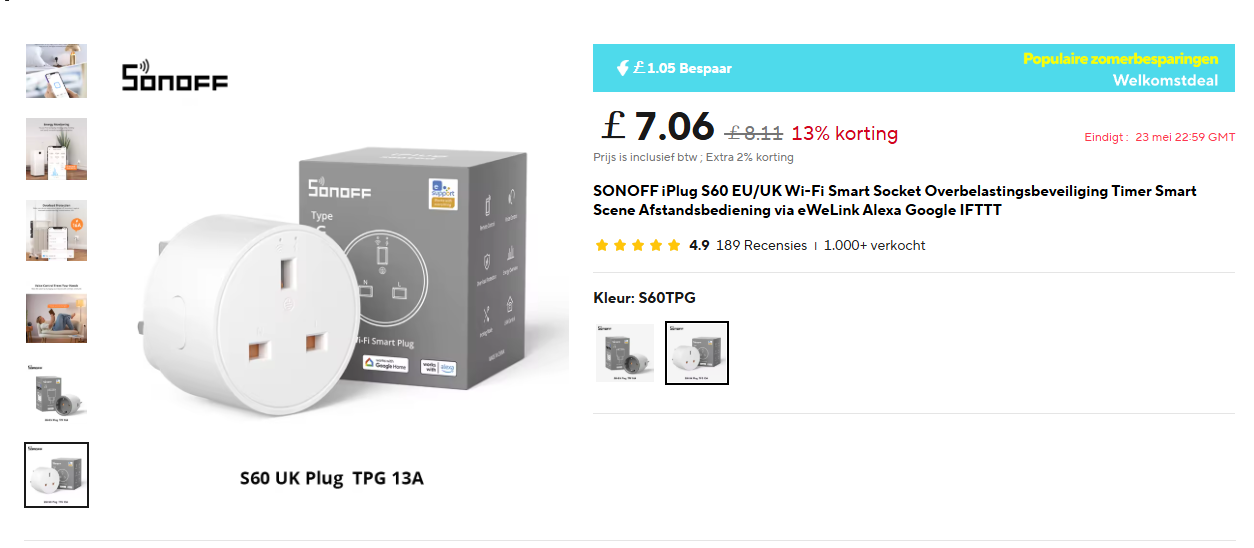
A product page for the Sonoff S60 UK Plug TPG 13A smart plug, showing the plug, its box, and promotional pricing details.
Here are my experiences with a Sonoff S60TPG iPlug UK smart plug, along with teardown, flashing information and OpenESP32 experiments (OBK port).


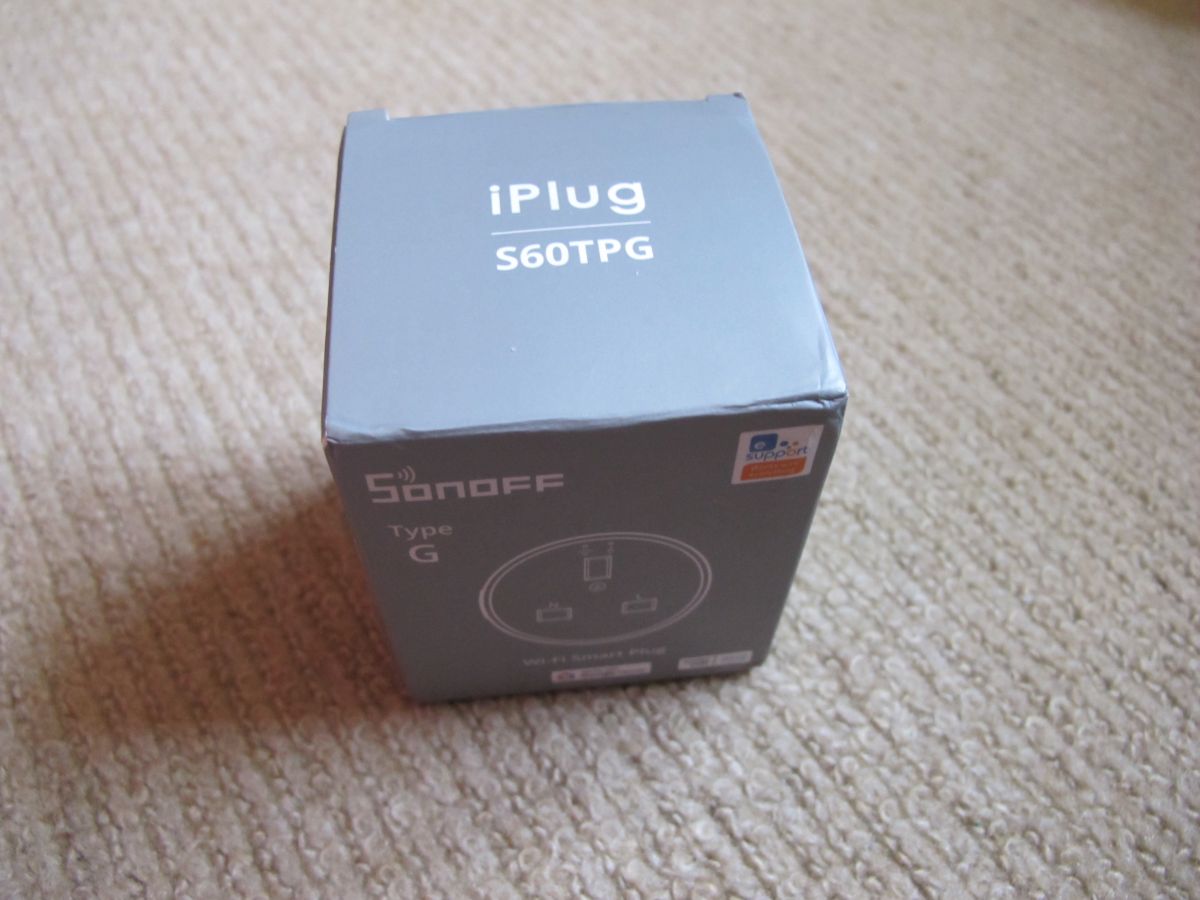
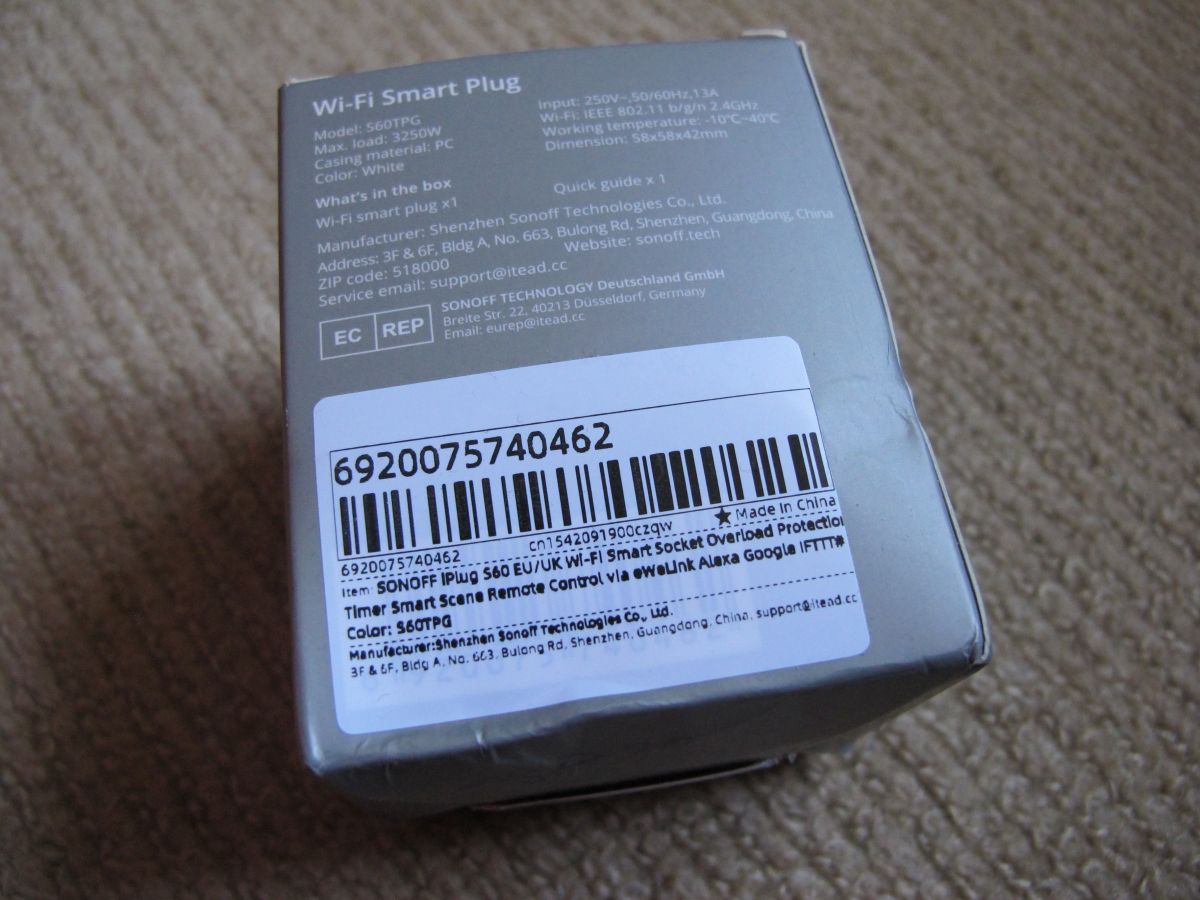
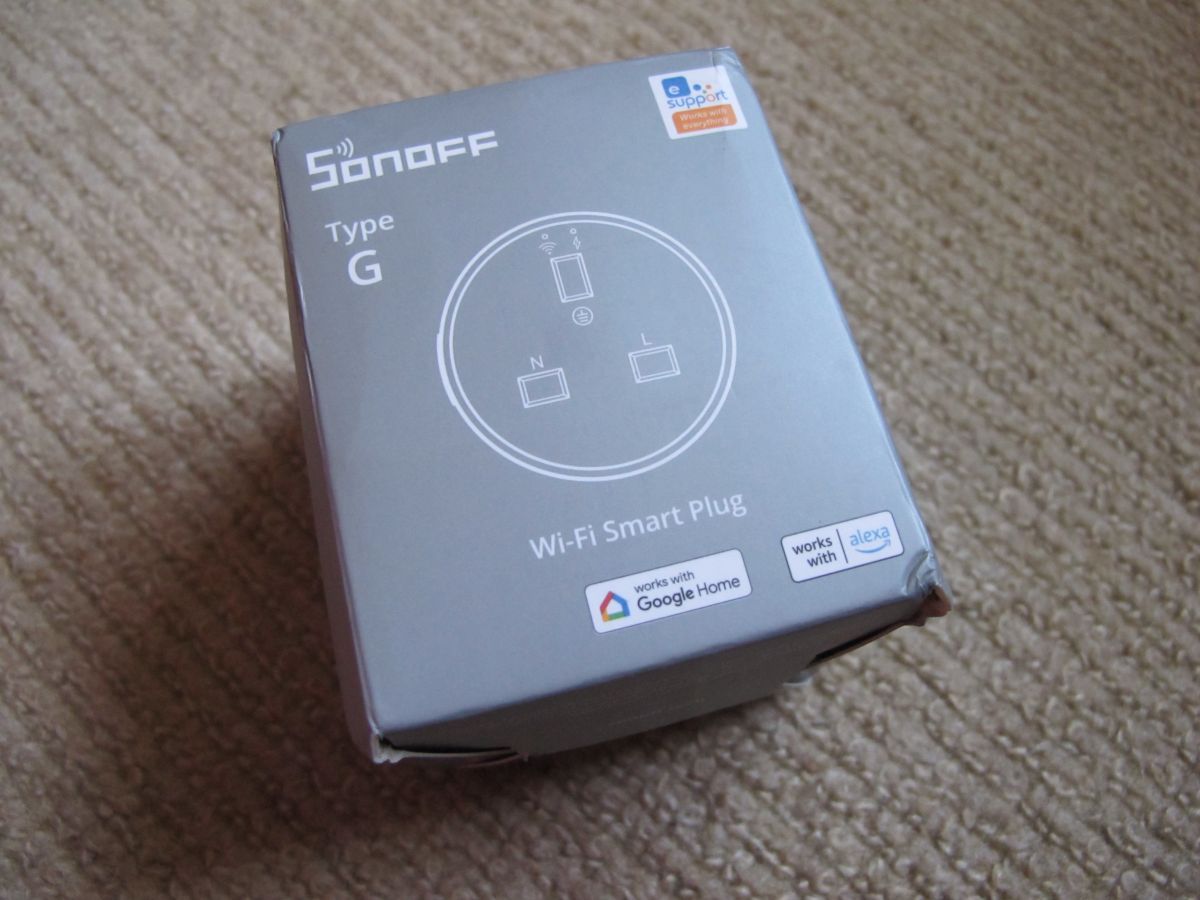
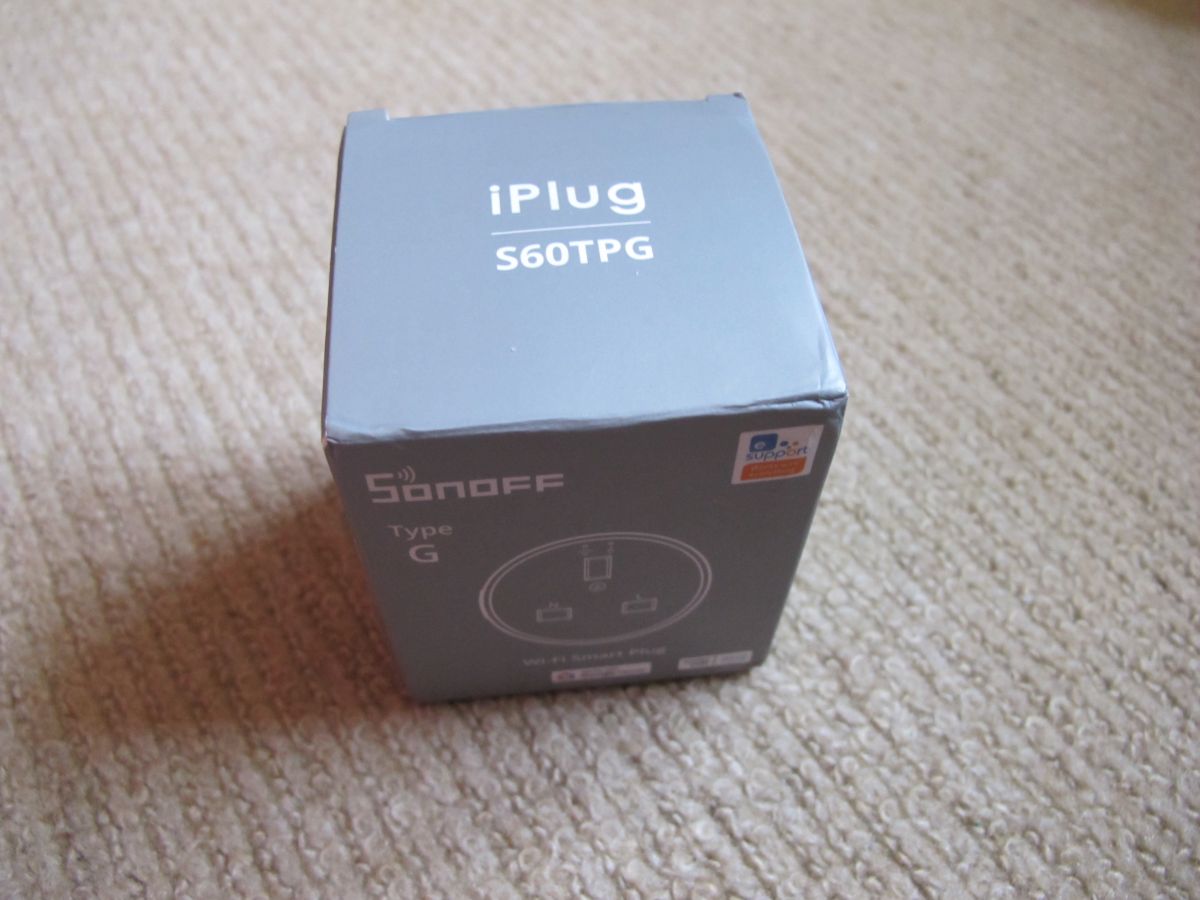
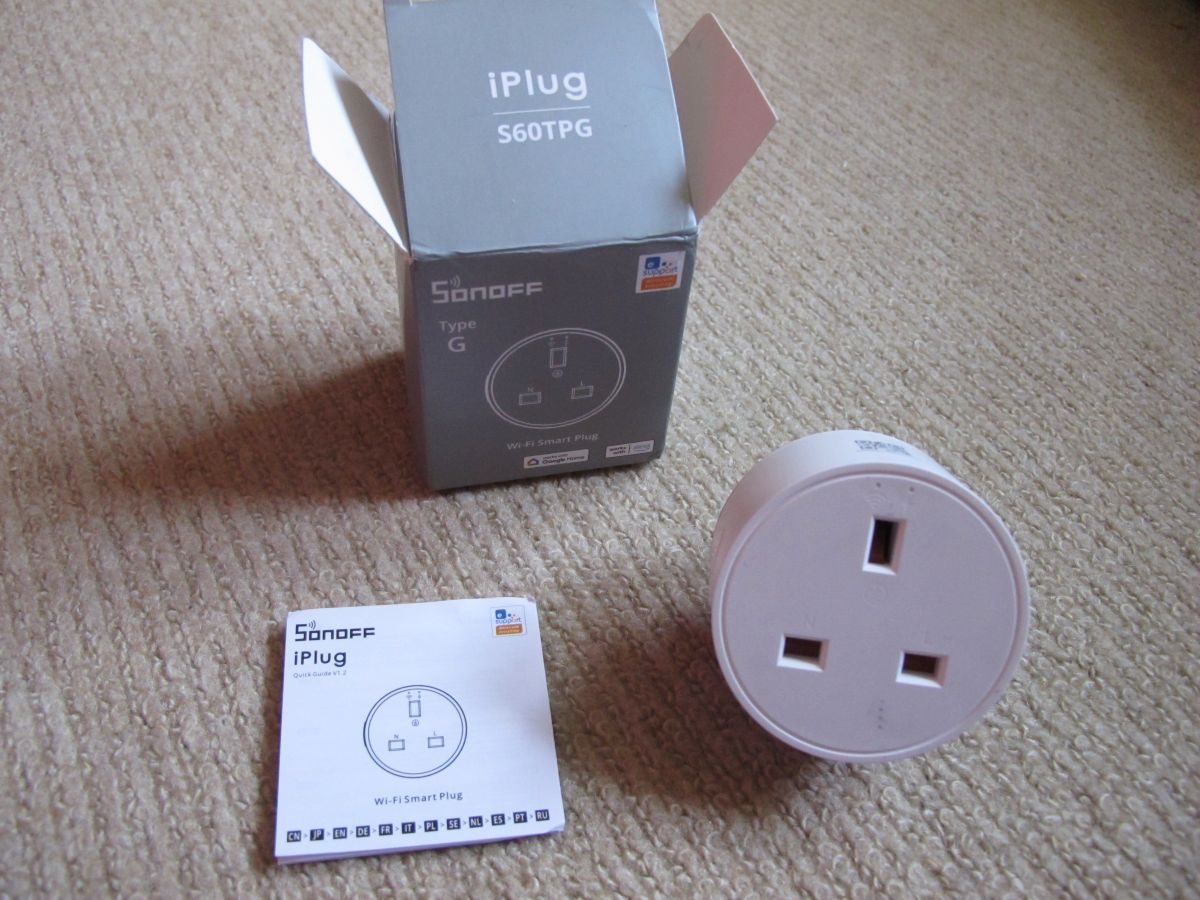
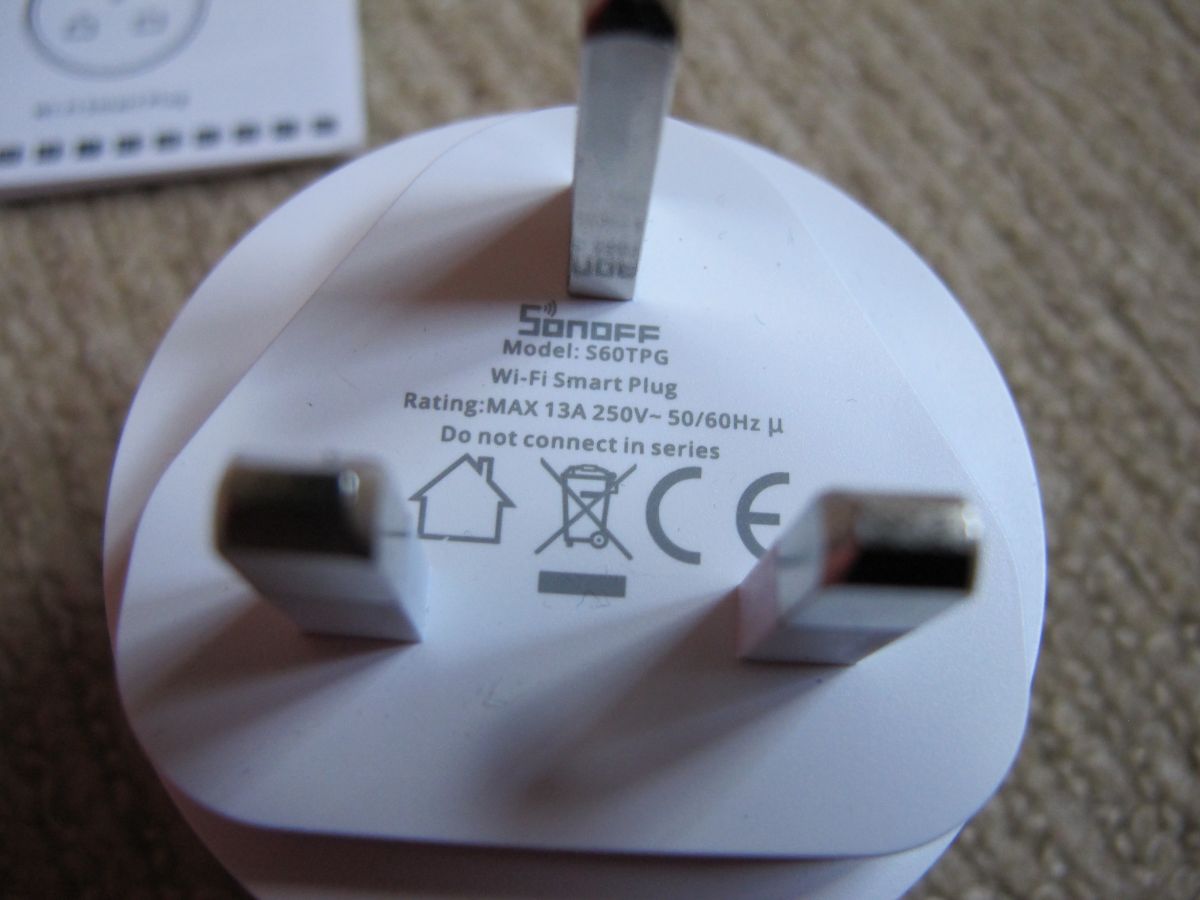
Gray box of Sonoff S60TPG iPlug Type G smart plug on a beige carpet. Box of Sonoff S60TPG iPlug UK smart plug with product label and barcode. Box of Sonoff Type G Wi-Fi Smart Plug on a beige carpet. Gray box of Sonoff iPlug S60TPG Type G placed on a beige carpet. Sonoff S60TPG iPlug smart plug, manual, and Type G box on a carpet. Close-up of the label on the Sonoff S60TPG smart plug with three UK metal prongs visible.
The plug was bought from Ali Express
https://nl.aliexpress.com/item/1005006764953793.html

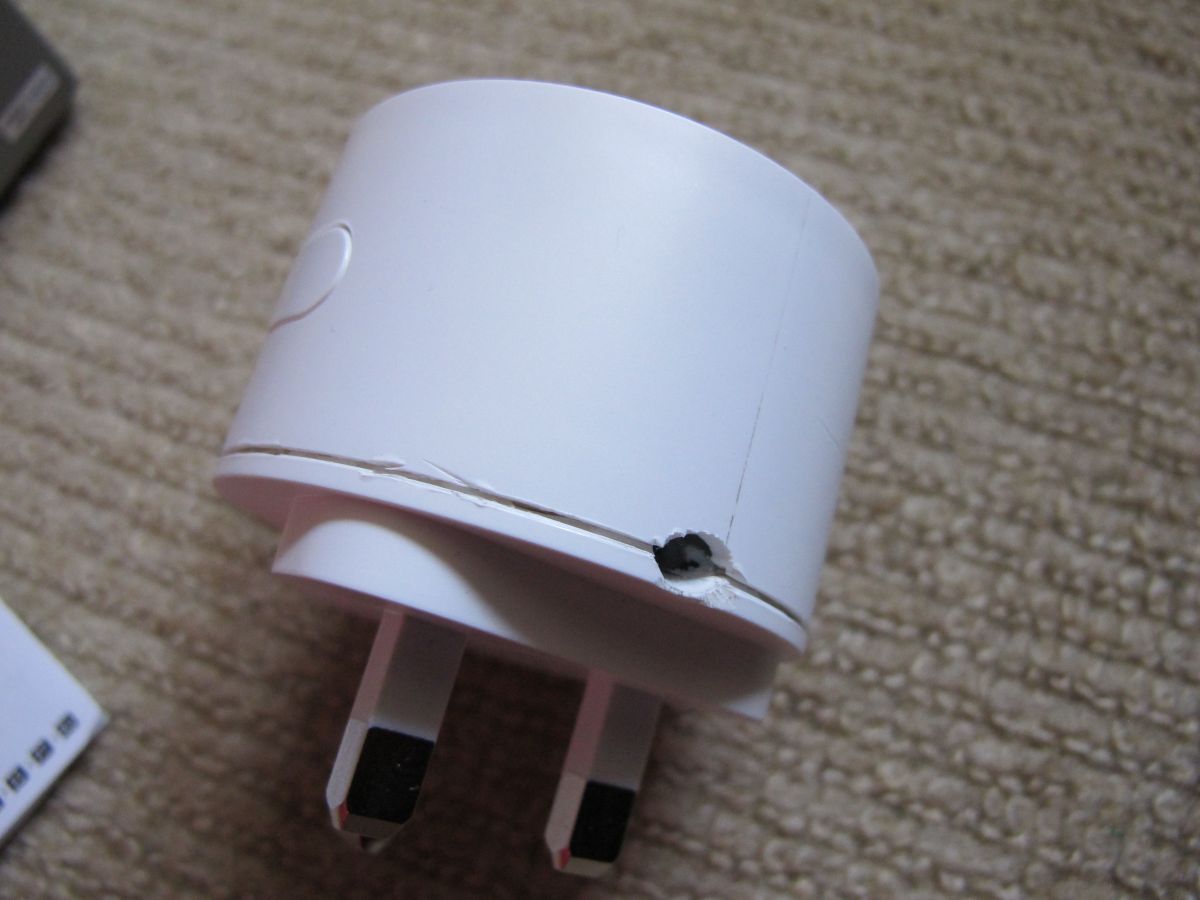
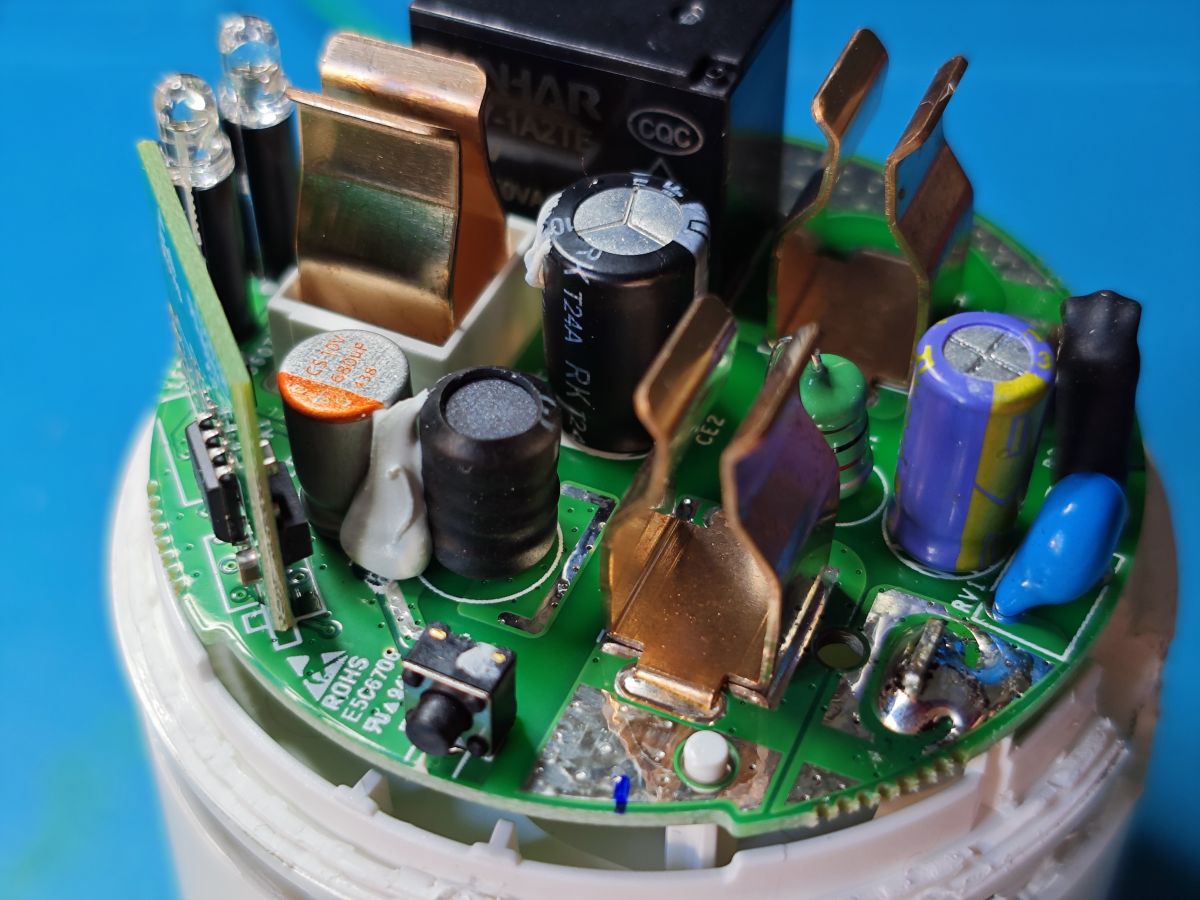
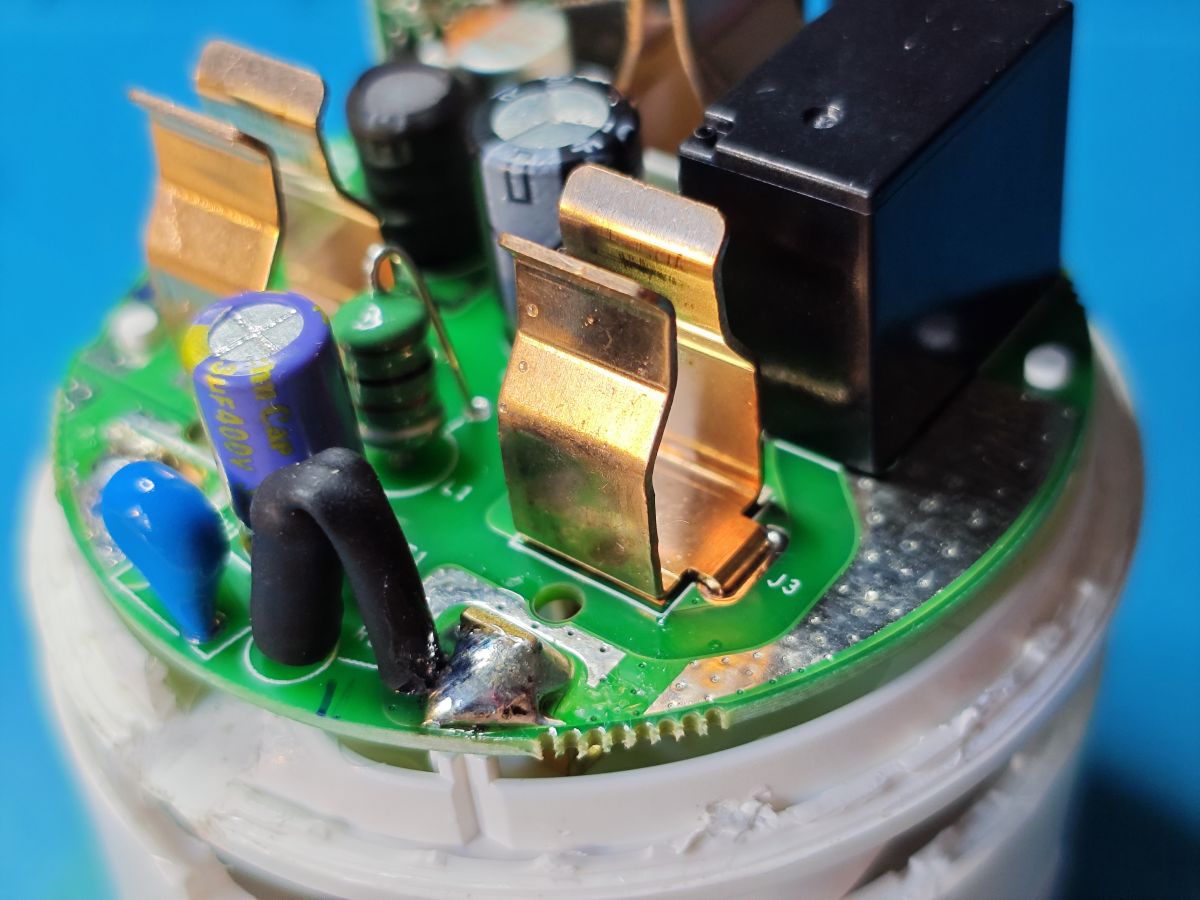
Glue seemed to be too strong and I didn't have the right width tools to contort it in a vice to crack it open. I resorted to drilling a hole at the chassis join from which it could be pried apart. Main PCB removed from power pins and then module de-soldered.

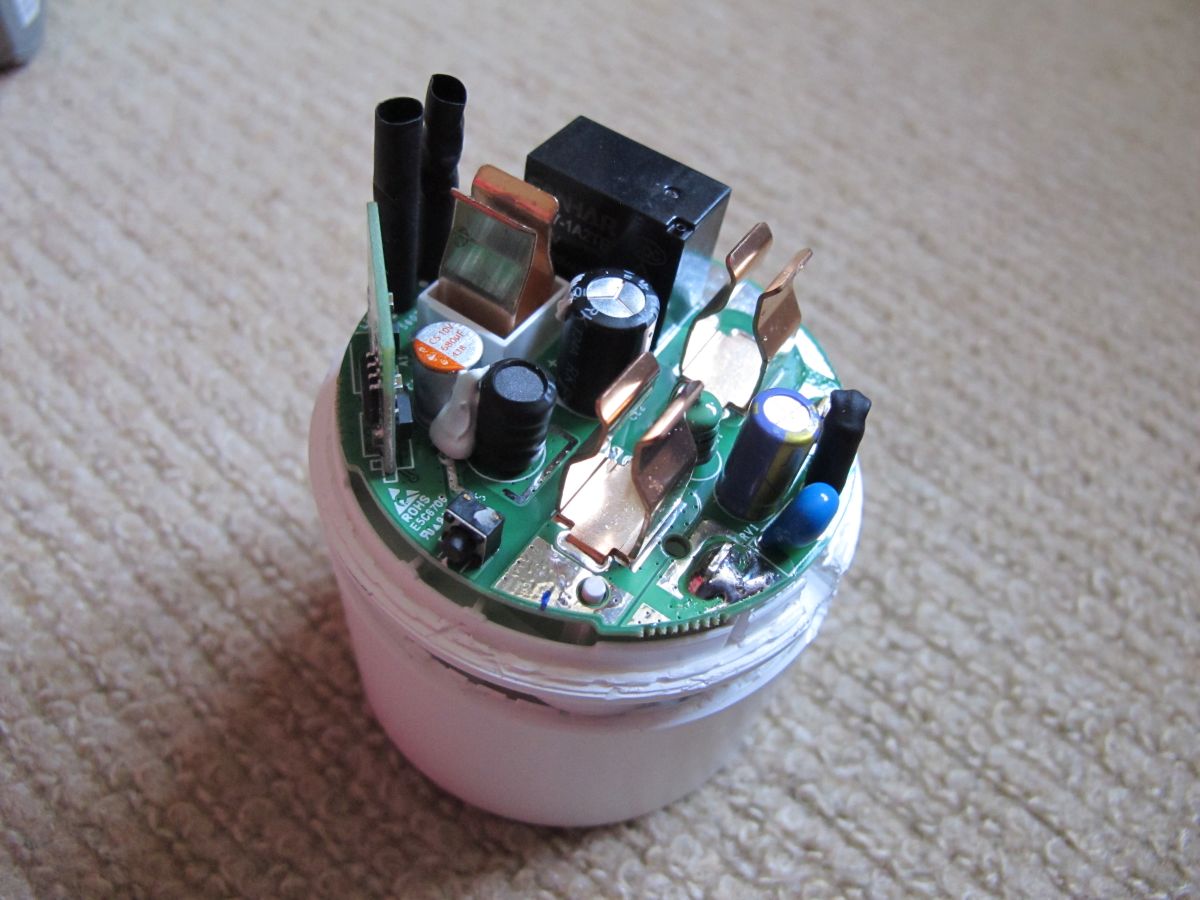
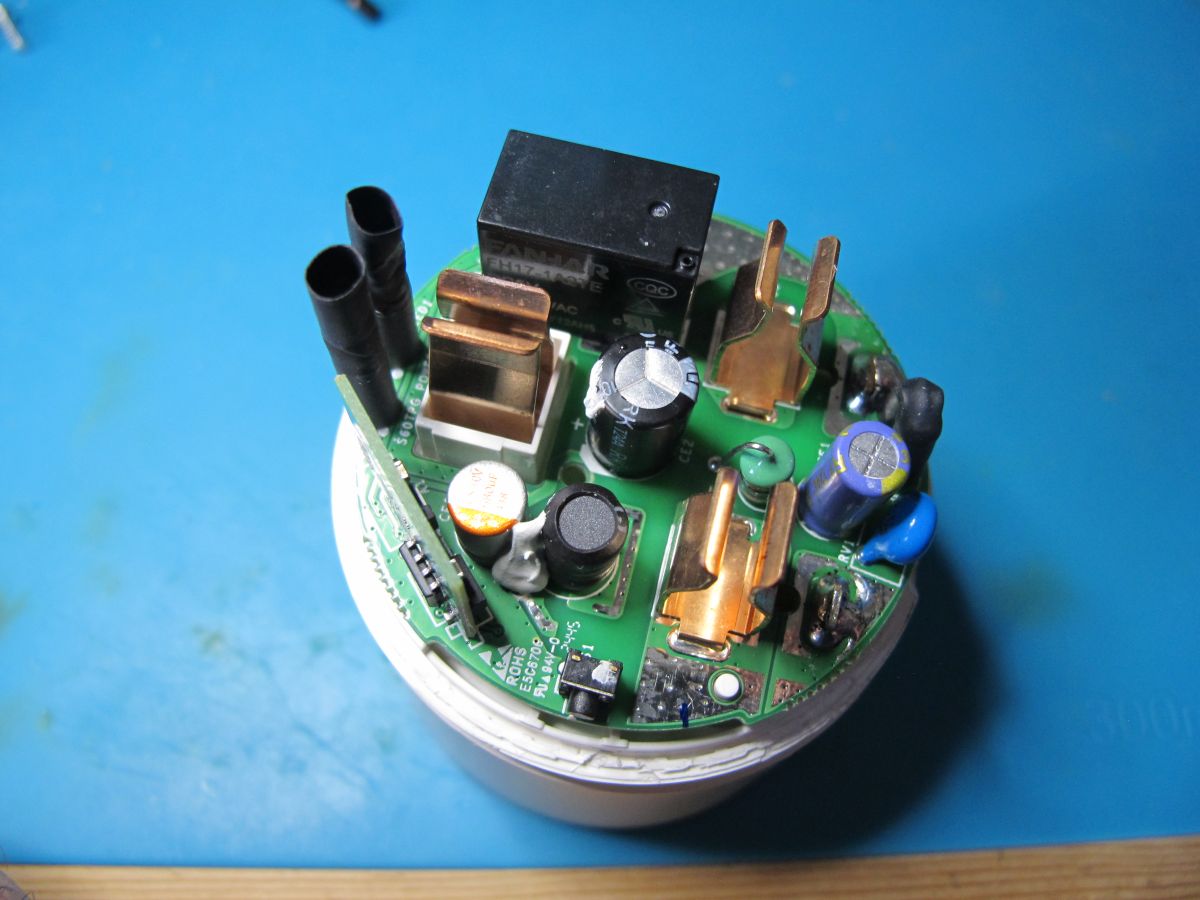
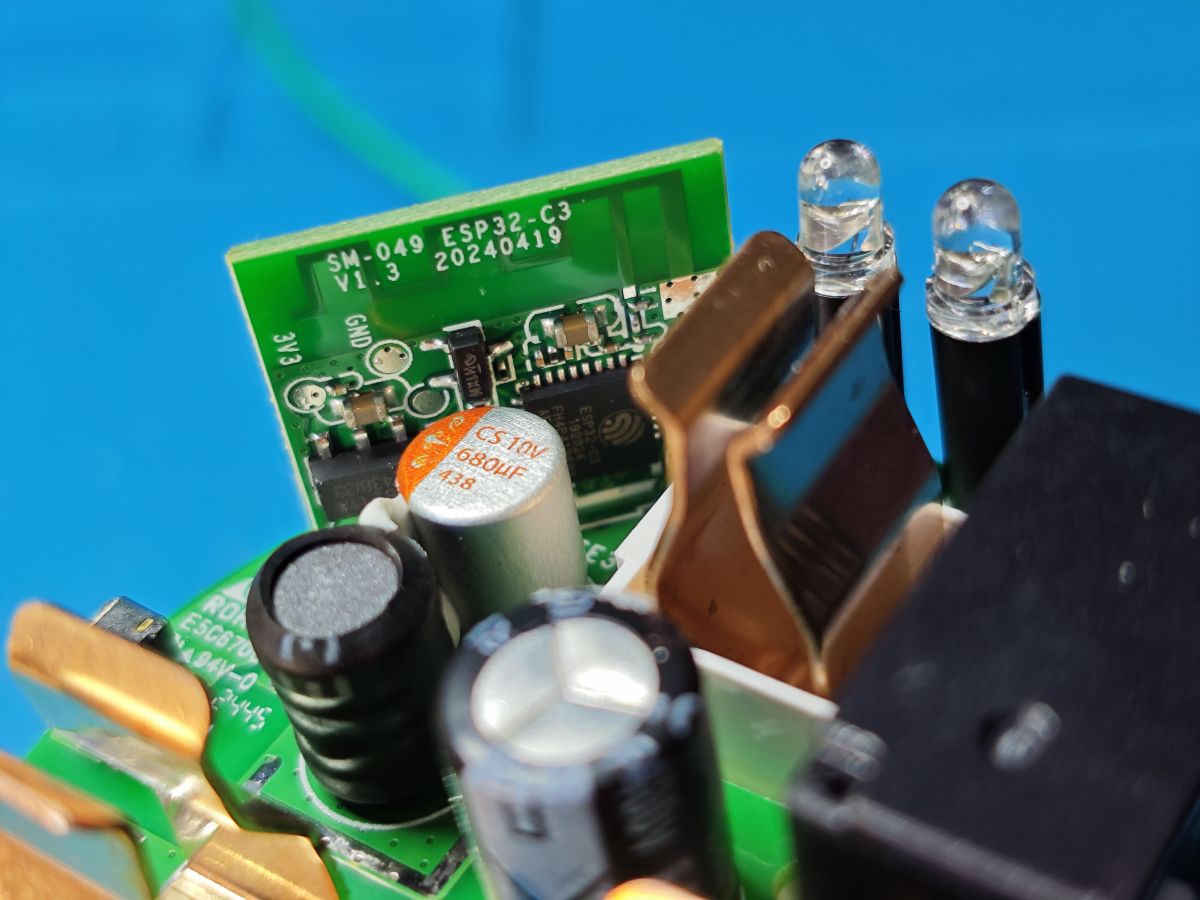
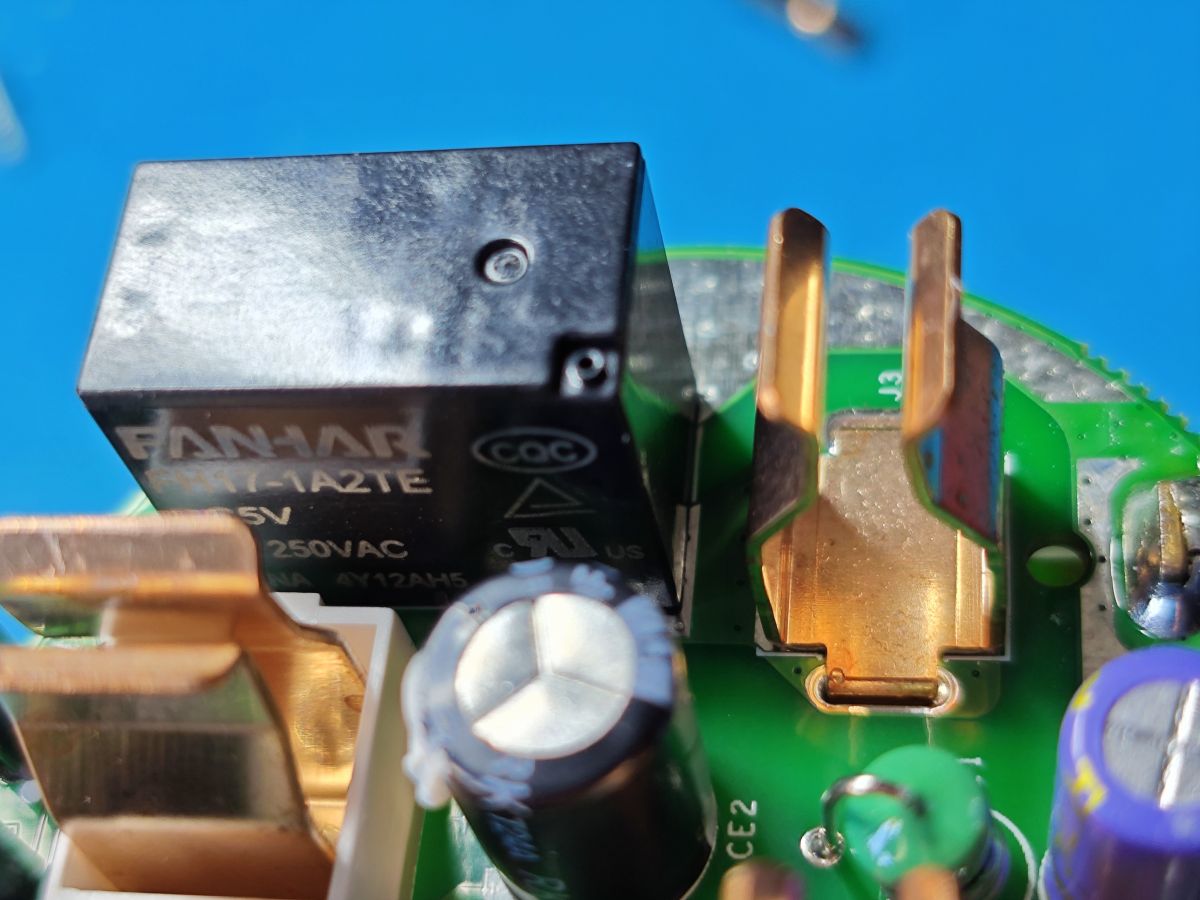
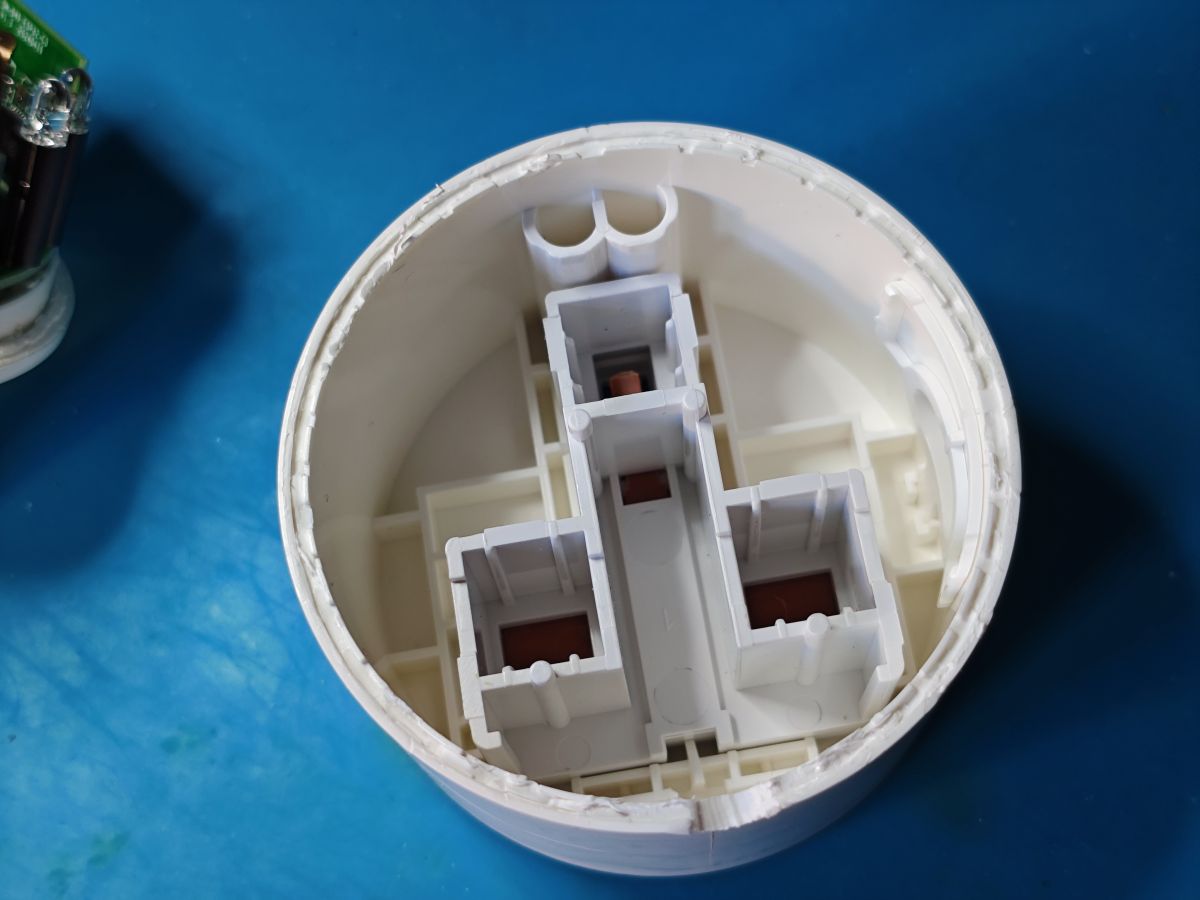
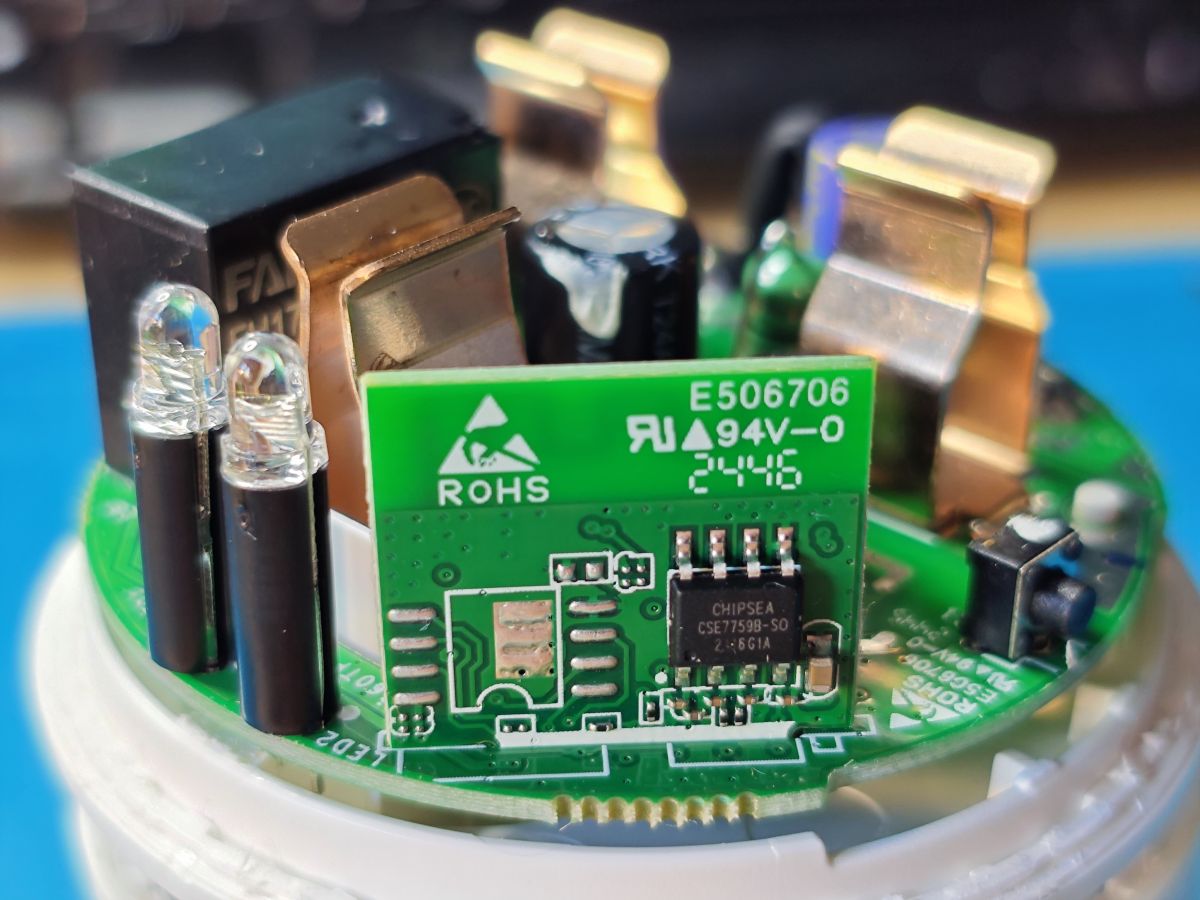
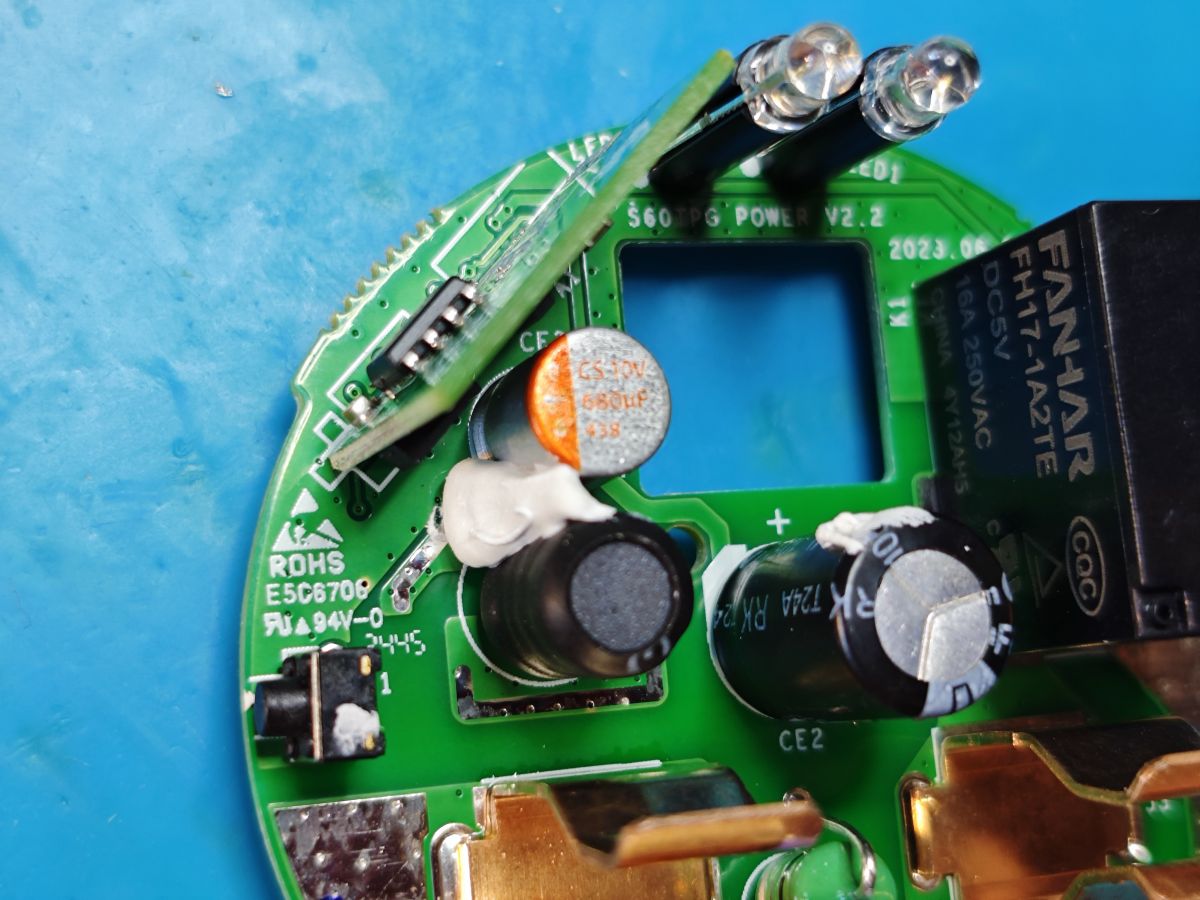
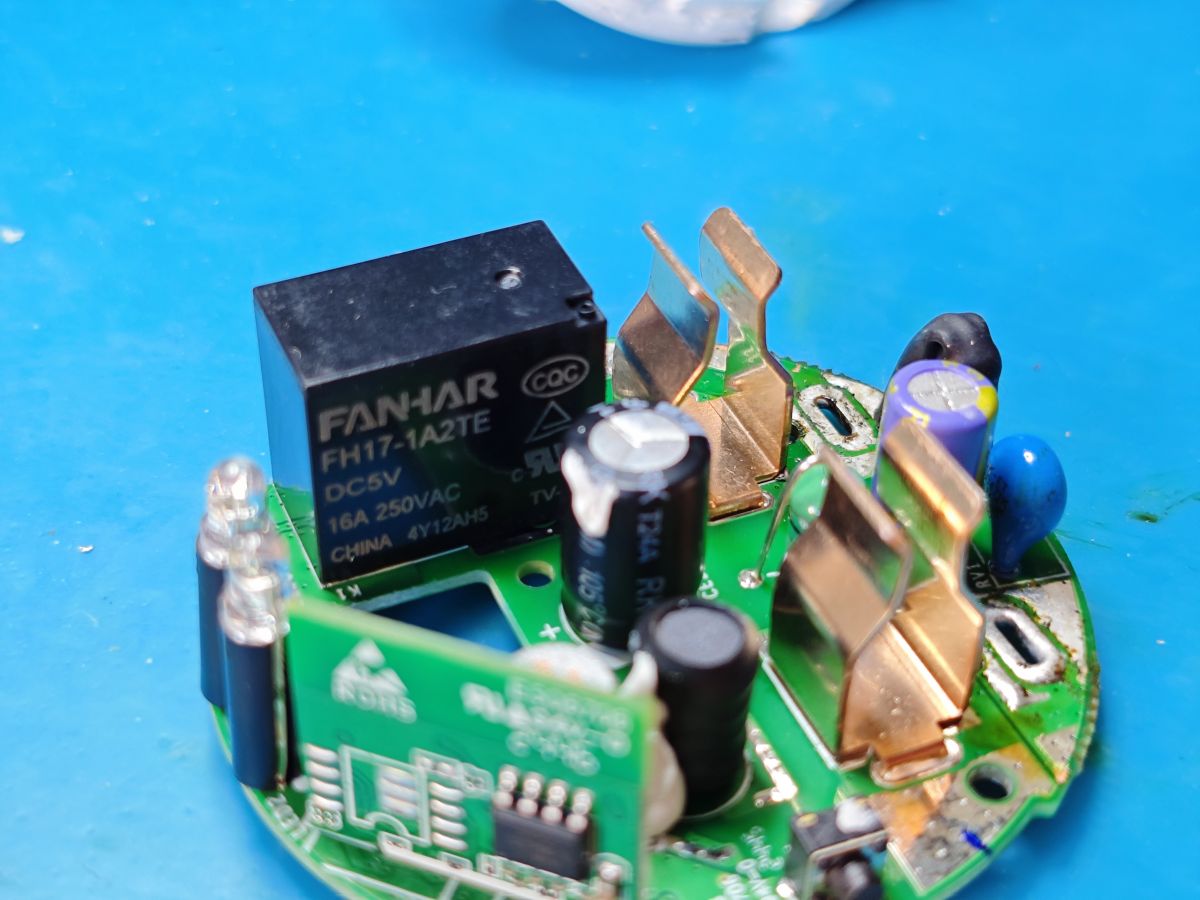
Close-up of a UK smart plug with a drilled hole at the seam and visible crack along the plastic enclosure. Disassembled Sonoff S60TPG UK smart plug with exposed PCB and electronic components. Top view of the inside of a Sonoff S60TPG iPlug UK smart plug, showing electronic components on the PCB. Close-up of the internal PCB of a Sonoff S60TPG plug, showing the SM-049 ESP32-C3 module and electronic components. Close-up of a FANHAR relay and electronic components on a smart plug’s PCB. Close-up of the interior of a Sonoff S60TPG iPlug UK smart plug showing electronic components and connectors. Close-up of the inside of a Sonoff S60TPG smart plug, showing the PCB, power contacts, and electronic components. The inside of an empty Sonoff S60TPG iPlug UK plug case with visible partitions, no electronics inside. Close-up of a smart plug interior showing a PCB, two LEDs, and a Chipsea CSE7759B chip. Close-up of the Sonoff S60TPG smart plug PCB with visible electronic components, capacitors, and a relay. Close-up of a smart plug PCB with a FANHAR FH17-1A2TE relay and visible electronic components.
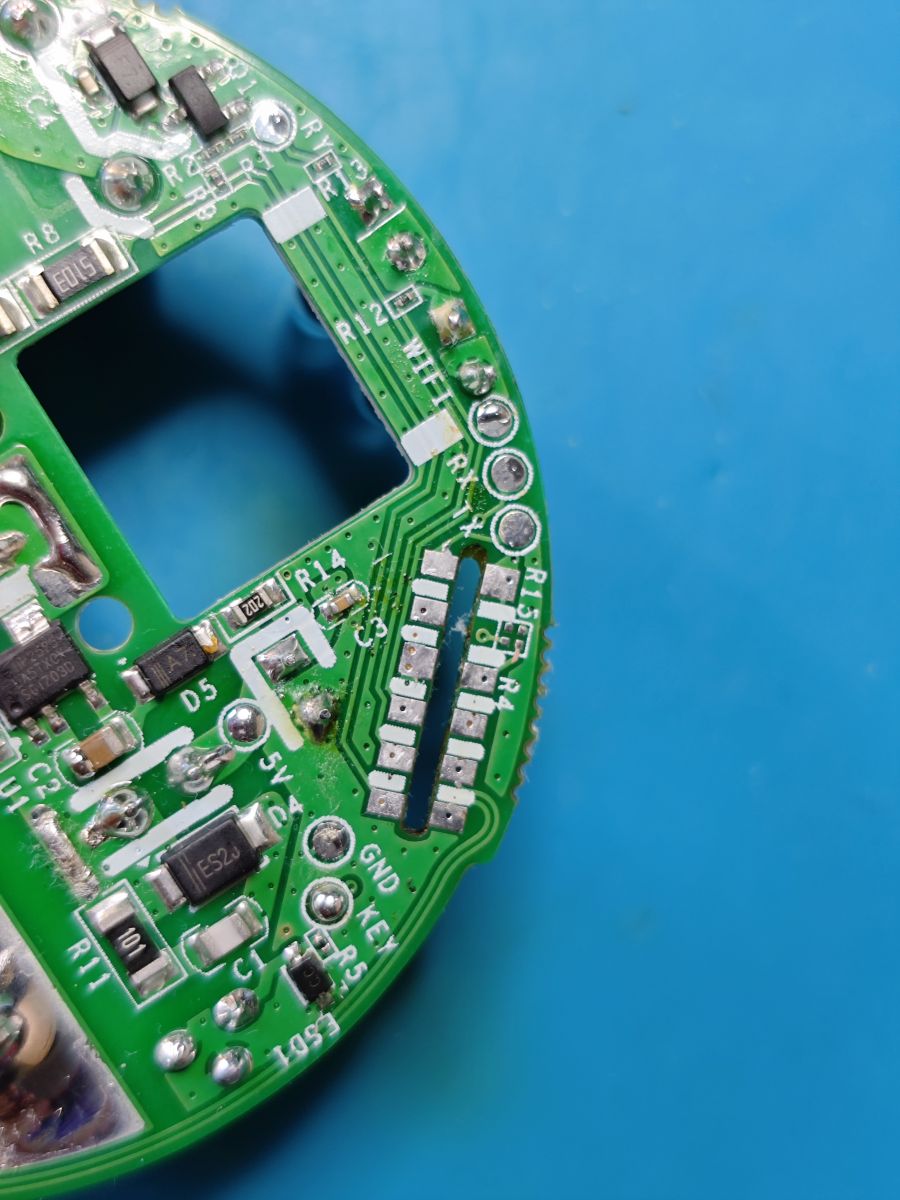
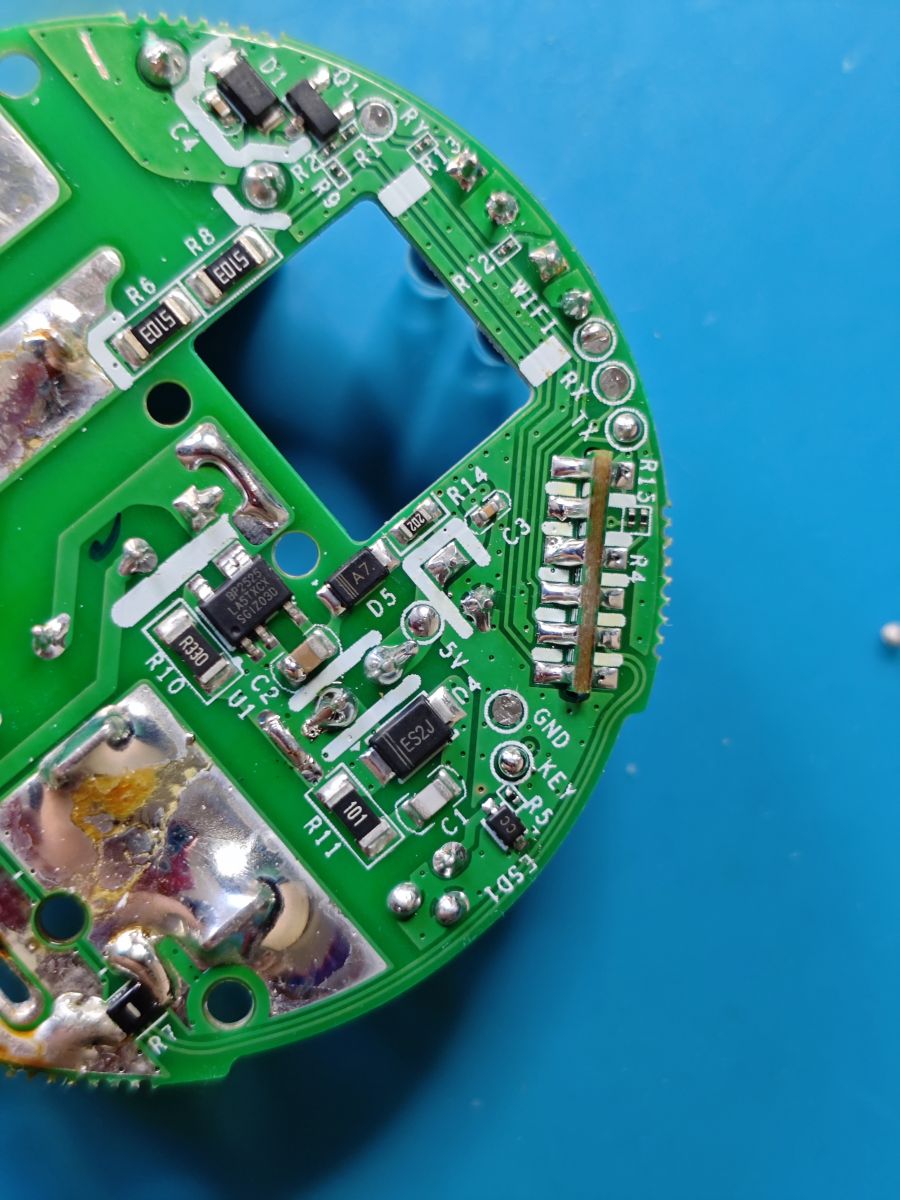
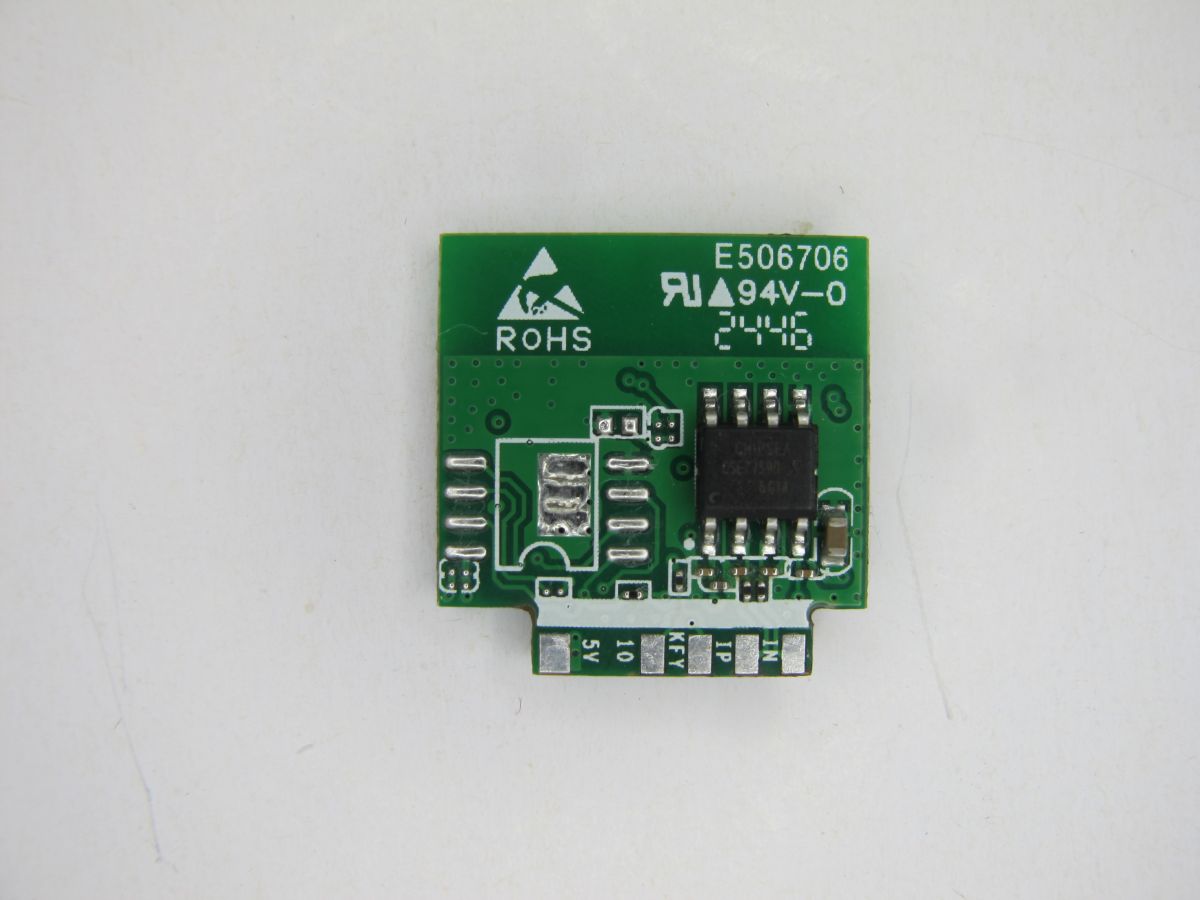
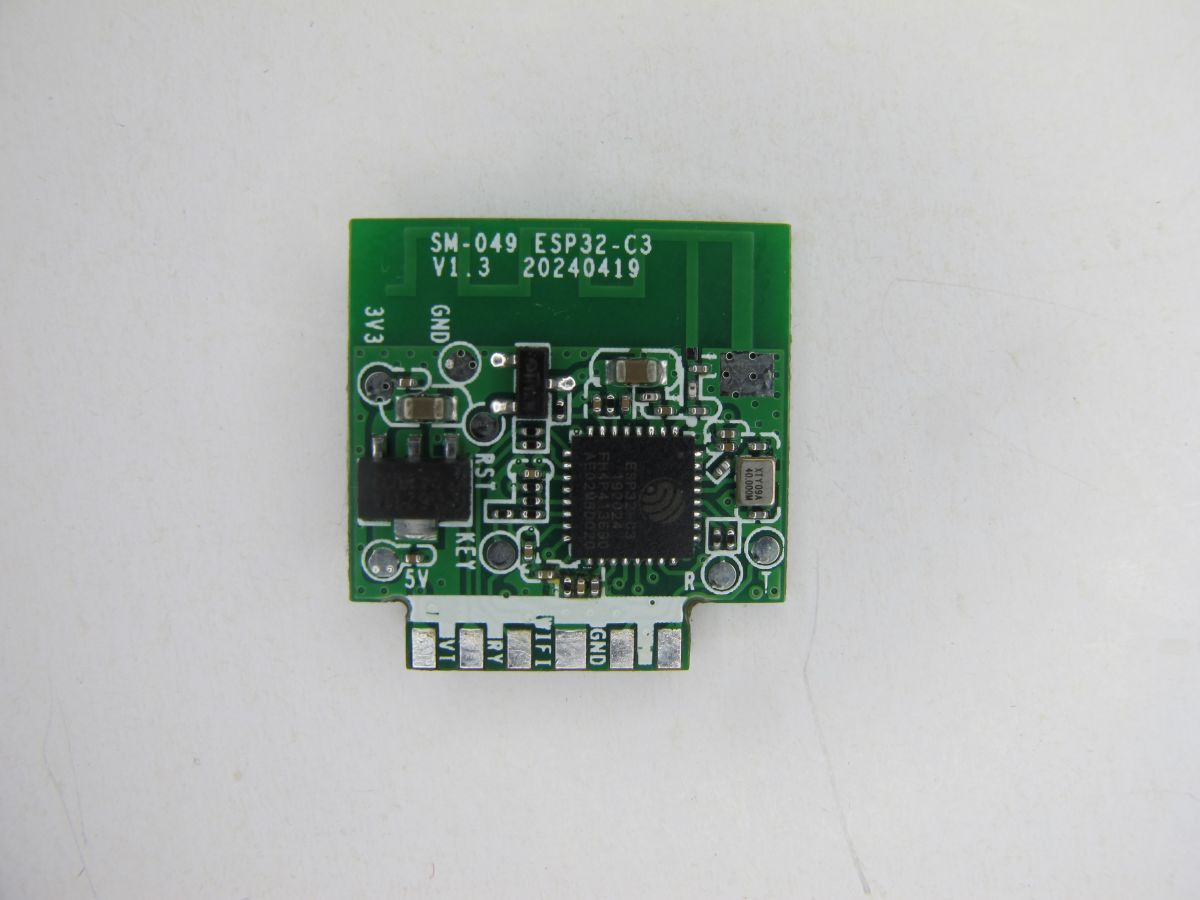
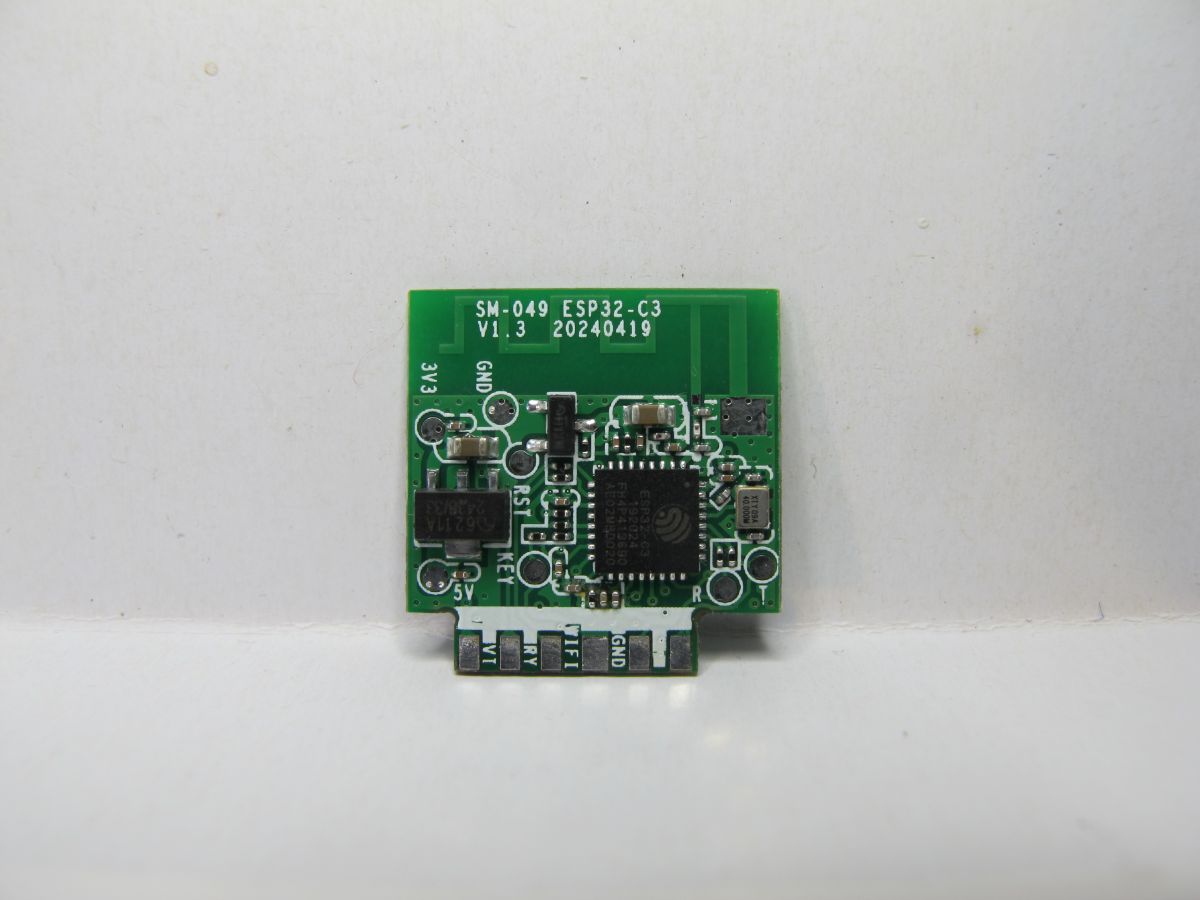
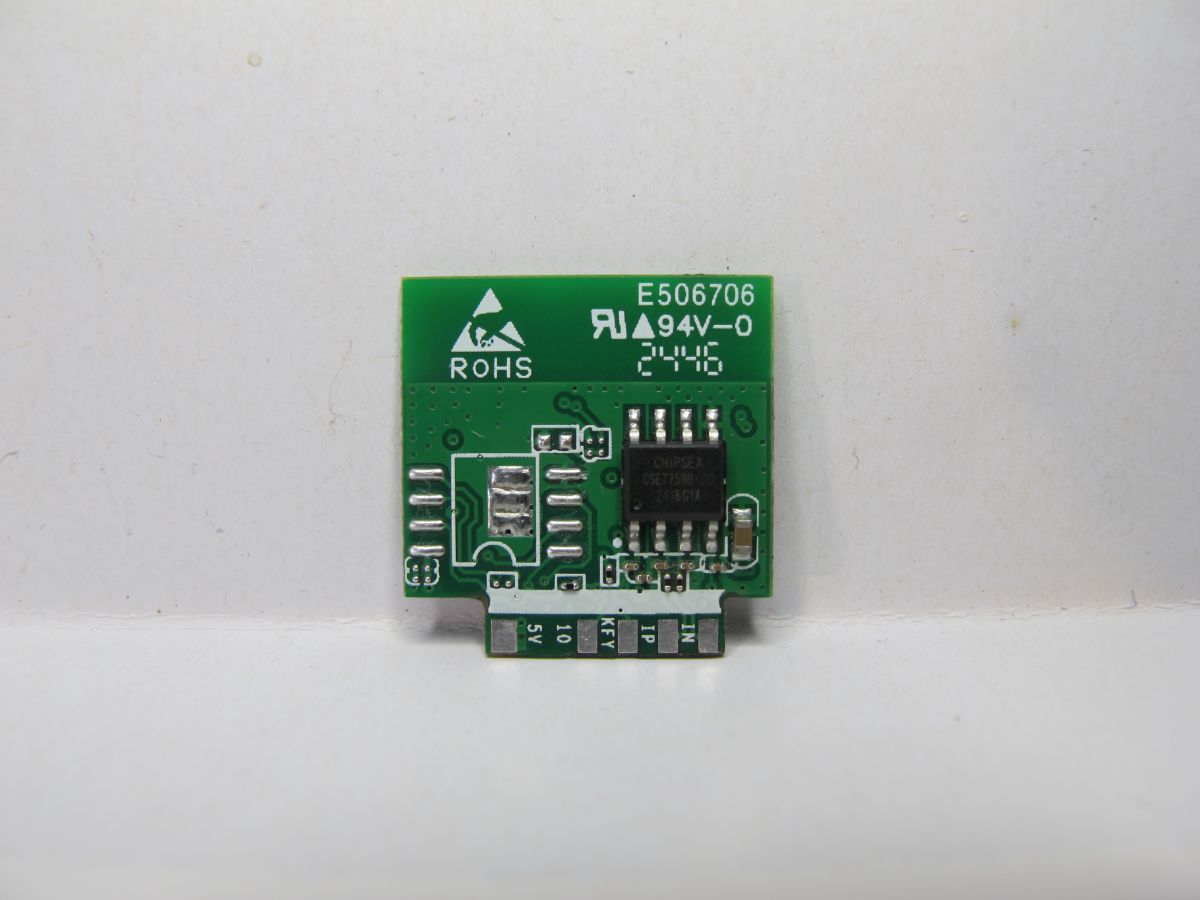
Fragment of a round PCB from Sonoff S60TPG plug, with labeled pins and electronic components visible. A fragment of the Sonoff S60TPG PCB showing pin labels, electronic components, and solder pads. A PCB module with a black CSE7759B chip and markings ROHS and E506706. Top view of the SM-049 ESP32-C3 V1.3 PCB module, showing component layout and pin labels. ESP32-C3 SM-049 V1.3 module on a green PCB with pin labels, top view. Electronic module with CHIPSEA CSE7759B chip mounted on a green PCB with ROHS marking and several connectors.

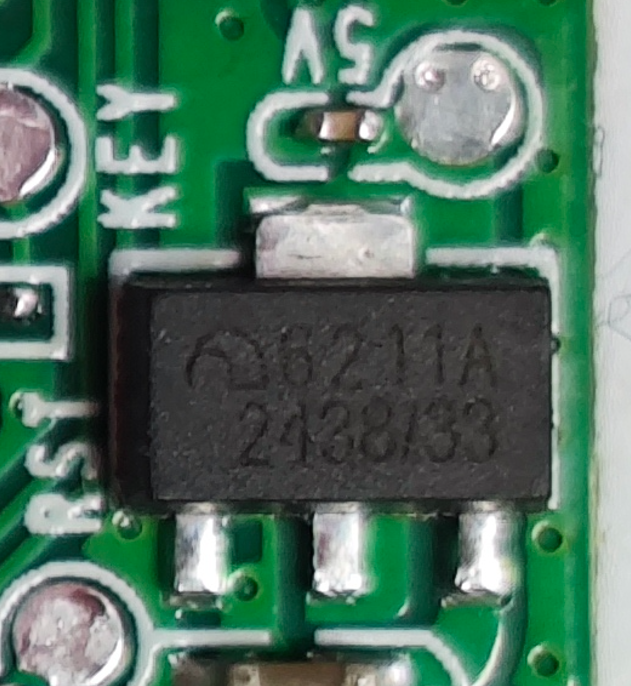
A module I've not seen before. A Coolkit SM-049 V1.3 - an ESP32-C3 with 4mb flash integrated. On the reverse of the module is a Chipsea Technologies CSE7759B energy metering chip. Module takes 5V from main PCB but then 3.3v supplied to ESP32 thanks to a MicrOne (Nanjing Micro One Elec) ME6211A33PG-N 6211A 2438/33 LDO.

Close-up of ME6211A33PG-N 6211A voltage regulator IC on a green PCB, with visible 5V, KEY, and RST labels.

from IO21/TX at 115200 baud, factory boot log

Code: Text
Log in, to see the code


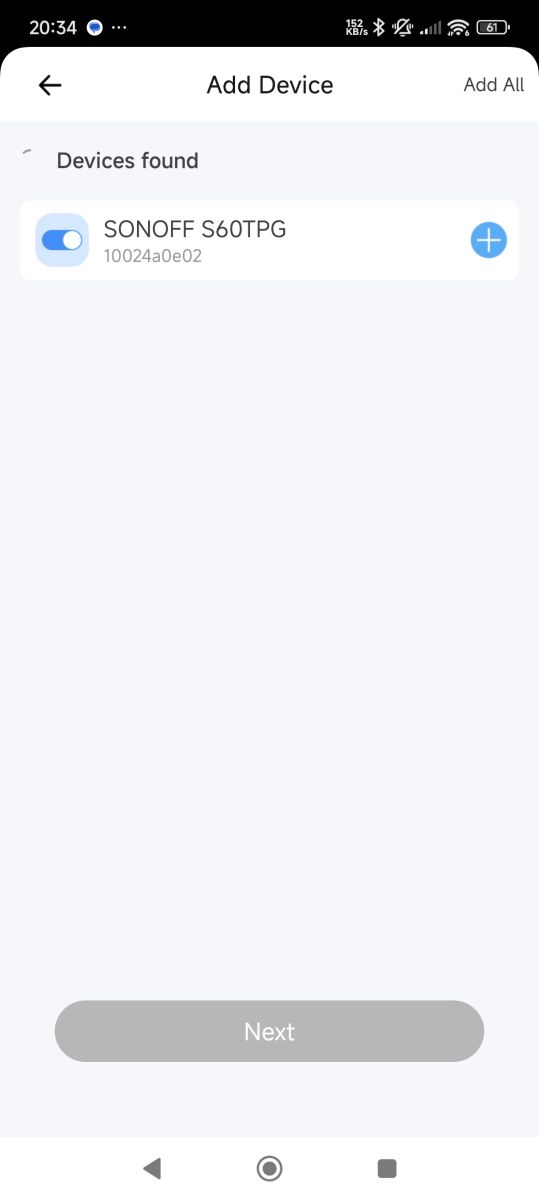
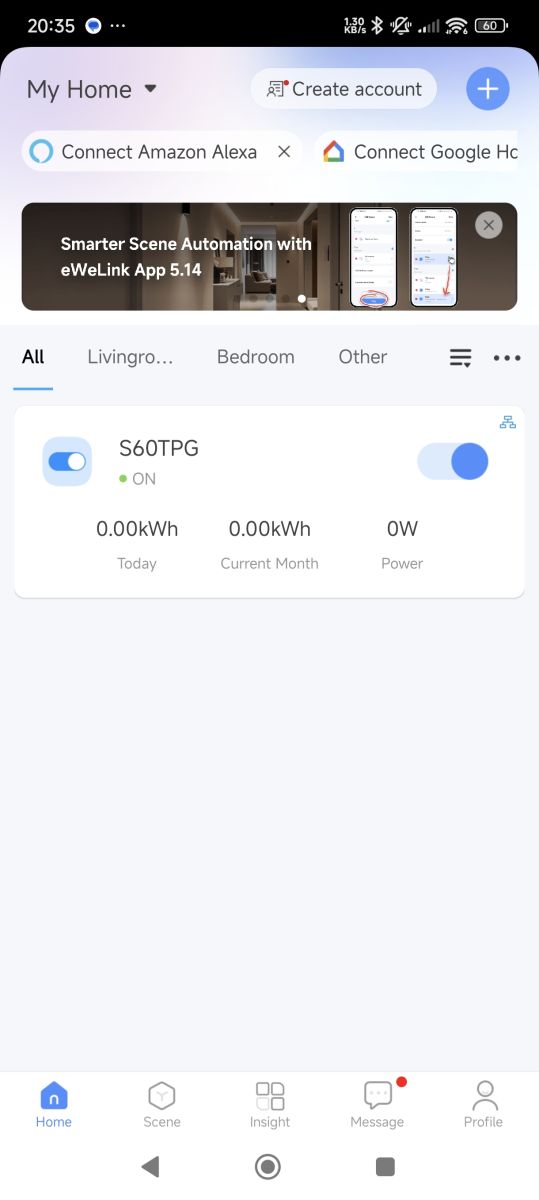
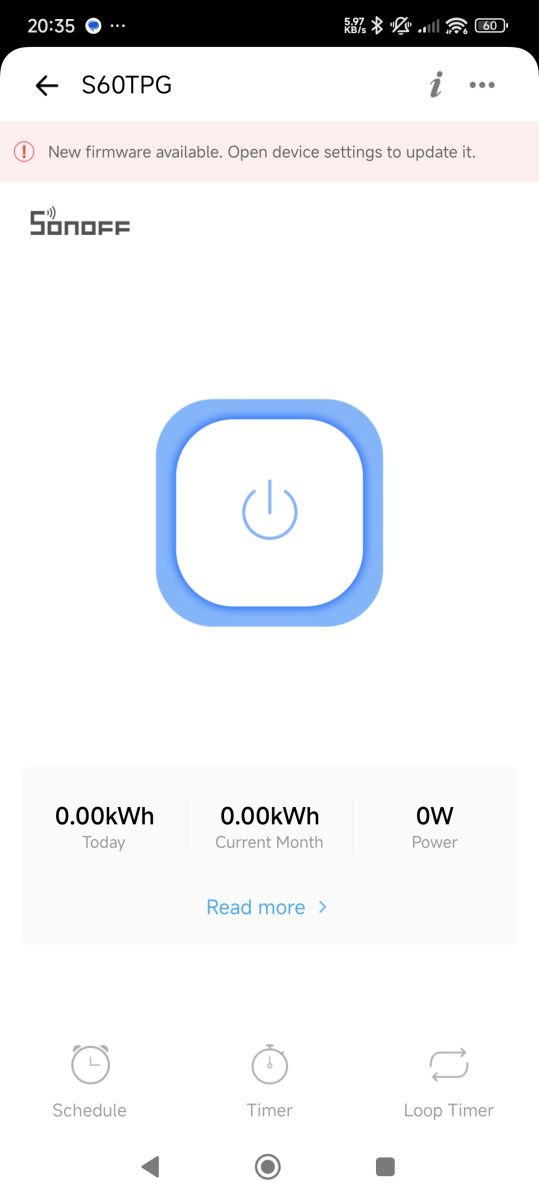
eWeLink app experience. fw ver 1.1.1 with update to 1.2.0 offered

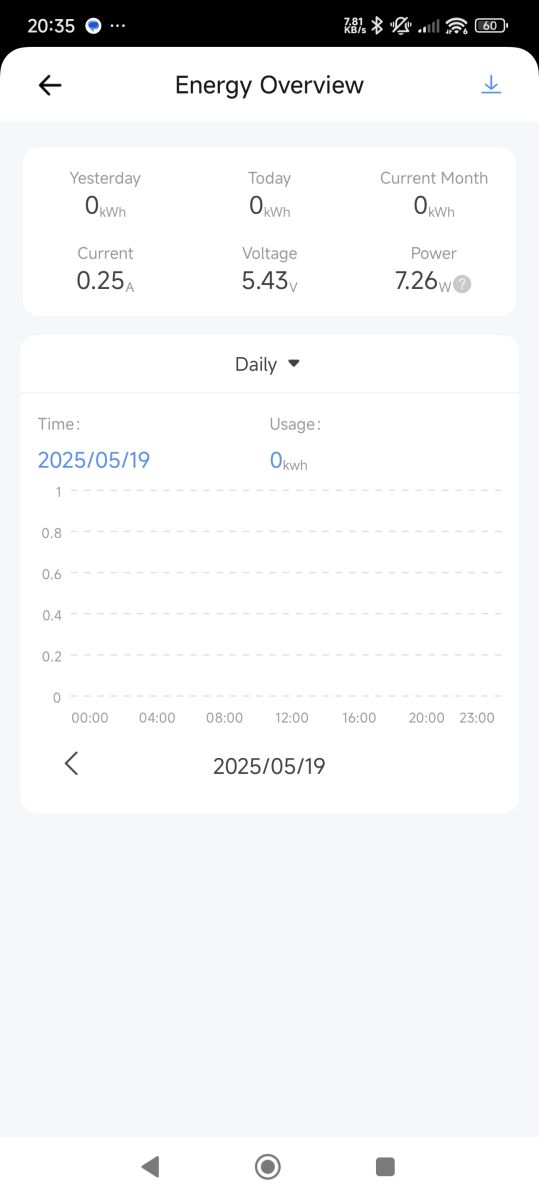
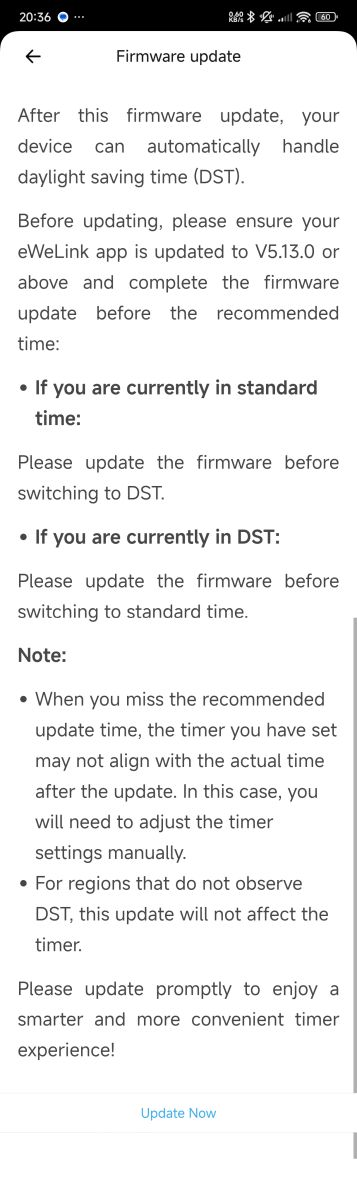
Screenshot of a mobile app showing the SONOFF S60TPG device detected during the add device process.Screenshot of eWeLink app with S60TPG smart plug turned on, showing zero power usage. Mobile app screen for the Sonoff S60TPG smart plug in eWeLink, showing firmware update notification and device stats. Mobile app screen showing energy summary with current 0.25 A, voltage 5.43 V, power 7.26 W, and 0 kWh energy usage today, yesterday, and this month. Screenshot of Sonoff S60TPG device settings in a mobile app, showing current firmware version and various configuration options. Firmware update notification explaining daylight saving time handling and update steps for the eWeLink app.


IO9/Key grounded gets ESP into download mode

Code: Text
Log in, to see the code


info gathering with esptool

esptool.exe --port com73 get_security_info
Code: Text
Log in, to see the code


good, no secure boot or flash encryption.

espefuse.exe --chip esp32c3 --port COM73 summary
Code: Text
Log in, to see the code


dump to file
esptool.exe --chip esp32c3 --port COM73 --baud 921600 read_flash 0x000000 0x400000 flash_dump.bin

Flashed OpenESP32C3 factory image with esp-flasher.exe from https://github.com/Jason2866/ESP_Flasher/releases

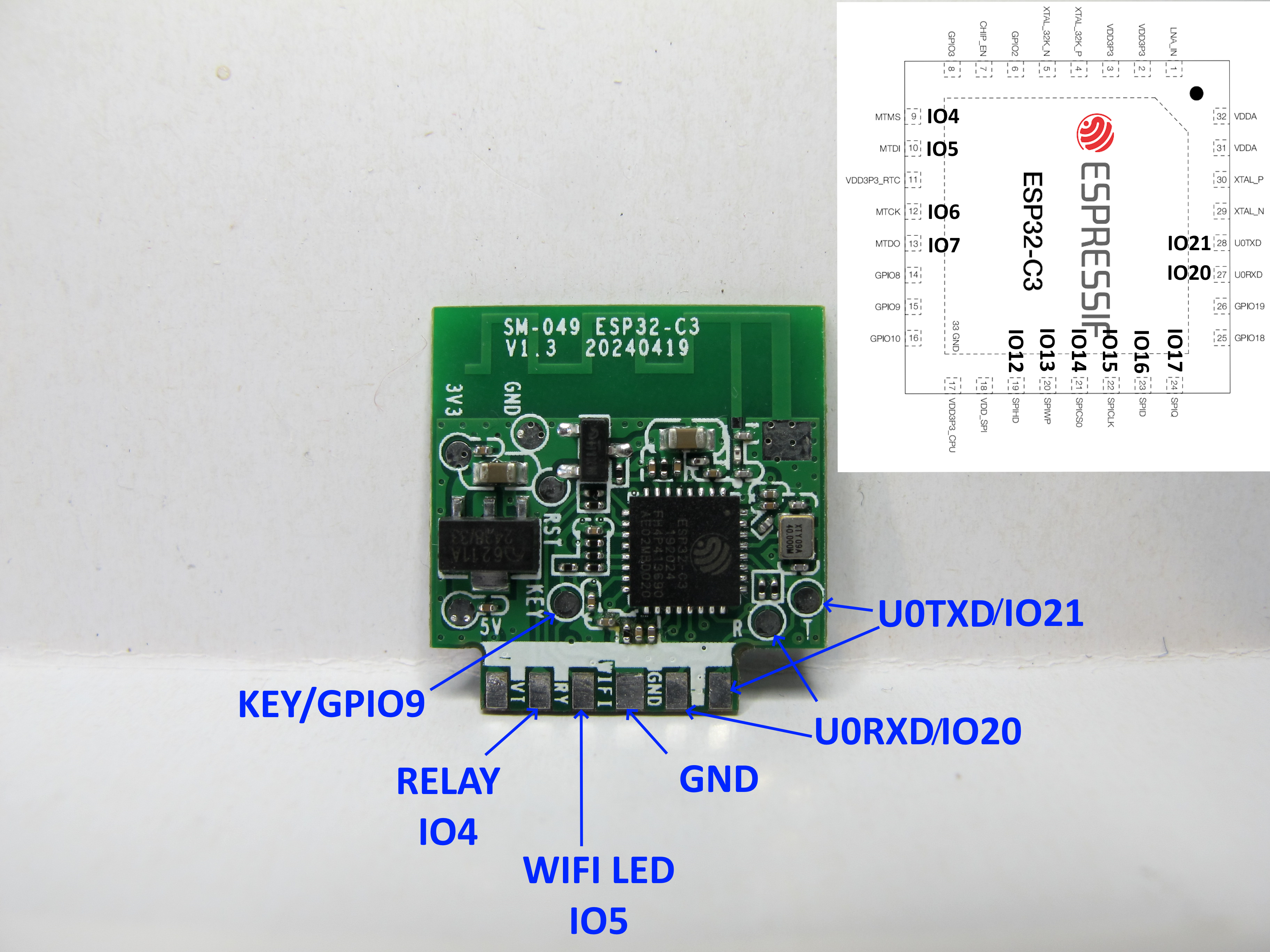
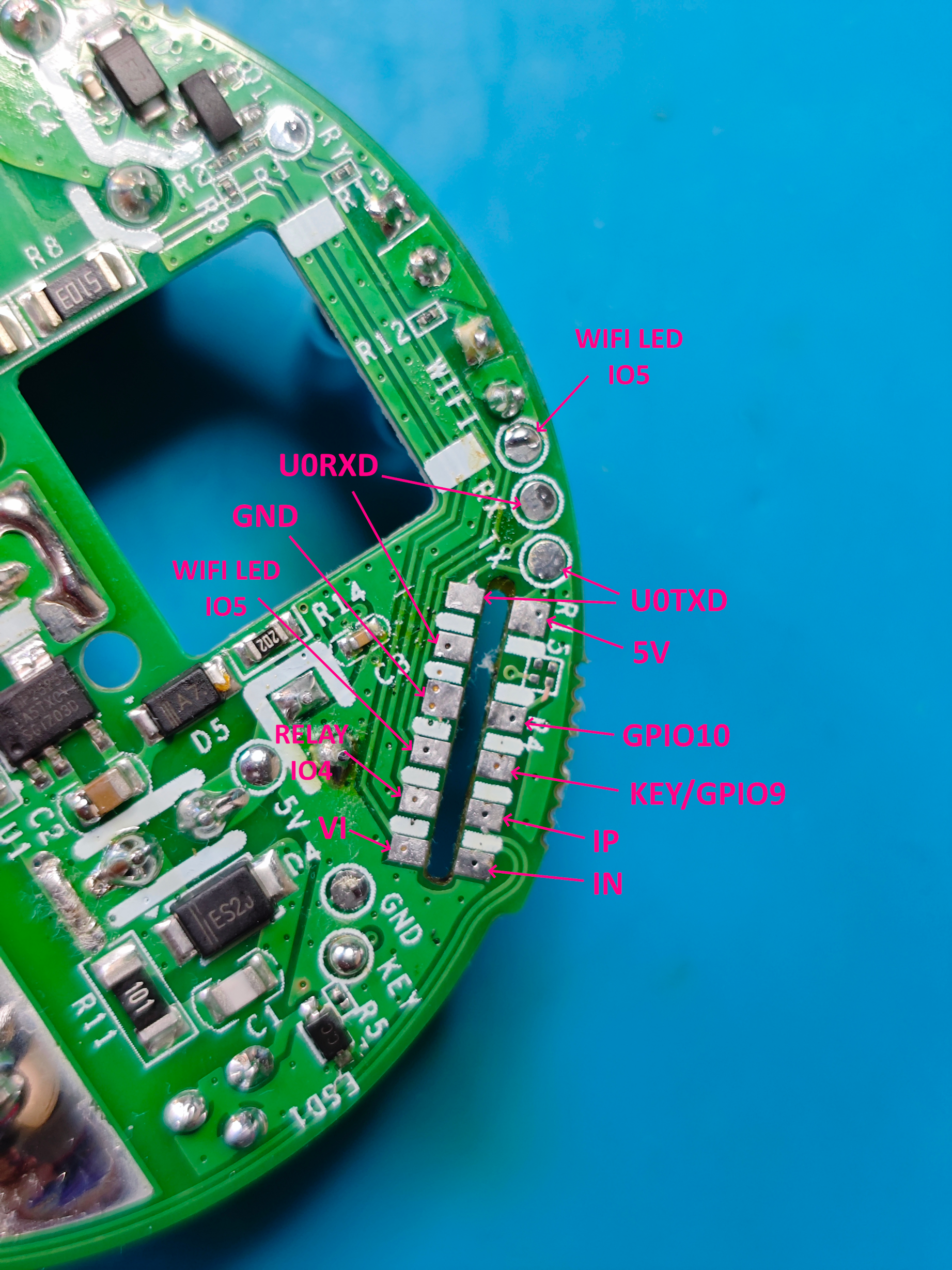
Module contact tracing and labels

ESP32-C3 SM-049 V1.3 board with labeled pins and a pinout diagram in the corner.
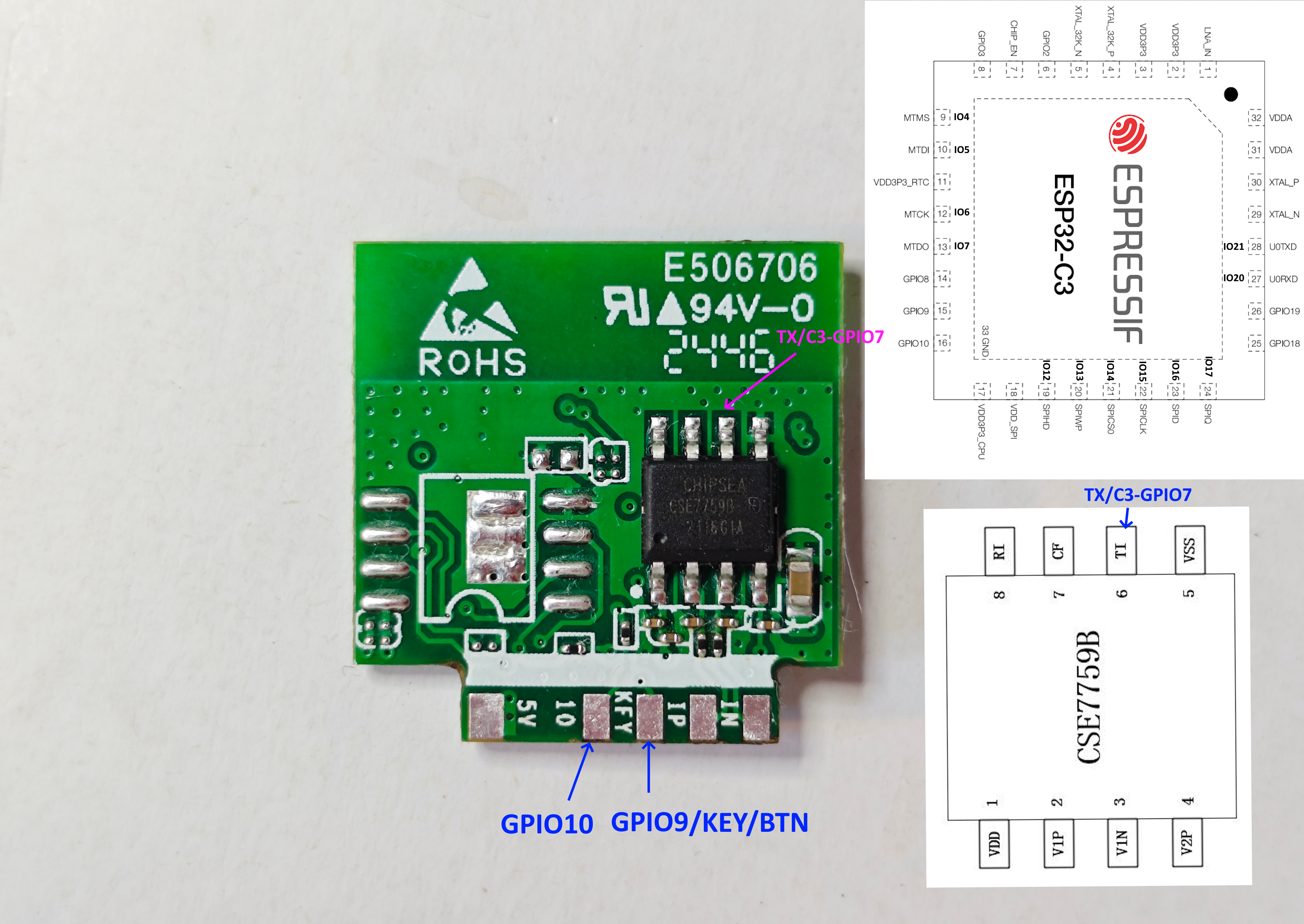
Photo of an electronic module with a CHIPEA CSE7759B chip, labeled pins GPIO10, GPIO9 (KEY/BTN), and TX/C3-GPIO7, plus ESP32-C3 and CSE7759B diagrams.

Fragment of a Sonoff smart plug PCB with labeled pins and signal names visible.

Meaning the assignments are

Code: JSON
Log in, to see the code


The blue wifi LED is controllable but the second red LED is linked to the relay. On=relay closed, Off=relay open.

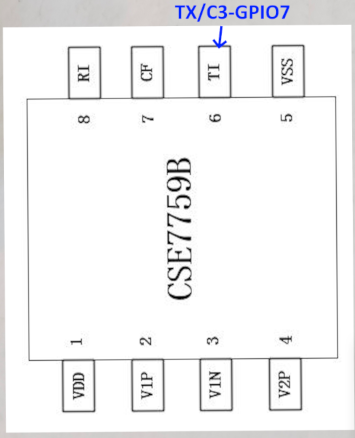
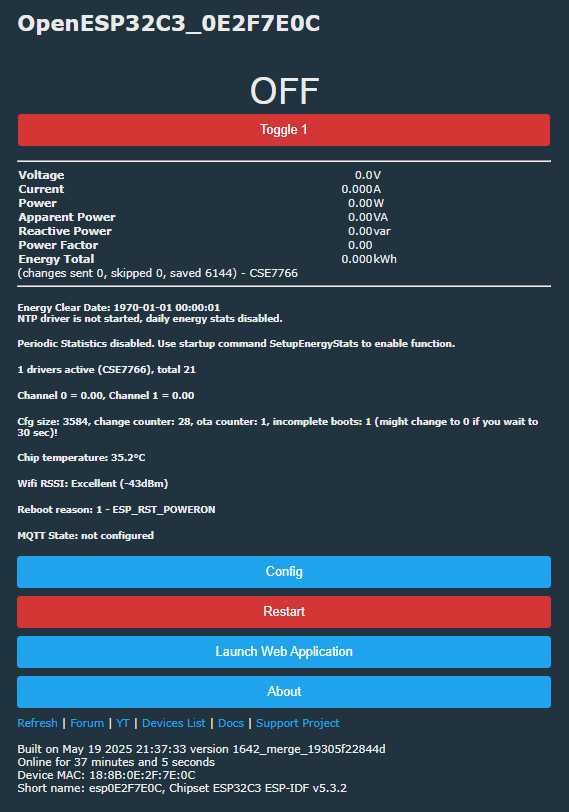
ESP builds are missing the CSE7766 driver (compatible with CSE7759B), so I enabled it with this PR https://github.com/openshwprojects/OpenBK7231T_App/pull/1642 but @insmod warned me in the comments that it may not work. This is my first CSE7759B - from what I've seen in other posts it seems only the driver needs starting and perhaps flag 26 ([UART] Use alternate UART for BL0942, CSE, TuyaMCU, etc) needs enabling in some situations. Unfortunately no readings on ESP32 with or without flag. IO7 is connected to TX on the CSE7759B.

Diagram of the CSE7759B chip with the TI pin highlighted and labeled TX/C3-GPIO7.

Screenshot of OpenESP32C3 web interface showing relay switched off and all sensor readings at zero.

and that's the current state of play.
Attachments:
  • User-Manual_S60TPGEN-V1.0.pdf (3.62 MB) You must be logged in to download this attachment.
  • esp32-c3_datasheet_en.pdf (887.58 KB) You must be logged in to download this attachment.
  • CSE7759B用户手册V1.3_1668152475.pdf (1.91 MB) You must be logged in to download this attachment.
  • 2410121248_MICRONE-Nanjing-Micro-One-Elec-ME6211A33PG-N_C236673.pdf (844.77 KB) You must be logged in to download this attachment.

About Author
divadiow
divadiow wrote 4839 posts with rating 852 , helped 420 times. Live in city Bristol. Been with us since 2023 year.

Comments

p.kaczmarek2 21 May 2025 00:48

Interesting, which brings us the question how we can futher test and improve the CSE and UART drivers.... maybe try to get a valid CSE packet and then do remaining operations on the ESP dev board, while... [Read more]

divadiow 21 May 2025 23:29

I'll try to set up some kind of CSE simulation. Hopefully it'll be more reliable and indicative of a real CSE than the BL0937 simulator attempts with PWM and Arduino sketch. No idea about how good the... [Read more]

p.kaczmarek2 22 May 2025 13:29

I've also got Sonoff but the one with CSE7761, which has different UART protocol. I will have few spare hours today and I will try porting some driver, but I'm not sure if it will work with unstable UART.... [Read more]

divadiow 22 May 2025 14:06

cool. ESP Sonoff I assume? Added after 22 [minutes]: yes :) https://github.com/openshwprojects/OpenBK7231T_App/commit/e64ccf49abd3adc078753feffe893ca2587ce424 [Read more]

p.kaczmarek2 22 May 2025 14:08

Is PROTA working for you on ESP?" I get: 2025-05-22 14:02:40: [Found matching file: OpenESP32C2_1645_merge_1d63268bd632.img] 2025-05-22 14:02:40: [Sending... [Read more]

divadiow 22 May 2025 14:28

yikes. a lot of artefacts now. worked though https://obrazki.elektroda.pl/1523743000_1747916891_bigthumb.jpg 025-05-22 13:26:17: [Checking zip file: C:\Users\divad\Downloads\PROTATool (1)\1645/97086a1b8ac6e01527a6a726f6260bf5af25c7e1\OpenBK7231T_App_cse_97086a1b8ac6_OpenESP32C2.zip] 2025-05-22... [Read more]

p.kaczmarek2 22 May 2025 14:36

2025-05-22 14:32:23: [Found matching file: OpenESP32C2_cse_97086a1b8ac6.img] 2025-05-22 14:32:23: [Sending OTA data to http://192.168.0.162/api/ota attempt... [Read more]

divadiow 22 May 2025 14:39

Not sure what you mean. I was testing on C3 SuperMini and that was matched OK. Is your Sonoff not C2? [Read more]

p.kaczmarek2 22 May 2025 14:40

No, it's ESP32 but code in PROTA uses Contains and it tries first binary with ESP32 in name - obviously a bug [Read more]

divadiow 22 May 2025 14:54

oh i get you. yes my ESP32 gets sent C2 ota too 2025-05-22 13:51:16: [Found matching file: OpenESP32C2_cse_97086a1b8ac6.img] 2025-05-22 13:51:16: 2025-05-22 13:51:29: [Error sending OTA update:... [Read more]

p.kaczmarek2 22 May 2025 18:36

I've added a fix, the substring approach was treating ESP32S2 as ESP32. [Read more]

divadiow 23 May 2025 06:23

How's it going with the CSE7761 experience on ESP? [Read more]

p.kaczmarek2 23 May 2025 09:17

I've did some tests but I couldn't get receiving to work. I've also realized that we need HAL to choose custom UART pins on ESP32 (@insmod but I also may do it soon). My current plan is to just take an... [Read more]

insmod 23 May 2025 09:25

I thought about playing with UART again and adding ESP pin selection after w800/berry and then bk7231u/7252 is merged. Initial idea is to add something like HAL_AddPlatformSpecificCommands() and executing... [Read more]

divadiow 23 May 2025 09:57

this would be good. I'm just flashing new BK7252U device with same tests as in doorbell thread. [Read more]

p.kaczmarek2 23 May 2025 13:01

So w800 + berry is ready to merge? [Read more]

insmod 23 May 2025 13:41

Yes. The only recommendation for BL602 is to use partition layout toml from here: https://github.com/openshwprojects/OpenBK7231T_App/pull/1629#issuecomment-2876874850 You can even try to enable berry... [Read more]

p.kaczmarek2 23 May 2025 14:02

Permanent or recoverable via UART? Would it possible to add a safe check for that? [Read more]

insmod 23 May 2025 14:07

Recoverable. I don't know how OTA is performed on BL602, but if there is a header with unpacked size, then perhaps it's possible. [Read more]

FAQ

TL;DR: This FAQ helps modders and firmware testers investigate the Sonoff S60TPG UK smart plug. It confirms a 4 MB ESP32-C3 module, explains the relay/button pin map, and shows that “good, no secure boot or flash encryption” makes backup and reflashing practical before OpenESP32 experiments. [#21555140]

Why it matters: It turns a scattered teardown and driver-debug thread into a quotable reference for safely opening, dumping, flashing, and troubleshooting this specific Sonoff plug.

Item Sonoff S60TPG finding Compared with
Main MCU/module Coolkit SM-049 V1.3 with ESP32-C3 and 4 MB flash Other Sonoff plug discussed uses CSE7761 instead [#21555140]
Energy IC CSE7759B on module reverse side CSE7761 uses a different UART protocol [#21556944]
OTA tool issue PROTA could match the wrong ESP32-family image by substring Fix later added for ESP32S2/ESP32 matching [#21557206]

Key insight: The hardware is flashable, but reliable power telemetry is blocked by software maturity, not locked silicon. The thread points to missing ESP32 UART pin-selection support and unresolved CSE driver behavior as the real blockers. [#21557684]

Quick Facts

  • The SM-049 V1.3 module takes 5 V from the main PCB and regulates it to 3.3 V for the ESP32-C3 with a MicrOne ME6211A33PG-N LDO. [#21555140]
  • Factory boot output reports ESP-IDF v4.4.2-dirty, 40 MHz SPI flash speed, DIO mode, and 4 MB flash, with OTA partitions at 0x20000 and 0x210000. [#21555140]
  • Download mode appears when IO9/Key is grounded, and the ROM reports boot:0x5 (DOWNLOAD(USB/UART0/1)), which is the critical entry point for manual flashing. [#21555140]
  • The confirmed GPIO map is GPIO4 = Rel;1, GPIO5 = WifiLED_n;0, and GPIO9 = Btn;1; the separate red LED follows relay state rather than a user GPIO. [#21555140]
  • A full safety backup uses read_flash 0x000000 0x400000, which saves the original 4,194,304-byte flash image before OpenESP32C3 testing. [#21555140]

How do you open a Sonoff S60TPG iPlug UK smart plug for teardown when the case glue is too strong?

Open it destructively if the glue will not crack in a vice. The successful method here was to drill a hole at the chassis seam, pry the case apart from that hole, remove the main PCB from the power pins, and then de-solder the module. This approach worked because the adhesive was too strong for normal opening tools. [#21555140]

What is the Coolkit SM-049 V1.3 module in the Sonoff S60TPG, and how is it built around the ESP32-C3?

The Coolkit SM-049 V1.3 is the plug’s Wi-Fi control module, built around an ESP32-C3 with integrated 4 MB flash. It takes 5 V from the main PCB and feeds the ESP32-C3 with 3.3 V through a MicrOne ME6211A33PG-N regulator. The CSE7759B energy chip sits on the reverse side of the same module. [#21555140]

What is the CSE7759B energy metering chip, and how does it relate to the CSE7766 driver used in OpenBeken/OpenESP32?

The CSE7759B is the power-measurement IC on this plug, and the tester treated it as compatible with the existing CSE7766 driver. "CSE7759B is an energy-metering chip that reports electrical measurements over UART, with thread evidence suggesting software compatibility with the CSE7766 driver path rather than a dedicated ESP32 implementation." In practice, the driver was enabled by a pull request, but readings still failed on ESP32. [#21555140]

Which GPIO pins on the Sonoff S60TPG ESP32-C3 control the relay, WiFi LED, and button?

GPIO4 controls the relay, GPIO5 controls the blue Wi-Fi LED, and GPIO9 is the button input. The posted assignment map was 4: Rel;1, 5: WifiLED_n;0, and 9: Btn;1. A second red LED is not independently mapped; it follows relay state, with red on when the relay is closed. [#21555140]

How do you put the Sonoff S60TPG ESP32-C3 into download mode for flashing, and which pin needs to be grounded?

Ground IO9/Key during boot to enter download mode. Use this sequence:
  1. Power the board off.
  2. Ground IO9, labeled Key.
  3. Power it on and confirm boot:0x5 (DOWNLOAD(USB/UART0/1)) at 115200 baud. That ROM message confirms the ESP32-C3 is ready for flashing over USB or UART. [#21555140]

What do esptool get_security_info and espefuse summary show on the Sonoff S60TPG, and how can you tell secure boot and flash encryption are disabled?

They show an unlocked ESP32-C3 with security features off. get_security_info reported Flags: 0x00000000, Secure Boot: Disabled, and Flash Encryption: Disabled. The eFuse summary matched that result with SECURE_BOOT_EN = False and SPI_BOOT_CRYPT_CNT = 0b000. Those two outputs together mean the dump and reflashing path is open. [#21555140]

Why is the CSE7759B not giving any readings on OpenESP32 even after enabling the CSE7766-compatible driver and trying UART flag 26?

It is not giving readings because the ESP32 side still appears to have unresolved UART and driver support issues. The tester enabled the CSE-compatible driver, tried flag 26, and confirmed that IO7 is connected to the CSE7759B TX pin, yet OpenESP32 still showed no values. Later replies suggest custom ESP32 UART pin selection and UART reliability must be fixed before CSE support can work. [#21557684]

How does the CSE driver know which GPIOs are UART and how do those UART pin assignments differ across platforms like ESP32 and BK7231N?

It currently depends on platform support, and that support is not complete on ESP32. A later test note says OpenBeken needs HAL work so ESP32 can choose custom UART pins, while BK7231N was used as a more likely test target for the Python CSE simulator. That means the same driver logic cannot yet rely on equal UART pin handling across ESP32 and BK7231N. [#21557684]

What is PROTA in the OpenBeken/OpenESP32 workflow, and how does it send OTA images to a device?

PROTA is the OTA helper used here to pick a matching firmware artifact and post it to the device’s web API. "PROTA is an OTA update tool that fetches build artifacts and sends them to /api/ota, with a follow-up reboot request to /api/reboot for OpenBeken or OpenESP32 devices." In the working log, it found OpenESP32C3_cse_97086a1b8ac6.img, uploaded it, and then rebooted the device successfully. [#21557019]

Why did PROTA match an OpenESP32C2 binary for an ESP32 device, and what was the substring bug that caused it?

PROTA matched the wrong image because its code used a substring search with Contains. That made names like ESP32S2 or ESP32C2 match a generic ESP32 target first, so an ESP32 device could receive OpenESP32C2_cse_97086a1b8ac6.img. The maintainer later confirmed the bug and added a fix for that substring behavior. [#21557206]

How can you simulate a CSE7759B/CSE7766 UART data stream with Python to test the OpenBeken driver on a dev board?

Send a known 24-byte packet from a real CSE log through a USB-UART adapter into a dev board. The tester built a Python simulator, targeted BK7231N first, and reused bytes captured from an earlier real-device log to compare current and December 2023 OpenBeken behavior. This isolates driver parsing from mains hardware and makes UART debugging repeatable. [#21556046]

CSE7759B vs CSE7761: what are the protocol and driver differences when testing Sonoff power-monitoring plugs?

The key difference is protocol compatibility. The thread states that the other Sonoff plug uses CSE7761, which has a different UART protocol from CSE7759B. That means a driver path or test method that works for one chip cannot be assumed to work for the other, especially while ESP32 UART receive support is still unstable. [#21556944]

What needs to be added to the ESP32 HAL so OpenBeken can choose custom UART pins for chips like the CSE7759B and CSE7761?

ESP32 needs HAL support for custom UART pin selection. The proposed direction was a platform hook such as HAL_AddPlatformSpecificCommands() executed in user_main, with a weak-symbol default for other platforms. "HAL is a hardware-abstraction layer that exposes chip-specific features through common firmware code, with custom UART pin selection being the missing ESP32 feature highlighted in this thread." [#21557691]

What's the safest way to dump the original 4 MB flash from a Sonoff S60TPG before flashing OpenESP32C3 with esp-flasher or esptool?

Dump the full flash first with esptool and save the binary before any test image. Use this sequence:
  1. Enter download mode by grounding IO9.
  2. Verify security is off with get_security_info.
  3. Run read_flash 0x000000 0x400000 flash_dump.bin at 921600 baud. That captures the original 4 MB image, which gives you a clean rollback path if OTA or serial flashing fails. [#21555140]

Why can flashing a BL602 build with enough OTA space but not enough unpack space brick a device, and how could a safer size check be implemented?

It can brick the device because OTA storage can be large enough for the compressed file while RAM or flash workspace is too small for the unpacked image. The thread says this failure is recoverable via UART, not permanent. A safer check would inspect the OTA header or decompress on the web-app side to compare the uncompressed size against available unpack space before starting the update. [#21557952]
Generated by the language model.
%}