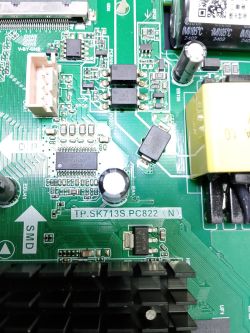
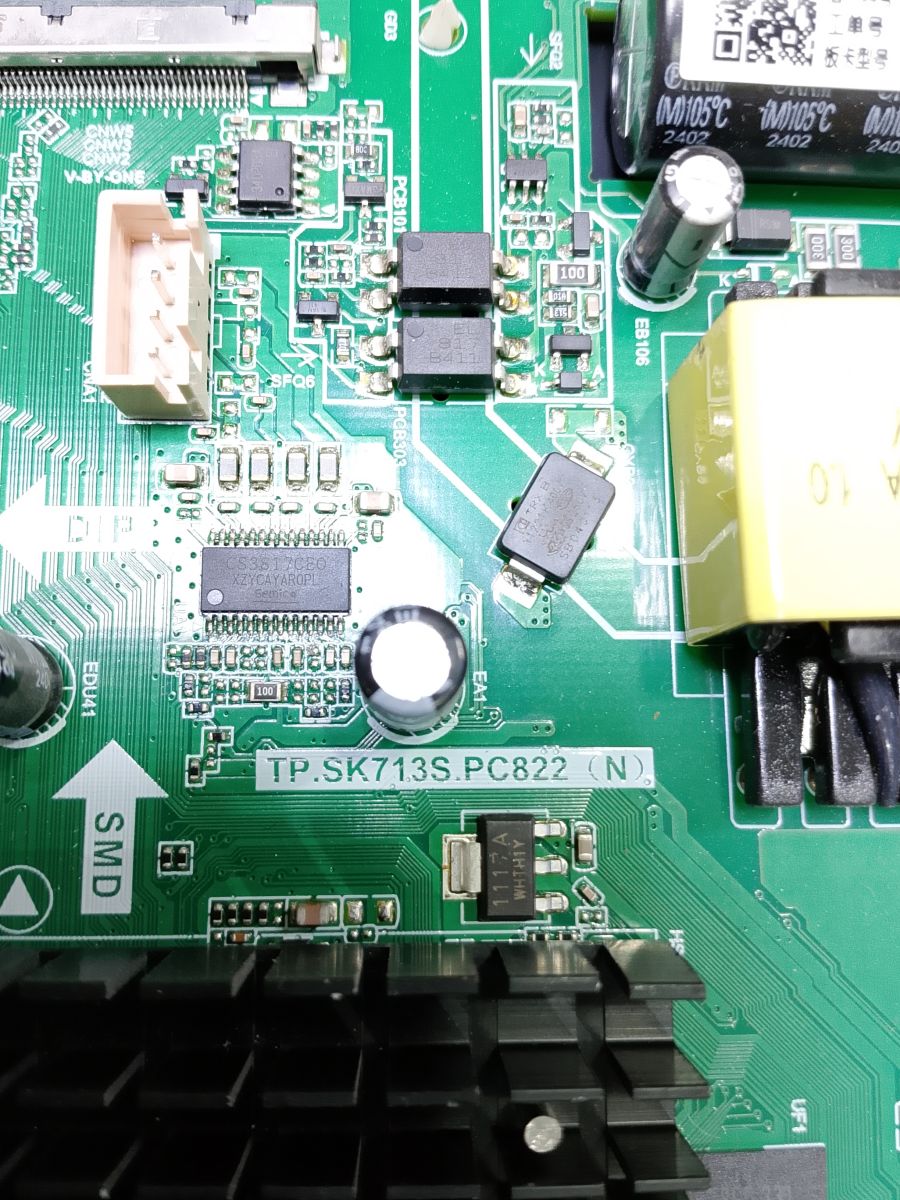
TP.SK713S.PC822 AI: Are you looking for the full technical specifications of the TP.SK713S.PC822 mainboard, a list of compatible TV models, or both? Nikai AI: Can you provide the brand and model of your TV, or explain what you want to use this mainboard for? Nikai
Added after 1 minute:
Firmware @ElektrodaBot
ADVERTISEMENT
Need exact TV model and panel sticker for firmware match
Tp.sk713s.pc822 AI: Are you looking for the full technical specifications of the TP.SK713S.PC822 mainboard, a list of compatible TV models, or both? Nikai AI: Can you provide the brand and model of...
Initial assessment of available information - Your photo clearly shows the board variant: TP.SK713S.PC822 (N). Good—this “(N)” vs “(T)” suffix is critical for firmware choice. - This chassis is a 3‑in‑1 Smart TV mainboard used across multiple brands (including Nikai). It is built on the Amlogic T962D4 family and typically uses 8 GB eMMC (e.g., KLM8G1GETF). Panel presets and device options are model‑specific, so the exact firmware must match both the board variant and LCD panel. (gmctechgroup.com)
Direct answer to the question - Yes, I can help you with firmware for TP.SK713S.PC822 (N) used in a Nikai TV—but to provide a safe, working image I need the TV’s exact model and, most importantly, the LCD panel model from the sticker on the panel frame. With those two, I can point you to a tested USB package or a full eMMC dump if USB recovery fails. (firmware.dou.pt)
Detailed problem analysis - Platform and storage - CPU/SoC: Amlogic T962D4 family on PC822 boards; integrated PSU and LED driver on the same PCB. Typical eMMC is 8 GB (Samsung KLM8G1GETF). (gmctechgroup.com) - Variants - “(N)” and “(T)” builds are not cross‑flashable (different boot chain/DTB/panel tables). You must use an “(N)” image for your board. (elektroda.com) - OS claims - You will see mixed listings: some vendors advertise “Android 13,” others “Whale OS/Wisdom.” Treat marketing claims cautiously; the board exists with different OEM software stacks depending on supplier. We verify SoC/chassis from manufacturer and repair data; OS version varies by build. (gmctechgroup.com) - Why panel info is mandatory - The firmware bundles panel timing tables (LVDS/V‑by‑One lane count, mapping, bit depth), IR codes, Wi‑Fi module IDs, etc. A mismatch often results in black screen, wrong colors, inverted image, or boot loops. (elektroda.com)
Current information and trends - Confirmed chip and memory examples on TP.SK713S.PC822: T962D4‑Tx with eMMC KLM8G1GETF; multiple working dumps and USB packages exist in technician repositories and forums (paid/free), usually labeled by panel and brand. (tel-spb.ru) - File naming observed on PC822 upgrades: “allupgrade…*.bin” is common; some packages use “install.img.” Naming must match what the bootloader expects. (elektroda.com)
Supporting explanations and details - Forced USB update (most common recovery for logo hang): 1. Prepare a small USB 2.0 drive (4–8 GB), format FAT32/MBR. Put exactly one upgrade file in root (try the vendor‑provided filename first). 2. Unplug AC. Insert USB. Press and hold the TV’s physical POWER key on the set, then plug AC; release when LED blinks fast or “Software Upgrading” appears. Wait 3–10 minutes; TV restarts automatically. 3. After boot, do Factory Reset and set the correct Panel Type in the service menu. Common service codes include Menu 1147 or Source/Input 2580 (brand‑dependent). (elektroda.com) - Alternative filenames to try (one at a time) if the upgrade does not trigger: allupgrade_SK713S_PC822.bin, SK713S_SOS.bin, or install.img depending on package. Keep only one file on the stick. (elektroda.com) - If USB does not start the upgrade or the set is “dead”: - Program offline: read/write the eMMC via ISP (RT809H/EasyJTAG/UFI). Use a full, panel‑matched dump; always back up what’s on the chip before writing. SPI NOR may also exist for early boot stages. (elektroda.com)
Ethical and legal aspects - Firmware often contains licensed components and device‑unique keys (HDCP/Widevine). Use images intended for your exact model; avoid sharing keys/dumps publicly. (elektroda.com)
Practical guidelines - What I need from you to supply a working package: - Nikai TV model (e.g., UHD55… as printed on back sticker). - LCD panel model (e.g., HV550QUB‑…, PT550GT…, etc., from the panel sticker). - Symptoms (stuck on logo, no backlight, etc.). - Photos of the mainboard sticker(s) showing RAM/eMMC if available. - While waiting, pre‑checks: - Use a known‑good 4–8 GB USB 2.0 stick, FAT32/MBR. - Verify 5V_STBY and that the keypad/IR board is connected (some sets won’t see the key press otherwise). - If you already have a candidate package, keep only that one file in root and try the POWER‑hold method. (elektroda.com)
Possible disclaimers or additional notes - Expect OS labels to vary (“Android 9/11/13,” “Wisdom/Whale OS”); don’t chase the printed Android version—match panel/board first. (gmctechgroup.com)
Suggestions for further research - If USB recovery still fails, I can guide you through UART logging to confirm boot stage and advise on eMMC ISP points. If you prefer a pre‑tested dump route, I can shortlist panel‑matched images from known repositories. (firmware.dou.pt)
Brief summary - Your board is TP.SK713S.PC822 (N). The correct firmware depends on the exact Nikai model and, above all, the LCD panel code. We’ll start with a panel‑matched USB “allupgrade”/“install.img” package and, if needed, move to eMMC programming with a full dump. (elektroda.com)
Questions for the user 1) Exact Nikai model (from back label)? 2) Panel model (from the panel sticker inside)? 3) Symptom now—logo hang, black screen with backlight, or totally dead? 4) Do you want USB recovery or are you equipped for eMMC ISP if USB fails?
Post these details (photos welcome), and I’ll point you to a verified, panel‑matched TP.SK713S.PC822 (N) firmware and the correct file name to trigger the update. (elektroda.com)
You can call me in any topic by writing @ElektrodaBot. Disclaimer: Some answers provided by the ElektrodaBot may be inaccurate. Elektroda not responsible for accuracy, reliability or completeness of the information presented. All ElektrodaBot responses should be verified by the user. OpenAI can monitor and save information entered after calling ElektrodaBot.
TP. SK713S. PC822 is the description of bare tile without elements, crosslinking and Firmware
Important white sticker that describes the TV model and its matrix
from CVTE Dream-Future/ Mainland China