FAQ
TL;DR: A 58-inch Arielli LED58A212S2 owner with HK.T.RT2851P839 should avoid a 50-inch firmware file; one expert warning was, “you really want to ruin the TV.” This FAQ helps TV repair users identify safer matches by checking the mainboard, panel code, and the thread’s later link to an exact software option. [#21878599]
Why it matters: On these smart TVs, a board match alone was not treated as enough; panel and screen-size mismatch were the main risk points in the discussion.
| Option discussed |
Mainboard match |
Panel match status |
Risk level from thread |
| Arielli 50-inch software |
Yes: HK.T.RT2851P839 |
Different panel mentioned: CC495PU1L |
High risk on a 58-inch TV |
| Telefunken 58-inch software |
Yes: HK.T.RT2851P839 |
Claimed same panel in one post, then questioned later |
Medium risk until verified |
| Exact software link, “second option” |
Intended for the same Arielli case |
Presented as the exact file |
Safest option mentioned |
Key insight: Match both the HK.T.RT2851P839 board and the panel code before flashing. The thread strongly rejected cross-flashing a 50-inch file onto a 58-inch set, even when the board name matched.
Quick Facts
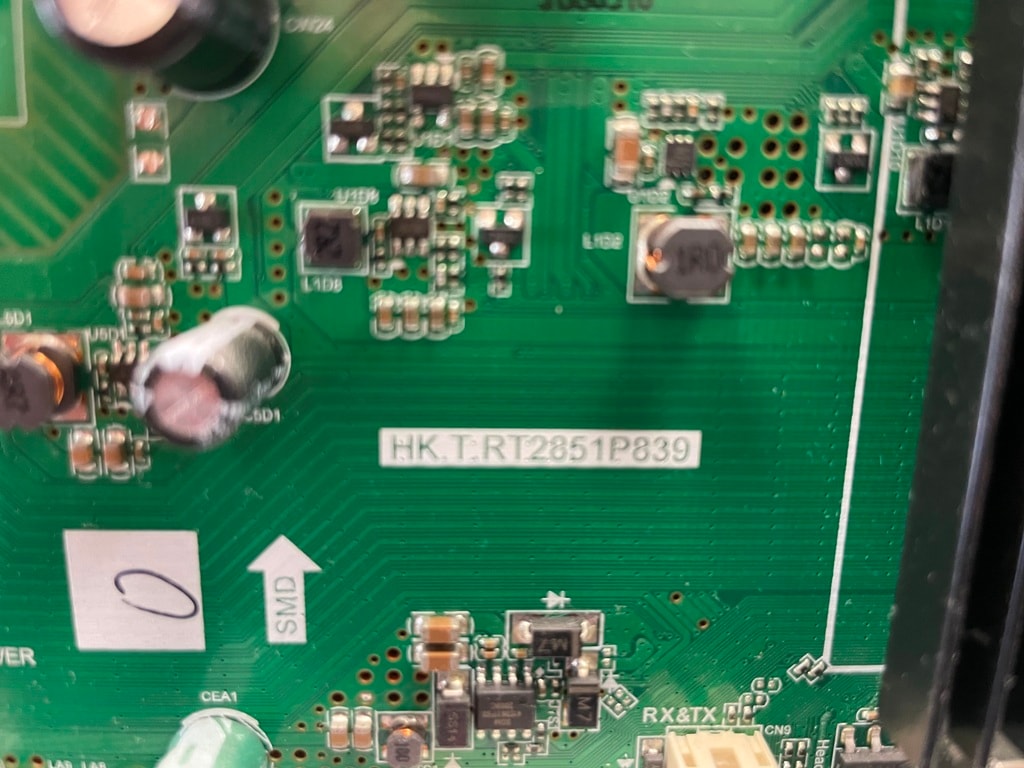
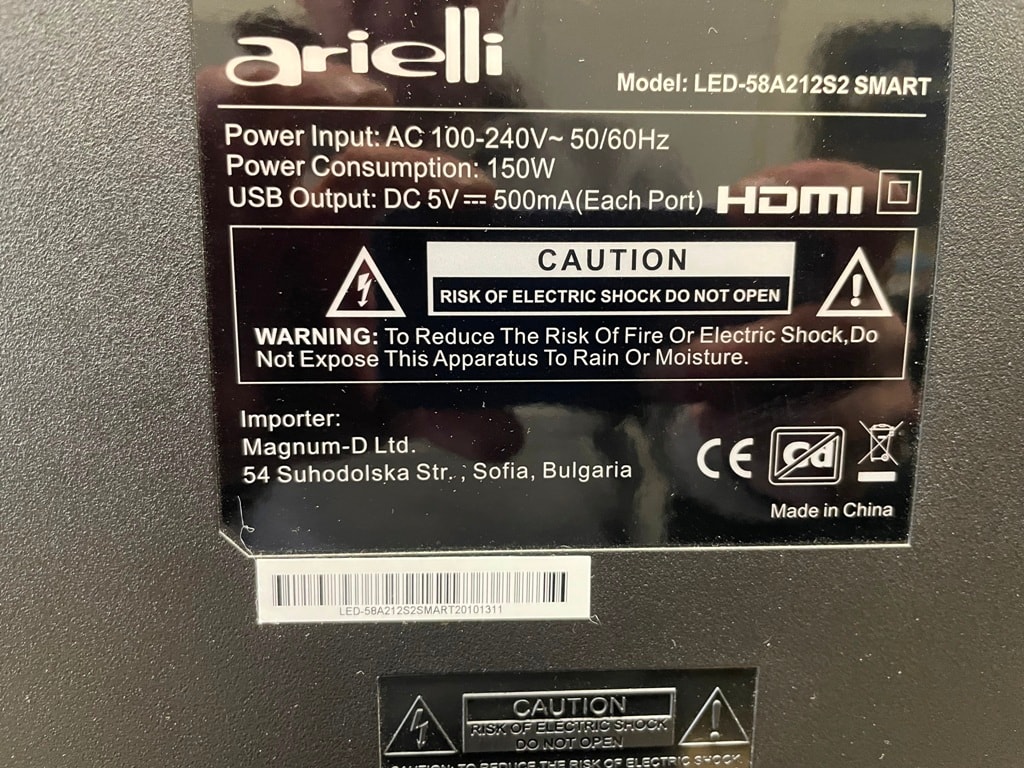
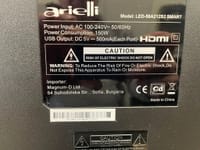
- The TV in question is an Arielli LED58A212S2, and the requested board-specific software is for HK.T.RT2851P839. [#21874131]
- One offered alternative was firmware from an Arielli 50-inch set using the same mainboard and panel code CC495PU1L. [#21878231]
- A later shared package name included Telefunken TF-LED58S03T2SU, HK.T.RT2851P839, CC575PU1L, and 8G in the filename. [#21908802]
- The thread includes a hard warning against loading 50-inch software onto a 58-inch TV. [#21878599]
- The exact-software lead was posted as the second option on a televid-sib link, after an update added 4 minutes later. [#21908802]
How can I find the correct firmware update for an Arielli LED58A212S2 with mainboard HK.T.RT2851P839?
Start by matching the exact mainboard and then checking the panel code in the firmware listing. In this thread, the search moved from a generic Arielli request to board-specific software for HK.T.RT2851P839, and the later post pointed to an “exact software” option rather than the earlier 50-inch file. That makes the exact-match link the preferred lead from the discussion.
[#21908802]
What is the HK.T.RT2851P839 mainboard, and which TV models commonly use it?
HK.T.RT2851P839 is a TV mainboard that identifies the software platform used by the set, and it appeared in both Arielli and Telefunken firmware references in the thread. The board was named for the Arielli LED58A212S2, and later a Telefunken TF-LED58S03T2SU package with the same board was shared as a possible match.
[#21908802]
What does the panel code CC575PU1L mean in a Telefunken or Arielli TV firmware listing?
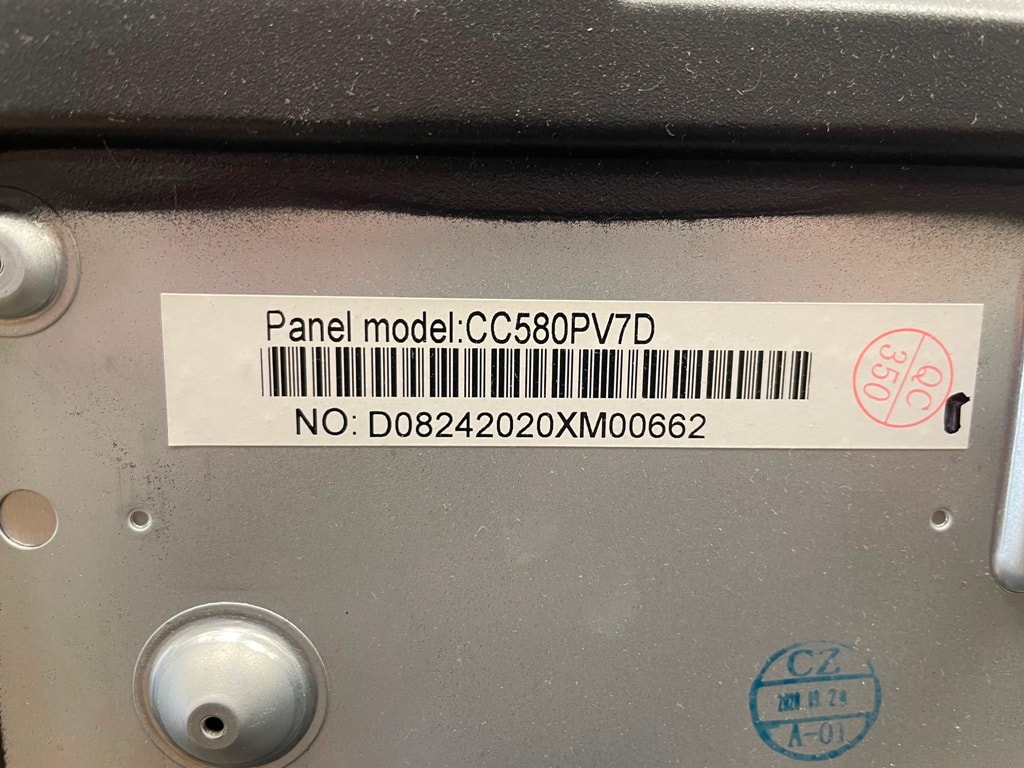
“CC575PU1L” is a panel code that identifies the display module a firmware package is meant to drive, including the panel family that must match for safer use. In the thread, CC575PU1L appears inside the Telefunken 58-inch package name and was treated as a key compatibility marker beside the HK.T.RT2851P839 board name.
[#21908802]
Why is using firmware from a 50-inch Arielli on a 58-inch Arielli TV considered risky?
It is risky because the thread explicitly warns that loading 50-inch software onto a 58-inch TV can ruin the set. One participant reacted to that exact idea with the warning, “you really want to ruin the TV,” which is the clearest failure statement in the discussion.
[#21878599]
How do panel differences like CC495PU1L vs CC575PU1L affect firmware compatibility on HK.T.RT2851P839 boards?
They matter because the thread treats a shared board name as incomplete without a matching panel code. The 50-inch Arielli offer mentioned CC495PU1L, while the later 58-inch Telefunken package used CC575PU1L, showing that two files can share HK.T.RT2851P839 yet still target different panels.
[#21908802]
What is the safest way to check whether Telefunken firmware will work on an Arielli TV with the same mainboard?
The safest thread-based check is to match both HK.T.RT2851P839 and the panel code before using the file. A Telefunken package was first described as having the same mainboard and panel, but the same poster later noticed the panel might not be exactly the same, which makes verification mandatory.
[#21908802]
How do I download firmware from televid-sib when the site does not allow guest downloads?
Register on the site first, because the thread states guest download access was blocked. One user explained that downloading required registration, and another later said creating an account there was “fairly easy,” even though that account also had a download limit.
[#21908781]
What steps should I follow before flashing firmware on a Chinese smart TV to avoid damaging the television?
Check the identifiers before you flash anything. 1. Read the TV sticker and confirm
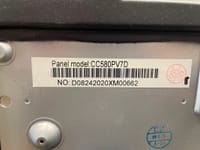
HK.T.RT2851P839. 2. Compare the panel code, such as
CC575PU1L or
CC495PU1L. 3. Reject a
50-inch file for a
58-inch set unless the thread points to an exact match. Those are the only safety checks clearly supported by this discussion.
[#21908802]
Which matters more for firmware compatibility on these TVs: matching the mainboard, the panel, or both?
Both matter, because the thread accepted the board match as necessary but still questioned firmware when the panel might differ. The clearest example is the Telefunken package: it matched HK.T.RT2851P839, yet the poster still warned that the panel might not be exactly the same.
[#21908802]
What are the most common symptoms of wrong firmware on an HK.T.RT2851P839 TV mainboard?
The thread only states the worst-case symptom plainly: you can damage or “ruin” the TV. It does not list softer symptoms such as image errors or boot issues, so the safest summary from this source is simple: wrong firmware was treated as a risk of making the television unusable.
[#21878599]
How can I back up the original TV software or dump before trying a firmware update on an Arielli LED58A212S2?
The thread does not provide a backup or dump procedure. It only distinguishes the request as a “firmware update” rather than a backup or mainboard software case, so you cannot extract a verified dump method from these posts alone.
[#21874131]
What is the difference between a firmware update, a backup dump, and mainboard software for smart TVs?
A firmware update is the install file the user asked for, while a backup or dump means the original software copied from the TV, and mainboard software means the board-specific package tied to the hardware platform. The thread itself separated these three options in the clarifying question at the start.
[#21874131]
Telefunken firmware vs Arielli firmware on the same HK.T.RT2851P839 board: which is safer to use and why?
Arielli firmware is safer when it is the exact file for the Arielli set. The Telefunken 58-inch package was only a possible workaround, while the later post said the exact software was available as the second option on another link, which makes that path safer than cross-brand guessing.
[#21908802]
Where else can I look for original firmware for Arielli LED58A212S2 if the exact file is hard to find online?
Look at the televid-sib pages referenced in the thread, because both the workaround file and the later “exact software” lead came from there. One link pointed to a Telefunken package, and a later link pointed to the exact file as the second option.
[#21908802]
How can I verify from the sticker or service menu that a firmware file matches my Arielli LED58A212S2 before installation?
Verify the board and panel identifiers before installation. 1. Read the sticker and confirm
HK.T.RT2851P839. 2. Compare the firmware listing for the panel code, such as
CC575PU1L. 3. Prefer the thread’s exact Arielli option over a
50-inch alternative. The posts support sticker-level checking, not a service-menu method.
[#21908802]
AI summary based on the discussion. May contain errors.







 IMG_6315.JPG
(230.13 KB)
You must be logged in to download this attachment.
IMG_6315.JPG
(230.13 KB)
You must be logged in to download this attachment.
 IMG_6316.JPG
(269.86 KB)
You must be logged in to download this attachment.
IMG_6316.JPG
(269.86 KB)
You must be logged in to download this attachment.
 IMG_6314.JPG
(362.69 KB)
You must be logged in to download this attachment.
IMG_6314.JPG
(362.69 KB)
You must be logged in to download this attachment.