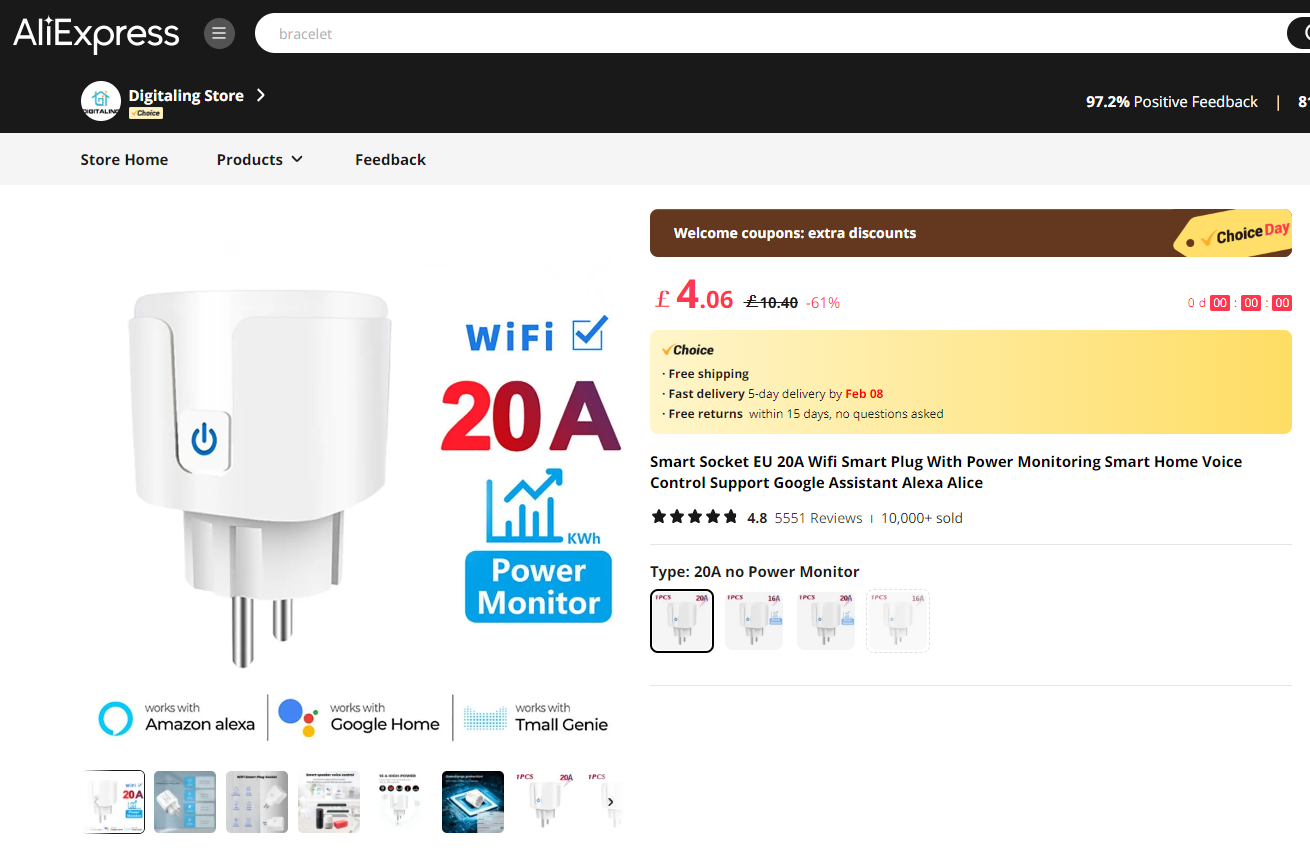
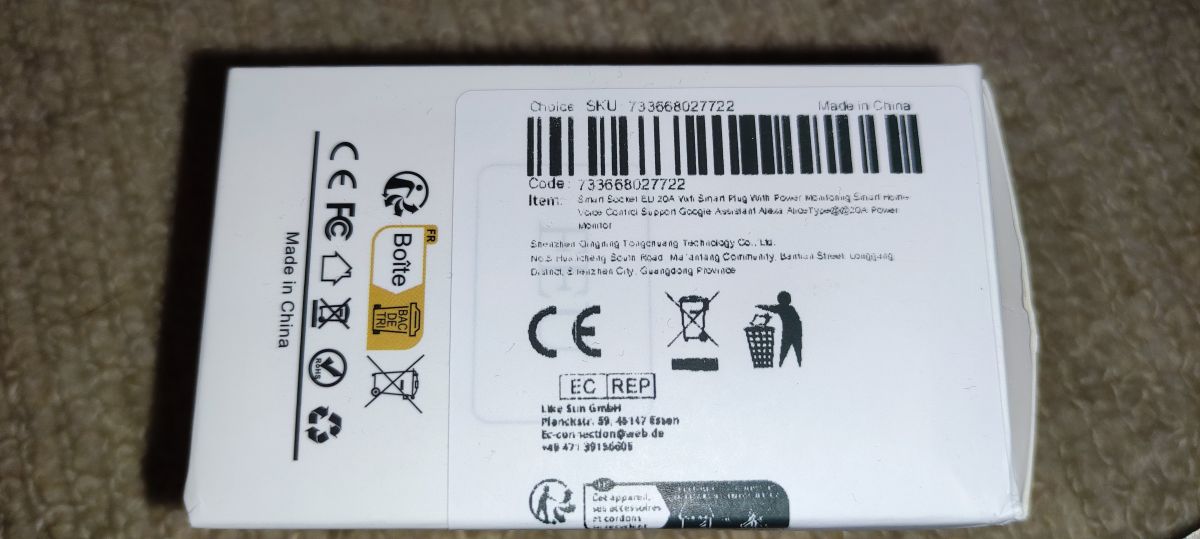
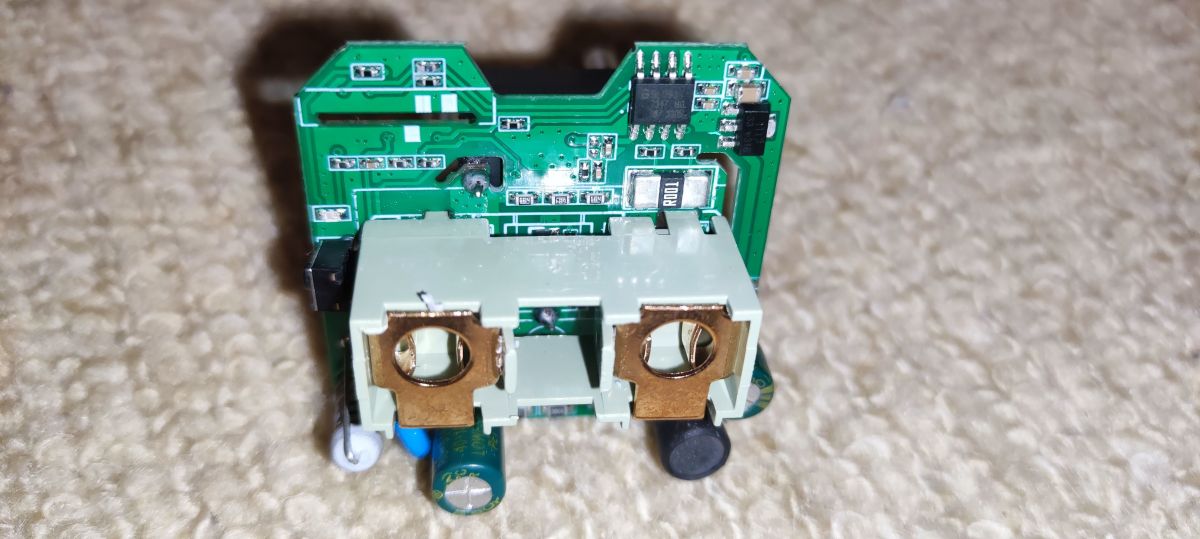
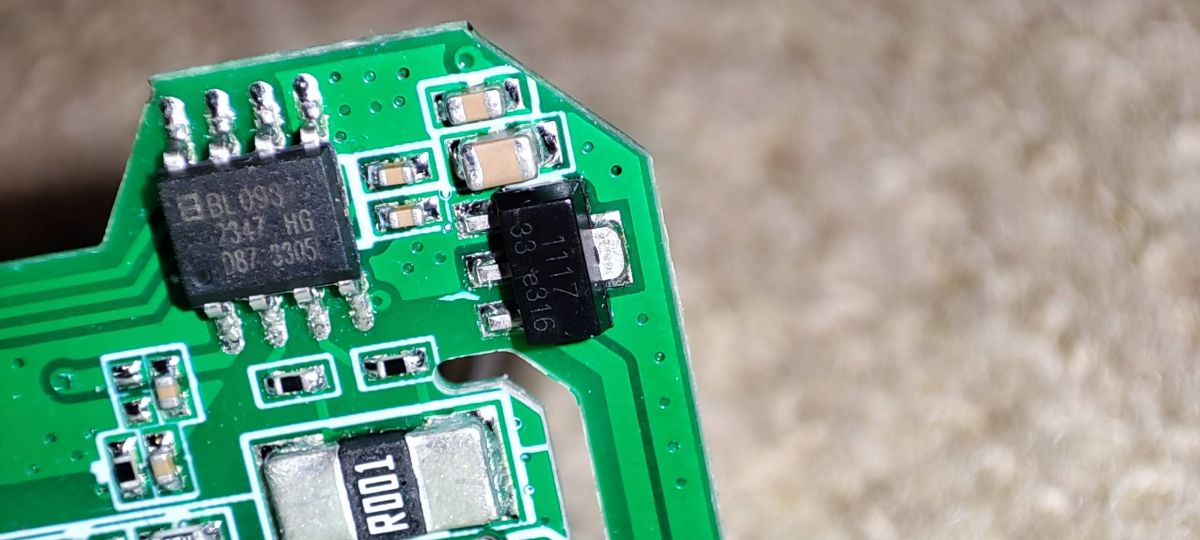
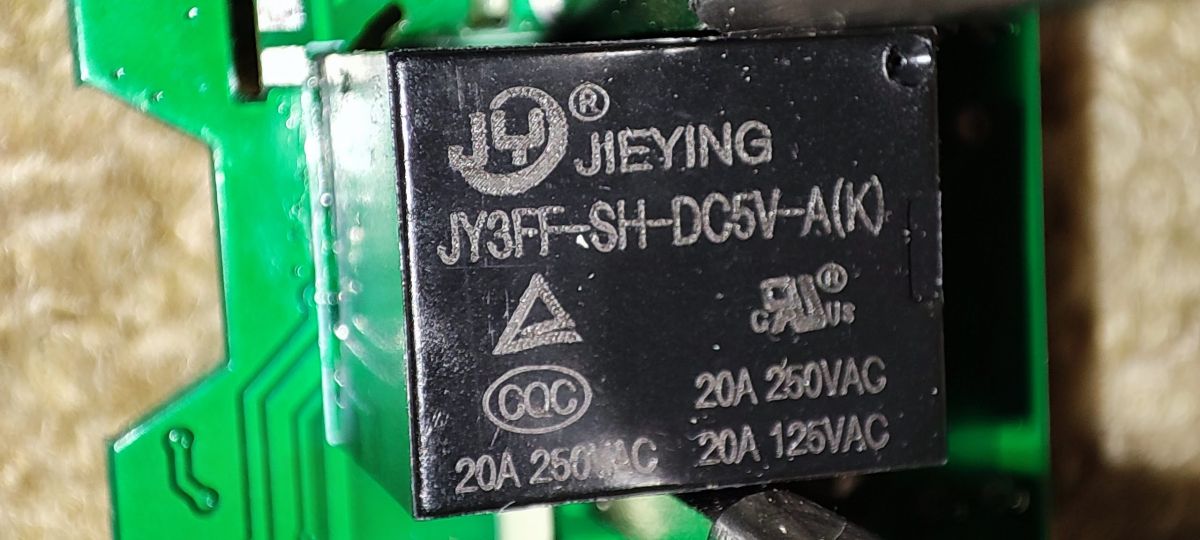
This one looked like it might be slightly different to the many variants of this device I've seen around (not one I've bought before anyway). It is from the Digitaling store on Ali Express and boasts 20A working current, though further down the page it says 16A. The relay is marked as 20A at 120v and 250v but that datasheets I can find seem to suggest 15A max. It also has a Belling BL0937 power monitoring chip.
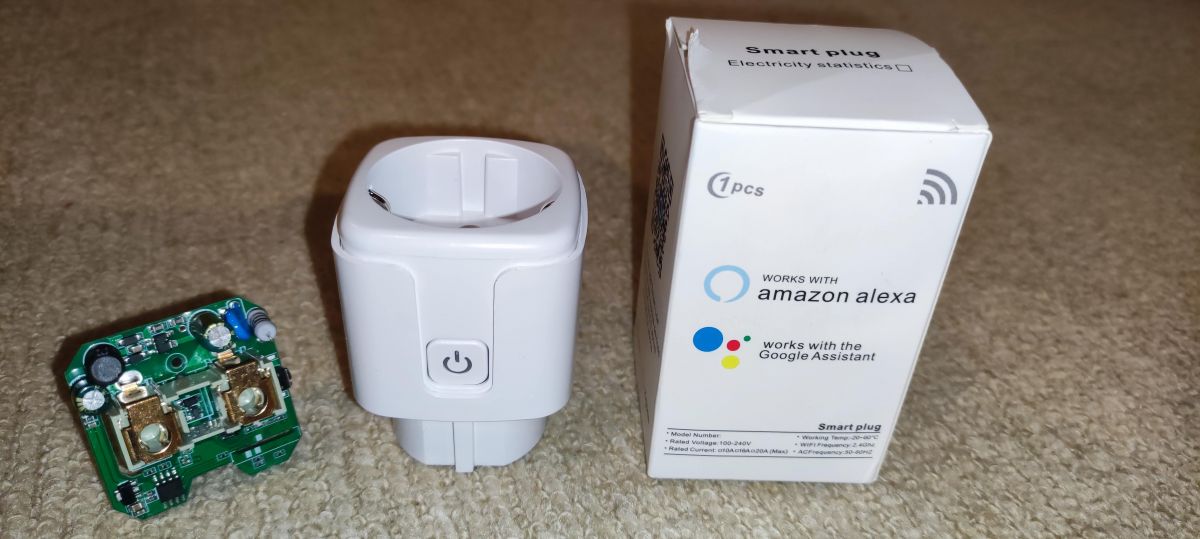
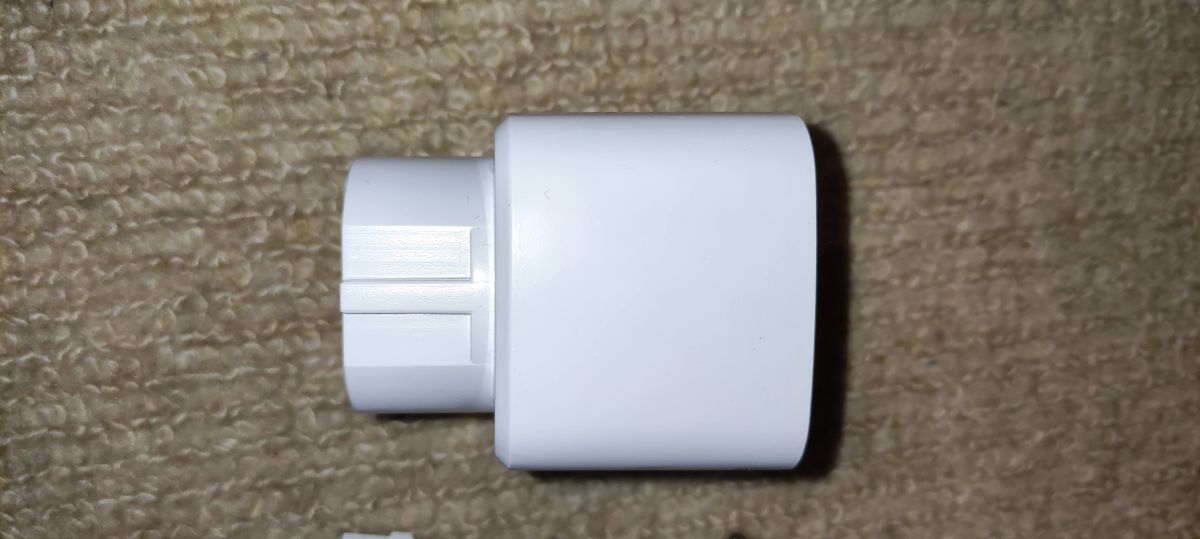
This is the appearance of the unit and packaging
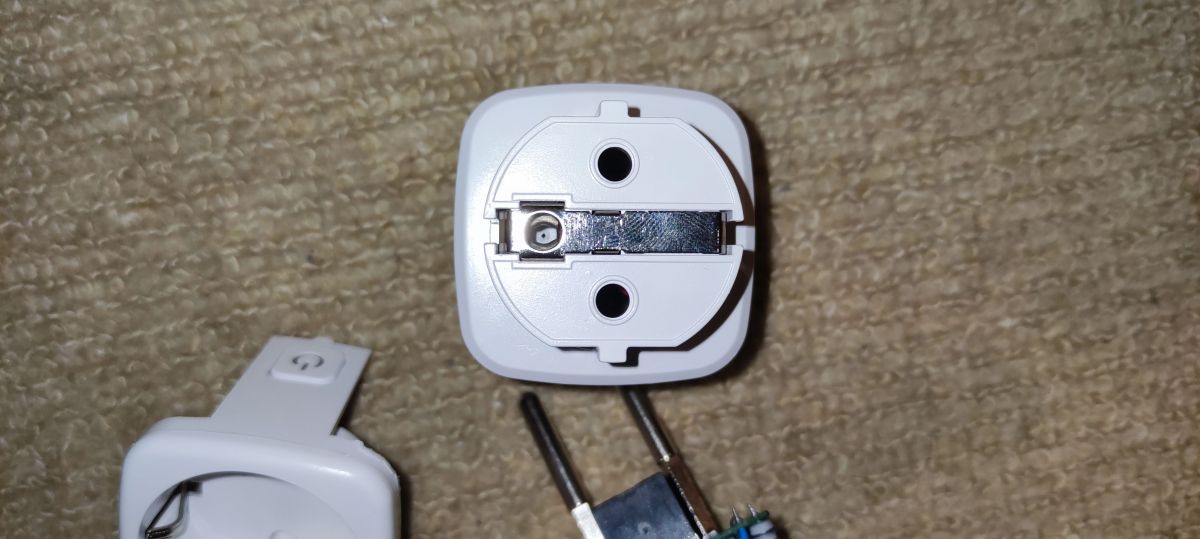
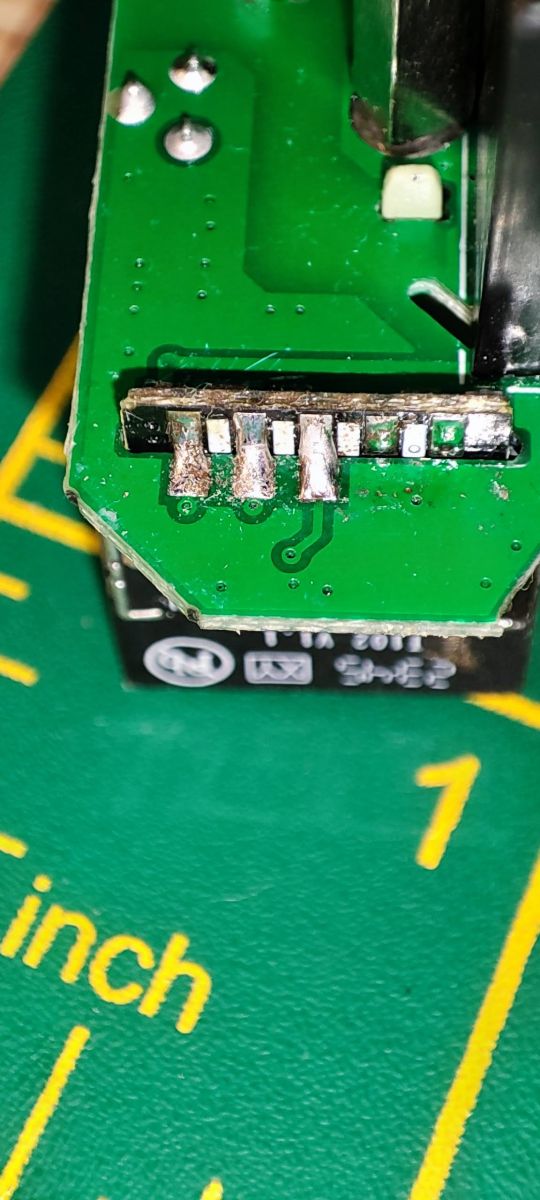
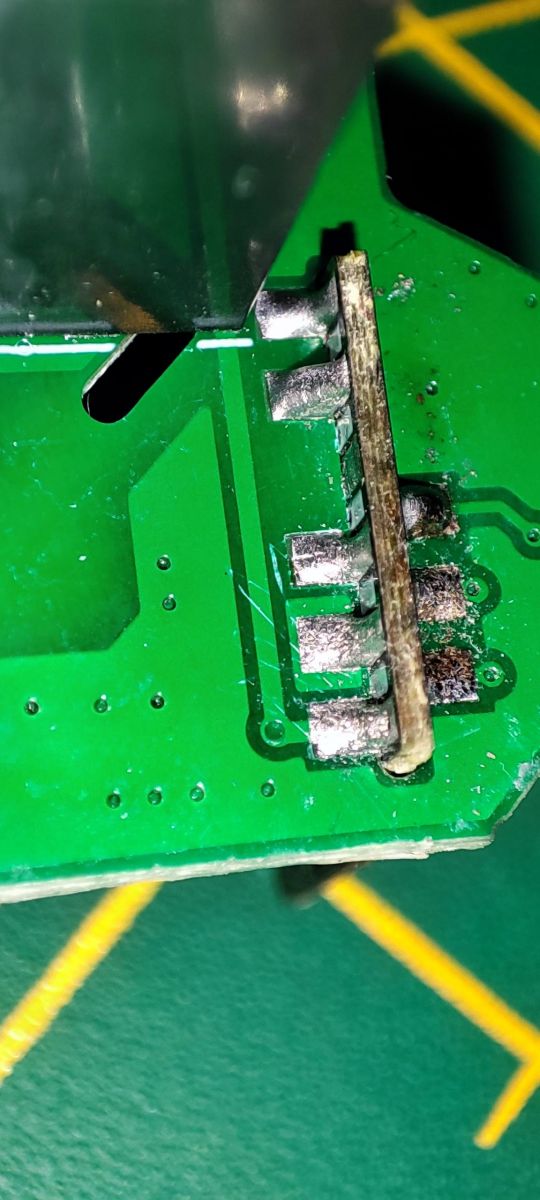
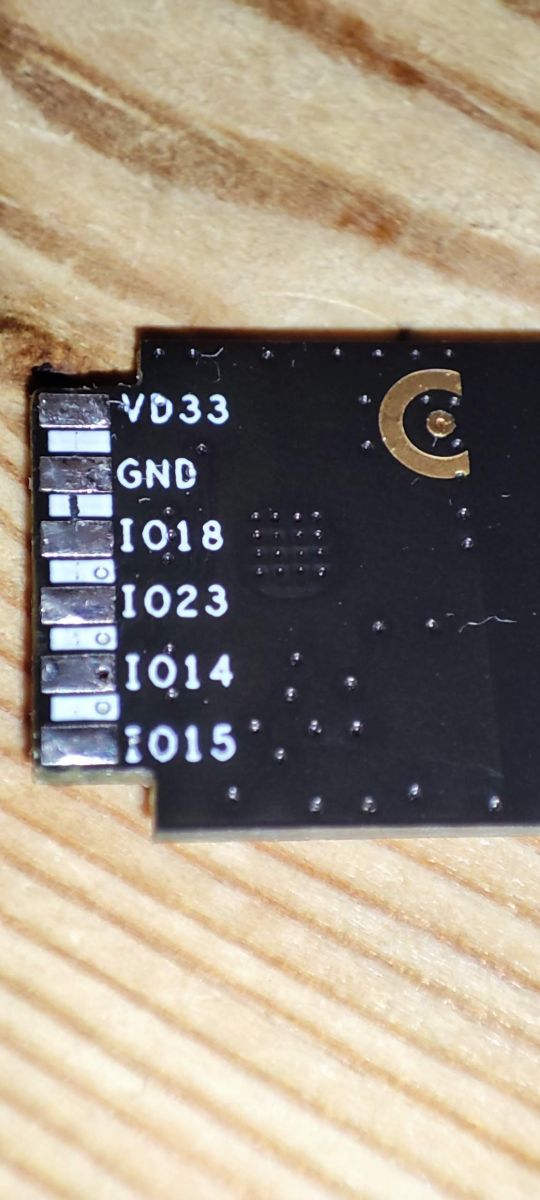
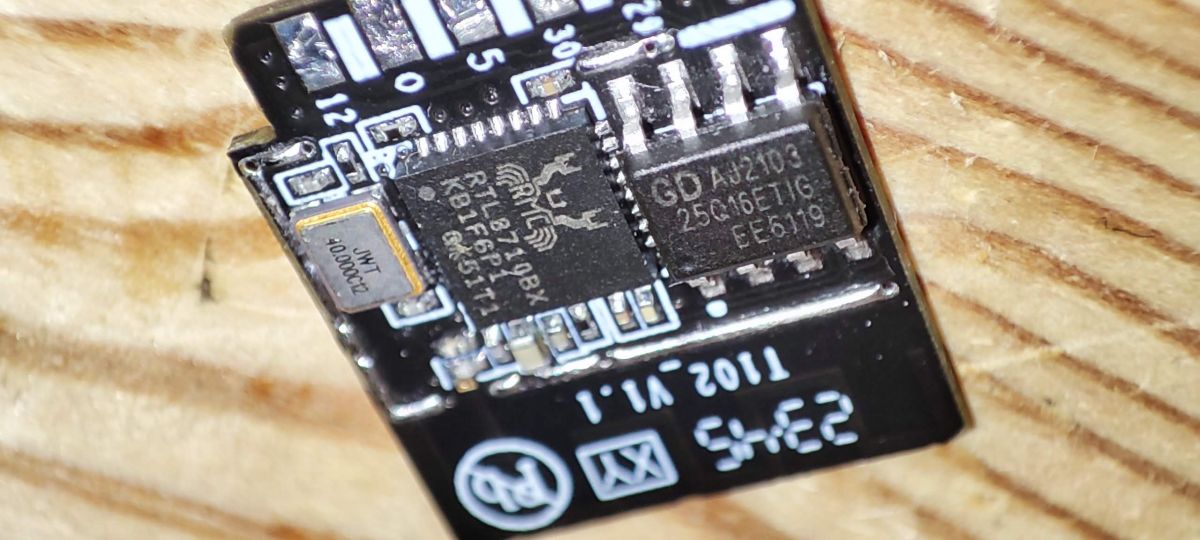
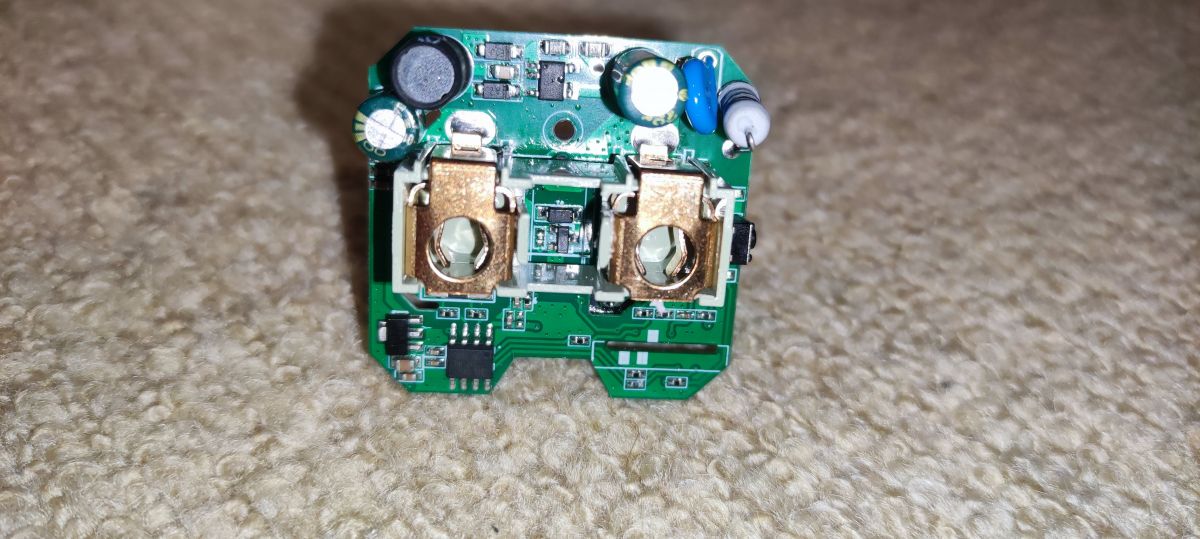
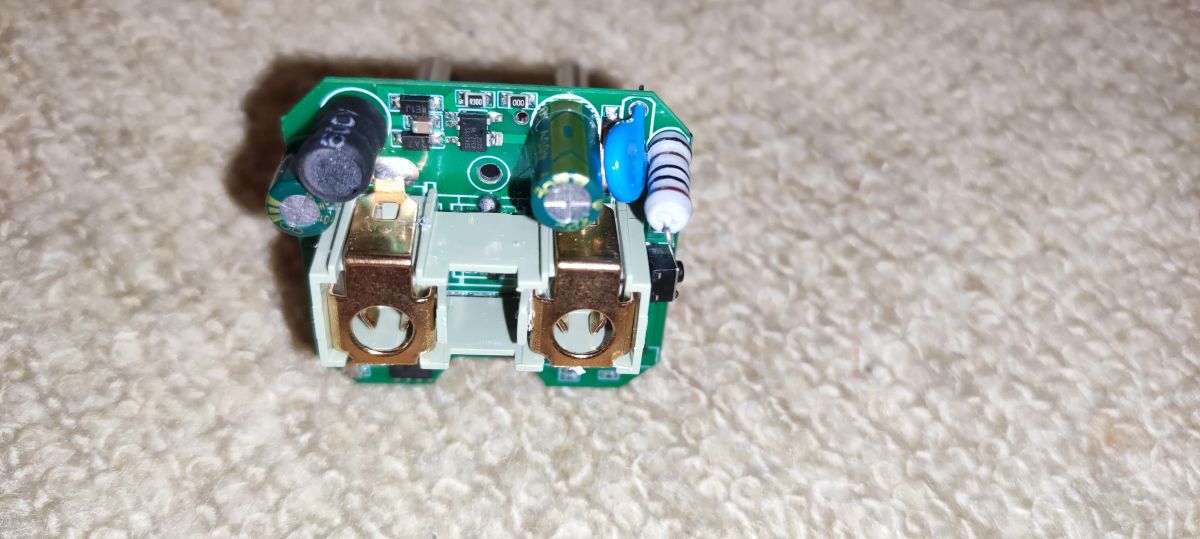
I opened the unit with a G-clamp, moving the clamp around and tightening until I heard cracking in enough places to be confident the glue had lost the battle and the unit would fall apart. Inside is the main PCB and a nice, not-so-often seen, T102_V1.1 with RTL8710BX chip alongside an external 16mbit/2megabyte flash module from GigaDevice. Detailed information about the T102_V1.1 can be seen in this post here https://www.elektroda.com/rtvforum/topic3815120.html#19504258.
I know OpenBeken doesn't currently support the RTL chips but I wanted to see if I could at least grab the boot log and maybe the factory firmware and make it available for analysis.
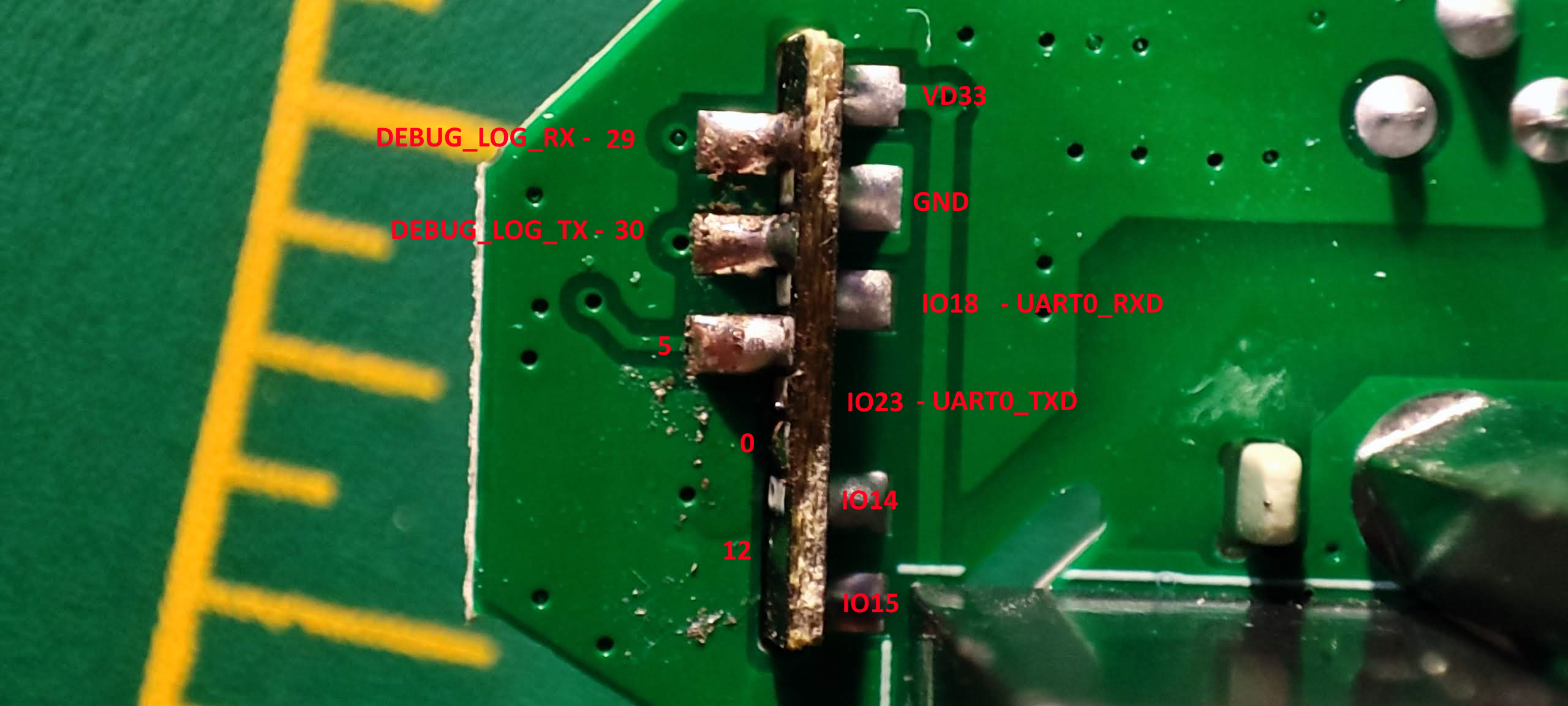
Through some Googling I found that TX needs to pulled to ground for the chip to enter boot mode. Then remove GND from TX to be able to flash/read firmware. With that in mind I unsoldered the whole module and put it into boot mode, with TX pulled low at power-on, before removing GND from TX.
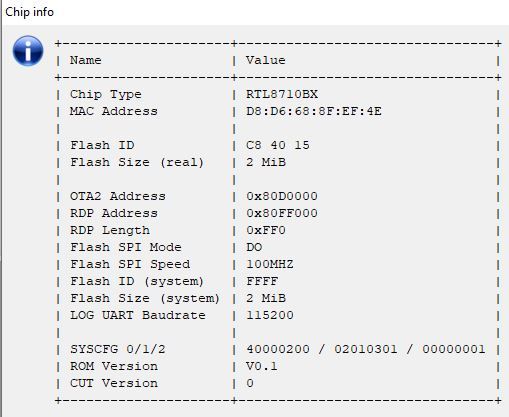
Some chip info:
Without TX grounded at power-on I collected the boot log
I am very happy to see you've got RTL! I've started already a WIP fork for BN version in the past, I just had no time to develop it futher, you can look here:
https://github.com/openshwprojects/OpenRTL8710BN
But... [Read more]
divadiow
18 Jan 2025 09:26
template updated in device list. P1 should be WifiLED because there's a second blue LED fixed to the relay behaviour for on/off status
{
"vendor": "Tuya",
"bDetailed": "0",
"name": "Generic... [Read more]
FAQ
TL;DR: This FAQ is for Tuya plug modders who found a 16 Mbit / 2 MB RTL8710B-based socket and need a safe next step. “TX needs to be pulled to ground” at power-on to enter boot mode, and current OpenBeken use still points toward module swap or work-in-progress RTL support. [#20940181]
Why it matters: This thread shows how to identify the T102_V1.1 hardware, read its boot data, and avoid choosing the wrong firmware path.
Option
Native fit for this plug
Current status in thread
Best use
Keep RTL8710B module
Yes
OpenBeken support still work in progress
Log capture, firmware study
Swap to ESP-02S
No, requires hardware swap
Suggested as a practical path for Tasmota
Fast custom firmware route
OpenRTL8710BN fork
Yes for related BN work
Existing WIP fork, BX planned later
Developer testing and future support
Key insight: The most useful finding is not the claimed 20 A rating. It is the confirmed T102_V1.1 pin map, boot method, and firmware metadata, which make future RTL8710B support and template accuracy much easier. [#21398115]
Quick Facts
The plug uses a T102_V1.1 Wi-Fi module with an RTL8710BX chip and an external 16 Mbit GigaDevice flash, which equals 2 MB of storage. [#20940181]
The boot log reports firmware name rtlbn_bl0937_plug_vxqn72kwtosoy4d3:1.0.2 and compile time Nov 1 2023 09:19:11. [#20940181]
Tuya firmware exposes concrete GPIO roles: key:18, relay:15, led:5, ivPin:12, ivcpin:14 in the startup log. [#20940181]
The updated template maps P1 to WifiLED, plus relay on pin 10, button on pin 11, and BL0937 on pins 0, 8, and 9. [#21398115]
How do you open a glued Tuya 20A EU Smart Plug without destroying the case, and why did a G-clamp work here?
You can open this glued plug by applying slow, distributed pressure until the glue joints crack. The successful method here used a G-clamp moved around the case and tightened gradually. 1. Clamp one section of the shell. 2. Tighten until you hear cracking. 3. Reposition and repeat until the housing separates. This worked because the force attacked multiple glue points instead of prying one fragile edge and snapping the plastic. [#20940181]
What is the T102_V1.1 module in this Generic Tuya Smart Plug, and how is it different from more common Tuya Wi-Fi modules?
The T102_V1.1 is the plug’s Wi-Fi module, built around an RTL8710BX and external flash. "T102_V1.1" is a Wi-Fi control module that runs the plug’s Tuya firmware, using a Realtek RTL8710B-family chip instead of the ESP or BK chips more often seen in Tuya devices. In this unit, it stands out because it pairs the RTL8710BX with a separate 16 Mbit GigaDevice flash chip, which the author noted was less common in similar plugs. [#20940181]
What is the BL0937 power monitoring chip, and what measurements does it provide in a smart plug?
The BL0937 is the energy-measurement chip that gives this plug its power-monitoring function. "BL0937" is a power-monitoring IC that measures electrical use inside a smart plug, using dedicated pins for current, voltage, and selection signals to support energy-related readings. The thread confirms BL0937 hardware on the board and template pins for BL0937CF, BL0937CF1, and BL0937SEL, which is the practical basis for reading load data. [#21398115]
How do you put an RTL8710BX or RTL8710BN module into boot mode, and why does TX need to be pulled to ground at power-on?
You enter boot mode by grounding TX during power-up, then releasing it before reading or flashing. The author found that TX had to be pulled low at power-on for the RTL8710B module to enter the correct mode. 1. Connect TX to GND. 2. Power the module on. 3. Remove GND from TX, then read or flash. That sequence mattered here because normal power-up only produced the standard boot log, not the desired programming mode. [#20940181]
What can be learned from the RTL8710BX boot log in this Tuya plug, including the firmware build date, product key, and GPIO assignments?
The boot log reveals the firmware build, product key, GPIO roles, and calibration data. It shows firmware 1.0.2, compiled on Nov 1 2023 at 09:19:11, product key vxqn72kwtosoy4d3, and startup lines assigning key:18, relay:15, led:5, ivPin:12, ivcpin:14. It also reports OTA2 ADDR[80d0000], use of OTA1, and calibration values such as v_ref = 561, i_ref = 25842, p_ref = 15765, and e_ref = 1320. [#20940181]
Why does this AliExpress smart plug claim 20A in one place and 16A in another, and how should the relay's real current rating be verified?
The listing conflicts because the product page and relay markings do not agree on one trusted current limit. The author saw 20 A in one part of the listing, 16 A lower on the page, and a relay marking that suggested 20 A at 120 V and 250 V, while a found datasheet pointed closer to 15 A max. In practice, verify the exact relay part marking on the board first, then compare it against the relay’s own datasheet rather than the store headline. [#20940181]
Which pins are used for the relay, button, WiFi LED, and BL0937 on the T102_V1.1 RTL8710B plug template?
The updated template uses pin 10 for the relay, pin 11 for the button, and pin 1 for the WiFi LED. For metering, it maps pin 0 = BL0937CF, pin 8 = BL0937CF1, and pin 9 = BL0937SEL. That gives a complete practical pinout for the T102_V1.1-based plug: Rel;1, Btn;1, WifiLED;0, plus the three BL0937 functions needed for power monitoring. [#21398115]
Why was P1 changed to WifiLED in the updated device template, and how does the second blue LED behave on this plug?
P1 was changed because this plug has a second blue LED dedicated to Wi-Fi status. The template update states that P1 should be WifiLED because another blue LED is fixed to the relay’s on/off behavior. That means the device has two distinct blue indicators: one tied to connectivity behavior and one tied to relay state, so using a generic LED assignment would misrepresent how the hardware actually behaves. [#21398115]
What is the difference between RTL8710BX, RTL8710BN, and ESP-02S when replacing or hacking a Tuya smart plug module?
RTL8710BX and RTL8710BN are Realtek-based Tuya module variants, while ESP-02S is an ESP-family replacement module suggested for easier custom firmware use. The thread says BN already had a work-in-progress OpenRTL fork, while BX support was planned “soon, hopefully.” By contrast, ESP-02S was presented as a practical swap target if you want to run Tasmota now rather than wait for fuller RTL8710B support. [#20940868]
OpenBeken vs Tasmota on a Tuya power monitoring plug: which is the better path if the original module is RTL8710B-based?
Tasmota via module swap is the better immediate path if the plug still uses its original RTL8710B module. The thread explicitly says OpenBeken did not currently support the RTL chips at that point, while Tasmota could be used after swapping to ESP-02S. If you want native RTL experimentation, keep the original module for logs and firmware study. If you want a working custom setup faster, replace the module and run Tasmota. [#20940868]
How can you dump or back up the factory firmware from a T102_V1.1 module with external 16 Mbit GigaDevice flash?
You first need the module in boot mode, then read the external flash contents through the programming interface. The author’s stated goal was to capture the boot log and possibly dump the factory firmware for later analysis. In this case, the practical setup was: 1. Unsolder the whole T102_V1.1 module. 2. Ground TX at power-on to enter boot mode. 3. Release TX from ground, then attempt flash readback from the attached 16 Mbit GigaDevice chip. [#20940181]
What does the external 16 Mbit GigaDevice flash add to the RTL8710BX module, and how much firmware storage does 16 Mbit actually mean?
The external flash provides non-volatile storage for the plug’s firmware and related data, and 16 Mbit equals 2 MB. The thread identifies a separate 16mbit/2megabyte GigaDevice flash chip beside the RTL8710BX on the T102_V1.1 module. That matters because external flash size affects how much firmware, OTA data, and settings storage the module can carry, and the boot log also references OTA1 and OTA2 ADDR[80d0000]. [#20940181]
Why does the boot log mention hlw8012.c when the hardware uses a BL0937 chip, and does that affect compatibility or calibration?
The log likely uses a shared driver name, not proof of different hardware. The board was visually identified with a BL0937 chip, yet the firmware printed hlw8012.c messages and calibration values like v_ref = 561 and i_ref = 25842. That means the firmware layer may reuse HLW8012-named code for BL0937-class metering functions. In this thread, it did not disprove BL0937 hardware, but it does warn you not to infer pinout or calibration from filename alone. [#20940181]
What safety checks should be done before trusting a generic Tuya EU smart plug for high-current loads like 16A or 20A?
Check the relay part, the PCB construction, and the consistency of the current rating before using high loads. This plug raised a red flag because the listing claimed 20 A in one place and 16 A in another, while the found relay datasheet suggested about 15 A max. For a generic EU smart plug, inspect the relay markings, mains trace width, solder quality, and internal layout photos before trusting anything near 16–20 A continuous. [#20940181]
Where can I find current OpenRTL8710BN or RTL8710BX development status for OpenBeken support, and what alternatives exist while support is still work in progress?
The thread points to an existing OpenRTL8710BN work-in-progress fork and says BX work was planned but not yet complete. It also states that LN882H had higher priority at that time, which explains the slower RTL progress. While support remains unfinished, the practical alternatives named here are either swapping the module for ESP-02S to run Tasmota or keeping the original RTL board for testing, logs, and future development work. [#20940868]
AI summary based on the discussion. May contain errors.







Comments
I am very happy to see you've got RTL! I've started already a WIP fork for BN version in the past, I just had no time to develop it futher, you can look here: https://github.com/openshwprojects/OpenRTL8710BN But... [Read more]
template updated in device list. P1 should be WifiLED because there's a second blue LED fixed to the relay behaviour for on/off status { "vendor": "Tuya", "bDetailed": "0", "name": "Generic... [Read more]