logo elektroda
logo elektroda
X
logo elektroda

How to create a custom driver for OpenBeken with online builds (no toolchain required)

p.kaczmarek2  142 11787 Cool? (+7)
📢 Listen (AI):
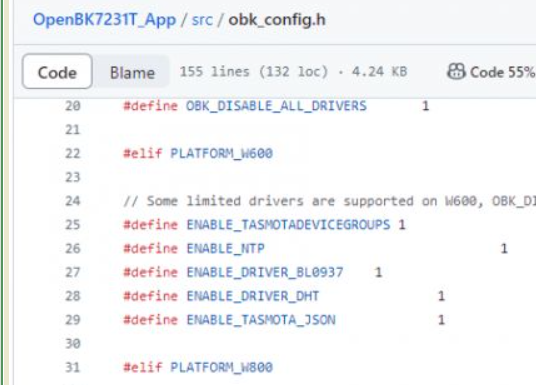
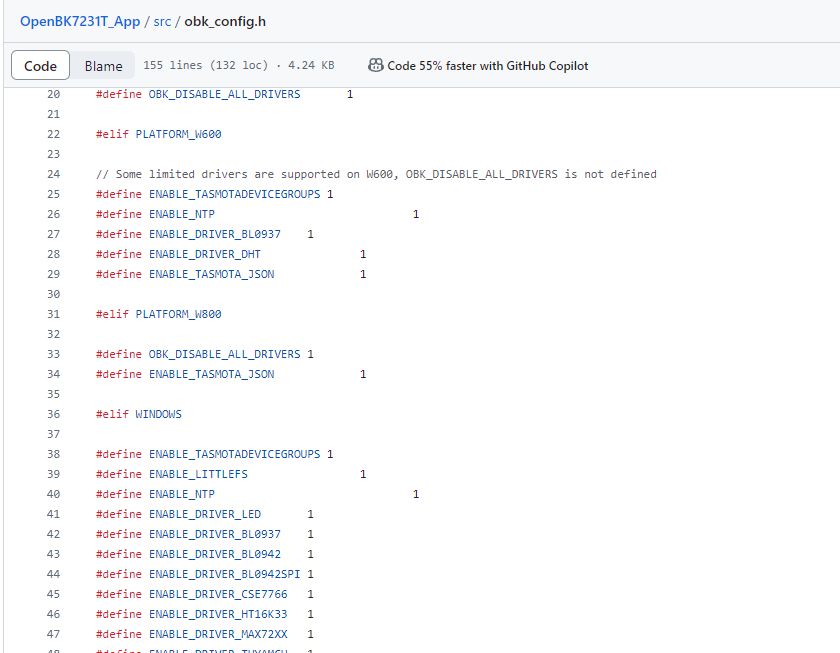
Screenshot of the obk_config.h file from the OpenBK7231T_App project on GitHub, showing preprocessor definitions.
Here I will show you how you can create a custom OpenBeken driver. Custom OpenBeken driver can implement almost any logic you want and runs directly on OBK device. You don't need to setup toolchain for that, builds can be done online. Writing a custom OBK driver does not require much programming knowledge, it can be done with the really basic, basic skillset. Writing OBK driver directly is also much more flexible than scripting and gives you a better control over device. Futhermore, I can always help with that, so let's check out how it can be done.

This short guide was created for users asking how to add custom features to OpenBeken. I hope it will give you a basic overview of the procedure.

1. Preparing workflow
Ok, so first go to our repository on Github:
https://github.com/openshwprojects/OpenBK7231T_App
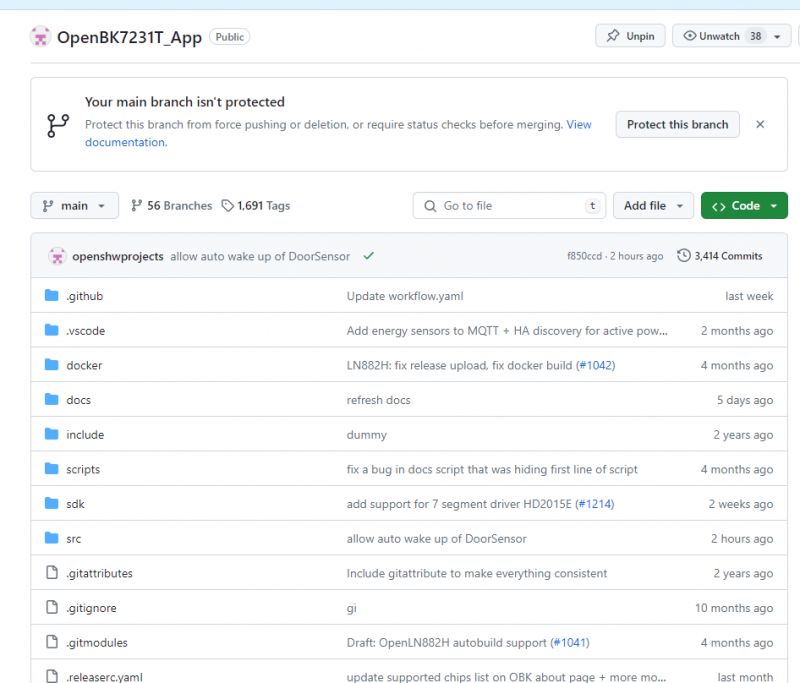
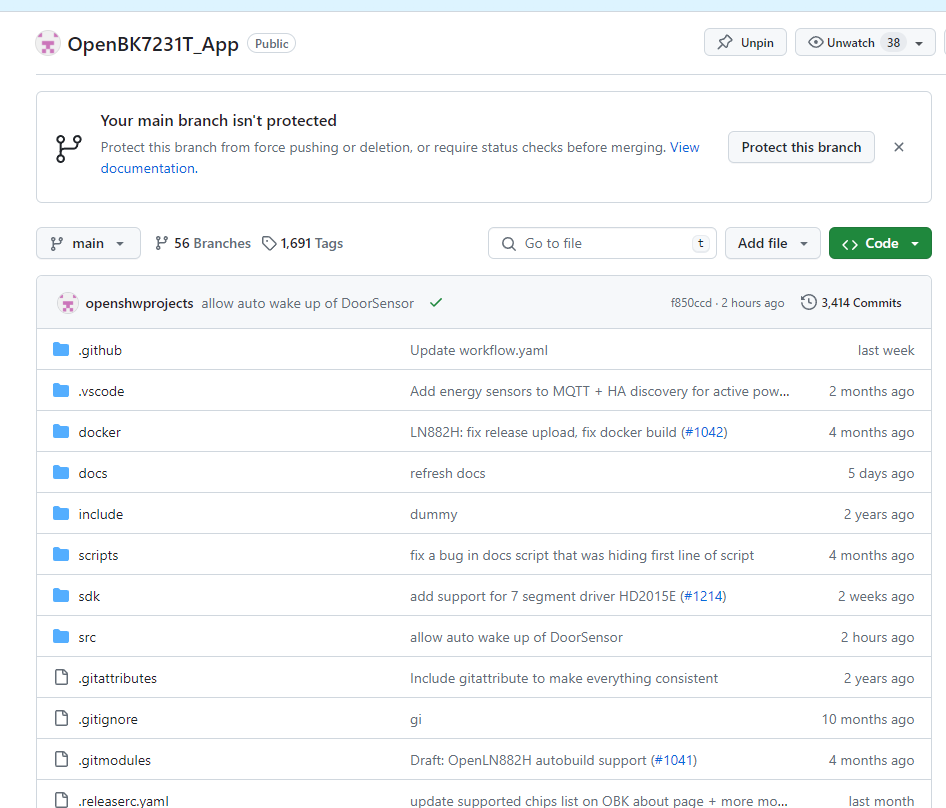
OpenBK7231T_App repository page on GitHub.
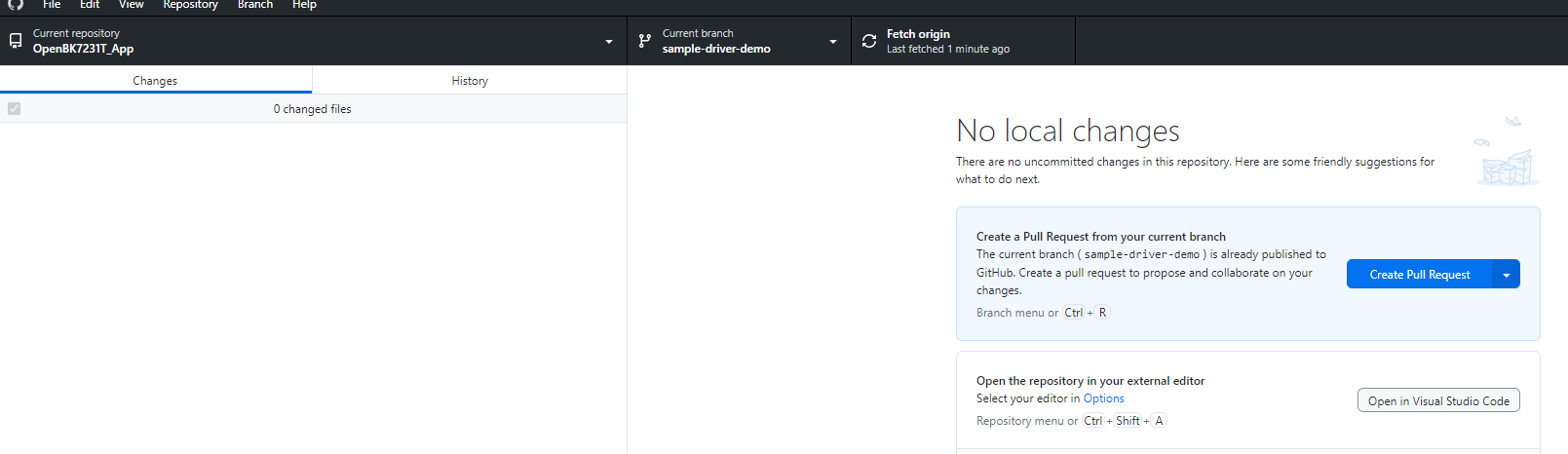
Make a fork and open a pull request like you would usually do. It's easiest to do it with Github gui. If you are not sure how, check the Git documentation and tutorials.
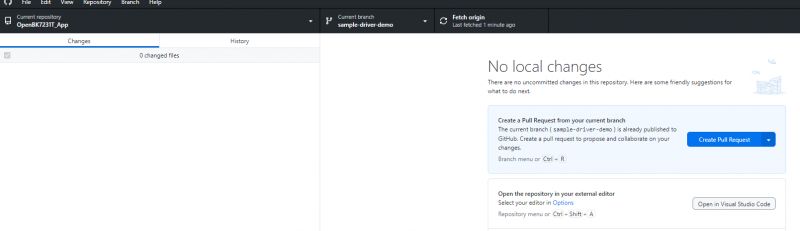
Screenshot showing the Github Desktop interface with the OpenBK7231T_App repository open.
This will allow you to get online builds in PRs:
https://github.com/openshwprojects/OpenBK7231T_App/pulls
Once your PR is accepted, you will be able to get binaries for all platforms as described in:
OpenBeken online building system - compiling firmware for all platforms (BK7231, BL602, W800, etc)

2. Preprocessor define for a driver
All drivers should have a #define in obk_config.h:
https://github.com/openshwprojects/OpenBK7231T_App/blob/main/src/obk_config.h
This allows us to turn them on and off for each platform.
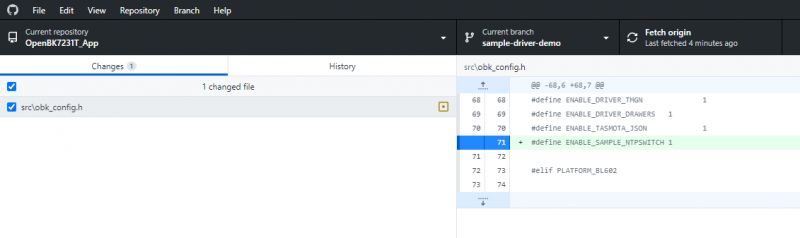
Let's create a define for our driver. Let's say that I will be developing it on Windows Simulator for now. So, in the #ifdef WINDOWS section, let's add our own new define:
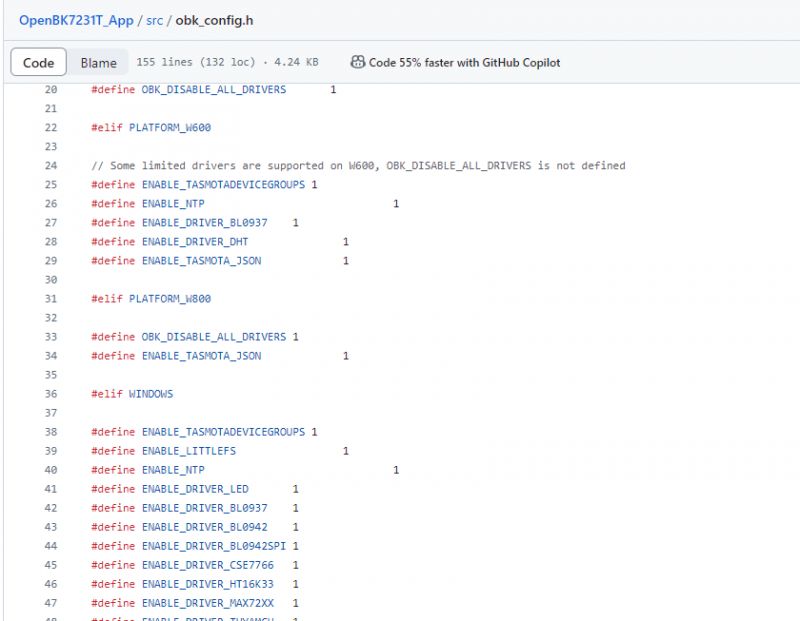
Screenshot of the obk_config.h file from the OpenBeken repository on GitHub.
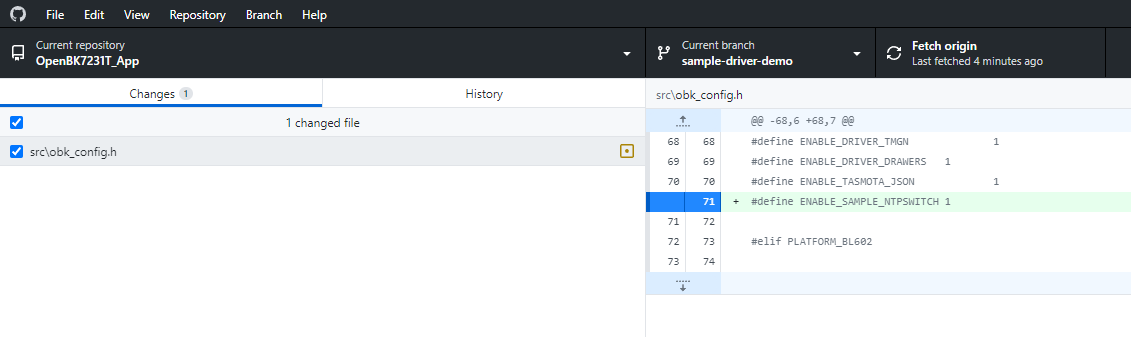
Our diff so far:
Screenshot of a code editor showing a change in the obk_config.h file


3. Main drivers table entry
Now let's modify drv_main.c:
https://github.com/openshwprojects/OpenBK7231T_App/blob/main/src/driver/drv_main.c
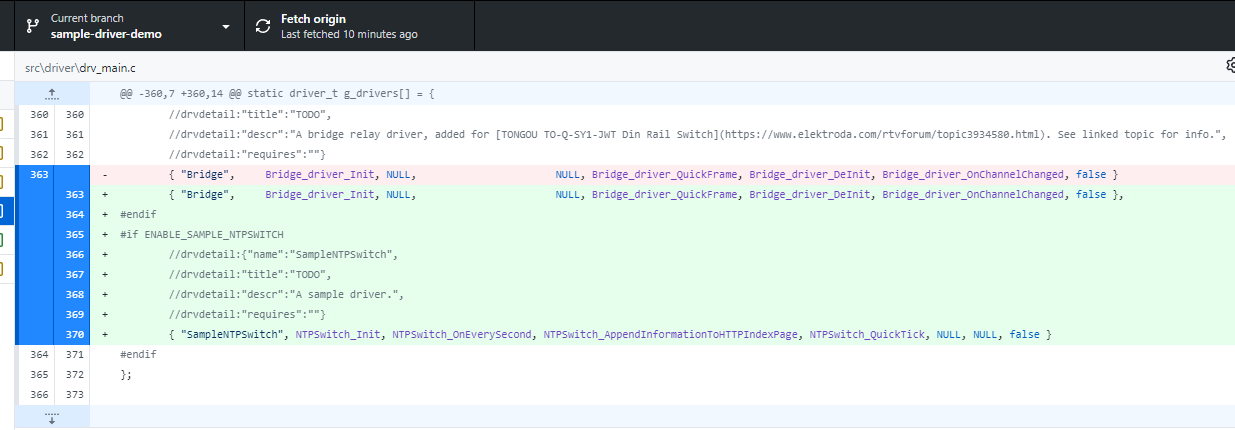
We need to add an entry to drivers array. Whole entry should be in preprocessor block. We also need to fill the documentation entries.
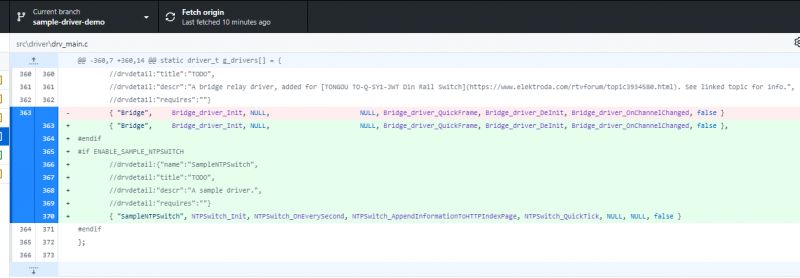
Screenshot of a code editor showing modifications in the `drv_main.c` file, where an entry for the new driver `SampleNTPSwitch` has been added.
A driver has:
- name
- init function
- every second update function
- quick tick update function
- http index display function
- and some other less often used functions, like shutdown function or channel change callback.
So next we can create those function in separate new file and add their declarations to drv_local.h

4. New driver file
So let's create a drv_sample_ntpSwitch.c stub:
Code: C / C++
Log in, to see the code

We can also add some display to know whether our driver really works:
Code: C / C++
Log in, to see the code

Let's build and flash firmware for our chosen platform and try starting the driver:

startDriver SampleNTPSwitch

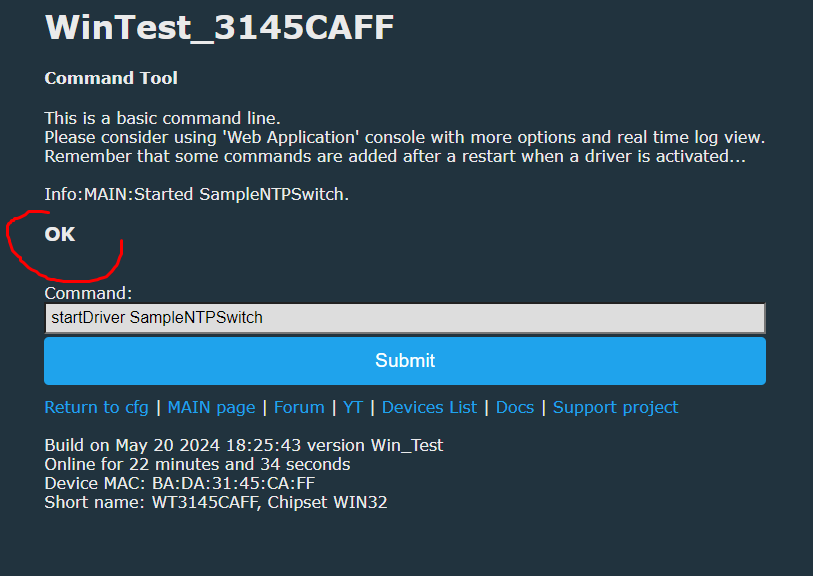
You should get "OK" reply:
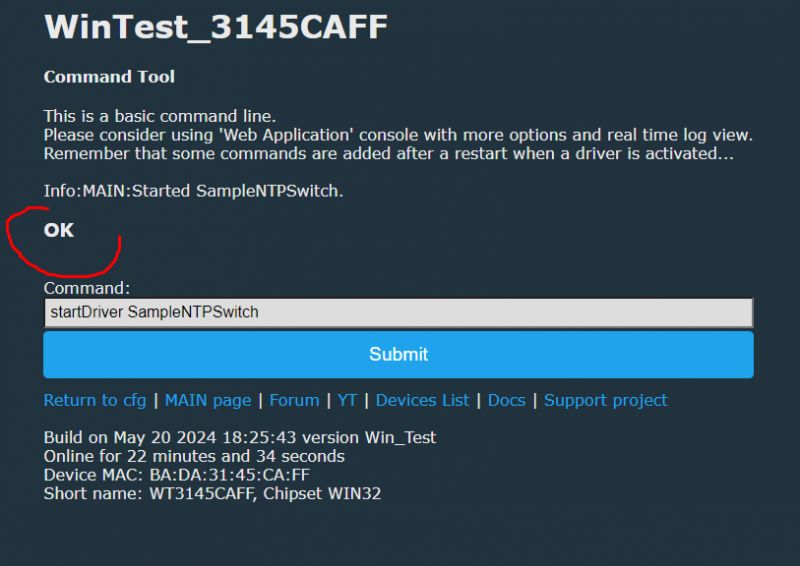
Command tool panel with startDriver SampleNTPSwitch command and OK message
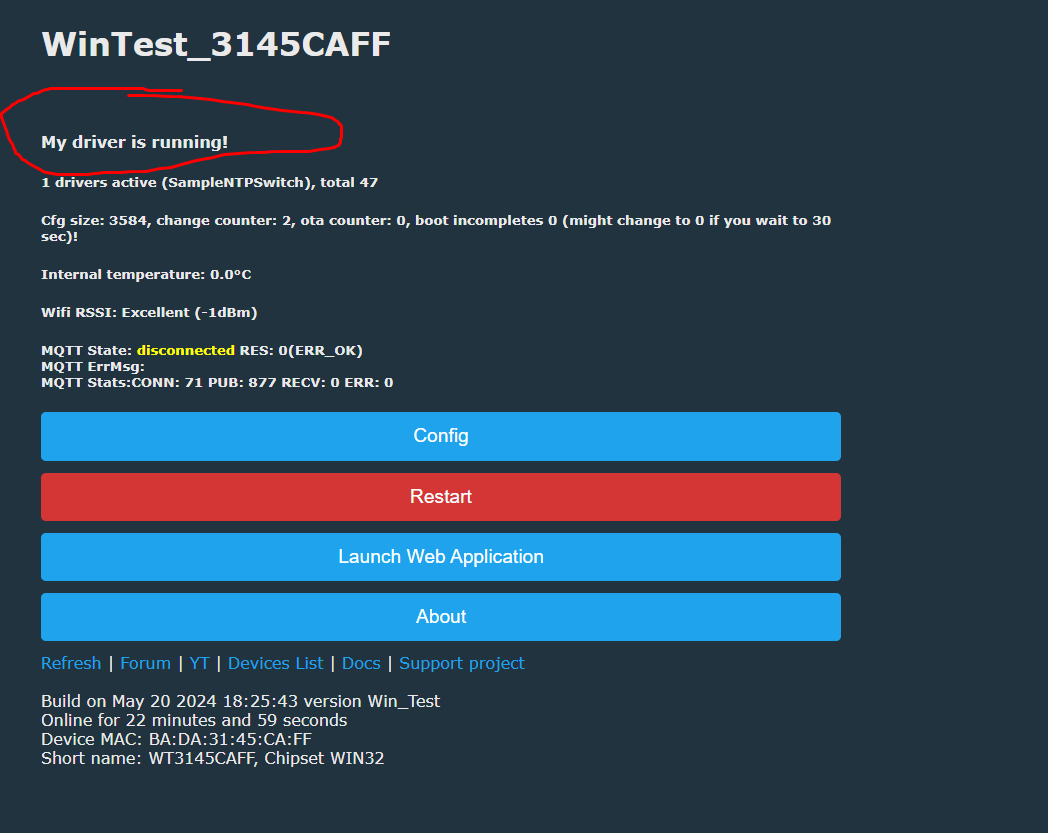
You should also get text on main panel:
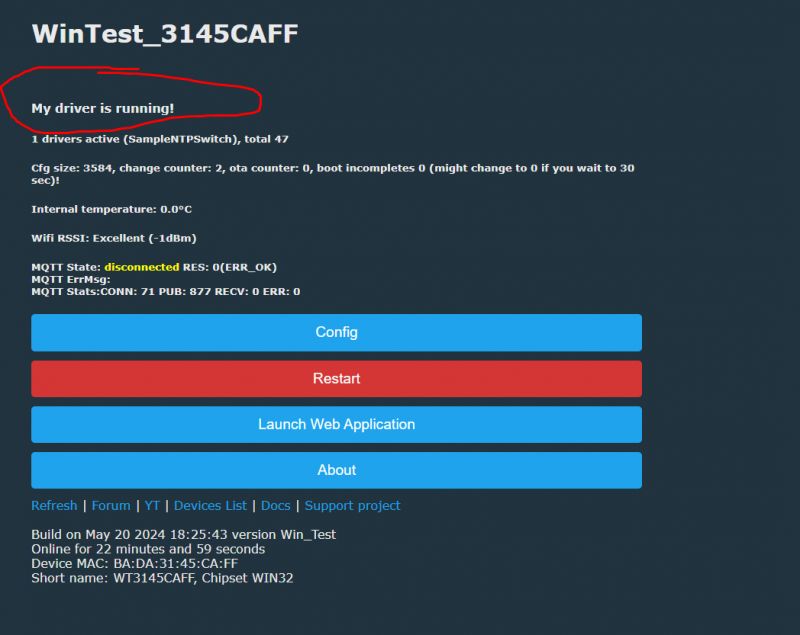
A webpage displaying My driver is running! at the top with several buttons at the bottom.

5. What can be done in drivers?
Basically everything can be done in drivers, but some more specific operations may require code injection outside your driver file. Still, for the start, let's do something simple. Like the user request we had recently:
Quote:

Switch the NTP server IP based on your current network IP

So, we will do checking every second. Simple string comparison is not time-consuming so it's acceptable:
Code: C / C++
Log in, to see the code

This will set the NTP server IP depending on your current IP. Don't worry about multiple calls to CFG_SetNTPServer. The flash config will be saved only if there is a change in the settings.
The similiar behaviour was requested by user here:
https://www.elektroda.com/rtvforum/topic4054813.html


6. How to debug drivers (on Windows)?
OpenBeken can run on Windows, along with device simulator.
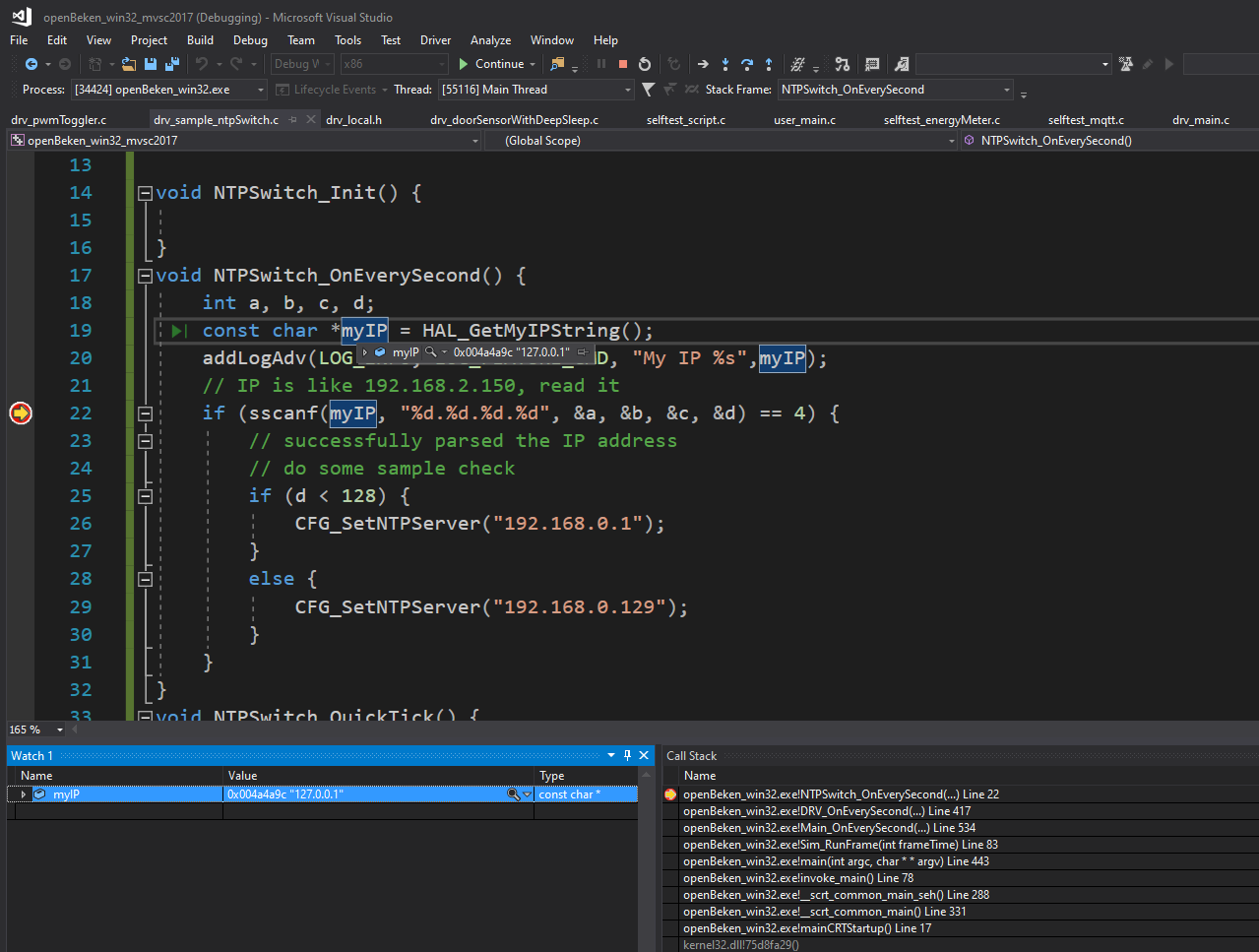
So if you run our MSVC projects, you can put breakpoints in drivers:
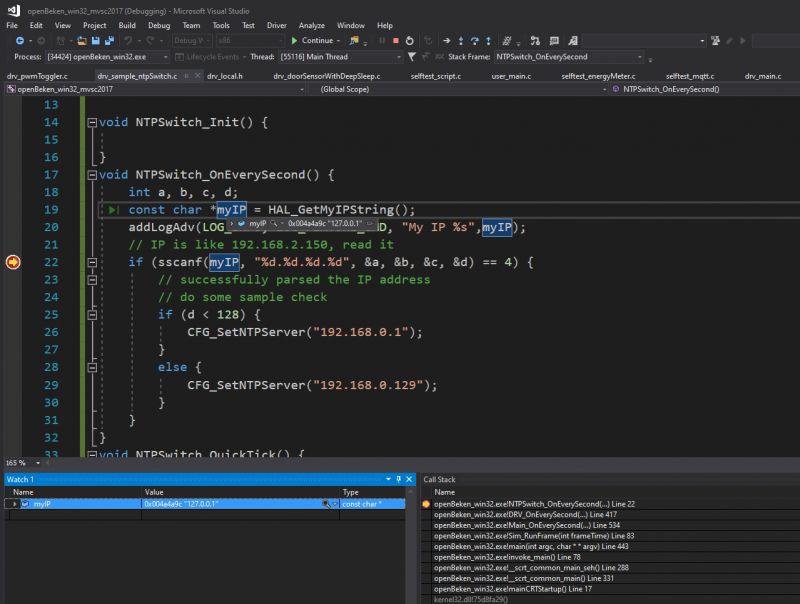
Screenshot of Visual Studio with OpenBeken driver source code
This way you can:
- see variable values
- see current call stack
- pause or resume execution, also manually step in/out the calls
This can substantially reduce your testing and development time.

7. How to make drivers scriptable?
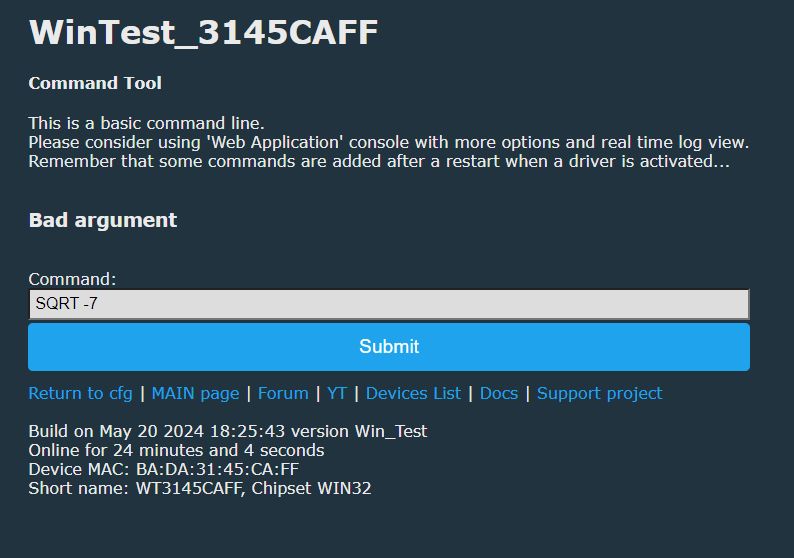
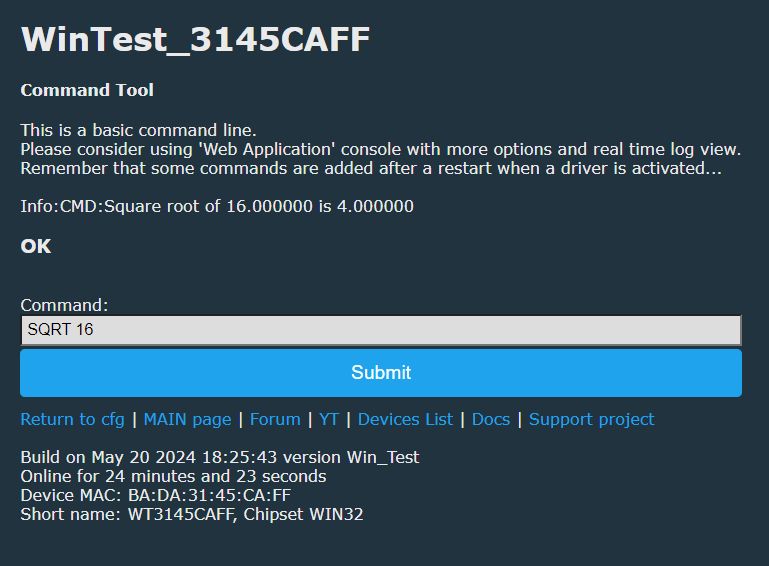
The best way is to use console commands. Console commands can be invoked via autoexec.bat, HTTP interface or even by MQTT. Creating a new command is very simple:
Code: C / C++
Log in, to see the code

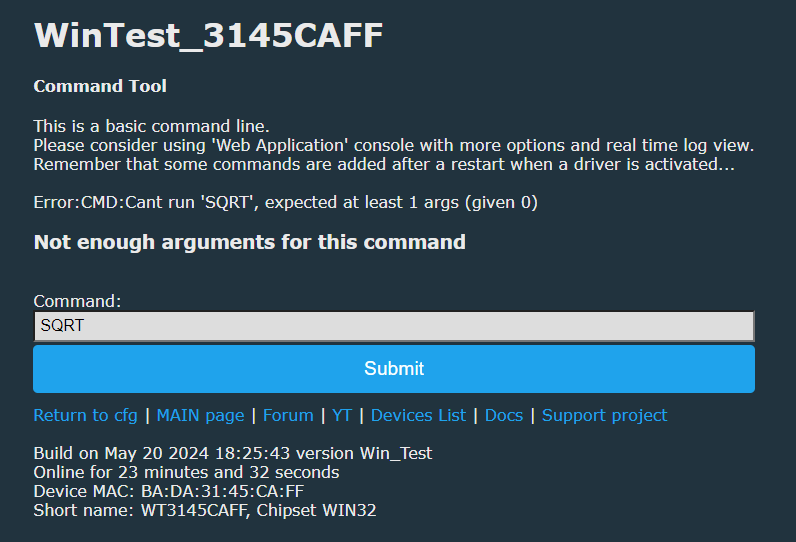
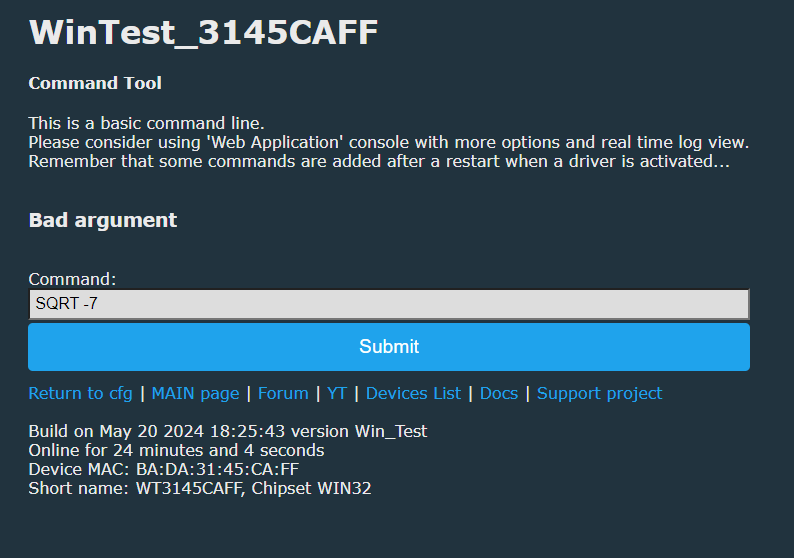
This way you cam get a console/script command with a full arguments testing.
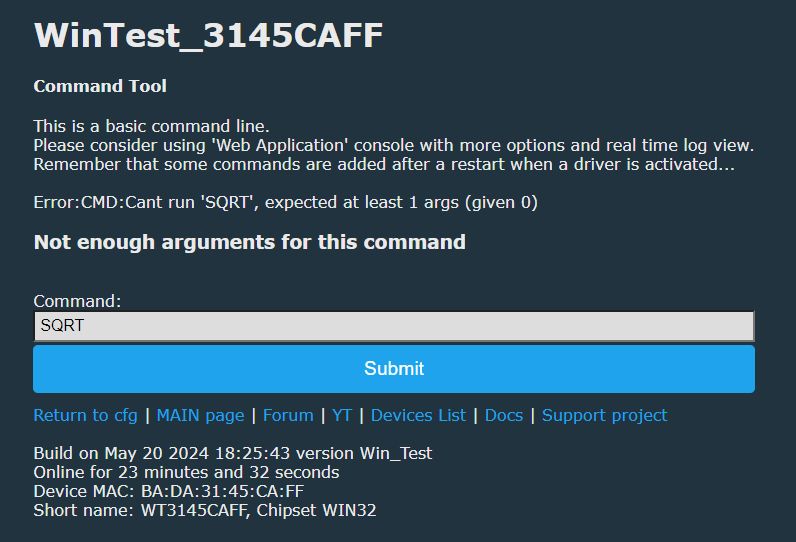
Screenshot of a command entry tool with an error
Command Tool interface displaying Bad argument error message.
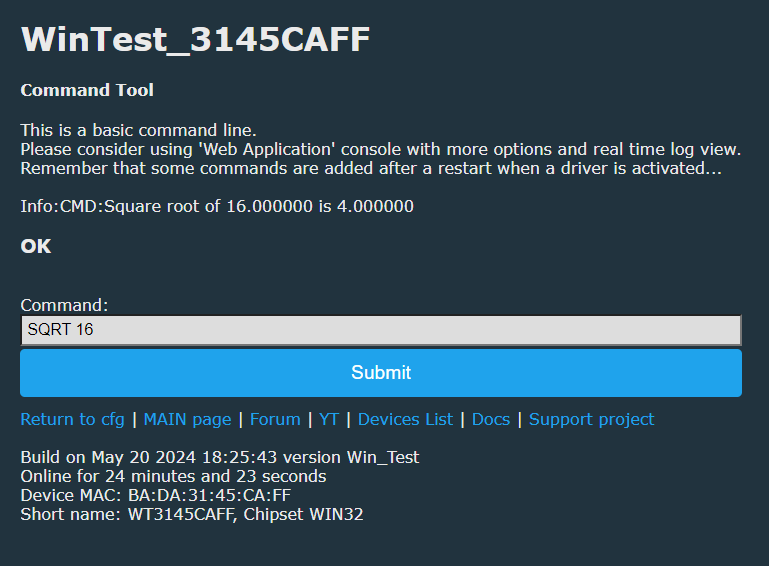
Screenshot of command tool WinTest_3145CAFF showing the result of the SQRT 16 command.
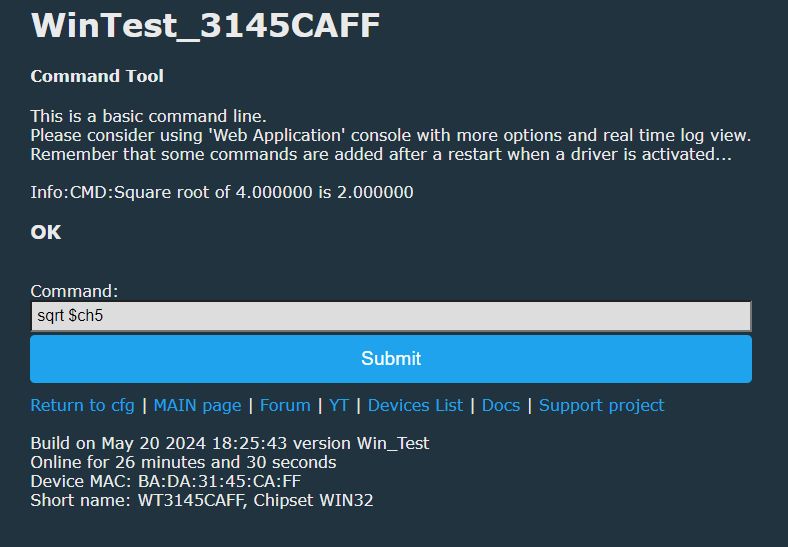
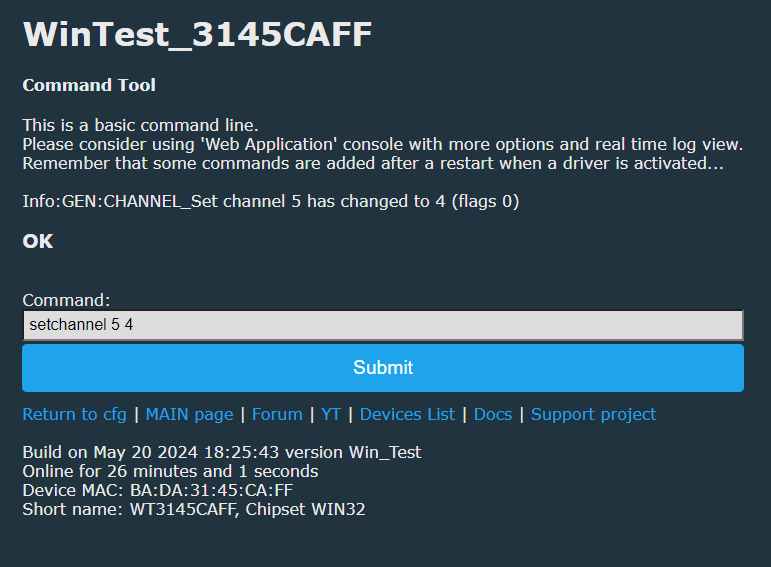
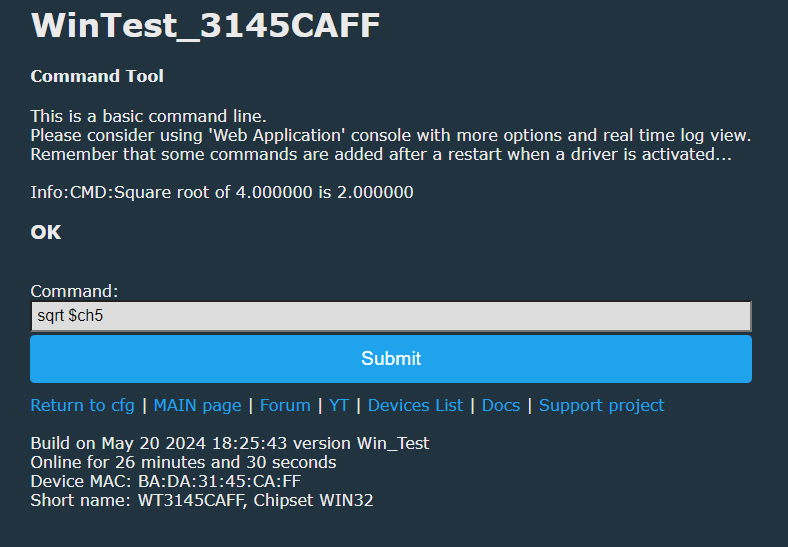
Of course, channel value can be also used as an argument.
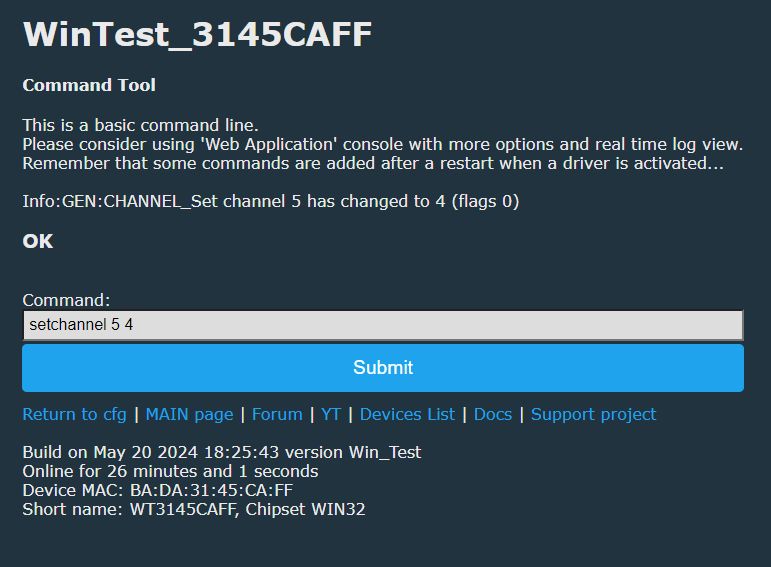
Screenshot showing the WinTest command tool with a sample command.
Command tool interface for WinTest_3145CAFF

8. How to access channels and measurements?
Any driver can have full access to OBK API, so you can easily read and write channels, read measurements, etc:
Code: C / C++
Log in, to see the code

The following code will log the channel 1 value and voltage (from BL0942/BL0937/etc sensor).

This way you can also, for example, measure how long voltage is above given value:
Code: C / C++
Log in, to see the code

If you want, you can change the hardcoded 230 value to something set via console command, just look at the console command sample and save the value to the static global variable.
Then you can set channels and even publish data via MQTT:
Code: C / C++
Log in, to see the code


9. How to make custom Web page interface?
Per-driver main HTTP page callback can be used also to get user input. You can easily create HTML forms that way. For this example, I will create a simple button that will just toggle the channel 5:
Code: C / C++
Log in, to see the code

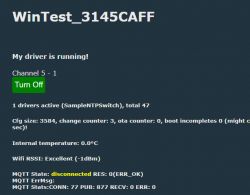
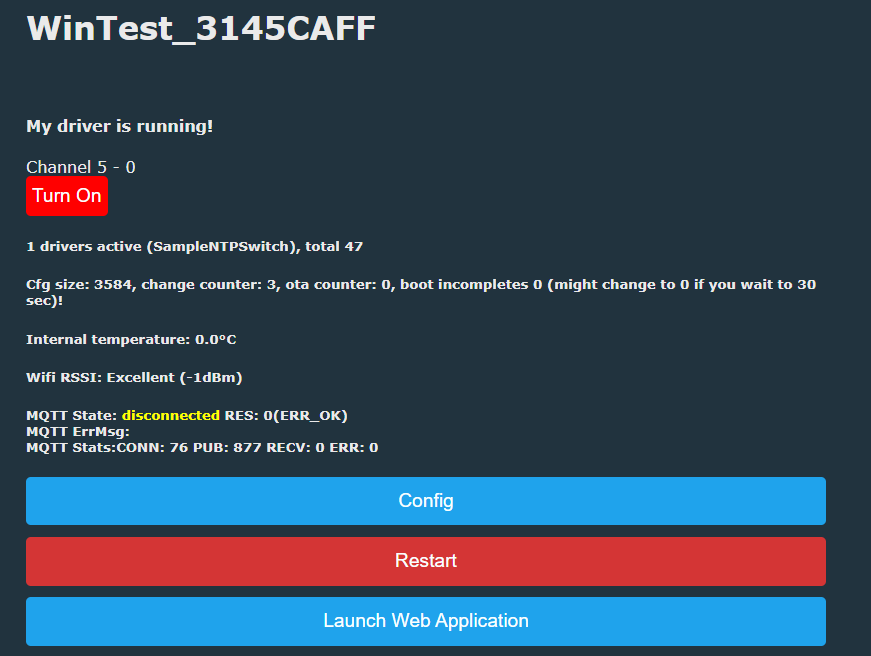
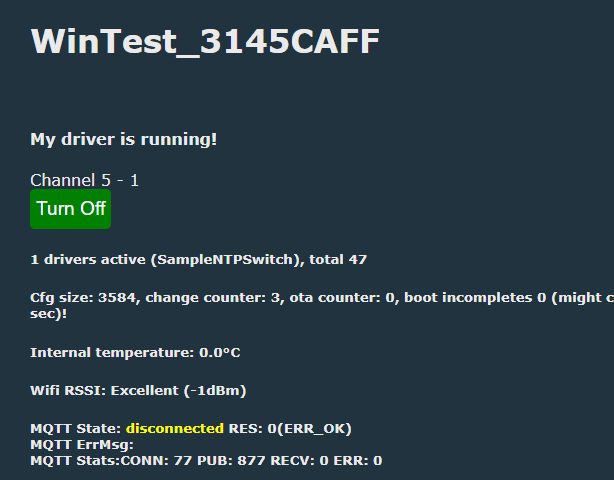
Clicking the button toggles channel 5 value:
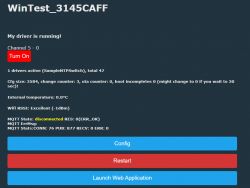
Screenshot of the OpenBeken user interface with a sample driver.
Custom driver SampleNTPSwitch running on WinTest_3145CAFF

And that's it! That's how you can create a custom driver in OBK. Remember to download our code to check the full API that is available for your development. All details related to arguments of MQTT/channel/etc calls are in our repository.


About Author
p.kaczmarek2
p.kaczmarek2 wrote 14434 posts with rating 12399 , helped 650 times. Been with us since 2014 year.

Comments

divadiow 10 Jul 2024 23:56

Hi. If anyone has a moment can they please cast their eyes over this https://github.com/openshwprojects/OpenBK7231T_App/pull/1288 Failing on missing files. Have I got paths wrong in file includes or... [Read more]

p.kaczmarek2 11 Jul 2024 09:29

1. See how drv_ir.cpp includes IRremote: https://github.com/openshwprojects/OpenBK7231T_App/blob/main/src/driver/drv_ir.cpp If not, put OneWire dir into driver dir just to see what happens. 2. This... [Read more]

divadiow 11 Jul 2024 09:38

eek. OK, thanks. will play [Read more]

p.kaczmarek2 11 Jul 2024 09:49

This also will have to be ported and compiled: https://github.com/PaulStoffregen/OneWire/blob/master/OneWire.cpp [Read more]

insmod 11 Jul 2024 15:37

DS18B20 library for esp-idf without separate onewire library https://github.com/feelfreelinux/ds18b20/blob/master/ds18b20.c [Read more]

p.kaczmarek2 11 Jul 2024 21:54

That's cool, wanna port it, @divadiow? Here are some things to change: void ds18b20_write(char bit){ if (bit & 1) { gpio_set_direction(DS_GPIO, GPIO_MODE_OUTPUT); noInterrupts(); gpio_set_level(DS_GPIO,0); ets_delay_us(6); gpio_set_direction(DS_GPIO,... [Read more]

divadiow 11 Jul 2024 22:29

I do I do. I need to get my head round it. Also, I'm distracted by BK7238 today Added after 15 [minutes]: so am I going with this or the separate libraries I started with? [Read more]

p.kaczmarek2 11 Jul 2024 22:57

To be honest, I think you can put everything in one file for now. Or just put converted library into ds18b20_internal.c , make header ds18b20_internal.h and include it from drv_ds18b20.c [Read more]

divadiow 11 Jul 2024 23:25

hmm. im just making a GPT hash of it right now. feel free to do it or I'll poke around when not tired [Read more]

p.kaczmarek2 14 Jul 2024 19:16

I have ported @insmod 's recommendation to OBK, but I haven't plugged the "disable interrupts" code yet. It is not linked anywhere, but it compiles: https://github.com/openshwprojects/OpenBK7231T_App/commit/8bec03a85cb9e22414be93caff254d3e6a30891c Of... [Read more]

divadiow 14 Jul 2024 19:58

Cool. Nice work. Thanks! 👍 [Read more]

max4elektroda 14 Jul 2024 22:36

Since I was working on this some month ago (and didn't get it to work) I also played with this. So I am quite a big distance behind this full approach, but also a tiny bit ahead: I have a (very very... [Read more]

p.kaczmarek2 14 Jul 2024 23:04

Great job, can you open a PR? @dedamraz has some sensors to test it btw: Is DS1820 the same as DS18B20? @ElektrodaBot is DS1820 the same as DS18B20? What are the protocol differences? [Read more]

ElektrodaBot 14 Jul 2024 23:05

Direct Answer to the User's Question The DS1820 and DS18B20 are not the same, although they share many similarities. Both are digital temperature sensors produced by Dallas Semiconductor (now part of... [Read more]

p.kaczmarek2 14 Jul 2024 23:32

Ah ok, so it's different, but since @max4elektroda has proper timings already, maybe I could just move his nops to my ported code... [Read more]

max4elektroda 15 Jul 2024 06:42

I'll do the PR later, just didn't want to much confusion about different code for similar purposes... Regarding DS1820 to DS18B20: I just took the shorter name, but I don't think there are many "non... [Read more]

p.kaczmarek2 15 Jul 2024 09:04

@DeDaMrAz have a scope and can help, but don't forget that on those ESP32-like platforms timings are not always precise: https://github.com/openshwprojects/OpenBK7231T_App/issues/497 [Read more]

divadiow 15 Jul 2024 19:10

I guess I'm no help with the driver code, but I do have a TYTE-D1 with DS18B20 for when testing is required. [Read more]

max4elektroda 16 Jul 2024 17:26

I opened a PR (https://github.com/openshwprojects/OpenBK7231T_App/pull/1289) with a code working for me. Beken should work even from the artifacts, for W800 and LN882H additions to makefiles are needed. usleep... [Read more]

FAQ

TL;DR: With 3 core code edits and "builds can be done online", OpenBeken users can create, compile, flash, and test a custom driver without installing a local toolchain. This FAQ helps developers add drivers, debug them in Windows, and avoid common DS18B20 and CI build pitfalls in OpenBeken workflows. [#21095505]

Why it matters: This thread turns scattered forum troubleshooting into a repeatable path for writing, building, debugging, and maintaining custom OpenBeken drivers across multiple platforms.

Topic Recommended path Main limitation
New custom driver Fork repo, open PR, use online builds Must register driver in config and tables
Windows debugging Use Visual Studio 2022 + obkSimulator Missing VS components and simulator libs break builds
DS18B20 on Beken Use updated timing code, CRC checks, correct pin and pull-up PowerSave and bad timing can corrupt reads
SDK customization Use platforms/<platform>/pre_build.sh Still needs careful file overrides

Key insight: Online builds solve compilation, not integration. In OpenBeken, the hard part is usually correct registration, platform-specific timing, or SDK/build-system behavior, not writing the first C file. [#21252988]

Quick Facts

  • The basic custom-driver flow uses 3 required integration points: obk_config.h, drv_main.c, and driver declarations in drv_local.h. Without all three, the driver will not register cleanly. [#21095505]
  • The sample DS18B20 reliability test showed a strong PowerSave effect: with powersave 0, one user counted 54 CRC matches vs 29 mismatches; with powersave 1, the same setup had 0 matches vs 95 mismatches. [#21165621]
  • A practical DS18B20 hardware setup that repeatedly worked used a 4.7 kΩ pull-up and P10 on BK7231-based hardware, while P26/PWM5/ADC1 produced unstable readings in one test series. [#21163350]
  • Logic-analyzer work showed why naive delay loops failed: one test firmware produced a reset pulse of 248 µs instead of 480 µs, plus 9 µs and 12 µs delays where 6 µs and 9 µs were expected. [#21189891]
  • A release-pipeline fix restored missing assets by making semantic release wait for both build jobs; after that, release 1.17.759 again showed 22 assets. [#21280999]

How do I create a custom OpenBeken driver with online builds on GitHub without installing a local toolchain?

You create a fork, open a pull request, add your driver to the app repository, and use PR artifacts for online builds. The minimal flow is: 1. Fork OpenBK7231T_App on GitHub. 2. Add your driver code and registration changes. 3. Open a PR so GitHub Actions builds firmware online. The guide states, "builds can be done online," so no local toolchain is required for that path. After merge, binaries for supported platforms become available through the online build system. [#21095505]

What needs to be added in obk_config.h, drv_main.c, and drv_local.h to register a new OpenBeken driver correctly?

You must add a preprocessor define, a driver-table entry, and function declarations. In obk_config.h, add a new #define in the target platform section, such as WINDOWS, so the driver can be enabled per platform. In drv_main.c, add the driver to the main drivers array inside a matching preprocessor block, including its name and callbacks. In drv_local.h, declare the init, second-tick, quick-tick, HTTP, and optional stop functions. The sample driver exposed Init, OnEverySecond, QuickTick, AppendInformationToHTTPIndexPage, and StopDriver. [#21095505]

How can I debug an OpenBeken driver on Windows with Visual Studio 2022 and the obkSimulator project?

Use the Windows simulator build, then debug it like a normal Visual Studio app. Open the OpenBeken Windows project in Visual Studio 2022, compile the simulator target, run it, and place breakpoints in your driver functions. The guide says Windows debugging lets you see variable values, inspect the call stack, and step in or out of calls. Later replies confirmed Visual Studio 2022 works once the required components and simulator libraries are installed. This is the fastest way to debug driver logic before flashing real hardware. [#21095505]

Why does my OpenBeken Windows simulator build fail with missing files like Microsoft.Cpp.Default.props, OpenGL libraries, or glut32.lib/freeglut.lib?

These failures usually mean Visual Studio components or simulator libraries are missing, not that your driver code is wrong. One user hit Microsoft.Cpp.Default.props because required VS components were not installed. Another hit missing graphics libraries and was told to copy the simulator support files from the separate obkSimulator repository, specifically the libs_for_simulator directory. The maintainer also clarified that the project should use freeglut.lib, not glut32.lib, so a stale local setting can cause the wrong dependency error. [#21265130]

What is OBK_DISABLE_ALL_DRIVERS in OpenBeken, and how does it affect custom drivers, BL0937 support, and charts on W800 or LN882H?

OBK_DISABLE_ALL_DRIVERS is a build-time switch that disables driver support on some platforms, and it can block custom drivers or charts even when code compiles. On W800, it prevented charts and DS1820 from being usable until related code paths were fixed and the define was reconsidered. A contributor eventually reported W800 running both DS1820 and charts after removing that limitation and correcting checks that wrongly keyed off OBK_DISABLE_ALL_DRIVERS instead of energy-driver defines like BL0937. LN882H also benefited from the same cleanup. [#21244589]

How do pre_build.sh scripts work in OpenBeken platform folders, and when should I use them instead of modifying SDK submodules directly?

A pre_build.sh script runs before the platform build and lets you patch or replace SDK files from the app repository. The new mechanism executes platforms/<platform>/pre_build.sh if present, so you can copy override files, patch SDK sources, or prepare special builds without editing SDK submodules directly. This is best when you need a quick browser-based PR or per-platform override, such as custom partition addresses or encryption-key handling. It keeps the change in OpenBK7231T_App and avoids repeated SDK-submodule edits. [#21252988]

DS1820 vs DS18B20: what are the protocol and feature differences, and which one is actually supported by the OpenBeken DS1820 driver?

They are similar 1-Wire temperature sensors, but they are not the same part. The thread notes DS1820 and DS18B20 differ in resolution, family code, and command details, even though both use 1-Wire. In practice, the OpenBeken driver named DS1820 was developed and tested mostly with DS18B20 sensors; several participants explicitly said they only had DS18B20 hardware. Later discussion also treated the missing “B” as naming shorthand, not a strict exclusion. So the current driver name is historical, but real-world testing focused on DS18B20. [#21154798]

Why does the OpenBeken DS1820/DS18B20 driver show CRC errors, reset failures, or random temperatures like 53°C, 86°C, or -3817°C on BK7231 devices?

The direct cause is bad 1-Wire timing, often combined with unstable pins or power-saving effects. Users reported jumps to 53°C, 86°C, and even -3817.93°C, plus Reset failed and all-ff scratchpad reads. The main diagnosis was that delay timing on BK7231-class devices was inaccurate, so reads happened too late or reset pulses were out of spec. One maintainer summarized it plainly: "The less loops you use, the more precision you get." CRC checks later stopped many bad values from appearing, but they did not fix the underlying timing problem. [#21158429]

Which pull-up resistor and pin choices work best for DS18B20 on BK7231, BL602, W800, and LN882H, and how much do timing differences matter?

A 4.7 kΩ pull-up and a simple GPIO such as P10 worked better than overloaded pins in the thread tests. One BK7231 user saw unstable reads on P26/ADC1/IRDA/PWM5, then improved behavior on P10/RX1. Another user said 5.1 kΩ should not be a major problem, but later switched to 4.7 kΩ anyway. On other platforms, BL602, W800, and LN882H all needed platform-specific timing behavior, and W800 was described as especially solid once timing matched. Timing mattered more than brand authenticity of the sensor. [#21163350]

How does PowerSave affect DS18B20 reliability in OpenBeken, and why can the same sensor work with powersave 0 but fail with powersave 1?

PowerSave changes timing enough to make marginal 1-Wire code fail. In the clearest test, the same BK7231 setup with startDriver DS1820 18 produced 54 CRC matches and 29 mismatches at powersave 0, but 0 matches and 95 mismatches at powersave 1. Later timing changes improved this substantially, and a newer test with revised code showed valid DS18B20 readings even under PowerSave 1. The lesson is simple: if DS18B20 is unreliable, test with powersave 0 first, then verify whether newer timing code fixes low-power mode. [#21165621]

What is the best way to tune or redesign usleep timing for 1-Wire sensors in OpenBeken instead of relying on nop loops and BKfact values?

Use separate short, medium, and long delay paths plus critical sections, not one generic nop loop. Early work tried BKfact tuning and auto-scaling, but logic-analyzer tests showed that approach could not satisfy both short and long 1-Wire timings. One contributor measured a reset pulse at 248 µs when it should have been 480 µs, proving the loop design was fundamentally wrong. The later redesign split delays by time range and borrowed critical-section ideas, which made PowerSave and multiple platforms behave much better. [#21189891]

How can I get DS18B20 readings into OpenBeken scripts and MQTT instead of getting 0 when using setChannel and publish commands?

You must let the driver update a channel, then publish that channel after a valid reading exists. A user tried setChannel 7 DS1820 and publish sensor_temper $CH7 but got 0, which triggered follow-up work so the driver could expose temperature as a channel value. Later discussion shows the fix direction was to set the channel only when a fresh valid reading exists, not on failure. That prevents stale or zero data from being republished forever and makes scripting and MQTT reflect actual sensor state. [#21305277]

What should OpenBeken publish to MQTT or Home Assistant when a DS18B20 reading fails or the sensor is disconnected: keep the last value, send -127°C, or publish an error state?

The best current direction is: do not keep publishing stale values, and do not force -127°C unless you want an explicit error marker. The thread rejected endless reuse of the last good temperature because it hides faults. It also questioned publishing -127°C, since that can pollute Home Assistant graphs. The preferred proposal was to skip SetChannel when no new value exists and eventually add a shared error topic for states like sensor missing. That gives HA and MQTT clients a real failure signal without falsifying temperature history. [#21305277]

Why do some OpenBeken release assets like obkSimulator zip or XR809 builds randomly disappear from GitHub releases even when they exist in artifacts?

The root cause was a GitHub Actions workflow dependency problem. Semantic release sometimes started before all build jobs had finished, so assets existed in artifacts but were not ready when .releaserc tried to publish them. The telltale log line was that obkSimulator* "cannot be read, and will be ignored." A fix made semantic release depend on both build jobs, and release 1.17.759 returned to 22 assets. Missing XR809 assets in some releases were separate cases where that platform simply failed to build. [#21280908]

What's the purpose of moving platform Makefiles into the OpenBK7231T_App platforms folder, and how does that improve online builds for W600, W800, LN882H, and XR809?

It moves platform-specific build logic into the main app repository so online-build changes no longer require direct SDK edits. The contributor proposed placing per-platform Makefiles under platforms/<platform>/Makefile and making SDK Makefiles include them. That lets developers adjust app-side build behavior for W600, W800, LN882H, and XR809 through normal PRs in OpenBK7231T_App. The immediate benefit was simpler online-build maintenance and easier future feature enablement, such as charts, without constantly modifying each SDK submodule first. [#21242608]
Generated by the language model.
%}