logo elektroda
logo elektroda
X
logo elektroda

NTT 617 Tablet: Upgrading Android Version with Custom ROMs for Unsupported Devices

Kunio 11919 9
Best answers LABEL_AI_GENERATED

Can I upgrade an NTT 617 tablet to a newer Android version with a custom ROM?

A newer Android/custom ROM upgrade is very unlikely for this tablet, and flashing anything blindly is not recommended without stock firmware [#16191090] The tablet uses an old Amlogic 8726-MX chipset with motherboard EM_M61_v6.0, and the forum answer says the device is in the Android 4.0/4.1 era, with 4.1.1 Jelly Bean mentioned for one variant [#16191090][#16191233] Your EAN/Art. no. matches the older 2012 NTT 617 (Android 4.0), while the 2014 NTT 617A 7 had Android 4.1, so it may be a hardware/version difference rather than a missing ROM [#16191233] If the tablet has an update menu, try Settings → Tablet information → System Update → Check now, but the update server may already be inactive; some units also do not show that option at all [#16191130][#16191181] The thread also suggests that rooting may help if your main problem is app installation, and to check the EAN/Art. no. on the back to confirm the exact version [#16191090][#16191191]
AI summary based on the discussion. May contain errors.
ADVERTISEMENT
Treść została przetłumaczona polish » english Zobacz oryginalną wersję tematu
  • #1 16167646
    Kunio
    Level 11  
    Posts: 98
    Rate: 12
    I have an old tablet NTT 617 in my drawer. None of the newer programs want to work on this system anymore. Is it possible to upload a newer android? It is known that the manufacturer does not support it anymore, but maybe a custom rom will be found?
  • ADVERTISEMENT
  • #2 16191090
    gradek83
    Level 43  
    Posts: 9109
    Help: 930
    Rate: 2104
    The tablet is based on a fairly old Amlogic 8726-MX chipset with the motherboard designation: EM_M61_v6.0 The current version of the android is 4.1.1 Jelly Bean. You can look for some costum roma but I doubt that you will find something and playing and uploading anything blind is rather a bad idea without stock firmware. If you have a problem with uploading a program, it may be worth rooting the tablet. The tablet may be old, but it has a good IPS matrix for browsing the Internet and watching movies on YT, it is enough for a child to play. You can always sell, add and buy something newer.
    Specification
  • ADVERTISEMENT
  • #3 16191095
    Kunio
    Level 11  
    Posts: 98
    Rate: 12
    Thanks for the answer. My tablet has version 4.0.1 and the programs I care about don't work. WHERE TO TAKE 4.1.1?
  • ADVERTISEMENT
  • #4 16191130
    gradek83
    Level 43  
    Posts: 9109
    Help: 930
    Rate: 2104
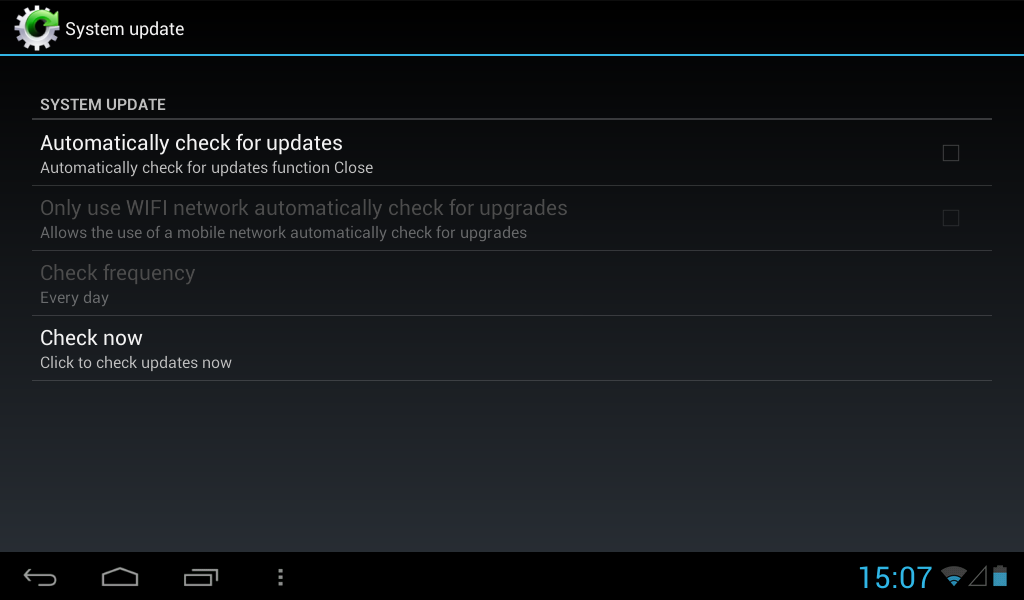
    It probably won't work, but if you have it connected to the internet via wi-fi, go to the settings:
    Tablet information
    System Update
    Check now
    If Connect server fails, give back and uncheck two marked options so that they do not run in the background, the update server is probably no longer active and when the update starts, you may be able to update. It doesn't work for me.
    NTT 617 Tablet: Upgrading Android Version with Custom ROMs for Unsupported Devices
  • #5 16191181
    Kunio
    Level 11  
    Posts: 98
    Rate: 12
    I do not have an option like the update system at all
  • #6 16191191
    gradek83
    Level 43  
    Posts: 9109
    Help: 930
    Rate: 2104
    On the back of the tablet, enter:
    EAN CODE:
    Art.No:

    This tablet is supposed to be in 2 versions, let's make sure you don't have the basic one.
  • ADVERTISEMENT
  • #7 16191196
    Kunio
    Level 11  
    Posts: 98
    Rate: 12
    EAN 5900626452879
    PDANTT61701
  • #8 16191233
    gradek83
    Level 43  
    Posts: 9109
    Help: 930
    Rate: 2104
    I have:
    EAN CODE 5900626752879
    Art no: PDANTT61701

    If you wrote down EAN CODE well, it turns out that I am not mistaken that you have the older version from 2012 NTT 617 And there is android 4.0 from what I can see and the version from 2014 NTT 617A 7 4.1
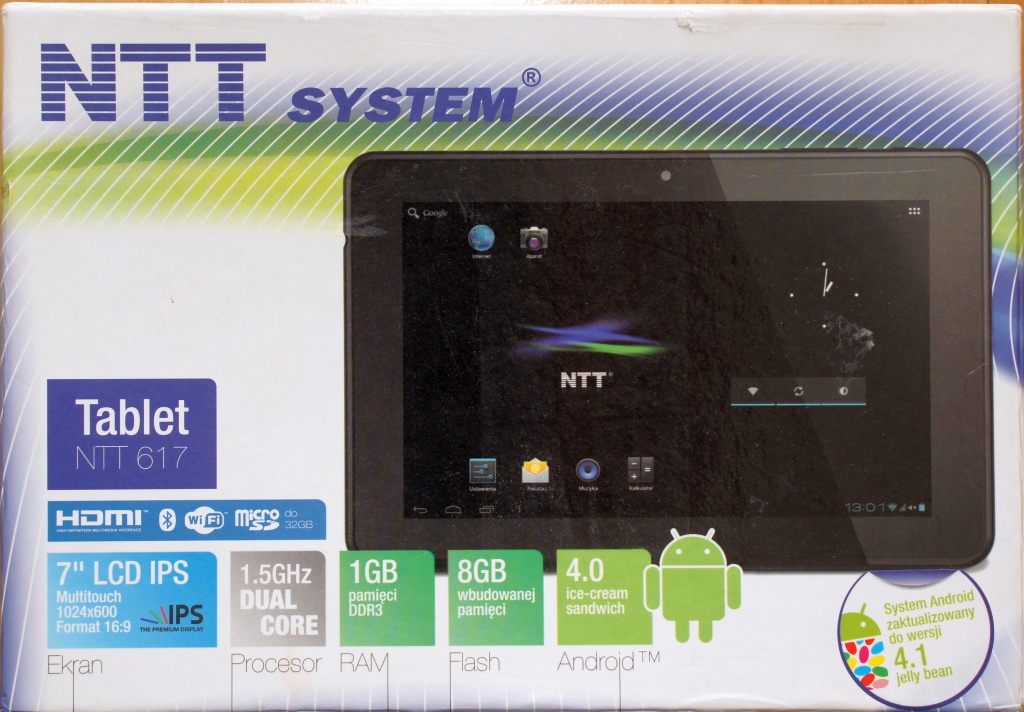
    But it is probably also that I have the firmware loaded from the second tablet because I do not have 16GB, but 8GB, as in this version. On the sticker on the box, I have information that the system is updated. Probably the manufacturer after some time released an update that was not uploaded in the first period of sale. I wrote to NTT, maybe they will make the update available because I know that it was once available.
    NTT 617 Tablet: Upgrading Android Version with Custom ROMs for Unsupported Devices NTT 617 Tablet: Upgrading Android Version with Custom ROMs for Unsupported Devices
  • #9 16732133
    fasolek89
    Level 2  
    Posts: 2
    hello, I have this ntt 617a only that only the logo comes in and it does not surprise you. and because of this problem I am looking for firmware for it ... maybe you know where I can find it?
  • #10 16732182
    gradek83
    Level 43  
    Posts: 9109
    Help: 930
    Rate: 2104
    First enter recovery mode and perform Hard Reset
    that is, both WIPE options


Topic summary

LABEL_AI_GENERATED
The NTT 617 tablet, equipped with the Amlogic 8726-MX chipset and originally running Android 4.0.1, faces compatibility issues with newer applications due to lack of manufacturer support. Users discuss the possibility of upgrading to Android 4.1.1 or finding custom ROMs, although success is uncertain. Some users suggest checking for system updates via Wi-Fi, while others recommend rooting the device or performing a hard reset to resolve boot issues. The discussion highlights the existence of two versions of the NTT 617, with one potentially supporting a later firmware update. Users are encouraged to contact NTT for possible firmware availability.
AI summary based on the discussion. May contain errors.
ADVERTISEMENT