
logo elektroda
logo elektroda
X
logo elektroda

[Solved] Huawei MediaPad T3 10 - Root, AGS-W09, Android 7.0 to 8.0 Upgrade, Emui 5.1, Custom Software

seitedo1 58815 11
ADVERTISEMENT
Treść została przetłumaczona polish » english Zobacz oryginalną wersję tematu
  • #1 16937258
    seitedo1
    Level 10  
    Posts: 78
    Rate: 23
    Hello. I have a tablet Huawei HUAWEI MediaPad T3 10 with andek 7.0, model version AGS-W09, Emu 5.1. Can you root it? I would also like to upload some new soft, is there a chance to upload anddka 8.0? Greetings.
  • ADVERTISEMENT
  • #3 16937883
    seitedo1
    Level 10  
    Posts: 78
    Rate: 23
    Thanks for the info. I've already been there, but I do not know ang well ... :(

    Edit.
    Nobody can help me? Do you need to unlock the BL first? Only how, if there is no IMEI?
  • #4 16951683
    seitedo1
    Level 10  
    Posts: 78
    Rate: 23
    Hello all.
    I have a tablet Huawei MediaPad T3 10 WiFi (without a sim card). I would like to root it and write to Huawei for the unlocking code. I received it in the mail, but as I enter in the Minimal ADB and Fastboot command: fastboot oem unlock (access code),
    I get this info: FAILED (remote: Necessary to unlock FRP! Navigate to Settings> Developer op) finished. total time: 0.009s
    How to unlock this security? Can anyone help me?
    Greetings.
    Moderated By nutergsm:

    Posts merged. Do not assume two similar topics.

  • ADVERTISEMENT
  • #6 16952278
    seitedo1
    Level 10  
    Posts: 78
    Rate: 23
    Thank you for your response. Do you know how to root this model? The model version is AGS-W09. In the phones uploads the appropriate twrp and superior, in this case?
  • ADVERTISEMENT
  • #8 17032680
    seitedo1
    Level 10  
    Posts: 78
    Rate: 23
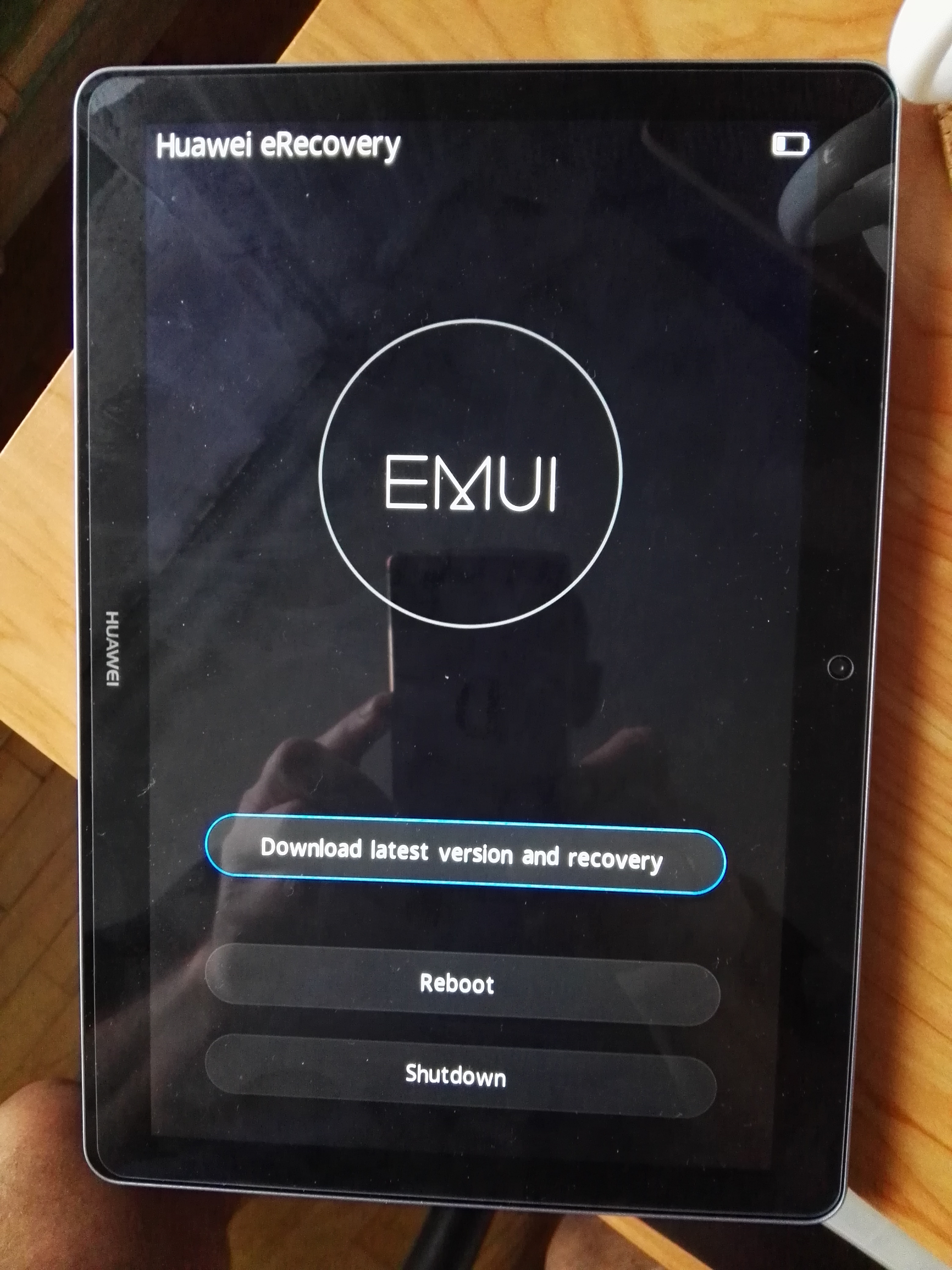
    And it happened. After trying to upload Magisk and tablet rootowanie, after reboot does not rise. Do you have any suggestions on how to revive it? How to upload a new soft to it? Regards. Huawei MediaPad T3 10 - Root, AGS-W09, Android 7.0 to 8.0 Upgrade, Emui 5.1, Custom Software
  • ADVERTISEMENT
  • #9 17032888
    nutergsm
    VIP Meritorious for electroda.pl
    Posts: 8429
    Help: 1031
    Rate: 1658
    You must upload the firmware to it again.
  • #10 17033103
    seitedo1
    Level 10  
    Posts: 78
    Rate: 23
    Thank you for your response. I think so too, but I can not find the right file anywhere :( Maybe someone will help?
  • #12 17033869
    seitedo1
    Level 10  
    Posts: 78
    Rate: 23
    Thank you for the link, I have already downloaded this file :) Subject to be closed. greetings

Topic summary

✨ The discussion revolves around rooting the Huawei MediaPad T3 10 (model AGS-W09) running Android 7.0 with EMUI 5.1 and upgrading to Android 8.0. Users seek guidance on unlocking the bootloader (BL) and rooting the device, with some encountering issues related to FRP (Factory Reset Protection) when attempting to unlock. Solutions include deleting the Google account linked to the tablet and using specific commands in ADB and Fastboot. Users share links to resources for rooting and firmware, with one user successfully downloading the necessary firmware after initial difficulties.
Generated by the language model.

FAQ

TL;DR: One reflash fixed the AGS‑W09 bootloop; “You must upload the firmware to it again.” Follow FRP unlock steps first. [Elektroda, nutergsm, post #17032888]

Why it matters:** This FAQ helps Huawei MediaPad T3 10 owners root, unlock, and recover soft‑bricked tablets safely.

Quick Facts

Can I root the Huawei MediaPad T3 10 (AGS‑W09) on Android 7.0/EMUI 5.1?

Yes. Community guides use device‑specific TWRP and then root. Follow the AGS‑W09 threads shared in the discussion. [Elektroda, nutergsm, post #16952290]

Do I need to unlock the bootloader first? What about no IMEI on Wi‑Fi models?

Yes, unlock the bootloader first. The Wi‑Fi AGS‑W09 lacks IMEI, yet users still obtained an unlock code by email. [Elektroda, seitedo1, post #16951683]

How do I fix “FAILED (remote: Necessary to unlock FRP!)” in fastboot?

Remove the Google account from the tablet to clear FRP, then run the unlock command again. [Elektroda, nutergsm, post #16952201]

My tablet bootloops after flashing Magisk. What now?

Reflash the stock firmware. As one expert put it, “You must upload the firmware to it again.” [Elektroda, nutergsm, post #17032888]

Where can I download stock firmware for AGS‑W09 to unbrick?

Use the firmware thread linked in the discussion and flash the correct AGS‑W09 build. [Elektroda, nutergsm, post #17033815]

Quick 3‑step unbrick for AGS‑W09?

  1. Download the AGS‑W09 stock firmware from the linked thread.
  2. Flash per thread instructions via recovery/fastboot.
  3. Reboot and verify system boots cleanly. [Elektroda, nutergsm, post #17033815]

Can I upgrade this tablet from Android 7.0 to 8.0 (EMUI 8)?

The thread raises the question but does not confirm any Android 8.0 path for AGS‑W09. [Elektroda, seitedo1, post #16937258]

What is FRP, and why does it block bootloader unlock?

Factory Reset Protection ties the device to a Google account. Fastboot unlock fails until FRP is cleared. [Elektroda, seitedo1, post #16951683]

I don’t speak English well—are non‑English resources available?

Yes. A Russian‑language thread and a step guide were shared for AGS‑W09 rooting. [Elektroda, nutergsm, post #16952290]

Which tools did users here employ for unlocking/flashing?

Minimal ADB and Fastboot were used to issue the unlock command and interact with fastboot. [Elektroda, seitedo1, post #16951683]

Edge case: What if I forgot the Google account and can’t clear FRP?

You must regain account access or remove the account; otherwise fastboot unlock remains blocked. [Elektroda, nutergsm, post #16952201]
Generated by the language model.
ADVERTISEMENT

