logo elektroda
logo elektroda
X
logo elektroda

mp5 car 7010b - after install new firmware, the device turn on but dont have dis

topelevenfaiz4iz 33681 19
Best answers

How can I fix an MP5 car 7010B that turns on but shows no display after installing new firmware?

The thread suggests the firmware you installed may be wrong or incompatible, especially if it came from a YouTube link or another unverified source [#19473247][#19496960] Try reflashing with a known-good file and use a small USB stick formatted as FAT, not FAT32 [#19503928] If the unit still comes up blank, one user recommends flashing the SPI EEPROM with a bin dump from a working 7010B that uses the F1c2100s chip and a 25L6436F EEPROM, and checking the file’s CRC32 after download [#19927531] That dump is for direct EEPROM flashing, not for copying to a USB stick [#19927531]
Generated by the language model.
ADVERTISEMENT
  • #1 19451500
    topelevenfaiz4iz
    Level 1  
    Posts: 1
    after installing new firmware, the device turns on but doesn't have display help. me.
  • ADVERTISEMENT
  • #2 19471301
    eduardo070489
    Level 2  
    Posts: 2
    Rate: 19
    I have the same problem
    did you find any solution?
  • ADVERTISEMENT
  • #3 19473247
    mgbk85krk
    Level 7  
    Posts: 46
    Rate: 17
    soft was downloaded from a known source?
  • #4 19478703
    eduardo070489
    Level 2  
    Posts: 2
    Rate: 19
    downloading from a youtube link
    some people had the same problem with this link.
  • #5 19494420
    AlbanioKolaj
    Level 2  
    Posts: 2
    Rate: 13
    how can i update my fw on 7010b cause its old

    Dodano po 35 [sekundy]:

    how can i update my fw on 7010b cause its old
  • #6 19496960
    gradek83
    Level 43  
    Posts: 9048
    Help: 925
    Rate: 2077
    Check this way.

    The YT link has expired.
    Attachments:
    • 7010B_-___27721___24425___23631_20200718.rar (32.33 MB) You must be logged in to download this attachment.
  • #7 19498390
    AlbanioKolaj
    Level 2  
    Posts: 2
    Rate: 13
    I tried that but it's just staying at updating firmware and don't do anything
  • #8 19503928
    mgbk85krk
    Level 7  
    Posts: 46
    Rate: 17
    Everything matters, even the pendrive format and its size as small as 1gb and the format for FAT, not FAT32

    Added after 50 [seconds]:

    Or maybe the problem is somewhere else in the memory or the processor
  • #9 19927531
    m_damir
    Level 4  
    Posts: 4
    Rate: 3
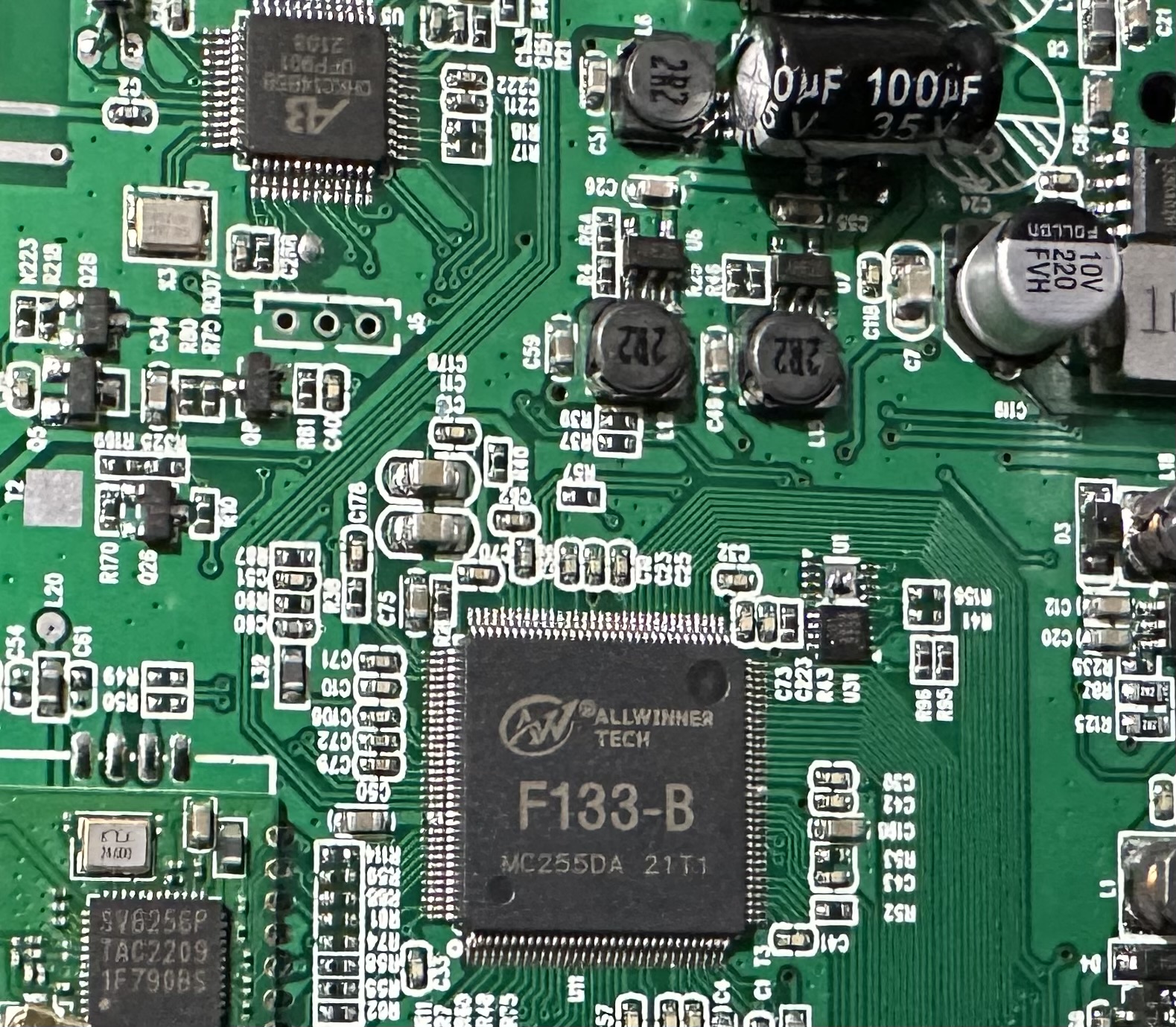
    Try flashing the SPI EEPROM with this bin dump, from working 7010B with F1c2100s chip. Included in the rar is the CRC32 hash value, so be sure to check the bin file hash with Hash My Files, after extraction, just to be sure that the content was not changed in the process of downloading the file.

    Notice: It is a bin dump, not intended to be uploaded to USB stick.

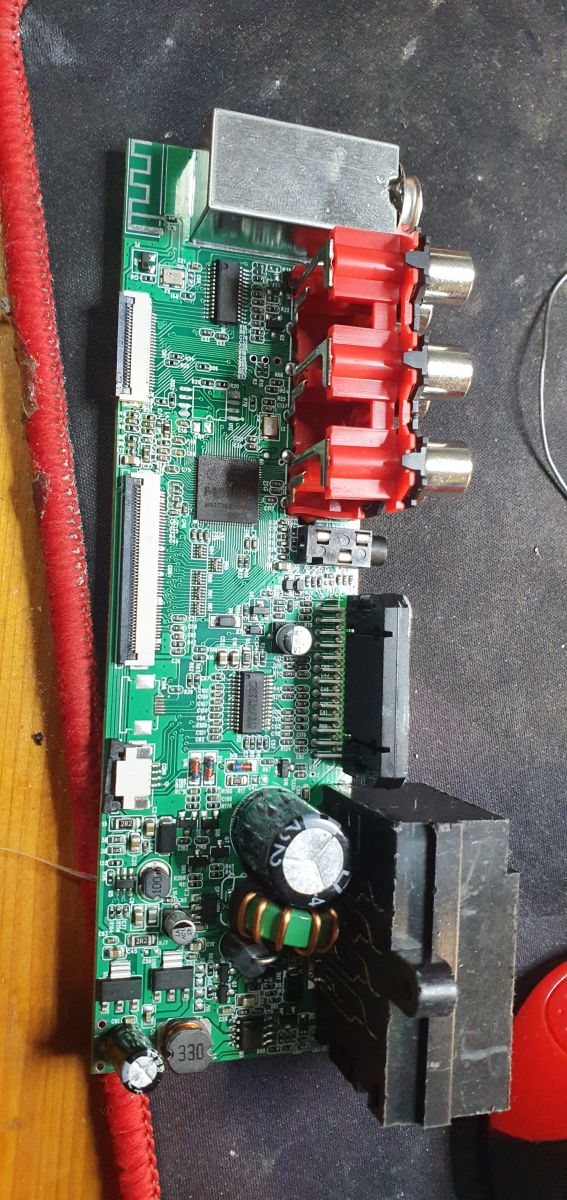
    The board has no part number printed (Notice: EEPROM is removed for flashing, it is a 25L6436F):
    mp5 car 7010b - after install new firmware, the device turn on but dont have dis
    Attachments:
    • 7010b f1c200s bin dump.rar (5.91 MB) You must be logged in to download this attachment.
  • ADVERTISEMENT
  • #10 20293359
    ychokri7
    Level 1  
    Posts: 1
    hello guys,
    someone help me! I updated my mp5 car player 7010B after finish he performed a reboot the welcome screen after that changed to grey color full screen without any touch screen or button working! how can I do another update or flash if nothing is working on it... does someone have the same problem and solve it...
    heeeelp!!!! heeeelp!!!
  • ADVERTISEMENT
  • #11 20329001
    jcefjepp2022
    Level 1  
    Posts: 1
    Rate: 1
    ychokri7 wrote:
    hello guys ,
    someone help me ! i updated my mp5 car player 7010B after finish he performed a reboot the welcome screen after that changed to grey color full screen without any touch screen or button working ! how can i do an other update or flash if nothing working on it ...does someone has the same problem and solve it ...
    heeeelp !!!! heeeelp!!!

    WITH WHAT UPDATE FILE DID YOU UPDATE IT POST YOUR INFO
    THIS IS MINE
    7010B
    V7.52BT-FK-TP-P
    MCU V 4.26
    TIME 2019.03-13 115300
    INFO ZCD-7089-6905-P
  • #12 20460090
    sammebakshi
    Level 1  
    Posts: 1
    >>19496960
    Touch working wrong; also, reverse camera not working after this update
  • #13 20568451
    boodramkevin
    Level 2  
    Posts: 2
    >>20293359
    I have the same issue. Did you find a solution?
  • #14 20595610
    look4jithesh
    Level 2  
    Posts: 4
    >>19503928

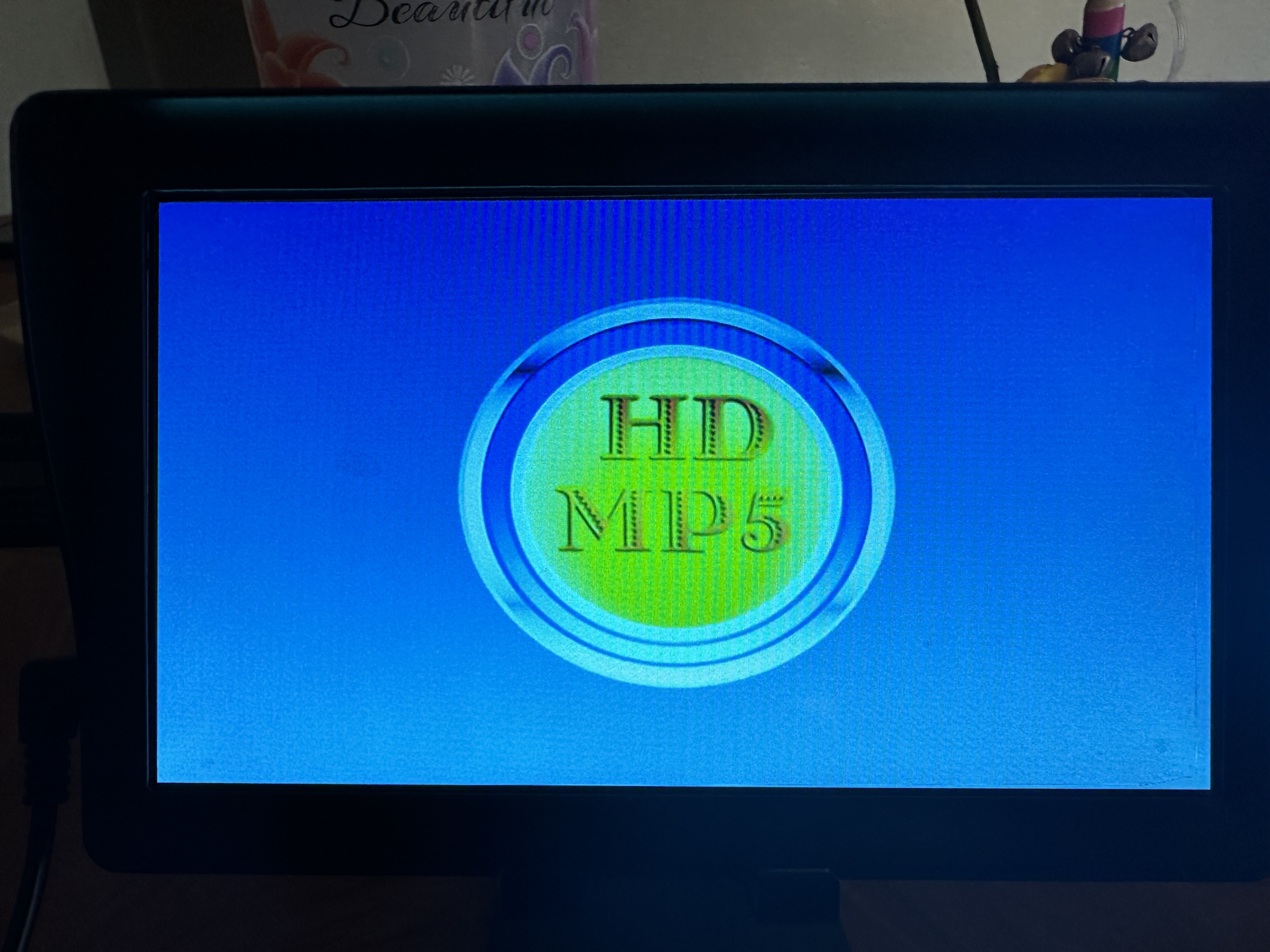
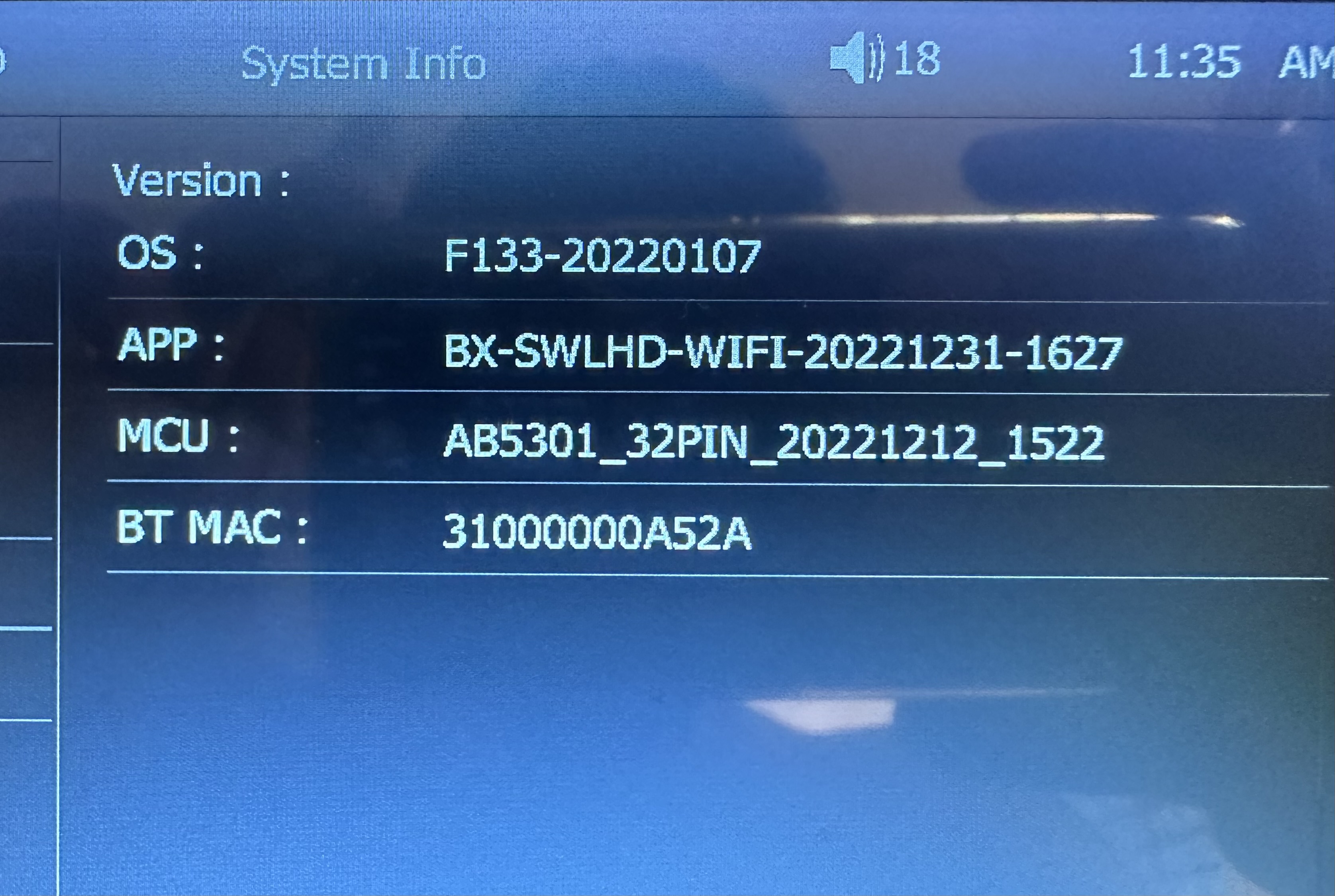
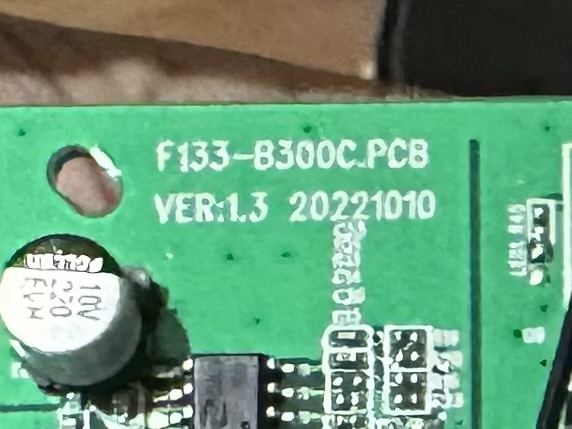
    Can you help me to update or get the firmware for below attached model. I am new to this community and am searching for the firmware. My device working fine. But I wish to add my vehicle boot logo (FORD).
    Attachments:
    • mp5 car 7010b - after install new firmware, the device turn on but dont have dis IMG_1027.jpeg (1.76 MB) You must be logged in to download this attachment.
    • mp5 car 7010b - after install new firmware, the device turn on but dont have dis IMG_1026.jpeg (1.29 MB) You must be logged in to download this attachment.
    • mp5 car 7010b - after install new firmware, the device turn on but dont have dis IMG_1114.jpeg (77.13 KB) You must be logged in to download this attachment.
    • mp5 car 7010b - after install new firmware, the device turn on but dont have dis IMG_1116.jpeg (876 KB) You must be logged in to download this attachment.
  • #15 20622269
    yasirshambat
    Level 1  
    Posts: 1
    Rate: 3

    >>19451500
    My device is 7051i updated by ePDKv100 file. The device is on but without the touchscreen and the volume is low.
  • #16 20655423
    labophototaoujtate2
    Level 1  
    Posts: 1
    Rate: 2

    mp5 car 7010b - after install new firmware, the device turn on but dont have dis mp5 car 7010b - after install new firmware, the device turn on but dont have dis
  • #17 20753039
    omer76
    Level 1  
    Posts: 1
    Rate: 1

    There is no Ford logo on the MP5 player in my car. The brand is Piranha. Is there any software suitable for it? If so, how can I install it? Is there anyone who can help me? My best regards.
  • #18 20841174
    grafikanewco
    Level 2  
    Posts: 2
    Rate: 1
    @omer76 @look4jithesh
    If you have F133 software
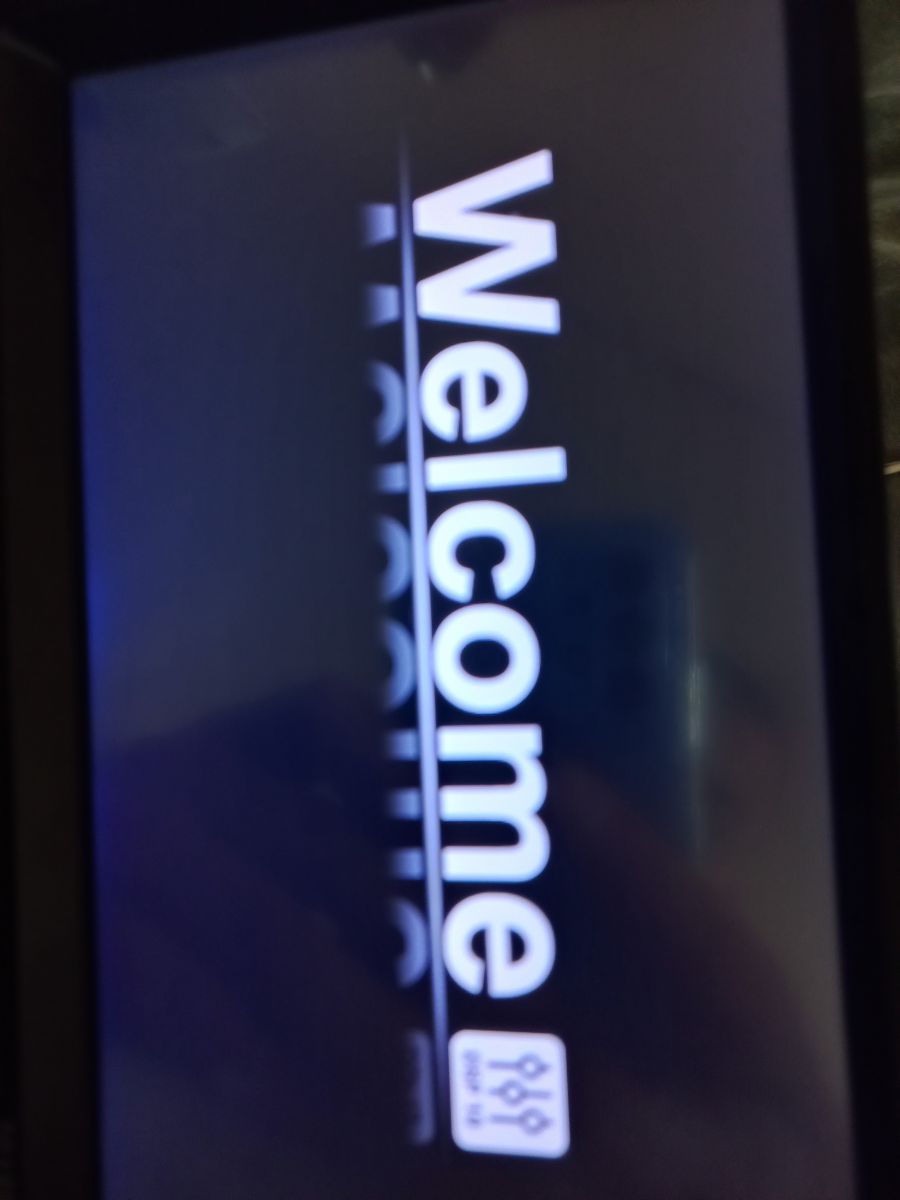
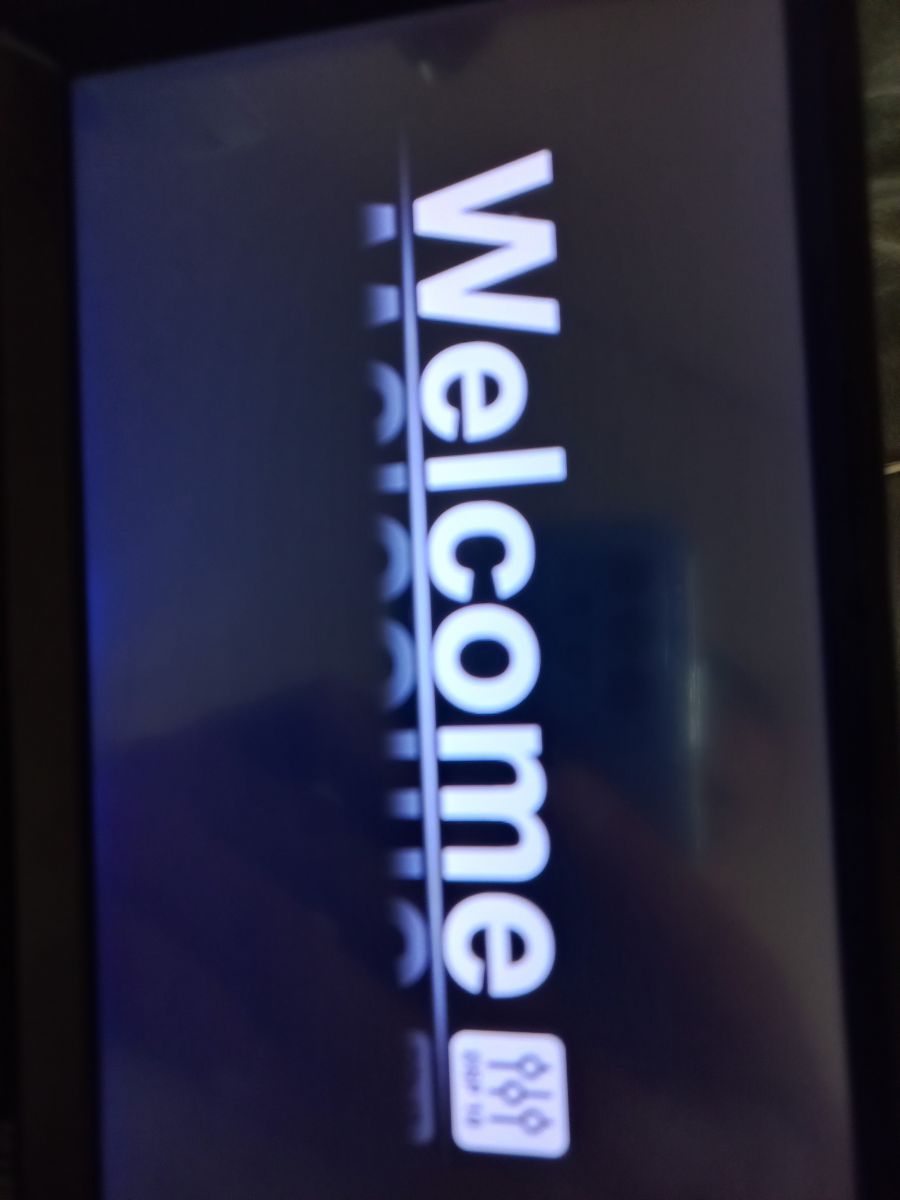
    All you need to do is put a JPG image with the appropriate resolution for your model on a pendrive in a folder called "logo".
    In the factory settings, enter the code 112233 and switch the memory to external.
  • #19 20885388
    xmyrtja9
    Level 1  
    Posts: 1
    Rate: 6
    7010B
    BT NAME CAR-KIT
    MCU V00.00
    TIME 2020.06.28
    SOFT VERSION: ZCD-7089-6905-APK-11-02
    CAN SOMEONE HELP ME, AFTER INSTALLATION OF THIS SOFTWARE, THERE IS NO SOUND AND THE ON AND OFF BUTTON DOESN'T WORK. CAN SOMEONE HELP. THANKS
  • #20 21287481
    wwwexcess
    Level 1  
    Posts: 1
    Rate: 1
    It's the same with me after installing it works the display doesn't turn on how can I fix it

Topic summary

✨ After installing new firmware on the MP5 car player model 7010B, users report that the device powers on but does not display any content. Common issues include a grey screen, unresponsive touch controls, and problems with sound and camera functionality. Several users have experienced similar problems, often linked to the firmware update process, including potential issues with the source of the firmware, the format of the USB drive used for the update, and the specific update files applied. Suggestions for troubleshooting include checking the firmware source, ensuring the USB drive is formatted correctly (FAT, not FAT32), and attempting to flash the SPI EEPROM with a specific bin dump file. Users also seek assistance in obtaining firmware updates and customizing boot logos for their devices.
Generated by the language model.

FAQ

TL;DR: 1 GB USB and FAT (not FAT32) resolve many 7010B update hangs; "Everything matters... pendrive size as small as 1GB and FAT, not FAT32." This FAQ helps 7010B/MP5 owners fix no‑display, stuck updates, bad touch, and logo setup safely. [Elektroda, mgbk85krk, post #19503928]

Why it matters: It prevents soft‑bricking and speeds recovery after a bad flash for budget car MP5 head units.
Quick Facts

How do I fix a 7010B that powers on but the display stays black/grey after a firmware update?

Recover by hardware‑flashing the SPI EEPROM with a known‑good bin for the F1c2100s board. Verify the CRC32 after extracting the archive. "Notice: It is a bin dump, not intended to be uploaded to USB stick." You need an SPI programmer and access to the 25L6436F chip. This restores a working boot and display. [Elektroda, m_damir, post #19927531]

The update screen freezes on "Updating firmware" — what should I try?

Use a small pendrive, 1 GB capacity, and format it as FAT, not FAT32. Recopy the update files cleanly, then retry the update. USB media quirks can block the installer. If it still hangs, the fault may be in memory or the processor, not only the stick. [Elektroda, mgbk85krk, post #19503928]

Is it safe to install firmware from a YouTube link?

No. Users reported the same no‑display problem after flashing from a YouTube link. Avoid unverified links and seek known sources or verified dumps. Expired links also complicate recovery and verification. [Elektroda, eduardo070489, post #19478703]

How can I update my 7010B firmware safely?

Prepare the USB correctly. Use a 1 GB stick and format it as FAT, not FAT32. Copy only the required update files. Insert into the unit and follow on‑screen prompts. If it still fails, suspect a hardware or memory issue rather than the media. [Elektroda, mgbk85krk, post #19503928]

Touch works wrong or the reverse camera stopped after an update — what now?

This symptom appears after flashing an incompatible build. Seek firmware that matches your specific board and touch panel variant. Avoid reusing the problematic update package. If inputs are unusable, plan an offline recovery using a correct image for your hardware. [Elektroda, sammebakshi, post #20460090]

How do I add my Ford boot logo on units with F133 software?

Place a JPG with the exact screen resolution in a USB folder named "logo". Open Factory settings, enter 112233, then switch the logo memory source to External. Reboot to apply the custom boot screen. This avoids full firmware flashing. [Elektroda, grafikanewco, post #20841174]

My Piranha MP5 lacks a Ford logo option — can software add it?

If your unit runs F133 software, you can add any JPG logo from USB. Put the file in a "logo" folder, enter factory code 112233, and change the logo source to External. No firmware change is required. [Elektroda, grafikanewco, post #20841174]

The YouTube firmware link expired — what’s the next step?

Do not chase dead links. Follow the documented recovery/update method shared in the thread instead of the expired YouTube file. Seek a maintained source or a verified dump when links die. [Elektroda, gradek83, post #19496960]

What system info should I share to get the right firmware?

Share the device model and full software page details. Include Software version (e.g., V7.52BT‑FK‑TP‑P), MCU version (e.g., V 4.26), build time (e.g., 2019.03‑13 115300), and the INFO string (e.g., ZCD‑7089‑6905‑P). These fields help match a compatible build. [Elektroda, jcefjepp2022, post #20329001]

Which internal chips matter when choosing firmware for the 7010B?

Chipset and EEPROM dictate compatibility. Some 7010B boards use the Allwinner F1c2100s and a 25L6436F SPI EEPROM. Board IDs may be missing, so match dumps to the chip set. Verify CRC32 of any image before flashing. [Elektroda, m_damir, post #19927531]

After installing ZCD-7089-6905-APK-11-02, there’s no sound and the power button doesn’t work. What should I do?

This edge case was reported with MCU showing V00.00 and lost audio and power control. Avoid reusing that package. Seek a firmware image that matches your board’s MCU and software family, then reflash. Document your current versions before proceeding. [Elektroda, xmyrtja9, post #20885388]

Can cross‑flashing a 7051i with ePDKv100 cause input or audio issues?

Yes. A 7051i flashed with ePDKv100 powered on but lost touchscreen and had very low volume. That indicates an incompatible update. Use a package built for the 7051i hardware only. Avoid cross‑flashing between similar models. [Elektroda, yasirshambat, post #20622269]

How do I reflash the 25L6436F SPI EEPROM for recovery? (3‑step How‑To)

  1. Desolder or clip onto the 25L6436F SPI EEPROM and connect to an SPI programmer.
  2. Program the verified working bin for F1c2100s hardware, then verify the CRC32 hash.
  3. Resolder, power up, and confirm display and inputs return. "Notice: It is a bin dump, not intended to be uploaded to USB stick." [Elektroda, m_damir, post #19927531]
Generated by the language model.
ADVERTISEMENT