logo elektroda
logo elektroda
X
logo elektroda

Toshiba 43UA2063DG Vestel 17MB170 Stuck on Logo—Request for Original Firmware Update

ilomcheto 2007 24
Best answers LABEL_AI_GENERATED

How can I recover a Toshiba 43UA2063DG with a Vestel 17MB170 board that freezes on the TOSHIBA logo after a firmware update?

Install the package `upgrade_no_tvcertificate.pkg` from a USB stick: unzip it, copy the file to the stick, unplug the TV, insert the USB, then power the TV back on and let the installation finish [#21695328] A user reported that after flashing the firmware for the Toshiba 43UA2063DG / 17MB170 / VES430QNDB-N2-N42, the double image disappeared, so the package appears to be the correct recovery file for this set [#21695125][#21695328] If the TV keeps finding and reinstalling the same update when connected to Wi‑Fi, check the TV menu for an option to disable internet updates [#21695372] If there is no such option in the normal menu, also look in the service menu [#21695381]
AI summary based on the discussion. May contain errors.
ADVERTISEMENT
  • Wrong firmware caused double image and update loop

    #1 21694795
    ilomcheto
    Level 3  
    Posts: 5
    Rate: 5
    Hello, I have a problem with Toshiba 43UA2063DG, Vestel 17MB170.
    The problem is that the screen freezes on TOSHIBA logo and stuck.
    I want the original firmware to make an update and I hope to take the problems off.
    Thank you!
    AI: Can you please tell how this problem started—did it happen after a power outage, firmware update, or something else?
    After the firmware update. Without any solutions.
    AI: Have you already tried any troubleshooting steps, like factory reset or using a USB to update the firmware? If yes, what did you try?
    I installed the firmware from here, for the board 17mb170 and the picture became double on the right and on the left. When I connected it to the internet it wants to update and it keeps updating with the exact same update every time.
  • ADVERTISEMENT
  • #2 21695125
    yokoono51
    Level 29  
    Posts: 815
    Help: 172
    Rate: 316
    I have this:
    Toshiba 43UA2063DG main 17MB170 panel VES430QNDB-N2-N42
  • ADVERTISEMENT
  • #3 21695183
    ilomcheto
    Level 3  
    Posts: 5
    Rate: 5
    I think it will work.
  • #5 21695240
    ilomcheto
    Level 3  
    Posts: 5
    Rate: 5
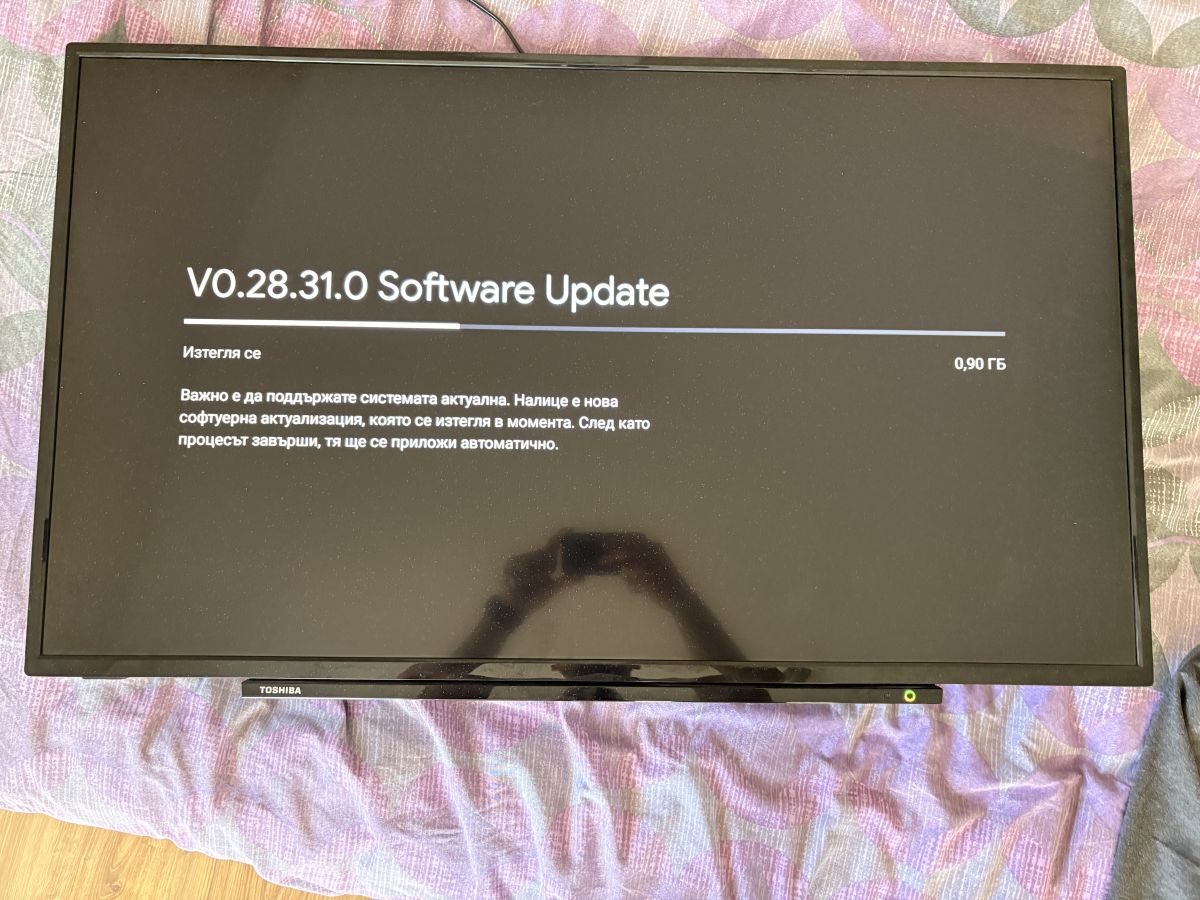
    Is there a way to stop checking for updates because it is constantly looking for an update and installing the same update. Take a picture
    TV screen showing software update V0.28.31.0 in progress, 0.90 GB downloaded
  • #6 21695328
    yokoono51
    Level 29  
    Posts: 815
    Help: 172
    Rate: 316
    Unzip and put the file upgrade_no_tvcertificate.pkg on the stick. Unplug the TV and insert the stick into the USB port. Plug the TV in and start the installation. Wait for it to finish.
  • #7 21695331
    ilomcheto
    Level 3  
    Posts: 5
    Rate: 5
    What I show in the picture is after I installed the software you sent me, there is no longer a double image, but immediately after connecting to the Wi-Fi network it finds an update and starts installing it. My thought is how to stop this with the updates, if I manage to stop it the TV will work perfectly.
  • #8 21695372
    yokoono51
    Level 29  
    Posts: 815
    Help: 172
    Rate: 316
    Look in the menu. There you will find the setting to stop updating via the internet.
  • #9 21695379
    ilomcheto
    Level 3  
    Posts: 5
    Rate: 5
    Is it possible that there is no such option?
  • ADVERTISEMENT
  • #11 21734149
    kaixianlcd
    Level 1  
    Posts: 1
    Hi, I have a same TV has same issue, could you send me the update file too, the link you posted is expired, thanks
  • ADVERTISEMENT
  • #12 21840814
    dimitrios1208
    Level 6  
    Posts: 9
    Please, I need the file. Can someone upload it again? Main 17MB170 panel VES4300NDH-N2-N51
  • #13 21841026
    Michał99
    Level 33  
    Posts: 2743
    Help: 140
    Rate: 345
    dimitrios1208 wrote:
    VES4300NDH-N2-N51


    Should be VES430QNDH-N2-51
    Create a new topic, insert a picture of the panel.
  • #14 21937659
    CukMaster
    Level 3  
    Posts: 6
    Could you please send me that link again, as it has expired. Thanks for your help.

    Added after 12 [minutes]:


    Toshiba 43UA2063DG Vestel 17MB170 Stuck on Logo—Request for Original Firmware Update
    I’m having the problem shown in the photo in the link - can anyone help me?
  • #15 21937678
    yokoono51
    Level 29  
    Posts: 815
    Help: 172
    Rate: 316
    >>21937659
    I have this:
    Toshiba 43UA4B63DA main 17MB170 panel VES430QNZB-N4-Z02
  • Requesting USB recovery firmware for exact panel

    #16 21937683
    CukMaster
    Level 3  
    Posts: 6
    Hello.

    Thank you for your reply.

    My TV is:

    Toshiba 43UA2063DG
    Main board: 17MB170
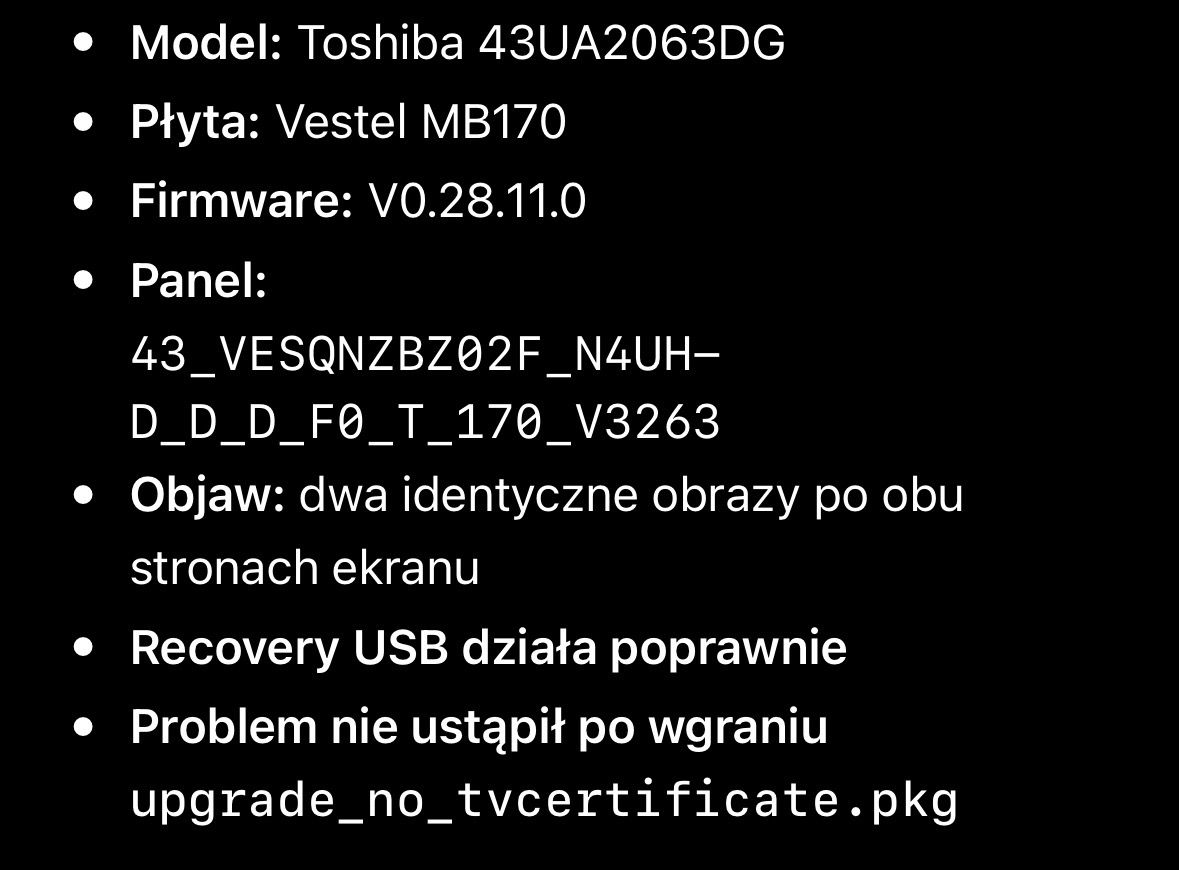
    Firmware: V0.28.11.0
    Panel: 43_VESQNZBZ02F_N4UHD_D_D_F0_T_170_V3263
    The TV would not start (red/green flashing LED). I installed upgrade_no_tvcertificate.pkg, and now the TV works, but I have two identical images side by side.

    Could you please send me the correct USB recovery firmware for this exact panel?

    Thank you very much.

    Added after 15 [minutes]:

    Thank you.

    My panel, as shown in the service menu, is:

    43_VESQNZBZ02F_N4UHD_D_D_F0_T_170_V3263

    Do you think your firmware is compatible with this panel, or do you have firmware specifically for this panel?
  • #18 21937734
    CukMaster
    Level 3  
    Posts: 6
    The firmware has been installed successfully (100%). The TV restarted and completed the first-time setup, but the screen is still split (two identical images side by side). My panel is 43_VESQNZBZ02F_N4UHD_D_D_F0_T_170_V3263. Do you have another firmware version specifically for this panel?
  • #19 21937741
    billobirillo
    Level 33  
    Posts: 1141
    Help: 338
    Rate: 797
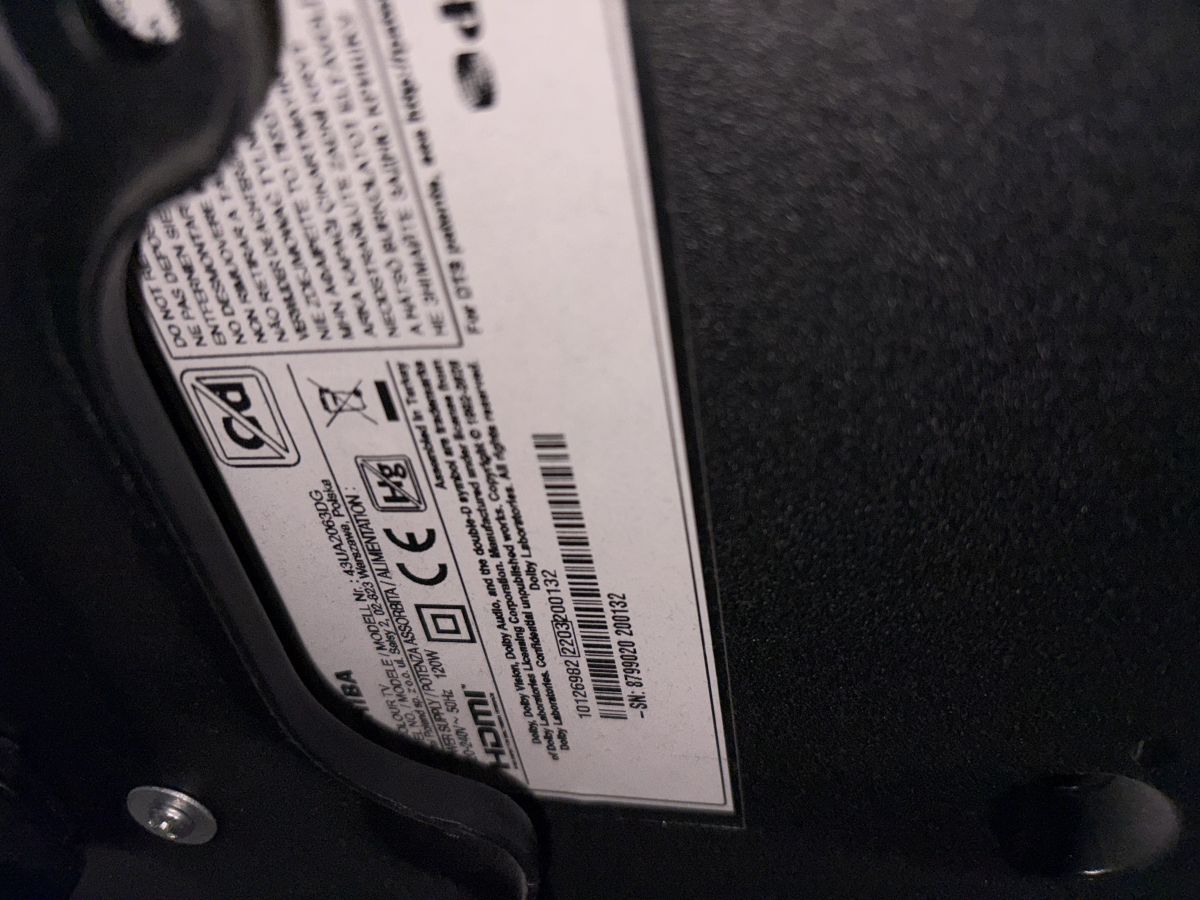
    post a photo of the sticker on the back of the TV
  • #20 21937764
    CukMaster
    Level 3  
    Posts: 6
    Here is the sticker from the back of my TV.
    Toshiba 43UA2063DG Vestel 17MB170 Stuck on Logo—Request for Original Firmware Update
  • #21 21937775
    billobirillo
    Level 33  
    Posts: 1141
    Help: 338
    Rate: 797
    >>21937764

    You need software for the VES430QNDH-N2-N42 panel
  • #22 21937800
    yokoono51
    Level 29  
    Posts: 815
    Help: 172
    Rate: 316
    >>21937734
    You have entered the wrong panel code. The code you posted is the one displayed *after* the software was incorrectly rewritten. The original code is the one posted by our colleague billobirillo.
  • #23 21937802
    CukMaster
    Level 3  
    Posts: 6
    Thank you very much. Could you please send me the correct software for the VES430QNDH-N2-N42 panel?
  • #24 21937824
    billobirillo
    Level 33  
    Posts: 1141
    Help: 338
    Rate: 797
    I found this one, for an Electronia model: same mainboard and same panel, but I’ve never tested it myself
    Here is the software link

    It works, but I don’t know what the final result will look like on screen, as the TCON is slightly different: PT430GT01-3 instead of PT430GT01-1
  • #25 21937935
    CukMaster
    Level 3  
    Posts: 6
    Hello!

    I wanted to sincerely thank you for your help and for taking the time to find the right software for my TV.

    I installed the firmware you provided, and it worked perfectly. The TV is now working correctly, and the screen duplication problem has completely disappeared.

    I really appreciate your kindness, patience, and expertise. Thank you very much for your help!

    Kind regards,
    CukMaster

Topic summary

LABEL_AI_GENERATED
Toshiba 43UA2063DG with Vestel 17MB170 main board was stuck on the TOSHIBA logo after a firmware update. An original firmware package was requested to recover the TV, because a previously installed 17MB170 firmware caused a double image on both sides of the screen and the TV repeatedly detected and installed the same internet update. A recovery package was shared and the installation method was described: copy upgrade_no_tvcertificate.pkg to USB, unplug the TV, insert the stick, power on, and wait for the update to finish. The remaining issue was how to stop the TV from continuously checking for and reinstalling the same online update; it was suggested to look for an internet update disable option in the menu or service menu.
AI summary based on the discussion. May contain errors.
ADVERTISEMENT