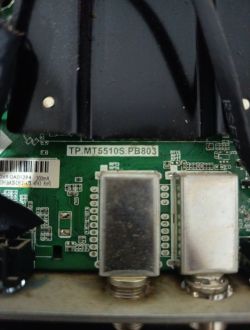
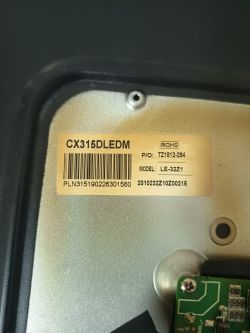
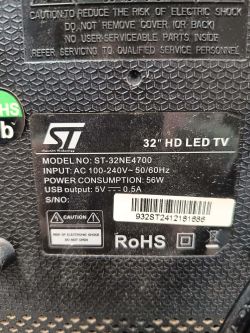
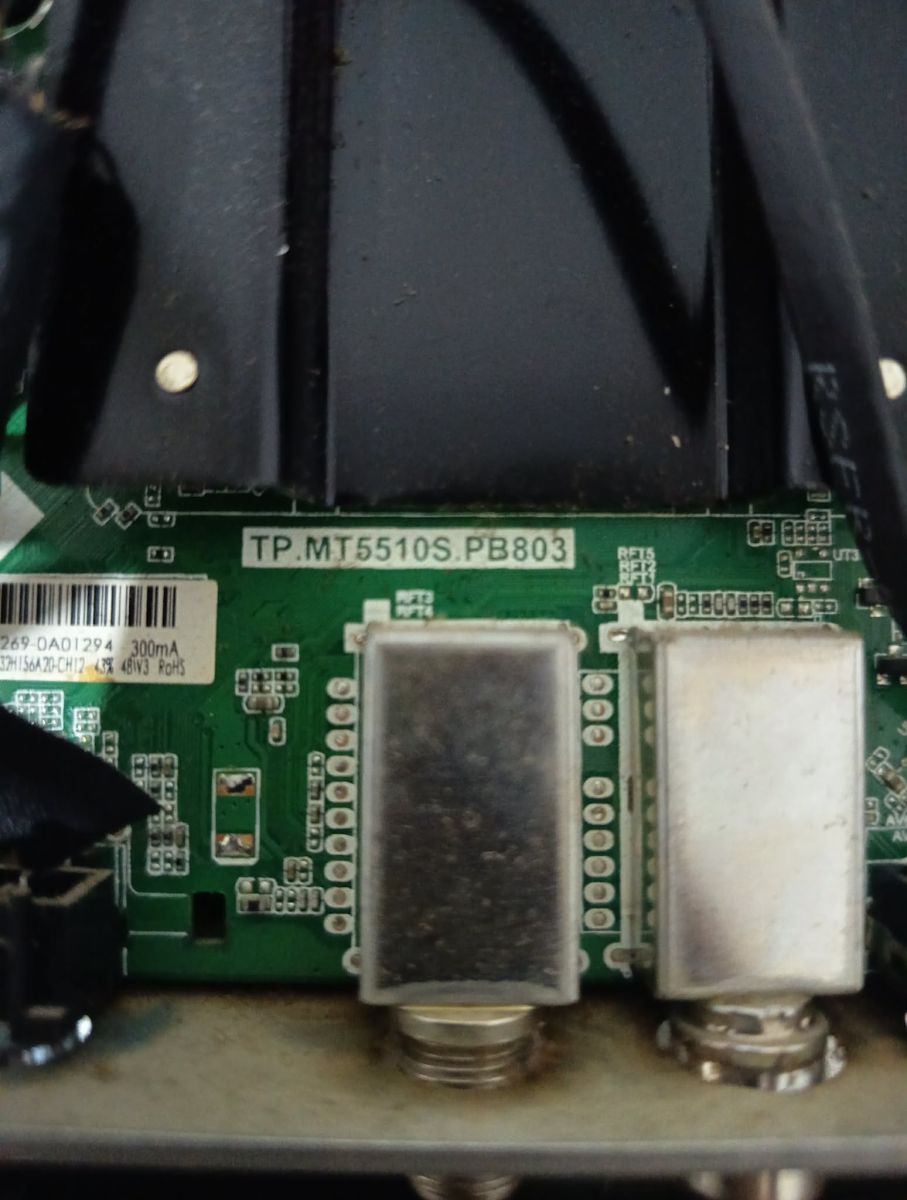
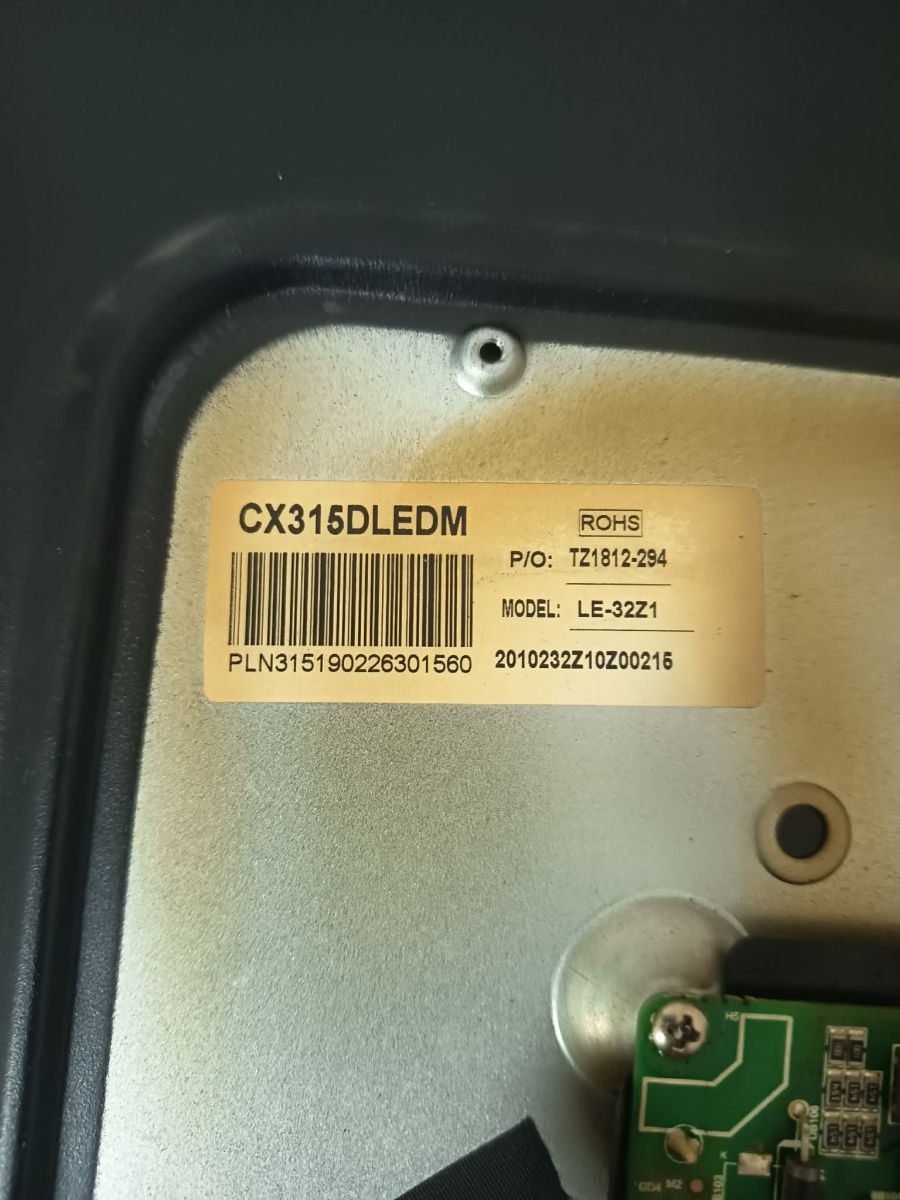
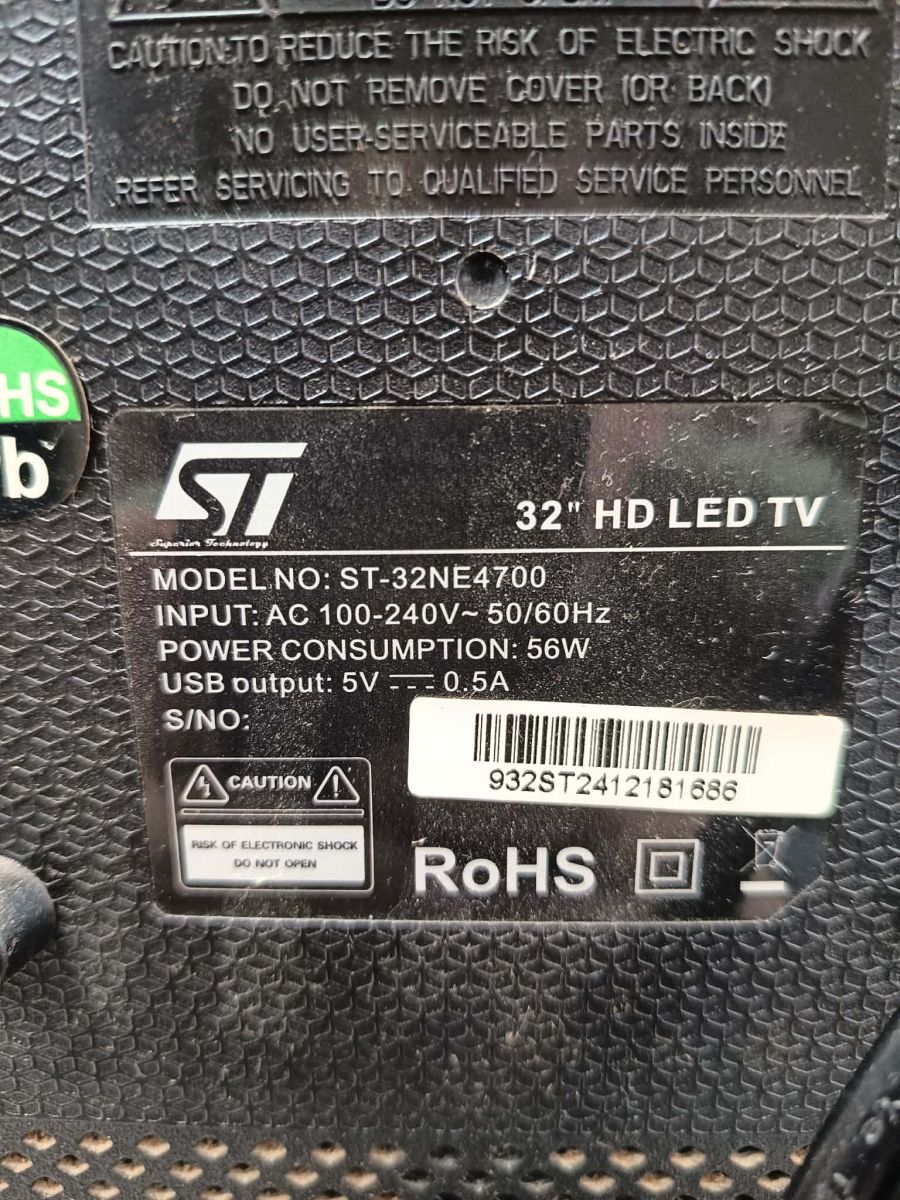
Hello everyone. I need software for a TV st-32ne4700, with motherboard number tp.mt5510s.pb803 and panel number cx315dledm. They are also available as pictures. Can anyone help me?
AI: Can you please describe the issue with your TV that requires you to look for new firmware? For example, is it not turning on, stuck on the logo, or having another problem? Stuck on the logo. AI: Have you already tried updating or flashing the firmware before, and do you know the current or previous firmware version installed on your TV? I don't know the previous firmware.
Here, this is a search of all of the available firmware for this board, whether it is USB update packages or SPI dumps, it’s mentioned. Keep in mind that the CX315DLEDM can vary panel to panel, so it’s best you go off the model on the TCON/COF board. http://televid-sib.org/index.php?action=search2@ElektrodaBot
Panel-specific firmware search for TP.MT5510S.PB803
Here, this is a search of all of the available firmware for this board whether it is USB update packages or SPI dumps, it’s mentioned. Keep in mind that the CX315DLEDM can vary panel to panel so it’s ...
Initial assessment
Yes, that search direction is useful, but the warning about CX315DLEDM variants is very important. From the photos in this topic the set is:
Item
Identified value
TV model
ST-32NE4700
Main board
TP.MT5510S.PB803
Panel sticker
CX315DLEDM
Panel model on sticker
LE-32Z1
Fault
Stuck on logo
The Elektroda topic itself confirms the same board/panel combination and the “stuck on logo” symptom. (elektroda.com)
What to search for
When using Televid-Sib or any other firmware archive, do not search only for
CX315DLEDM
. The same LCD family appears with different mainboards and different panel configurations.
Use these search combinations:
Code: text
Log in, to see the code
A currently indexed repair-file listing also exists for TP.MT5510S.PB803 + CX315DLEDM as a USB firmware package, published in June 2025, but it is only identified by board and panel, not necessarily by exact ST-32NE4700 brand/model or LE-32Z1 subvariant. Treat it as a candidate, not automatically as the guaranteed correct firmware. (kenotrontv.ru)
Important warning about panel matching
For this TV, the firmware must match at least:
1. Mainboard:
TP.MT5510S.PB803
2. Panel family:
CX315DLEDM
3. Panel sub-model:
LE-32Z1
4. Resolution: most likely HD, 1366×768 5. Memory layout: commonly 1 GB RAM / 8 GB eMMC on this platform, but confirm if possible 6. LVDS/panel option: VESA/JEIDA mapping, mirror/flip, bit depth, backlight control
A firmware for the same board but a different panel may boot, but can give:
- inverted image, - negative/solarized colors, - no picture with backlight, - wrong scaling, - wrong remote-control mapping, - or boot failure if the memory layout differs.
Also avoid files for boards such as
TP.V56.PB801
,
TP.MS3463S.PB818
,
HK.T.RT2841
, etc. They may also use
CX315DLEDM
, but they are not compatible with
TP.MT5510S.PB803
.
For the “stuck on logo” fault
Since the TV reaches the logo, the panel, backlight enable, LVDS output and basic bootloader stage are probably working. The usual causes on this Android/MediaTek type board are:
- corrupted Android filesystem, - corrupted eMMC partitions, - failed or worn eMMC, - less often corrupted SPI boot flash, - wrong previous update.
So the repair order should be:
1. Try USB recovery first
Use a USB firmware package matching:
Code: text
Log in, to see the code
Typical procedure:
1. Format a small USB stick, preferably 4–16 GB, as FAT32 / MBR. 2. Copy the firmware file to the root of the USB stick. 3. If the package instructions require it, rename the file to the expected emergency name, commonly something like:
Code: text
Log in, to see the code
4. Disconnect TV from mains. 5. Insert USB stick. 6. Hold the local TV button: usually POWER, sometimes VOL-, VOL+, or OK. 7. While holding the button, connect mains power. 8. Wait for LED blinking or update screen. 9. Do not interrupt power. Wait at least 10–15 minutes.
The exact filename and key combination may depend on the firmware package, so if you find a Televid-Sib file, post the full filename and description before flashing.
2. If USB does not start or TV remains on logo
Then USB recovery is not enough. On
TP.MT5510S.PB803
, the fault may be in the eMMC. A simple SPI dump may not repair a corrupted Android system if the main OS is stored in eMMC.
You then need:
Memory type
Tool
Comment
SPI NOR, e.g. 25Qxx
CH341A / TL866 / RT809H
Backup first, then write matching SPI dump
eMMC 8 GB
RT809H / UFPI / TNM / similar
Full dump or replacement eMMC may be required
Before writing anything:
1. Read and save the original SPI/eMMC content. 2. Keep backup copies. 3. If possible, preserve MAC address, Wi-Fi calibration, HDCP keys and factory data. 4. If eMMC has bad blocks or cannot verify after writing, replace the eMMC, not only reflash it.
Practical recommendation for this exact set
For this TV I would search and try in this order:
1. Exact ST-32NE4700 + TP.MT5510S.PB803 + CX315DLEDM / LE-32Z1 USB firmware. 2. If unavailable, a TP.MT5510S.PB803 + CX315DLEDM USB package for 32" HD panel. 3. If USB update fails, use a full eMMC dump from the same board and preferably the same
LE-32Z1
panel. 4. Use SPI-only dump only if you are sure the fault is in the SPI boot flash or if the archive explicitly says it is for this board/panel combination.
What the user should post next
Before anyone can say “this file is safe to use”, please post:
- the exact Televid-Sib result filename, - the full description from the firmware entry, - whether it is marked as USB, SPI dump, or eMMC dump, - close photo of the panel edge/COF board if accessible, - markings on the eMMC and SPI flash chips.
In short: the link is useful, but for this set the best matching key is not only
CX315DLEDM
; use TP.MT5510S.PB803 + CX315DLEDM + LE-32Z1. Start with USB recovery. If it still hangs on logo, suspect eMMC corruption or wear.
You can call me in any topic by writing @ElektrodaBot. Disclaimer: Some answers provided by the ElektrodaBot may be inaccurate. Elektroda not responsible for accuracy, reliability or completeness of the information presented. All ElektrodaBot responses should be verified by the user. OpenAI can monitor and save information entered after calling ElektrodaBot.