






Good morning, everyone,
This is my first post.
I have a Hitachi 55HAK6151 with a 17 MB170 mainboard.
It was stuck in a black-screen boot loop due to a storage-full error.
I searched the forum but couldn’t find a suitable firmware. However, I had read about a model that I thought was similar, so I tried using that firmware.
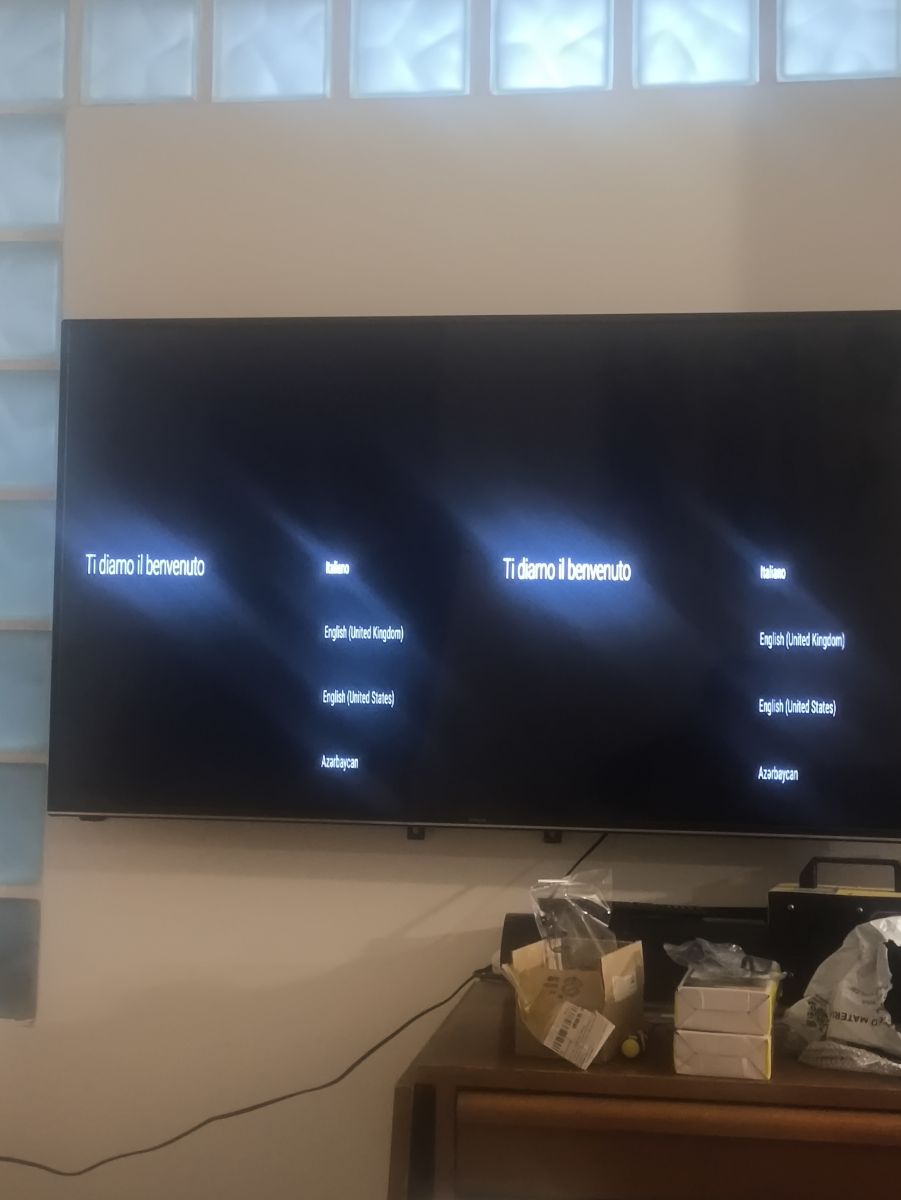
I prepared my USB stick, downloaded the software, and now the TV shows a duplicated split screen (left and right identical). At the end of the procedure, once the TV goes online, it tries to download updates but never completes them.
I now have another test firmware ready, but when I insert the USB stick, the TV keeps trying to finish the previous update — I can tell because it shows the wrong logo — and it doesn’t load the new firmware.
Can you help me?
I would really appreciate it.
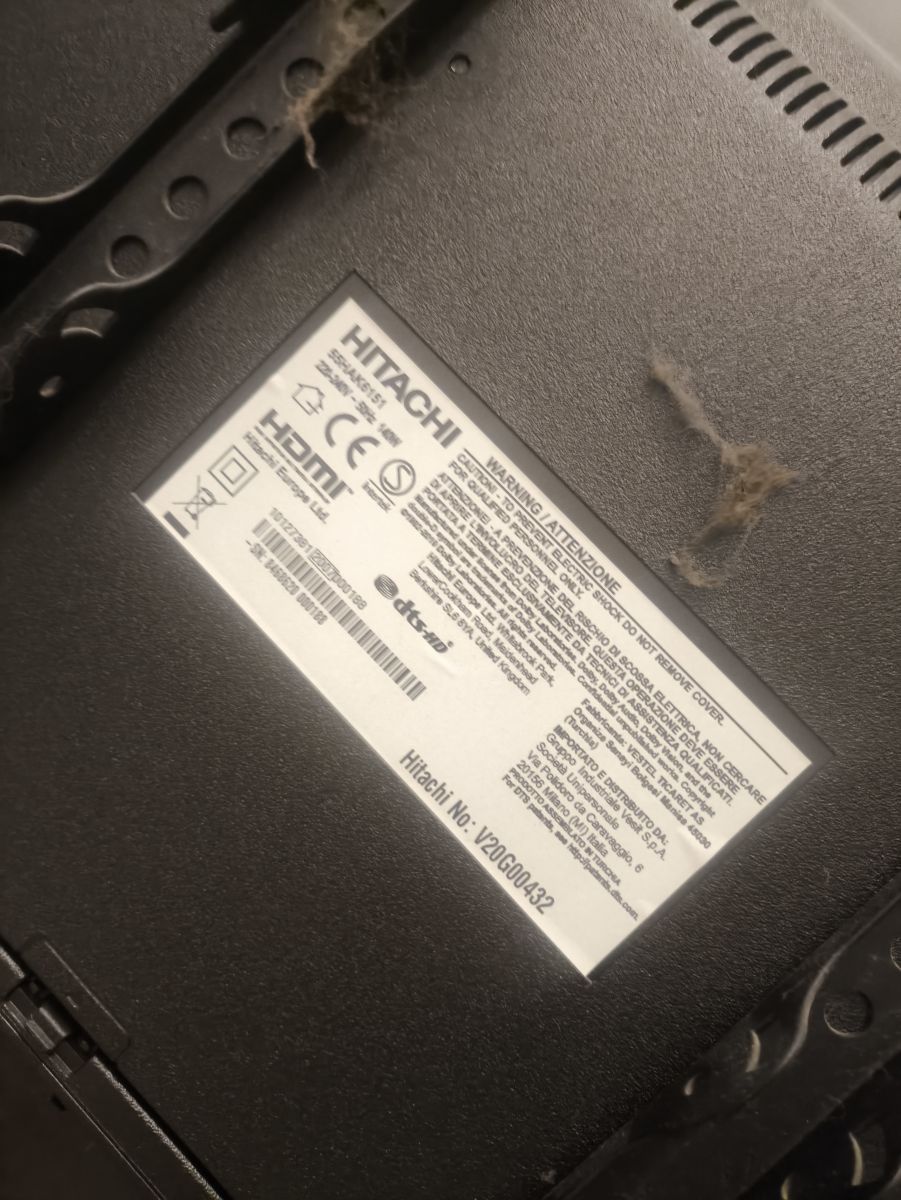
Could you tell us exactly which firmware you flashed first, and which firmware/package you are trying now (full model/chassis reference, file name, or link if possible)?
First the firmware was called 20210210.zip.
Now I want to try MB170_OEM_7180730_V028130.zip.
How are you trying to force the USB update now — for example, USB file/folder name, port used, whether the TV is connected to the internet, and what happens on screen/LED from power-on?
I’m waiting for your help because I honestly have no idea what else to try.
The TV is connected to the internet, the screen keeps trying to load the old software, and it’s split into two identical halves.
The remote control still works.
