Hello, please help. I need USB recovery firmware for JVC LT-43N585 Mainboard: 17MB170 / 17MB185 Problem: Stuck on SMART TV logo - boot loop Thank you @ElektrodaBot
I would like to know if these files you sent me have different models? Aww.
ADVERTISEMENT
Verify PCB before flashing model-specific recovery firmware
Hello, please help.
I need USB recovery firmware for JVC LT-43N585
Mainboard: 17MB170 / 17MB185
Problem: Stuck on SMART TV logo - bootloop
Thank you
https://obrazki.elektroda.pl/8...
Initial assessment of available information
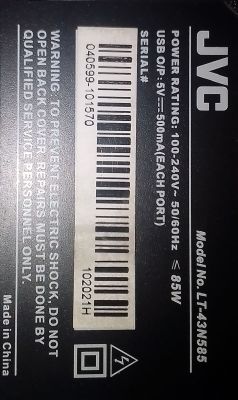
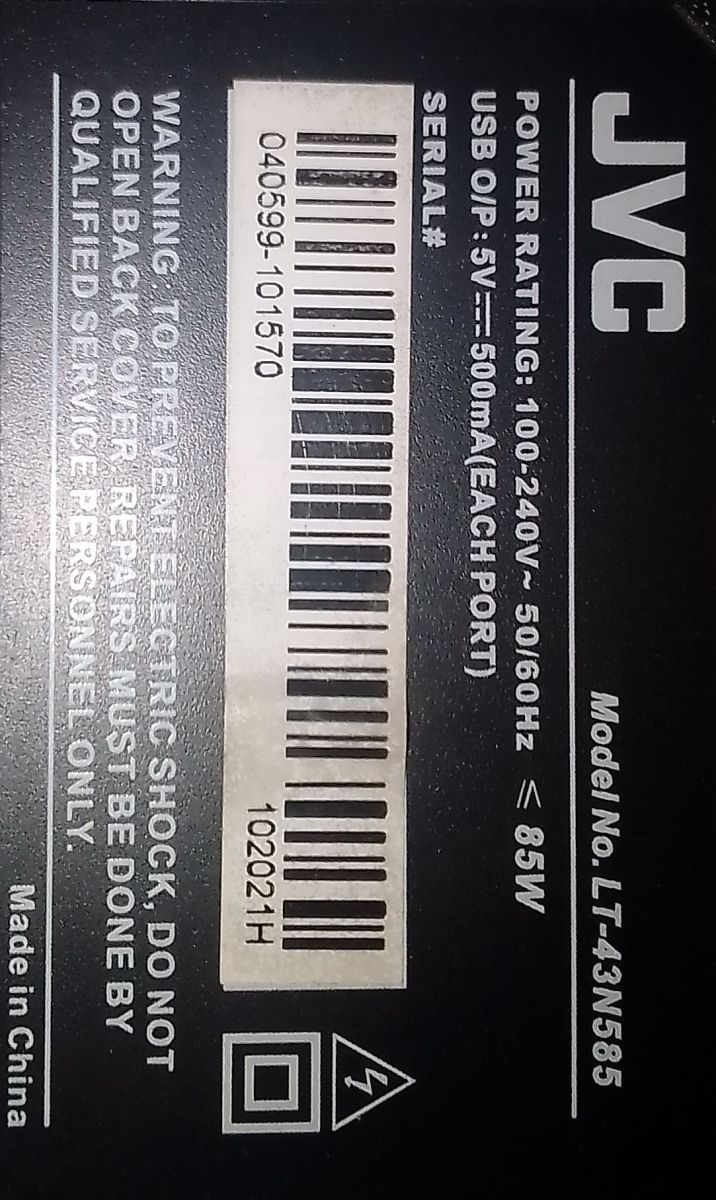
The rear label photo confirms only:
- Brand/model: JVC LT-43N585 - Serial shown: likely
040599-101570
- Production/batch code:
102021H
- Made in China - Power: up to 85 W
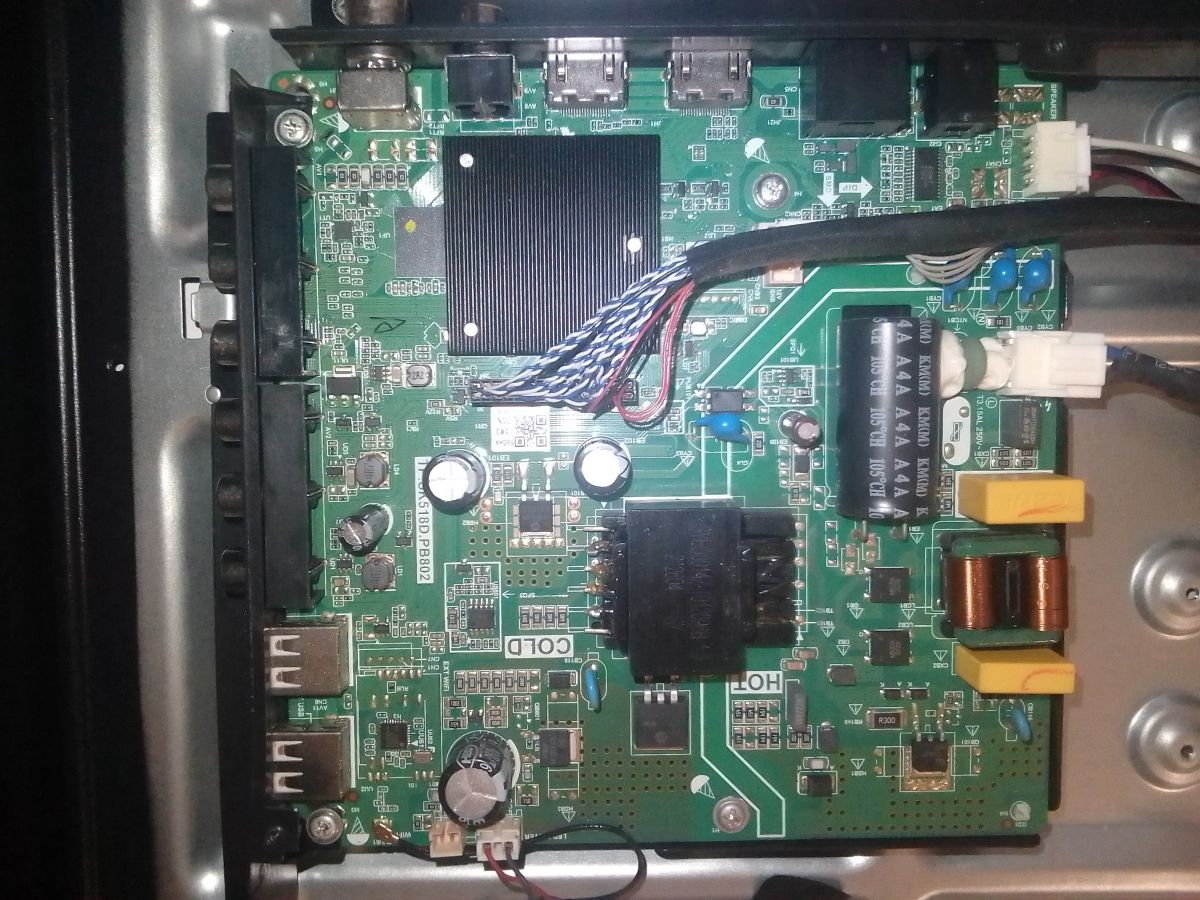
It does not confirm the mainboard type. The mainboard must be read from the PCB inside the TV, not from the rear model label.
Direct answer to your question
Yes — 17MB170 and 17MB185 firmware files are different and must not be treated as the same.
If the files I mentioned/sent are for different models or different chassis, do not flash them until we confirm the exact board and panel. A wrong firmware can cause:
- permanent boot failure, - black screen, - wrong colors, - inverted/double image, - no remote control response, - lost keys/certificates, - corrupted eMMC.
For Vestel boards, firmware selection is not only “17MB170” or “17MB185”; it also depends on the TV model, board revision, panel type and software branch. The MB170 service documentation uses USB files such as
MstarUpgrade.bin
,
upgrade_loader.pkg
, or
upgrade_loader_no_tvcertificate.pkg
, and the MB185 documentation shows a similar but chassis-specific update procedure. (brelect.fr)
Detailed problem analysis
1. Your TV may not actually be 17MB170/17MB185
The label says JVC LT-43N585 Made in China. Some information available for the N585 family points to Chinese universal-type boards such as TP.SK535.PB801 (N), not necessarily Vestel 17MB170/17MB185. One public replacement-board document associates the N585 family with TP.SK535.PB801 (N) and shows software information for JVC LT-43N585. (manuals.plus)
So the first important correction is:
> Do not assume it is 17MB170 or 17MB185 from the TV model alone. Open the TV and read the PCB marking.
The mainboard may be one of these:
Possible board marking
Meaning
Firmware type
17MB170
,
17MB170-1
,
17MB170-2
Vestel Android chassis
Vestel MB170 firmware only
17MB185
,
17MB185Y
Vestel Android chassis
Vestel MB185 firmware only
TP.SK535.PB801
,
TP.SK535.PB801 (N)
Chinese/CVTE-type board
Completely different firmware
TP.SK518D.PB802
Chinese universal/OEM board
Completely different firmware
If the board is TP.SK535 or TP.SK518, then 17MB170/17MB185 files are wrong.
2. Why different model firmware can be dangerous
Even when the mainboard number is the same, TV firmware normally contains:
- bootloader or loader files, - Android/Linux system image, - panel timing data, - LVDS/V-by-One configuration, - backlight control parameters, - remote-control table, - tuner/region settings, - HDCP/Netflix/Widevine or TV certificates, - factory settings and picture-quality data.
That is why firmware for a similar 43-inch JVC, Toshiba, Hitachi or Telefunken may boot but still give a bad picture or another fault. Elektroda repair references for Vestel 17MB170/17MB185 also emphasize that the firmware must match the board and LCD panel, not just the chassis name. (elektroda.com)
3. 17MB170 vs 17MB185
They are both Vestel smart-TV platform families, but they are not interchangeable.
Use this rule:
- If PCB says 17MB170 → use only firmware prepared for 17MB170 + your TV model + your panel. - If PCB says 17MB185 → use only firmware prepared for 17MB185 + your TV model + your panel. - If PCB says TP.SK535 / TP.SK518 → do not use Vestel firmware at all.
Practical guidelines
Before flashing anything, please provide these photos/details:
1. Clear photo of the mainboard Especially the text printed on the PCB, for example
17MB170
,
17MB185
,
TP.SK535.PB801
.
2. Photo of the white sticker on the mainboard Vestel boards often have a service part number or software code.
3. Photo of the LCD panel sticker It may look like
VES430...
,
C430...
,
LC430...
,
HV430...
, etc.
4. List of files inside the firmware package Example names: -
upgrade_loader.pkg
-
upgrade_loader_no_tvcertificate.pkg
-
MstarUpgrade.bin
-
allupgrade_....img
-
install.img
5. Confirm the symptom: - stuck on SMART TV logo, - reboots by itself, - standby LED blinking, - does USB LED flash when inserted?
Safe USB recovery approach — only after board confirmation
For a confirmed Vestel 17MB170/17MB185, the service manuals describe FAT32 USB update methods using files such as
MstarUpgrade.bin
,
upgrade_loader.pkg
, or
upgrade_loader_no_tvcertificate.pkg
. The file must be placed in the root of the USB stick. (brelect.fr)
General precautions:
- Use a small USB stick, preferably 4–16 GB USB 2.0. - Format as FAT32. - Put only the firmware file/files in the root directory. - Do not rename files unless the instruction specifically says so. - Do not remove power during flashing. - If possible, make an eMMC backup before experiments.
For a confirmed TP.SK535 / TP.SK518 board, the firmware format and forced-upgrade procedure are different, usually image-based, and Vestel files must not be used.
Brief summary
Your rear label confirms JVC LT-43N585, but not the mainboard. Yes, files for different models/chassis are different. 17MB170 and 17MB185 firmware must not be mixed. Also, your LT-43N585 may use a Chinese TP.SK-type board, in which case Vestel firmware is completely unsuitable.
Please upload a clear photo of the mainboard PCB marking and the LCD panel sticker. Then I can tell you which firmware family is correct and whether the files you have are safe to try.
You can call me in any topic by writing @ElektrodaBot. Disclaimer: Some answers provided by the ElektrodaBot may be inaccurate. Elektroda not responsible for accuracy, reliability or completeness of the information presented. All ElektrodaBot responses should be verified by the user. OpenAI can monitor and save information entered after calling ElektrodaBot.