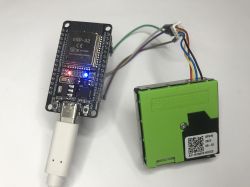
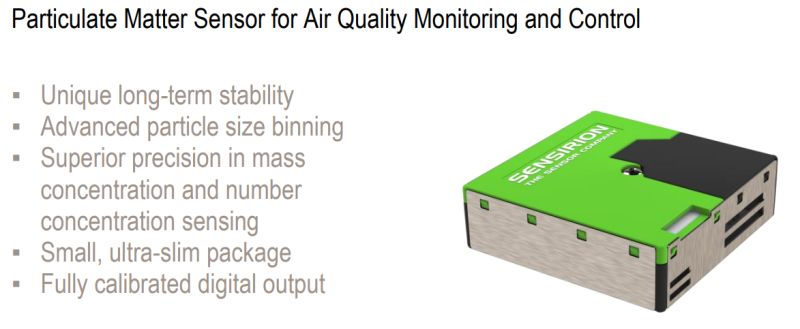
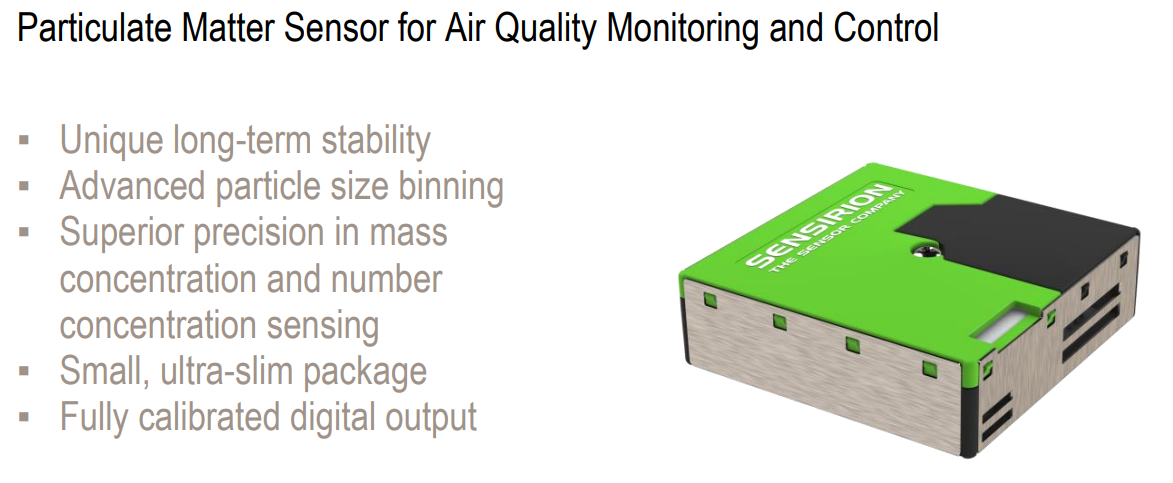
The SPS30 is an advanced particulate matter (PM) sensor from Sensirion that uses laser scattering technology to precisely measure PM1.0, PM2.5, PM4.0 and PM10. Unlike cheaper alternatives, such as the PMS5003 or SDS011, the SPS30 offers exceptional longevity (over 10 years of continuous operation) thanks to its integrated fan self-cleaning function and sealed, dirt-resistant optical design. It provides detailed data on both mass concentration (in μg/m³) and particle number concentration (in particles per cm³), as well as an estimate of the typical particle size.
It can communicate with microcontrollers via both the I2C bus and a standard UART serial port. The following presentation will focus on communication via the UART interface using the SHDLC protocol, first demonstrating support via a ready-made library, and then creating a minimalist, fully independent driver from scratch in pure C/C++.
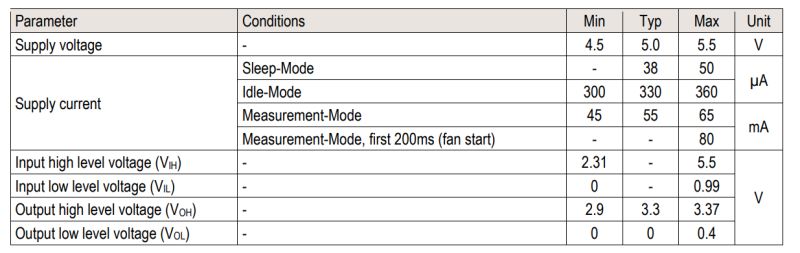
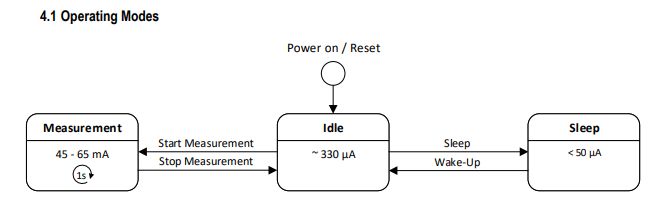
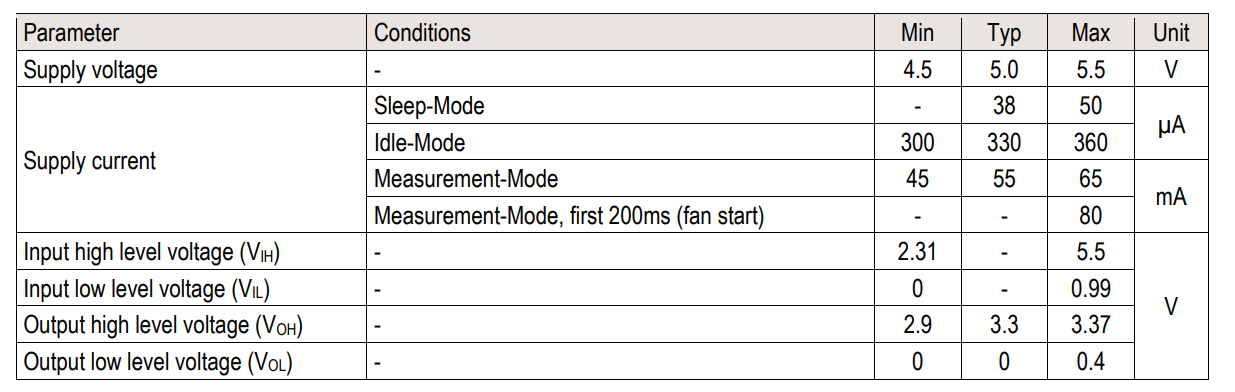
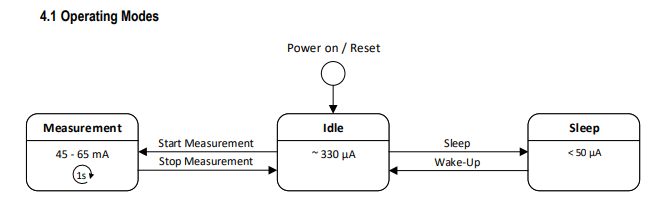
First, however, here is some information from the datasheet. The SPS30 operates at a voltage of 4.5 to 5.5 V, drawing up to 80 mA in measurement mode and up to 360 µA in idle mode; there is also a sleep mode option, with a current draw of less than 50 µA.
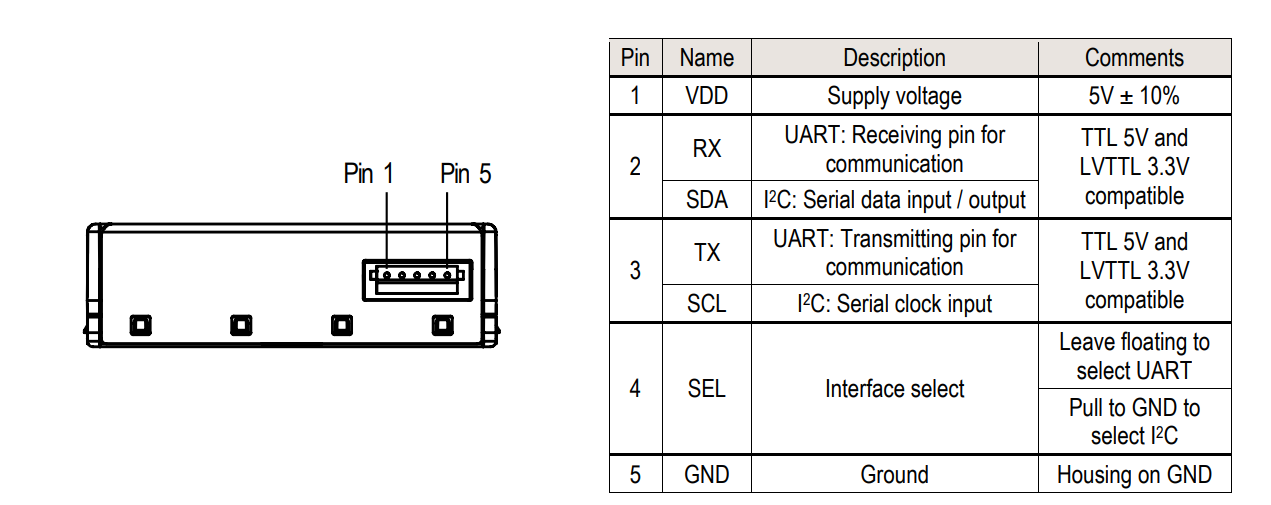
Its dimensions are 41 x 41 x 12 mm, it weighs 26 g, and the pinout is shown in the diagram:
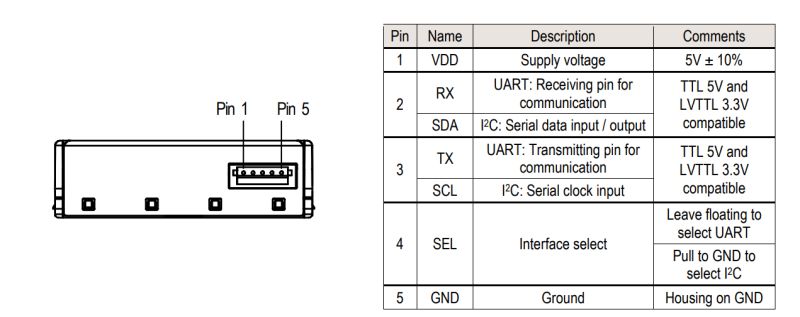
The SEL pin is used to select the operating mode; by default (when no signal is connected), UART is selected.
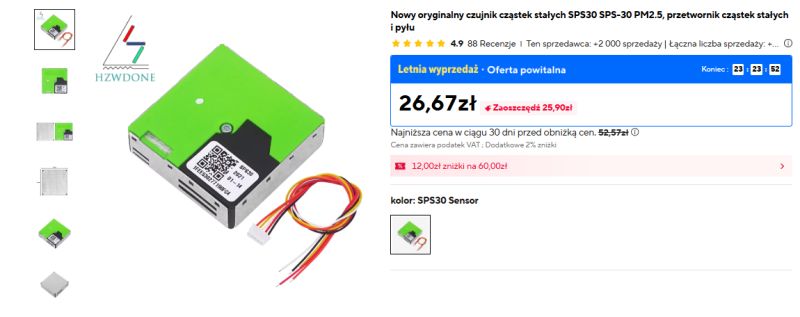
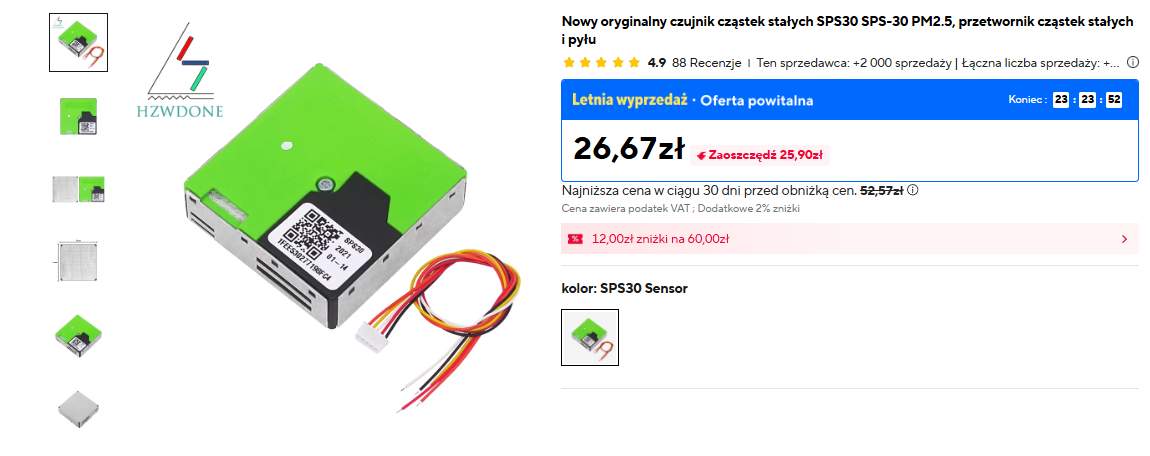
We still need to consider the price of this sensor – there may be quite a surprise here. On Polish websites, I’ve even seen it for as much as 200–300 zł. From China, however, you can import it for as little as 50 zł. Still expensive, but four times better than here.
Environment used
I implemented the project in the PlatformIO environment, which makes managing libraries and code much easier compared to the standard Arduino IDE. I have already described it in several of my other posts, including in
the PCF8574 presentation .

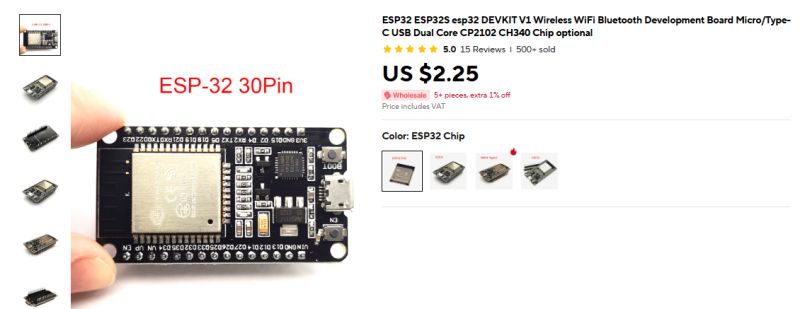
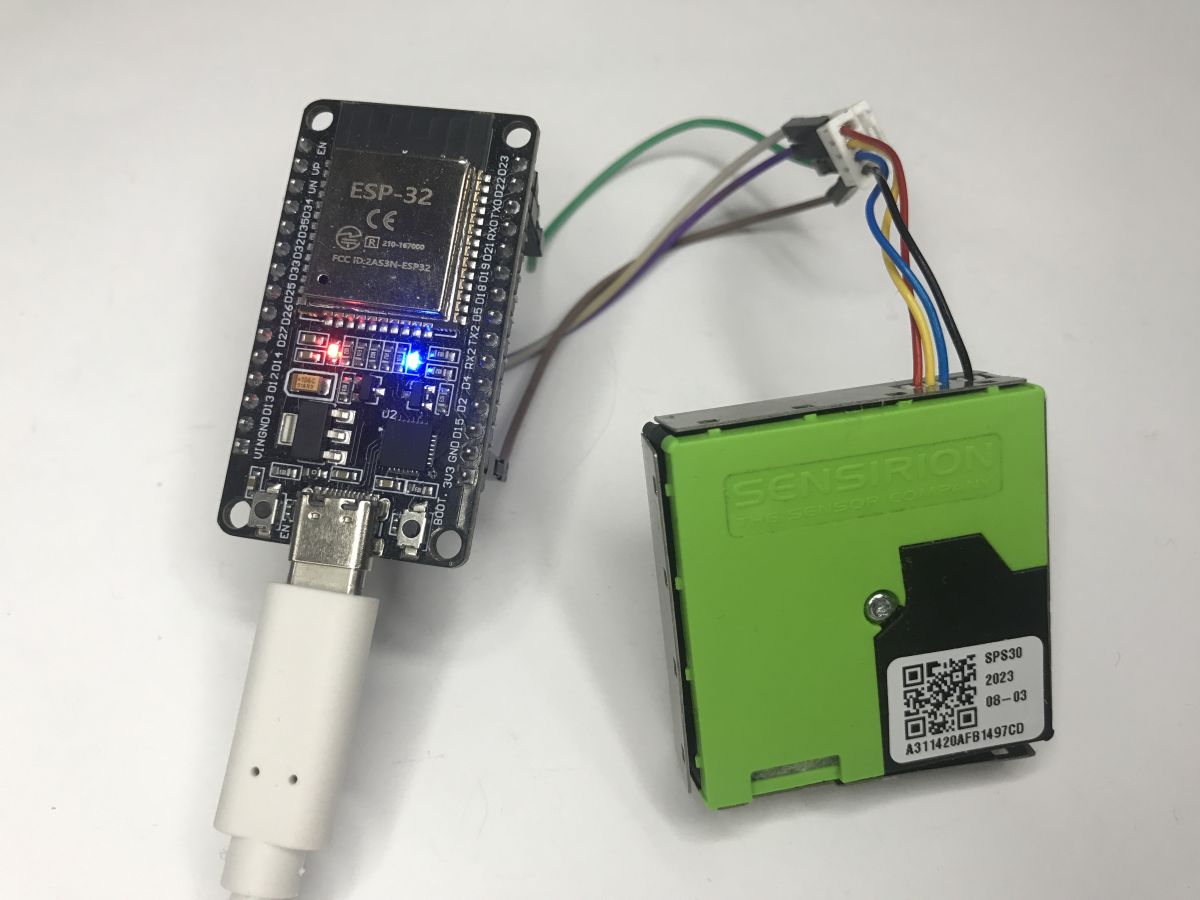
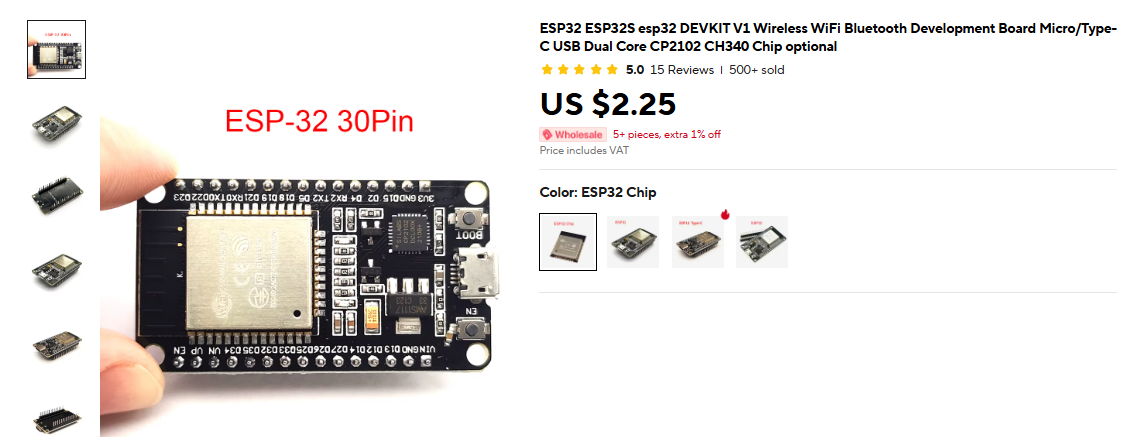
On the hardware side, I used the cheapest ESP32 board – the Devkit V1 Type C:
 Starting point – Hello World
It is always best to start with a tried-and-tested, working "Hello World" code to ensure that our board is communicating correctly with the computer. It is also useful to have an LED flashing to indicate that the code is running, and to send some data via UART to help diagnose the programme.
From this point, you can proceed to running the sensor.
Integration via the Sensirion UART SPS30 library
There are at least several different libraries available online for this sensor, but in this project I have focused on the official library provided by the manufacturer:
https://github.com/Sensirion/arduino-uart-sps30It offers full support communication and relieves us of the burden of manually parsing and checking checksums for SHDLC frames.
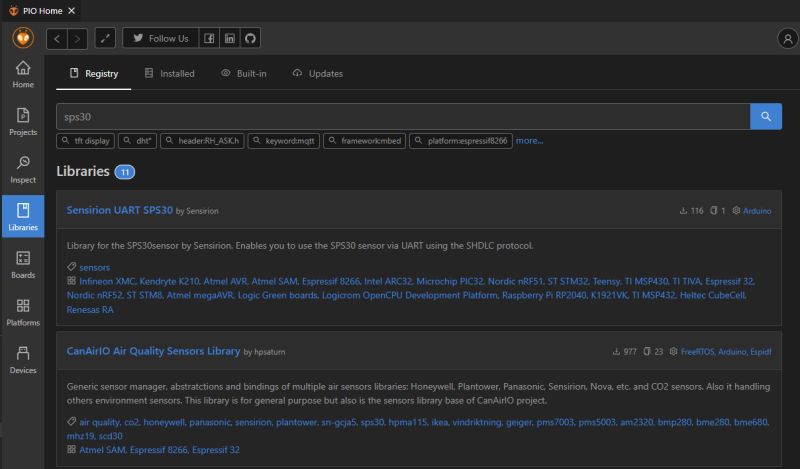
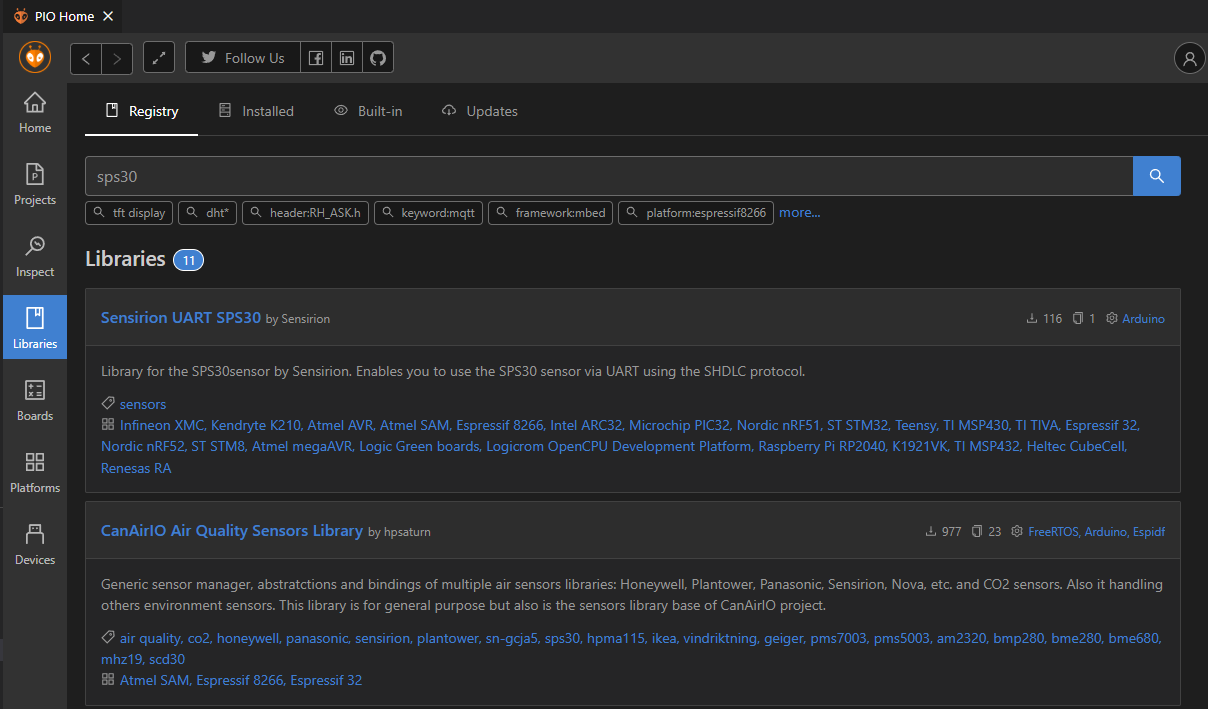
First, we add it to the PIO – either via Libraries or manually in platformio.ini; the IDE will download it automatically:
Using this library to control the sensor is very straightforward. You must first initialise the serial interface (in this case, I connected the sensor to pins 22 and 23), link the sensor object to it, and then call the startMeasurement() function.
Below is the code that initialises the system, reads the serial number and, in a loop, retrieves pollution readings:
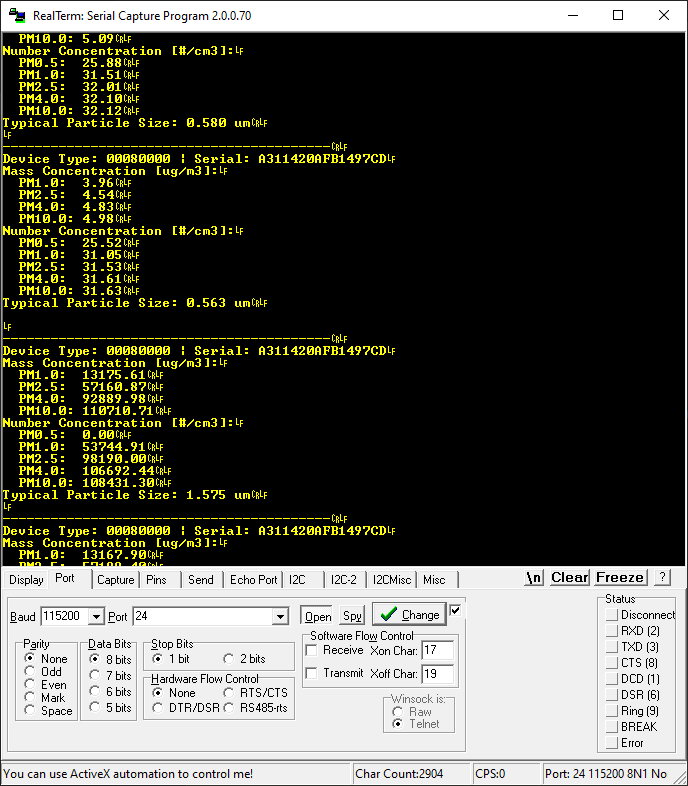
Here is a screenshot from the tests:
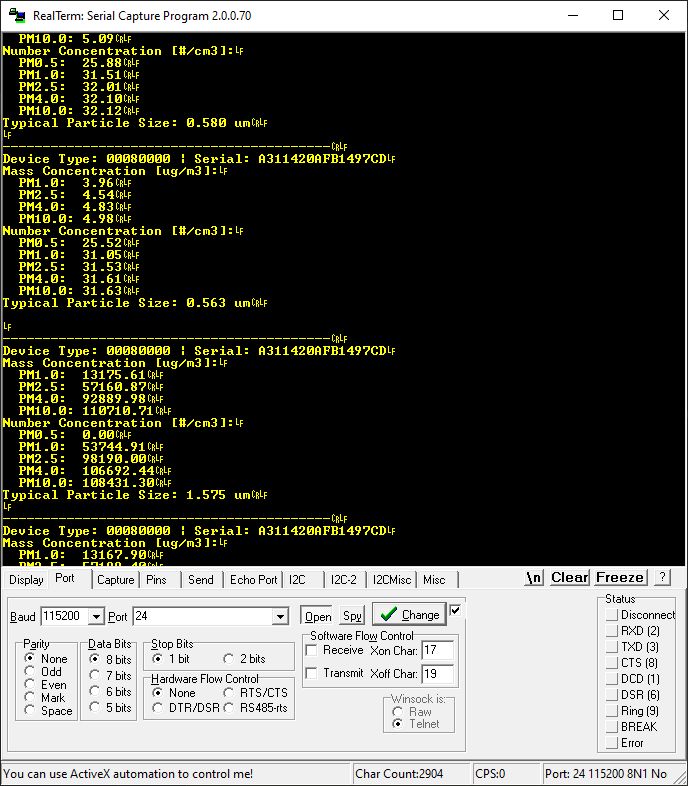
If everything has been connected correctly, the readings will be accurate. In a typical, clean domestic environment, low dust concentrations in the order of single micrograms (μg/m³) can be expected, as shown in the log below:
Device Type: 00080000 | Serial: A311420AFB1497CD

Mass Concentration [ug/m3]:
  PM1.0:  3.96
  PM2.5:  4.54
  PM4.0:  4.83
  PM10.0: 4.98

Number Concentration [#/cm3]:
  PM0.5:  25.52
  PM1.0:  31.05
  PM2.5:  31.53
  PM4.0:  31.61
  PM10.0: 31.63

Typical Particle Size: 0.563 um
However, an interesting situation arises when I powered the sensor with 3.3V (instead of the required 5V). In that case, the readings become completely distorted and show astronomically inflated, rubbish values:
Device Type: 00080000 | Serial: A311420AFB1497CD

Mass Concentration [ug/m3]:
  PM1.0:  13149.68
  PM2.5:  57284.13
  PM4.0:  93137.79
  PM10.0: 111020.64

Number Concentration [#/cm3]:
  PM0.5:  0.00
  PM1.0:  53360.93
  PM2.5:  97958.79
  PM4.0:  106490.73
  PM10.0: 108235.54

Typical Particle Size: 1.593 um
Despite this, the device’s serial number is read correctly. This can be a major pitfall for beginners – because the partially correct reading lulls one into a false sense of security, even though the data is nonsense.
Chart and Python
To better visualise how the sensor works, I have prepared a simple Python script using the PyQt6 and PyQtGraph libraries. To use it, we need to ensure that the ESP32 sends data in the form of a compact CSV stream. The main loop code (still using the ready-made library) has been simplified to the format
DATA:val1,val2...
:
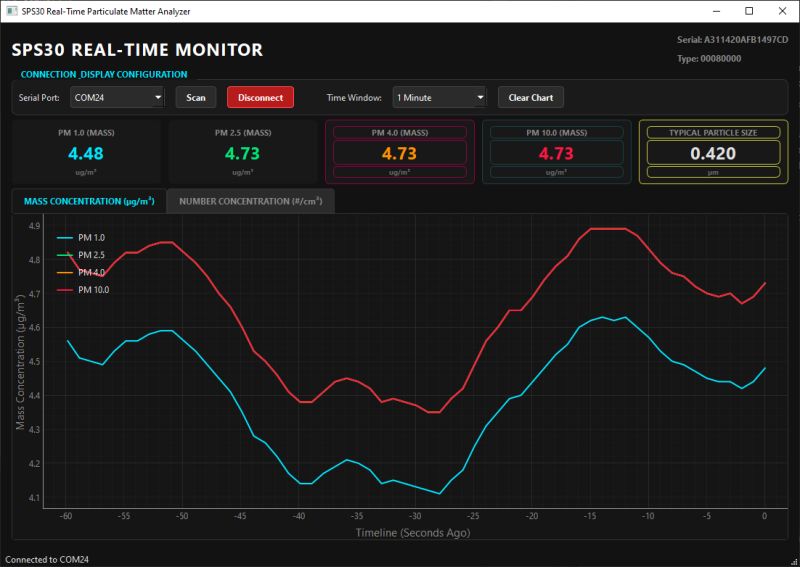
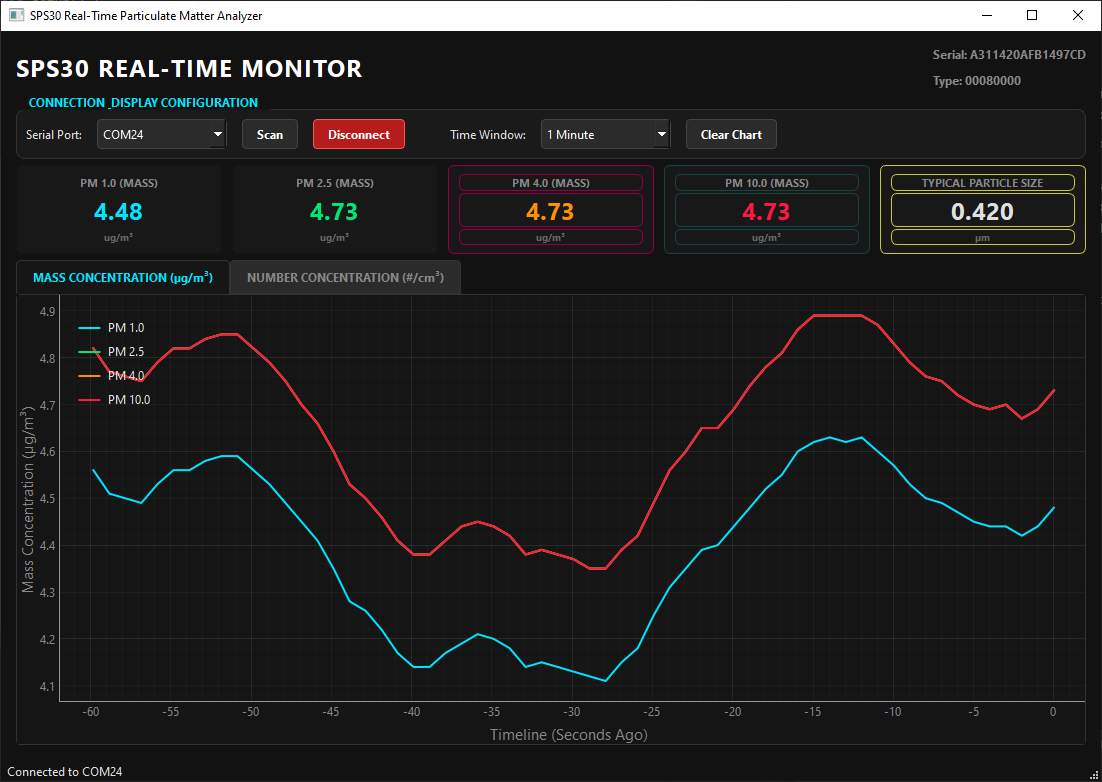
I tried to speed up the readings, but the SPS30 wouldn’t give me measurements any faster than once per second. The measurements are then sent to the serial port. The script on the computer listens on this port, processes the line and draws a nice graph.
(The Python code is in the attachment at the very bottom of the thread).
A typical reading from clean air looks like this:
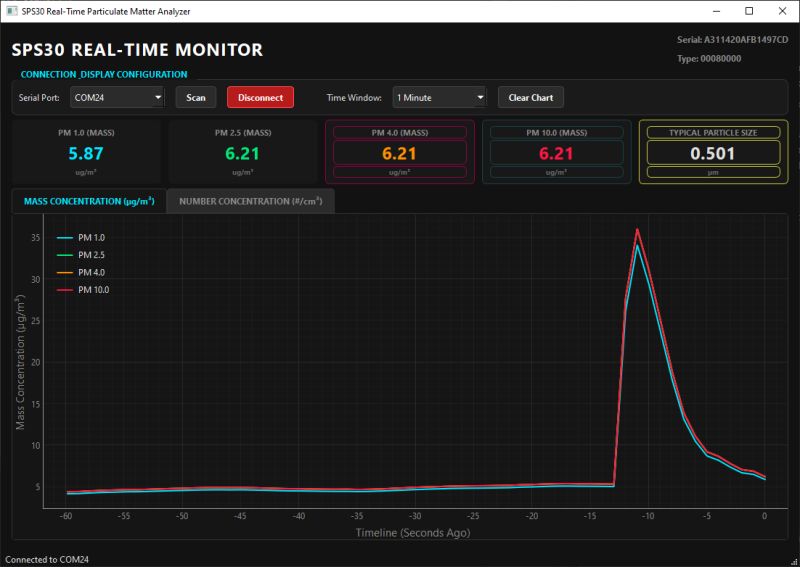
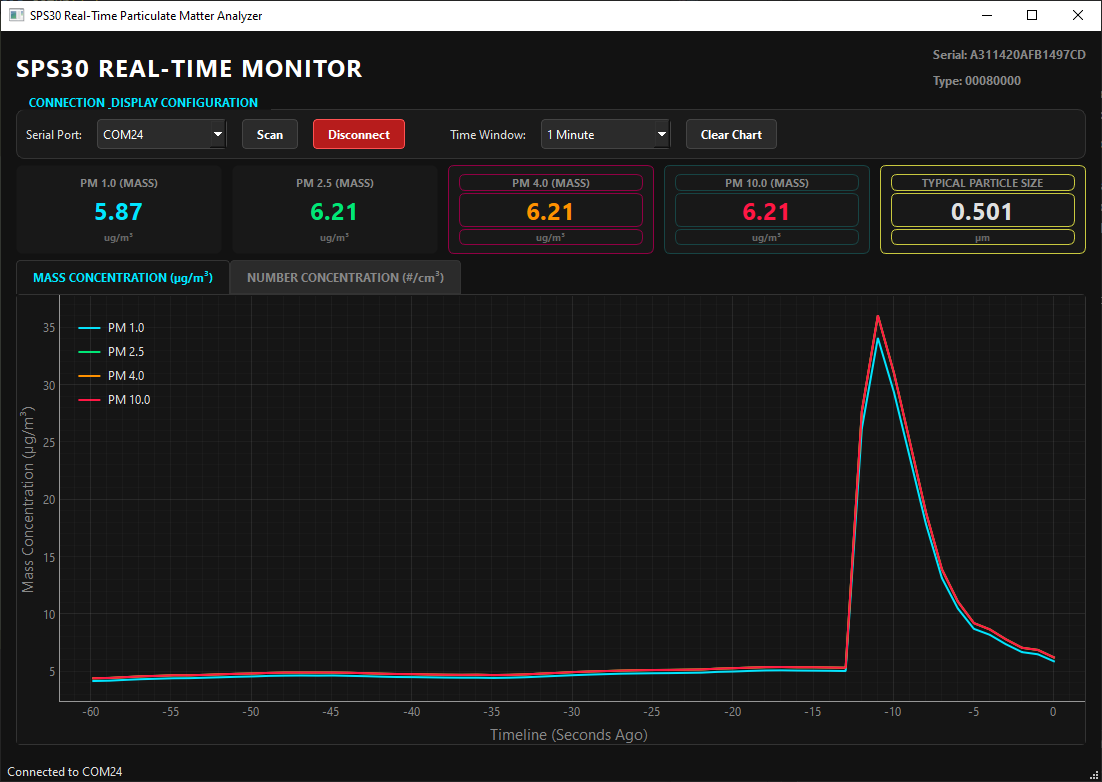
When, as part of an experiment, I sprayed an aerosol disinfectant nearby (the sprayed droplets are also ‘particles’ for the sensor), the graph immediately reacted with a huge spike (note the scale of the Y-axis):
 SPS30 protocol
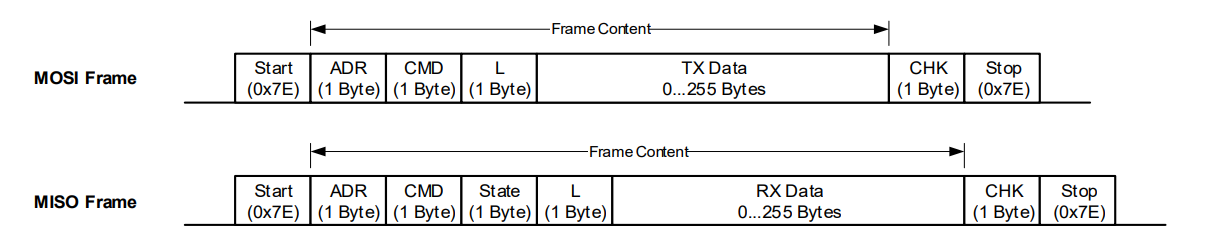
Based on UART, the SPS30 uses an interesting SHDLC protocol – UART acts as the byte carrier here, whilst the SPS30 operates at a higher layer and is responsible for frame exchange; it is based on a master/slave architecture. The SPS30 acts as a slave device here. Each transfer is initiated by the master sending a request frame. The sensor responds to the request frame with a slave response.
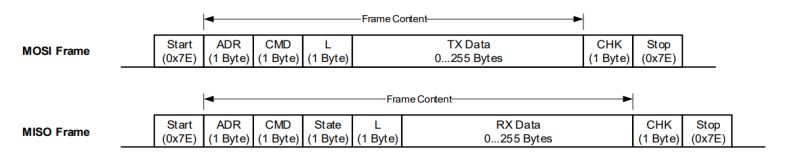
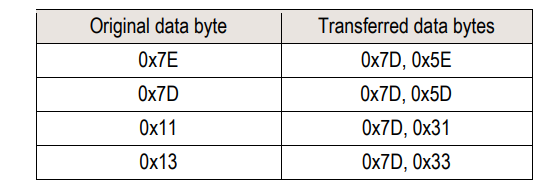
The frames are appropriately marked. The 0x7E character is sent at the start and end of the frame to signal its start and stop. This means that, necessarily, if this byte (0x7E) occurs anywhere else in the frame, it must be replaced by two other bytes (byte-stuffing). This also applies to the characters 0x7D, 0x11 and 0x13.
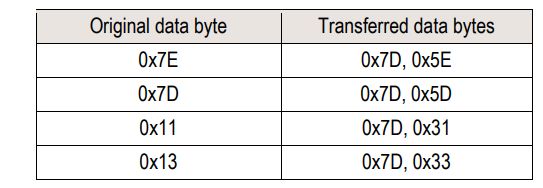
For example: Data to be sent = [0x43, 0x11, 0x7F] → Data sent = [0x43, 0x7D, 0x31, 0x7F].
Additionally, frames contain a checksum. This allows errors to be detected. The checksum is generated before byte-stuffing and verified after the stuffed bytes have been removed from the frame. The checksum is defined as follows:
1. Sum all bytes between the start and stop (excluding the start and stop bytes).
2. Take the least significant byte of the result and invert it. This will be the checksum.
If the checksum from the packet does not match the calculated one, it is clear that interference has occurred and something in the frame is wrong; such a frame can be silently discarded, ensuring that erroneous measurements do not reach the user interface.
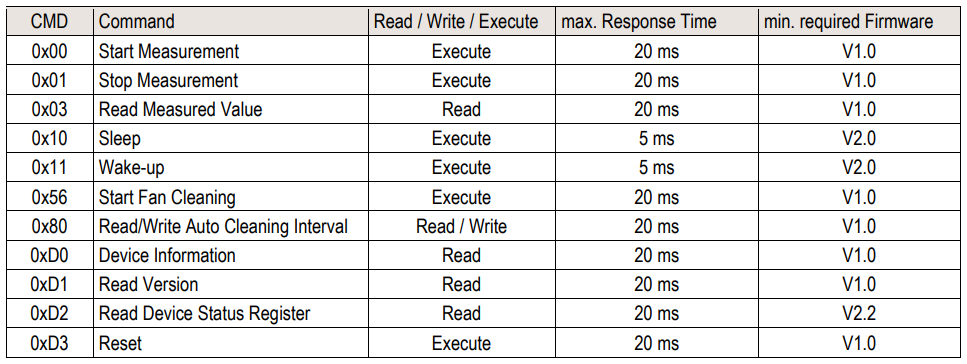
The table below provides an overview of the available SHDLC commands.
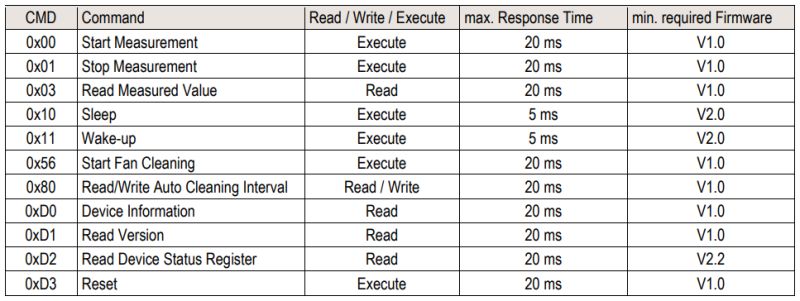
The commands allow you to manage the measurement status, read values, put the sensor to sleep and wake it up, and even retrieve information about its versions and clean the internal fan.
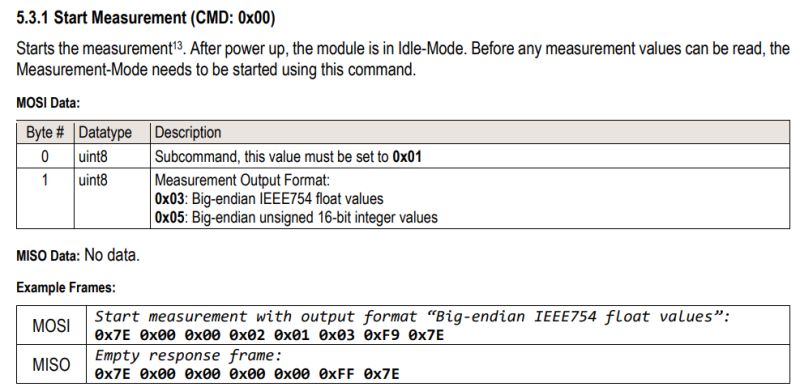
Before we move on to writing our own code, it is worth knowing the format in which the sensor returns results. According to the documentation, floating-point numbers are transmitted in the IEEE-754 standard (most significant byte first – Big-Endian):
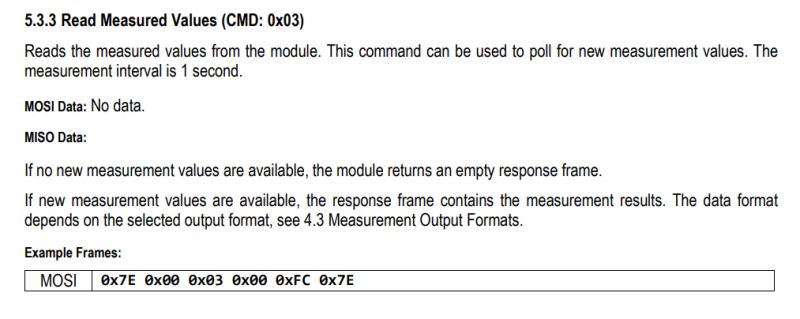
When we call the command to read the measurements, we receive a 40-byte data frame (which corresponds exactly to ten 4-byte
float
values). Their order in the data packet is shown in the table below:
Armed with all this knowledge, we can proceed to create a driver that is completely independent of external libraries. Below is the full code for the ESP32, which independently builds and validates SHDLC frames, decodes ‘byte-stuffing’ characters, and converts bytes to floating-point numbers:
The code above produces identical results to the library used previously.
Summary
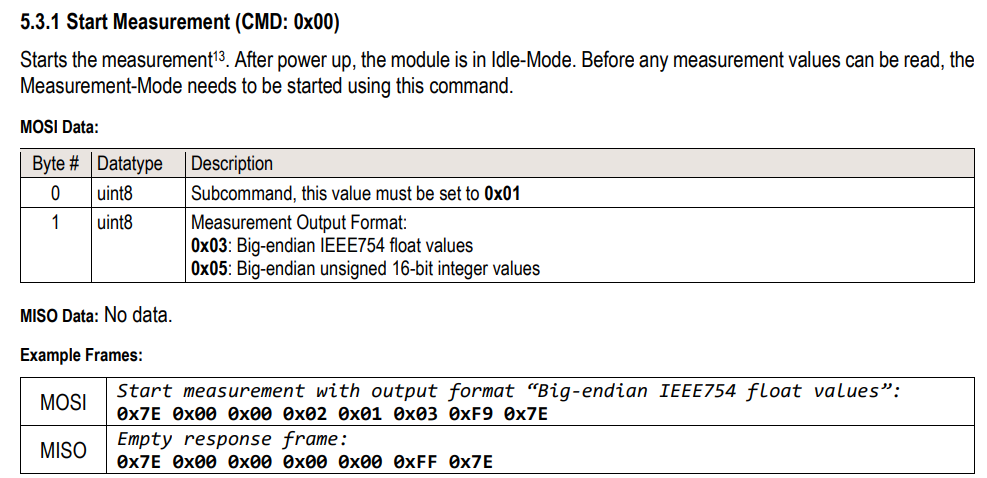
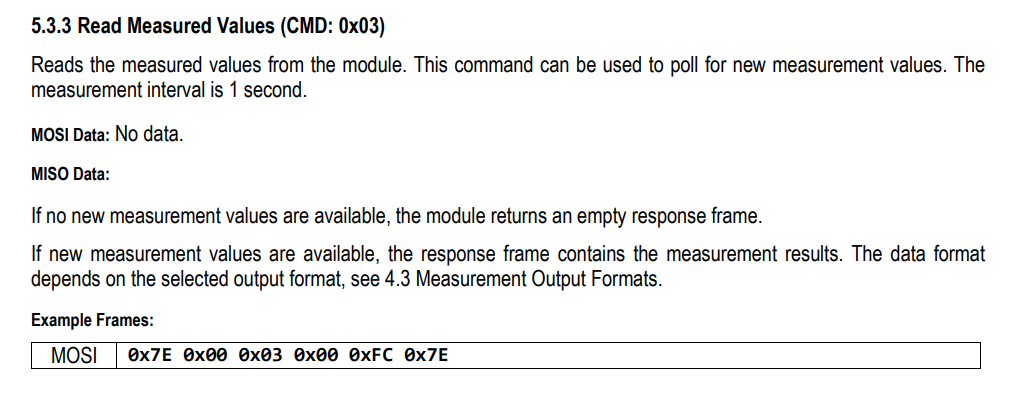
The SPS30 has proved to be a very promising and, at the same time, easy-to-set-up sensor. It is not the cheapest of gadgets, but it may be worth buying. You just need to consider which shop to choose – as you can see, prices vary significantly. The SPS30 also features an internal self-cleaning system, which ensures trouble-free operation over the long term. The manufacturer’s library works very well and significantly speeds up the setup process. However, as I later demonstrated, creating your own ‘lightweight’ driver in pure C based on the official SHDLC protocol specification is also not difficult, and it gives you full control whilst making the project independent of external libraries. Sensirion’s documentation itself deserves a huge plus – I was pleasantly surprised to find that the manufacturer provides ready-made, byte-by-byte examples of packets for each command type. This makes it much easier to implement your own solution and diagnose errors in frames at the data level.
Have you used the SPS30 yet, and if so, in what projects? What applications do you see for this sensor? 








Comments
Have you checked whether deep sleep is working properly? Does it reach the nominal value or lower (and) than in the note? If not, I recommend it. [Read more]
Did you buy the one taken from that ‘supervisor’ module fitted in hire cars? ;) [Read more]
@austin007 Good idea, I’ll give it a go. Combined with a sleep mode on, say, an ESP32, it could be a fully battery-powered sensor... @aadeer it’s obviously this one recovered from a Bosch IVS SLIM... [Read more]