logo elektroda
logo elektroda
X
logo elektroda

How can I stream footage from a camera at work to my TV at home via the internet?

HC417 5790 3
ADVERTISEMENT
Treść została przetłumaczona polish » english Zobacz oryginalną wersję tematu
  • #1 11313172
    HC417
    Level 2  
    Posts: 2
    Hello,

    I’m looking for some advice on how to solve the problem described in the subject line.
    I have an internet connection at work which I’d like to use to stream the camera feed.

    My problem is how to view this camera feed on a standard home TV. What can I use to display the feed on the TV? Will I need to set up, for example, a small computer behind the TV?

    How can I sort this out?

    Kind regards
  • ADVERTISEMENT
  • #2 11318218
    Sam Sung
    Level 33  
    Posts: 2014
    Help: 227
    Rate: 583
    What do you mean by ‘a standard home TV’?
    If it had Ethernet and DLNA, it might be enough to set up a server at the office to stream the camera feed as a DLNA broadcast service, configure a VPN on the routers at the office and at home, and then nothing else would be needed at home.
    If it really is a “standard TV”, then you’ll need some sort of device with an Ethernet input and an HDMI/composite output. It could be a PC, but perhaps a Raspberry Pi would do the job? http://www.raspberrypi.org/ Unfortunately, I can’t think of any off-the-shelf device that could replace a PC in this scenario.
  • ADVERTISEMENT
  • #3 11331022
    rav_bt
    Level 12  
    Posts: 50
    Help: 3
    Rate: 13
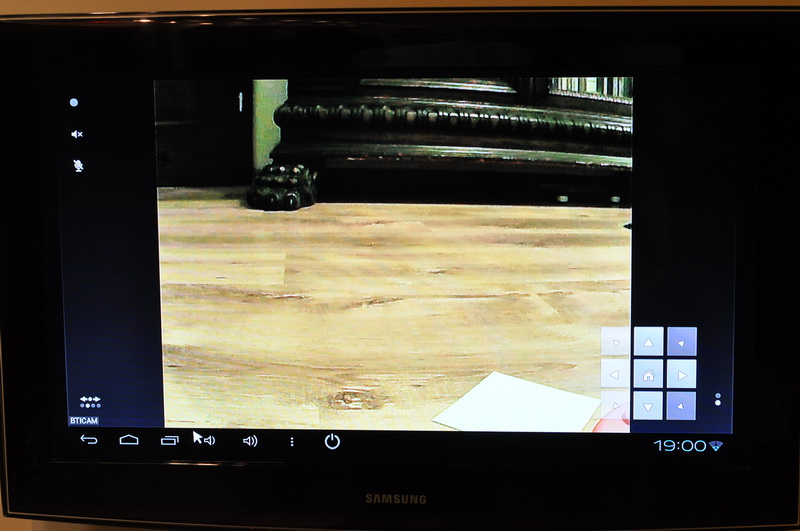
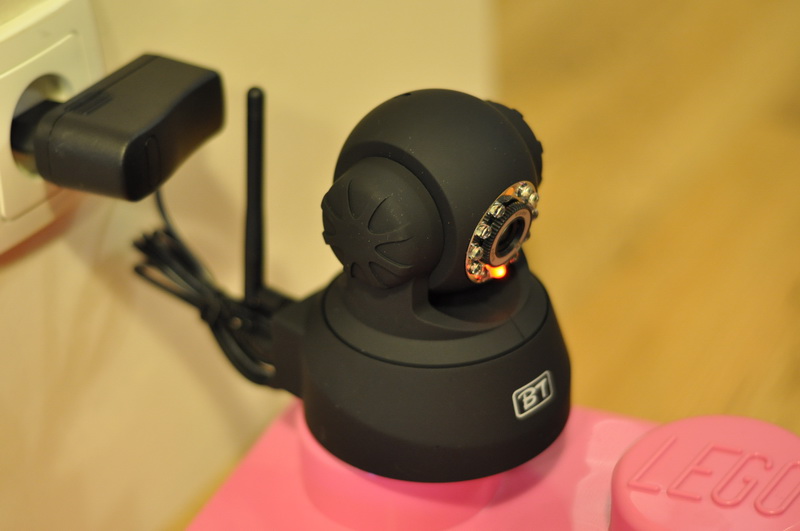
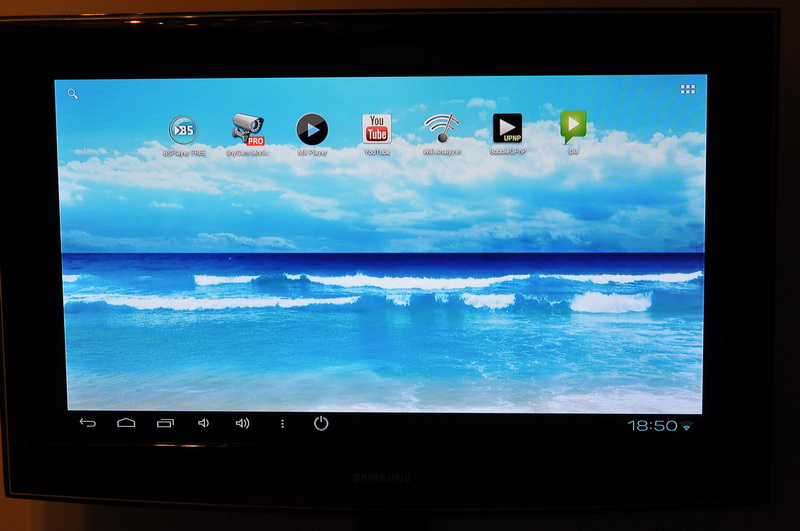
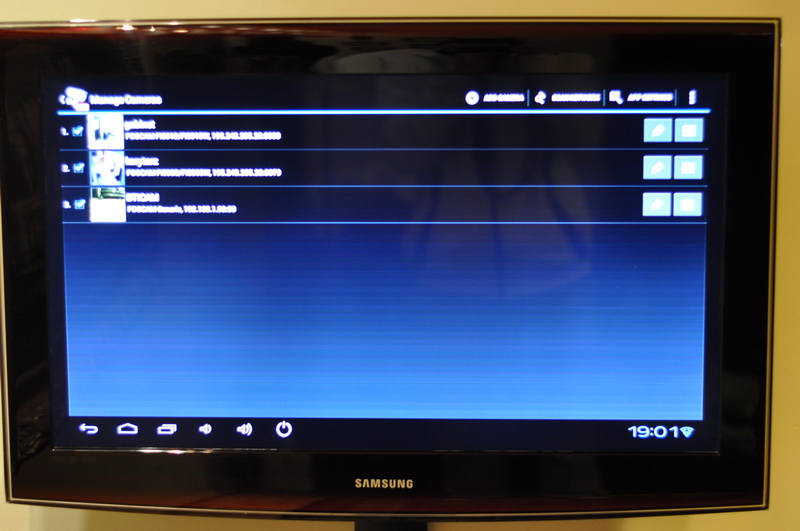
    I use BTICAM IP cameras, and for viewing on the TV I use the nanopc app http://nanopc.pl on Android.
    The TV doesn’t need to be a smart TV (it doesn’t need a LAN port); it just needs to have an HDMI input.

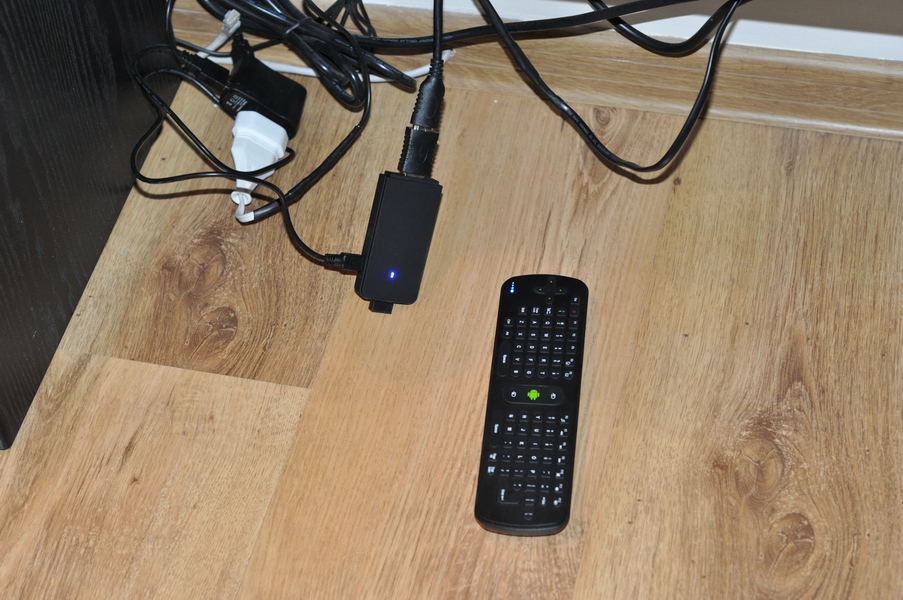
    You connect the nanopc (a micro Android computer the size of a USB stick) to the TV’s HDMI port; power is supplied via a 5V power supply, or if your TV has a USB port with at least 500mA, you can power the nanopc directly from the TV.
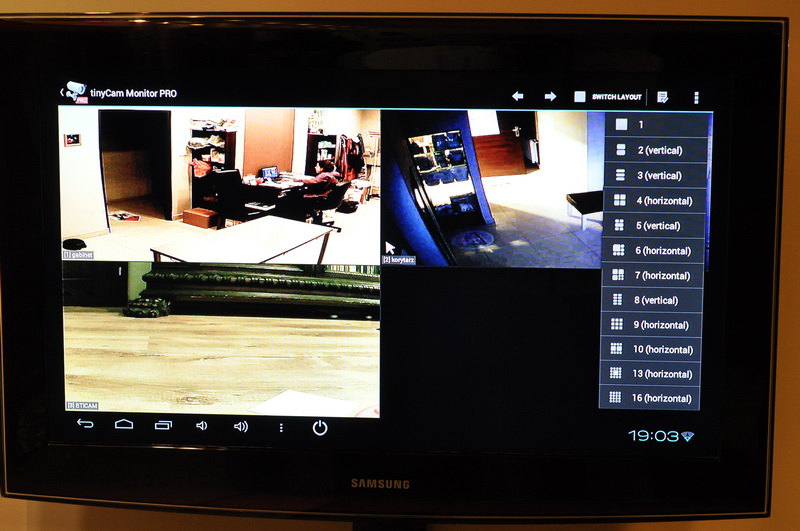
    Install http://www.tinycammonitor.com – the FREE option does not include recording.
    You control it normally using the remote control (the so-called ‘AIR mouse’); a cursor appears on the TV screen and moves in response to your hand movements. The nanopc can be hidden away, as the remote control operates via radio rather than infrared.
    You can view up to 16 cameras in a grid layout; you can even pan the BTICAM BT8W-IR-CUT camera directly from the TV.
    You can set the image to full screen and choose an option to cycle through the camera views.
    If you get bored of your staff, you can watch YouTube or IPLE ;-)

    How can I stream footage from a camera at work to my TV at home via the internet? How can I stream footage from a camera at work to my TV at home via the internet? How can I stream footage from a camera at work to my TV at home via the internet? How can I stream footage from a camera at work to my TV at home via the internet? How can I stream footage from a camera at work to my TV at home via the internet? How can I stream footage from a camera at work to my TV at home via the internet? How can I stream footage from a camera at work to my TV at home via the internet?
  • #4 11672895
    didotom
    Level 16  
    Posts: 315
    Help: 7
    Rate: 21
    HC417 wrote:
    Hello,

    I’m looking for advice on how to solve the problem described in the subject line.
    I have an internet connection at work which I’d like to use to stream the camera feed.

    My problem is how to view this camera feed on a standard home TV. What can I use to display this feed on the TV? Will I need to set up, for example, a small computer behind the TV?

    How can I sort this out?

    Best regards

    I use a BCS recorder, which is popular for displaying footage on a TV from a location 100 km away from the monitored site. I have a PC tucked away in the cellar :) connected to the TV via an HDMI cable, but you can do it with an Android device as described below by my colleague; you can use IP cameras – there are loads of solutions available.
ADVERTISEMENT