Hello,
Two years ago, I built a lighting control system – and more besides – for my own use, but I never had the time to take the project any further. To ensure the project didn’t fade away – or rather, so that it could be of greater use to others than just to me at home – I decided to share it.
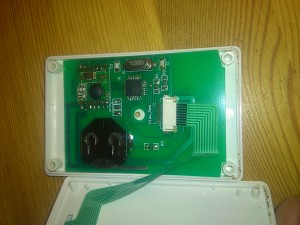
I think the greatest achievement was not just the on/off function, but the implementation of scenes in a small remote control that allows me to switch off all the equipment in the house with a single button.
The project was developed in a flat, so all communication between the devices takes place via radio.
I’m making the circuit boards, components and software available. I’ve added a forum to the website so that anyone interested can continue to develop and modify the solution.
I’ve also quickly posted a video showing how the two-channel dimmer control works.
The documentation is available on the website ciachbabkewpiach.it.pl
It’s a bit of a funny domain name, but it’s my own.
If you have any questions, I’m happy to help.
Good luck, Piotr
Two years ago, I built a lighting control system – and more besides – for my own use, but I never had the time to take the project any further. To ensure the project didn’t fade away – or rather, so that it could be of greater use to others than just to me at home – I decided to share it.
I think the greatest achievement was not just the on/off function, but the implementation of scenes in a small remote control that allows me to switch off all the equipment in the house with a single button.
The project was developed in a flat, so all communication between the devices takes place via radio.
I’m making the circuit boards, components and software available. I’ve added a forum to the website so that anyone interested can continue to develop and modify the solution.
I’ve also quickly posted a video showing how the two-channel dimmer control works.
The documentation is available on the website ciachbabkewpiach.it.pl
It’s a bit of a funny domain name, but it’s my own.
If you have any questions, I’m happy to help.
Good luck, Piotr