FAQ
TL;DR: For a Nexus 7 (2012) car install, power the OTG Y cable with 5V at 0.5–2A and remember: "The outgoing cable is for charging." [Elektroda, gradek83, post #16627184]
Why it matters: This prevents hub under‑powering so USB storage, DACs, and cameras enumerate reliably—vital for in‑car stability.
- Typical OTG Y‑cable charge input: 5V, 0.5–2A from a cigarette‑lighter adapter. [Elektroda, gradek83, post #16627184]
- Android may show a USB 2.0 hub near ~400 Mb/s when detected. [Elektroda, malaoko, post #16627188]
- Direct OTG works for pendrive, USB DAC, reversing camera, and DVB‑T on this setup. [Elektroda, malaoko, post #16627192]
- Long cables cause voltage drop; the issue is power loss, not data. [Elektroda, gradek83, post #16627214]
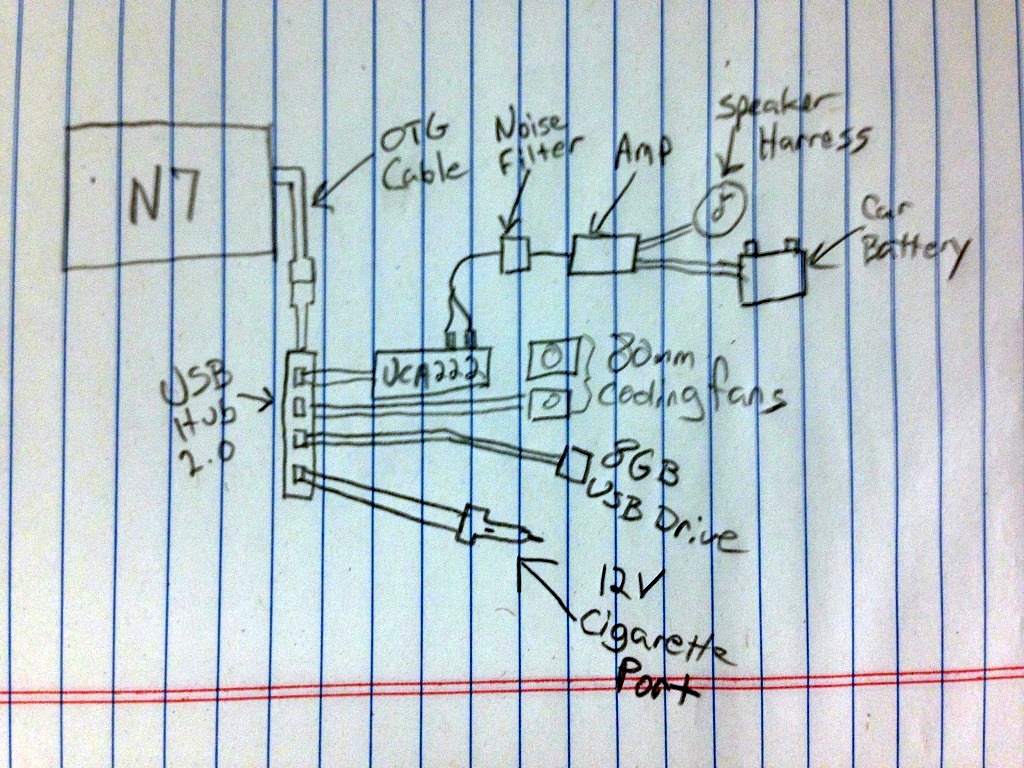
- OP used a 4‑port hub; devices failed to enumerate when the hub was powered. [Elektroda, malaoko, post #16626296]
Quick Facts
- Typical OTG Y‑cable charge input: 5V, 0.5–2A from a cigarette‑lighter adapter. [Elektroda, gradek83, post #16627184]
- Android may show a USB 2.0 hub near ~400 Mb/s when detected. [Elektroda, malaoko, post #16627188]
- Direct OTG works for pendrive, USB DAC, reversing camera, and DVB‑T on this setup. [Elektroda, malaoko, post #16627192]
- Long cables cause voltage drop; the issue is power loss, not data. [Elektroda, gradek83, post #16627214]
- OP used a 4‑port hub; devices failed to enumerate when the hub was powered. [Elektroda, malaoko, post #16626296]
Why won’t my Nexus 7 see devices through a powered USB hub?
Power mods or hub electronics can block D+/D− continuity, so devices never enumerate. One user rewired power via DC‑DC, left only data lines, and Android still only saw the hub, not devices. Avoid hubs that alter data paths and test stock before modding. [Elektroda, malaoko, post #16627188]
Do devices work when connected directly with an OTG cable?
Yes. The tablet detected every tested device when plugged in directly via a basic OTG cable. Confirmed devices included a pendrive, a USB DAC, a reversing camera, and a DVB‑T tuner. If your hub fails, validate each device direct‑to‑OTG first to isolate the fault. [Elektroda, malaoko, post #16627192]
How much current should I feed the OTG Y cable in a car?
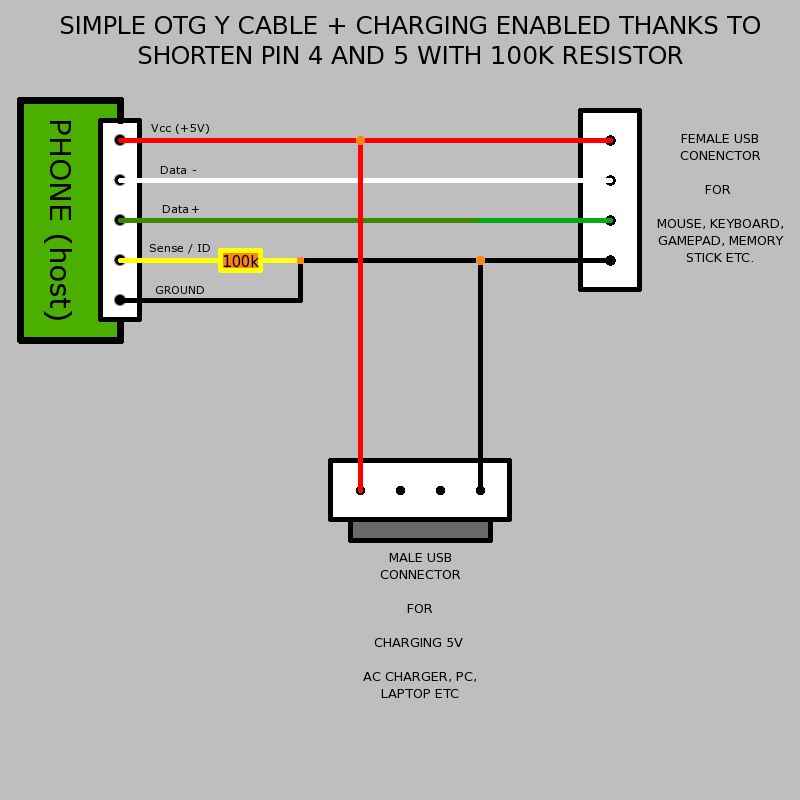
Supply 5V at approximately 0.5–2A from a cigarette‑lighter USB adapter to the Y‑cable’s charge lead. As one expert put it, "The outgoing cable is for charging." This ensures the hub and tablet have adequate power headroom during device enumeration and steady operation. [Elektroda, gradek83, post #16627184]
Is cable length really my problem?
Likely yes. Long runs drop voltage, starving the hub and peripherals. "Not data, but power loss." Shorten the 5V path or use thicker conductors to keep voltage near 5V under load. This single fix often restores stable detection and charging. [Elektroda, gradek83, post #16627214]
How can I quickly test whether my USB hub is healthy?
Try it on a PC or laptop. Plug the hub into the computer, then connect a phone or storage device. Verify enumeration and, for phones, that charging starts. If it fails on a PC, the hub or wiring is suspect; replace or revert modifications. [Elektroda, gradek83, post #16627214]
Which hub controller has been seen working in practice?
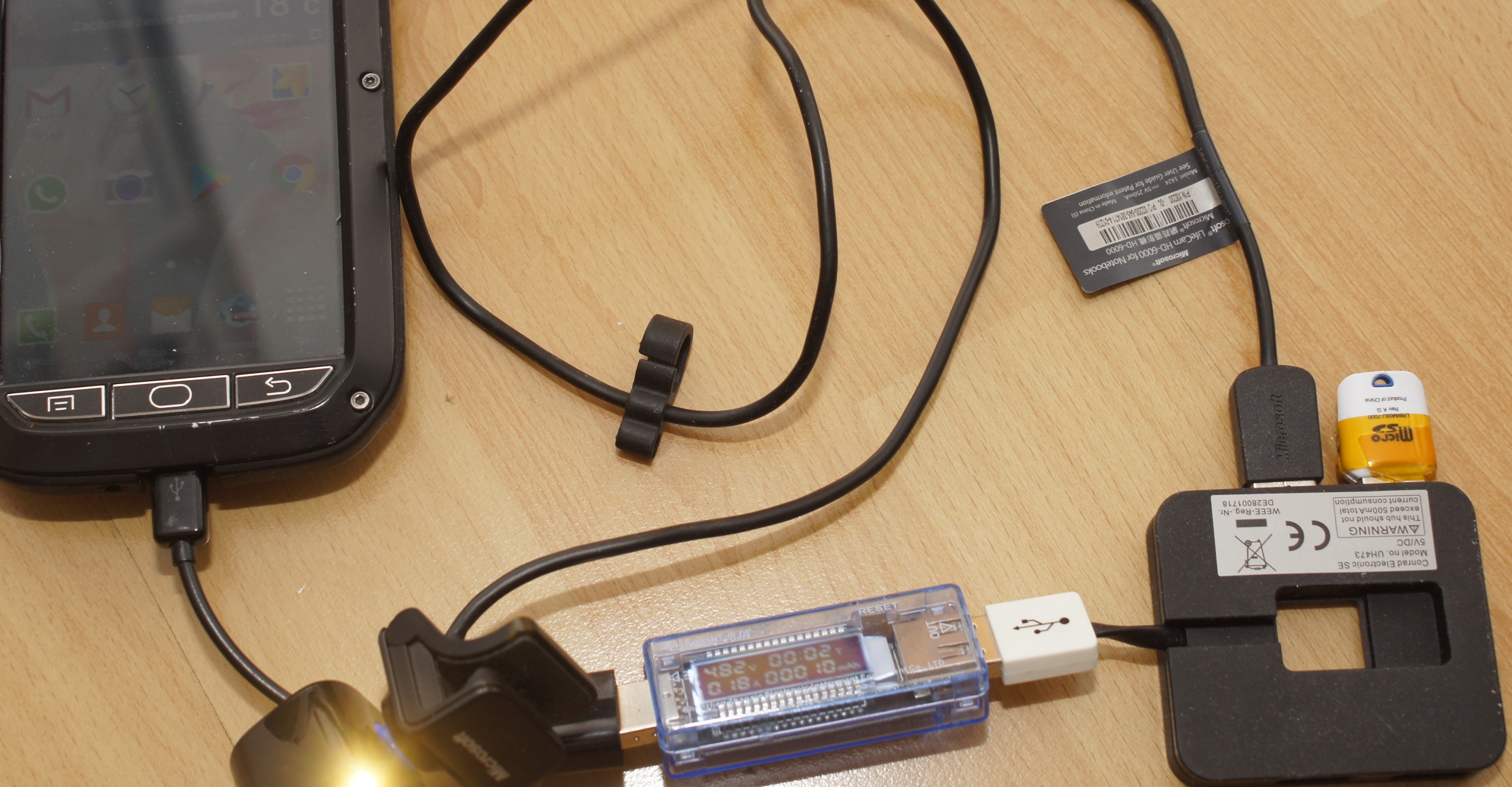
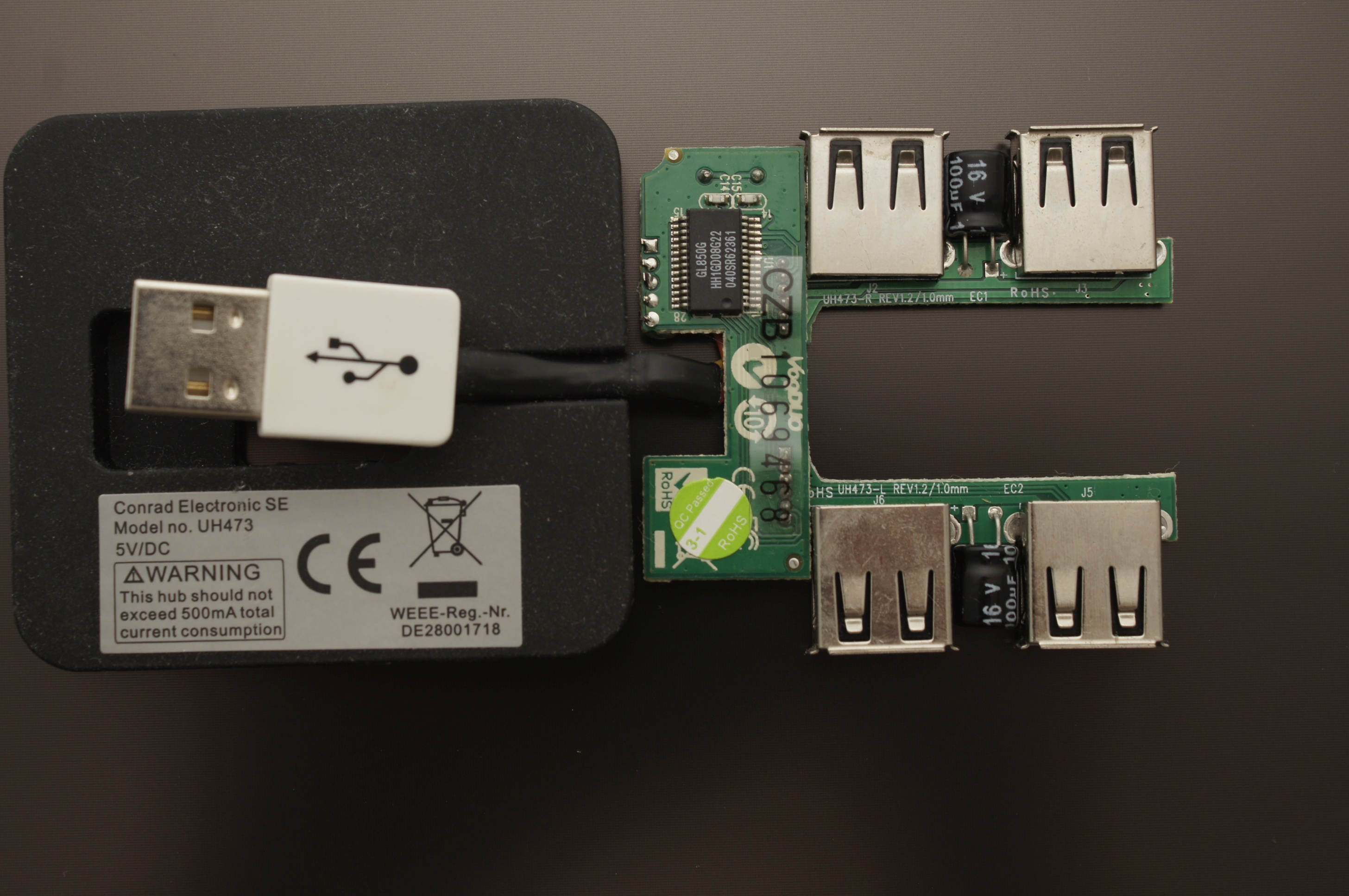
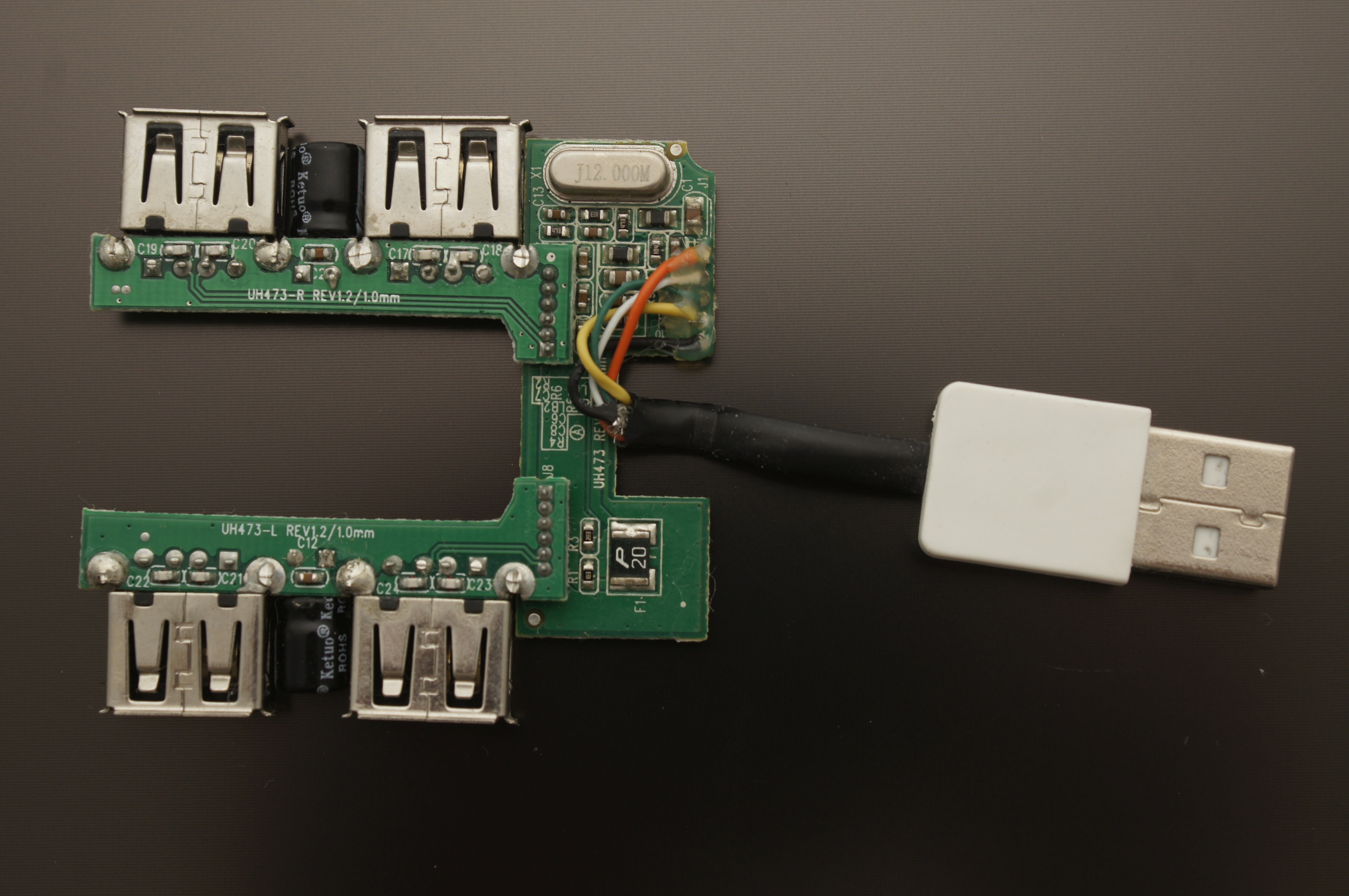
A UH473 hub using the GL850G controller was shown handling a camera and pendrive when paired with a phone. This demonstrates that a straightforward USB 2.0 hub can enumerate multiple devices when powered and wired correctly. [Elektroda, gradek83, post #16627196]
Can I just splice more USB inputs by joining D+ and D− wires?
No. A user attempted custom wiring, powering +/− via DC‑DC and leaving only D+/D−. Android saw the hub but never any attached devices. Use a proper USB hub IC with per‑port switching, not passive splits of data lines. [Elektroda, malaoko, post #16627188]
I see ~400 Mb/s for the hub in Android—what does that mean?
That readout aligns with a USB 2.0 High‑Speed hub being detected. It only indicates the hub link speed, not that connected peripherals are active. If devices still don’t appear, focus on power integrity and hub design. [Elektroda, malaoko, post #16627188]
How do I eliminate alternator whine or ground‑loop noise with a USB DAC?
Insert an audio anti‑interference (RCA ground‑loop isolator) filter between the DAC’s analog output and the amplifier input. This breaks the noise path while preserving signal, restoring clean audio during engine operation. [Elektroda, gradek83, post #16627597]
Exactly where do I place the RCA filter in this setup?
USB carries digital audio into the DAC, then the DAC’s 3.5mm/RCA analog output feeds the amplifier. Place the filter inline between the DAC output and the amp input. This location addresses the analog ground loop. [Elektroda, malaoko, post #16627693]
Should I choose a USB 2.0 or USB 3.0 hub for Nexus 7 (2012)?
Start with a straightforward USB 2.0 hub. The working example used a GL850G‑based unit and handled camera plus storage reliably. USB 2.0 reduces complexity and matches the tablet’s expected host capabilities. [Elektroda, gradek83, post #16627196]
What is an OTG Y cable and why do I need it here?
An OTG Y cable lets the tablet act as USB host while receiving 5V power on a separate leg. In car installs, it keeps the tablet charged and the hub powered, preventing brownouts during device enumeration. [Elektroda, gradek83, post #16627184]
What is Timur’s Kernel ROM in this context?
The OP used a custom kernel/ROM so the Nexus 7 could serve as a car head unit. Their issue centered on OTG Y‑cable and a 4‑port hub not enumerating devices when powered. [Elektroda, malaoko, post #16626296]
Can a phone and storage work together on a small hub?
Yes, as demonstrated with a camera and pendrive on a GL850G‑based hub. That indicates multi‑device enumeration works when the hub and power are correct. Two ports active is typical on compact 4‑port hubs. [Elektroda, gradek83, post #16627196]
Any edge cases after re‑powering a hub from a DC‑DC converter?
Yes. After separating power and leaving only D+/D−, Android detected the hub but never attached devices. This failure suggests the hub’s internal logic or wiring mod broke proper USB negotiation. [Elektroda, malaoko, post #16627188]
How do I troubleshoot Nexus 7 OTG hub issues in three steps?
- Test the hub on a PC; confirm device detection and phone charging.
- Shorten and thicken the 5V path; avoid long cables.
- Re‑try the tablet with direct OTG to validate each device, then reinsert the hub.
[Elektroda, gradek83, post #16627214]