FAQ
TL;DR: If your LG 42LA620s shows LED “circles” after a backlight swap, add approx. 3 mm spacers under the diffuser films; one tech noted results were “visible circles radically diminished.” [Elektroda, ntvps, post #16763705]
Why it matters: This FAQ helps DIY techs and repair shops fix hotspot artifacts after replacing 6916L strips in LG 42LA620s TVs.
Quick Facts
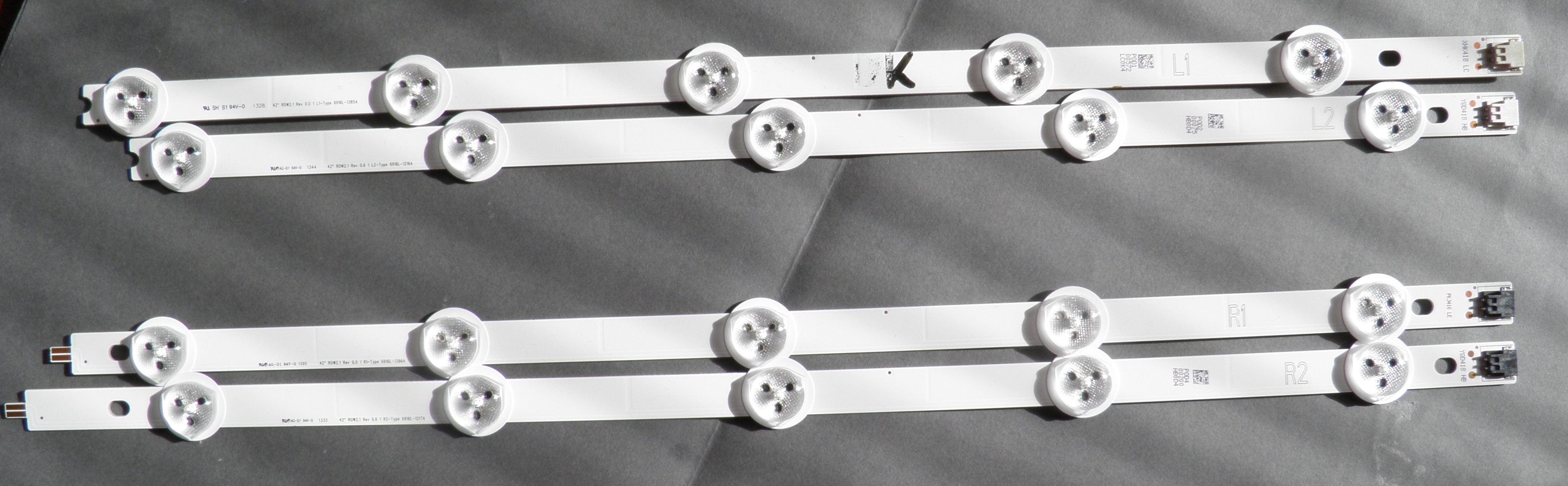
- Compatible strip IDs observed: 42'' ROW2.1, 6916L‑1385A and 6916L‑1214A (REV 0.0/0.6). [Elektroda, geryon, post #16716767]
- Mixing L1/R1 with L2/R2 alters spacing, but not the basic effect. [Elektroda, GanCegall, post #16718285]
- Typical layout discussed: 5 lines × 10 LEDs in two chains; verify LED supply voltage. [Elektroda, GanCegall, post #16718249]
- Missing panel supports/films can cause hotspots; restore spacers/film stack. [Elektroda, geryon, post #16716684]
- Users reported glowing circles on dark or light backgrounds in this series. [Elektroda, geco, post #16716954]
Why do I still see LED “circles” after replacing 6916L strips?
The diffuser/polarizer film stack is likely misassembled or missing spacers. Replacing those films and adding ~3 mm clear spacers reduces ring artifacts and evens illumination. One technician reported the circles became almost invisible on a white background after this correction. [Elektroda, ntvps, post #16763705]
Does installing L2/R2 where L1/R1 should be cause hotspots?
It changes the physical spacing, but not the fundamental effect on light output. In-field feedback shows the swap is “guerilla” but does not by itself create the visible circles; those stem from optics, not strip designation. [Elektroda, GanCegall, post #16718285]
Which LED strip part numbers fit the LG 42LA620s?
Reported working IDs include 42'' ROW2.1 REV 0.0/0.6 L1‑TYPE with 6916L‑1385A and 6916L‑1214A. Confirm the revision printed on your original bars before ordering, and match the ROW2.1 family for mechanical fit. [Elektroda, geryon, post #16716767]
How can I reduce visible hotspots without changing strips?
Try this optical fix:
- Replace damaged/missing diffuser and polarizing films from a donor LCD.
- Add transparent spacers under the films to about 3 mm height.
- Reassemble, then test on a white screen and adjust spacer height if needed.
This method notably reduced visible circles. [Elektroda, ntvps, post #16763705]
What LED topology does this set use?
A common layout discussed is five lines of ten LEDs, arranged as two chains. Measure the LED rail under load and confirm current regulation before chasing optical faults. This helps separate electrical issues from diffuser problems. [Elektroda, GanCegall, post #16718249]
Could the power supply be at fault instead of optics?
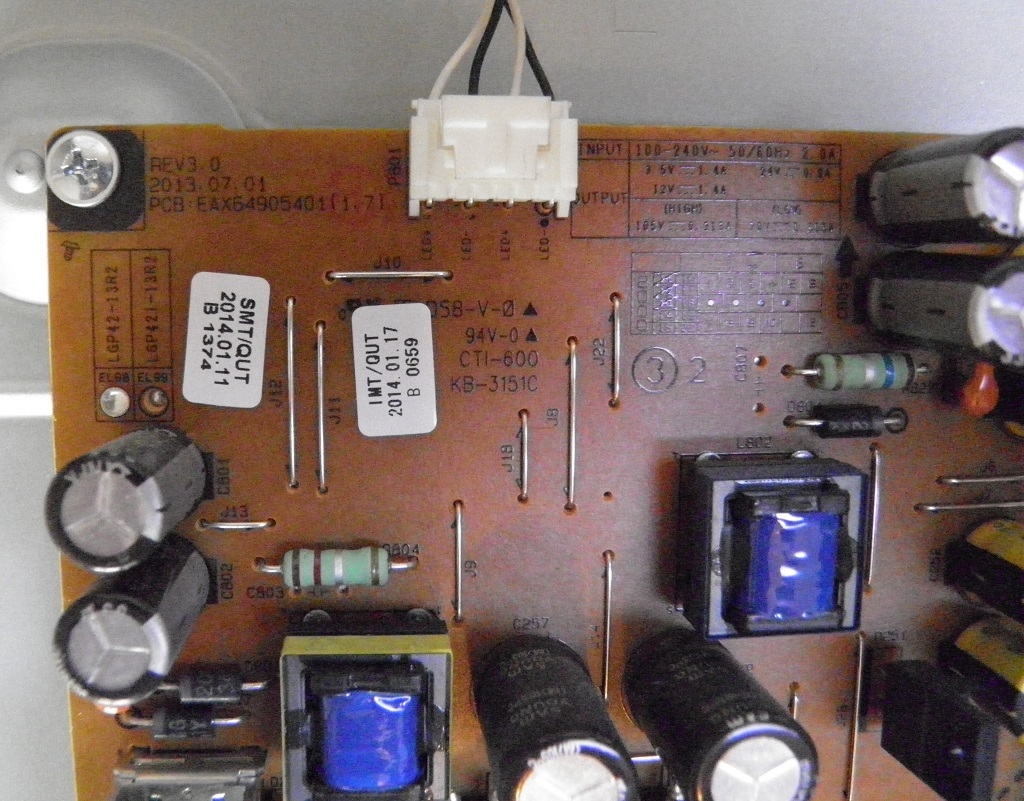
Yes. The model integrates backlight control on the power board. A faulty transistor or regulation stage can overdrive the strips, accentuating hotspots. If optics look correct, inspect the PSU’s LED driver section next. [Elektroda, geryon, post #16718137]
Why must I restore the original filter supports and props?
Missing supports let films sag, creating uneven spacing to the light guide and lensing over each LED. That turns normal luminance peaks into visible circles. Reinstall the supports before evaluating strip compatibility. [Elektroda, geryon, post #16716684]
Are glowing circles considered “normal” for this LG series?
Owners have reported circle artifacts, especially against dark backgrounds. Some accepted it; others complained. Optical alignment and spacer height can make the difference between noticeable and acceptable. “People complained about the circles glowing.” [Elektroda, geco, post #16716954]
What are diffuser and polarizing films in an LCD backlight?
They are thin optical layers that spread and homogenize LED light before it reaches the LCD. If removed, damaged, or set at the wrong height, the screen shows rings at each LED position. Restoring these layers mitigates artifacts. [Elektroda, ntvps, post #16763705]
What quick checks should I do before reopening the panel?
Document PSU model, panel/matrix ID, original strip versions, and actual LED voltages/currents. Record these before teardown to avoid guesswork later. One expert stressed providing voltages and versions for effective troubleshooting. [Elektroda, mirex, post #16718283]
Can misassembled films cause dots even with brand‑new LEDs?
Yes. New strips will still show rings if the optical stack is incomplete or spaced wrong. Replacing the films and adding ~3 mm spacers has shown strong improvement without touching the electronics or strips again. [Elektroda, ntvps, post #16763705]
Is mixing ROW2.1 REV 0.0 and REV 0.6 acceptable?
Both revisions were reported in use on this model’s repair. If you mix revisions, verify mechanical fit and uniformity after assembly with full‑field white and gray test patterns. Replace as a set if luminance mismatch appears. [Elektroda, geryon, post #16716767]
What statistic helps isolate electrical vs. optical causes fast?
Count strings and LEDs: approx. 5 strings × 10 LEDs. If current and voltage are nominal, the issue is optical. If rails are high or unregulated, diagnose the driver first. “What is your LED supply voltage?” [Elektroda, GanCegall, post #16718249]
Edge case: circles persist after spacers—what then?
Expect residual, faint rings on high‑APL screens if films aged or donor films differ. The reported outcome with correct films and ~3 mm spacing was almost invisible on white, which many consider acceptable. [Elektroda, ntvps, post #16763705]