logo elektroda
logo elektroda
X
logo elektroda

Seeking MEC1633L Pinout for Programming Lenovo W541: TDO, TDI, SCK, TMS, VCC, GND

danao 15468 21
Best answers

How can I find the JTAG/programming pinout for the MEC1633L on a Lenovo W541, including TDO, TDI, TCK/SCK, TMS, VCC, and GND?

The thread does not provide an exact MEC1633L pinout; instead, it says MEC1633L is a 13x13 BGA with 169 balls and advises finding the programming pads on the motherboard by using high-resolution photos or boardview images [#16785416][#16789680][#16787201] The only explicit signal names given are the generic JTAG lines: TCK, TMS, TDI, TDO, and possibly nTRST, plus GND and 3.3 V for the programmer connection [#16785416][#16801453] One reply suggests the board may have a socket or solder pads placed near the JTAG area, and on similar MEC1609 designs a pin sometimes must be shorted to ground to enter boot mode [#16787201] Another reply notes the eight pads near the docking connector looked like a possible IC area, but the poster later said those pads were for the U1 system, not the MEC1633L [#16789238][#16790447] In practice, the forum advice was to inspect the board physically and try the generic JTAG connections rather than rely on a published MEC1633L pinout [#16785416][#16801453]
Generated by the language model.
ADVERTISEMENT
Treść została przetłumaczona polish » english Zobacz oryginalną wersję tematu
  • #1 16784992
    danao
    Level 24  
    Posts: 949
    Help: 26
    Rate: 19
    Hello everyone.
    I have a damaged Lenovo W541 dead. I need to program MEC16333L, but it's hard to find a pinout of this system.
    Does anyone of you have such a list where I can find TDO TDI SCK TMS VCC GND? Or someone knows where it "lies" on the internet, please give me any hint or link.
    Thank you in advance.
    Danao.
  • ADVERTISEMENT
  • #2 16785416
    lisek
    Service technician RTV
    Posts: 39712
    Help: 6307
    Rate: 6802
    We are talking about this model link ?
    * Motherboard FRU: 00HW114 with NVidia N15P-Q3-A1
    * or Motherboard FRU: 00HW113
    * subtitles on the disc
    48.4LO13.021 (LKM-1 WS MB 12291-2 48.4L013.021)
    or 48.4LO14.021


    I think he was somewhere in the scrap metal, I don't know what to do with him!
    :idea: , I'll look at Mon-Tue, I promise nothing
    Quote:
    SMSC MEC1633L BGA (13x13 pins) to store the Supervisor password.

    look link
    and link
    As for the pins;
    - TCK: Test Clock
    - TMS: State Machine Control
    - TDI: Test Data In
    - TDO: Test Data Out
    - (nTRST: Test Reset)
    look at the link above (JTAG) and how it was done e.g. in the SVOD programmer
    or (Vertyanov JIG programmer)
    - e.g. LA-9591P board with KBC: SMSC MEC5075
    or
    :idea: This SMC was on NM-A091P / NM-A251 rev. 1.0 / NM-A102P (T440)
    In attachment datasheet (poor) on this MEC, but you can support the description smsc_ lpc47n252
    link
    - pin descriptions
    Attachments:
    • MEC1633.pdf (589.7 KB) You must be logged in to download this attachment.
  • ADVERTISEMENT
  • #3 16787201
    Stani12
    Level 28  
    Posts: 1180
    Help: 134
    Rate: 107
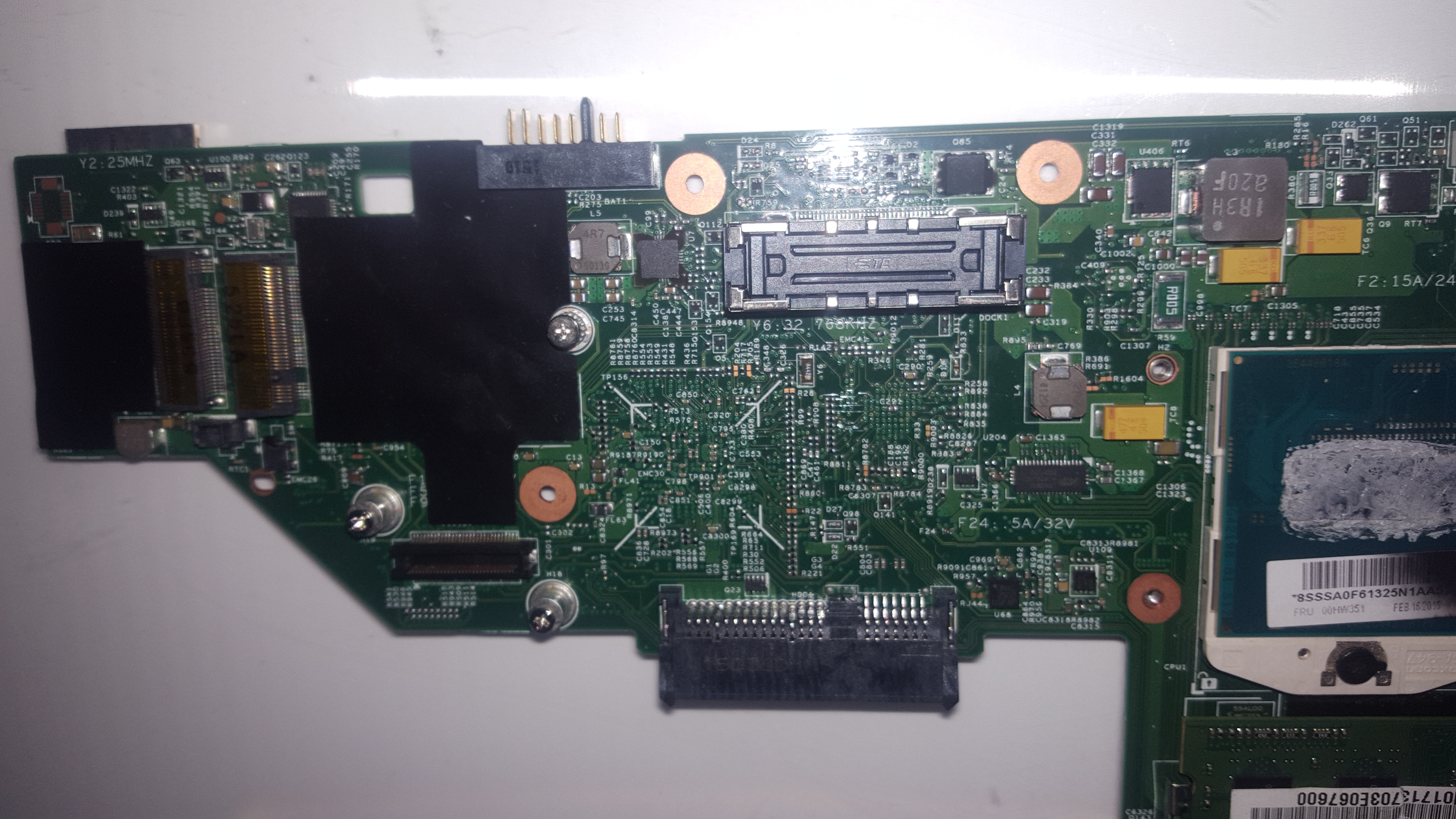
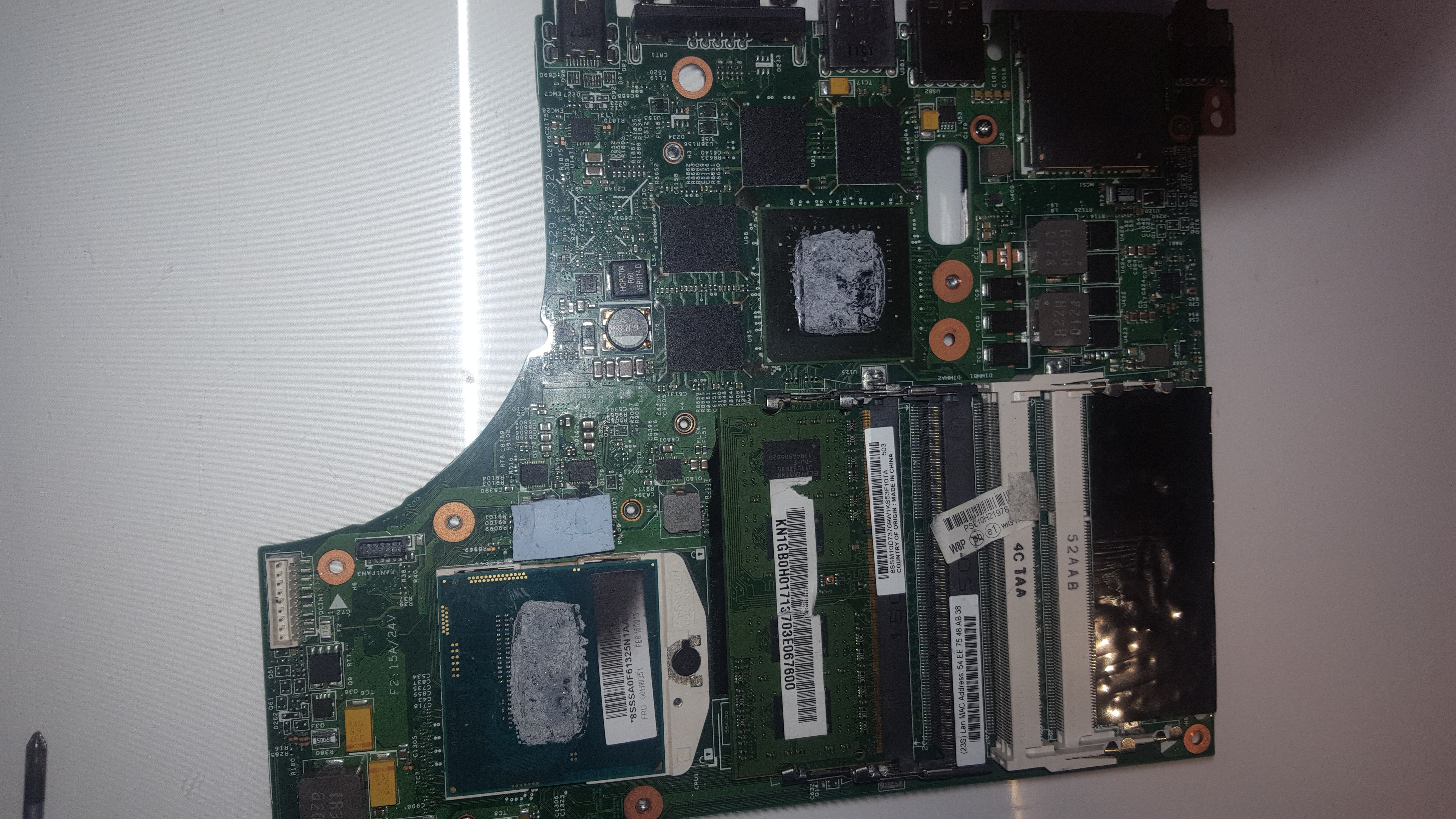
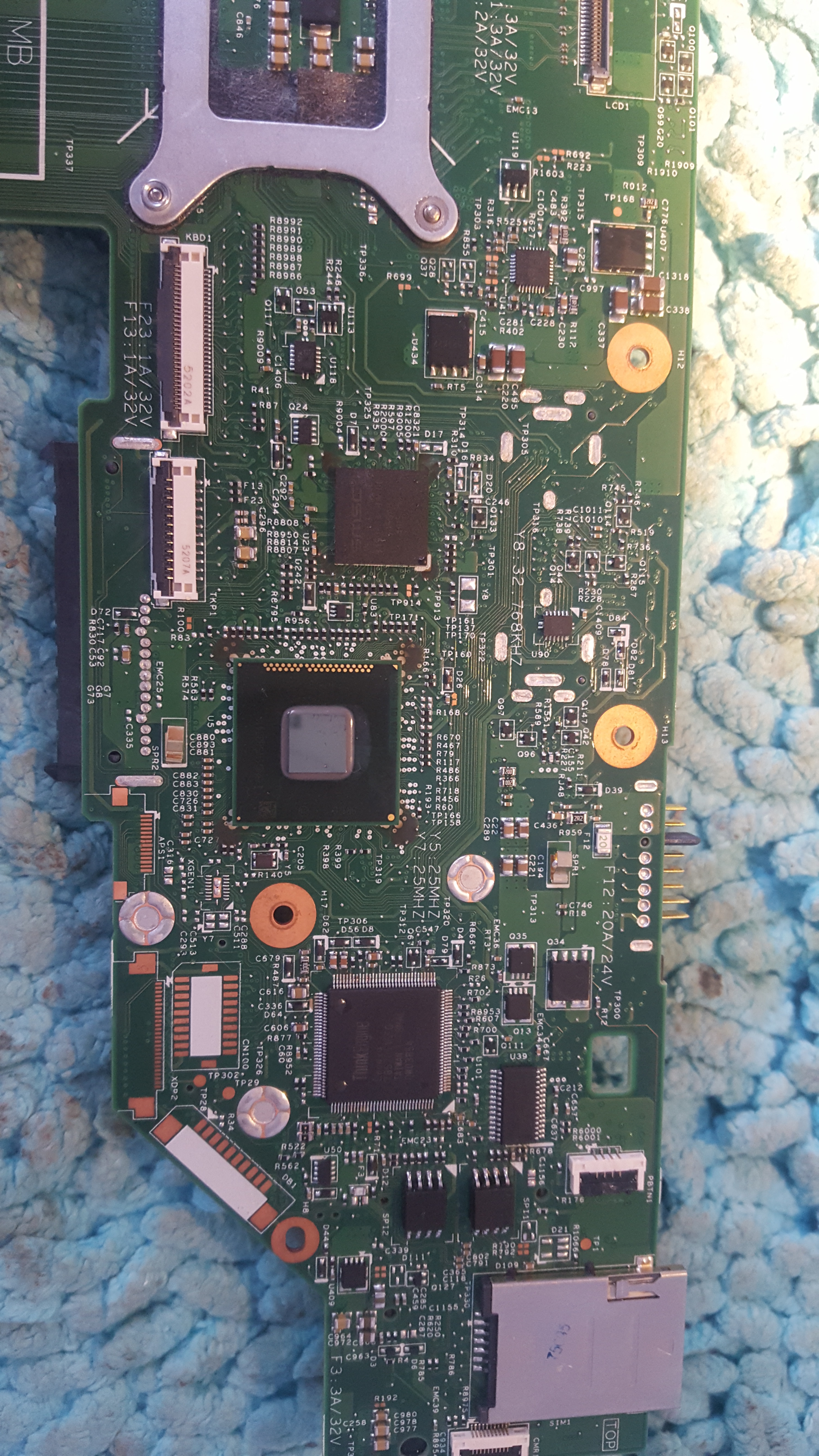
    Take and post pictures in high resolution on both sides of your disc. Mostly, manufacturers placed a socket or a place for soldering the jtag socket. The disc label will also be useful.
    Besides, if it's like MEC1609 then you have to put it into bootmode state. One of the pins must be shorted to the ground.
    On elvikom there is my post on this topic (mec1609).
  • #4 16788809
    danao
    Level 24  
    Posts: 949
    Help: 26
    Rate: 19
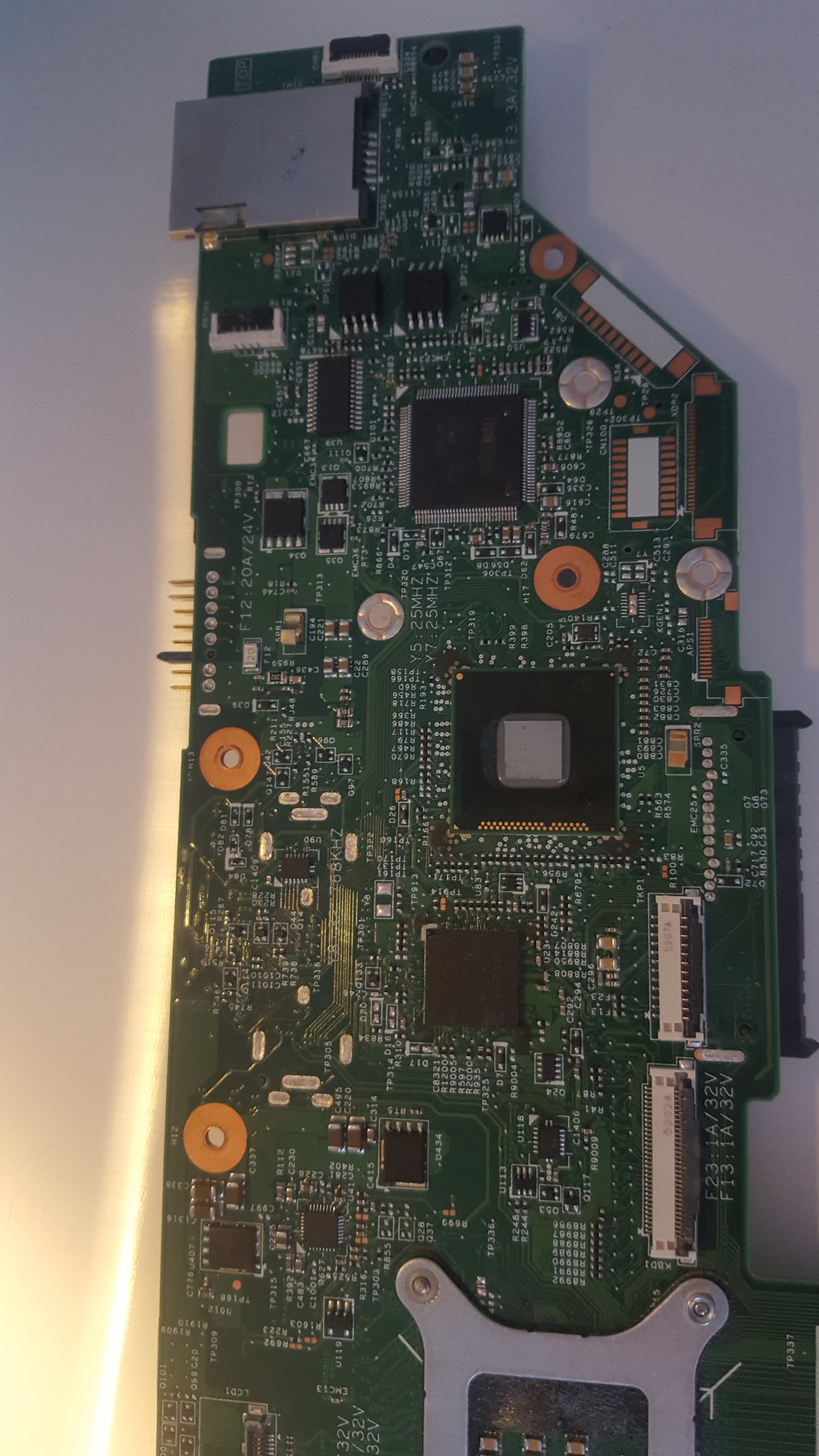
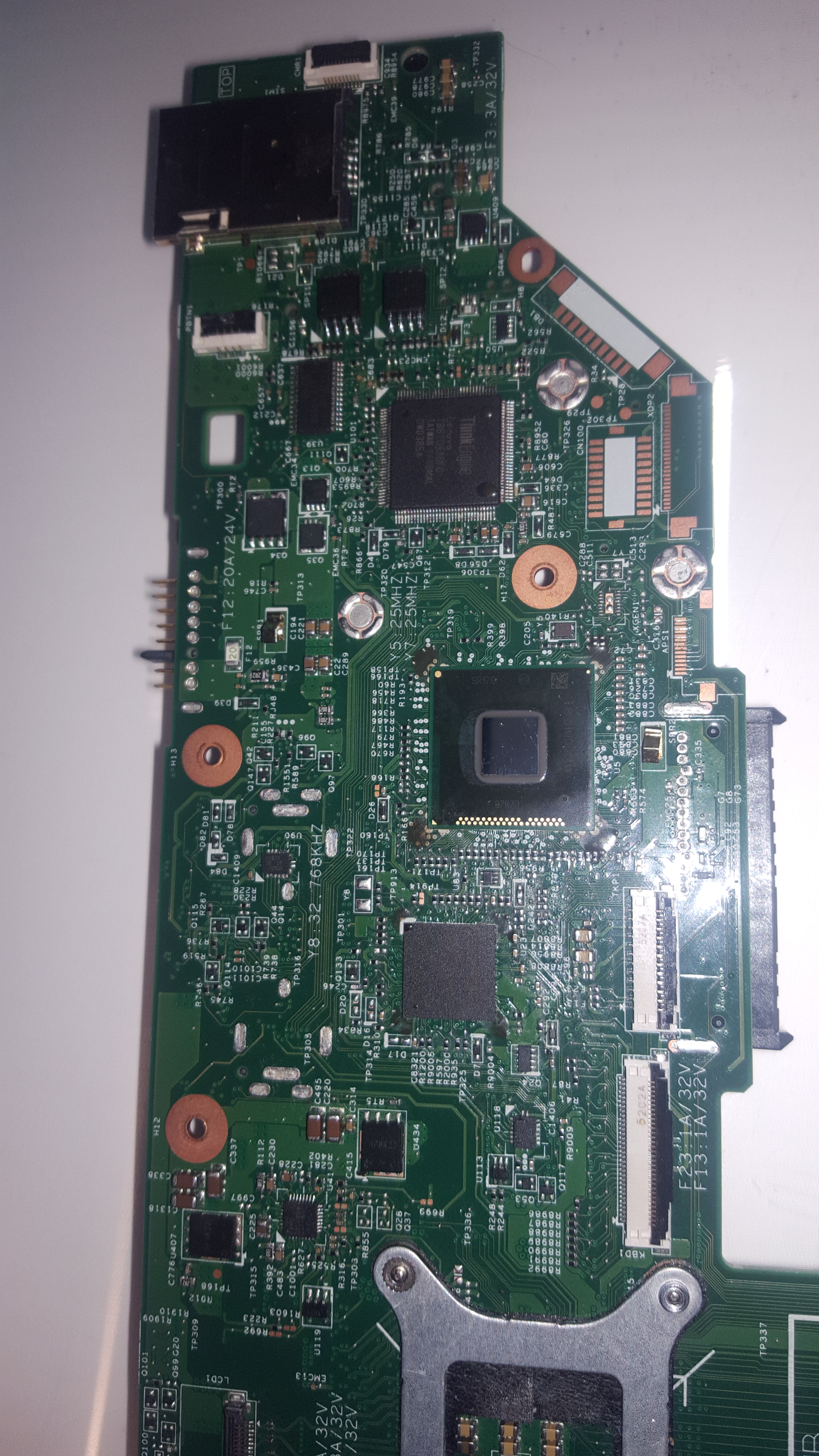
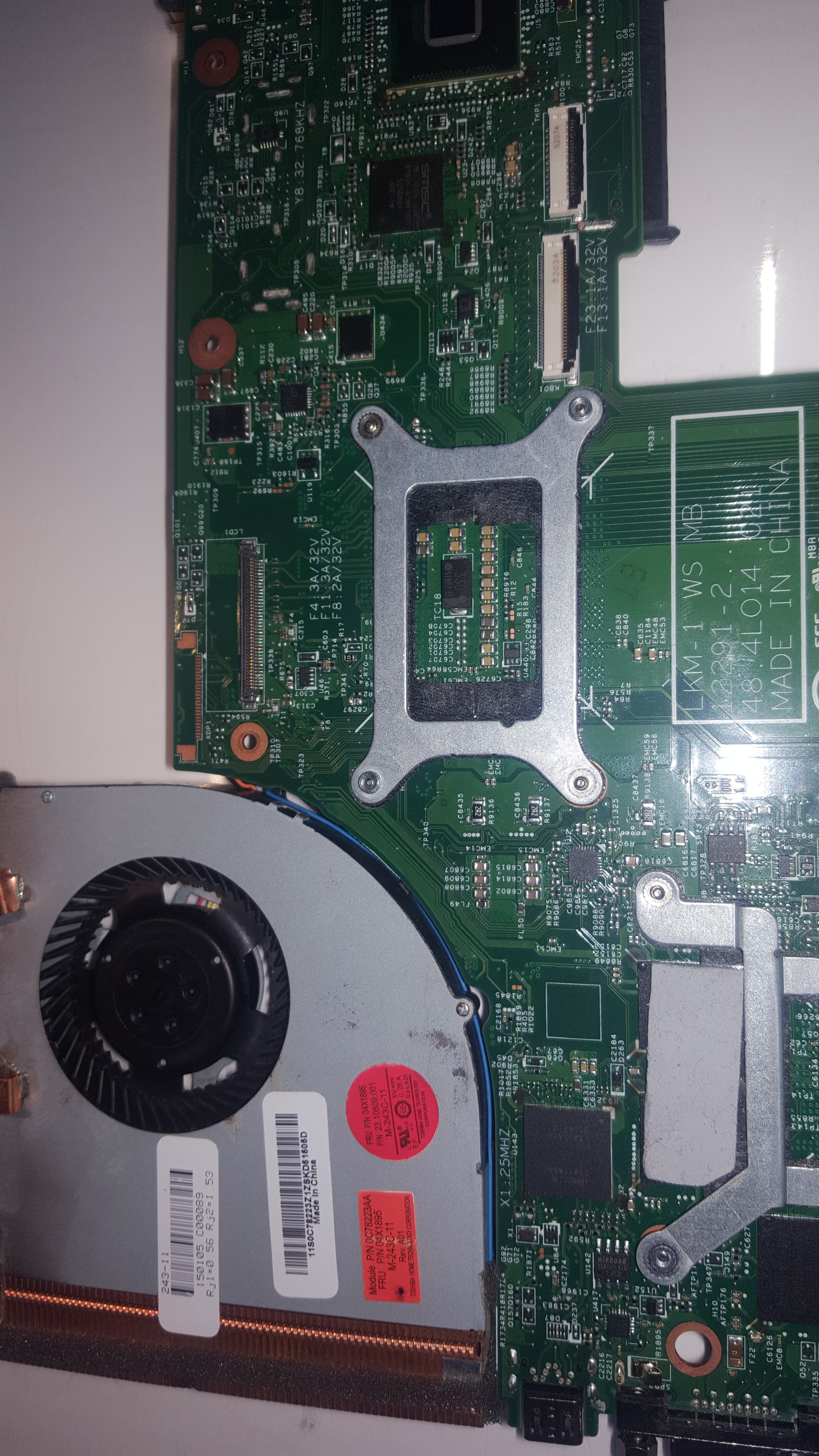
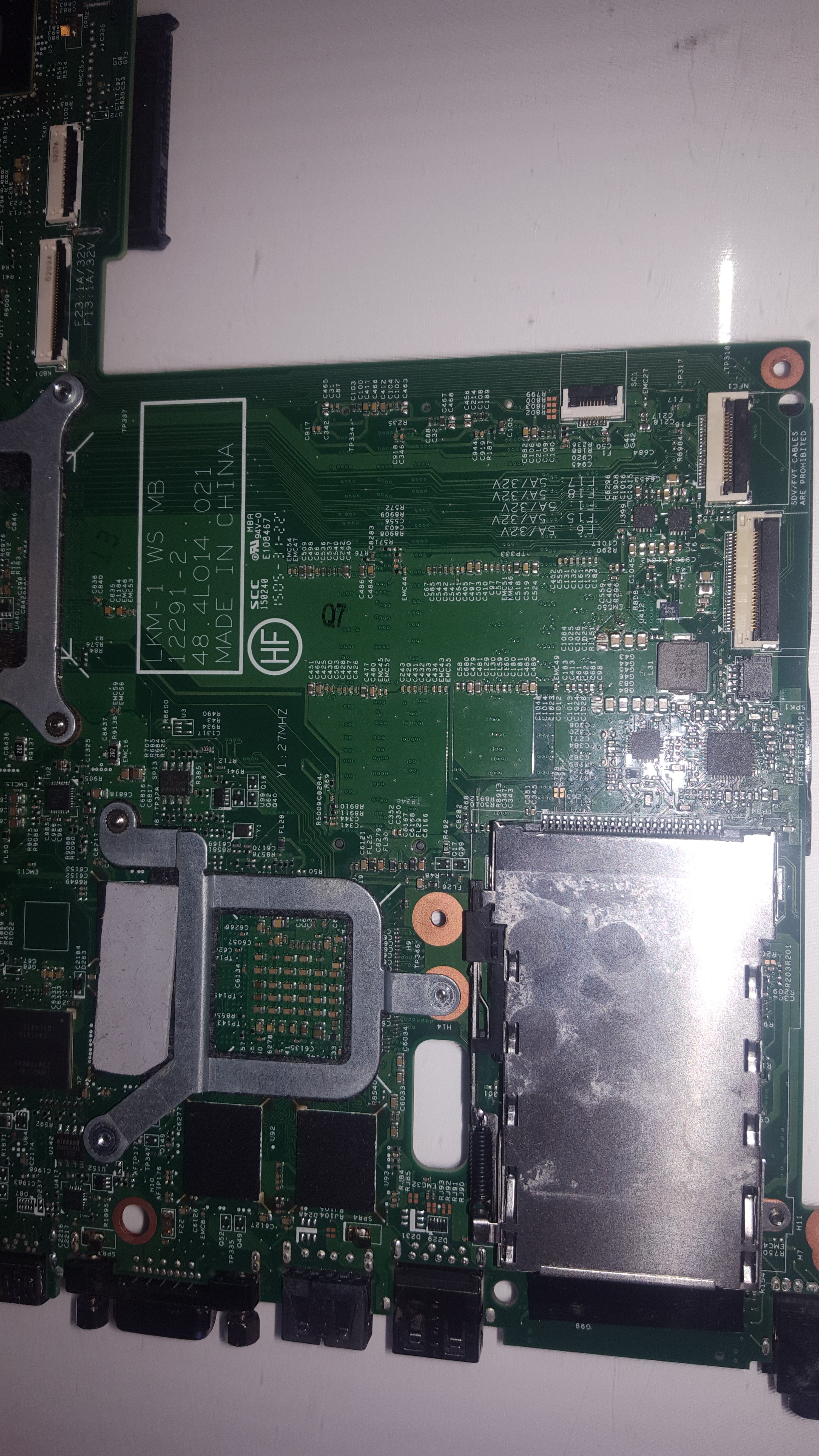
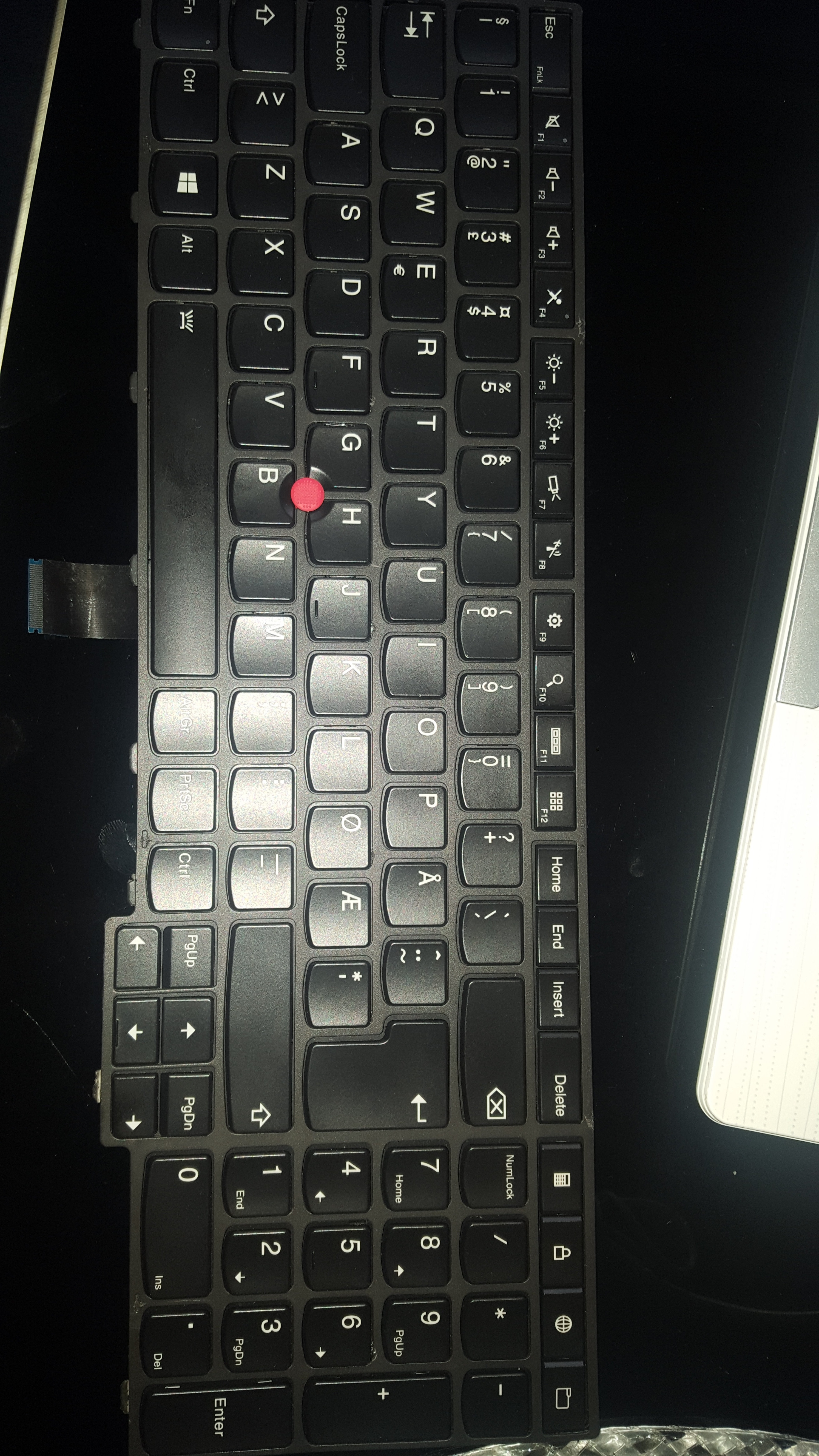
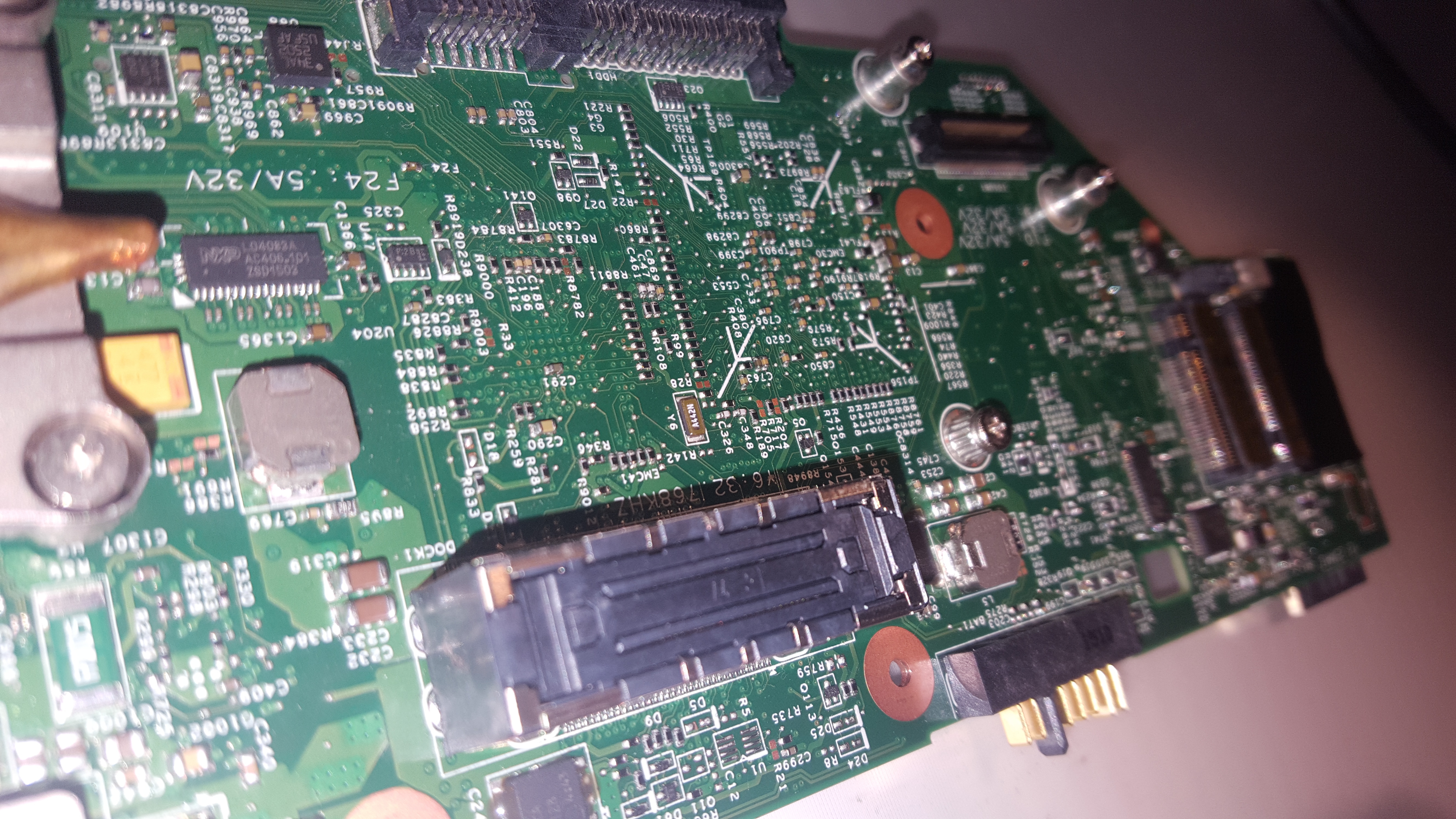
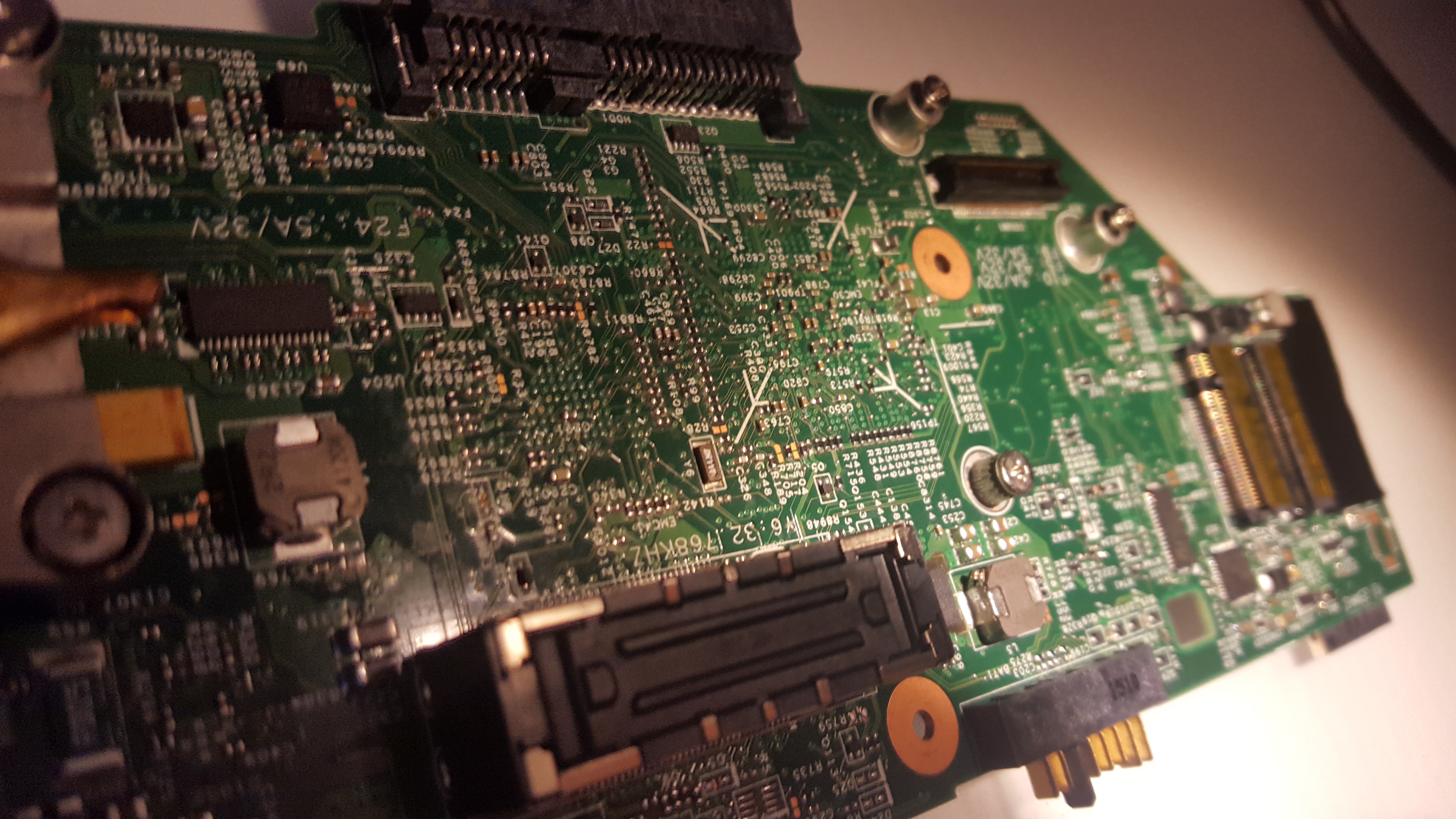
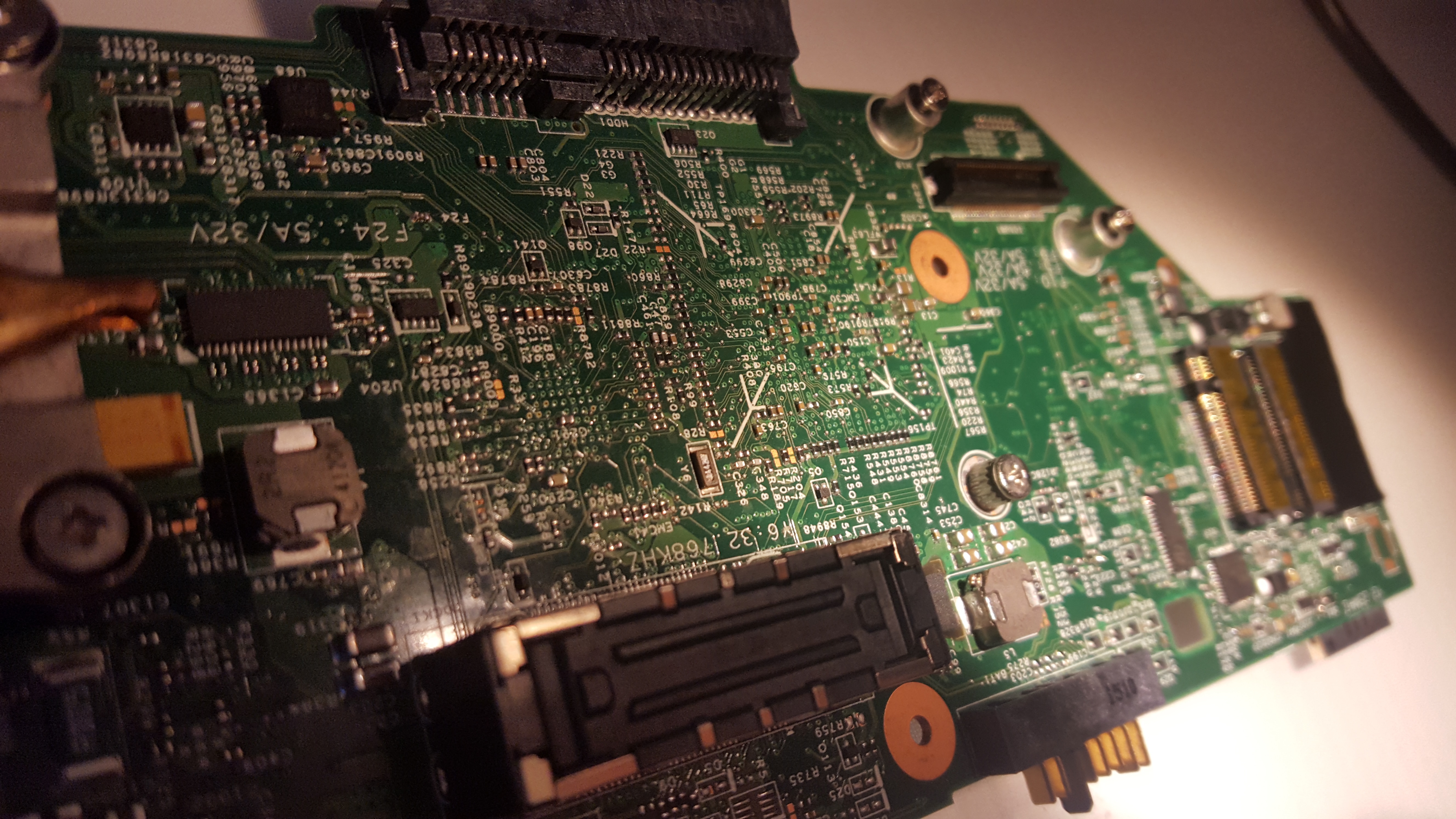
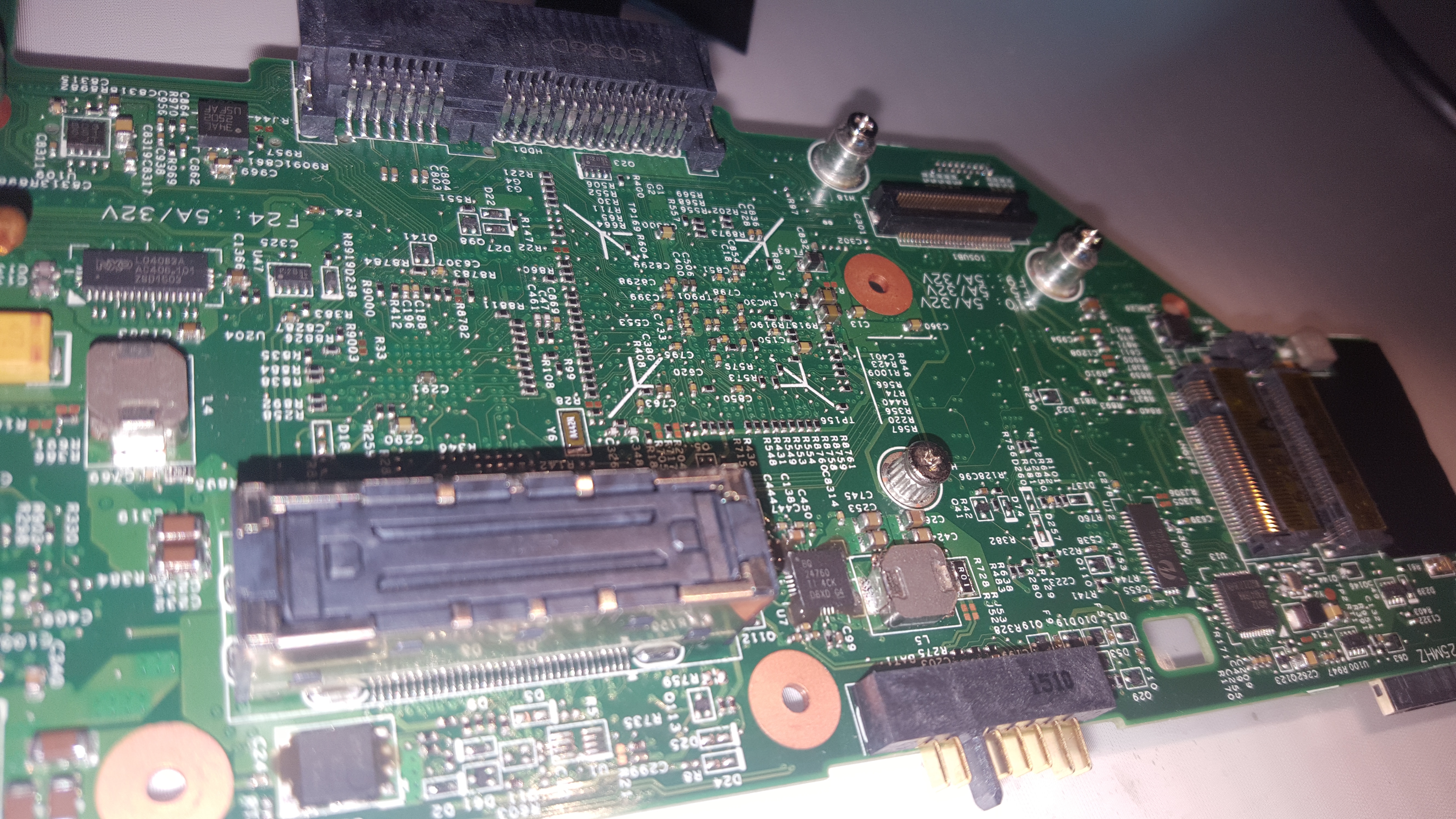
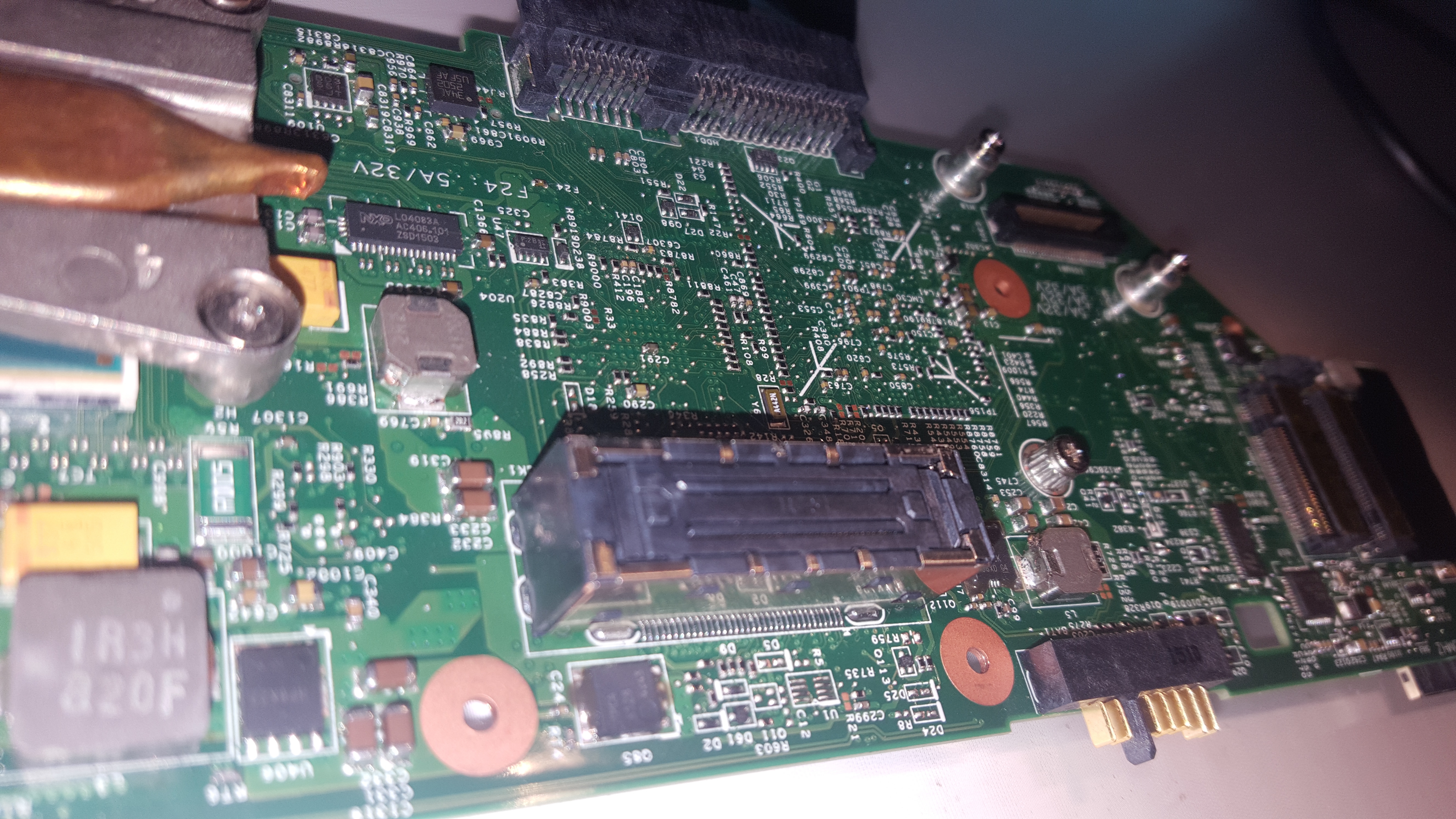
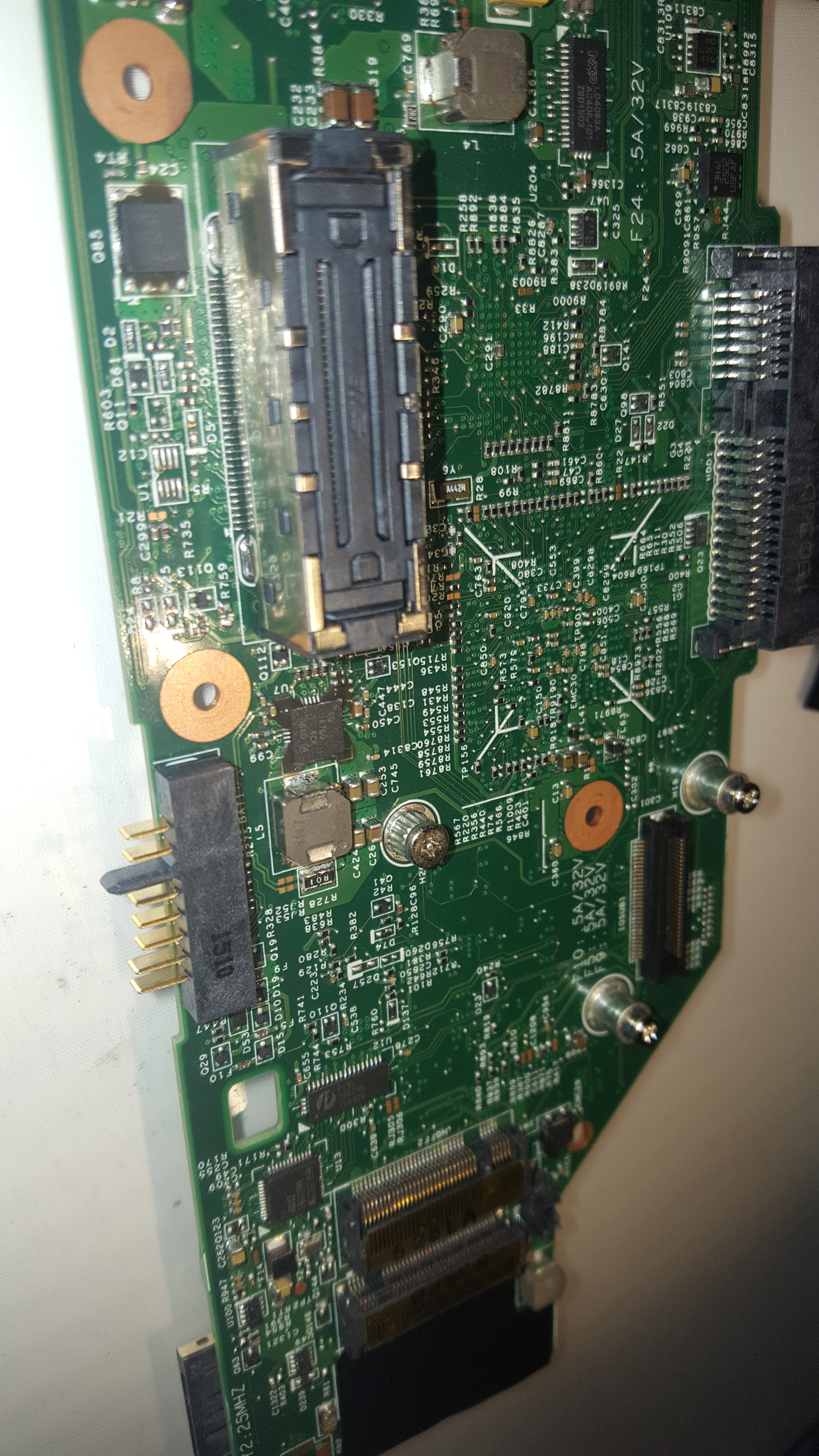
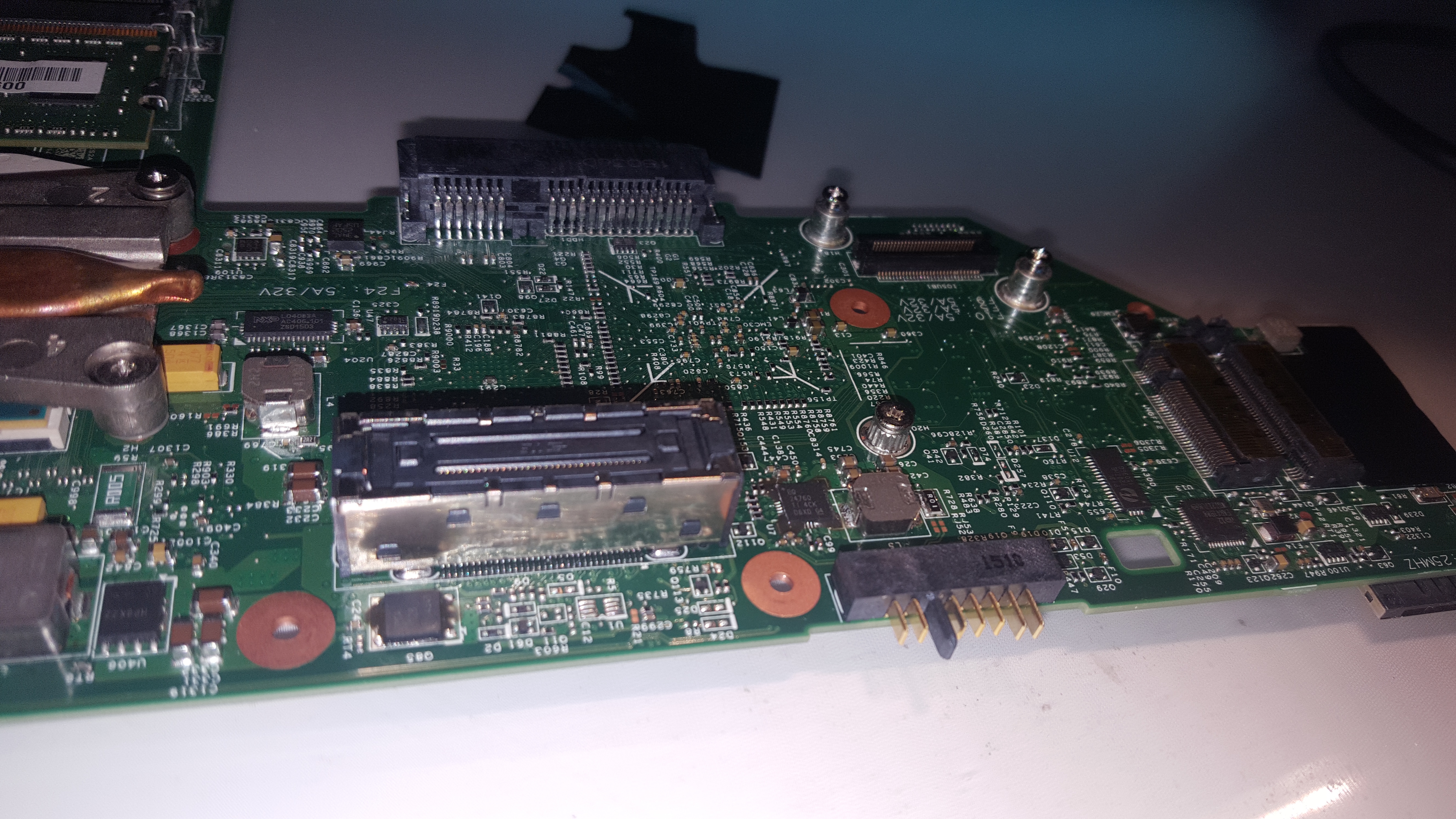
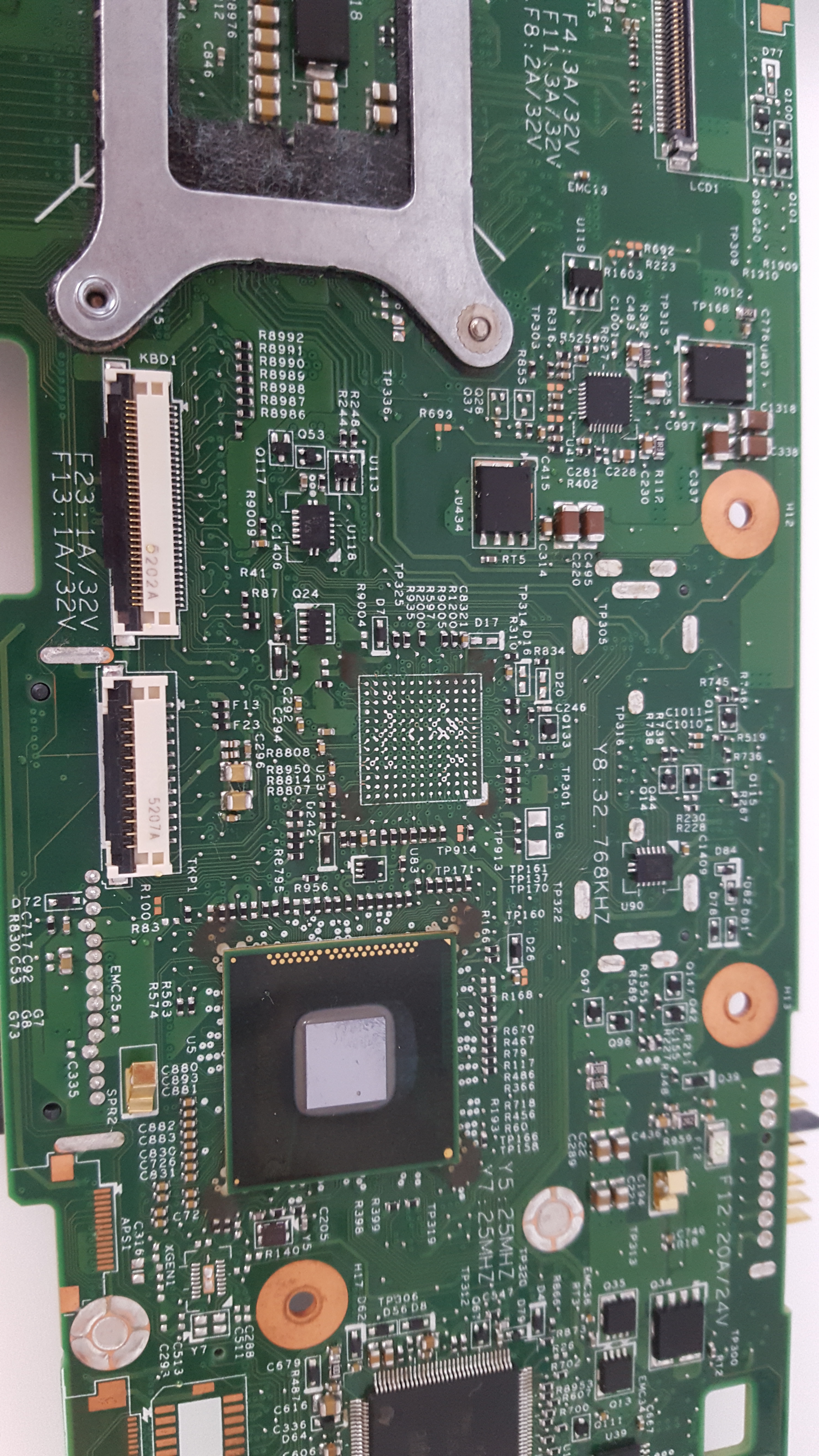
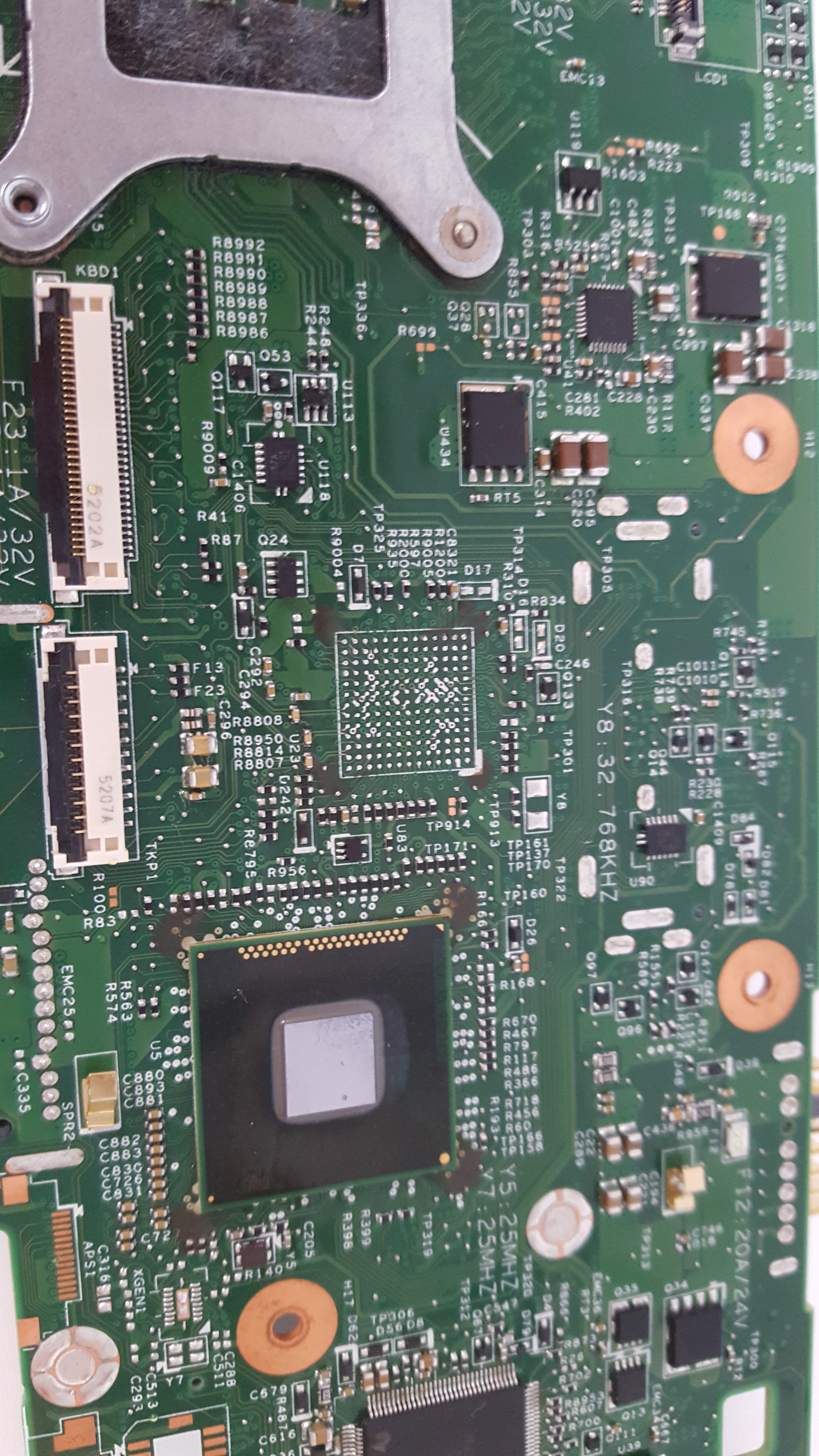
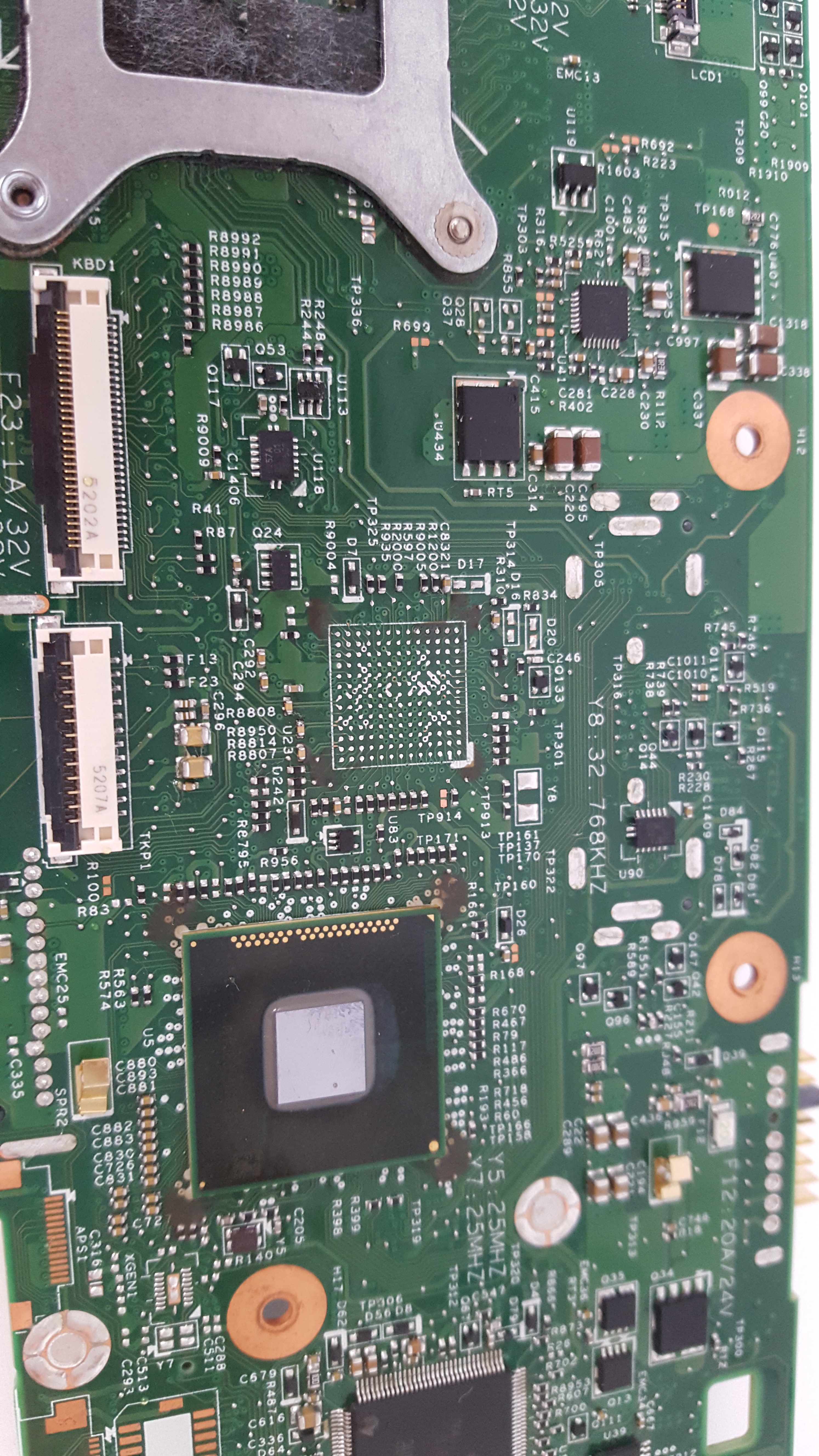
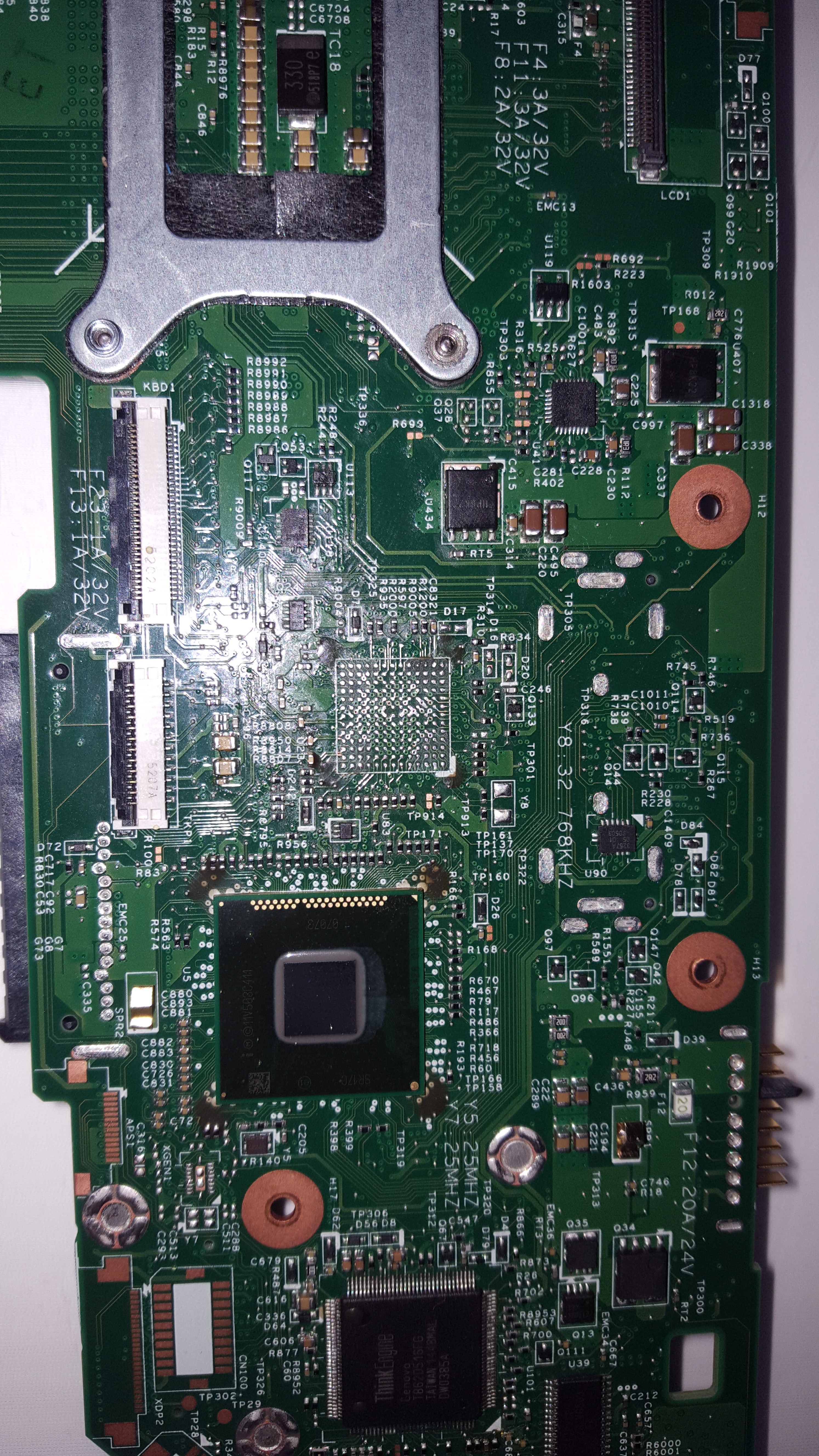
    Hello, I attach photos of the lenovo W541 board. Its designations are: lkm 1 ws mb 12291-2
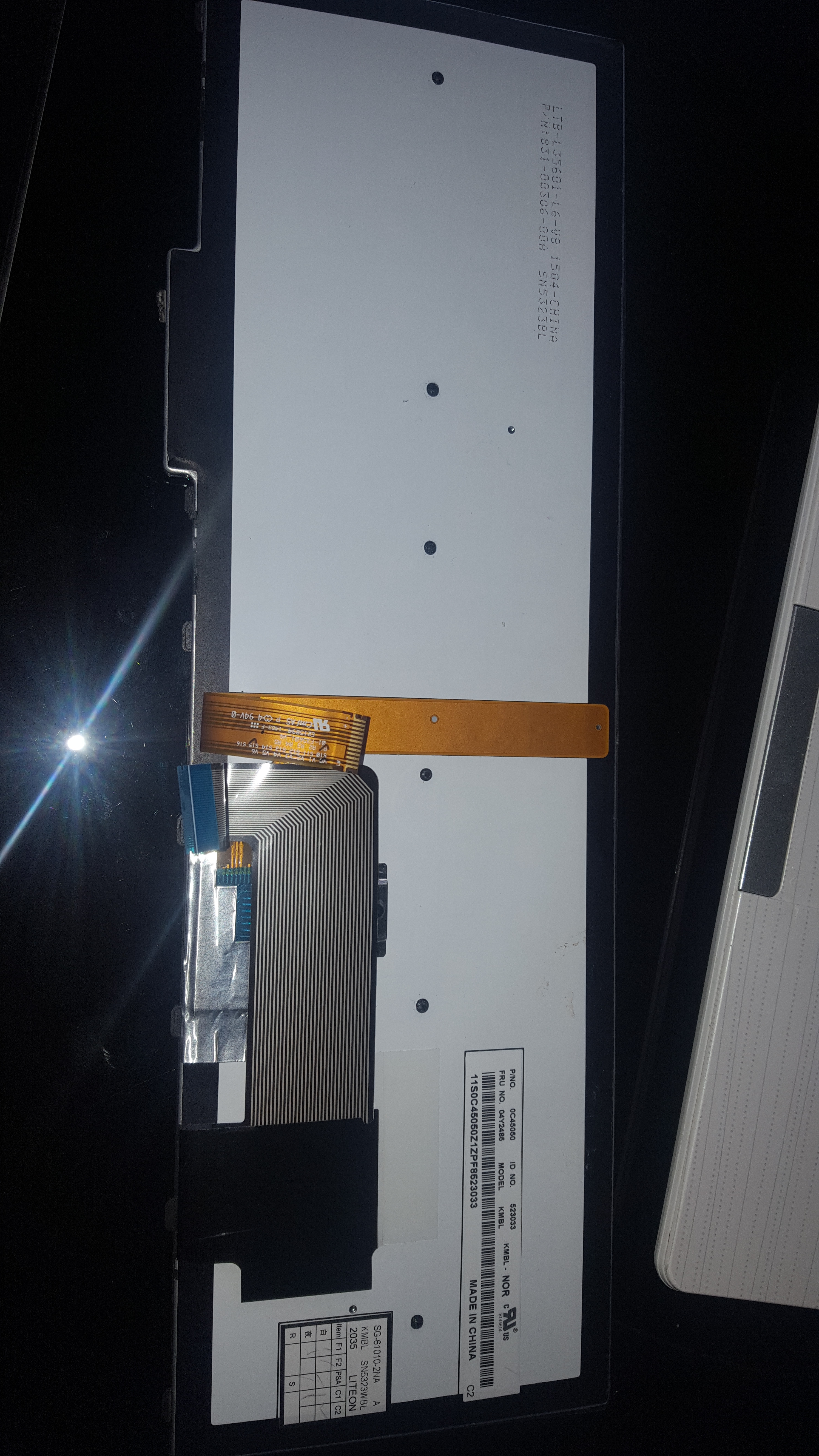
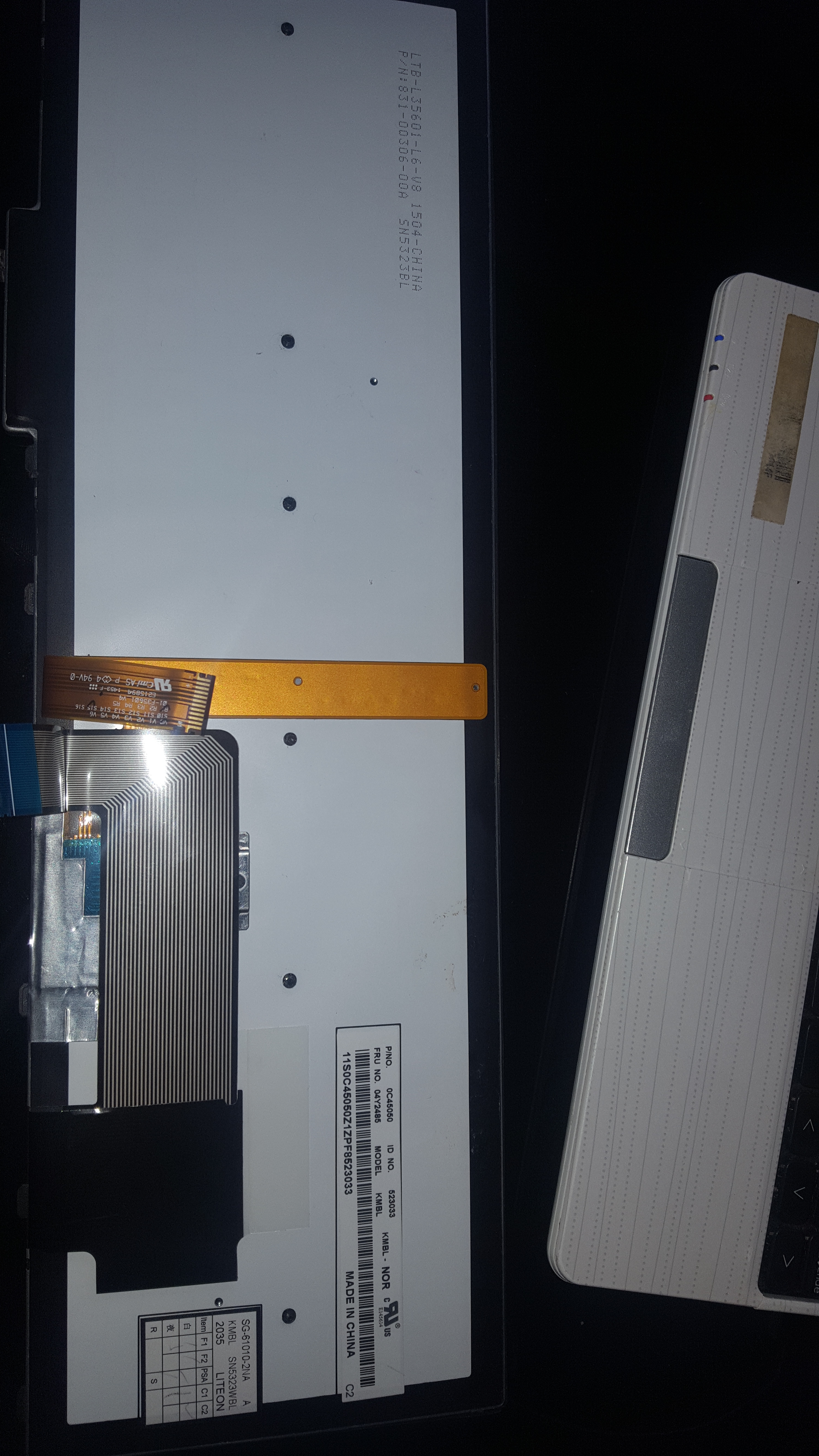
    48.4l014.021. I was still looking for a list of keyboard pins or a keyboard connector, because I can also program the keyboard connector. Unfortunately, Lenovo Keyboard 04Y2485 KMBL-NOR also can not be found when it comes to spreading paths Seeking MEC1633L Pinout for Programming Lenovo W541: TDO, TDI, SCK, TMS, VCC, GND . Seeking MEC1633L Pinout for Programming Lenovo W541: TDO, TDI, SCK, TMS, VCC, GND Seeking MEC1633L Pinout for Programming Lenovo W541: TDO, TDI, SCK, TMS, VCC, GND Seeking MEC1633L Pinout for Programming Lenovo W541: TDO, TDI, SCK, TMS, VCC, GND Seeking MEC1633L Pinout for Programming Lenovo W541: TDO, TDI, SCK, TMS, VCC, GND Seeking MEC1633L Pinout for Programming Lenovo W541: TDO, TDI, SCK, TMS, VCC, GND Seeking MEC1633L Pinout for Programming Lenovo W541: TDO, TDI, SCK, TMS, VCC, GND Seeking MEC1633L Pinout for Programming Lenovo W541: TDO, TDI, SCK, TMS, VCC, GND Seeking MEC1633L Pinout for Programming Lenovo W541: TDO, TDI, SCK, TMS, VCC, GND Seeking MEC1633L Pinout for Programming Lenovo W541: TDO, TDI, SCK, TMS, VCC, GND
  • #5 16788819
    lisek
    Service technician RTV
    Posts: 39712
    Help: 6307
    Rate: 6802
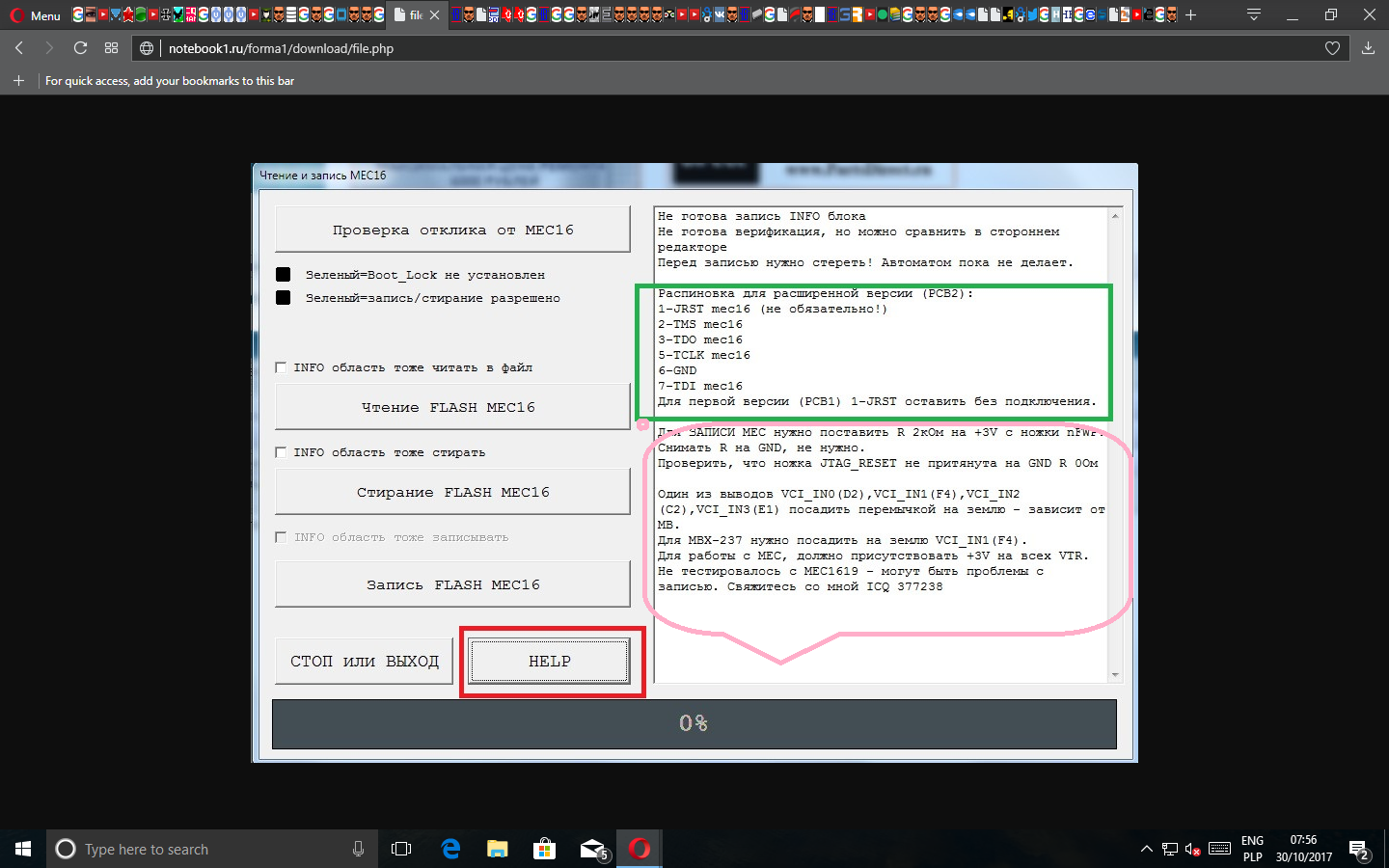
    On Sony notebooks with MEC1609 / 1619/1626 notebooks the case looks like this
    - see pin. F4 (# Boot_Mode)
    * sometimes when reading the MEC ID there is an option that stby (3.3 and 5V) are included earlier by the kbc and then "no cooperation with MEC" vs. the programmer will not be
    * (e.g. MBX-237, ../ or LGS-1 MB 48.4RQ21.011 platform with kbc MEC1619L)

    Seeking MEC1633L Pinout for Programming Lenovo W541: TDO, TDI, SCK, TMS, VCC, GND

    :!: A complex problem, it was once shown like this for MBX-237
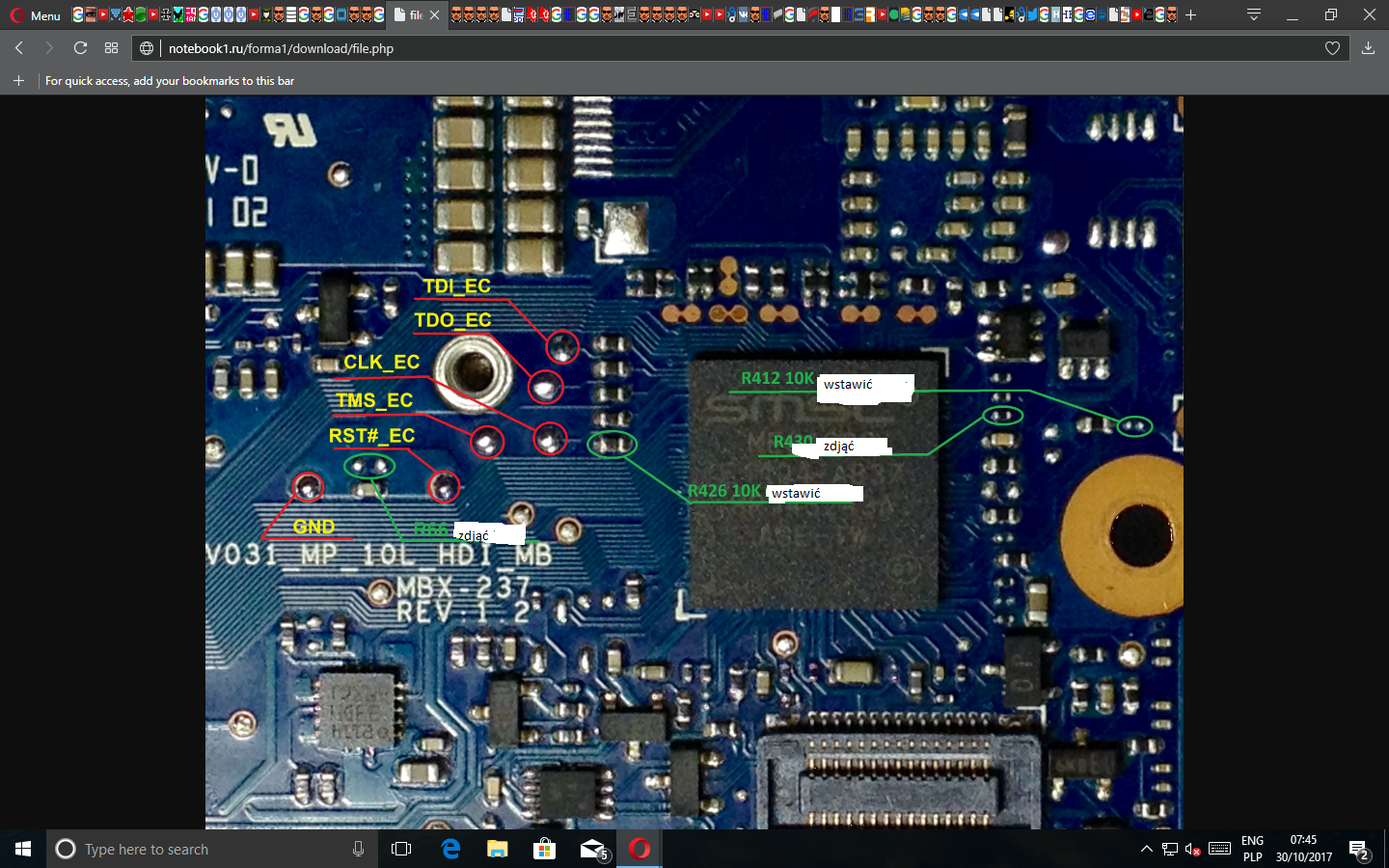
    Seeking MEC1633L Pinout for Programming Lenovo W541: TDO, TDI, SCK, TMS, VCC, GND
    So described in the Russian computer forum

    Seeking MEC1633L Pinout for Programming Lenovo W541: TDO, TDI, SCK, TMS, VCC, GND


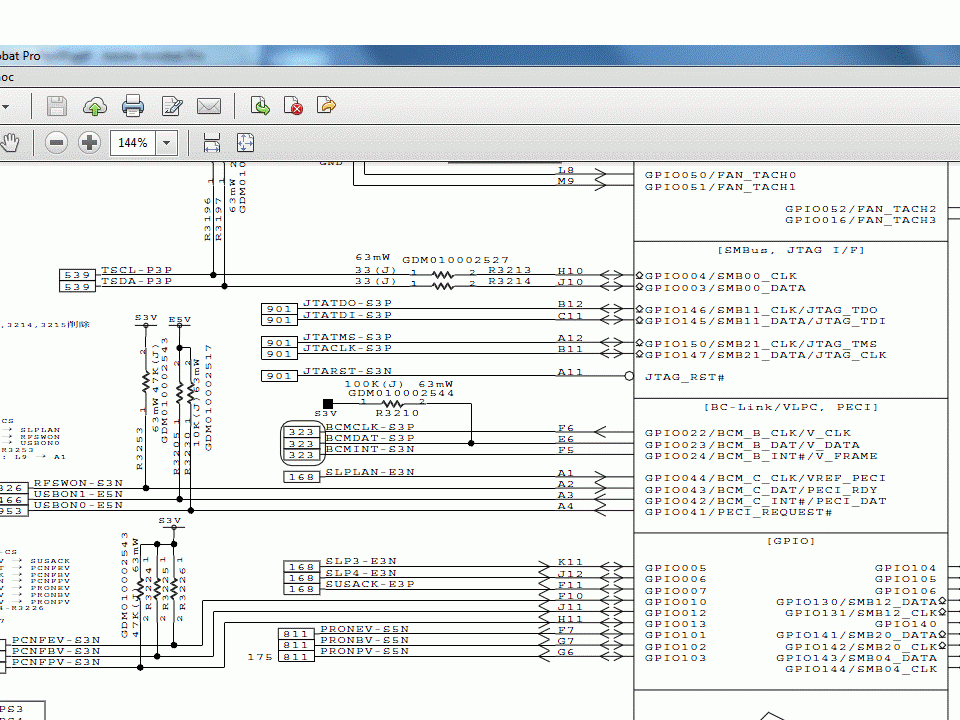
    :?: How is MEC1633L?

    ps
    For thinkpad W520 and W510 how to remove the password shown exemplary on link
  • ADVERTISEMENT
  • #6 16789238
    Stani12
    Level 28  
    Posts: 1180
    Help: 134
    Rate: 107
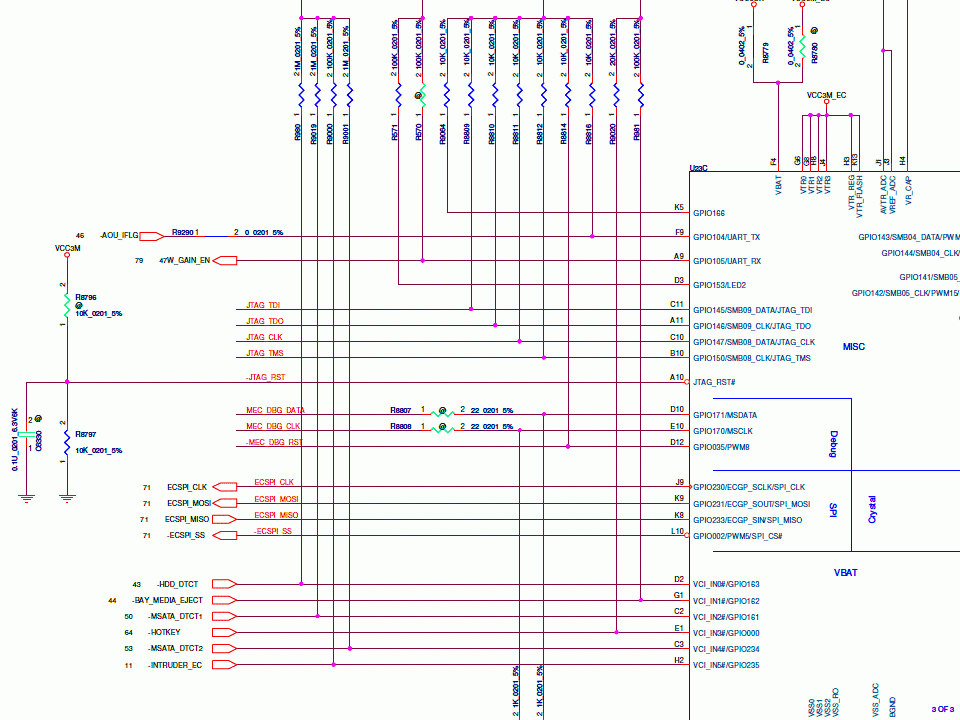
    You have treated the other side of the album with care. I'm most interested in the area where light reflects near the docking plate connector. There are 8 pads looking like I had in toshiba S11 (MEC1609). Similar was the case with MEC5055 in the subject
    https://www.elvikom.pl/dell-latitude-e6230-nie-laduje-nie-reaguje-na-power-t50663.html
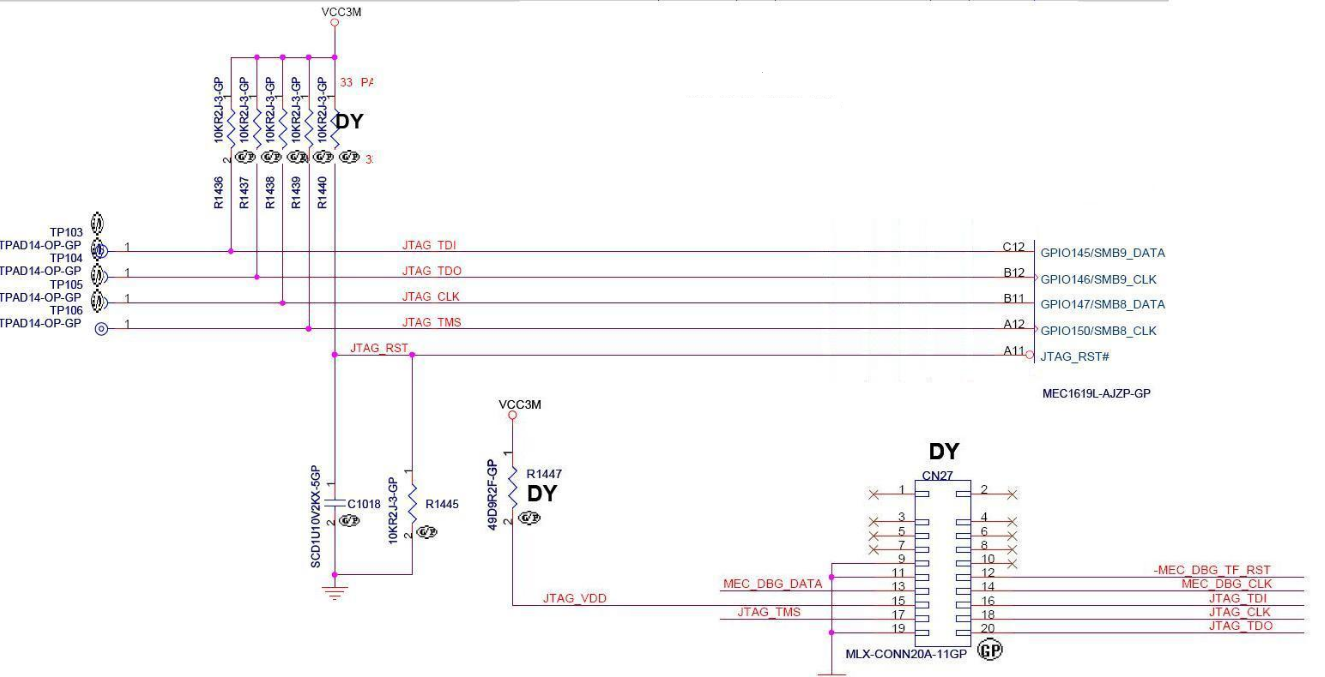
    This is the case in S11 in the diagram.
    Seeking MEC1633L Pinout for Programming Lenovo W541: TDO, TDI, SCK, TMS, VCC, GND
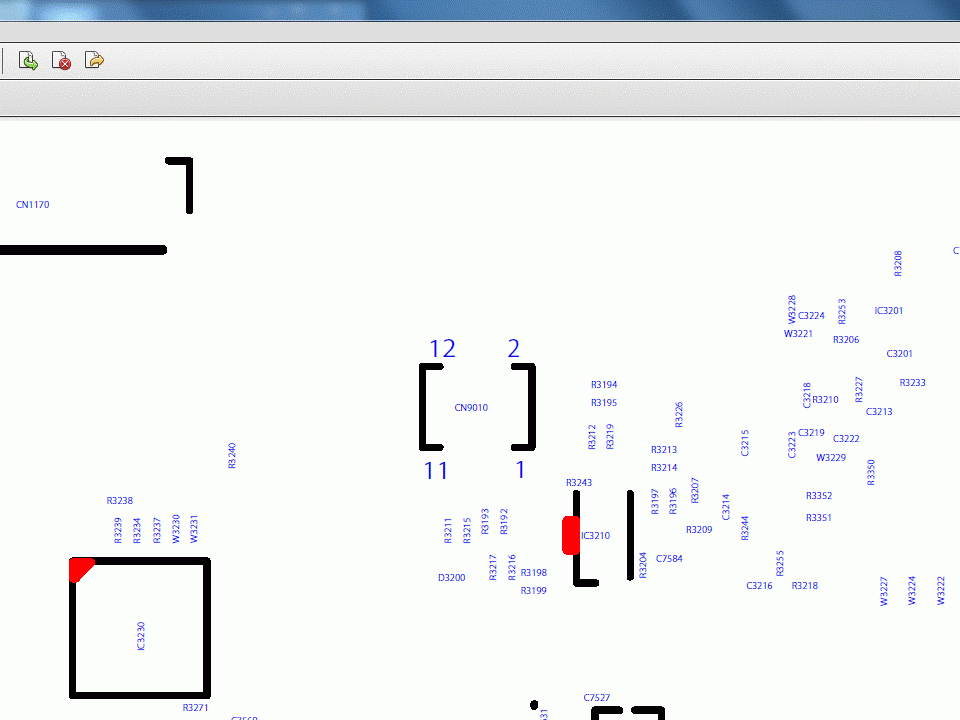
    And that's how it is on boardview. 12 bare pads. Element CN9010 Seeking MEC1633L Pinout for Programming Lenovo W541: TDO, TDI, SCK, TMS, VCC, GND
  • #7 16789611
    danao
    Level 24  
    Posts: 949
    Help: 26
    Rate: 19
    I noticed the light reflections but I didn't see anything specific in these places so I didn't improve. Already Seeking MEC1633L Pinout for Programming Lenovo W541: TDO, TDI, SCK, TMS, VCC, GND intercede. Seeking MEC1633L Pinout for Programming Lenovo W541: TDO, TDI, SCK, TMS, VCC, GND Seeking MEC1633L Pinout for Programming Lenovo W541: TDO, TDI, SCK, TMS, VCC, GND Seeking MEC1633L Pinout for Programming Lenovo W541: TDO, TDI, SCK, TMS, VCC, GND Seeking MEC1633L Pinout for Programming Lenovo W541: TDO, TDI, SCK, TMS, VCC, GND Seeking MEC1633L Pinout for Programming Lenovo W541: TDO, TDI, SCK, TMS, VCC, GND Seeking MEC1633L Pinout for Programming Lenovo W541: TDO, TDI, SCK, TMS, VCC, GND
  • #8 16789680
    lisek
    Service technician RTV
    Posts: 39712
    Help: 6307
    Rate: 6802
    This kbc MEC1633L is a BGA 13x13pin "s system, i.e. 169 in total.
    Foto. link
    Plate 48.4LO14.021
    - HM87 chipset,
    * Intel Core i5-i7, (top shelf is i7-3940XM / i7-4700MQ) / * Haswell)
    additional graphics NVIDIA Quadro K2100M (N15P-Q3-A1), 2Gb GDDR5,
    * or Nvidia Quadro K1100M

    :idea: Give me a good photo. steering. MEC1633L.
    Attachments:
    • t540p_w540_w541_hmm_en_ .pdf (36.76 MB) You must be logged in to download this attachment.
  • #9 16790012
    Stani12
    Level 28  
    Posts: 1180
    Help: 134
    Rate: 107
    The 13x13 pin layout complicates the matter. I thought the pins would match 1609. Unfortunately it is 12x12. These 8 pins next to the dock connector also look like a place on the IC.
  • #10 16790447
    danao
    Level 24  
    Posts: 949
    Help: 26
    Rate: 19
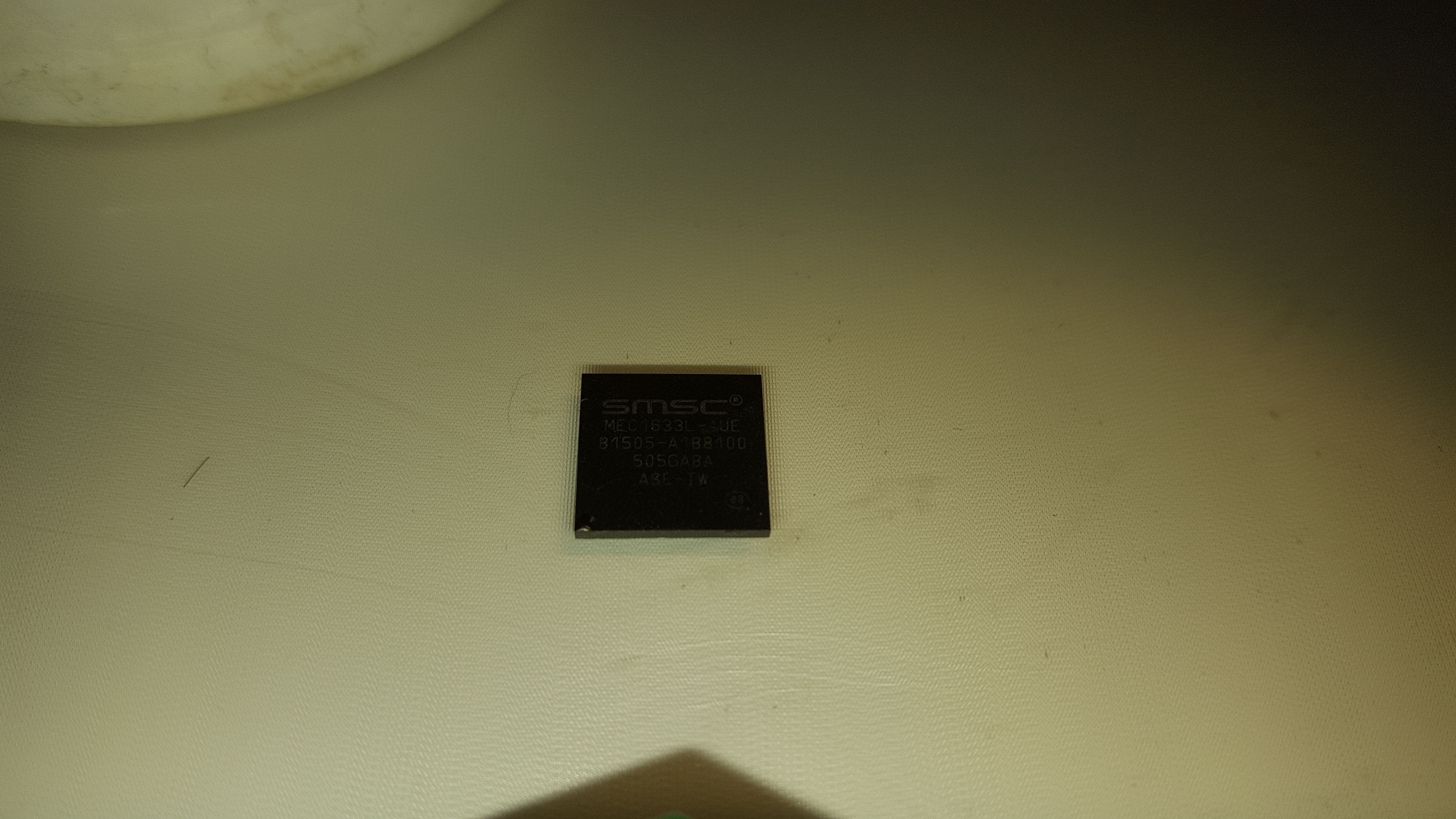
    These pads are for the U1 system. I attach photos of the MEC1633L - AUE system. Seeking MEC1633L Pinout for Programming Lenovo W541: TDO, TDI, SCK, TMS, VCC, GND Seeking MEC1633L Pinout for Programming Lenovo W541: TDO, TDI, SCK, TMS, VCC, GND
  • #11 16790511
    lisek
    Service technician RTV
    Posts: 39712
    Help: 6307
    Rate: 6802
    Quote:
    Give me a good photo. steering. MEC1633L.


    I meant photo. on the plate / or about where this kbc is mounted (or is to be)
  • ADVERTISEMENT
  • #12 16790674
    Stani12
    Level 28  
    Posts: 1180
    Help: 134
    Rate: 107
    If it is desoldered from your disc, it would be good to take a photo of the pads without the layout.
    After long and hard suffering:
    Seeking MEC1633L Pinout for Programming Lenovo W541: TDO, TDI, SCK, TMS, VCC, GND
  • #13 16790836
    lisek
    Service technician RTV
    Posts: 39712
    Help: 6307
    Rate: 6802
    Thanks col. It's from ....?
    :idea: I added points
  • #14 16790916
    Stani12
    Level 28  
    Posts: 1180
    Help: 134
    Rate: 107
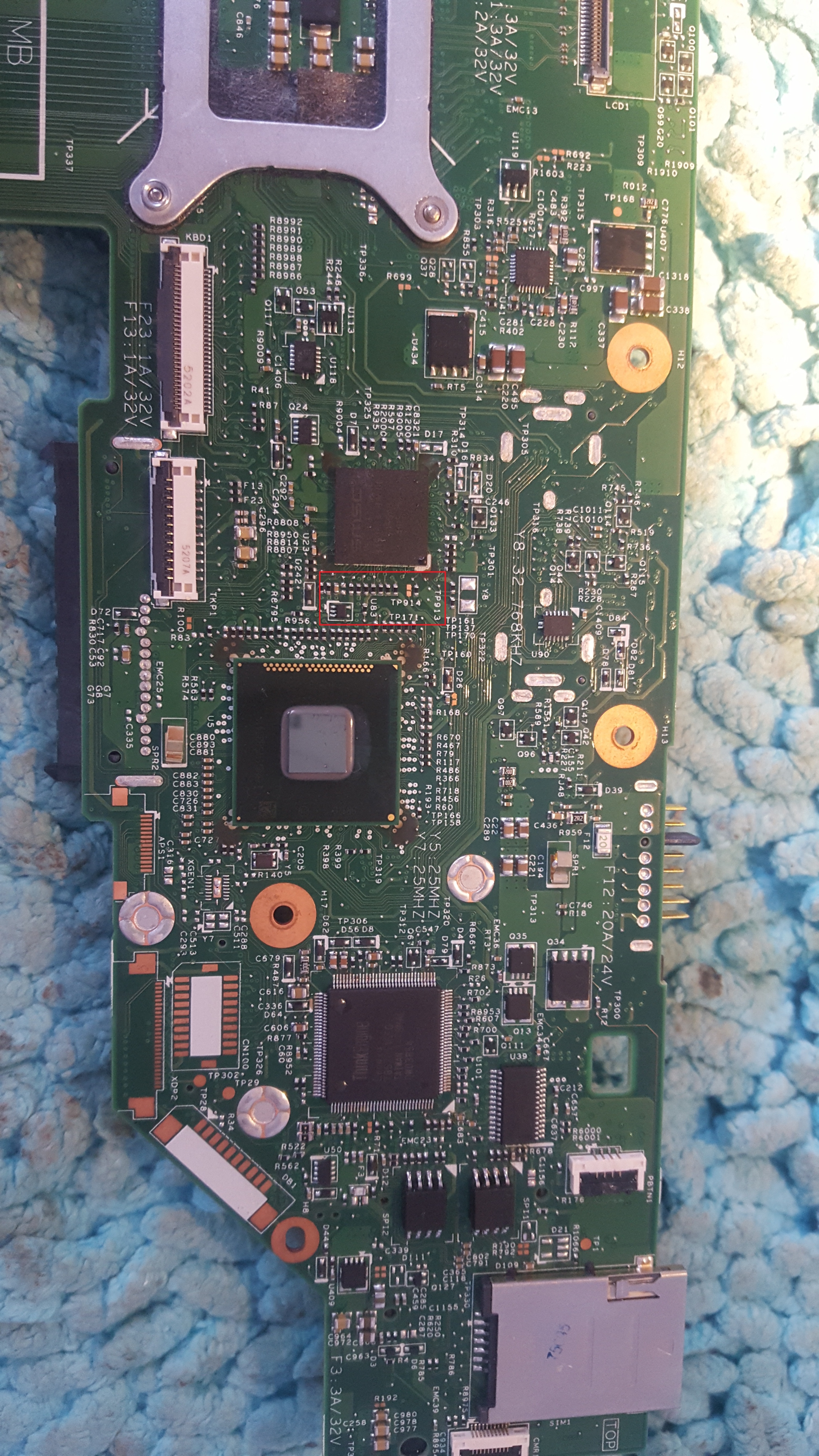
    I bet on the marked area (resistors and TP914):
    Seeking MEC1633L Pinout for Programming Lenovo W541: TDO, TDI, SCK, TMS, VCC, GND
  • #15 16790944
    danao
    Level 24  
    Posts: 949
    Help: 26
    Rate: 19
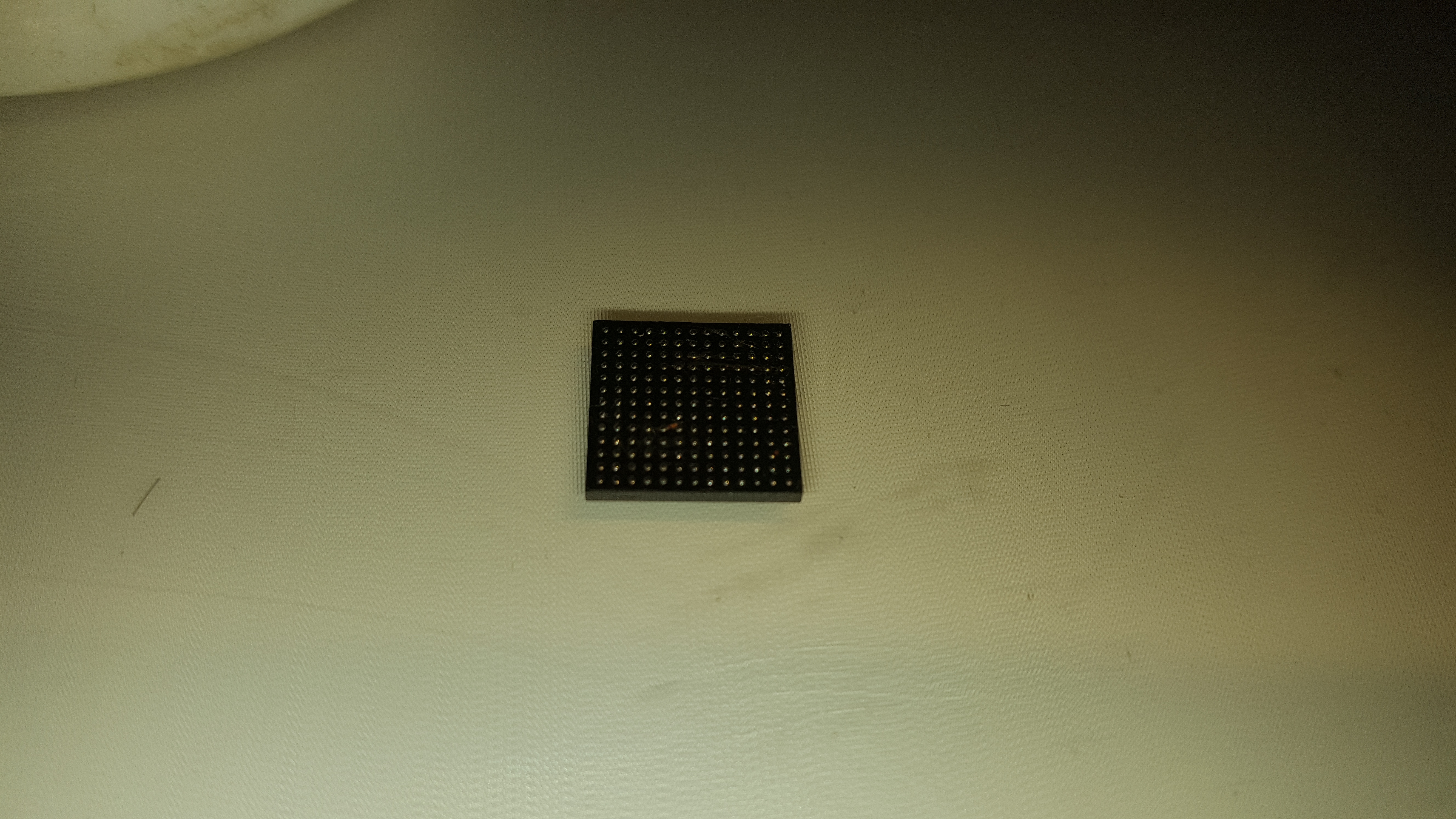
    Respect. Thank you. I still paste the pads after removing MEC1633L. Seeking MEC1633L Pinout for Programming Lenovo W541: TDO, TDI, SCK, TMS, VCC, GND Seeking MEC1633L Pinout for Programming Lenovo W541: TDO, TDI, SCK, TMS, VCC, GND Seeking MEC1633L Pinout for Programming Lenovo W541: TDO, TDI, SCK, TMS, VCC, GND Seeking MEC1633L Pinout for Programming Lenovo W541: TDO, TDI, SCK, TMS, VCC, GND
  • #16 16790955
    Stani12
    Level 28  
    Posts: 1180
    Help: 134
    Rate: 107
    Now it's a walk.
  • #17 16801453
    danao
    Level 24  
    Posts: 949
    Help: 26
    Rate: 19
    This long walk, but slowly forward.
    I put all the information together and finally connected the MEC1633l in the circuit on the above-mentioned board - unfortunately no result, the programmer cannot see the circuit. I connected the system itself to the TDI TDO TMS RST TCK GND connector programmer and 3.3V power supply and I get something like this:

    026: MEC16xx Chip ID: 0x605DD86A
    027: Start reading chip ......
    028: Read successfulŁ?Elapsed timeŁş3.692 secondsˇŁ
    029: Auto verifying ...
    030: Chip verification error, start position: 0x4.
    031: Verification failure Ł?Elapsed time Łş0.077 seconds
    032: Read error, operation aborted.

    Every time I read in this way I get a different ID.
    014: MEC16xx Chip ID: 0xE75ADB7A
    015: Start reading chip ......
    016: Read successfulŁ?Elapsed timeŁş3.692 secondsˇŁ
    017: Auto verifying ...
    018: Chip verification error, start position: 0x4.
    019: Verification failure Ł?Elapsed time Ł?0.08 seconds
    020: Read error, operation aborted.

    I suspect a damaged smsc system. I have a second purchase and I will continue to fight. Despite the time devoted, I am not giving up yet.

    For now, thank you to all supporters.
    Regards.

    Added after 38 [minutes]:

    Now I came to this new layout with this:

    006: File has been loaded, checksum: 16bits_0x2804 Ł?32bits_0x01872804:
    007: MEC16xx Chip ID: 0x80000000
    008: Start writing chip ......
    009: Auto erasing ...
    010: Erase successfulŁ?Elapsed timeŁş0.611 secondsˇŁ
    011: Start writing ...
    012: Write successfulŁ?Elapsed timeŁş13.42 secondsˇŁ
    013: Auto verifying ...
    014: Chip verification error, start position: 0x0.
    015: Verification failureŁ?Elapsed timeŁş0.079 secondsˇŁ
    016: Write error, operation terminated.

    I keep searching...

    Added after 10 [minutes]:

    Enrollment succeeded.
    I'll check if the CD starts.

    091: MEC16xx Chip ID: 0x200024B1
    092: Start writing chip ......
    093: Auto erasing ...
    094: Erase successfulŁ?Elapsed timeŁş0.611 secondsˇŁ
    095: Start writing ...
    096: Write successfulŁ?Elapsed timeŁş13.42 secondsˇŁ
    097: Auto verifying ...
    098: Verification successful Ł?Elapsed time Ł?3.703 seconds
    099: Elapsed time: 17.8 secondsŁ?average speed of 22095 bytes / sec.
    100:> ------------------------------------ OK ---------- ----------------------------- <
    101: MEC16xx Chip ID: 0x200024B1
    102: Start reading chip ......
    103: Read successfulŁ?Elapsed timeŁş3.684 secondsˇŁ
    104: Auto verifying ...
    105: Verification successfulŁ?Elapsed timeŁş3.692 secondsˇŁ
    106: Buffer data checksum: 16bits_0x2804 Ł?32bits_0x01872804:
    107: Elapsed time: 7.422 secondsŁ?average speed of 52979 bytes / sec.
    108:> ------------------------------------ OK ---------- ----------------------------- <
    109: File has been saved.

    I'll check if the CD starts.

    Added after 16 [minutes]:

    I folded the disc and unfortunately the disc was dead.
  • #18 16802109
    Stani12
    Level 28  
    Posts: 1180
    Help: 134
    Rate: 107
    You will need to look for damage to another item on the disc.
    Check which one of your diagrams is closest to your disc.
  • #19 16834696
    Stani12
    Level 28  
    Posts: 1180
    Help: 134
    Rate: 107
    I didn't find in the content of posts what programmer are you using ?. After logs I see that this is not a svod. I returned to my toshiba and I see that it behaves the same on svod on mec1609.
    Previously, I dealt with the toshiba case in this way that I bought a new disc / PLN 45 /, read the dump, keeping it in the archive with the assumption that it is good. I set up a new CD and gave the laptop to the client.
    Now that I needed to go back to the old CD, I wanted to program it with a good load and uupssss. Does not program. If I took a closer look at the read dump, I don't like it either.
    In general, I came to the conclusion that svod does not program mec16 circuits ...
    I configured the disc using the configuration records for the mbx-237 disc in the vertyanow programmer window. By the way Sony on the same album.
  • #20 17005682
    sofinfotronic
    Level 1  
    Posts: 1
    can you help me locate test jtag on motherboard lenovo x240 to read mec1633l
    Attachments:
    • jtag.rar (268.25 KB) You must be logged in to download this attachment.
  • #21 20625696
    Dany6969
    Level 9  
    Posts: 28
    Help: 1
    Rate: 3

    The read batch will not work, for a very simple reason... MECs have a locked bootloader, so the programmer will read the batch itself, without the bootloader. For the dunk to play, you must check what bios version the laptop has, download the update exe for this bios from the Dell website, unpack it by obtaining the EC batch and export the bootloader section from it to the ripped batch using the hex editor. Then everything should work...
  • #22 20758833
    Wolverine_XMII
    Level 1  
    Posts: 1

    Hello, does anyone know what is the difference between motherboard 48.4LO13.021 vs 48.4LO14.021?

Topic summary

✨ The discussion revolves around the need for a pinout for the MEC1633L chip on a damaged Lenovo W541 laptop. Users share insights on locating the JTAG pins (TDO, TDI, SCK, TMS, VCC, GND) and suggest examining the motherboard for soldering points. Various motherboard models and configurations are mentioned, including FRU numbers 00HW114 and 00HW113. Users provide links to resources, datasheets, and images of the motherboard to assist in identifying the necessary connections. Issues with programming the MEC1633L are highlighted, including the locked bootloader and the need for specific BIOS updates. The conversation also touches on the differences between motherboard versions 48.4LO13.021 and 48.4LO14.021.
Generated by the language model.

FAQ

TL;DR: The 169-ball MEC1633L maps its JTAG (TCK, TMS, TDI, TDO, nTRST) to the keyboard connector area; “MECs have a locked bootloader” [Elektroda, Dany6969, post #20625696] Follow the 3.3 V-only rule and pin F4 (#BOOT_MODE) for reliable programming.

Why it matters: Knowing the hidden pads and boot-mode trick avoids dead-board loops and repeat reflows.

Quick Facts

• Package: BGA169, 13 × 13 array, 0.8 mm pitch [SMSC Datasheet]. • I/O voltage: 3.3 V ±5 %; do not exceed 3.6 V [SMSC Datasheet]. • Boot_Mode pin: F4 – pull low during reset to unlock JTAG [Elektroda, lisek, post #16788819] • Typical verify speed: ≈52 kB/s with Vertyanov adapter [Elektroda, danao, post #16801453] • Common failure: random Chip-ID when ground return missing [Elektroda, danao, post #16801453]

What is the basic JTAG pinout for the MEC1633L?

JTAG uses these balls: F4=BOOT_MODE, F6=TCK, G6=TMS, E7=TDI, F7=TDO, D6=nTRST, plus any GND/VCC pad [Elektroda, Stani12, post #16790674]

Where are the JTAG test pads on a Lenovo W541 (board 48.4LO14.021)?

Eight un-populated pads near the docking-port resistor network (marked TP914 area) break out TCK, TMS, TDI, TDO, nTRST, VCC, and two grounds [Elektroda, Stani12, post #16790916]

How do I force the MEC1633L into Boot_Mode for in-circuit flashing?

  1. Remove main battery and AC.
  2. Short ball F4 (or its test pad) to ground.
  3. Apply 3.3 V and reset; the chip now accepts JTAG commands [Elektroda, lisek, post #16788819]

Why does the programmer keep showing random Chip-IDs?

Floating grounds or missing Boot_Mode cause unstable IDs; one log showed 0x605DD86A then 0xE75ADB7A in successive reads [Elektroda, danao, post #16801453]

What’s the workaround for the locked bootloader?

Merge the bootloader section extracted from Lenovo’s EC update into your dump, then flash; without it the board stays dead [Elektroda, Dany6969, post #20625696]

Can I use the keyboard connector instead of the tiny test pads?

Yes. Lenovo routes the same JTAG lines to the 8-pin block inside the 30-pin keyboard FPC; tracing confirms continuity on W541 [Elektroda, danao, post #16788809]

What differs between motherboards 48.4LO13.021 and 48.4LO14.021?

LO13 carries NVIDIA K1100M; LO14 ships with the higher-power K2100M GPU and revised VRM, otherwise identical footprint [Elektroda, lisek, post #16785416]

What voltage levels are safe during off-board programming?

Keep VCC at 3.3 V; I/O pins tolerate only up to 3.6 V—exceeding that risks ESD-diode latch-up [SMSC Datasheet].

Edge case: board still dead after a verified flash—what next?

Check PWR_SRC, EC_ON and 5 V ALW rails; a bad high-side MOSFET often mimics EC failure [Typical ThinkPad schematic].

3-step how-to: re-flash MEC1633L with Vertyanov JIG

  1. Solder JIG to TP914 pads, tie F4 to GND.
  2. Load EC.bin and bootloader merge, select MEC1633L in software.
  3. Click Erase->Write->Verify; look for stable 0x200024B1 ID [Elektroda, danao, post #16801453]
Generated by the language model.
ADVERTISEMENT