FAQ
TL;DR: Asus R500V Win7 driver setup uses 7 device IDs; start by “Provide the device instance ID.” Then install Intel, Realtek, Atheros, and Nvidia in order. [Elektroda, Kasek21, post #16926041]
Why it matters: This FAQ helps Windows 7 users quickly match correct drivers to the exact R500V hardware and avoid installer errors.
Quick Facts
- Model label shows "R500V" but support pages list R500V variants; confirm via device IDs before downloading. [Elektroda, Kasek21, post #16926070]
- Windows version matters; this case used Windows 7 32‑bit, so pick 32‑bit packages. [Elektroda, pawelwojtala1986, post #16926615]
- Wi‑Fi Atheros VEN_168C DEV_0032 works with Asus package “Atheros Wireless Lan Driver and Application” V9.2.0.480. [Elektroda, Kolobos, post #16926540]
- Realtek LAN VEN_10EC DEV_8168 and Card Reader VEN_10EC DEV_5289 require Realtek drivers matched by ID. [Elektroda, Kolobos, post #16926540]
- Nvidia GT 635M VEN_10DE DEV_0DE3 may need manual install via Device Manager if the setup fails. [Elektroda, Kolobos, post #16929112]
How do I find the right Windows 7 drivers for an Asus R500V?
Read the bottom case label for R500V, then pull each Device Instance ID in Device Manager. Match IDs to vendor packages: Intel chipset and MEI, Realtek LAN and card reader, Atheros Wi‑Fi, and Nvidia graphics. This thread mapped seven IDs to working sources. “Provide the device instance ID.” That step makes driver picks exact. [Elektroda, Kasek21, post #16926041]
What does “provide the device instance ID” mean and how do I get it?
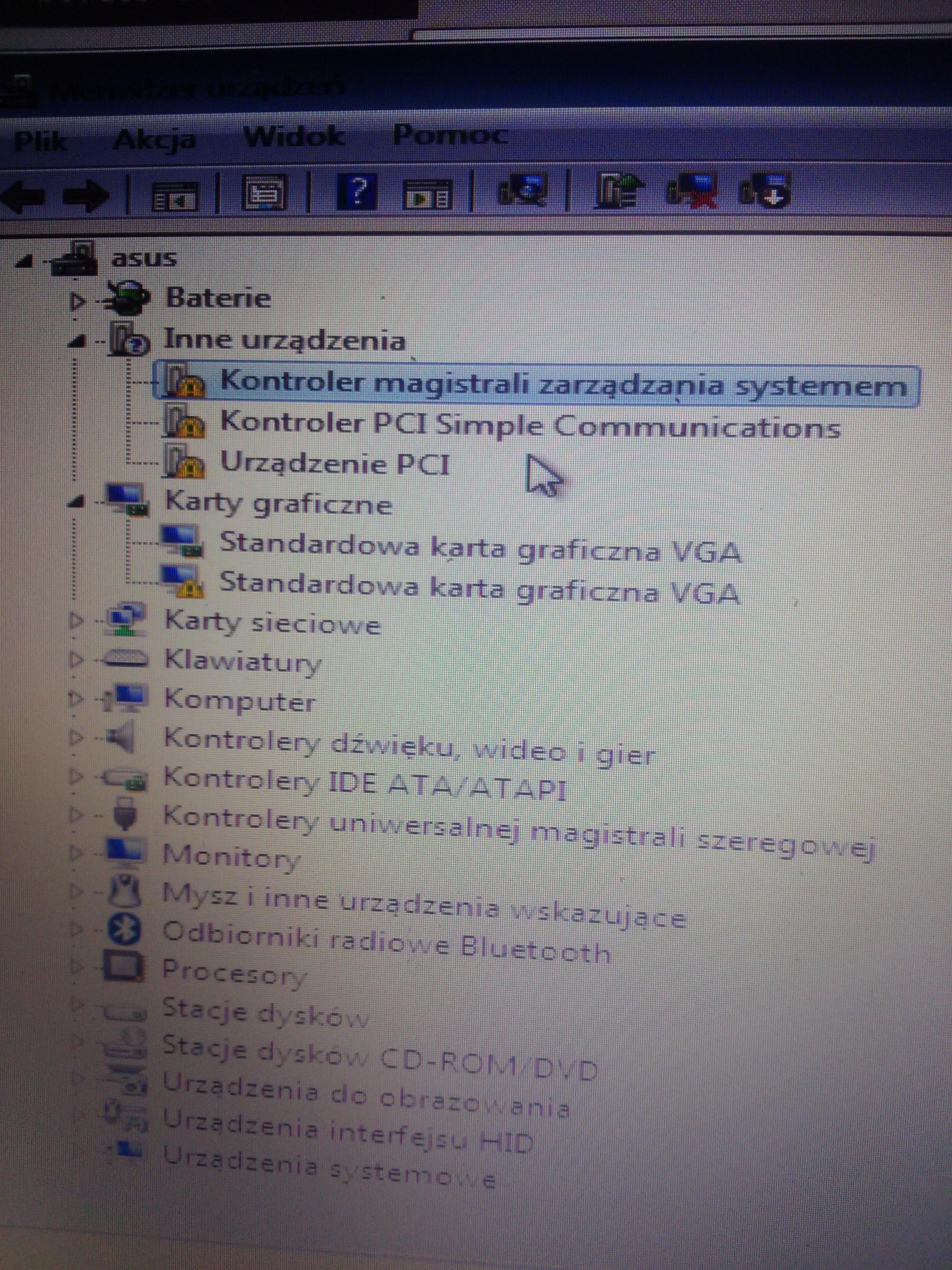
In Device Manager, right‑click the unknown device, choose Properties, Details, and set Property to Hardware Ids. Copy the string like VEN_10EC&DEV_8168. Share each ID. “Provide the device instance ID.” With IDs, helpers can link precise drivers without guessing sub‑models. [Elektroda, Kasek21, post #16926041]
The Asus site shows R500VD/R500VM, not R500V. Which page should I use?
R500V belongs to a family with R500V* variants. Use hardware IDs to choose drivers even if the exact model page isn’t listed. Asus pages for a close variant plus vendor pages can still match your IDs and work on R500V hardware. [Elektroda, Kasek21, post #16926070]
What install order avoids missing devices or code 28 errors?
Use this 3‑step flow:
- Install Intel Chipset Device Software, then Intel Management Engine Interface.
- Install network stack: Realtek LAN, then Atheros Wi‑Fi, then Realtek card reader.
- Install Nvidia GT 635M; use manual Device Manager install if the setup fails.
Windows Update can fill leftovers after step 1. [Elektroda, Kolobos, post #16929112]
Which Intel drivers are required for the R500V on Windows 7?
Install Intel Chipset Device Software (INF) first, then Intel Management Engine (MEI). This resolves several System devices with IDs like VEN_8086. Installing Intel first stabilizes the platform and reduces later conflicts. “Install in this order.” [Elektroda, Kolobos, post #16929112]
Which Nvidia driver works for the GeForce GT 635M (VEN_10DE DEV_0DE3)?
Use the Nvidia driver matching DEV_0DE3. If the installer refuses the package, unpack it and install manually from Device Manager using Update Driver and Have Disk. This approach binds the correct INF even when the OEM check blocks setup. [Elektroda, Kolobos, post #16929112]
What Wi‑Fi driver should I use for VEN_168C DEV_0032 on this laptop?
Install the Asus “Atheros Wireless Lan Driver and Application,” version V9.2.0.480 dated 2012‑03‑22. It matches DEV_0032 used in R500V family units. Download from the R500VM support page if your exact page lacks Wi‑Fi. “Atheros Wireless Lan Driver and Application.” [Elektroda, Kolobos, post #16926540]
Which Realtek LAN driver fits VEN_10EC DEV_8168?
Use the Realtek PCIe GbE Family Controller driver for DEV_8168. Match the Windows 7 32‑bit build if your system is 32‑bit. Installing LAN early helps pull remaining updates. Keep a copy offline in case the network is down. [Elektroda, Kolobos, post #16926540]
How do I install the Realtek card reader for VEN_10EC DEV_5289?
Download the Realtek RTS5289 card reader driver that matches Windows 7. Install after chipset and MEI. Reboot to finalize the SD host controller. Card reader errors can persist until the Intel foundation drivers are present. [Elektroda, Kolobos, post #16926540]
Does Windows 7 32‑bit vs 64‑bit change driver choice here?
Yes. The OP used Windows 7 32‑bit, so every package must be the x86 build. Mixing x64 packages on x86 causes setup failures and missing devices. Confirm your OS in System Properties before downloading. [Elektroda, pawelwojtala1986, post #16926615]
I can’t find some drivers on Asus. Can Windows Update help?
Yes. After chipset and MEI, run Windows Update. It can supply several device drivers, reducing manual hunting. Then match any remaining unknown devices by ID using vendor packages. This hybrid approach reduces time and conflicts. [Elektroda, Kolobos, post #16929112]
What unknown devices correspond to the seven IDs shared in the thread?
They map to Intel platform devices (VEN_8086), Atheros Wi‑Fi (VEN_168C DEV_0032), Realtek LAN (VEN_10EC DEV_8168), Realtek card reader (VEN_10EC DEV_5289), and Nvidia GPU (VEN_10DE DEV_0DE3). That covers seven entries total. Quote: “You probably see what you miss?” [Elektroda, pawelwojtala1986, post #16926240]
How do I manually install a driver from an extracted folder?
Extract the driver, open Device Manager, right‑click the device, choose Update Driver, Browse my computer, then Have Disk, and point to the INF. This method bypasses OEM launchers that reject your model string. Use it for the Nvidia GT 635M if needed. [Elektroda, Kolobos, post #16929112]
Why is matching by device ID safer than picking any R500V* page?
Variants like R500VD, R500VM, and others differ. Some do not list Windows 7 support. Hardware IDs uniquely bind devices to correct INF sections. This avoids installing near‑match packages that fail or lack features. [Elektroda, Kasek21, post #16926070]
What if the laptop label only says R500V with no suffix?
That’s normal. Asus marketing labels can omit the suffix. Use the hardware IDs to select drivers. If a package from a sibling page fits your IDs and OS bitness, it is acceptable to use. [Elektroda, Kolobos, post #16926071]
Any quick checklist before I start driver installs?
Confirm Windows 7 32‑bit, collect all seven Hardware Ids, and download Intel chipset and MEI first. Then queue LAN, Wi‑Fi, card reader, and Nvidia. Keep installers offline. This order solves most “missing driver” cases on R500V units. [Elektroda, pawelwojtala1986, post #16926615]