logo elektroda
logo elektroda
X
logo elektroda

[Solved] ASUS x550C Laptop Auto-Enters BIOS: Advanced SATA Configuration, Boot Tab, and Photos

Szymon Maciejczyk 8559 5
ADVERTISEMENT
Treść została przetłumaczona polish » english Zobacz oryginalną wersję tematu
  • #1 17070328
    Szymon Maciejczyk
    Level 9  
    Posts: 8
    Help: 4
    Rate: 2
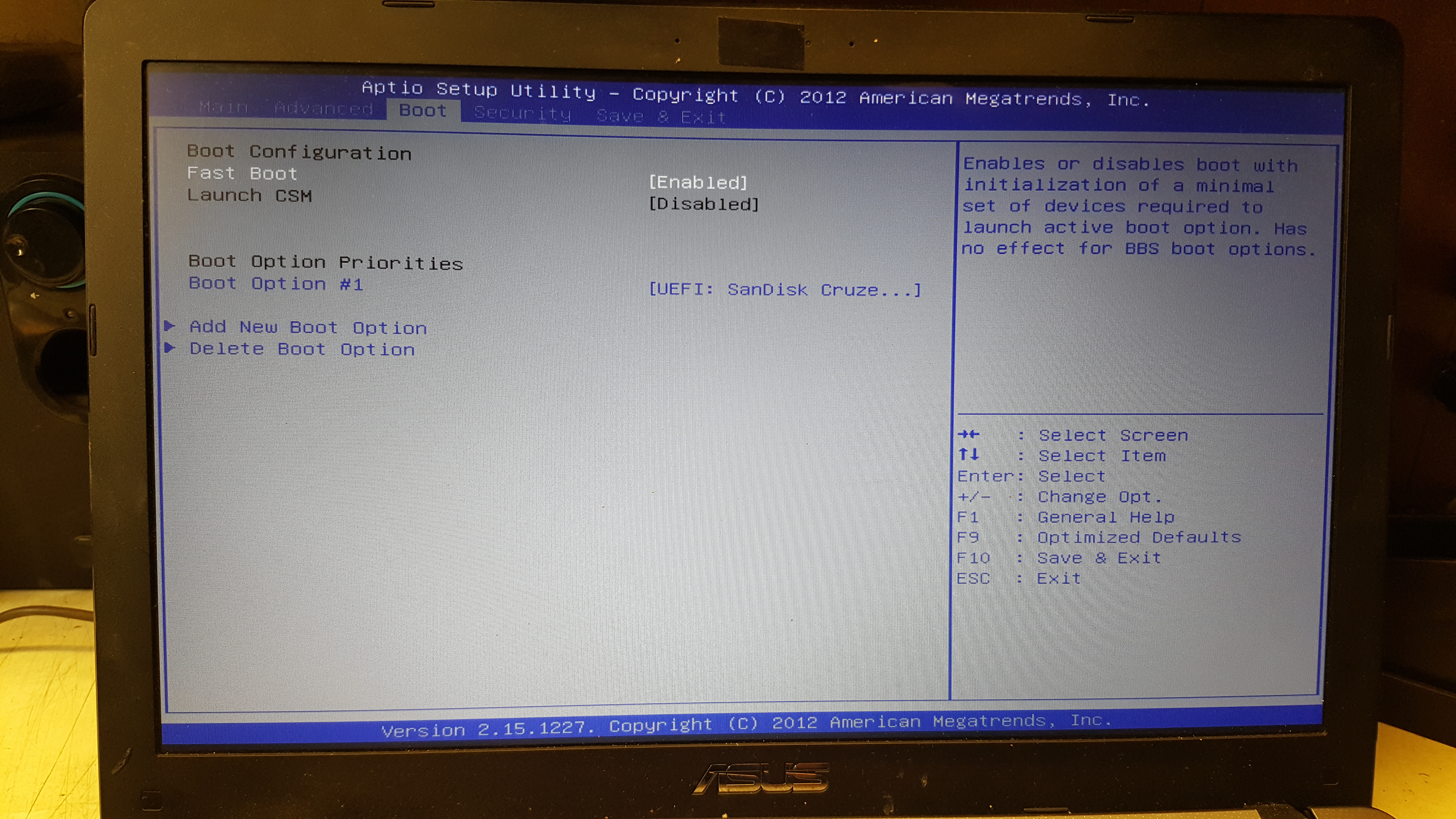
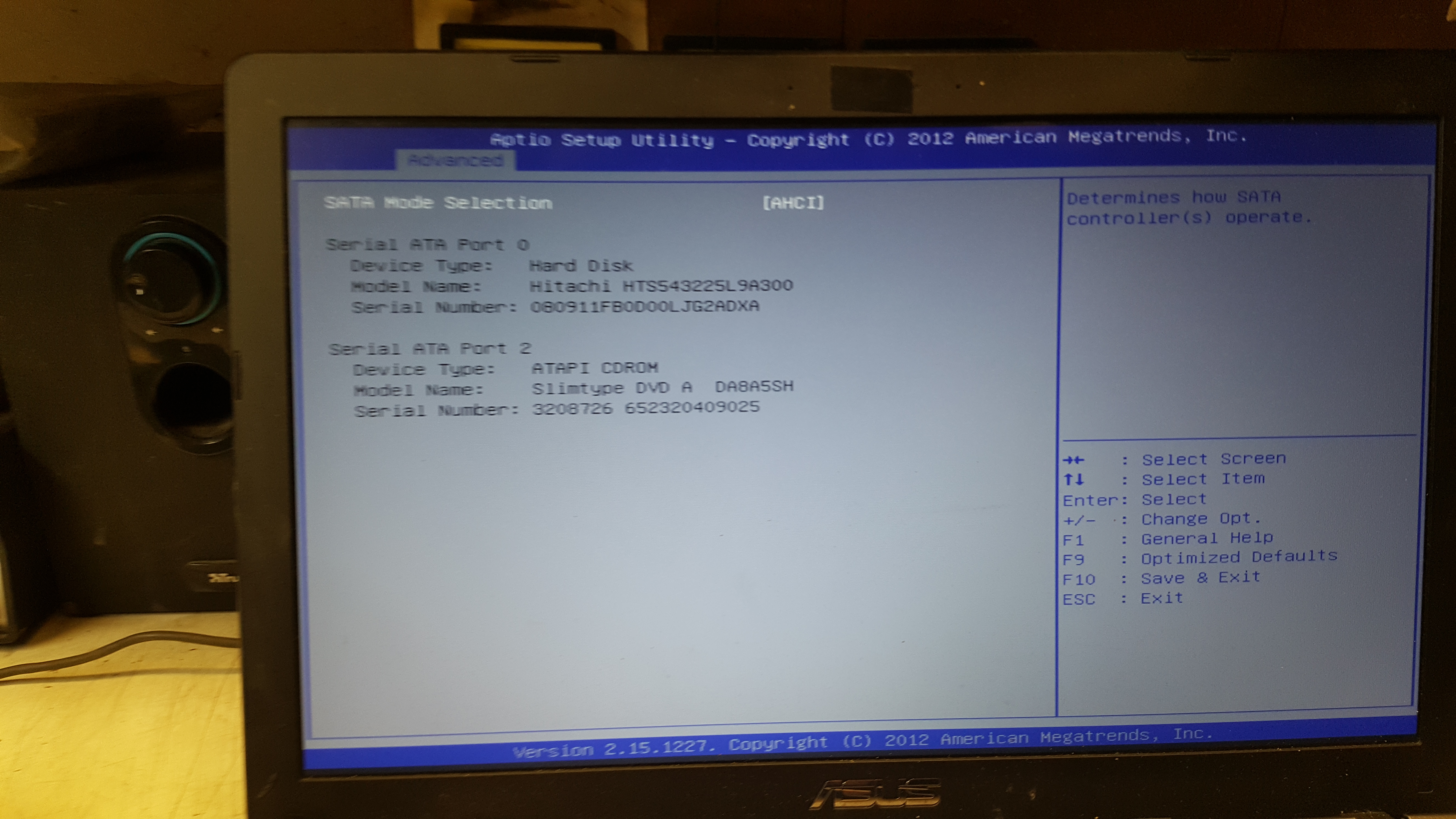
    Hello. The laptop itself goes to the bios after turning on, I have restored the factory settings and nothing, I took out the battery and nothing .. in the advanced -> SATA CONFIGURATION tab the disk is loaded but in the boot tab it is no longer there. I will add photos of my bios settings
    Attachments:
    • ASUS x550C Laptop Auto-Enters BIOS: Advanced SATA Configuration, Boot Tab, and Photos 1519832938733274538038.jpg (6.73 MB) You must be logged in to download this attachment.
    • ASUS x550C Laptop Auto-Enters BIOS: Advanced SATA Configuration, Boot Tab, and Photos 1519832915950517162243.jpg (7.27 MB) You must be logged in to download this attachment.
    • ASUS x550C Laptop Auto-Enters BIOS: Advanced SATA Configuration, Boot Tab, and Photos 15198328943481942431252.jpg (3.84 MB) You must be logged in to download this attachment.
    • ASUS x550C Laptop Auto-Enters BIOS: Advanced SATA Configuration, Boot Tab, and Photos 15198328457951919157454.jpg (6.09 MB) You must be logged in to download this attachment.
  • ADVERTISEMENT
  • Helpful post
    #2 17070529
    tad_reula
    Level 17  
    Posts: 134
    Help: 18
    Rate: 43
    Try detaching the keyboard.
  • ADVERTISEMENT
  • Helpful post
    #3 17070532
    cyberdelia
    Level 22  
    Posts: 511
    Help: 53
    Rate: 32
    It enters the bios because there is no bootable device or an active boot partition, to make sure you first put some live linux CD, make sure the bios is set to search the system from this media and see what happens. And set Lunch CSM to ENABLED
  • ADVERTISEMENT
  • Helpful post
    #4 17070657
    tad_reula
    Level 17  
    Posts: 134
    Help: 18
    Rate: 43
    Follow it Link
  • ADVERTISEMENT
  • #5 17071139
    Przemko21
    Level 27  
    Posts: 969
    Help: 110
    Rate: 307
    I had the same symptom. The hard drive was damaged. System replacement and installation helped
  • #6 17082458
    Szymon Maciejczyk
    Level 9  
    Posts: 8
    Help: 4
    Rate: 2
    Hello. Problem solved, it turned out that the bios was incorrectly set up and as a colleague wrote "cyberdelia" (the bios is set to search the system from this medium and see what happens. And set CSM Lunch to ENABLED) additionally security blocked me. Everything is already flashing beautifully :) Thank you very much for your help.
ADVERTISEMENT