logo elektroda
logo elektroda
X
logo elektroda

[Solved] Nbox Enigma 2 Troubleshooting: Error, No Access to OSCAM, Picture & Sound Issues in NC+ Package

marcinjak77 24963 15
ADVERTISEMENT
Treść została przetłumaczona polish » english Zobacz oryginalną wersję tematu
  • #1 17262120
    marcinjak77
    Level 10  
    Posts: 24
    Rate: 6
    Good day.

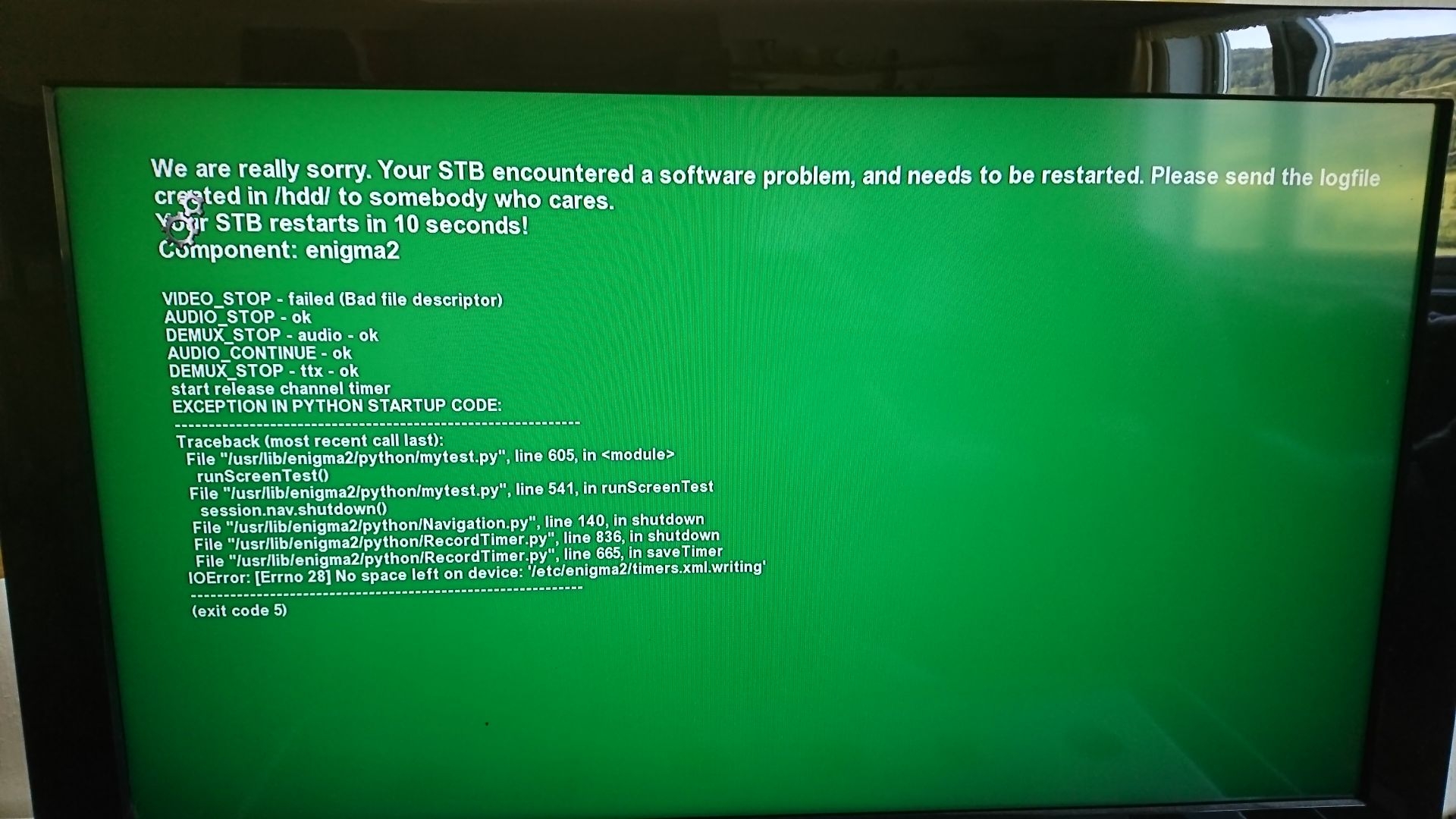
    Please help with the problem with Nbox. You can not enter the manager because the attached screen appears. There is no picture and sound when choosing the NC + channel package, there is only a program menu with information about the program name. Is it possible to somehow restart the decoder so as to bring it to a state when in the manager there will be no green block blocking further activities? The decoder is overseas by a layman, who probably will not connect the nbox to a computer to clean it or change the software, except from the pendriva step-by-step instructions.
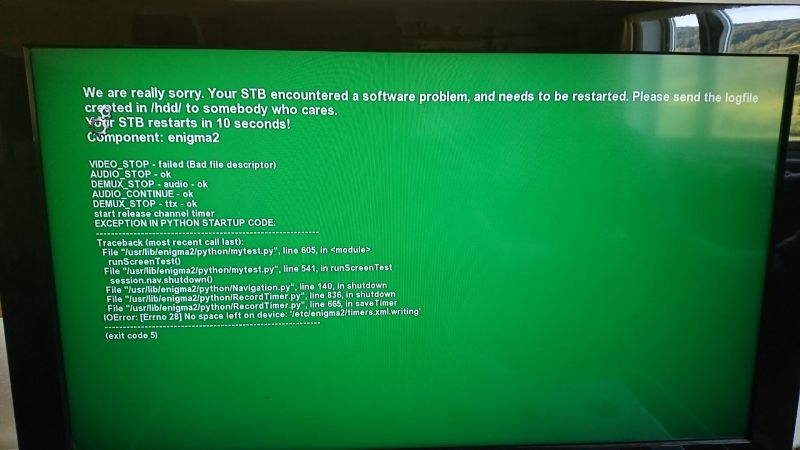
    Nbox Enigma 2 Troubleshooting: Error, No Access to OSCAM, Picture & Sound Issues in NC+ Package
  • ADVERTISEMENT
  • Helpful post
    #2 17262131
    simhak
    VIP Meritorious for electroda.pl
    Posts: 728
    Help: 109
    Rate: 336
    Reinstalling the software ...
  • ADVERTISEMENT
  • #3 17262202
    marcinjak77
    Level 10  
    Posts: 24
    Rate: 6
    simhak wrote:
    Reinstalling the software ...


    You can do it by downloading the software via the link and load it from the pendrive?
  • ADVERTISEMENT
  • #4 17262253
    charlee
    Level 20  
    Posts: 309
    Help: 30
    Rate: 135
    marcinjak77 wrote:
    You can do it by downloading the software via the link and load it from the pendrive?


    one can
  • #5 17263066
    marcinjak77
    Level 10  
    Posts: 24
    Rate: 6
    charlee wrote:
    marcinjak77 wrote:
    You can do it by downloading the software via the link and load it from the pendrive?


    one can


    I searched the forum and I did not find instructions on how to solve the software problem and stick with the pendrive. Can I ask for some links on how to do it? I want to help my father abroad and I will not have contact with the nbox myself, so I need a step by step tutorial.
  • #6 17263496
    charlee
    Level 20  
    Posts: 309
    Help: 30
    Rate: 135
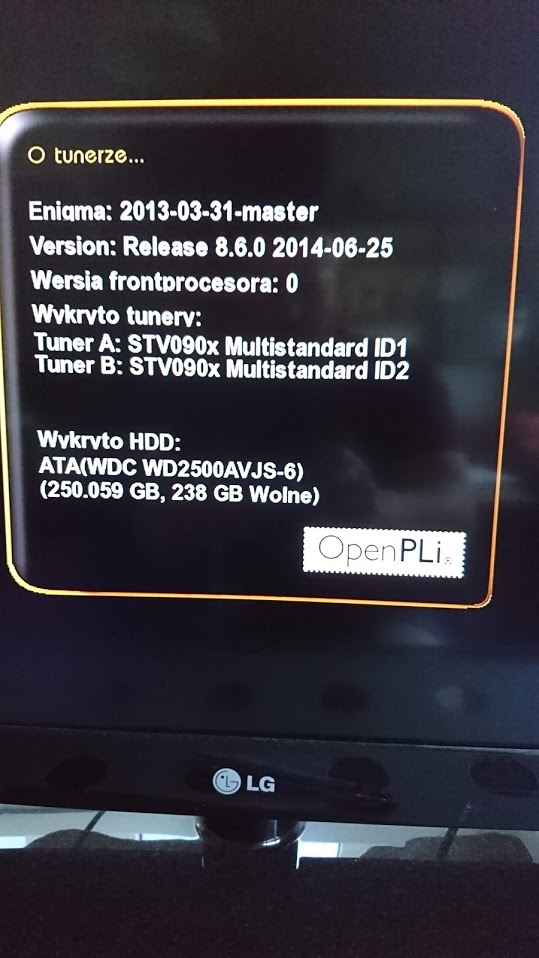
    What image is there? (I ask you to find the same way so that Father does not have to learn again). To check it on the OPT remote control, then Inormation goes on Tuner and it will display software versions there. If you check it, I will give you a link and instructions for the upload.
  • #7 17264083
    marcinjak77
    Level 10  
    Posts: 24
    Rate: 6
    charlee wrote:
    What image is there? (I ask you to find the same way so that Father does not have to learn again). To check it on the OPT remote control, then Inormation goes on Tuner and it will display software versions there. If you check it, I will give you a link and instructions for the upload.


    Is this information?

    Nbox Enigma 2 Troubleshooting: Error, No Access to OSCAM, Picture & Sound Issues in NC+ Package
  • Helpful post
    #8 17264086
    simhak
    VIP Meritorious for electroda.pl
    Posts: 728
    Help: 109
    Rate: 336
    Give the model of this box exactly. A mistake in the installation can lead to equipment damage.
  • ADVERTISEMENT
  • #9 17264142
    charlee
    Level 20  
    Posts: 309
    Help: 30
    Rate: 135
    marcinjak77 wrote:
    Is this information?

    Yes, but still
    simhak wrote:
    Give the model of this box exactly.
  • #10 17264192
    marcinjak77
    Level 10  
    Posts: 24
    Rate: 6
    simhak wrote:
    Give the model of this box exactly. A mistake in the installation can lead to equipment damage.


    ITI-5800SX
  • #11 17265239
    charlee
    Level 20  
    Posts: 309
    Help: 30
    Rate: 135
    Was it BZZB?
  • #12 17265621
    marcinjak77
    Level 10  
    Posts: 24
    Rate: 6
    The first four symbols of the series no. it's BZZB
  • Helpful post
    #13 17265781
    charlee
    Level 20  
    Posts: 309
    Help: 30
    Rate: 135
    What card is in the reader?
  • #14 17265834
    marcinjak77
    Level 10  
    Posts: 24
    Rate: 6
    charlee wrote:
    What card is in the reader?


    cameleon
  • Helpful post
    #15 17265846
    charlee
    Level 20  
    Posts: 309
    Help: 30
    Rate: 135
    Download instructions
    http://www.nboxy.pl/tutoriale/wgrywanie_enigma2_nbox_bxzb_bzzb.html

    Since I do not use openpli myself, I would like to ask other users to confirm that the cameleon will be on it without having to change oscam.
    Attachments:
    • 86-Openpli-BZZB-BXZB-ModChip-30.08.17.rar (53.83 MB) You must be logged in to download this attachment.
  • #16 17268868
    marcinjak77
    Level 10  
    Posts: 24
    Rate: 6
    Managed to ! For now it works and it's ok, I greet you charlee!

    Added after 1 [minutes]:

    As described on the links from charlee. installation without errors.

Topic summary

✨ The discussion revolves around troubleshooting issues with the Nbox Enigma 2 decoder, specifically related to accessing the manager, picture and sound problems on the NC+ channel package, and the inability to restart the device. Users suggest reinstalling the software via a pendrive, with requests for step-by-step instructions to assist a user overseas. The model in question is identified as ITI-5800SX, and the card in the reader is a Cameleon. A successful installation was reported after following provided links and instructions.
Generated by the language model.

FAQ

TL;DR: One user confirmed success after a USB reflash; "installation without errors". Reinstall Enigma2 from a pendrive to fix Nbox manager access issues and NC+ no picture/sound. This FAQ guides ITI‑5800SX (BZZB) owners through safe USB recovery. [Elektroda, marcinjak77, post #17268868]

Why it matters: It gives home users a fast, proven path to restore NC+ viewing without specialist tools.

Quick Facts

How do I fix an Nbox Enigma2 "green block" or no picture/sound on NC+?

Reinstall the software. A fresh image clears manager access problems and restores audio/video. Use a USB pendrive to load the image. This approach was recommended immediately when the error appeared. Prepare the correct build for your hardware first. [Elektroda, simhak, post #17262131]

Can I reinstall Enigma2 on an ITI‑5800SX from a USB stick?

Yes, you can. Download the image and load it from a pendrive. The helper confirmed USB flashing is supported. This avoids direct PC connection to the receiver. Provide the user clear, step-by-step directions. [Elektroda, charlee, post #17262253]

Which serial prefix should I check before flashing?

Check that the first four symbols of the serial number are BZZB. This indicates the BZZB hardware variant. Matching the image to this prefix avoids compatibility issues. Read it from the unit’s label or system info. [Elektroda, marcinjak77, post #17265621]

How do I check which image/version is currently installed?

On the remote, press OPT, then open Information, then Tuner. The screen shows the software versions in use. Share these details if you need a link tailored to your setup. Prefer the same image style so the user does not relearn. [Elektroda, charlee, post #17263496]

What card worked in the reported fix?

The working setup used a Cameleon card in the Nbox reader. If you have that card, note it when asking for help. This helps determine softcam settings later. [Elektroda, marcinjak77, post #17265834]

Did a full reinstall actually solve this problem?

Yes. The original poster reported success after following the shared tutorial. They wrote "installation without errors" and confirmed channels worked. This validates the USB reflash path for the described symptoms. Keep your steps consistent with that guide. [Elektroda, marcinjak77, post #17268868]

Can flashing the wrong image damage my Nbox?

Yes. "A mistake in the installation can lead to equipment damage." Verify the exact model first. Confirm the serial prefix and follow the specific guide. Do not mix builds across different hardware revisions. When unsure, ask for a link tailored to your box. [Elektroda, simhak, post #17264086]

Do I need to change OSCam for a Cameleon card on OpenPLi?

The thread did not confirm OSCam changes. The helper asked others to verify Cameleon on OpenPLi without OSCam changes. First reflash and test channel decryption. Adjust OSCam only if channels remain dark after the image update. [Elektroda, charlee, post #17265846]

My Nbox is overseas and the user can’t connect a PC. What should I do?

Use the USB pendrive method and provide clear instructions. The helper confirmed you can load software from a pendrive. This makes remote assistance feasible. Share the exact model and serial before sending files or steps. [Elektroda, charlee, post #17262253]

How do I reflash Nbox Enigma2 from USB (3 steps)?

  1. Download the correct BZZB/BXZB image and copy it to a FAT32 USB as instructed.
  2. Insert the USB into the Nbox and start the flashing procedure per on-screen prompts.
  3. Wait for completion, reboot, then test NC+ channels and OSCam. [“Wgrywanie Enigma2 Nbox BXZB/BZZB”]

After reinstalling, will NC+ channels show video and audio again?

In the reported case, yes. The user posted that it works after the reinstall. Use the same approach for similar symptoms. Test multiple NC+ channels after the reboot. If any remain silent, review softcam and tuner settings. [Elektroda, marcinjak77, post #17268868]

Which image should I pick to minimize relearning for the user?

Choose the same image family the user knows. Check versions via OPT → Information → Tuner, then request a matching link. This reduces confusion and setup time for remote users. Confirm details before flashing. [Elektroda, charlee, post #17263496]

What information should I provide first when asking for help?

Provide the exact model designation. This ensures the correct image and avoids mistakes. Add screenshots of the Information screens if possible. Helpers asked for the model before giving instructions. [Elektroda, simhak, post #17264086]
Generated by the language model.
ADVERTISEMENT