logo elektroda
logo elektroda
X
logo elektroda

Majfrends Wi-Fi Light Switch: 2xL & N Connection, Mysterious Transformer, & 2-Wire Setup

djmalin 23607 16
Best answers

How can I wire a Wi‑Fi light switch that needs L, L, and N when the old switch box has only two wires, and what is the yellow part left from the previous switch?

You cannot mount this switch in the old switch box if there is no neutral (N) there; in a typical old switch installation you only have phase L and the switched line to the lamp (L1), so the switch must either get a neutral brought in or be installed where N is available, usually near the lamp/ceiling box [#17677226][#17677584] The yellow “transformer” is actually a capacitor/LED anti-flicker adapter, and it should be connected in parallel with the bulb so it loads the output and prevents LED lamps from glowing or blinking when switched off [#17677234][#17677961][#20182624] If you do wire it at the lamp side, connect the new switch the same way as the old one: L gets the phase and L1 goes to the lamp, but if you are not sure which wire is which, verify with a 230 V tester or call an electrician [#20182663]
Generated by the language model.
ADVERTISEMENT
Treść została przetłumaczona polish » english Zobacz oryginalną wersję tematu
  • #1 17677175
    djmalin
    Level 10  
    Posts: 6
    Rate: 1
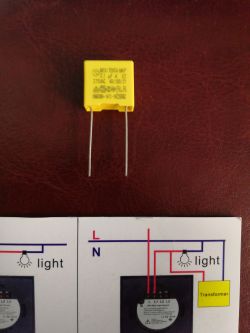
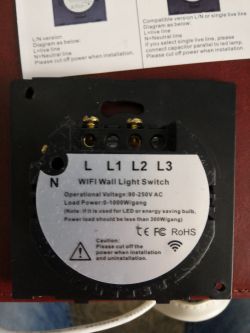
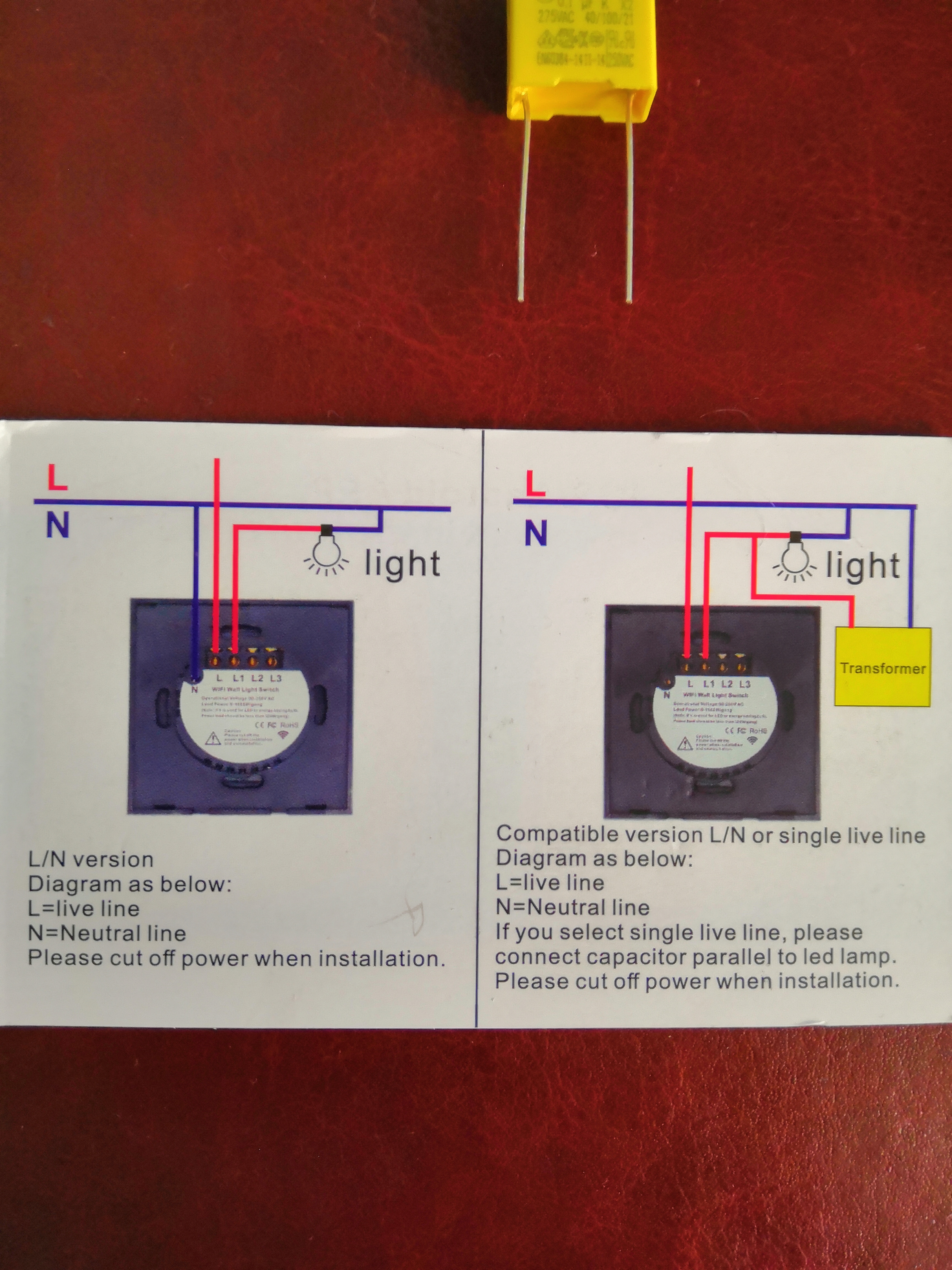
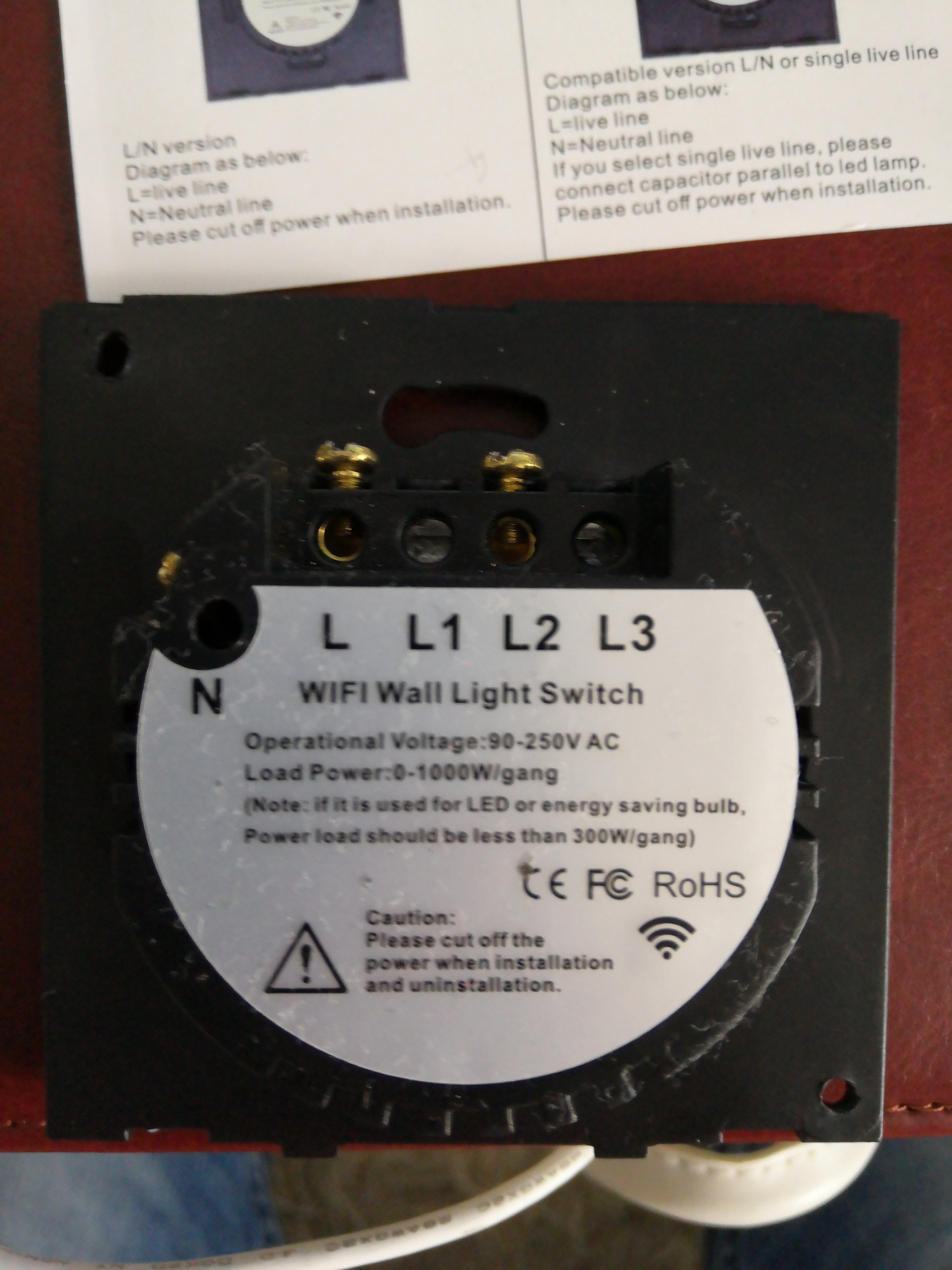
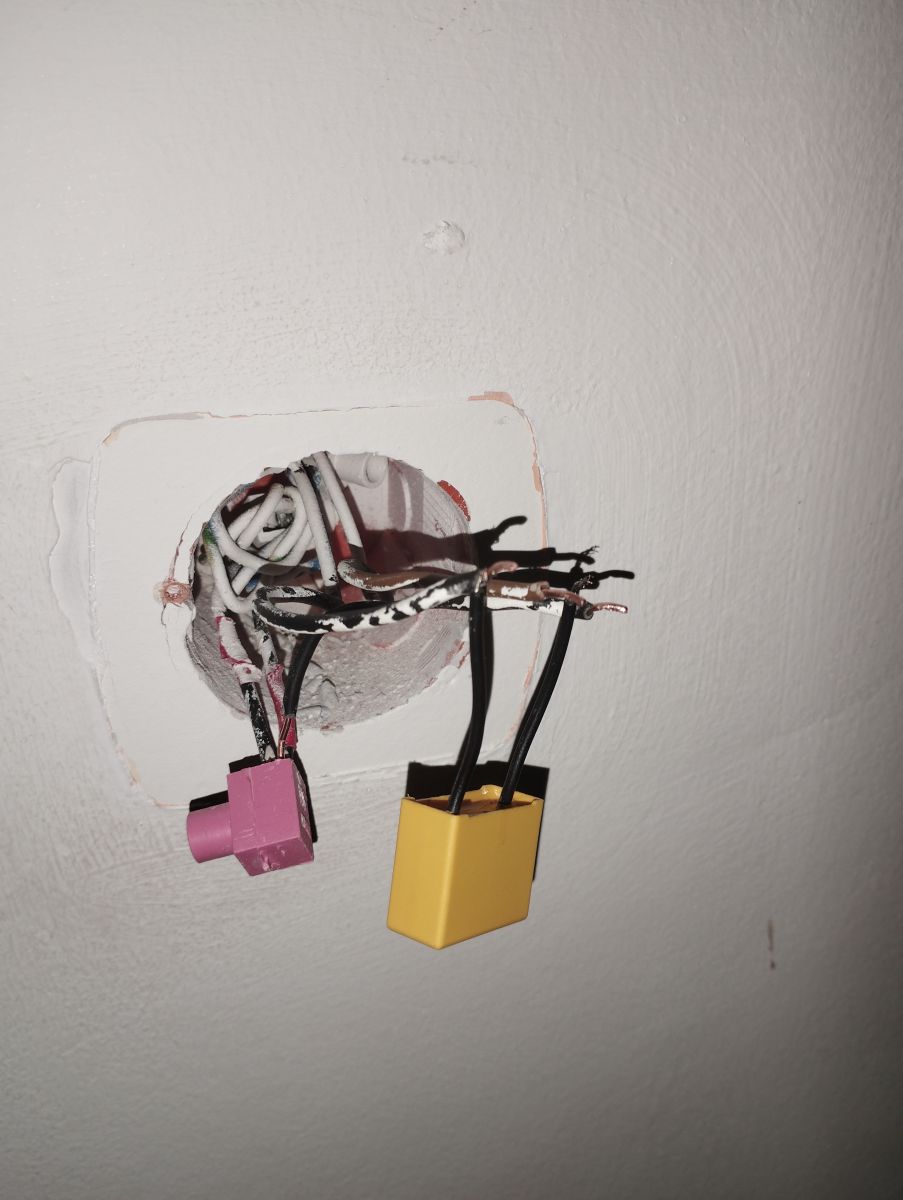
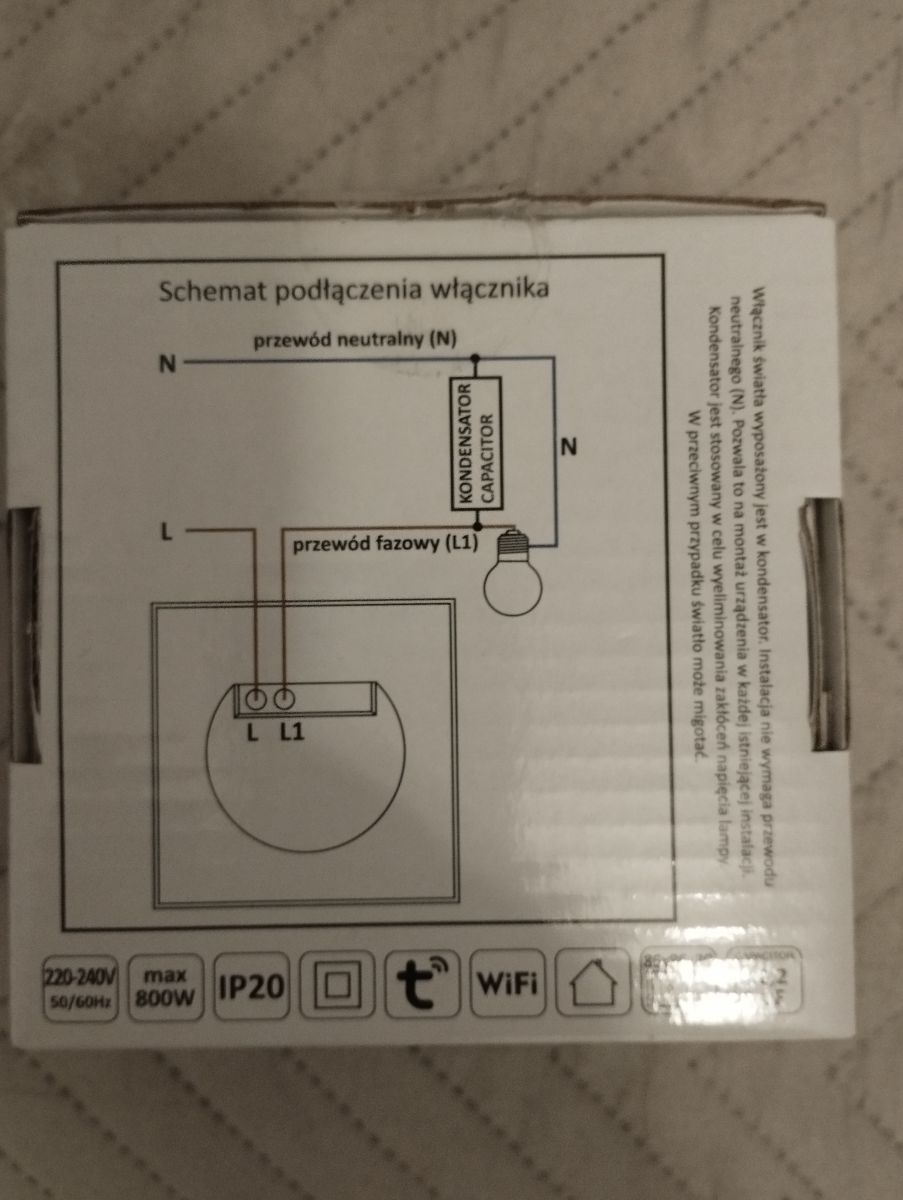
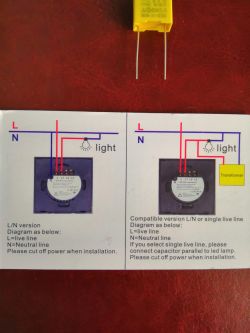
    Hello gentlemen, I need your help, namely I bought Wi-Fi light switches from majfrends, everything is nice and beautiful, etc. here on the diagram you need 2xL and N to connect, in one of the rooms I had a tube with wires inside the wall and there was no problem here I replaced the cable with a 3-wire one and everything works, the problem in other rooms where the cable is routed in the wall and it's hard for me to forge now , here in the second picture there is a mysterious "transformer" and there is a 2-wire connection, but what is this miracle? These yellow miracles were left to me from the previous switch, but the second connection does not work with it
    Majfrends Wi-Fi Light Switch: 2xL & N Connection, Mysterious Transformer, & 2-Wire Setup
    Majfrends Wi-Fi Light Switch: 2xL & N Connection, Mysterious Transformer, & 2-Wire Setup
    Majfrends Wi-Fi Light Switch: 2xL & N Connection, Mysterious Transformer, & 2-Wire Setup
  • ADVERTISEMENT
  • #2 17677226
    stanislaw1954
    Level 43  
    Posts: 15004
    Help: 1982
    Rate: 4561
    djmalin wrote:
    in the box located in the wall in the old building there are two L and N wires,
    No, it doesn't, except in a socket box. In the switch box there is / should be in the old installation L and the outlet L for the lamp> i.e. L1, and N is missing.
  • ADVERTISEMENT
  • #3 17677234
    bubu1769
    Level 43  
    Posts: 8040
    Help: 1173
    Rate: 2344
    Rather, without a 3-core cable, there is only the option of mounting next to the lamp itself.
    This yellow element is a capacitor so that your LED bulbs do not glow when turned off.
  • ADVERTISEMENT
  • #4 17677300
    djmalin
    Level 10  
    Posts: 6
    Rate: 1
    bubu1769 wrote:
    Rather, without a 3-core cable, the only option left is to mount it next to the lamp itself.
    This yellow element is a capacitor so that your LED bulbs do not glow when turned off.

    I mean what the switch should I do under the ceiling? and in this second picture there is a 2-wire diagram, how to connect the old switch under L and L1 as it was connected, it becomes a disco ?
  • #5 17677341
    bubu1769
    Level 43  
    Posts: 8040
    Help: 1173
    Rate: 2344
    And did you install with this capacitor?
  • #6 17677517
    djmalin
    Level 10  
    Posts: 6
    Rate: 1
    bubu1769 wrote:
    And did you install with this capacitor?
    Yes, and it does not give anything, I just don't know if it is suitable, because I have been left with it from another set, and as soon as the bulb is connected, the bulb flashes all the time, whether the switch is on or not, it flashes with all its power

    Added after 14 [minutes]:

    stanislaw1954 wrote:
    djmalin wrote:
    in the box located in the wall in the old building there are two L and N wires,
    No, it doesn't, except in a socket box. In the box for the switch there is / should be in the old installation L and outlet L for the lamp> i.e. L1, and N is missing.
    And how to do, or is it possible to do so, to leave L and L1 in this box, and possibly to change the box at the ceiling?
  • ADVERTISEMENT
  • #7 17677584
    Zdzisław1980
    Level 26  
    Posts: 600
    Help: 122
    Rate: 178
    Something was missing from the Chinese.
    Without the N wire in the box you will not run it.
    The correct connection drawing is HERE
  • #8 17677649
    viktor1950
    Level 30  
    Posts: 1100
    Help: 160
    Rate: 367
    And where did you connect this capacitor? because according to the schematic should probably be in the lamp.
  • #9 17677815
    bubu1769
    Level 43  
    Posts: 8040
    Help: 1173
    Rate: 2344
    The diagrams are rather good that at the auction is a different model.
    The capacitor should be in parallel with the bulb and no matter where.
    The question is whether you use it for LEDs or traditional light bulbs because perhaps this is the reason, unless there should be a transformer in parallel with the bulb, not a capacitor.
  • #10 17677869
    viktor1950
    Level 30  
    Posts: 1100
    Help: 160
    Rate: 367
    Quote:
    The capacitor should be in parallel with the bulb and no matter where.

    You spoke wisely, then write where.
  • #11 17677913
    djmalin
    Level 10  
    Posts: 6
    Rate: 1
    bubu1769 wrote:
    The diagrams are rather good that at the auction is a different model.
    The capacitor should be parallel to the bulb and no matter where.
    The question is whether you use it for LEDs or traditional light bulbs, because perhaps this is the reason, unless there should be a transformer in parallel with the bulb, not a capacitor.
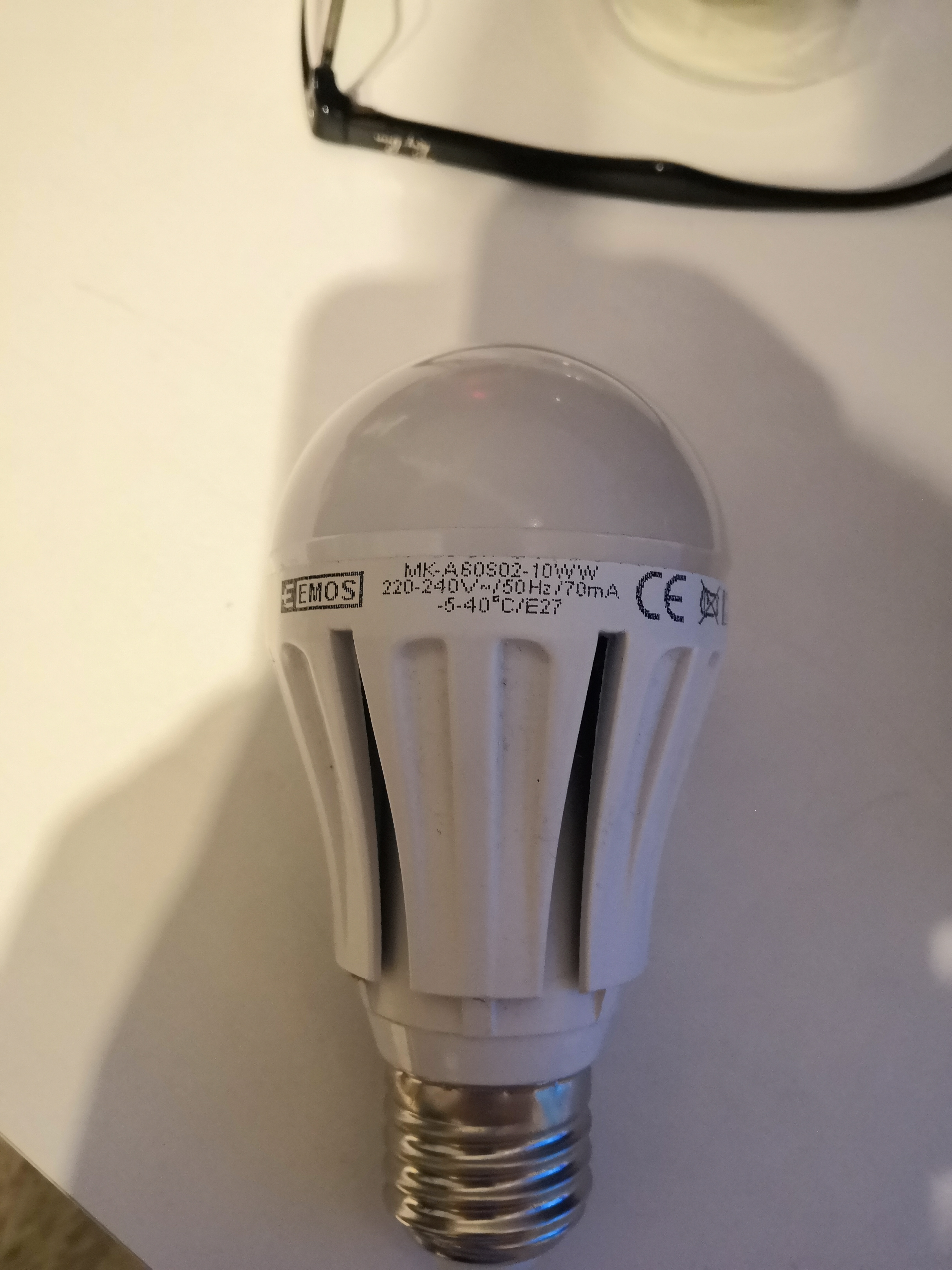
    The bulb is like this:
    Majfrends Wi-Fi Light Switch: 2xL & N Connection, Mysterious Transformer, & 2-Wire Setup
  • #12 17677961
    bubu1769
    Level 43  
    Posts: 8040
    Help: 1173
    Rate: 2344
    This is how I generally look at offers with these Wi-Fi switches and everywhere they say to use this capacitor, or as they call it "LED transformer", in the case of connecting incandescent lamps with a power of less than 3W and when the bulb is blinking after switching off. And no matter if the capacitor is next to the bulb, in the lamp cube or somewhere in the box on the way, it should simply be parallel to the bulb to "load" the switch output.
    The switch itself looks like it should work on a "parasitic" power supply, but I don't know if there are any specific load conditions to be met then. Usually, when I have contact, for example, with two-wire sensors, there are situations that they need to connect a relay with a higher power coil, otherwise circuses happen.
  • #13 19965835
    Lokaty102
    Level 4  
    Posts: 11
    Rate: 2
    I have this problem:
    I have a double touch in the living room, and a normal one in the dressing room, and when the light is off in the living room and I turn off the light in the dressing room, the light will flash in the living room. I have this yellow LED adapter but I don't know how to connect it. Only the phase comes to the touch switch, which comes later to the bulbs, there is no neutral. Does anyone know what's going on?
  • #14 20182601
    3xoses
    Level 5  
    Posts: 5
    Rate: 1
    Please help. How is this damn connected? I already had almost all my hair torn out?
    Majfrends Wi-Fi Light Switch: 2xL & N Connection, Mysterious Transformer, & 2-Wire Setup
    Majfrends Wi-Fi Light Switch: 2xL & N Connection, Mysterious Transformer, & 2-Wire Setup
  • #15 20182624
    bubu1769
    Level 43  
    Posts: 8040
    Help: 1173
    Rate: 2344
    The capacitor is best placed in the cube of the lamp itself, and then the switch is mounted like the old one.
  • #16 20182645
    3xoses
    Level 5  
    Posts: 5
    Rate: 1
    Maybe my friend something more? What (what color) to connect the capacitor to, and what to L and what to L1. There are black with brown and black coming out of that red cube.
  • #17 20182663
    bubu1769
    Level 43  
    Posts: 8040
    Help: 1173
    Rate: 2344
    Presumption is that this is a photo of the place where the old switch was.
    You need to connect the new switch in the same way as the old one, if the old switch was a simple single one, with the right direction, under L must enter the wire with the phase, on L1 is the output to the bulb.
    To check where what is, even an ordinary 230V tester would suffice.
    After the photo itself, it's hard to say where what is, especially as the wires are twisted and clogged with paint, you can see that there is also a blue (probably neutral) and yellow-green (protective) wire, but if everything is connected, it will not be fixed remotely.
    The capacitor, as I wrote, is best to mount next to the lamp or in a place where both wires will be available.
    If you are not sure that you know what you are doing, it might be better to give it to someone who is familiar with electricity because at 230V you really don't joke.

Topic summary

✨ The discussion revolves around the installation of Majfrends Wi-Fi light switches, specifically addressing the challenges faced when connecting the switches in a 2-wire setup. Users highlight the necessity of having both L (live) and N (neutral) wires for proper functionality. A capacitor, often referred to as an "LED transformer," is mentioned as a solution to prevent LED bulbs from flickering when turned off. Participants share insights on the correct placement of the capacitor, suggesting it should be connected in parallel with the bulb or within the lamp housing. The conversation also touches on issues related to wiring configurations and the importance of ensuring proper connections to avoid malfunctioning switches and flickering lights.
Generated by the language model.

FAQ

TL;DR: If your Majfrends Wi‑Fi switch makes LEDs flicker, especially on <3W loads, add the “LED adapter” in parallel—“it should simply be parallel to the bulb.” This stabilizes parasitic‑powered two‑wire setups and stops ghost light. [Elektroda, bubu1769, post #17677961]

Why it matters: This FAQ is for DIYers with older two‑wire lighting circuits who need to wire Majfrends‑type Wi‑Fi switches, place the capacitor correctly, and fix flicker.

Quick Facts

What is the yellow “transformer” that came with my switch?

It’s a capacitor, often called an LED adapter. It stops LED bulbs from glowing when the switch is off. Use it when you see ghost light or pulsing after shutdown. [Elektroda, bubu1769, post #17677234]

Can a Majfrends Wi‑Fi wall switch work with only two wires at the switch?

No. Without a neutral wire in the box, this Wi‑Fi switch will not run. Check your model’s correct connection diagram to confirm terminals. [Elektroda, Zdzisław1980, post #17677584]

Where should I install the LED adapter/capacitor?

Wire it in parallel with the bulb. Place it in the lamp canopy, a junction box, or at the fixture terminals. Parallel means across the same two lamp wires. [Elektroda, bubu1769, post #17677815]

How do I wire the switch if I only have L and L1 in the box?

With only L and L1 at the wall, mount the device near the lamp where neutral is present. This avoids chasing walls for a new 3‑core cable. [Elektroda, bubu1769, post #17677234]

My LED blinks or stays on when off. How do I fix it?

Add the LED adapter (capacitor) in parallel with the lamp. It provides a bleed path that stops ghost current and flicker. It’s especially effective on loads under 3W; “it should simply be parallel to the bulb.” [Elektroda, bubu1769, post #17677961]

I installed the capacitor but the bulb still flashes at full power. What’s wrong?

That symptom means the adapter is not in true parallel with the lamp. Move both adapter leads to the two lamp terminals. If it’s not parallel, the flicker continues. [Elektroda, bubu1769, post #17677815]

How do I identify L and L1 in an old, painted switch box?

Use an ordinary 230V tester to find the live feed. The incoming phase goes to L. The wire to the lamp goes to L1. [Elektroda, bubu1769, post #20182663]

Can I wire the LED adapter at the wall switch instead of the lamp?

Yes. Electrical location does not matter if the adapter is wired in parallel with the lamp. Ensure both leads span the lamp’s two conductors. [Elektroda, bubu1769, post #17677815]

When I switch off another room, my living‑room LEDs flash. Why?

Your touch switch likely uses a parasitic supply without neutral. That small current can flash LEDs when circuits interact. Add the LED adapter across the flashing lamp to load the output. [Elektroda, bubu1769, post #17677961]

What do the L and L1 terminals mean on the switch?

L is the phase input from the supply. L1 is the switched output going to the bulb. Connect the new switch exactly like the old one. [Elektroda, bubu1769, post #20182663]

Why does this Wi‑Fi switch need a neutral (N)?

It needs neutral to power its electronics continuously. Without N in the box, the switch will not run. Confirm this using the correct connection drawing. [Elektroda, Zdzisław1980, post #17677584]

How do I connect the new switch and adapter? (3 steps)

  1. Identify the phase with an ordinary 230V tester and mark the lamp lead.
  2. Connect phase to L and lamp lead to L1, same as the old switch.
  3. If LEDs blink, add the adapter next to the lamp across its two terminals. [Elektroda, bubu1769, post #20182663]

Is this safe to DIY, or should I call an electrician?

If you are unsure, hand it to someone who knows electricity. “At 230V you really don’t joke.” This avoids damage and shock risk. [Elektroda, bubu1769, post #20182663]

My auction diagram shows a two‑wire hookup. Is it the right model?

Listings can show a different model diagram. Compare your hardware to the correct drawing before wiring. Mismatched diagrams cause errors and flicker. [Elektroda, bubu1769, post #17677815]

Where exactly do I land the adapter leads?

Terminate the adapter across the same two screws or terminals that feed the bulb. That is a parallel connection. The lamp canopy is a convenient spot. [Elektroda, bubu1769, post #17677815]
Generated by the language model.
ADVERTISEMENT