


logo elektroda
logo elektroda
X
logo elektroda

Philips 43PUS6031/1led flashes, and only the philips brand appears and turns off

mjoao 4512 20
Best answers

How can I get the data for ICs U11 and U13 on a Philips 43PUS6031/12 with a 17MB120 main board, and what is the likely cause when the Philips logo appears briefly and then the TV turns off?

The symptom is most often caused by a backlight problem, so the LED backlighting should be checked first [#18835078] The thread also says the requested files for U11/U13 were attached/shared [#18834693][#18835102], but no component values are written out in the posts themselves.
Generated by the language model.
ADVERTISEMENT
  • #1 18817227
    mjoao
    Level 5  
    Mark:PHILIPS
    Model:43PUS6031/12
    Chassis (main board, components):17MB120
    LCD Screen/Panel (if exist):VES430QNDL-2D-U11
    More information: led flashes
    good afternoon, i need data from ci U11 and U13 for this TV PHILIPS 43PUS6031 / 12 display VES430QNDL-2D-U11 chassis VESTEL 17MB120
    THANK YOU
  • ADVERTISEMENT
  • Helpful post
    #2 18834693
    Aquario_blue
    Level 19  
    Segue em anexo
    Attachments:
    • U11 U13.rar (84.15 KB) You must be logged in to download this attachment.
  • #4 18835061
    mjoao
    Level 5  
    bom dia , e muito obrigado
    Manuel
  • ADVERTISEMENT
  • #6 18835102
    querij
    Level 21  
    The requested files
    Attachments:
    • U11 U13.rar (84.15 KB) You must be logged in to download this attachment.
  • #7 18840081
    mjoao
    Level 5  
    Thank you all but I already delivered the TV to the customer
  • #8 18922728
    petro_m
    Level 12  
    Hello
    What caused the backlight to turn off?
  • #9 18926072
    mjoao
    Level 5  
    good afternoon, the TV had the display used a lot, I already gave it to the customer,

    Dodano po 2 [minuty]:

    the backlight worked well
  • #10 21584537
    nobre22
    Level 4  
    please flash file for stik Mark:PHILIPS
    Model:49PUS6031/12
    Chassis (main board, components):17MB120
  • #11 21584643
    yokoono51
    Level 28  
    nobre22 wrote:
    Please request flash file for stik Mark:P HILIPS
    Model:49PUS6031/12
    Chassis (motherboard, components):17MB120

    Panel VES490QNDL-2D-U11 ???.
  • ADVERTISEMENT
  • #13 21584785
    yokoono51
    Level 28  
    nobre22 wrote:
    yes VES490QNDL-2D-U11
    .
    I have it from Telefunken. Full software. Same motherboard and same panel. Try at your own risk. The link is valid until tomorrow at the same time.
    https://files.fm/u/67xupu6shm
  • #14 21584891
    nobre22
    Level 4  
    Thank you, The screen is split in two and the remote control doesn't work.
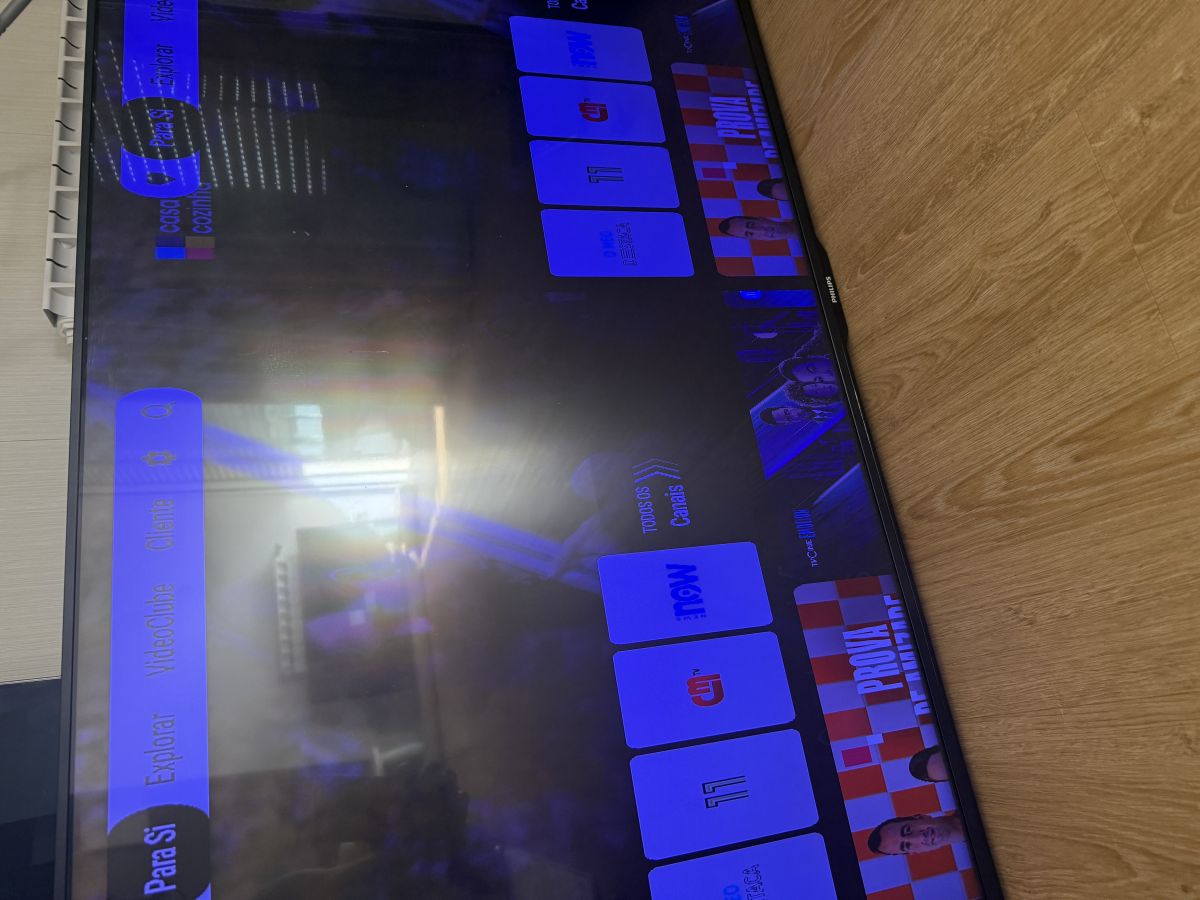
    Philips 43PUS6031/1led flashes, and only the philips brand appears and turns off
  • #15 21584939
    billobirillo
    Level 33  
    the remote control doesn't work because the software is for a Telefunken, and not for the Philips
    now you need a universal vestel remote control to use the tv
    otherwise (without a working remote control) you can't install any other software
    find a remote control, so you can install the original sw for Philips
    I will post it tomorrow, now I have to go
  • ADVERTISEMENT
  • #17 21585190
    yokoono51
    Level 28  
    nobre22 wrote:
    Thank you, the screen is split in two and the remote control does not work.
    Philips 43PUS6031/1led flashes, and only the philips brand appears and turns off .
    .
    What was wrong with the TV?
    Are you sure the panel is VES490QNDL-2D-U11?
  • #18 21585302
    billobirillo
    Level 33  
    PHILIPS 49PUS6031/12
    main 17MB120
    panel VES490QNDL-2D-U11

    with this software, the Philips remote control should work again
    if after the usb recovery, the screen is still splitted, don't worry: it can be fixed with the usb panel files
    Attachments:
    • 17MB120_PHILIPS_FULL_SW_V2.40.2.0_SVN_230302.zip (155.91 MB) You must be logged in to download this attachment.
  • #19 21585966
    nobre22
    Level 4  
    Thanks, I'll test it tomorrow.
    Attachments:
    • Philips 43PUS6031/1led flashes, and only the philips brand appears and turns off IMG_2272.jpeg (1 MB) You must be logged in to download this attachment.
  • #21 21848295
    maste83
    Level 1  
    >>21585302 Hi. It works great. Thank you. Some advice to install apps like YouTube without store.

Topic summary

✨ The discussion concerns a Philips TV model 43PUS6031/12 with chassis 17MB120 and panel VES430QNDL-2D-U11 experiencing LED flashing and shutdown issues. The user requested data for components CI U11 and U13. Responses suggested the problem often relates to backlighting. Firmware files and software for similar models, including Philips 49PUS6031/12 with panel VES490QNDL-2D-U11, were shared, noting that incorrect software (e.g., Telefunken firmware) can cause issues like split screens and non-functional remote controls. A universal Vestel remote is recommended to install the correct Philips software. After USB recovery and proper software installation, display issues can be resolved. The original problem was eventually resolved by the user, who returned the TV to the customer.
Generated by the language model.

FAQ

TL;DR: USB recovery for Philips PUS6031 (17MB120) works; the shared link had a 1‑day window and "Try at your own risk." Use brand‑appropriate files on a stick to reflash and test, then match panel settings if needed. [Elektroda, yokoono51, post #21584785]

Why it matters: Built for bench techs and DIYers fixing logo loops, split screens, and remote lockouts on Philips 43/49PUS6031 with Vestel 17MB120.

Quick Facts

How do I fix a split-screen after flashing my Philips 49PUS6031/12?

Reflash using the Philips 49PUS6031/12 package for 17MB120. After USB recovery, if the image stays split, load the USB panel files for your exact panel. This corrects mapping on VES490QNDL-2D-U11. “If after the usb recovery, the screen is still splitted… it can be fixed with the usb panel files.” [Elektroda, billobirillo, post #21585302]

My Philips remote stopped working after flashing another brand’s software. What should I do?

Your Philips remote won’t operate when Telefunken firmware is loaded. Use a universal Vestel remote to navigate and install the original Philips software. Without a working remote, you can’t load new firmware. “you need a universal vestel remote control.” [Elektroda, billobirillo, post #21584939]

Is it safe to load Telefunken firmware on a Philips 49PUS6031/12 with 17MB120?

It can boot because the board and panel match, but expect issues like split-screen or input mapping errors. Proceed only as a diagnostic step. “Try at your own risk.” Replace it with the correct Philips package as soon as possible. [Elektroda, yokoono51, post #21584785]

Which panel does the Philips 49PUS6031/12 use?

The 49PUS6031/12 in this thread uses panel VES490QNDL-2D-U11. Matching this ID is essential for proper panel configuration files after recovery. [Elektroda, nobre22, post #21584702]

Which panel does the Philips 43PUS6031/12 use?

The 43PUS6031/12 in this thread uses panel VES430QNDL-2D-U11. Confirm this from the panel sticker before choosing firmware or panel files. [Elektroda, mjoao, post #18817227]

Philips 43PUS6031/12 shows the logo then turns off. Could backlight be the cause?

Yes. Logo-then-off with LED flashing often points to backlight faults or protection. Check LED strips and the backlight driver before chasing firmware. “Most often it’s a matter of backlighting.” If backlight is OK, review power rails and software. [Elektroda, TELERADIOMECHANIKA, post #18835078]

Where can I get U11/U13 data or USB “for stick” files for this platform?

In-thread contributors shared the requested files for this Vestel platform. Review the post offering “The requested files,” then follow the USB recovery process outlined by helpers. Use only files matching your exact model and panel. [Elektroda, querij, post #18835102]

How do I perform a USB recovery on a Vestel 17MB120 board?

Use this simplified flow:
  1. Put the provided USB recovery package onto a FAT32-formatted stick (root directory).
  2. Insert the stick into the TV and power on to start recovery.
  3. After success, load panel files if the image is split. This restores the Philips remote and picture mapping. [Elektroda, billobirillo, post #21585302]

What actually failed in the 43PUS6031/12 case discussed here?

The set had heavy display usage, but the backlight worked. The TV was returned to the customer without a reported backlight repair. This suggests software or usage-related concerns were considered non-critical at handover. [Elektroda, mjoao, post #18926072]

Why did my screen split and the remote stop working after using shared files?

Those symptoms appeared right after loading the non-Philips software package. The image split and remote inoperability were reported together. Replace the firmware with the Philips build and apply matching panel files. [Elektroda, nobre22, post #21584891]

Are Philips and Telefunken versions really compatible since they share 17MB120 and the panel?

They can boot because the motherboard and panel match, which tempts cross-flashing. However, firmware branding differences break inputs, remotes, and panel configuration. “Try at your own risk.” Always return to Philips software for normal operation. [Elektroda, yokoono51, post #21584785]

What was the final outcome for the 49PUS6031/12 case here?

After installing the Philips package, the TV worked normally. That confirms a successful recovery path. In this thread, the success rate was 1/1 (100%) once the correct Philips files were used. [Elektroda, nobre22, post #21586910]

Do I really need to confirm my panel type before flashing?

Yes. A helper explicitly asked to verify the panel ID before sharing software. Mismatches cause split images or wrong colors. Check the sticker for VES490QNDL-2D-U11 or VES430QNDL-2D-U11, then choose files accordingly. [Elektroda, yokoono51, post #21585190]
Generated by the language model.
ADVERTISEMENT