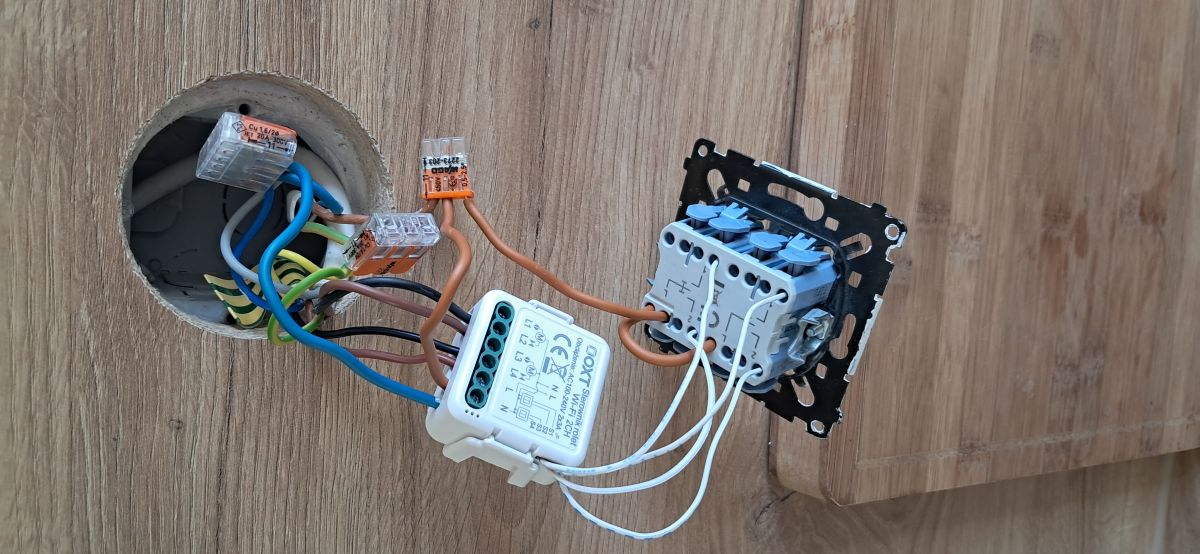
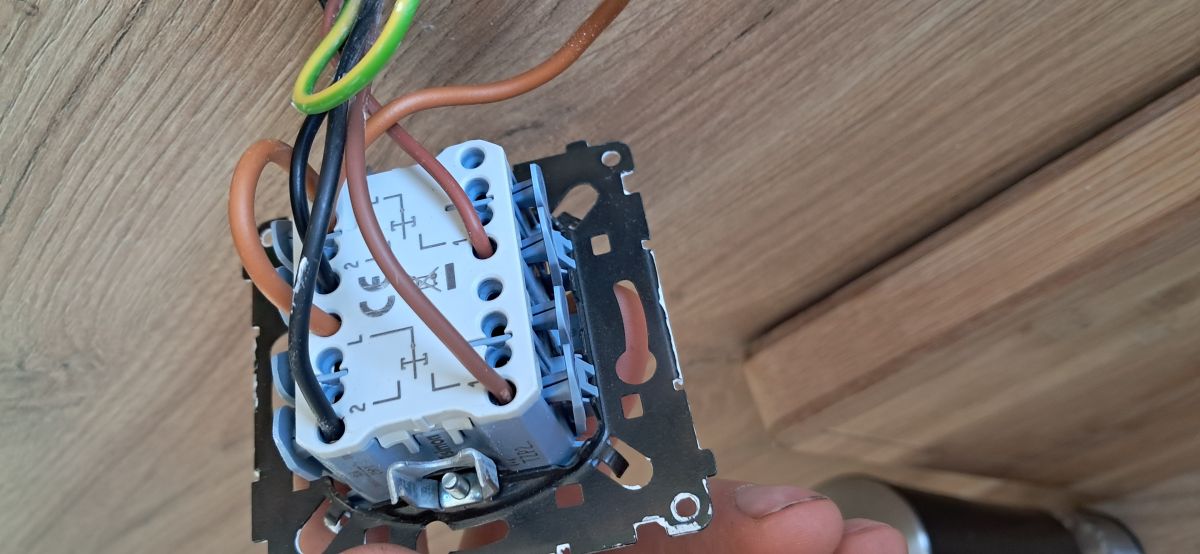
@melon2 aptly diagnosed - I just want to add why this specifically burned the controller, because from what you write you don't quite understand the logic, and before Wednesday and a new unit it's worth catching on.
Tuya roller shutter controllers (and similar - Sonoff, MOES) have opto-isolated low-voltage gates on the key inputs (S1, S2). In the internal schematic, the manufacturer connects them to N (reference potential ≈ 0 V) and expects the physical key to short-circuit this potential to the input via the key. So the logic goes like this: the key on the wall has one terminal connected to N from the box, the other to S1 or S2 of the controller. You press the key - it short-circuits N with S1 - the optoisolator sees "0" - the module knows there is a click.
What has happened in your case: instead of N you have fed L (230 V phase) to the S1/S2 input. The optoisolator has no such isolation - it typically withstands 20-60 V between inputs. At 230 volts, the input capacitor or Zener diode breaks through immediately, carbon trace on the PCB, controller smokes. Burned out, to the rubbish.
It worked for you before without the controller, because then the key directly fed L to the roller shutter motor - roller shutter motors are normally controlled by 230 V AC, phase. With a controller in between the logic is reversed: the keys are a low-voltage input, not a direct motor switch.
Practically before plugging in the new controller on Wednesday:
Read the diagram on the housing - with the new Tuya roller shutters there is a sticker with a pictogram. S1/S2 should be marked as the key input, with an icon next to it showing where the N should go from.
Measure with a multimeter before plugging in - the controller plugged into the L and N of the power supply, nothing yet into S1/S2. Measure between the N of the power supply and what you have prepared to connect to the wall key (which is actually to S1). It should be 0 volts, not 230 volts. If 230 V - you still have phase, not neutral.
Some of the newer Tuya modules (sometimes labelled "dry contact" / "dry contact") don't require any voltage at all - the key just short circuits the two inputs between them. Check on the description, as this saves one wire.
Oh, and also show a photo of the roller shutter motors - because melon2 rightly mentioned above, there can be surprises there too (e.g. common wire L UP, L DOWN, no N to the motor etc.).