




logo elektroda
logo elektroda
X
logo elektroda

Older smart home sockets of various types - how to reset saved Wi-Fi or Zigbee?

Wojtek W 129 3
ADVERTISEMENT
Treść została przetłumaczona polish » english Zobacz oryginalną wersję tematu
  • #1 21906791
    Wojtek W
    Level 12  
    Posts: 63
    Rate: 11
    Hello to all Elektroda users. It’s been a long time since I last looked into electronics, so this is a rather basic question. I have a few smart sockets that I brought with me from my old home after moving house. I can’t get them to work in my new place, even though they were working before. At first glance, it seems that the old saved Wi-Fi network won’t reset. Interestingly, there’s even a socket for a Zigbee gateway that’s never actually been connected to a gateway. It also has the old network name saved, which I can’t delete (yes, I’ve tried doing that via Wi-Fi). I don’t know where to start or where to look for information on this. Best regards.
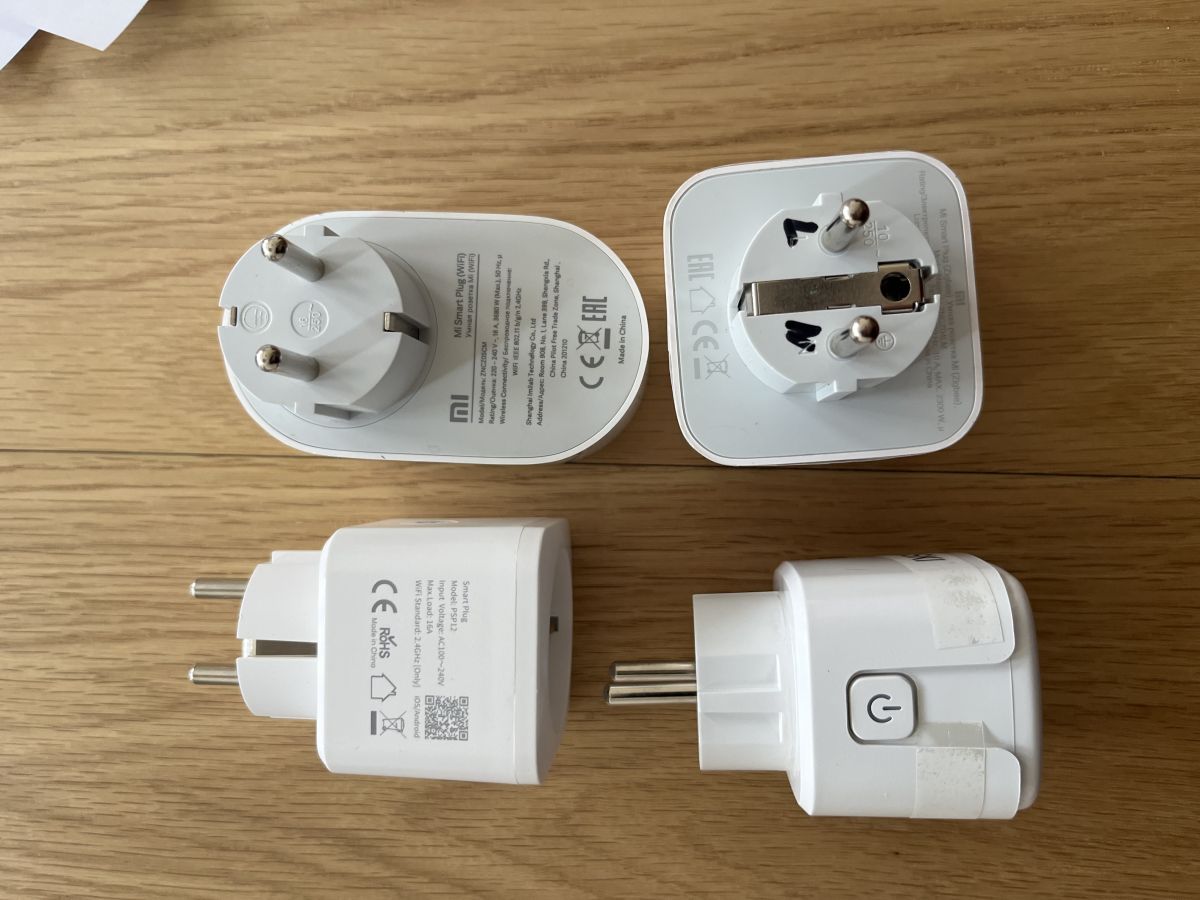
    Four white smart plugs on a wooden tabletop, some shown from the plug side with labels
  • ADVERTISEMENT
  • #2 21906811
    KOCUREK1970
    Network and Internet specialist
    Posts: 35452
    Help: 3835
    Rate: 5431
    Wojtek W wrote:
    It won’t reset the old saved Wi-Fi network

    Which procedure are you following to reset it? This one?:
    - Plug the device into a power socket – make sure the device is plugged into a wall socket or an extension lead.
    - Locate the power button – there is a physical power button on the device’s casing (usually on the top or side).
    - Press and hold the button – press and hold it for about 5 to 10 seconds.
    - Watch the LED – keep the button pressed until the built-in LED starts flashing yellow or orange.
    - Release the button – once the LED starts flashing in this colour, it means the socket has been reset and has entered pairing mode.

    Smart plugs operate on a 2.4 GHz Wi-Fi network.
  • ADVERTISEMENT
  • #3 21906831
    Wojtek W
    Level 12  
    Posts: 63
    Rate: 11
    Thank you very much for your reply. Unfortunately, it’s just as you say. That is, after 10 seconds, the LED flashes rapidly, but the app can’t find the device. The network name does appear, but entering the password doesn’t change anything. In some cases, despite the reset, I can scroll past the network name window and see the old network there, which seems to still be present despite the reset. But I may be misjudging the situation. I’ve also tried using a QR code; an app called Osaio downloaded, but it won’t let me add the network either. Perhaps it doesn’t recognise the country, as it used to work in Poland but now I’m in Sweden.
  • #4 21909371
    gkwiatkowski
    CCTV and Stationary Alarms specialist
    Posts: 4669
    Help: 649
    Rate: 1225
    What sort of encryption do you have enabled on your Wi-Fi network in your new home?
ADVERTISEMENT