






Hello.
I am looking for the correct USB recovery firmware for:
Brand: JVC
Model: LT-55VU850
Mainboard: 17MB130P
PSU: 17IPS72
Panel: VES550QNDL-2D-U11
History:
I received this TV already in faulty condition. It was most likely flashed with an incorrect firmware before I got it.
Original symptoms:
TV powered on.
Bright JVC logo appeared during startup.
TV never completed booting.
No menu and no normal operation after the logo.
I suspected corrupted firmware and unfortunately flashed a firmware package intended for:
17MB130S
VES490QNDL-2D-N11
Telefunken
After that the situation became worse.
Current symptoms:
No JVC logo anymore.
Short startup beep.
Screen briefly changes dark/blue shades during power-on.
Backlight activity is visible.
TV does not boot and does not react to remote commands.
Only power ON/OFF works.
When connected to a Windows PC, the computer detects the TV as a display ("55UHD_LCD_TV", 1920x1080 @ 60Hz). Windows plays the normal monitor connect/disconnect sound when the TV is connected or disconnected. However, the TV screen itself remains dark and does not show the PC image.
Additional observation:
A FAT32 USB stick with a recovery trigger file causes the front red LED to start blinking, which suggests that the bootloader may still be alive and attempting USB recovery.
Could someone please provide:
Correct USB recovery firmware for JVC LT-55VU850 / 17MB130P / VES550QNDL-2D-U11.
Recovery package files (USB_AUTO_UPDATE, MB130 files, etc.).
Full dump (SPI/NAND/eMMC) if USB recovery is not sufficient.
Thank you.
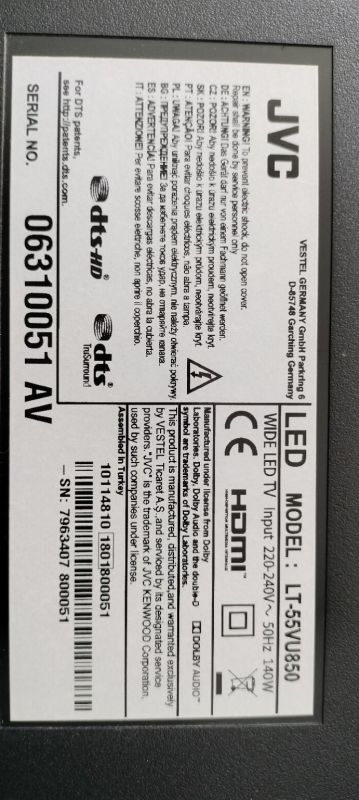
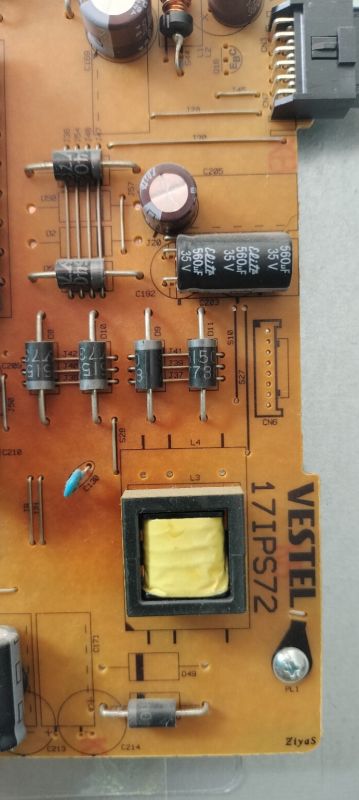
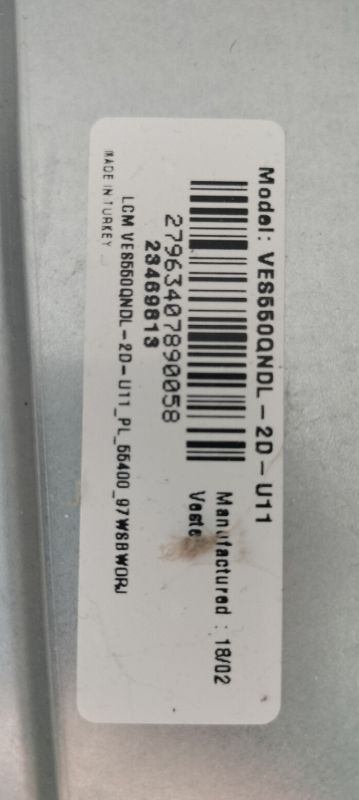
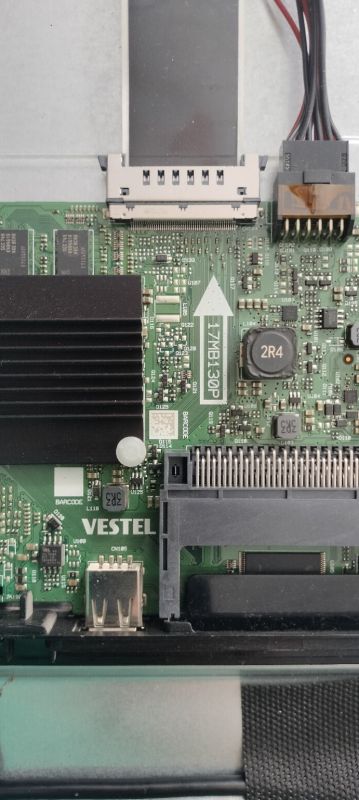
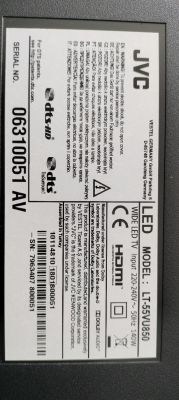
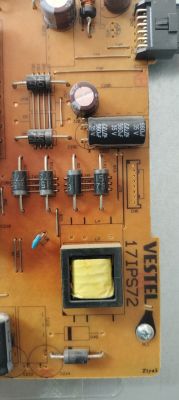
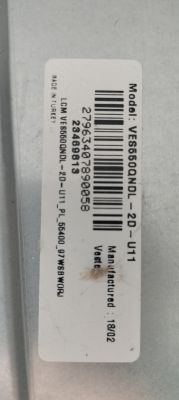
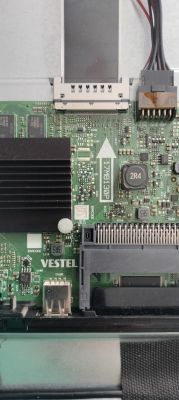
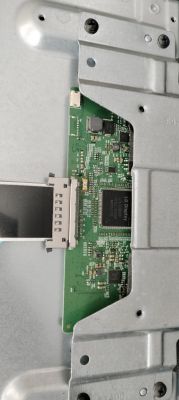
Can you post the full sticker/barcode info from the main board and TV rear label (all Vestel/JVC numbers, serial, and any 17MB130S suffix/revision)?
JVC LT-55VU850 / 17MB130P / VES550QNDL-2D-U11 - Need USB recovery firmware after wrong firmware flash
Brand: JVC
Model: LT-55VU850
Mainboard: 17MB130P
PSU: 17IPS72
Panel: VES550QNDL-2D-U11
Have you already tried the USB emergency recovery procedure or read/written the MX25L1606E/NAND with a programmer? If yes, what exactly happened?
I received this TV already in faulty condition. It was most likely flashed with an incorrect firmware before I got it.
Original symptoms:
TV powered on.
Bright JVC logo appeared during startup.
TV never completed booting.
No menu and no normal operation after the logo.
I suspected corrupted firmware and unfortunately flashed a firmware package intended for:
17MB130S
VES490QNDL-2D-N11
Telefunken
After that the situation became worse.
Current symptoms:
No JVC logo anymore.
Short startup beep.
Screen briefly changes dark/blue shades during power-on.
Backlight activity is visible.
TV does not boot and does not react to remote commands.
Only power ON/OFF works.
When connected to a Windows PC, the computer detects the TV as a display ("55UHD_LCD_TV", 1920x1080 @ 60Hz). Windows plays the normal monitor connect/disconnect sound when the TV is connected or disconnected. However, the TV screen itself remains dark and does not show the PC image.
Additional observation:
A FAT32 USB stick with a recovery trigger file causes the front red LED to start blinking, which suggests that the bootloader may still be alive and attempting USB recovery.
I am looking for the correct USB recovery firmware for:
Brand: JVC
Model: LT-55VU850
Mainboard: 17MB130P
PSU: 17IPS72
Panel: VES550QNDL-2D-U11
History:
I received this TV already in faulty condition. It was most likely flashed with an incorrect firmware before I got it.
Original symptoms:
TV powered on.
Bright JVC logo appeared during startup.
TV never completed booting.
No menu and no normal operation after the logo.
I suspected corrupted firmware and unfortunately flashed a firmware package intended for:
17MB130S
VES490QNDL-2D-N11
Telefunken
After that the situation became worse.
Current symptoms:
No JVC logo anymore.
Short startup beep.
Screen briefly changes dark/blue shades during power-on.
Backlight activity is visible.
TV does not boot and does not react to remote commands.
Only power ON/OFF works.
When connected to a Windows PC, the computer detects the TV as a display ("55UHD_LCD_TV", 1920x1080 @ 60Hz). Windows plays the normal monitor connect/disconnect sound when the TV is connected or disconnected. However, the TV screen itself remains dark and does not show the PC image.
Additional observation:
A FAT32 USB stick with a recovery trigger file causes the front red LED to start blinking, which suggests that the bootloader may still be alive and attempting USB recovery.
Could someone please provide:
Correct USB recovery firmware for JVC LT-55VU850 / 17MB130P / VES550QNDL-2D-U11.
Recovery package files (USB_AUTO_UPDATE, MB130 files, etc.).
Full dump (SPI/NAND/eMMC) if USB recovery is not sufficient.
Thank you.
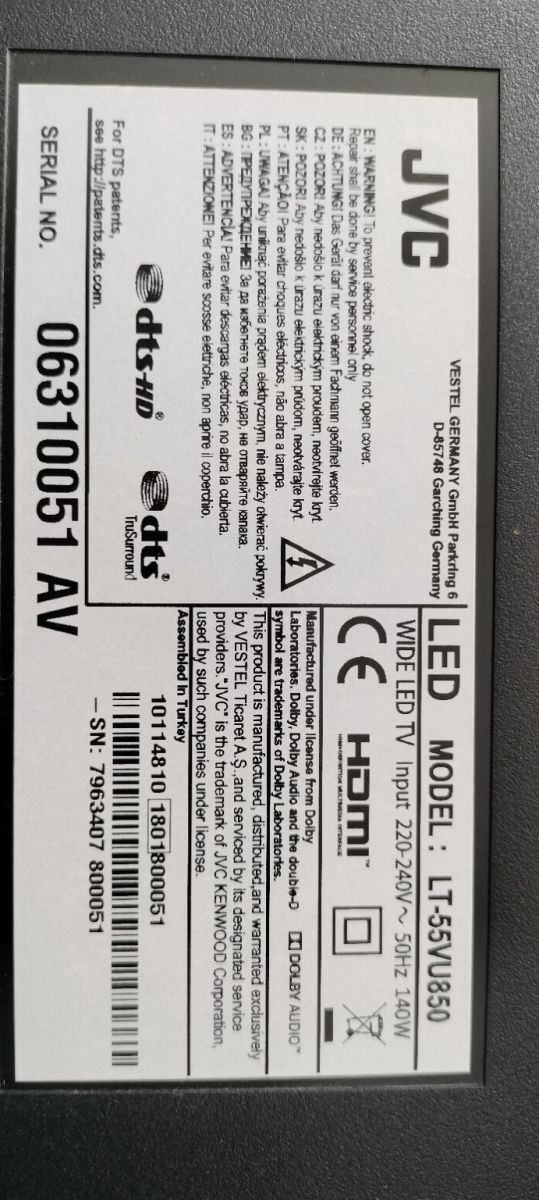
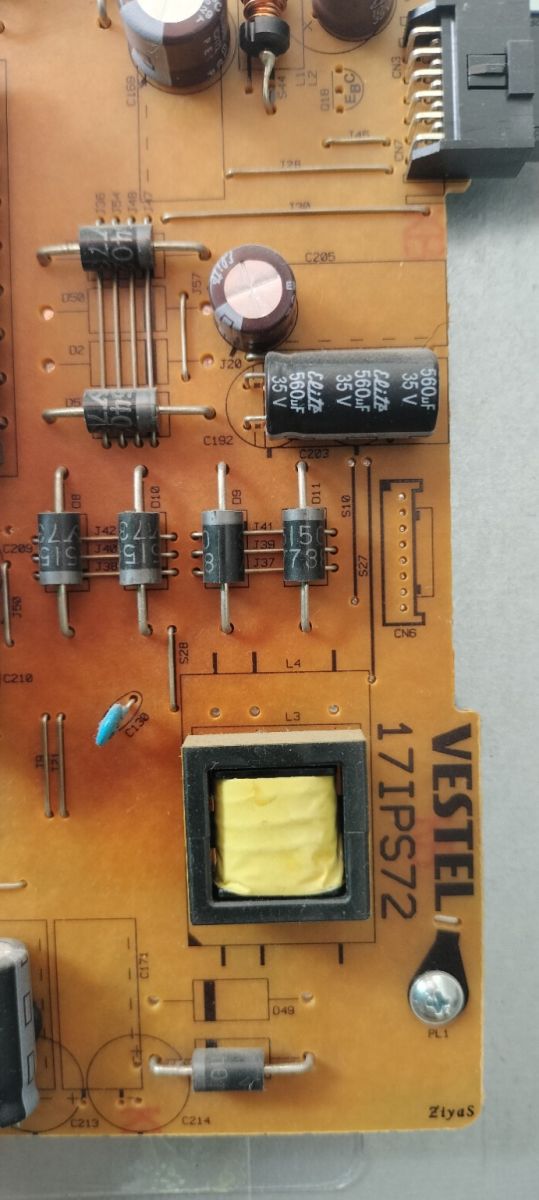
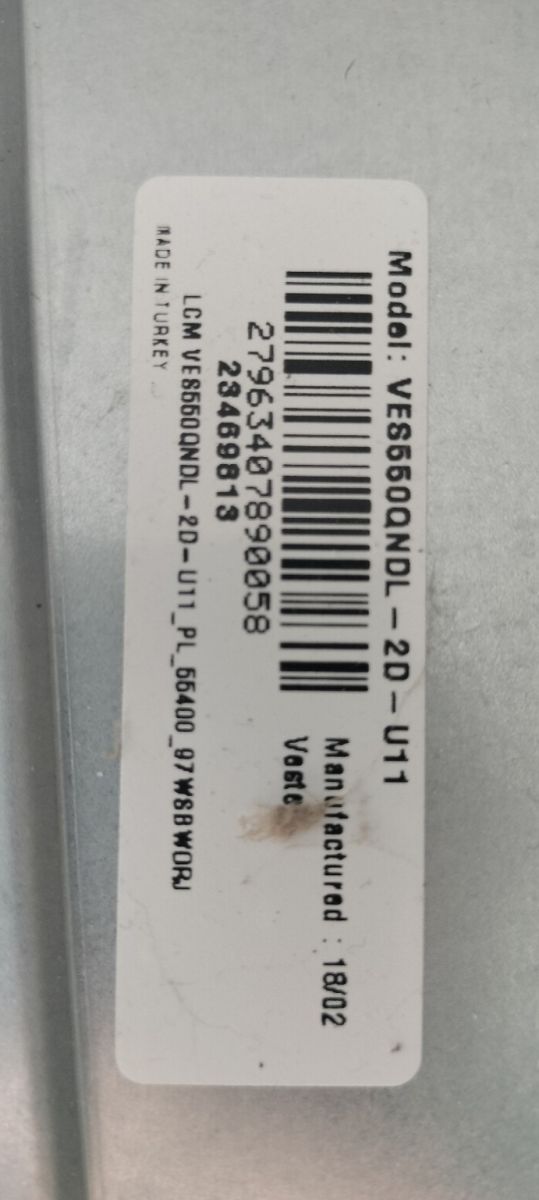
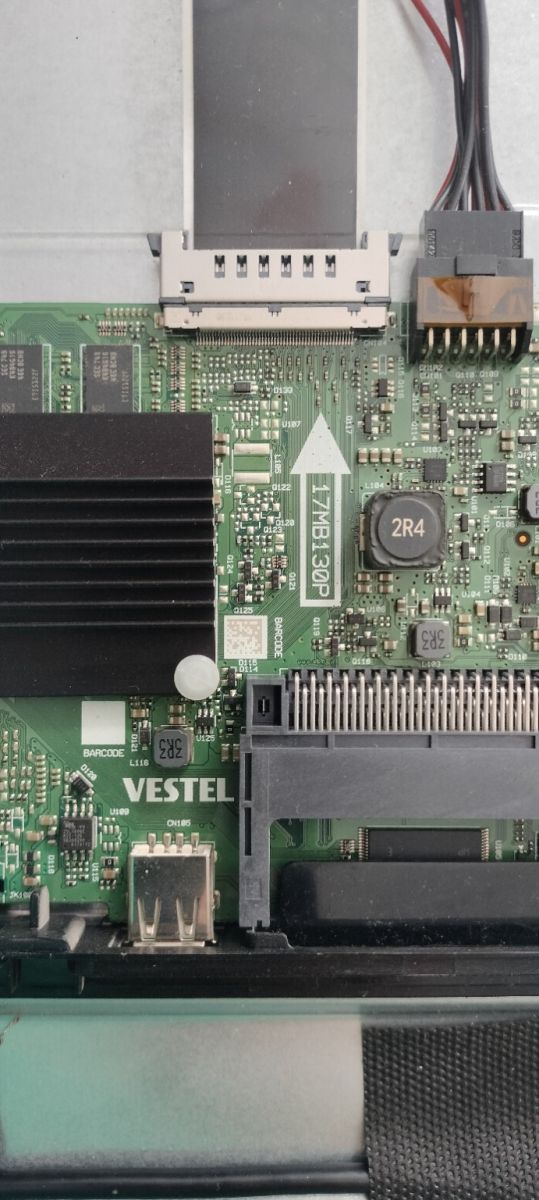
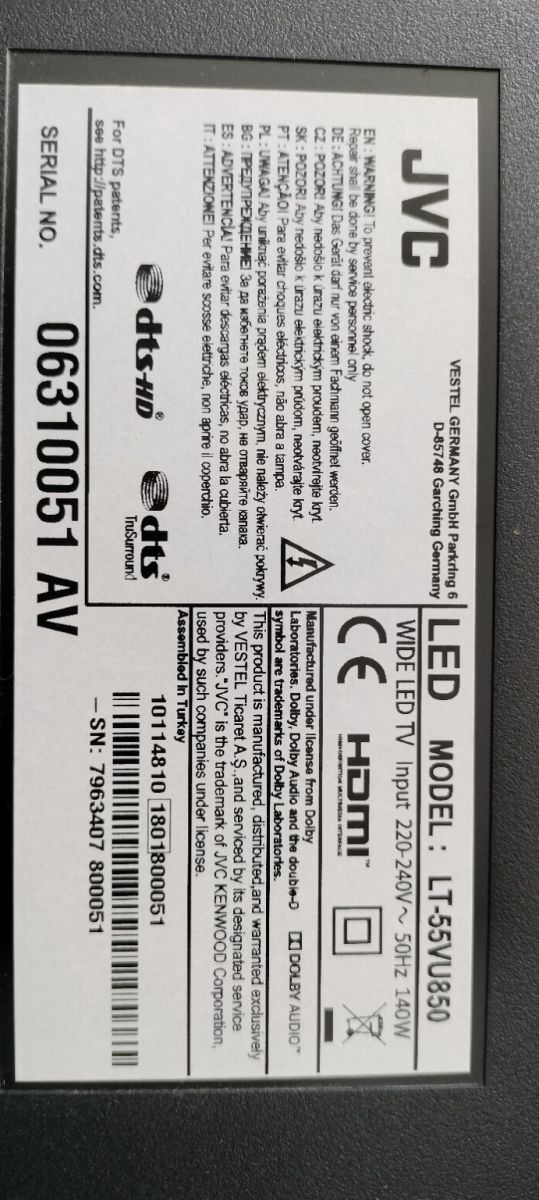
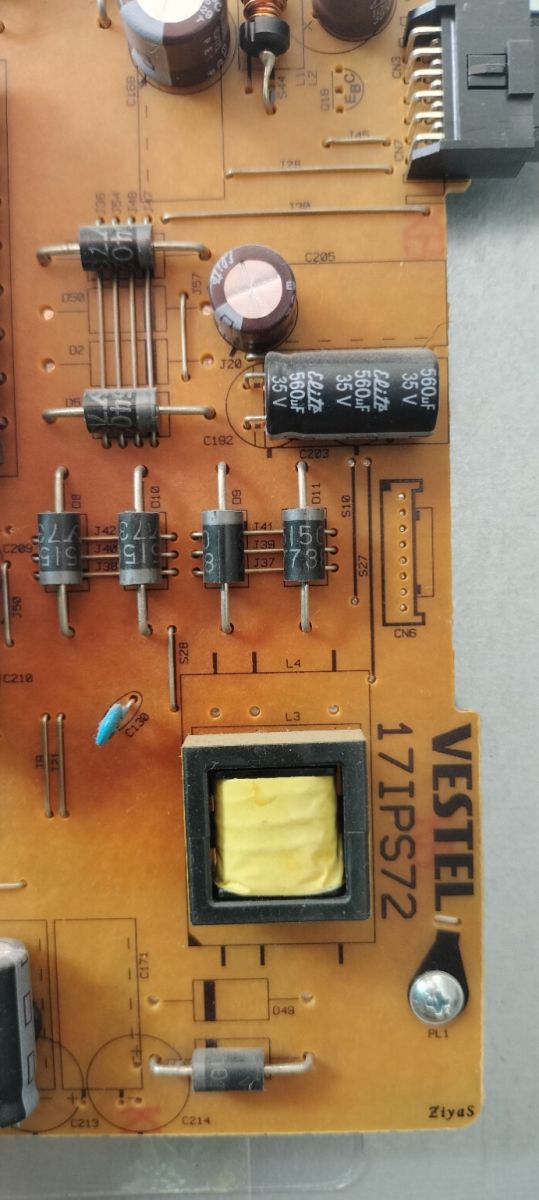
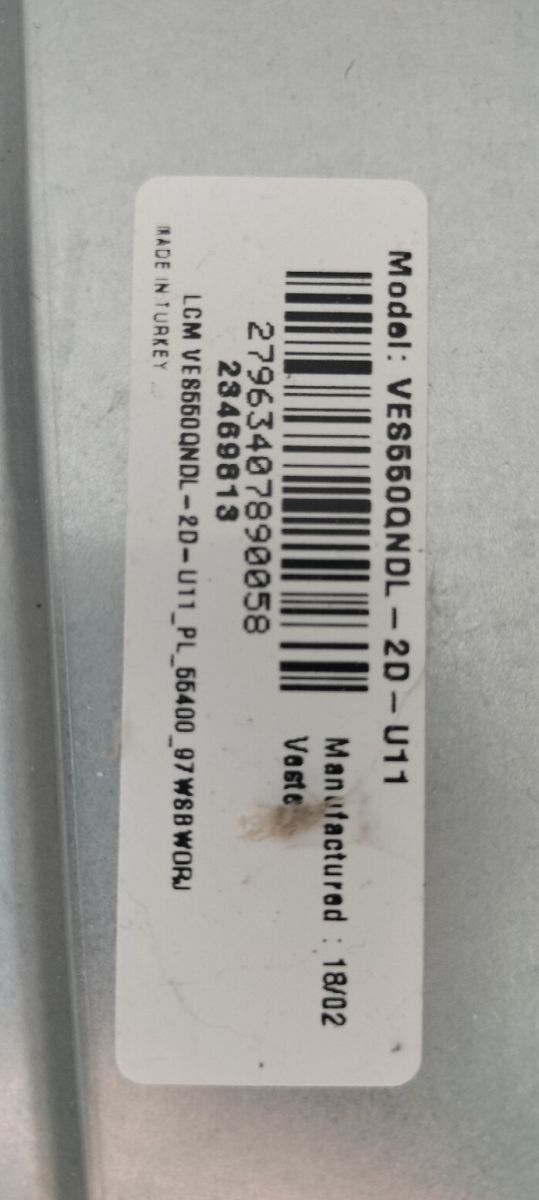
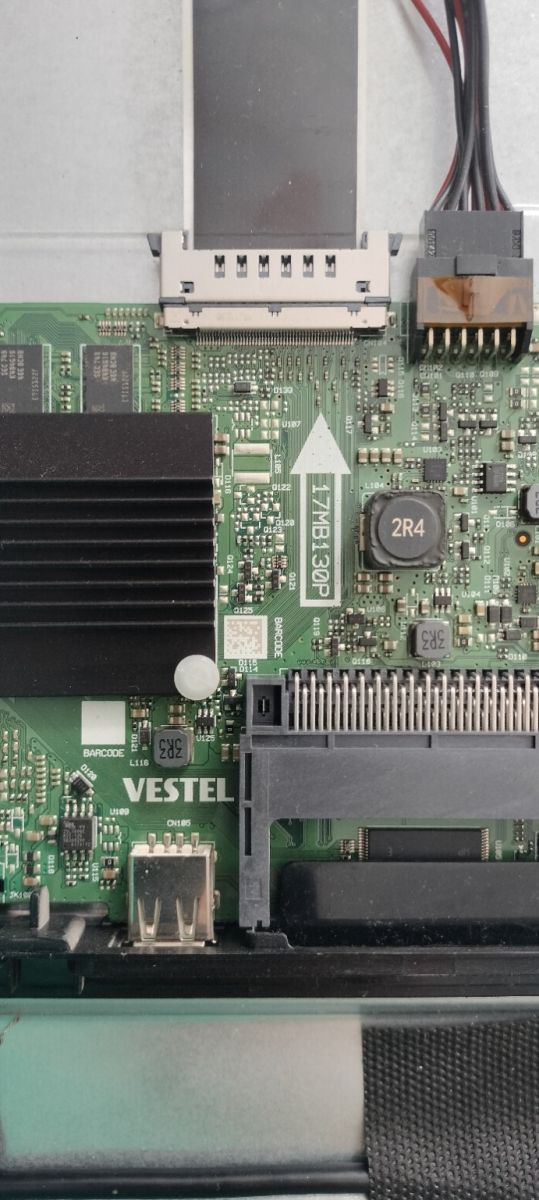
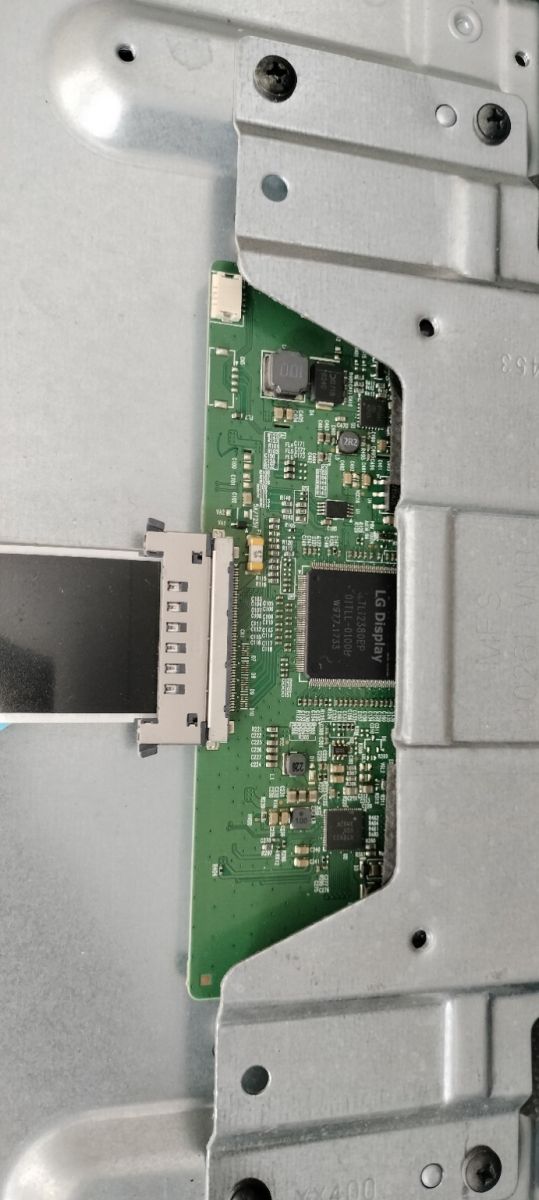
Can you post the full sticker/barcode info from the main board and TV rear label (all Vestel/JVC numbers, serial, and any 17MB130S suffix/revision)?
JVC LT-55VU850 / 17MB130P / VES550QNDL-2D-U11 - Need USB recovery firmware after wrong firmware flash
Brand: JVC
Model: LT-55VU850
Mainboard: 17MB130P
PSU: 17IPS72
Panel: VES550QNDL-2D-U11
Have you already tried the USB emergency recovery procedure or read/written the MX25L1606E/NAND with a programmer? If yes, what exactly happened?
I received this TV already in faulty condition. It was most likely flashed with an incorrect firmware before I got it.
Original symptoms:
TV powered on.
Bright JVC logo appeared during startup.
TV never completed booting.
No menu and no normal operation after the logo.
I suspected corrupted firmware and unfortunately flashed a firmware package intended for:
17MB130S
VES490QNDL-2D-N11
Telefunken
After that the situation became worse.
Current symptoms:
No JVC logo anymore.
Short startup beep.
Screen briefly changes dark/blue shades during power-on.
Backlight activity is visible.
TV does not boot and does not react to remote commands.
Only power ON/OFF works.
When connected to a Windows PC, the computer detects the TV as a display ("55UHD_LCD_TV", 1920x1080 @ 60Hz). Windows plays the normal monitor connect/disconnect sound when the TV is connected or disconnected. However, the TV screen itself remains dark and does not show the PC image.
Additional observation:
A FAT32 USB stick with a recovery trigger file causes the front red LED to start blinking, which suggests that the bootloader may still be alive and attempting USB recovery.
