logo elektroda
logo elektroda
X
logo elektroda

ESP32 board with Wi-Fi, wired Ethernet and PoE power supply – ESP32-PoE2 Olimex

p.kaczmarek2 1212 10

TL;DR

  • Olimex ESP32-PoE2 is an open-source ESP32 board with Wi‑Fi, wired Ethernet via LAN8720, and PoE support.
  • The design adds TPS2378PW PoE power, a CH340 USB-to-UART interface, microSD, LiPo charging, UEXT connectors, and PlatformIO-ready Ethernet examples.
  • The tested version uses ESP32-WROVER-E-N4R8 with 4 MB Flash and 8 MB PSRAM, and Olimex rates external output power up to 25 W.
  • Ethernet setup obtained a DHCP address, resolved google.com, sent an HTTP request, and received a 301 Moved Permanently response.
  • The board lacks galvanic isolation on the Ethernet power path, so ground loops are possible; disconnect Ethernet during USB programming if PoE is active.
Summary generated by AI based on the discussion content.
ADVERTISEMENT
This content has been translated flag-pl » flag-en View the original version here
📢 Listen (AI):
  • ESP32 board with Wi-Fi, wired Ethernet and PoE power supply – ESP32-PoE2 Olimex
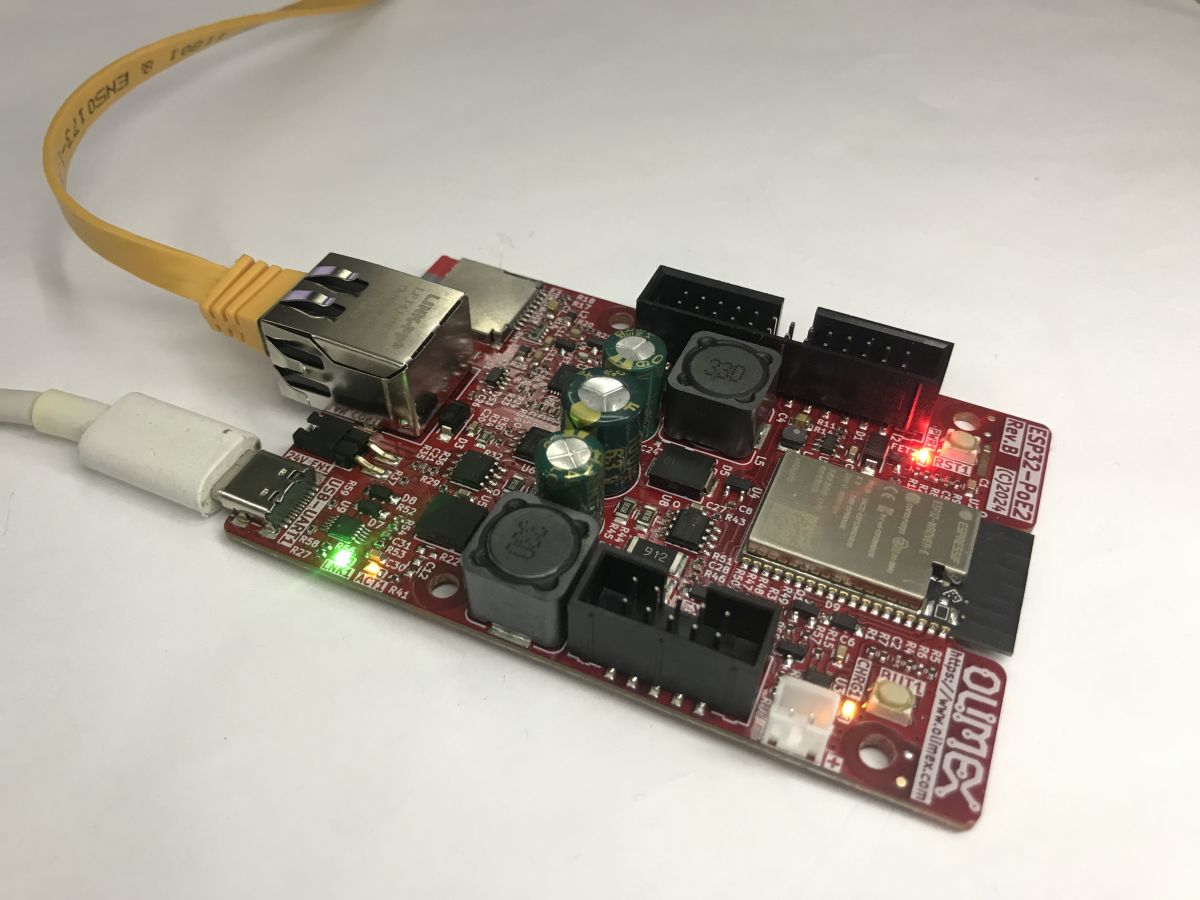
    PoE (Power over Ethernet) is a standard that allows both data and power to be transmitted via a single Ethernet cable. The ESP32-PoE2 from Olimex is a board compliant with this standard, offering two types of connectivity: wireless (Wi-Fi) and wired (Ethernet, via the LAN8720 chip). It is this board that I would like to showcase here.
    ESP32 board with Wi-Fi, wired Ethernet and PoE power supply – ESP32-PoE2 Olimex
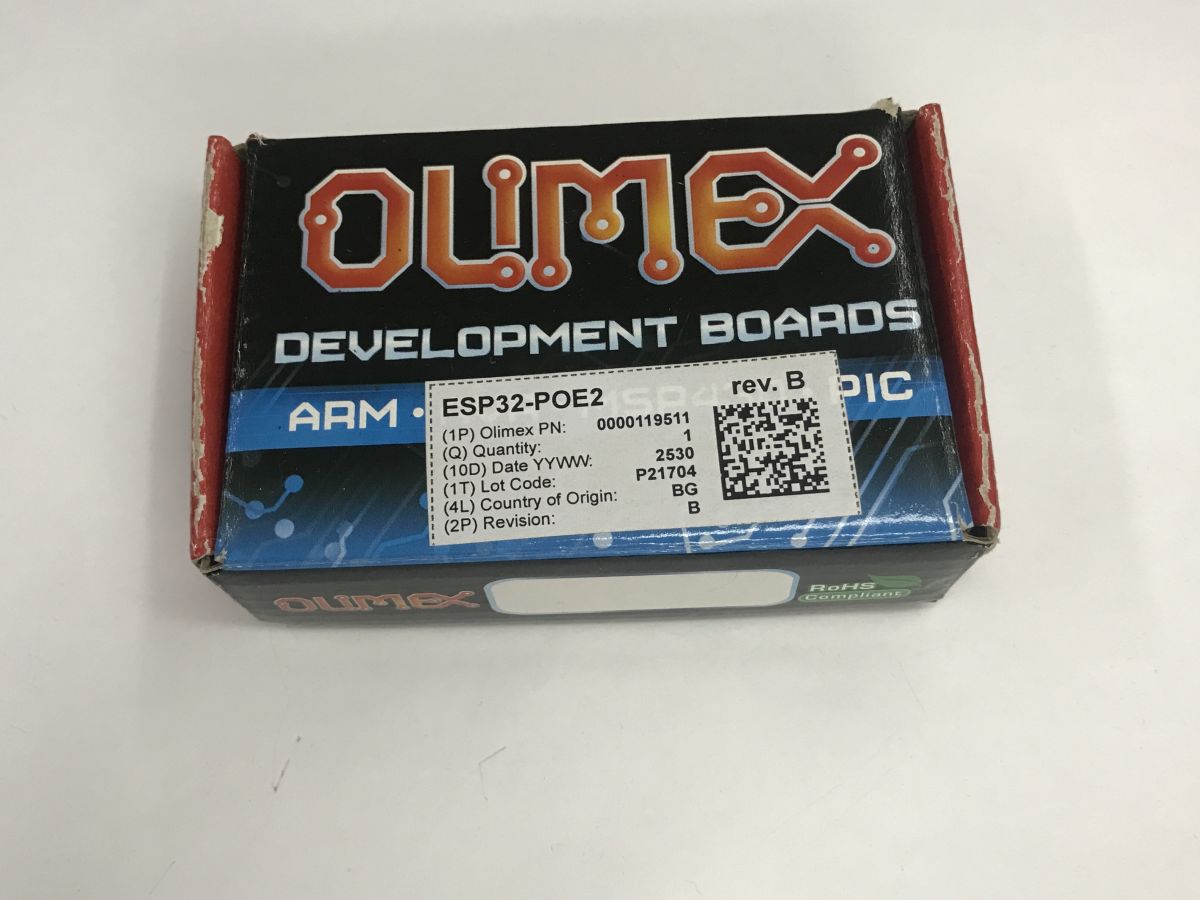
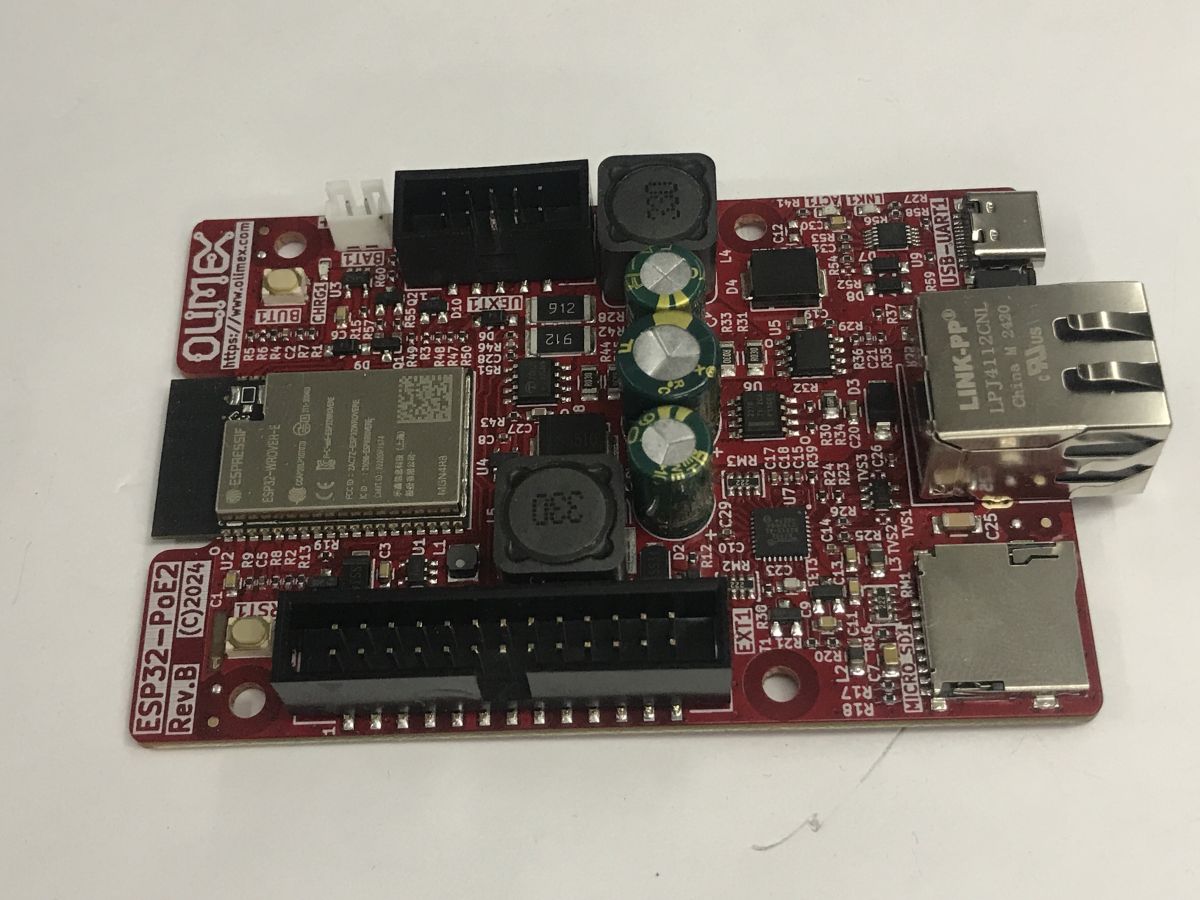
    The ESP32-PoE2 is an open-source and open-hardware project from Olimex. The full project sources (including the PCB in KiCad) are available on GitHub . I bought my unit for 120 zł. I chose the version with extra memory, i.e. the one based on the ESP32-WROVER-E-N4R8 with 4 MB Flash and 8 MB PSRAM.
    ESP32 board with Wi-Fi, wired Ethernet and PoE power supply – ESP32-PoE2 Olimex
    The TPS2378PW provides PoE power and complies with the IEEE 802.3 standard. An input voltage of at least 37 V is required. The board itself is capable of powering external circuits – it has 24 V / 0.75 A or 12 V / 1.5 A, as well as 5 V / 1.5 A and 3.3 V / 1 A, with a total output power of up to 25 W.
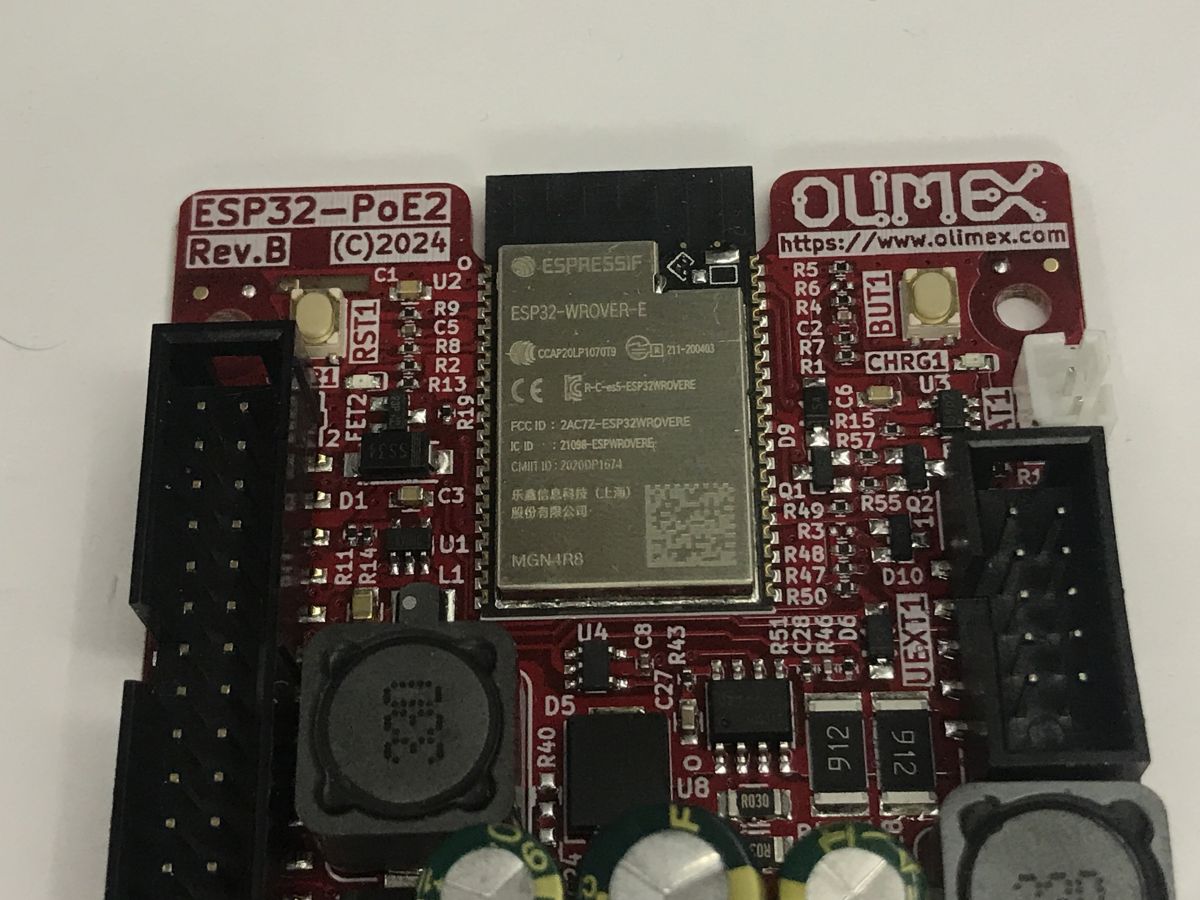
    ESP32 board with Wi-Fi, wired Ethernet and PoE power supply – ESP32-PoE2 Olimex
    Note: The ESP32-POE2 does not have galvanic isolation from the Ethernet power supply, which may cause ground loops. When programming via USB, disconnect the Ethernet cable (if PoE is active). Connecting an external power supply may be dangerous – it is recommended to use the Olimex USB-ISO to protect your computer and the board.
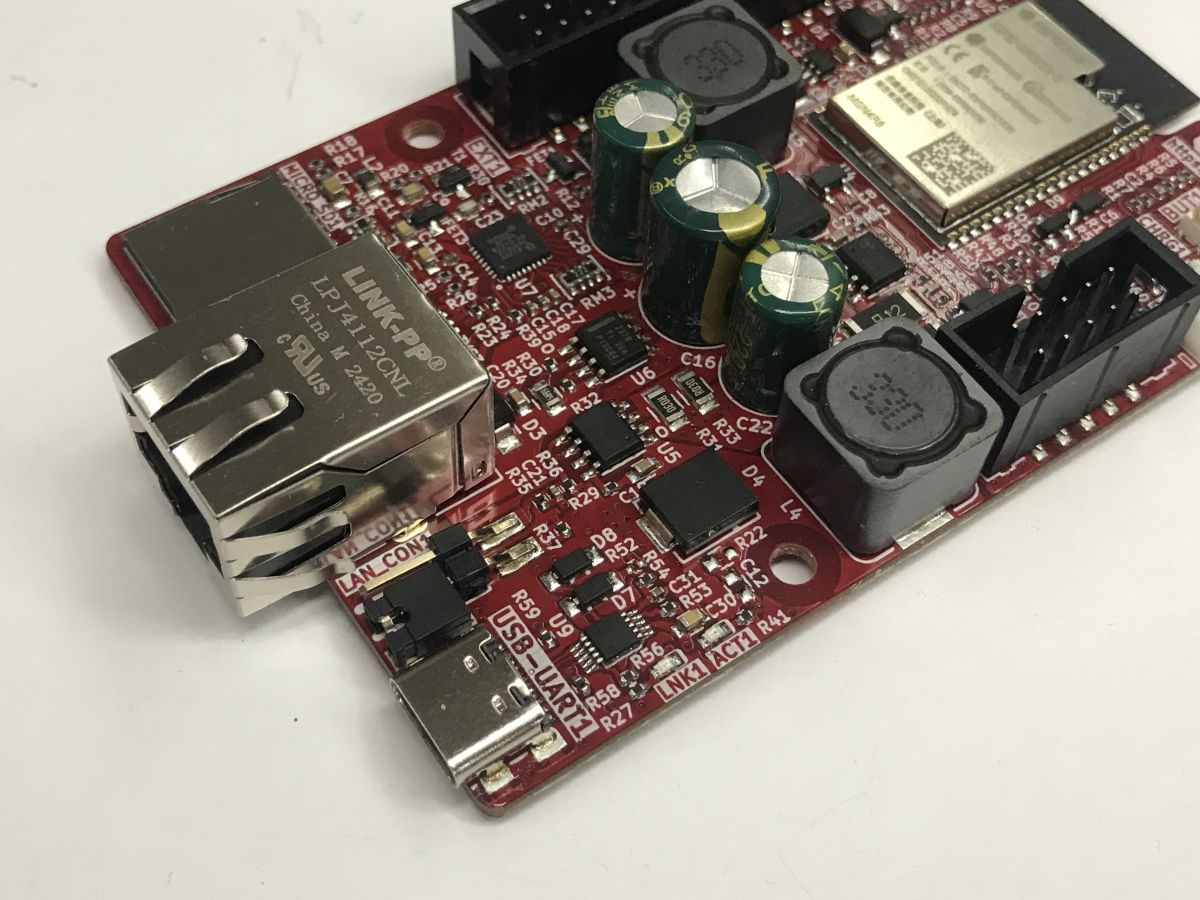
    ESP32 board with Wi-Fi, wired Ethernet and PoE power supply – ESP32-PoE2 Olimex
    Additional peripherals include a microSD card slot, a built-in USB-to-UART converter for programming (CH340), a BL4054 controller for working with LiPo batteries, and a wide range of connectors, including Olimex’s UEXT.
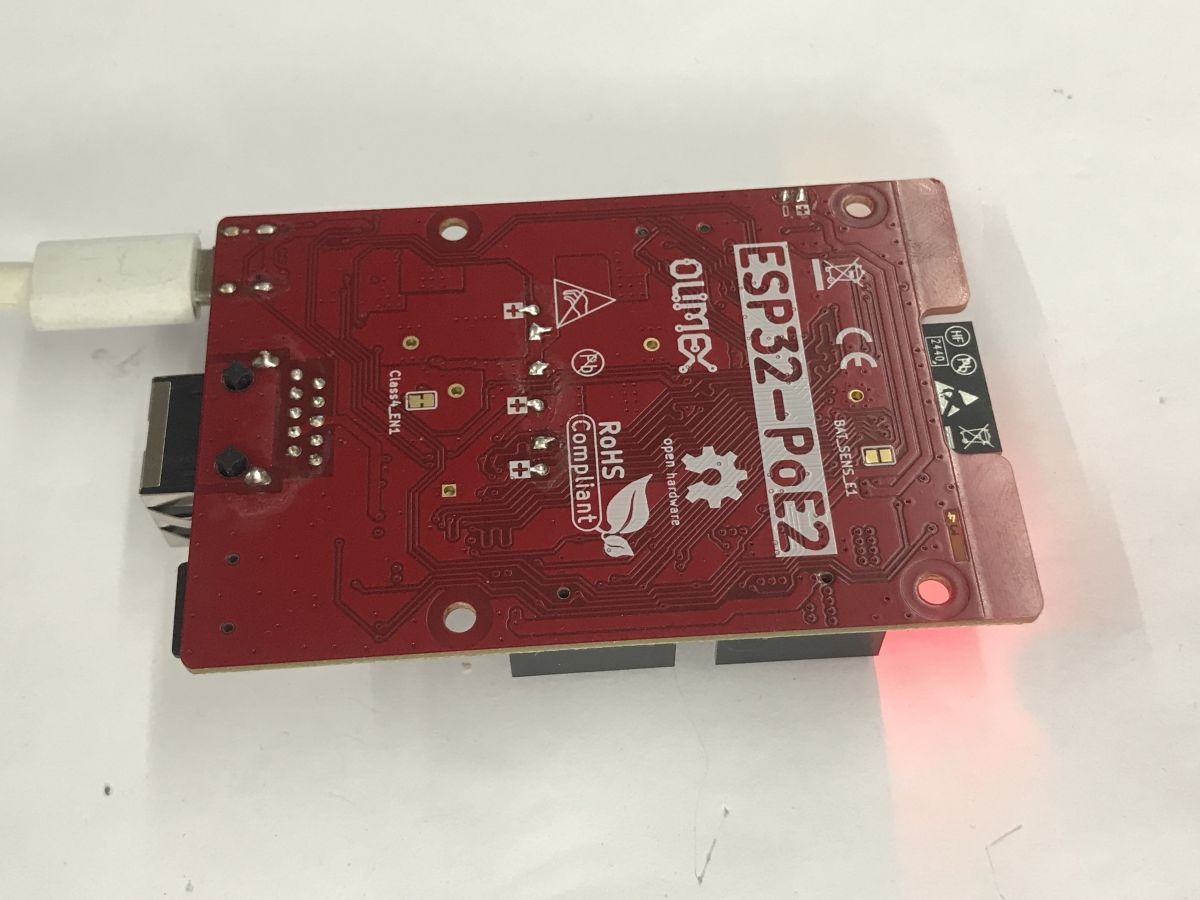
    ESP32 board with Wi-Fi, wired Ethernet and PoE power supply – ESP32-PoE2 Olimex
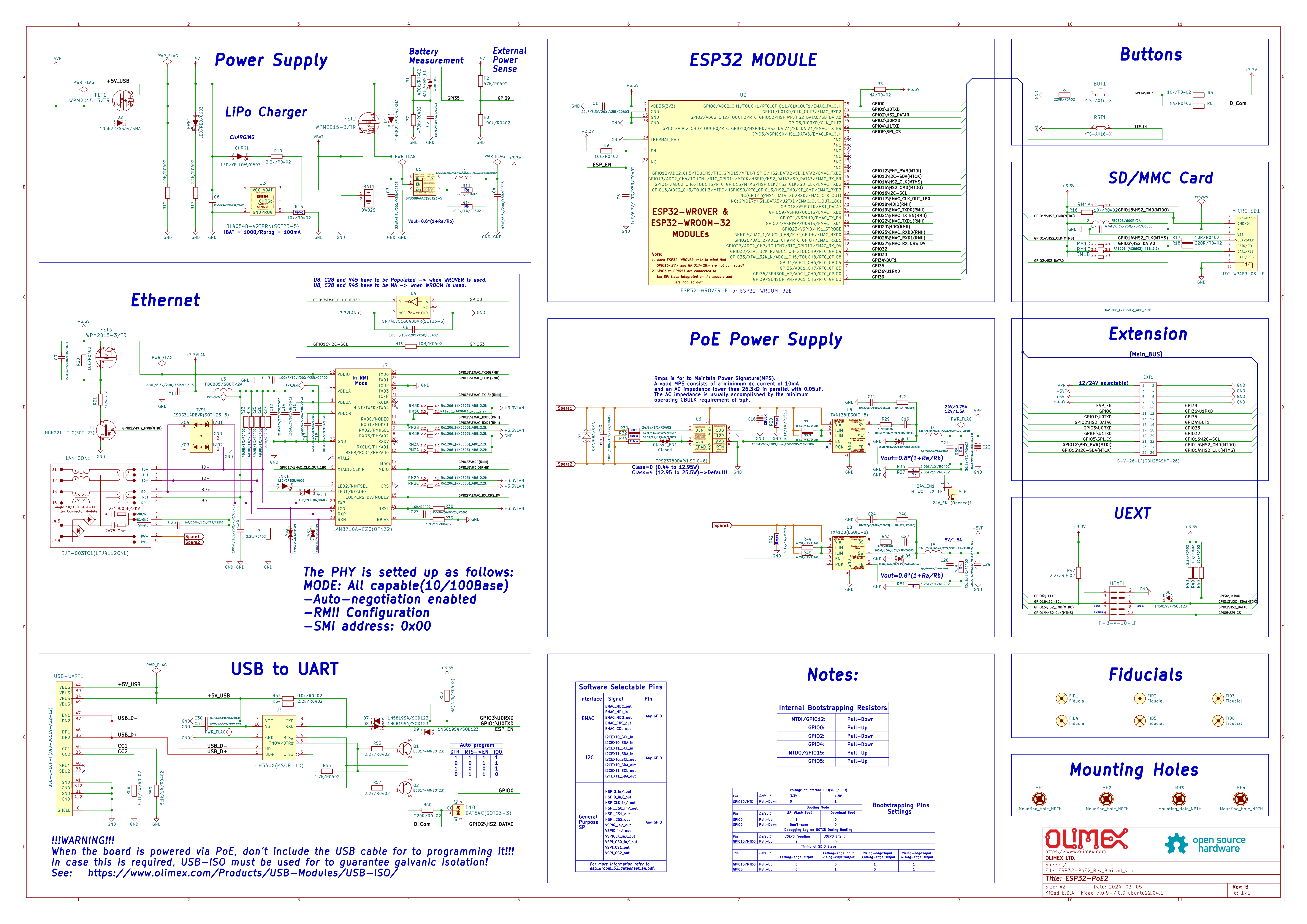
    Schematic:
    CAD schematic of the ESP32‑PoE2 board with labeled blocks for power, PoE, Ethernet, SD, and USB‑UART

    The board is programmed in PlatformIO, and I’ll demonstrate a few examples within this environment.

    Hello World LAN8720
    The LAN8720 is what makes this board stand out the most, and that is what I will focus on here. First, platformio.ini – the PIO libraries already have a profile for this board (esp32-poe-iso), and there is also a ready-made library for the LAN8720.
    
    [env:esp32-poe-iso]
    platform = espressif32
    board = esp32-poe-iso
    framework = arduino
    monitor_speed = 115200
    
    build_flags = 
    	-D ETH_PHY_TYPE=ETH_PHY_LAN8720
    	-D ETH_PHY_ADDR=0
    	-D ETH_PHY_MDC=23
    	-D ETH_PHY_MDIO=18
    	-D ETH_PHY_POWER=12
    	-D ETH_CLK_MODE=ETH_CLOCK_GPIO0_OUT
    	-D BOARD_HAS_PSRAM
    	-mfix-esp32-psram-cache-issue


    In the main source file, main.cpp, you need to include the ETH.h header; you can then add a callback to handle events, and even connect a socket to the target host. This will allow you to check whether connectivity is available:
    Code: C / C++
    Log in, to see the code

    I checked the response for the domain name google.com – the connect function automatically converts it to an IP address.
    Result:
    
    
      ets Jul 29 2019 12:21:46                                      
    rst:0x1 (POWERON_RESET),boot:0x1b (SPI_FAST_FLASH_BOOT)
    configsip: 0, SPIWP:0xee
    clk_drv:0x00,q_drv:0x00,d_drv:0x00,cs0_drv:0x00,hd_drv:0x00,wp_drv:0x00
    mode:DIO, clock div:2                 
    load:0x3fff0030,len:184            
    load:0x40078000,len:12680       
    load:0x40080400,len:2908        
    entry 0x400805c4                   
    Olimex ESP32-POE2 Ethernet Test (v2.x compat)...
    ETH Started                                         
    ETH Connected                                    
    ETH Got IP                                         
    ETH IP: 192.168.0.137
                                                                                   
     Connecting to google.com
                                                         
    HTTP/1.1 301 Moved Permanently
                                                    
    Location: http://www.google.com/
                                                  
    Content-Type: text/html; charset=UTF-8
                                            
    Content-Security-Policy-Report-Only: object-src 'none';base-uri 'self';script-sr
    c 'nonce-rvcm1L9GDkZjYCPWad4kQw' 'strict-dynamic' 'report-sample' 'unsafe-eval' 
    'unsafe-inline' https: http:;report-uri https://csp.withgoogle.com/csp/gws/other
    -hp
                                                                               
    Date: Thu, 29 Jan 2026 18:19:25 GMT
                                               
    Expires: Sat, 28 Feb 2026 18:19:25 GMT
                                            
    Cache-Control: public, max-age=2592000
                                            
    Server: gws
                                                                       
    Content-Length: 219
                                                               
    X-XSS-Protection: 0
                                                               
    X-Frame-Options: SAMEORIGIN


    <HTML><HEAD><meta http-equiv="content-type" content="text/html;charset=utf-8">
     
                                                                                   <
    TITLE>301 Moved</TITLE></HEAD><BODY>
                                               
                                         <H1>301 Moved</H1>
                            
                                                            The document has moved
     
                                                                                   <
    A HREF="http://www.google.com/">here</A>.
                                         
    </BODY></HTML>


     Closing connection
    

    The board successfully obtains an IP address via DHCP from the router, and is then able to convert the hostname to an IP address and send a simple HTTP packet there. The response is also received; we can see here that Google is attempting to redirect us. The ESP also appears in the router’s list of DHCP clients.
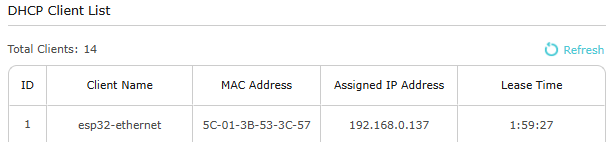
    “DHCP Client List” table showing “esp32-ethernet” with assigned IP 192.168.0.137


    HTTP server
    I was also wondering whether it was possible to do the opposite – not establishing a connection, but waiting for one. So I set up a simple server that listens on port 80 (HTTP) and receives packets via the LAN cable:
    
    #include <Arduino.h>
    #include <ETH.h>
    #include <WebServer.h>
    #include <WiFi.h>
    
    
    WebServer server(80);
    
    static bool eth_connected = false;
    
    // In v2.x, the event handler uses WiFiEvent_t and the signature is slightly
    // different
    void onEvent(WiFiEvent_t event) {
      switch (event) {
      case ARDUINO_EVENT_ETH_START:
        Serial.println("ETH Started");
        ETH.setHostname("esp32-ethernet");
        break;
      case ARDUINO_EVENT_ETH_GOT_IP:
        Serial.println("ETH Got IP");
        Serial.print("ETH IP: ");
        Serial.println(ETH.localIP());
        eth_connected = true;
        server.begin();
        Serial.println("HTTP server started");
        break;
      case ARDUINO_EVENT_ETH_DISCONNECTED:
        Serial.println("ETH Disconnected");
        eth_connected = false;
        break;
      case ARDUINO_EVENT_ETH_STOP:
        Serial.println("ETH Stopped");
        eth_connected = false;
        break;
      default:
        break;
      }
    }
    
    void handleRoot() {
      String html = "<!DOCTYPE html><html><head><title>ESP32-POE2</title>";
      html += "<style>body { font-family: Arial; text-align: center; margin-top: "
              "50px; }";
      html += "h1 { color: #0066cc; }</style></head><body>";
      html += "<h1>Hello World from ESP32-POE2!</h1>";
      html += "<p>Ethernet connection is stable and server is running.</p>";
      html += "<p>Uptime: " + String(millis() / 1000) + " seconds</p>";
      html += "</body></html>";
      server.send(200, "text/html", html);
    }
    
    void setup() {
      Serial.begin(115200);
      Serial.println("Olimex ESP32-POE2 Ethernet Test (v2.x compat)...");
    
      WiFi.onEvent(onEvent);
      server.on("/", handleRoot);
    
      // PHY address: 0
      // Power pin: 12
      // MDC pin: 23
      // MDIO pin: 18
      // PHY type: ETH_PHY_LAN8720
      ETH.begin(0, 12, 23, 18, ETH_PHY_LAN8720, ETH_CLOCK_GPIO0_OUT);
    }
    
    void loop() {
      if (eth_connected) {
        server.handleClient();
      }
    }
    

    The libraries handle everything – the server is accessible without Wi-Fi:
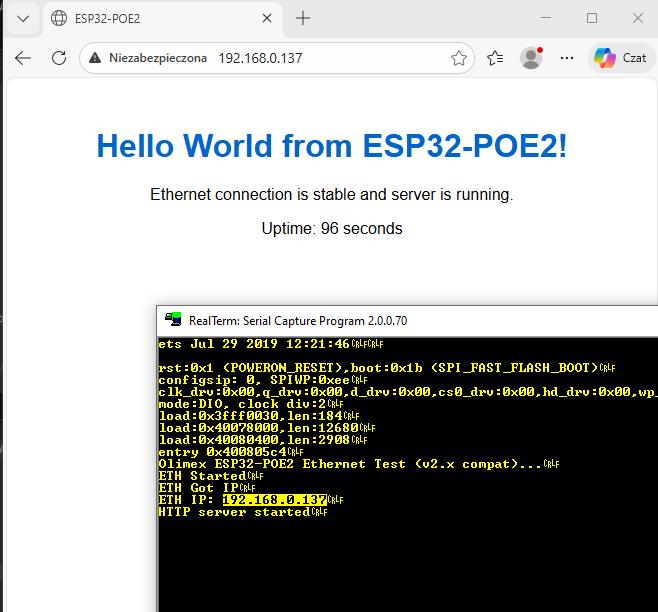
    Browser window showing “Hello World from ESP32-POE2!” and an embedded RealTerm terminal log screenshot

    Summary
    This is undoubtedly an interesting board, especially if you intend to use PoE. The inclusion of PSRAM is also a plus. What’s more, it’s all very easy to get up and running – there are ready-made libraries available, so all you need to do is configure the pins. I had no trouble mapping wired Ethernet to an HTTP server or establishing a connection with the outside world.
    I haven’t tested PoE itself, as I don’t have a suitable power supply, but I may well come back to that.
    Have you used PoE in your projects yet? Do you see potential for a board like this?
    Attachments:
    • ESP32-POE2-user-manual.pdf (771.85 KB) You must be logged in to download this attachment.
    • ESP32-PoE2_Rev_B_Schematic.pdf (2.04 MB) You must be logged in to download this attachment.

    Cool? Ranking DIY
    Helpful post? Buy me a coffee.
    About Author
    p.kaczmarek2
    Moderator Smart Home
    Offline 
    p.kaczmarek2 wrote 14699 posts with rating 12741, helped 656 times. Been with us since 2014 year.
  • ADVERTISEMENT
  • #2 21924375
    TechEkspert
    Editor
    Posts: 7232
    Help: 17
    Rate: 5608
    I would see this board as an IoT hub/gateway, connected via a wired Ethernet link, capable of communicating with devices and sensors via wired buses, as well as, for example, via ESP-NOW or through attached transceivers such as LoRa and others. In more demanding installations, it could perhaps serve as a base for monitoring environmental parameters in technical rooms.
  • ADVERTISEMENT
  • #3 21924468
    krzbor
    Level 29  
    Posts: 1772
    Help: 41
    Rate: 1067
    For 170 zł, you can get an RPi3 with 1GB of RAM. I know – it doesn’t have PoE, but I mentioned it as an example. It’s just that the price of 120 zł seems disproportionately high to me.
  • ADVERTISEMENT
  • #4 21924470
    p.kaczmarek2
    Moderator Smart Home
    Posts: 14699
    Help: 656
    Rate: 12741
    It’s true that the price is high, though I suppose Olimex has always been expensive. It’s also a shame it doesn’t come with a casing. I’ll have to look around for something similar but in a DIN rail housing. Or perhaps I’ll design and 3D-print something myself?
    Helpful post? Buy me a coffee.
  • #5 21924848
    elektronik999
    Level 26  
    Posts: 1205
    Help: 8
    Rate: 85
    >>21924468 This is a prototyping board; later on, you’ll be able to order something similar on your own board for around 50 zł, including assembly by a Chinese supplier
    for 10 pieces
  • #6 21924925
    TvWidget
    Level 39  
    Posts: 4406
    Help: 472
    Rate: 697
    p.kaczmarek2 wrote:
    It’s also a shame that it doesn’t come with a case.
    Strictly speaking, this isn’t a complete device but rather a breadboard for experiments. PoE in this version is simplified. It does not provide galvanic isolation.
  • ADVERTISEMENT
  • Prototype boards should use quality components and testing

    #7 21924954
    gregor124
    Level 29  
    Posts: 1616
    Help: 99
    Rate: 857
    >>21924848
    This is precisely the board on which the software runs; it must be made from the right components and be tested. That way, when you later order the finished device from a Chinese supplier, if something goes wrong, you’ll know the problem lies with the circuit board bought from them, and not, for example, with the software ;)
    That’s why it’s not worth skimping on prototype boards, because if you buy rubbish straight away, you won’t know where the problem lies later on ;)

    And really, it’s not worth skimping unless you’re charging peanuts for the design and every zloty counts.
    With these Chinese technological marvels, it’s often the case that within a month or two, far too many of them die under unexplained circumstances ;)
    Helpful post? Buy me a coffee.
  • #8 21925020
    krzbor
    Level 29  
    Posts: 1772
    Help: 41
    Rate: 1067
    p.kaczmarek2 wrote:
    It’s also a shame that it doesn’t come with a case
    Take a look at this Link . Their website also has lower prices (though I’m not sure about VAT): Link . As for DIN-rail mounting, I usually attach a DIN-rail bracket (these used to be included with many Zigbee switches). You can also buy separate brackets Link
  • #9 21925149
    error105
    Level 14  
    Posts: 480
    Help: 1
    Rate: 146
    >>21924375
    But why spend so much money on this when, as usual, an ESP32C3 SuperMini connected via a USB cable will make just as good an IoT gateway? :)

    Since there’s no separation, I think this is a major drawback, as it severely limits its potential applications :(
  • Prototype boards are poor for thermal testing

    #10 21925726
    HenrykWilk87
    Level 3  
    Posts: 12
    gregor124 wrote:
    That’s why it’s not worth skimping on prototype boards, because if you buy rubbish straight away, you won’t know where the problem lies later on


    I’ve always had a different view on prototype PCBs.

    If you buy a test PCB for a converter, they give you a 4-layer PCB straight away – a huge PCB with massive ground planes and loads of vias on the thermal pads. Sometimes they even manage to attach heat sinks.
    When it comes down to it, the same circuit is used on a smaller PCB than the test PCB, and there are other components on it as well, so the cooling surface area is 10 times smaller.

    It’s fine for simply checking the circuit. But for thermal testing of the circuit, it’s only so-so.
  • #11 21925814
    gregor124
    Level 29  
    Posts: 1616
    Help: 99
    Rate: 857
    >>21925726
    But you’ve just confirmed exactly what I was saying.
    Thanks to a good reference design, you know that it’s possible to build a working, high-quality and reliable device using those components, and if there’s a problem with the ‘improvements’ you’ve made, it means the problem lies with the ‘improvements’, and not with the overall design of the device.
    Helpful post? Buy me a coffee.
📢 Listen (AI):
ADVERTISEMENT