






Hello everyone,
I am looking for the original USB recovery firmware for the following TV:
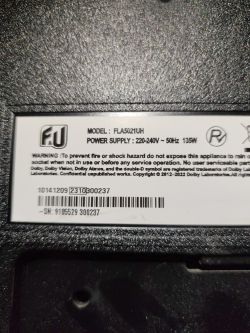
Brand: F&U
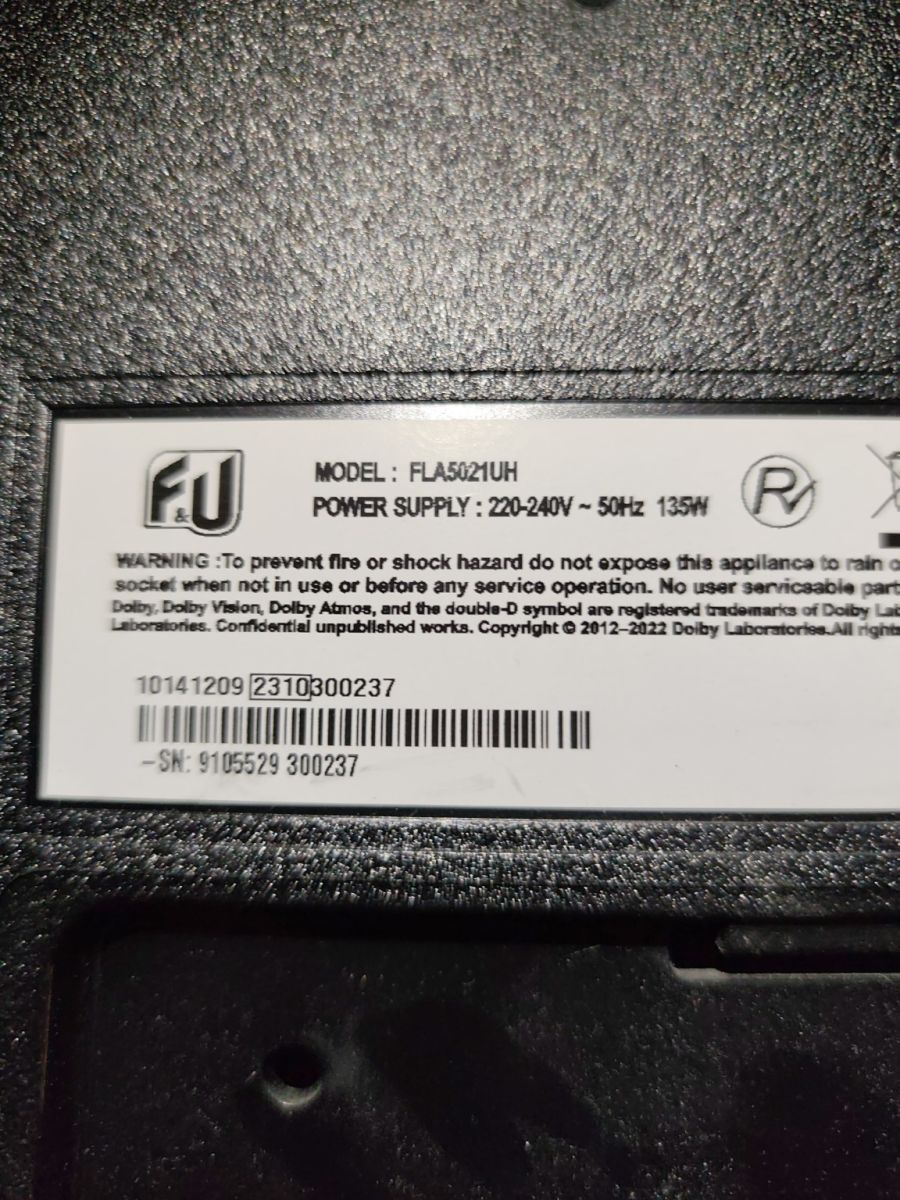
Model: FLA5021UH
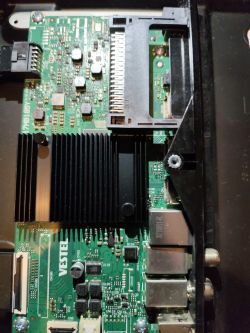
Mainboard: Vestel 17MB181
Power Supply: 17IPS72
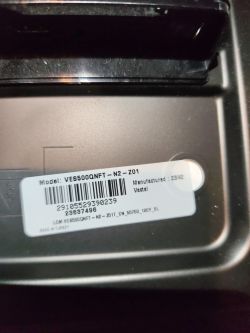
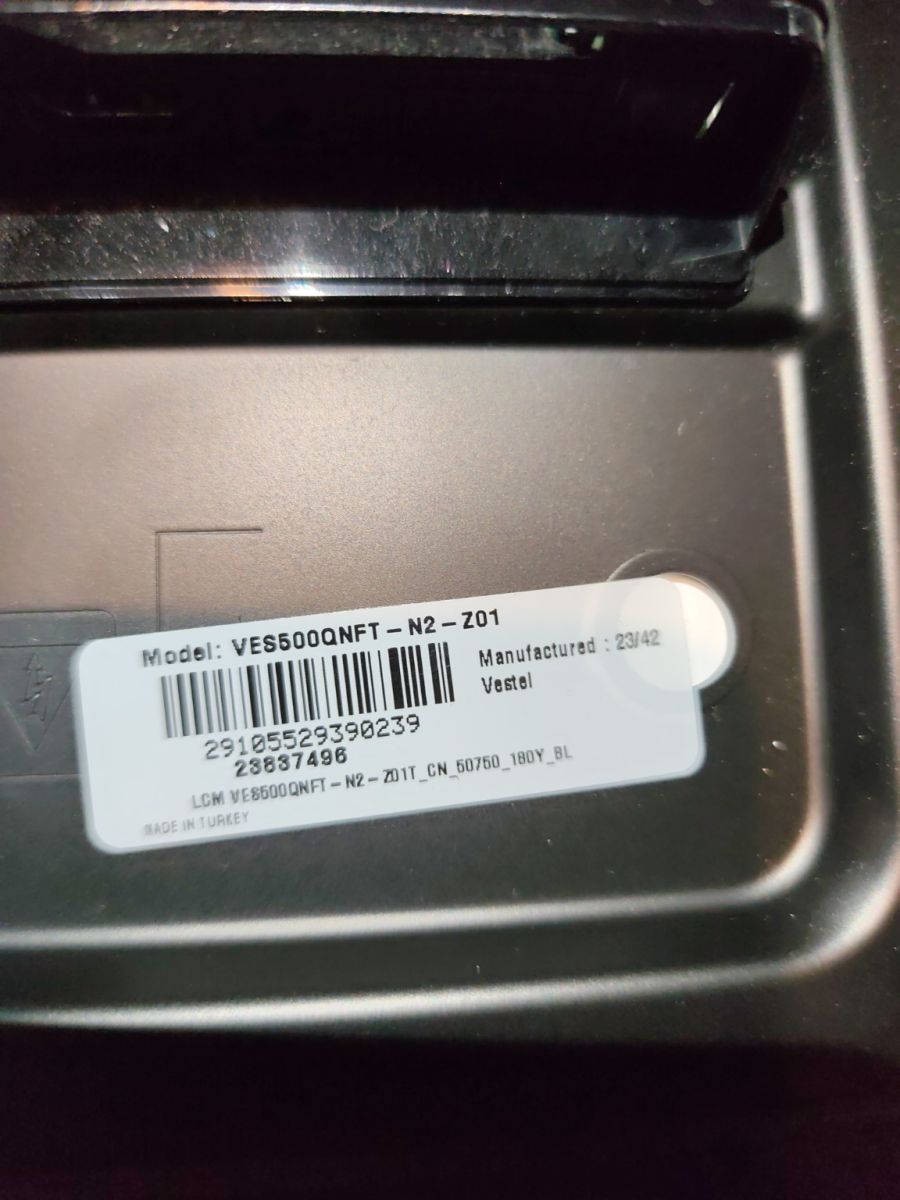
Panel: VES500QNFT-N2-Z01
Manufactured: 23/42
Panel barcode: 29105529390239
Symptoms:
The TV boots normally, displays the Android logo and then reports that the internal storage is full. It cannot complete the boot process and the Android home screen never loads properly. Recovery mode is not accessible, so I would like to reinstall the firmware via USB.
I am not looking for a generic 17MB181 firmware, but for the correct software matching this panel.
If anyone has the original USB recovery package (or service firmware) for this combination, I would really appreciate it.
Thank you very much!
Can you please provide the full product code, serial number, and any additional numbers from the rear TV label or Vestel service sticker?
Brand: F&U
Model: FLA5021UH
Mainboard: Vestel 17MB181
Power Supply: 17IPS72
Panel: VES500QNFT-N2-Z01
Manufactured: 23/42
Panel barcode: 29105529390239
Is there any software/version sticker on the 17MB181 mainboard, or can you see the installed software version anywhere before the boot fails?
No
I am looking for the original USB recovery firmware for the following TV:
Brand: F&U
Model: FLA5021UH
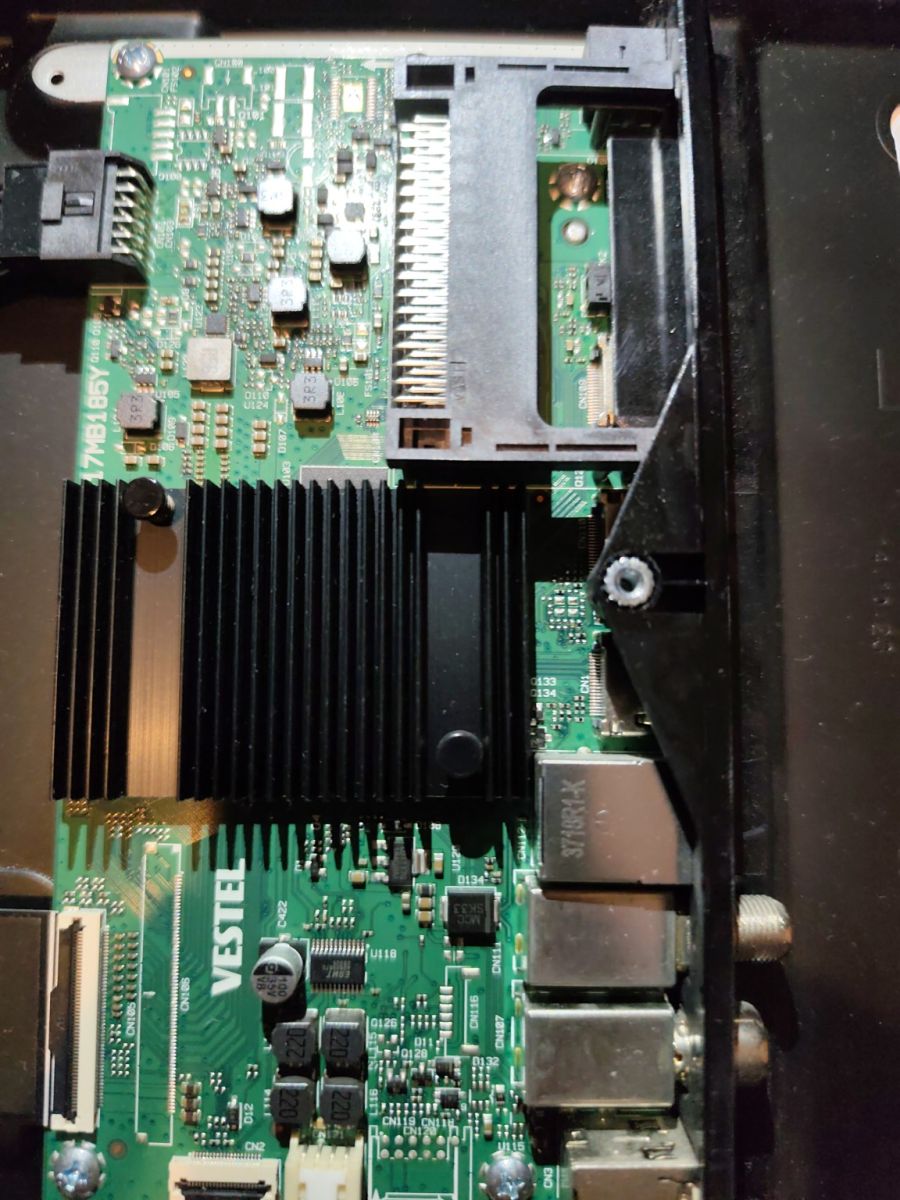
Mainboard: Vestel 17MB181
Power Supply: 17IPS72
Panel: VES500QNFT-N2-Z01
Manufactured: 23/42
Panel barcode: 29105529390239
Symptoms:
The TV boots normally, displays the Android logo and then reports that the internal storage is full. It cannot complete the boot process and the Android home screen never loads properly. Recovery mode is not accessible, so I would like to reinstall the firmware via USB.
I am not looking for a generic 17MB181 firmware, but for the correct software matching this panel.
If anyone has the original USB recovery package (or service firmware) for this combination, I would really appreciate it.
Thank you very much!
Can you please provide the full product code, serial number, and any additional numbers from the rear TV label or Vestel service sticker?
Brand: F&U
Model: FLA5021UH
Mainboard: Vestel 17MB181
Power Supply: 17IPS72
Panel: VES500QNFT-N2-Z01
Manufactured: 23/42
Panel barcode: 29105529390239
Is there any software/version sticker on the 17MB181 mainboard, or can you see the installed software version anywhere before the boot fails?
No
