Hi all,
TV died right after an OTA update, so I'm fairly sure the firmware is corrupted - but I can't find a matching file anywhere.
Set: F&U FL2D5505UH
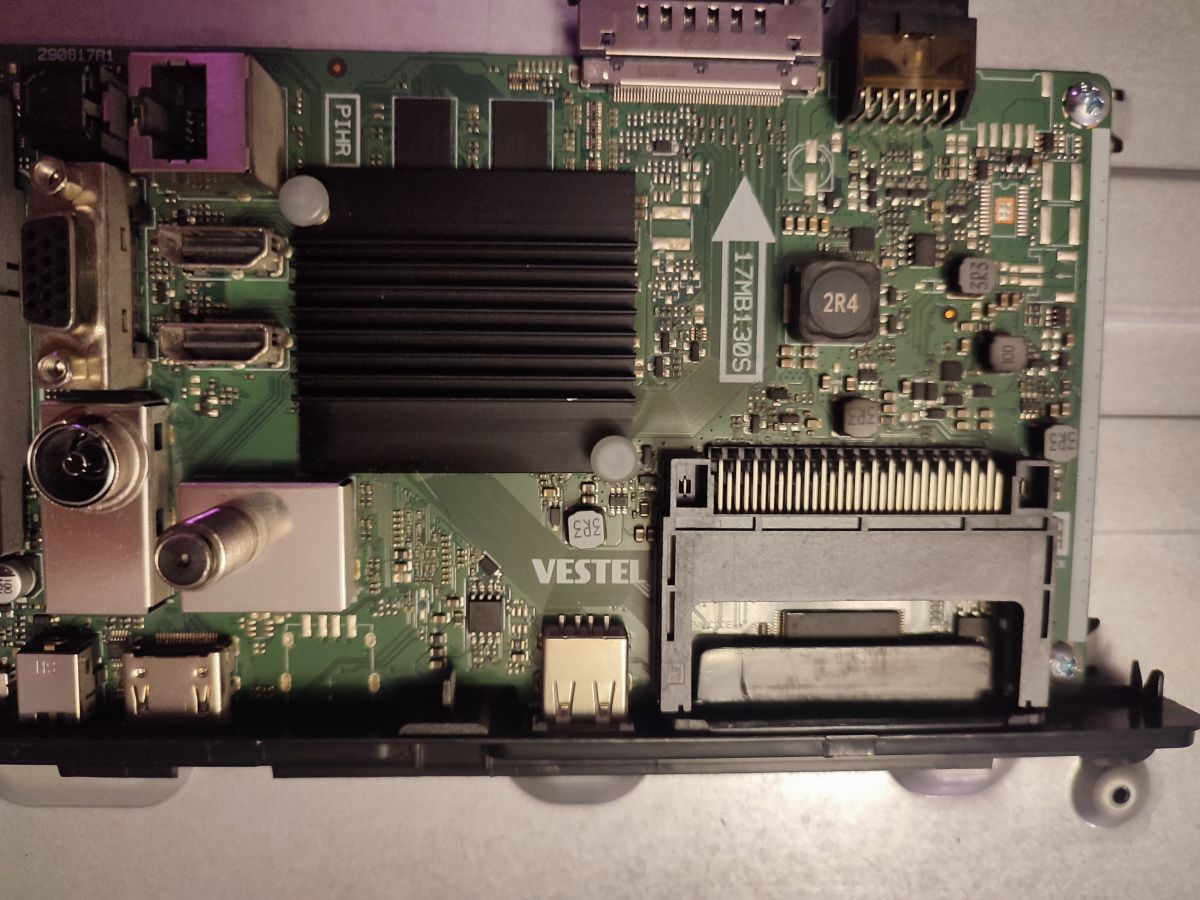
Main board: 17MB130S
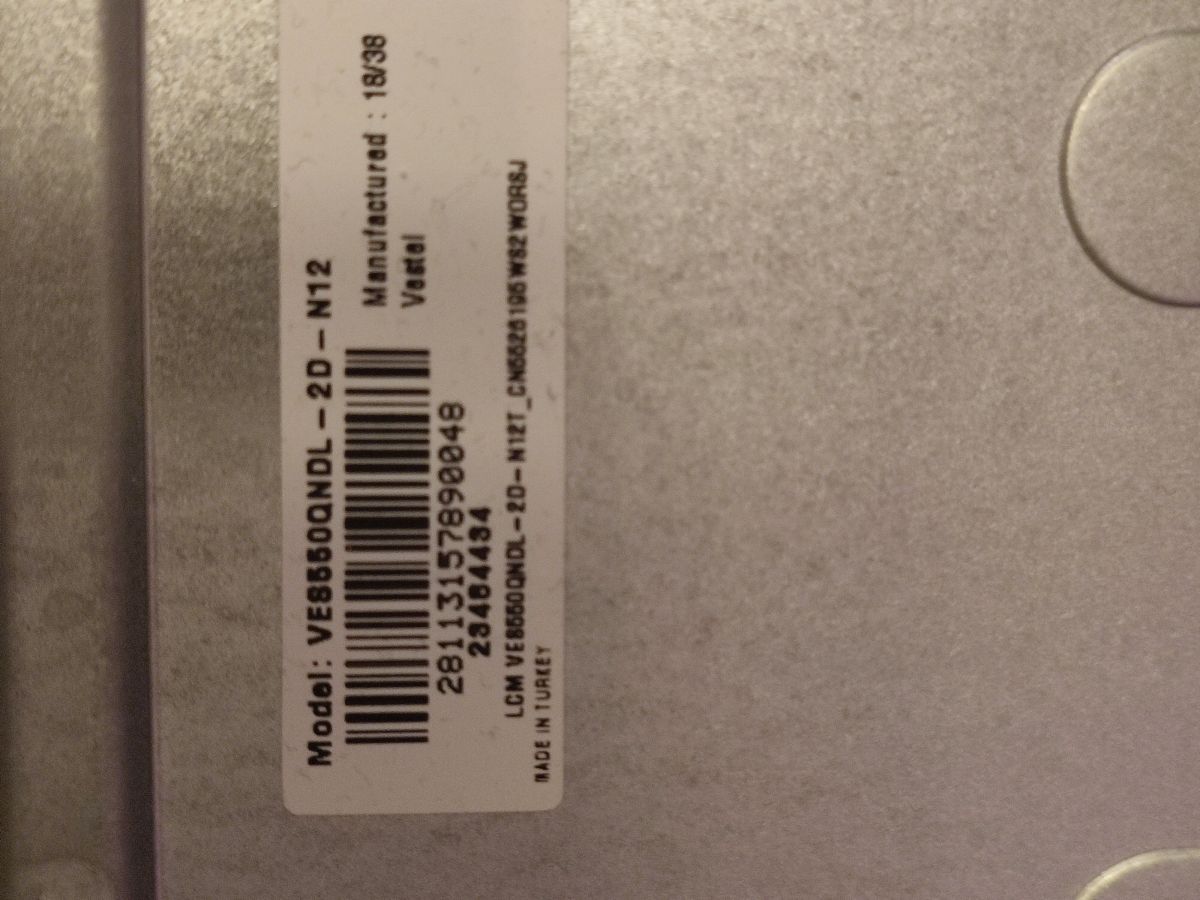
Panel: VES550QNDL-2D-N12
PSU: 17IPS72
Symptoms:
- PSU seems to be fine
- LED bars fine
- Never leaves standby - red LED blinks on plug-in
- Pressing the remote just makes it blink faster. No boot, no logo, no backlight
Questions/requests:
1. Anyone have a working dump for a 17MB130S with the VES550QNDL-2D-N12 panel? Or a known-good variant that's close enough?
2. Anything else worth checking before I go the reflash route, or is a failed OTA basically confirmation?
3. I've seen that the flash procedure on some models goes:
- Unplug the TV
- Insert the USB with the flash files
- Plug the USB into the TV's USB port
- Hold the Power button on the remote
- Plug the TV back in
- Wait a few seconds, then release the Power button
Is this the correct procedure for this model?
Any help will be greatly appreciated!
Thanks!
TV died right after an OTA update, so I'm fairly sure the firmware is corrupted - but I can't find a matching file anywhere.
Set: F&U FL2D5505UH
Main board: 17MB130S
Panel: VES550QNDL-2D-N12
PSU: 17IPS72
Symptoms:
- PSU seems to be fine
- LED bars fine
- Never leaves standby - red LED blinks on plug-in
- Pressing the remote just makes it blink faster. No boot, no logo, no backlight
Questions/requests:
1. Anyone have a working dump for a 17MB130S with the VES550QNDL-2D-N12 panel? Or a known-good variant that's close enough?
2. Anything else worth checking before I go the reflash route, or is a failed OTA basically confirmation?
3. I've seen that the flash procedure on some models goes:
- Unplug the TV
- Insert the USB with the flash files
- Plug the USB into the TV's USB port
- Hold the Power button on the remote
- Plug the TV back in
- Wait a few seconds, then release the Power button
Is this the correct procedure for this model?
Any help will be greatly appreciated!
Thanks!