logo elektroda
logo elektroda
X
logo elektroda
Dostępna jest polska wersja

Czy wolisz polską wersję strony elektroda?

Nie, dziękuję Przekieruj mnie tam

GoodRam CX400 512GB SSD - not detected, freezes ASRock BIOS, can it be revived?

rudek81 36 13
Best answers

Can I force my Goodram CX400 512 GB SSD to start up again when it freezes the PC, is no longer detected, and only shows very erratic behaviour?

Not reliably; the main advice was to first identify the controller, because this model can be Maxio/Maxiotek rather than Phison, and the symptoms do not match the PS-3111/Phison case [#21928907] [#21927265] Opening the drive confirmed it has a green PCB with a Maxio controller, so treating it as a Phison SSD was the wrong direction [#21937777] MHDD does not see it, while DMDE, Victoria and Diskpart can sometimes detect it, which points to a badly failing SSD rather than something you can simply “wake up” with SATA hot-plug tricks [#21929353] [#21926710] Attempts with Maxio/Phison flashers from USBdev did not produce a usable image, so there is no simple firmware fix shown in the thread [#21929353] If the data matters, a firmware repair would likely wipe it, and the only safe way to recover the remaining files is to use a specialist data-recovery service [#21929372]
AI summary based on the discussion. May contain errors.
ADVERTISEMENT
Treść została przetłumaczona polish » english Zobacz oryginalną wersję tematu
  • Drive now freezes BIOS and stays unrecognized

    #1 21926144
    rudek81
    Level 8  
    Posts: 17
    Is it possible to force the drive to start up? I have a GoodRama CX400 512 GB. When I noticed it was starting to act up, I quickly installed Windows on an HDD. I copied about 30 GB of data, but in batches, because the drive would disconnect after 10 minutes. I enabled Hot Plug in the BIOS, and about 5 or 6 times the drive came back to life, handed over the data and then died. Now it’s just warm, but nothing recognises it. When I start the computer with it connected, it freezes on the ASRock boot screen. When I try to wake it up by connecting the cables on the fly, nothing happens. No SATAFIRM. Nothing....
  • ADVERTISEMENT
  • #2 21926413
    Łukasz_W

    HDD and data recovery specialist
    Posts: 5071
    Help: 632
    Rate: 654
    rudek81 wrote:
    When I try to wake it up using the cables whilst it’s running, nothing happens. No SATAFIRM. Nothing....
    Are you sure it’s a drive on the PS controller? Isn’t it actually a Gen.2 on Maxio by any chance?
    Company Account:
    HEX SERWIS
    Smołdzinska 2B/16, Kobysewo, 83-304 | Tel.: 530XXXXXX (Show) | Company Website: https://hex-serwis.pl
  • #3 21926429
    kaleron

    HDD and data recovery specialist
    Posts: 7088
    Help: 962
    Rate: 2336
    How does it appear in MHDD? Open the case and check which chipsets it uses.
    Company Account:
    Kaleron sp. z o. o.
    Hirszfelda 4/18, Jelcz-Laskowice, 55-231 | Tel.: 713XXXXXX (Show) | Company Website: https://kaleron.pl
  • ADVERTISEMENT
  • Questioning whether the SSD uses a Phison controller

    #4 21926532
    rudek81
    Level 8  
    Posts: 17
    kaleron wrote:
    How does it appear in MHDD? Open the case and check which chipsets it’s on.

    No programme, whether it’s Hiren’s or any other, can detect it. When I somehow managed to get into the BIOS to set the boot order, it was so glitchy that I didn’t know where to click. Only MiniTool spins round endlessly whilst detecting the drive; Linux won’t even boot, and Hard Disk Sentinel initially threw up a billion errors before stopping.

    Łukasz_W wrote:
    rudek81 wrote:
    When I try to wake it up by jacking up the cables on the fly, nothing happens. No SATAFIRM. Nothing....
    Are you sure it’s a drive on a PS controller? Isn’t it actually a Gen.2 on Maxio by any chance?


    Yes, it’s Gen.2. All search engines, and even AI, have told me that this drive is based on Phison.
  • Open the drive and verify the controller chip

    #5 21926536
    kaleron

    HDD and data recovery specialist
    Posts: 7088
    Help: 962
    Rate: 2336
    rudek81 wrote:
    All search engines, and even AI, told me that this drive is based on Phison.
    – don’t trust them. It’s often this way that you end up reading a load of rubbish, whilst the reality may be completely different. The quickest and most reliable way to check is to open the casing.

    rudek81 wrote:
    No programme, be it Hiren’s or any other, can detect it.
    - I asked specifically about MHDD – what’s going on, what are the symptoms, which status and error register indicators are lit up? It’s better to check thoroughly with one (any good) programme than to skim through them all.

    rudek81 wrote:
    a billion errors
    - what errors?
    Company Account:
    Kaleron sp. z o. o.
    Hirszfelda 4/18, Jelcz-Laskowice, 55-231 | Tel.: 713XXXXXX (Show) | Company Website: https://kaleron.pl
  • ADVERTISEMENT
  • SSD causes boot hangs and crashes when connected

    #6 21926710
    rudek81
    Level 8  
    Posts: 17
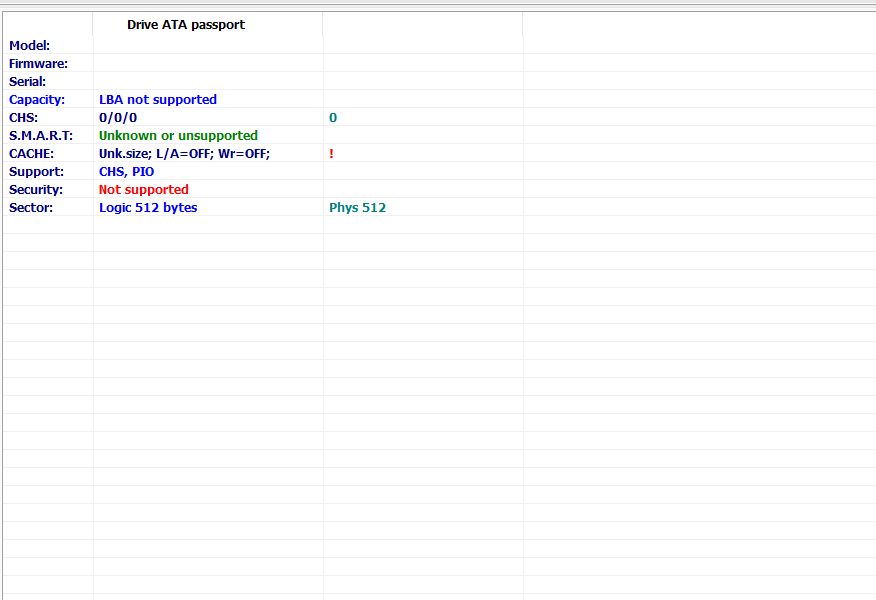
    At first, MHDD didn’t recognise it at all. I tried a trick where I left it connected only to the power supply for 40 minutes, and this is what happens:
    With it: It gets stuck on the AsRock boot screen or boots up after an absurdly long time, and it still doesn’t recognise it
    Without it: everything’s fine, smooth as silk, the computer runs beautifully.
    When I connect it whilst MHDD is running or another programme from Hirens’ Boot CD: it crashes the whole lot.
    When I connect it whilst Windows is running: the HDD whirrs like mad and a notification about the storage device identification pops up in the system tray next to the clock. When I click on it, I can ‘eject’ the HDD with the operating system on it 😶.
    Errors from the HDD:
    Three caught my eye:
    “Unable to mount the drive; disconnect and reconnect, then restart the programme.”
    “Drive information is not yet ready”, followed by a crash
    And when, by some miracle, it did manage to read the data, one of the temperature sliders showed 89°C😬
  • #7 21927265
    kaleron

    HDD and data recovery specialist
    Posts: 7088
    Help: 962
    Rate: 2336
    - Take a screenshot of what it looks like in MHDD,
    - Have you checked which controller this SSD is on? Because I get the impression that your case should be moved to a separate thread so as not to clutter up the PS-3111 discussion. In your case, the symptoms don’t match those associated with that controller.
    Company Account:
    Kaleron sp. z o. o.
    Hirszfelda 4/18, Jelcz-Laskowice, 55-231 | Tel.: 713XXXXXX (Show) | Company Website: https://kaleron.pl
  • Separate thread needed for ADATA SU650 power-off issue

    #8 21927302
    rudek81
    Level 8  
    Posts: 17
    kaleron wrote:
    - take a screenshot to show what it looks like in MHDD,
    - have you checked which controller this SSD is on? Because I get the impression that your case should be moved to a separate thread so as not to clutter up the PS-3111 discussion. In your case, the symptoms don’t match that controller.

    1. I’ll do that in the next few days, as I’ve already deleted MHDD from my USB stick
    2. I haven’t had time yet. I might sound like an idiot, but I haven’t had a proper look at it to see if it’s held together by plastic clips or screwed together.
    I must admit that for the last couple of days I’ve been focusing more on my old ADATA SU650 120 GB, as for some time now it’s been switching off suddenly whilst in use, only to switch back on again. Sometimes, too, when I shut down the computer using ALT+F4+Enter, the computer gets stuck on a black screen for up to an hour because of that ADATA drive, and once, when I’d had enough and switched the computer off using the power button after 20 minutes, it booted up the next day without that drive.
    If it turns out that this Goodram isn’t compatible with the PS, I’ll start a separate thread and describe the issue with it and the ADATA in a single post.
  • #9 21927825
    rudek81
    Level 8  
    Posts: 17
    Right, I’ve managed to get MHDD up and running, but it doesn’t recognise it. I’ll post some photos in the next few days.
  • ADVERTISEMENT
  • #10 21928907
    pidar
    Level 43  
    Posts: 11363
    Help: 1569
    Rate: 3586
    @rudek81 With this model -> SDPR-CX400-512-G2 it could be "Maxiotek" (e.g. with this F/W: SN xxxxx).
  • Drive is partially visible in DMDE and Victoria

    #11 21929353
    rudek81
    Level 8  
    Posts: 17
    GoodRam CX400 512GB SSD - not detected, freezes ASRock BIOS, can it be revived?
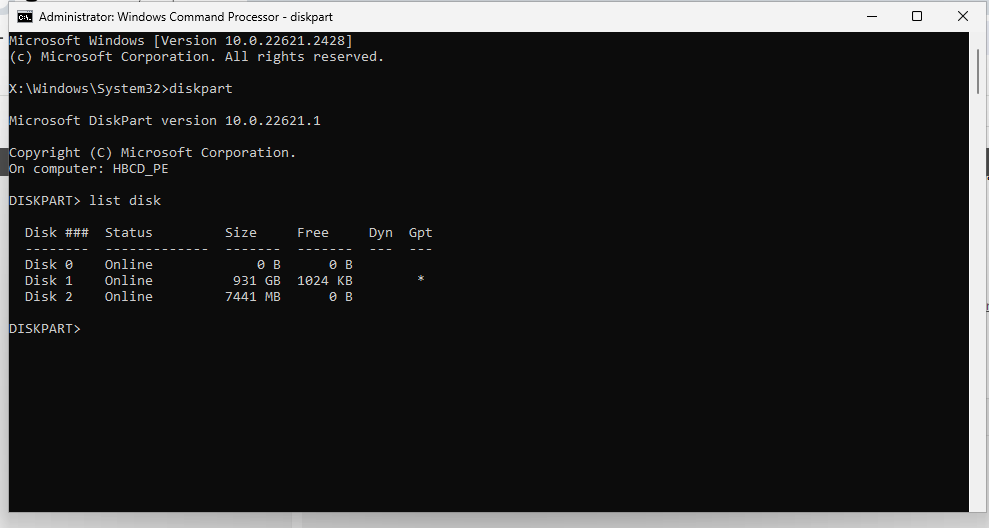
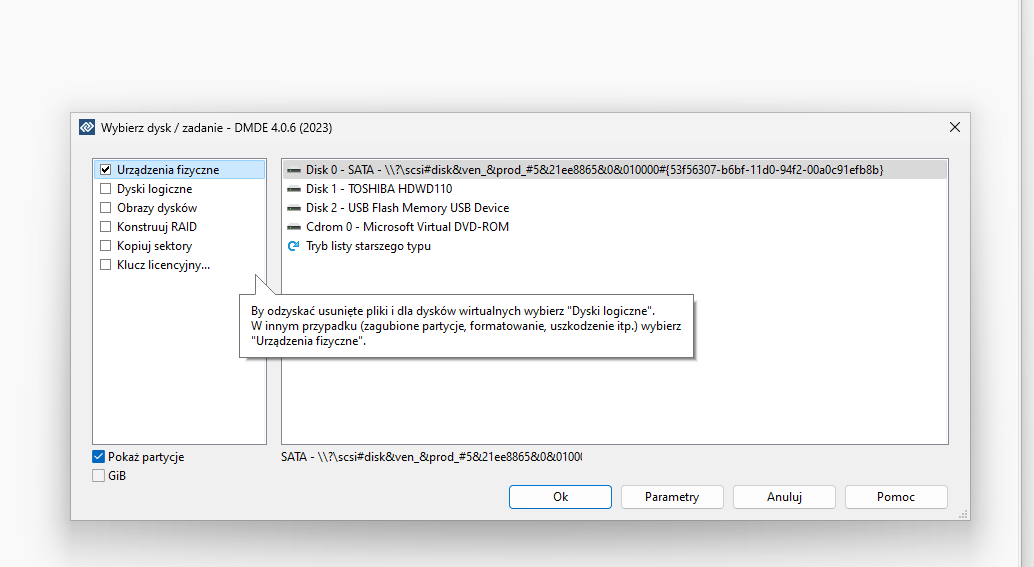
    There’s progress. DMDE sees it like this
    GoodRam CX400 512GB SSD - not detected, freezes ASRock BIOS, can it be revived?
    This is how Victoria sees it
    GoodRam CX400 512GB SSD - not detected, freezes ASRock BIOS, can it be revived?
    And this is how Diskpart sees it
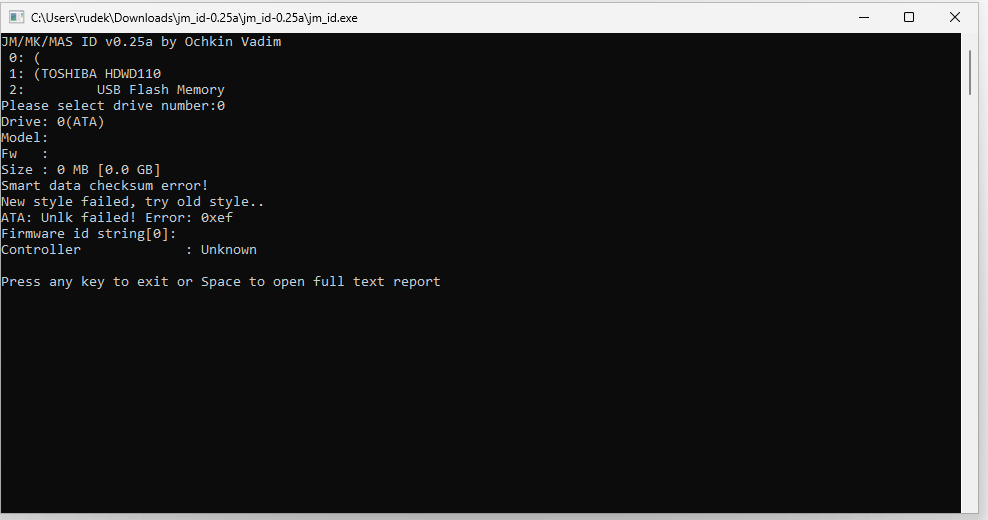
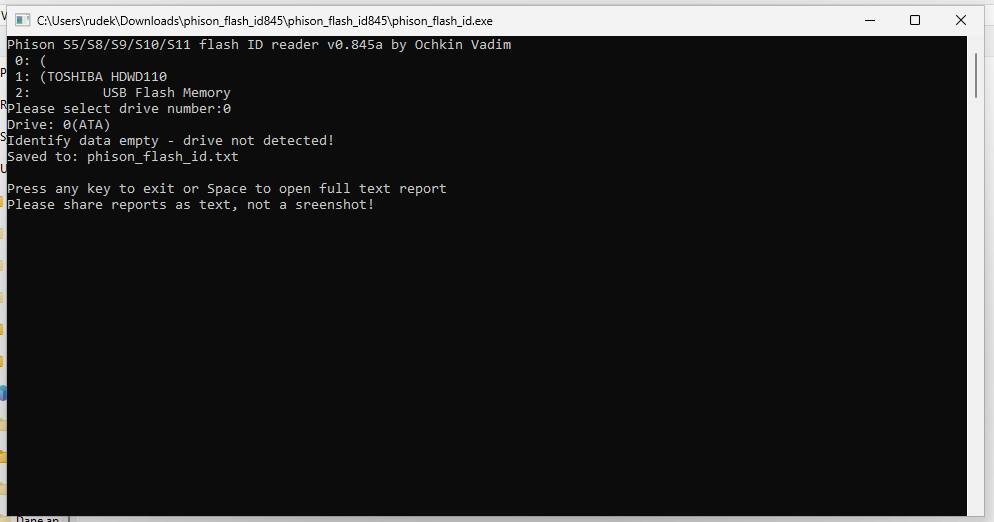
    MHDD doesn’t see it. I haven’t taken the case apart yet, but I’ve tried reading the Flash from USBdev:
    Maxio flasher:
    GoodRam CX400 512GB SSD - not detected, freezes ASRock BIOS, can it be revived?
    Phison flasher:
    GoodRam CX400 512GB SSD - not detected, freezes ASRock BIOS, can it be revived?

    Anyway, the image is there. And I literally only need two files from this drive. A total of ~1MB
  • Warning that firmware repair will wipe the data

    #12 21929372
    Łukasz_W

    HDD and data recovery specialist
    Posts: 5071
    Help: 632
    Rate: 654
    rudek81 wrote:
    Flasher for Phison:

    Pidar wrote how you can check what it might be without opening the case, which will give you 99% certainty about the controller.
    And opening the case will give you 100% certainty that it isn’t a Phison.
    rudek81 wrote:
    And I literally just need two files from this drive. A total of ~1MB

    But you do realise that repairing the firmware, if it’s even possible, will wipe that data, and the only way to recover it is to send the drive to a specialist company?
    Company Account:
    HEX SERWIS
    Smołdzinska 2B/16, Kobysewo, 83-304 | Tel.: 530XXXXXX (Show) | Company Website: https://hex-serwis.pl
  • #13 21937777
    rudek81
    Level 8  
    Posts: 17
    Right, I’ve opened this drive.
    Green PCB, Maxio controller.
    Sorry, I won’t bother you any more – I’ll start a separate thread.
ADVERTISEMENT