Gigabyte Gen4 4000E 1TB (PS5021-E21T) bricked by Windows update - UART pad identification needed
Body:
Hello,
My Gigabyte Gen4 4000E 1TB SSD has been bricked after a Windows 11 bluescreen following the KB5063878 update. The drive is completely invisible — not detected in BIOS, not showing in Device Manager even as unknown device.
Drive details:
• Model: Gigabyte Gen4 4000E 1 TB
• Controller: Phison PS5021-E21T
• NAND: Micron QLC
• I do not need data recovery — I only want to revive the drive itself
What I have tried:
• Different M.2 slots
• Different PC
• Gigabyte Phison E16 reinitial tool (does not detect the drive)
• Drive is completely invisible to all software
Current situation:
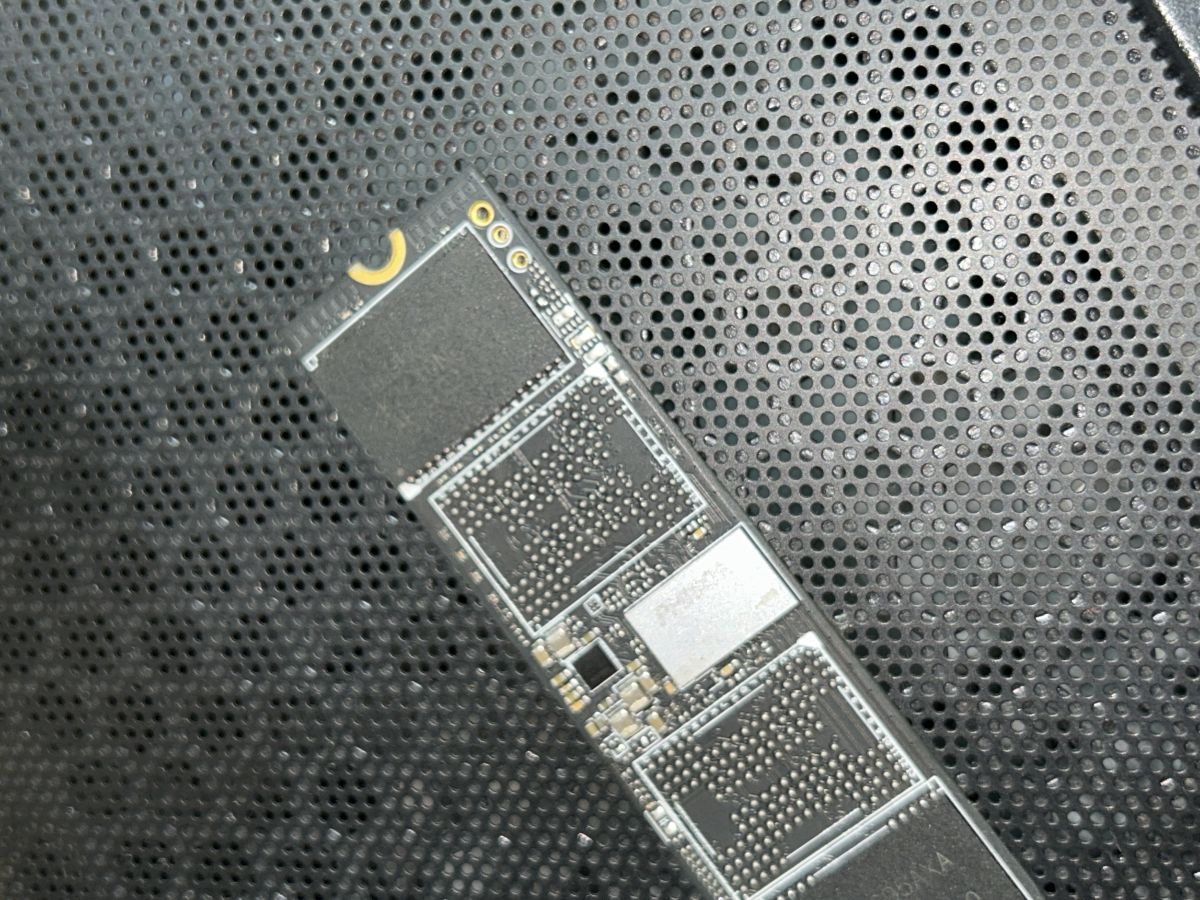
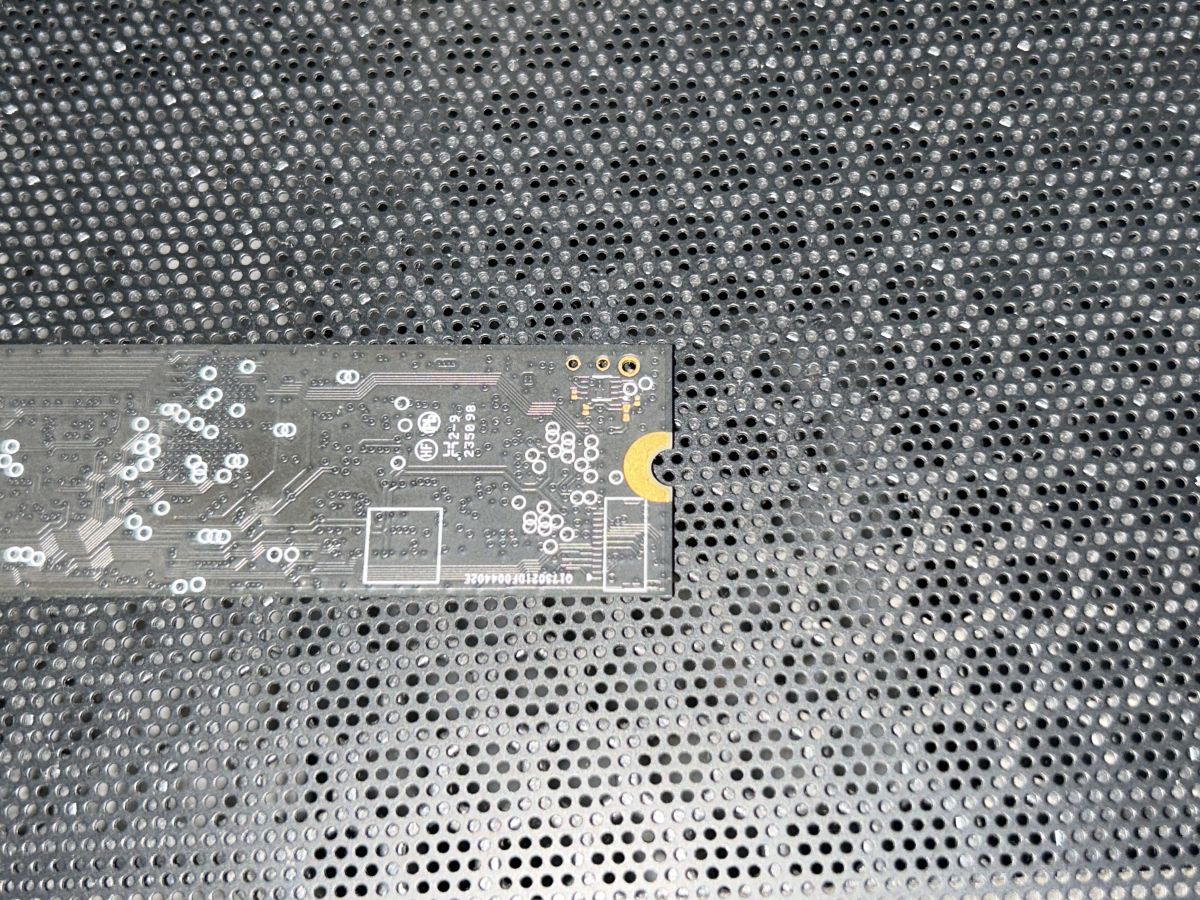
The sticker has been removed. I can see the PCB clearly. There are three exposed pads on the top edge of the drive — two larger ones with circle silkscreen markings, and one smaller pad beside them. I am attaching a photo.
I believe these may be UART/debug pads based on the PS5021-E21T datasheet, which lists built-in UART and GPIO. Can anyone identify which pad is TX, RX, and GND so I can attempt firmware recovery?
Thank you
[img-0]
Body:
Hello,
My Gigabyte Gen4 4000E 1TB SSD has been bricked after a Windows 11 bluescreen following the KB5063878 update. The drive is completely invisible — not detected in BIOS, not showing in Device Manager even as unknown device.
Drive details:
• Model: Gigabyte Gen4 4000E 1 TB
• Controller: Phison PS5021-E21T
• NAND: Micron QLC
• I do not need data recovery — I only want to revive the drive itself
What I have tried:
• Different M.2 slots
• Different PC
• Gigabyte Phison E16 reinitial tool (does not detect the drive)
• Drive is completely invisible to all software
Current situation:
The sticker has been removed. I can see the PCB clearly. There are three exposed pads on the top edge of the drive — two larger ones with circle silkscreen markings, and one smaller pad beside them. I am attaching a photo.
I believe these may be UART/debug pads based on the PS5021-E21T datasheet, which lists built-in UART and GPIO. Can anyone identify which pad is TX, RX, and GND so I can attempt firmware recovery?
Thank you
[img-0]