The Svensson SMART06B Tuya electric kettle was reflashed to work with Home Assistant instead of the manufacturer's cloud app.
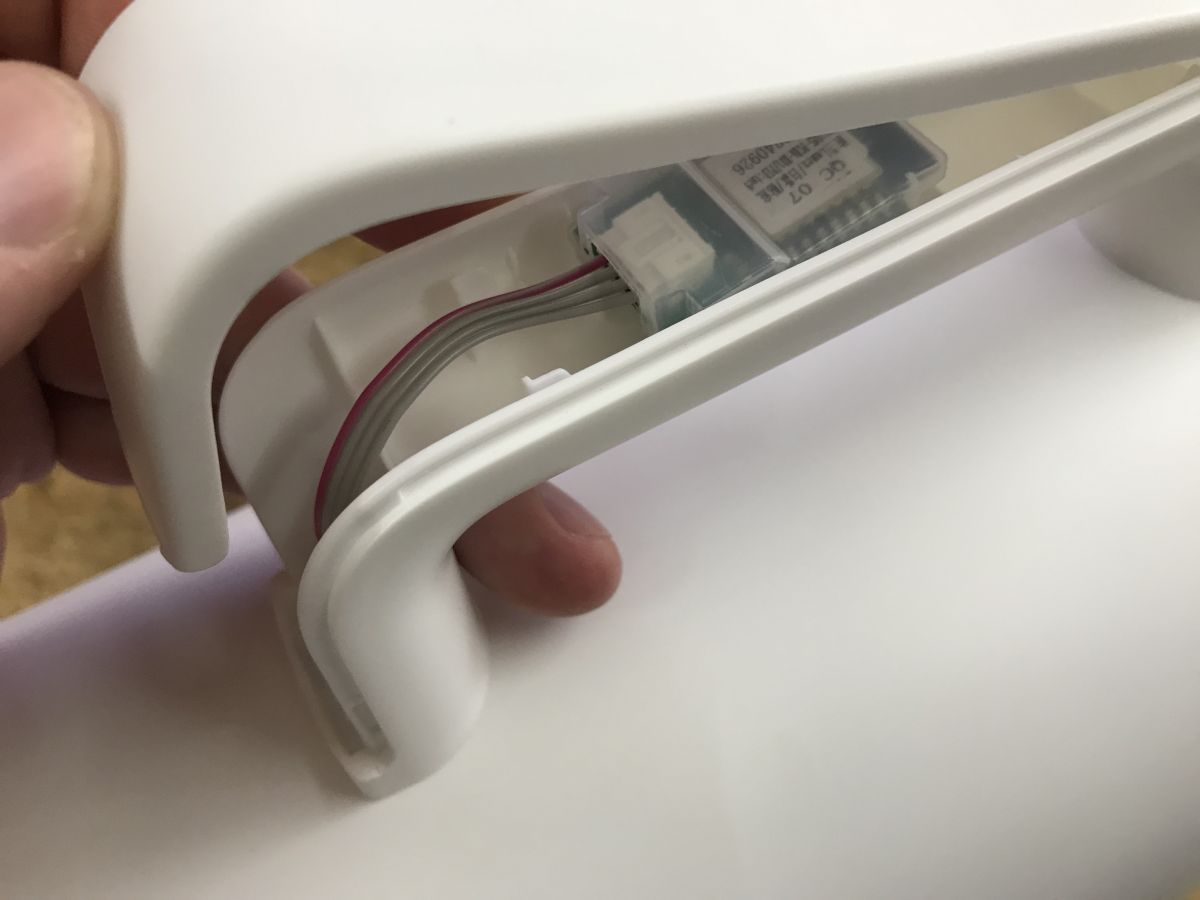
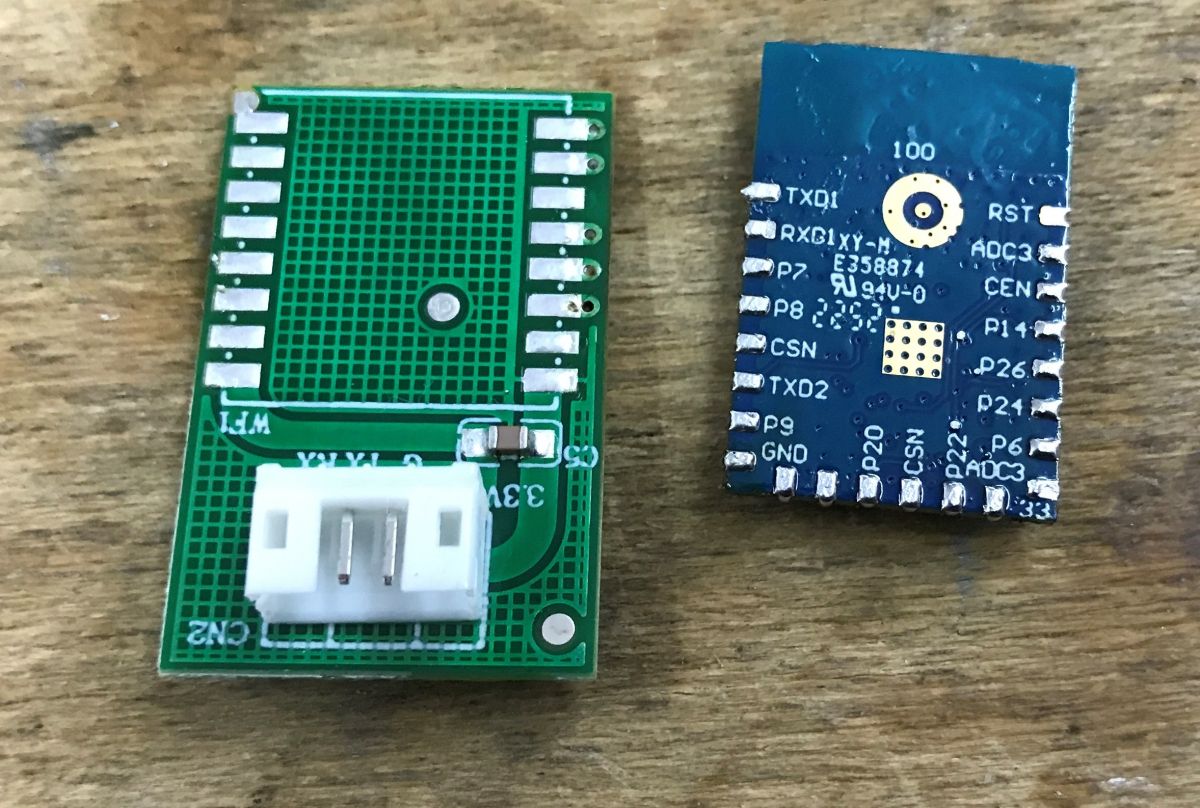
The hidden WBR3 Wi‑Fi module was unsoldered, powered from an external 3.3V LDO, flashed with OBK, and then configured through TuyaMCU dpID mapping.
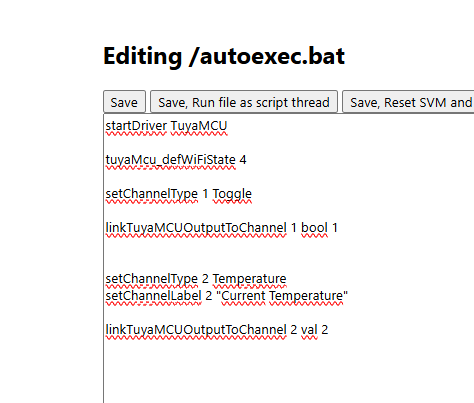
The final autoexec.bat maps relay control, current temperature, and target temperature, using channels 1, 2, and 4.
Home Assistant shows relay control plus current and target temperature history, and the kettle now operates fully locally with no cloud or manufacturer servers.
The hardest part was soldering the WBR3 because its programming pads are on the underside; a CB3S or TYWE3S version would be easier to flash.
AI summary based on the discussion. May contain errors.
.
The Svensson SMART06B is a remote-controlled electric kettle compatible with the Tuya app. It offers control over temperature and heating time. Here I will show how its firmware can be changed to make it compatible with Home Assistant. This will also result in it being cut off from the cloud, i.e. we will gain privacy and security.
.
Upload the OBK - even if there is a different Wi-Fi module inside, everything should already be supported: https://github.com/openshwprojects/OpenBK7231T_App .
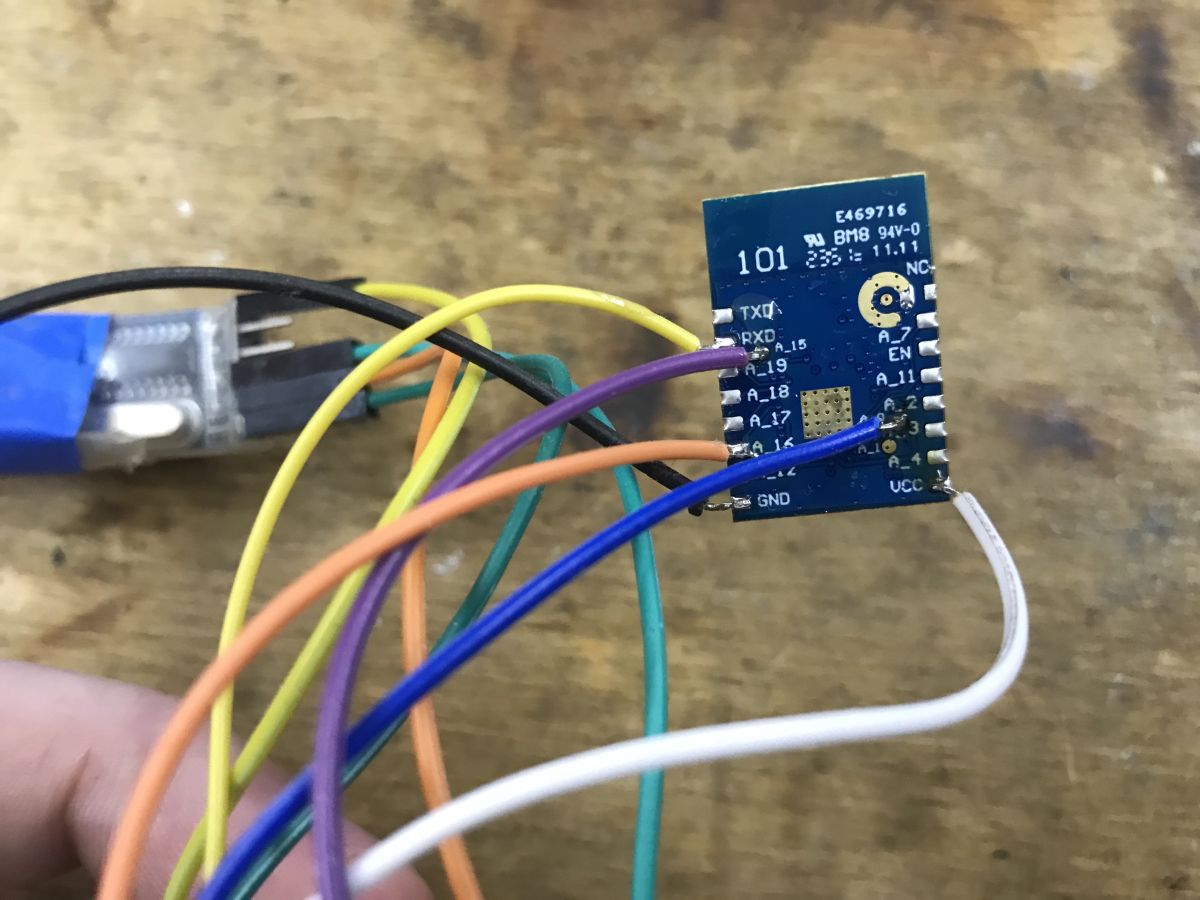
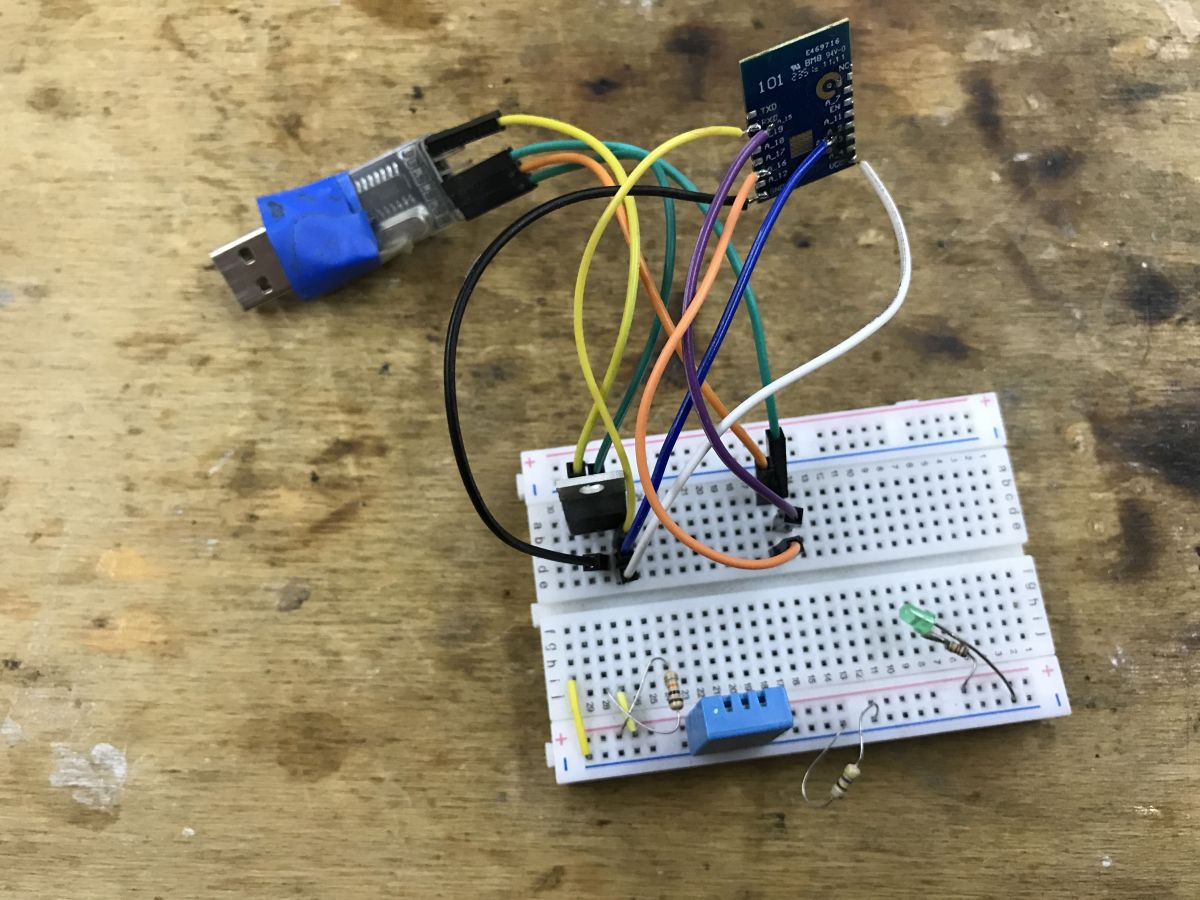
The whole thing of course needs to be properly powered - I use an external 3.3V LDO:
.
NOTE - for convenience the further part is realised on my board with CB3S, but programmatically it comes out the same - both modules are supported by OBK.
I personally took the method of "guessing" the dpID after flashing, so I'll describe it here. .
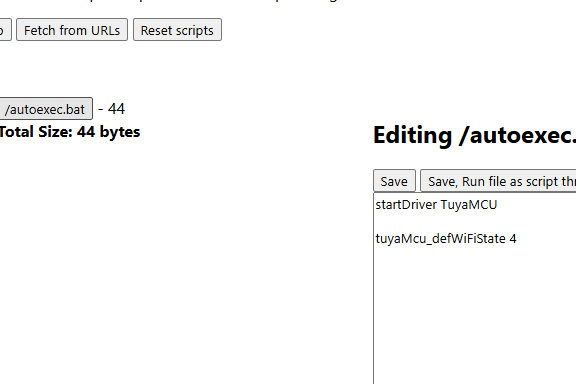
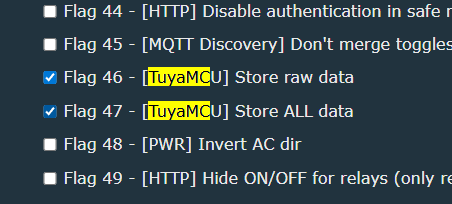
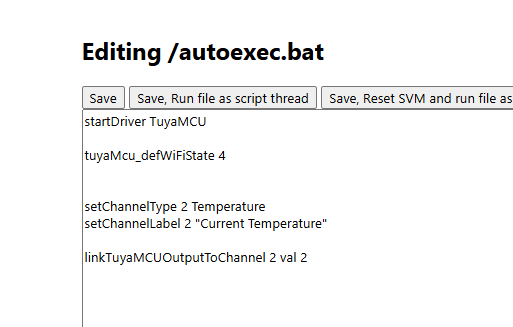
I started by enabling the variable save flags and a simple autoexec.bat starting the driver:
.
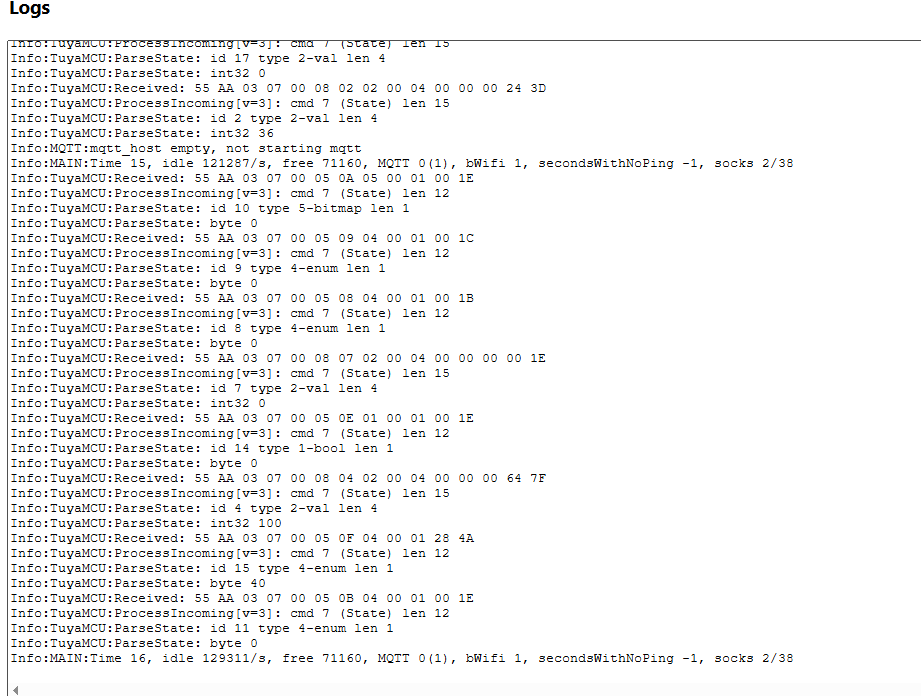
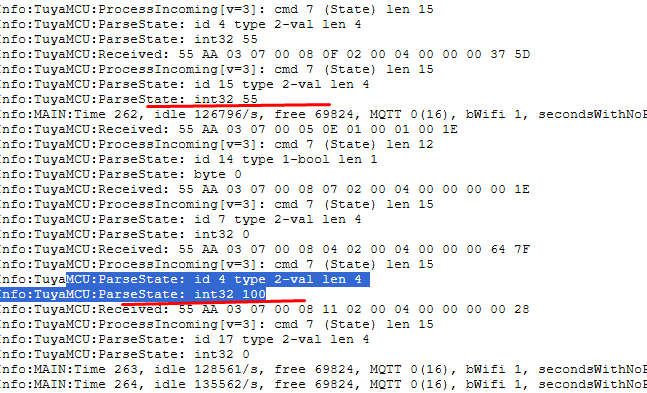
After the reboot, the packets have already started to appear in the log:
.
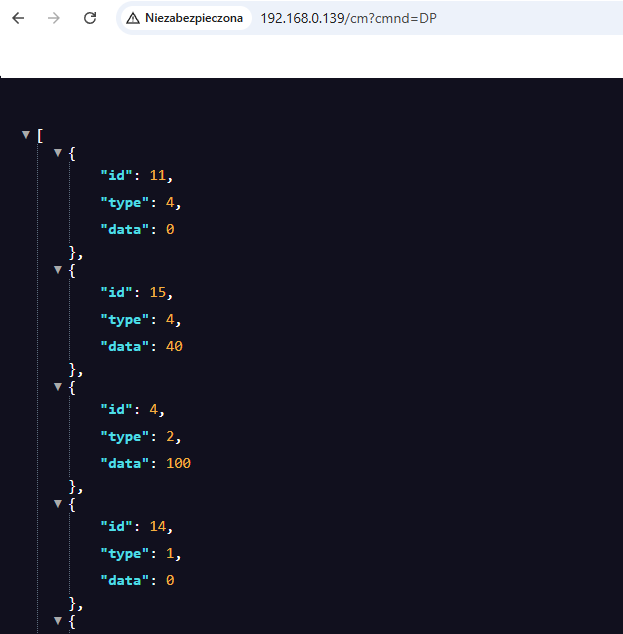
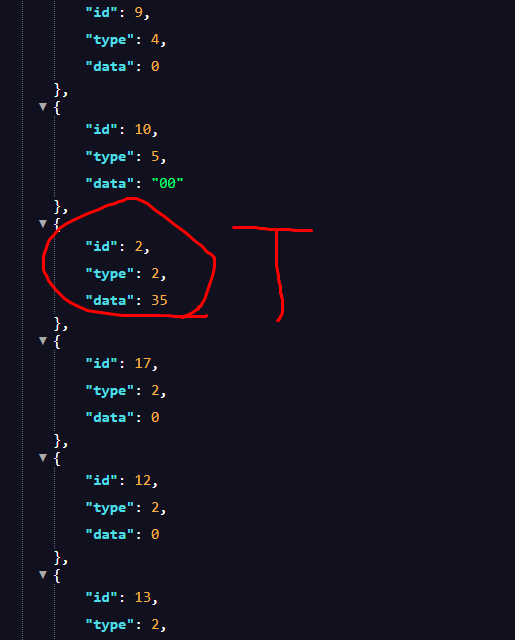
DP command correctly returned their values in JSON format:
.
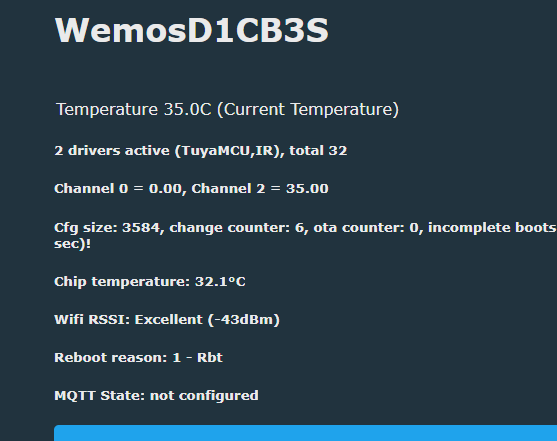
I managed to find the current temperature there (read-only) - this is the same value as on the screen.
I therefore entered its mapping into the configuration:
.
In a similar way I found the relay state - this also gives us control, it is not a read-only variable. The type of the variable is boolean - zero or one.
.
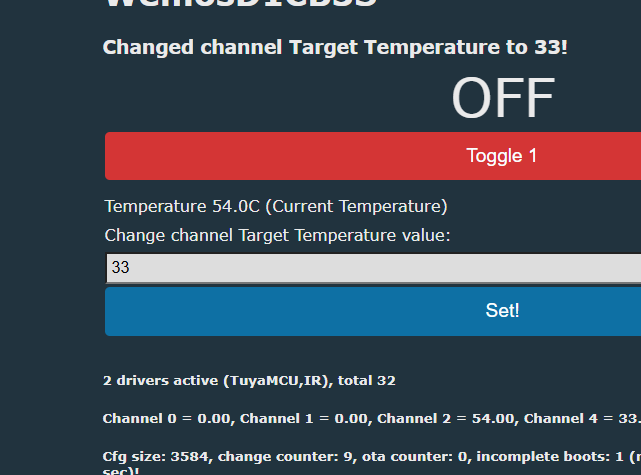
I found the target temperature in the same way - for it I chose the form of the entry field.
.
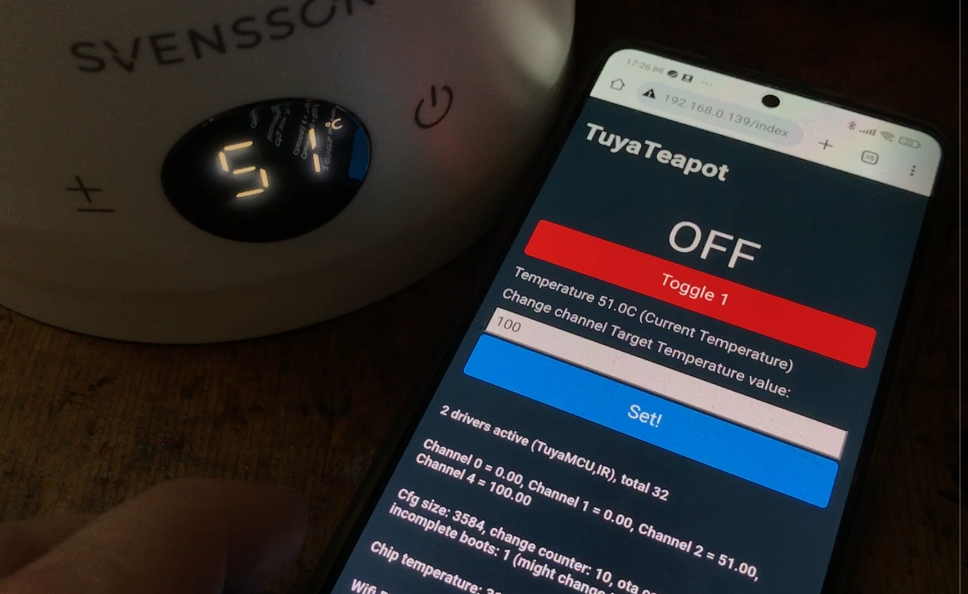
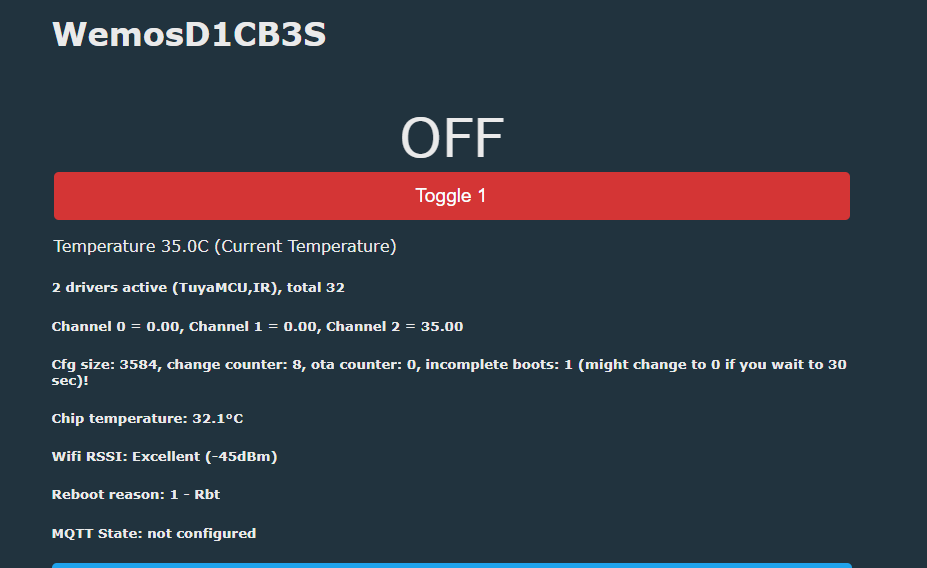
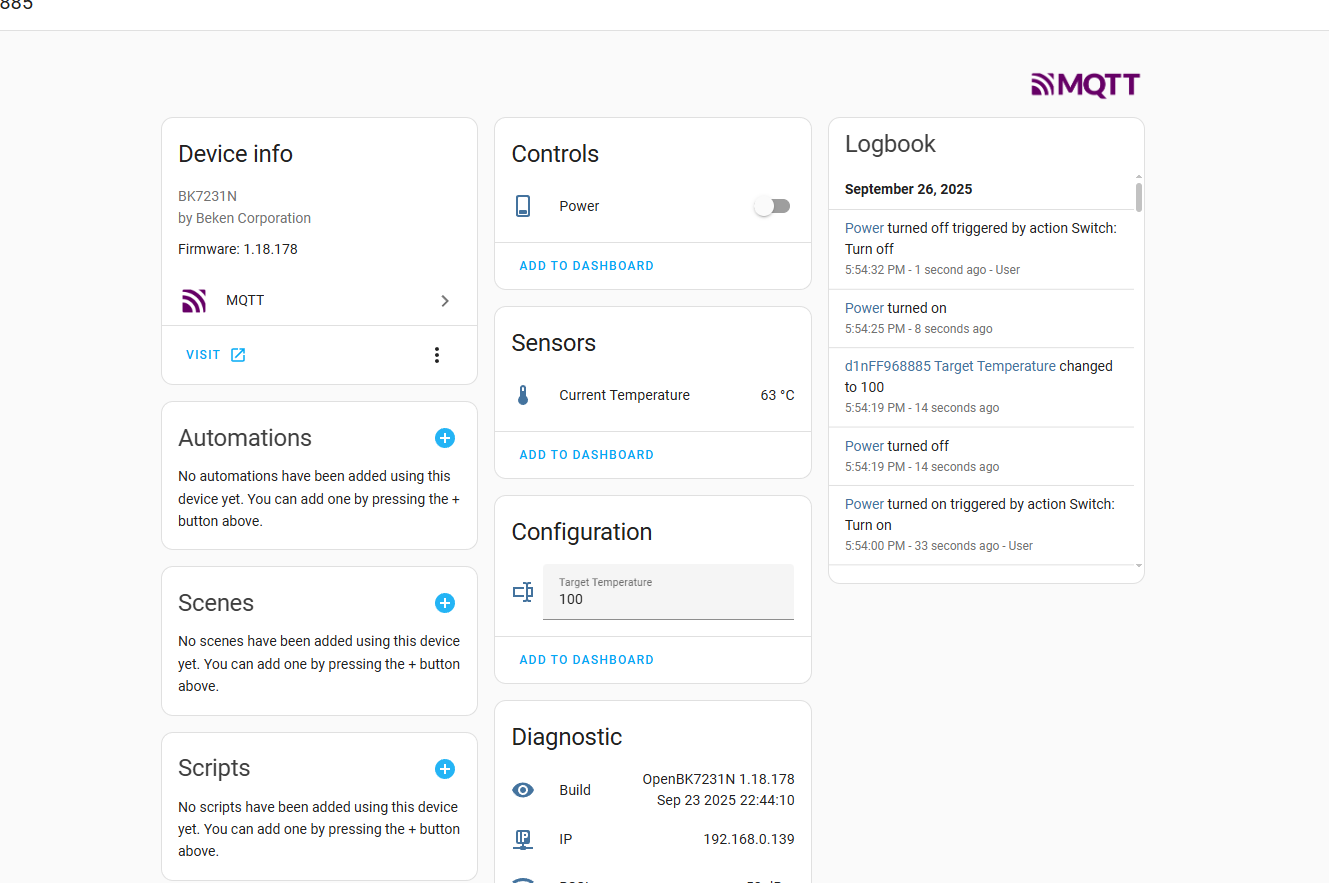
The whole thing appears to be working:
.
HA panel:
.
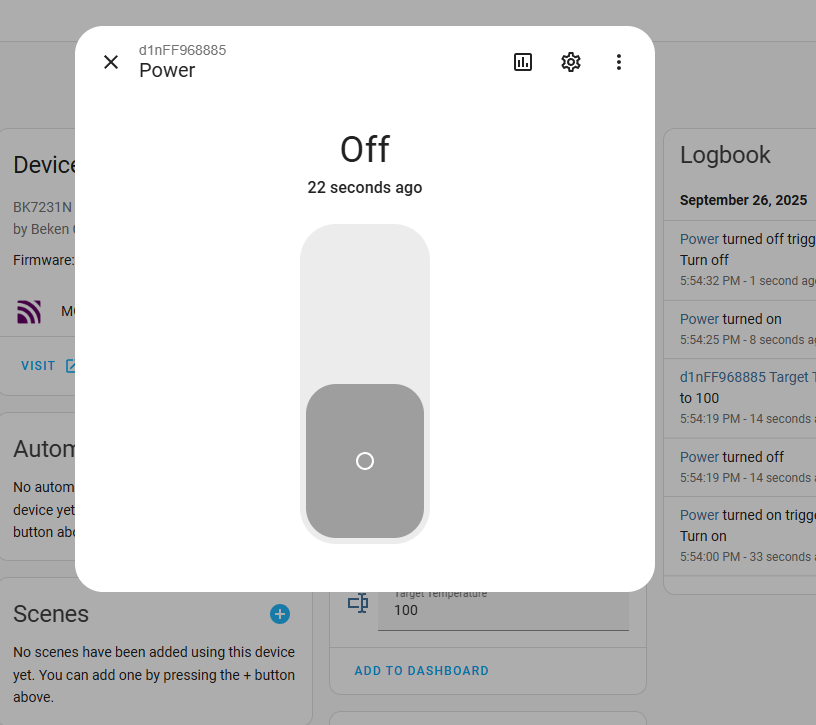
Relay control available:
.
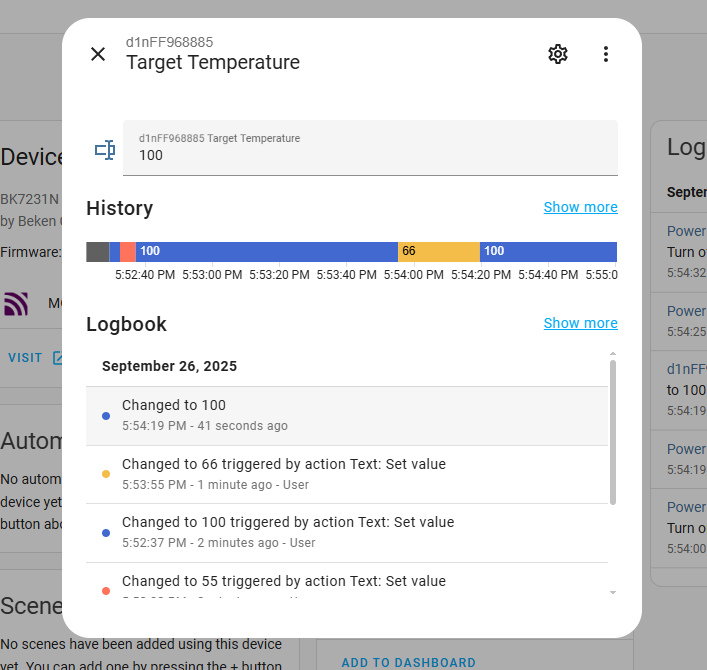
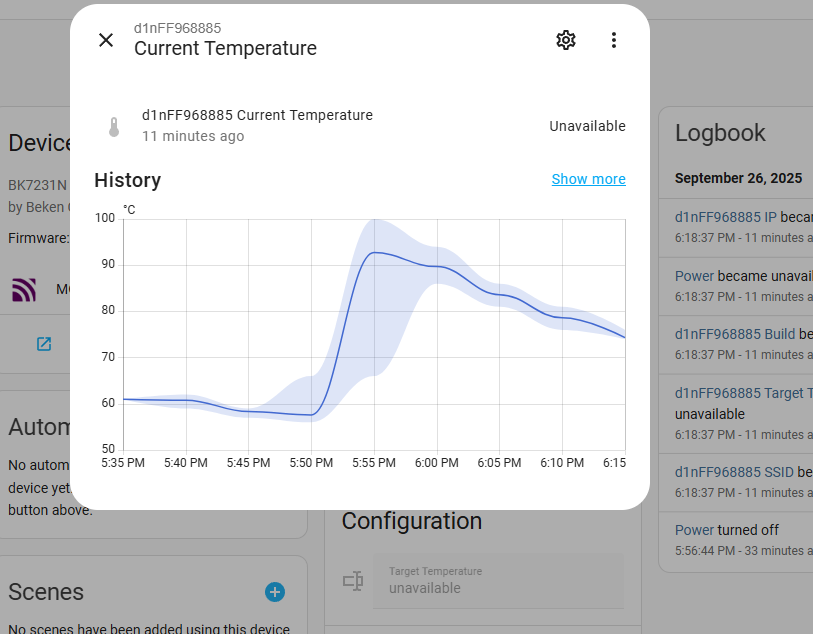
We also have a temperature history (current and target):
.
Basically all the basic functions work - and now the more advanced ones can be realised on automations with Home Assistant.
Summing up , it was a pairing of the electric kettle with Home Assistant. I was able to run all its basic functions here. The more advanced stuff sewn into the TuyaMCU dpID I didn't decode, because I think that, for example, such temperature maintenance in our absence can already be realised in the HA itself.
The biggest difficulty was the WBR3 soldering - unfortunately this module has programming pads on the bottom, so hot air is needed. It would be better to get a version with CB3S or TYWE3S etc, then programming is easier.
Do you see a use for this type of gadget, or was it just educational fun without being reflected in practice though? .
Whatever the intended use, the devices now operate 100% locally, no cloud, no manufacturer servers.
About Author
p.kaczmarek2 wrote 14756 posts with
rating 12881 , helped 659 times.
Been with us since 2014 year.
But I am old. In my life I never thought someone would break into a kettle. ;)
On the one hand, I support - if you have a smart device, it's already in a digestible version, compatible with one system... [Read more]
Anonymous
01 May 2026 07:25
You know why you think (we think) that way ? That's why ->
Younger generations think differently. [Read more]
How do I flash a Svensson SMART06B to work with Home Assistant?
Desolder the WBR3 to reach its underside pads. Power the module at 3.3 V from an external LDO. Flash OpenBeken (OBK) firmware, then configure TuyaMCU dpIDs for relay, current temperature, and target temperature. Pair with Home Assistant using the OBK integration flow. The device runs fully local after flashing. [Elektroda, p.kaczmarek2, post #21721813]
What hardware do I need to program the WBR3 safely?
Use a USB‑to‑UART adapter, 3.3 V LDO regulator, fine soldering tools, and hot air for removal. Provide stable 3.3 V during flashing and avoid powering the base. This setup mirrors the author’s build that successfully exposed dpIDs and enabled HA pairing. [Elektroda, p.kaczmarek2, post #21721813]
Where are the WBR3 programming pads and how do I access them?
They are on the underside of the WBR3, which sits in the kettle’s handle. You must unsolder the module to access the pads. Hot air is recommended to lift it cleanly without damaging tracks. This is the project’s main mechanical challenge. [Elektroda, p.kaczmarek2, post #21721813]
What is OpenBeken (OBK) and why use it here?
OpenBeken is community firmware for Tuya/Beken modules that enables local control and Home Assistant support. Flashing OBK removes cloud dependence and exposes kettle controls via channels mapped to TuyaMCU dpIDs. “Devices now operate 100% locally.” [Elektroda, p.kaczmarek2, post #21721813]
What is TuyaMCU and what are dpIDs?
TuyaMCU is the serial protocol between the device’s microcontroller and the Wi‑Fi module. dpIDs are numbered data points for features like temperature or relay. OBK links these dpIDs to channels for control and telemetry in Home Assistant. [Elektroda, p.kaczmarek2, post #21721813]
Which kettle functions can I control after flashing?
You get relay on/off control, live current temperature (read‑only), and a target temperature field. The author mapped three datapoints and confirmed control plus history in Home Assistant. That’s a 3-feature baseline without the Tuya app. [Elektroda, p.kaczmarek2, post #21721813]
How do I map TuyaMCU dpIDs to OBK channels (quick steps)?
startDriver TuyaMCU, then set tuyaMcu_defWiFiState 4.
Define channel types: Toggle, Temperature, and TextField.
Link each dpID to its channel with linkTuyaMCUOutputToChannel.
This creates relay, current temp, and target temp entities. [Elektroda, p.kaczmarek2, post #21721813]
Will Home Assistant show graphs and remote control?
Yes. After mapping, HA presents a control panel with relay switching and temperature history for current and target values. The author’s screenshots show entities and graphs operating normally after pairing. [Elektroda, p.kaczmarek2, post #21721813]
Can I keep using the Tuya app after flashing OBK?
No. This method intentionally cuts the device off from Tuya cloud. You gain privacy and local control, but you lose the vendor app. The author stresses the end state: 100% local, no manufacturer servers. [Elektroda, p.kaczmarek2, post #21721813]
What can go wrong during flashing or soldering?
Edge case: lifting pads or damaging traces while removing the WBR3. Use hot air and steady 3.3 V power. Flash only the module, not the mains base. If you want easier access, look for CB3S or TYWE3S variants. [Elektroda, p.kaczmarek2, post #21721813]
Is this mod worth it from a privacy perspective?
Yes, if you want local operation. The project removes cloud traffic and shifts automation to Home Assistant. One user notes fatigue with “hacking everything,” but agrees digestible, single‑system solutions are desirable. [Elektroda, cranky, post #21739960]
I’m new—who is this project for?
It suits tinkerers comfortable with hot‑air rework and UART flashing. If you prefer out‑of‑box convenience, consider devices already compatible with your hub. As one commenter put it, constant “hacking” can feel unsustainable. [Elektroda, cranky, post #21739960]
Do I need to guess dpIDs, or is there a guide?
The author used a practical “guessing” approach after enabling logs, then confirmed values via JSON. Linked TuyaMCU guides and logs helped identify relay, temperature, and target temperature datapoints. [Elektroda, p.kaczmarek2, post #21721813]
Is there a video walkthrough I can follow?
Yes. The thread links to videos covering module flashing and Home Assistant pairing. These visuals complement the autoexec.bat and screenshots for configuration and verification. [Elektroda, p.kaczmarek2, post #21721813]
Any performance stats after the mod?
Post‑flash, the kettle exposed three functional entities and logged temperature history in HA. Control latency appears near‑instant in the demo video. Quote: “Basically all the basic functions work.” [Elektroda, p.kaczmarek2, post #21721813]
AI summary based on the discussion. May contain errors.







Comments
But I am old. In my life I never thought someone would break into a kettle. ;) On the one hand, I support - if you have a smart device, it's already in a digestible version, compatible with one system... [Read more]
You know why you think (we think) that way ? That's why -> Younger generations think differently. [Read more]