GNCC GC2 camera on the ak3918ev300 chip was modified to run RTSP streaming without the vendor app.
Manufacturer SDK code added RTSP support plus iris, IR LED, OSD, and back-button handling that the sample example lacked.
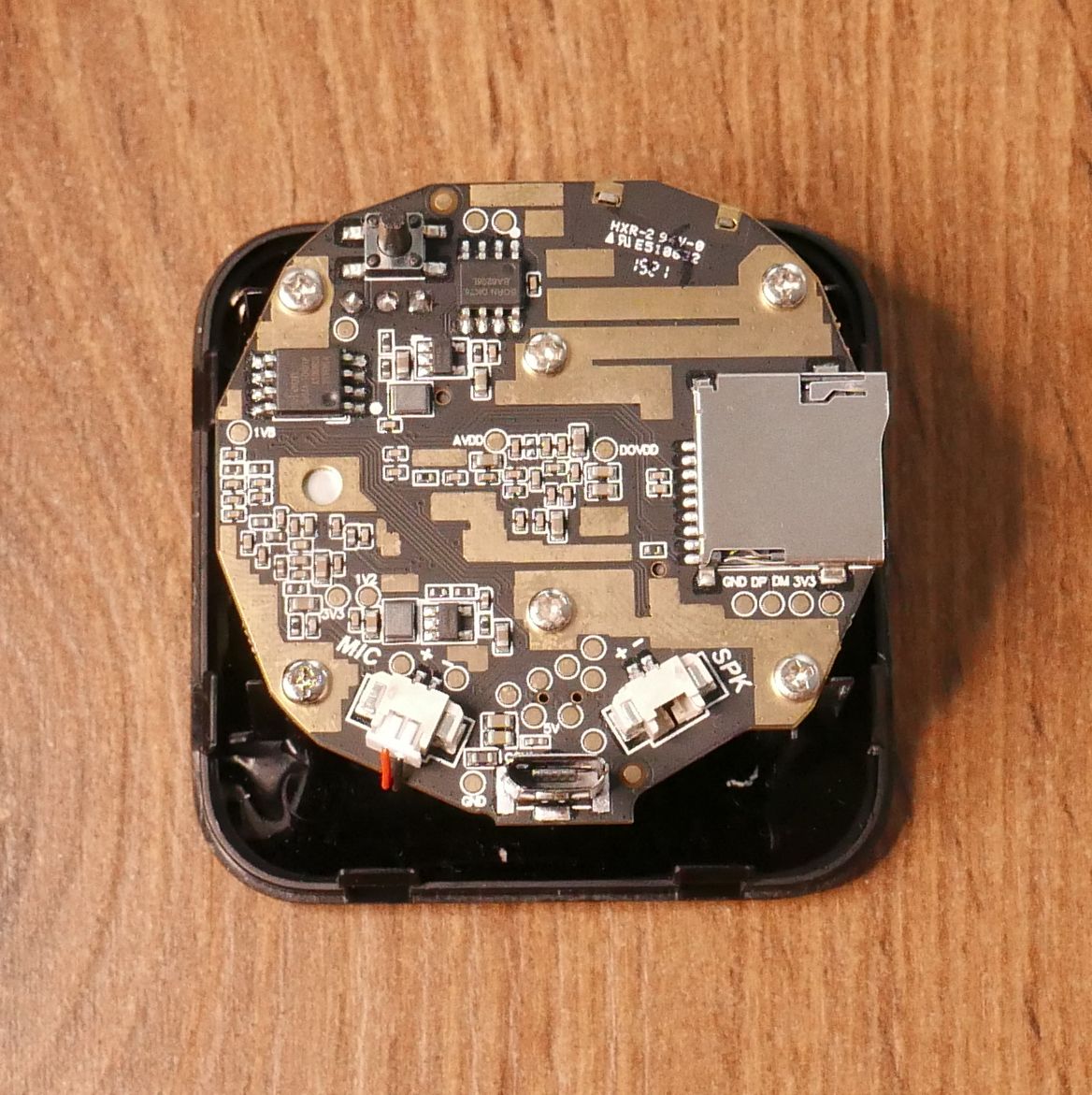
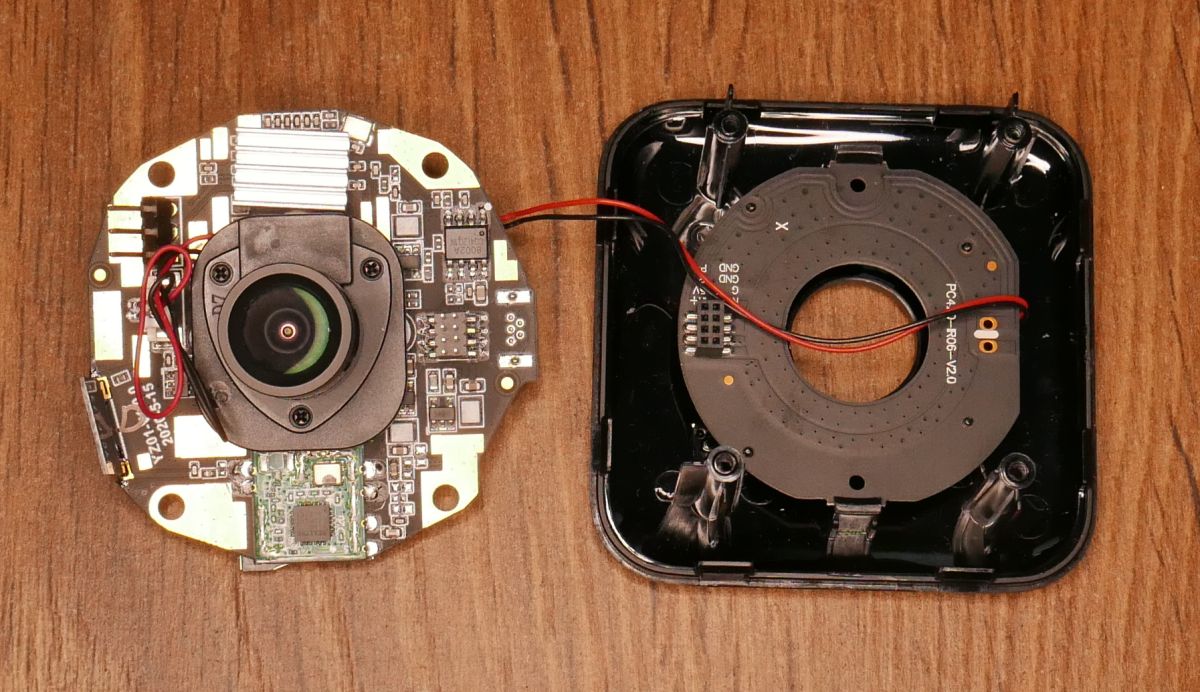
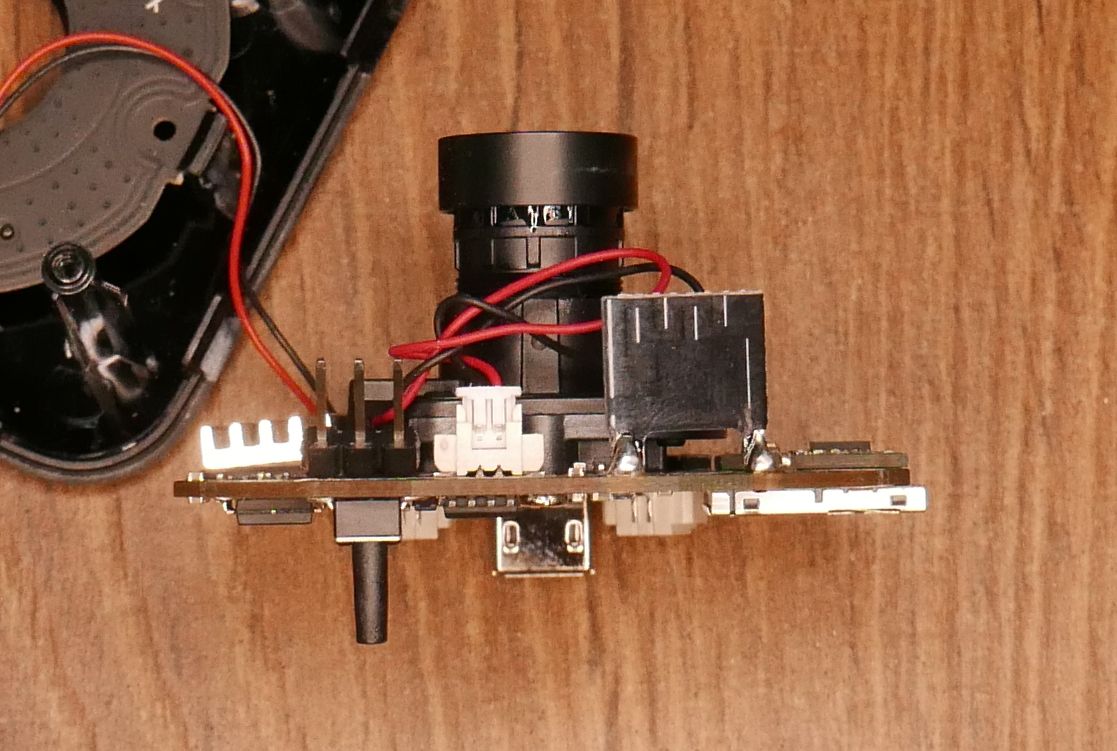
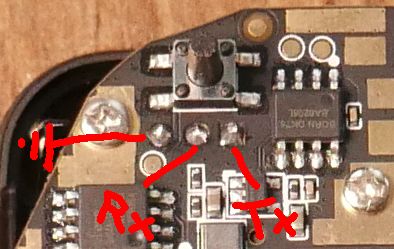
The hardware uses an ak3918ev300 processor, 8MB Flash, RTL8188FU Wi‑Fi, and UART at 115200 baud.
The camera now works with Telnet or FTP and can be configured without the app after restoring defaults with the rear button.
The microphone still does not work, and this firmware remains unsupported by Thingino or OpenIPC.
AI summary based on the discussion. May contain errors.
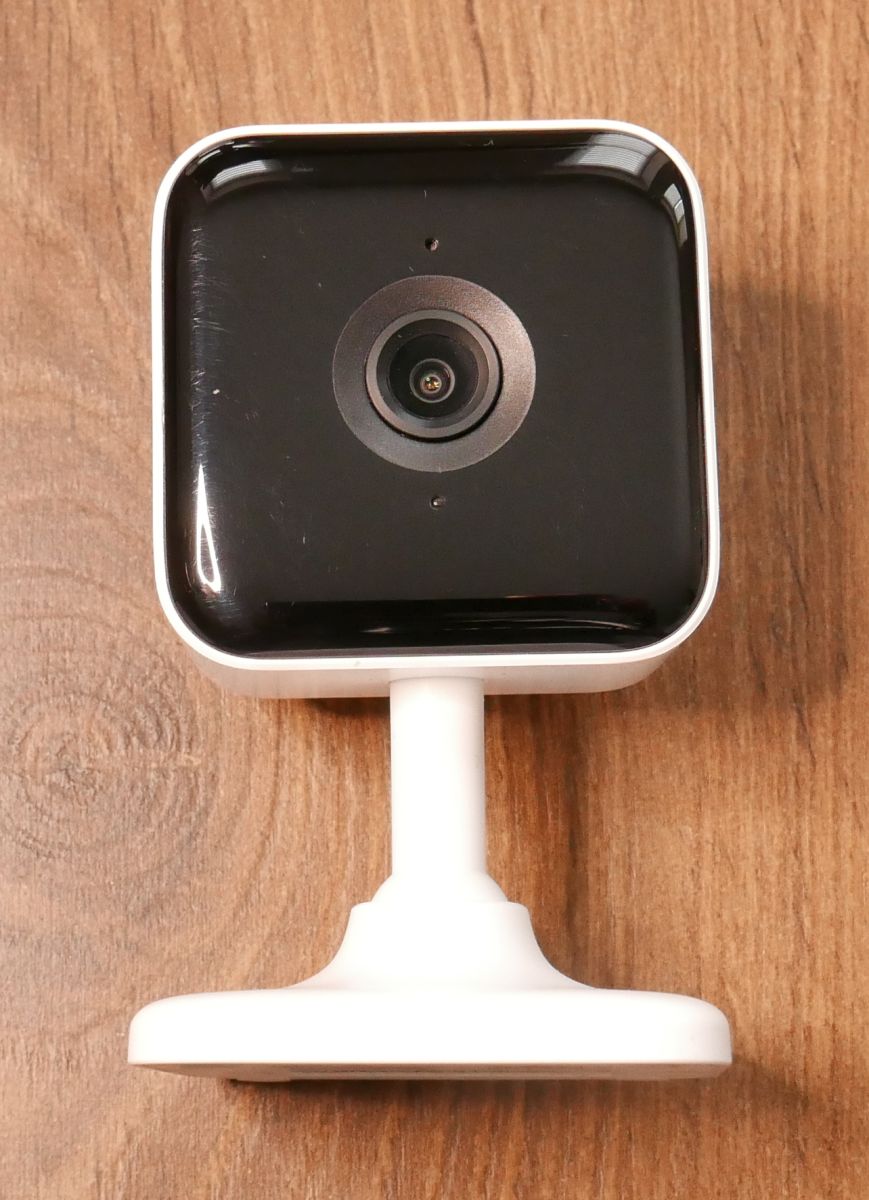
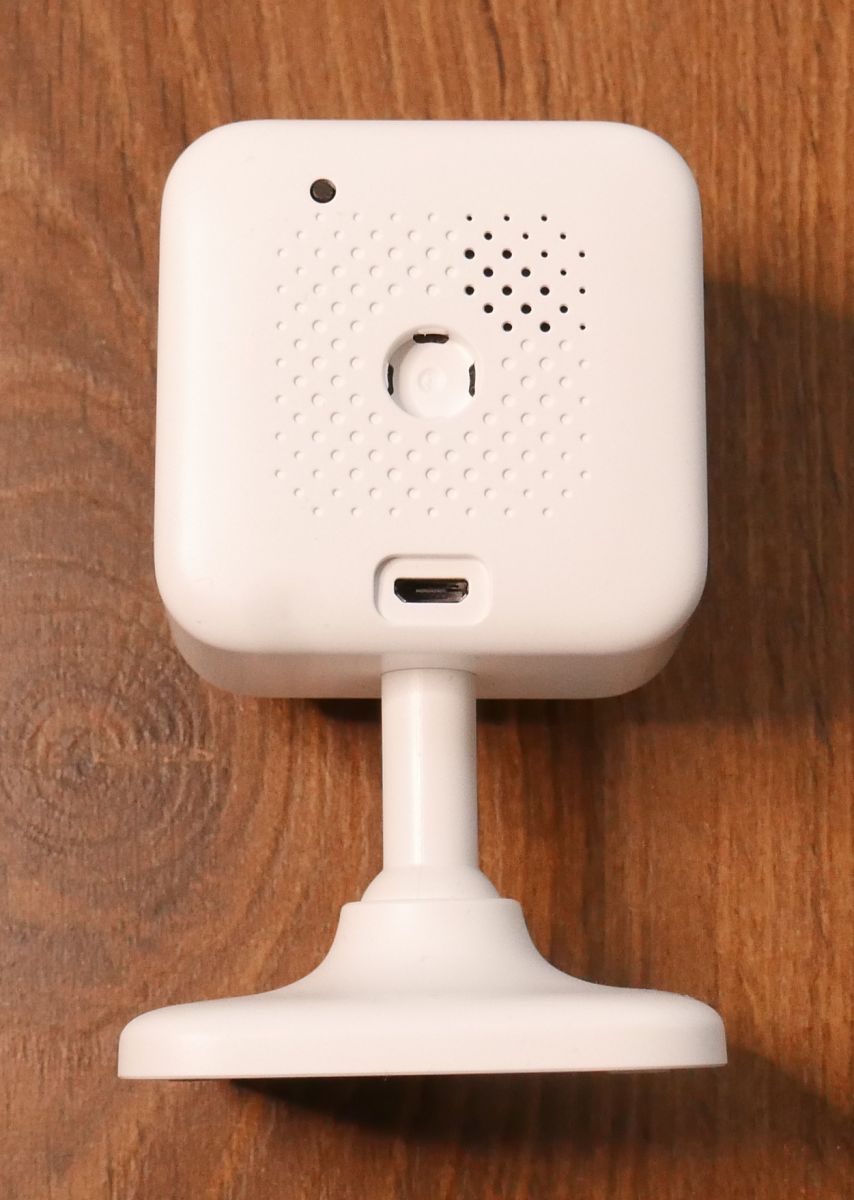
This time a description of the GNCC GC2 camera. The camera version on the ak3918ev300 chip is not supported by either Thingino or OpenIPC. In order to run RTSP streaming, I had to use the manufacturer's SDK and write my own software. While there is an example with RTSP, it does not have iris and IR LED control, nor does it have an OSD. In addition, I had to add button support. The only thing I didn't get right was the microphone. The camera can now be configured and used without the app. The software that works with the app I knocked out.
After changing the firmware, you need to restore the default settings. To do this, hold down the button on the back of the camera (after booting) for more than 5 seconds.
The camera can be accessed via Telnet or FTP.
Default login:
Quote:
user: root
password: 12345
Default IP:
Quote:
192.168.100.1
To configure WiFi we create the file "/etc/jffs2/wpa_supplicant.conf"
Quote:
network={
ssid=
psk=
scan_ssid=1
}
RTSP link:
Quote:
rtsp://<camera_ip>/ch0
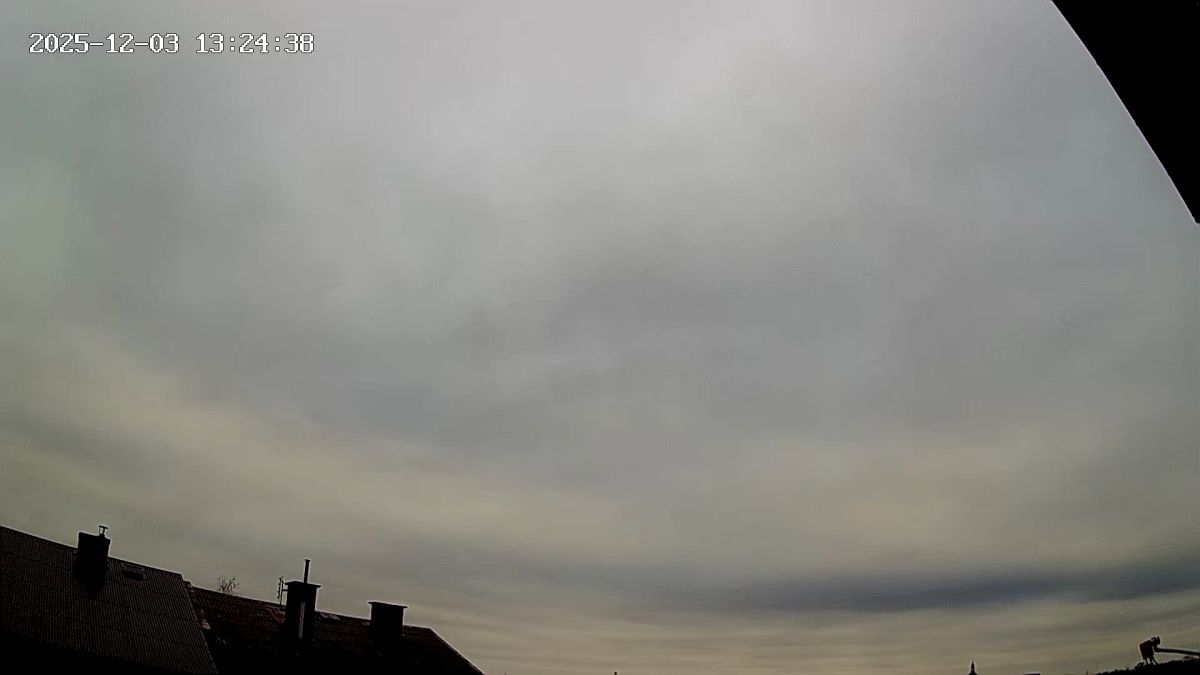
Streaming RTSP from camera:
Modifications... The images provided are in SquashFS format.
To uncompress them we use the "unsquashfs" command.
Re-compress using the command:
TL;DR: GNCC GC2 (ak3918ev300) has 64 MB RAM and 8 MB flash; “The camera can now be configured and used without the app.” Custom RTSP firmware enables Telnet/FTP, UART 115200, and Wi‑Fi via wpa_supplicant.conf. [Elektroda, piotr_go, post #21770099]
Why it matters:** This FAQ helps tinkerers and CCTV integrators enable local RTSP streaming and offline control without the vendor app.
It uses an Anyka AK3918EV300 SoC with 64 MB DRAM, 8 MB flash, and an RTL8188FU Wi‑Fi module. Photos and a full teardown confirm this layout. The board exposes a 3.3 V UART header for console access. This baseline enables U‑Boot and direct firmware flashing without the cloud app. [Elektroda, piotr_go, post #21770099]
Does OpenIPC or Thingino support the AK3918EV300 version?
No. The author states the AK3918EV300 variant is unsupported by both Thingino and OpenIPC. They used the vendor SDK and wrote custom software to enable RTSP, button handling, OSD, iris, and IR LED control. “The only thing I didn’t get right was the microphone.” [Elektroda, piotr_go, post #21770099]
How do I back up the 8 MB SPI flash in U‑Boot?
Connect UART, stop autoboot, then run: mmc rescan; sf probe 0; sf read 0x83000000 0 800000; fatwrite mmc 0:1 0x83000000 backup.bin 0x800000. This reads the full 8 MB flash to your microSD. Keep this backup safe before any firmware changes. [Elektroda, piotr_go, post #21770099]
How do I flash the custom RTSP firmware images?
Download root.sqsh and app.sqsh to the microSD, then use U‑Boot to erase and write the specific offsets shown by the author. After flashing, perform a factory reset (>5 s button hold) to apply defaults. Access the device by Telnet or FTP once it reboots. [Elektroda, piotr_go, post #21770099]
Can you show the 3-step flashing sequence?
fatload mmc 0:1 0x82000000 root.sqsh; sf probe 0; sf erase 23b000 180000; sf write 0x82000000 23b000 180000
fatload mmc 0:1 0x82000000 app.sqsh; sf probe 0; sf erase 438000 3B6000; sf write 0x82000000 438000 3B6000
What are the default login, IP, and services after flashing?
Default services include Telnet and FTP. The login is root with password 12345. The default IP is 192.168.100.1. Use these to verify access and copy configuration files. Change credentials after first login to secure the device. [Elektroda, piotr_go, post #21770099]
How do I connect the camera to Wi‑Fi without the app?
Create /etc/jffs2/wpa_supplicant.conf with your SSID and PSK, and set scan_ssid=1. Reboot or restart networking to connect. This method keeps setup offline and under your control. It works with the custom RTSP build. [Elektroda, piotr_go, post #21770099]
What RTSP URL should I use in VLC or Home Assistant?
Use rtsp:///ch0. Replace with the device’s address. After flashing and resetting to defaults, the stream becomes available. Add authentication or network isolation as needed for security. [Elektroda, piotr_go, post #21770099]
How do I access the serial console, and what speed is it?
Solder to the 3.3 V UART pads and connect a USB‑TTL adapter. Set your terminal to 115200 8N1. Interrupt autoboot to enter U‑Boot and run backup or flashing commands. This interface exposes low‑level control safely. [Elektroda, piotr_go, post #21770099]
How do I modify the SquashFS images?
Unsquash the image with unsquashfs, edit files, then rebuild using mksquashfs file.sqsh -comp xz -Xbcj arm. Keep original permissions and paths. Reflash the updated image using the documented offsets. [Elektroda, piotr_go, post #21770099]
What functions were missing in the SDK’s RTSP example, and what was added?
The example lacked iris control, IR LED control, OSD, and button handling. The author implemented these and disabled the cloud‑app software. The microphone remains unresolved, which is an edge case to note. “The only thing I didn’t get right was the microphone.” [Elektroda, piotr_go, post #21770099]
What is Tuya in smart‑home devices?
Tuya is a global AIoT platform provider offering cloud, app, and device enablement for smart products. Brands and OEMs use Tuya’s platform to build connected lighting, security, and appliances with voice and remote control. [About Tuya | Tuya Smart]
What is OpenBeken?
OpenBeken is open‑source firmware, similar to Tasmota, for BK7231 and related Wi‑Fi MCUs. It provides MQTT, OTA updates, scripting, and Home Assistant integration, targeting devices not supported by ESP‑based ecosystems. [GitHub - codekow/OpenBeken]
What is an Arduino Nano?
Arduino Nano is a small, breadboard‑friendly microcontroller board, historically based on the ATmega328P at 16 MHz. It offers similar functionality to Arduino Uno in a compact form factor and is programmable via the Arduino IDE. [Arduino Nano]
What is CAN bus?
CAN bus is a multi‑master serial bus standard designed by Bosch for robust controller communication. Classical CAN supports up to 1 Mbit/s, while CAN FD reaches higher rates. It is widely used in vehicles and industrial systems. [CAN bus]
AI summary based on the discussion. May contain errors.








Comments