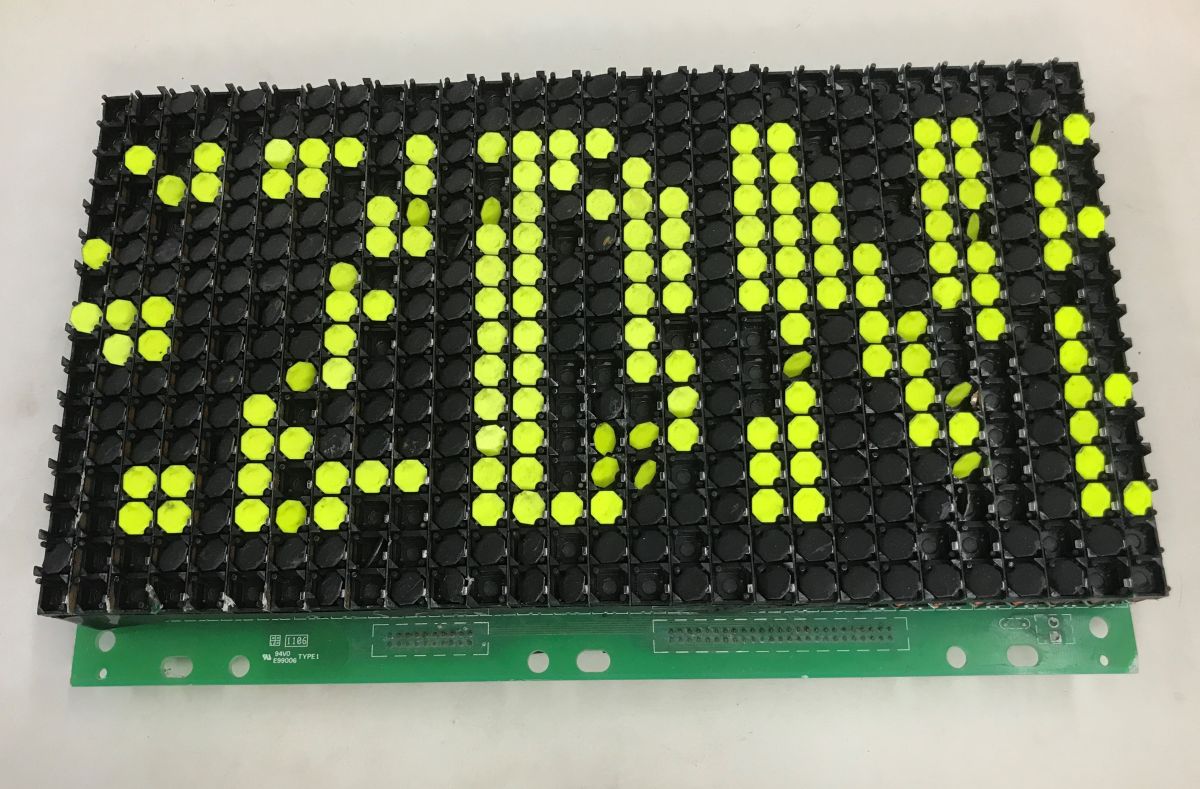
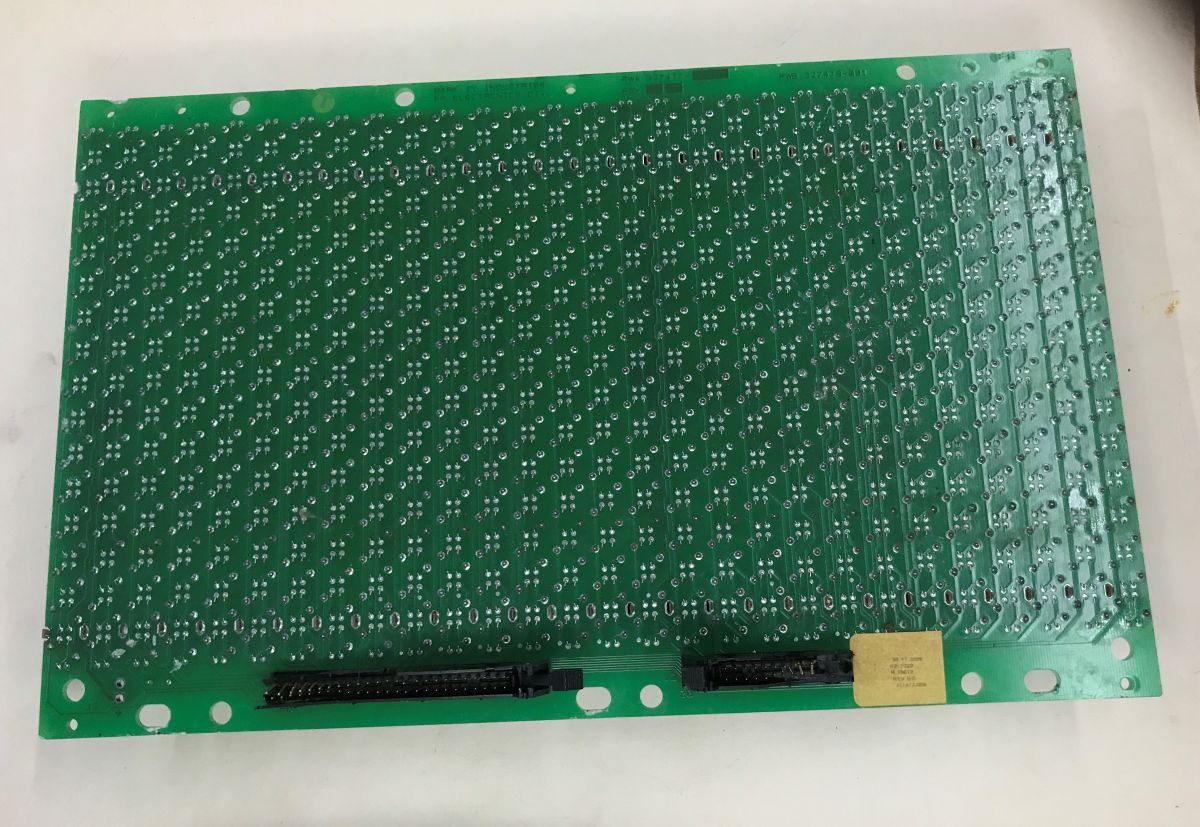
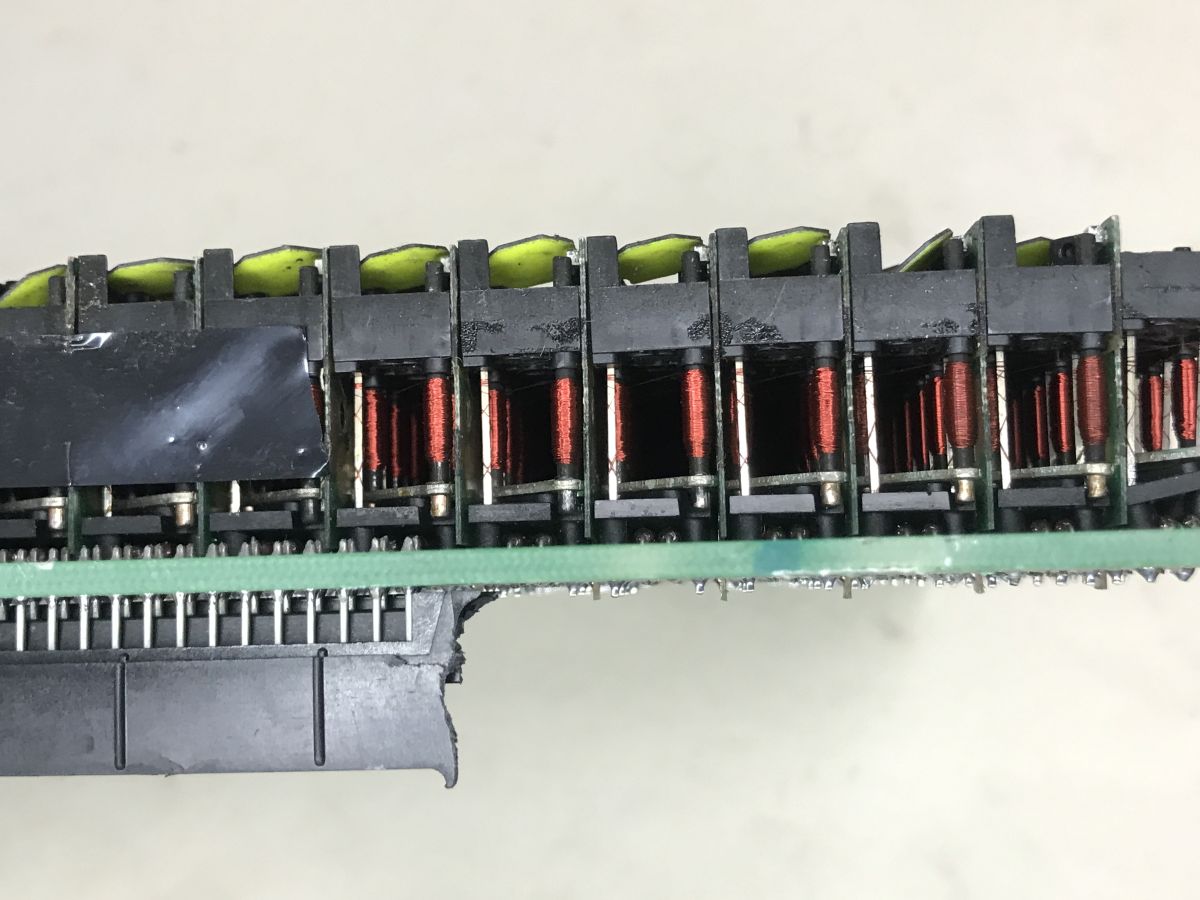
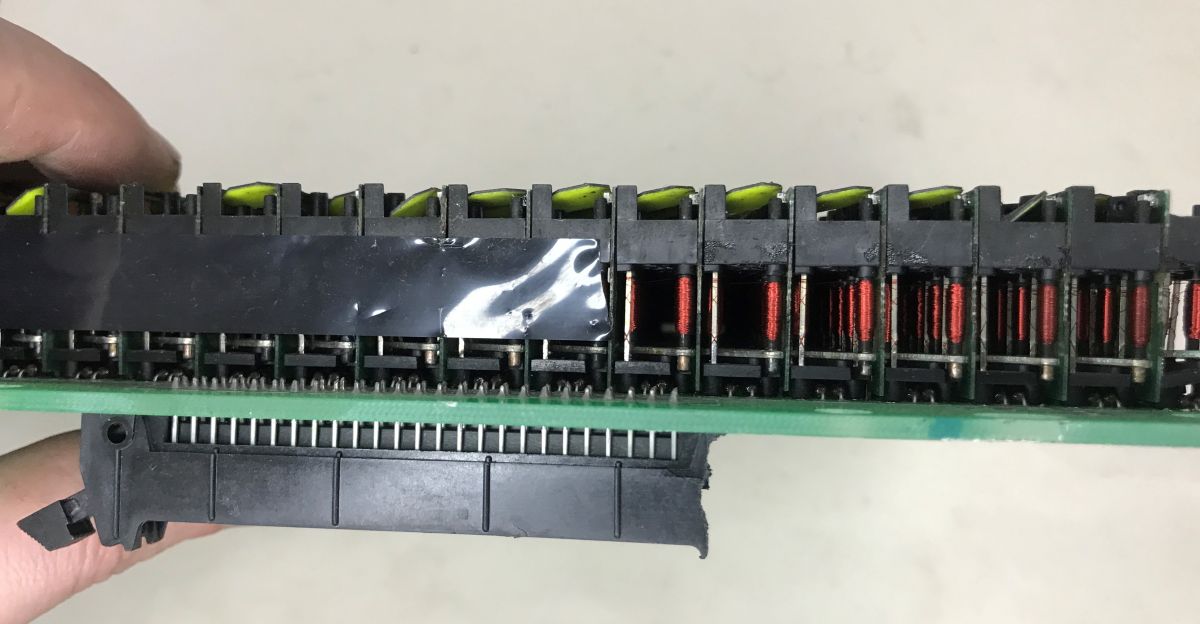
A damaged railway-style electromagnetic flip-dot display with two-coloured flaps came from scrap and was shown as a decommissioned multi-segment board.
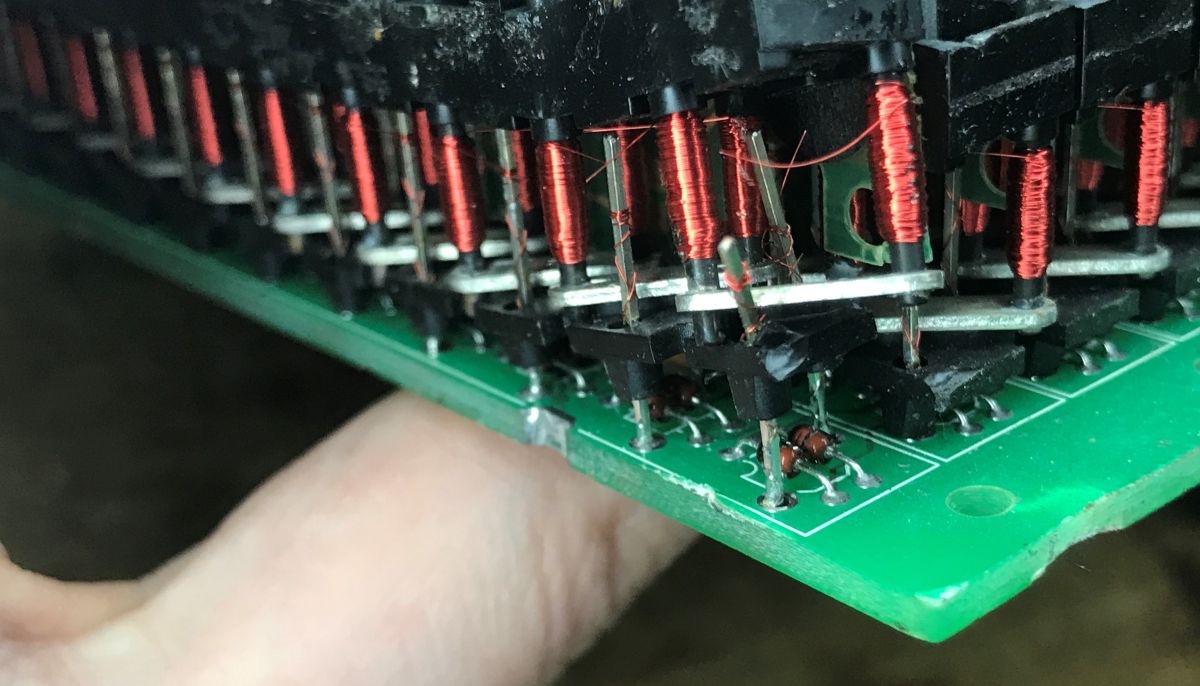
Each dot flips by a short current pulse to an electromagnet, latches without power, and uses diodes for row-and-column addressing.
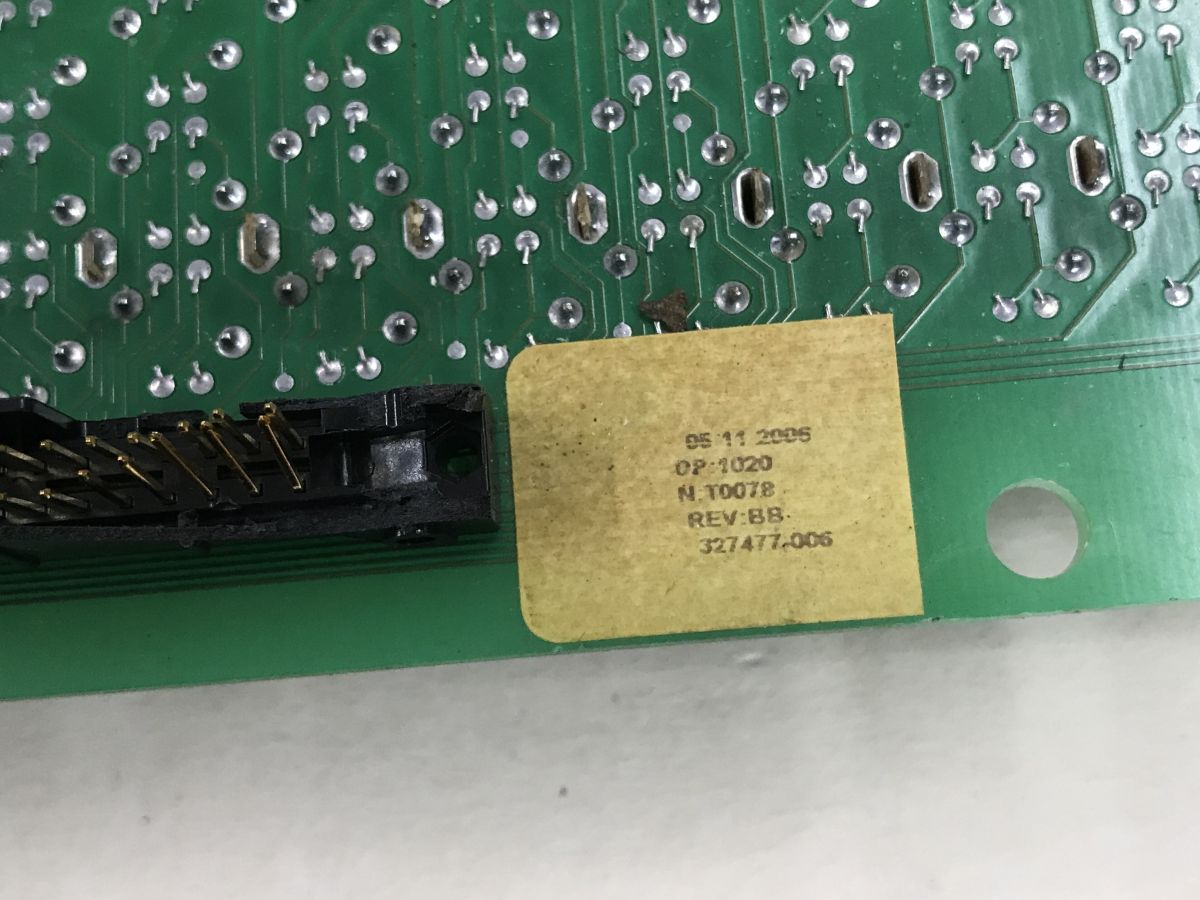
The sticker date reads 05.11.2006, making the hardware almost 20 years old.
Many dots were missing and the connectors needed replacement, so it was not worth restoring beyond a manual lab-supply demonstration.
AI summary based on the discussion. May contain errors.
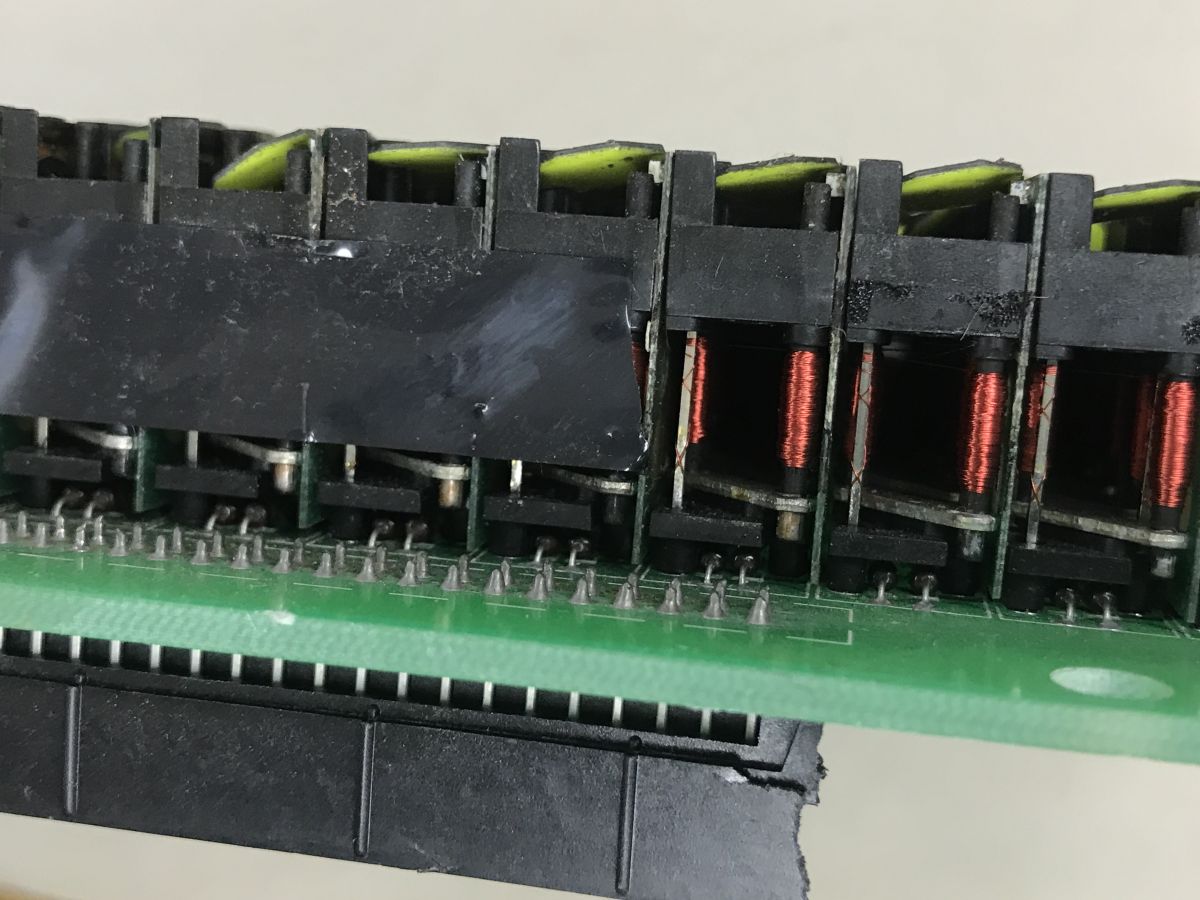
Do you recognise this distinctive type of display, which used to be a common sight at railway stations? A while ago, I presented a series of ‘railway’ devices, including a GPS and an on-board computer, and today I’m continuing this theme by showing you a display I acquired from the same source following its decommissioning.
An electromagnetic display, often referred to as a ‘flip-dot display’, as the English name suggests, consists of two-colour flip-dots that are rotated by electromagnets. Each flip-dot has two sides in different colours (usually yellow and black), and its position is changed by a short current pulse applied to the coil. After such a pulse, the dot remains in the set position even after the power is switched off, which means very low power consumption – current is only required when the displayed information is changing. This entire process is accompanied by a characteristic mechanical ‘clicking’ sound.
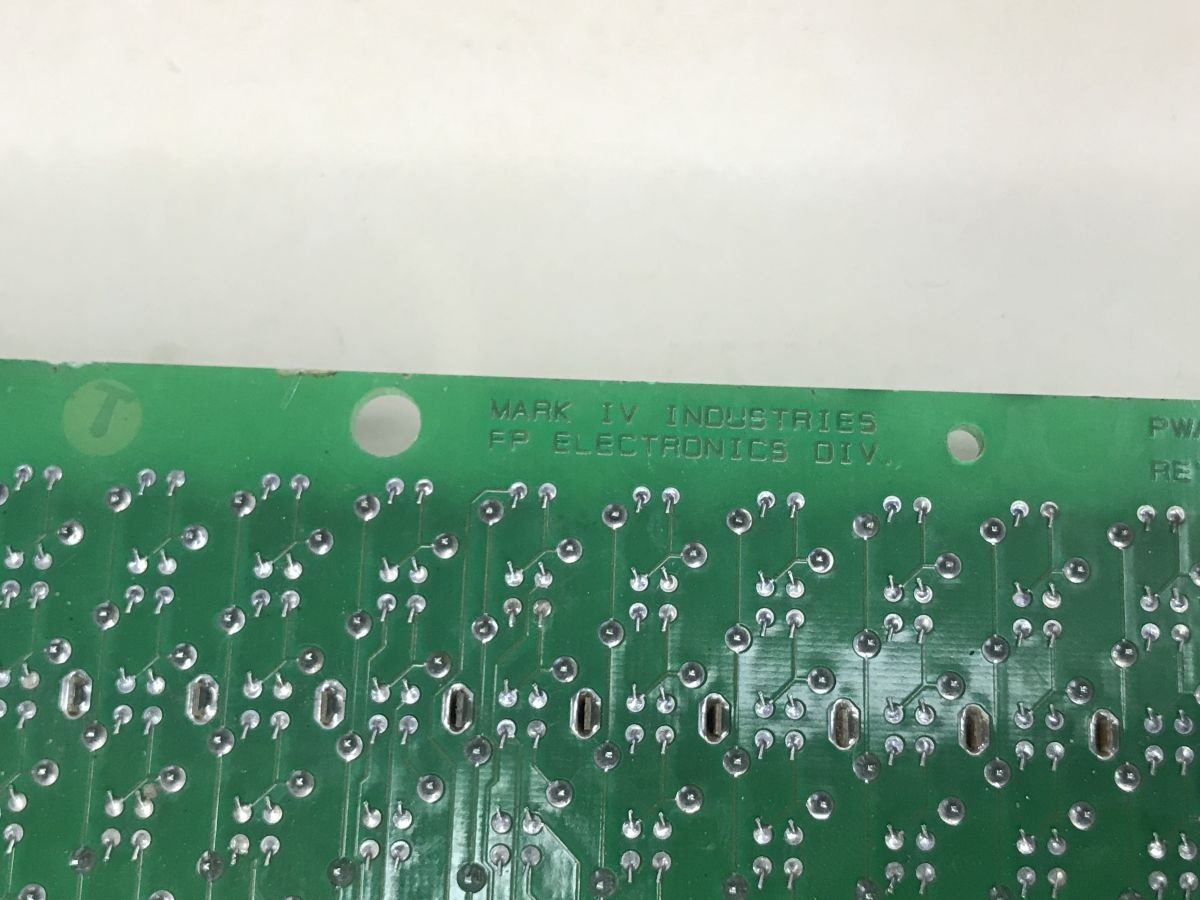
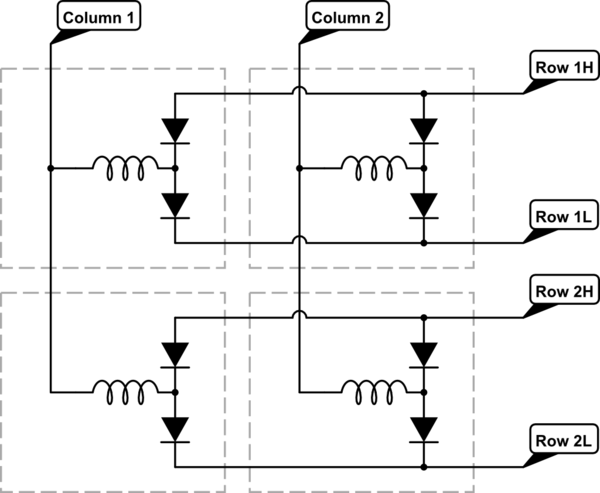
My unit was already damaged and came from a scrap heap, so I decided on a slightly more destructive demonstration and also took a look right underneath the coils. You can see two diodes there, which enable matrix-style polarisation control and simplify the matrix wiring. This makes it possible to address points in the array by rows and columns without running separate wires to each coil.
(schematic source: https://electronics.stackexchange.com/questio...is-the-purpose-of-diodes-in-flip-dot-displays )
Finally, a short video demonstration – I simply controlled the whole thing manually by connecting wires from a laboratory power supply – you can watch it with sound:
To sum up , this was a rather old flip-dot display salvaged from a scrap heap. It arrived in such a poor condition that I simply decided it wasn’t worth trying to get it working. You can’t see it very well in the photos, but many of the dots are missing, and the connectors are also in need of replacement. The unit itself appears to be quite old; the date on the sticker reads 05.11.2006, meaning it’s nearly 20 years old. Judging by the display’s condition when I received it, this is likely just one of at least several segments. And here’s the mystery – what on earth could this display have been showing in the first photo? I don’t really have any specific ideas about that…
Have you used this type of display, either at work or perhaps for DIY projects? Where else might you come across them?
So it might have been tram equipment or minibuses – that fits too. [Read more]
ArturAVS
05 Jun 2026 13:17
I’ve set up displays like this a dozen or so times in my life. However, I’ve never had the time to really get to grips with how they work. Thanks. [Read more]
p.kaczmarek2
05 Jun 2026 13:39
I’d love to see what the original drivers for this type of display look like. I wasn’t actually able to salvage one from a clearance sale. What’s in there – or was in there – an 8051? [Read more]
84jerr
05 Jun 2026 17:51
The controllers were based on the 8049, if I remember correctly, and the driver itself was the FP2800A.
At least in the ones I’ve come across in certain Scania 113CLLs... [Read more]
zgierzman
05 Jun 2026 21:37
I once had a go at getting a display like this to work without a controller. Once I’d worked out how it worked, I discovered that there’s a manufacturer of these types of displays in Łódź , and they... [Read more]
marycyś
06 Jun 2026 10:54
Could you explain in more detail exactly how it works mechanically? Where is the axis of rotation and where are the spring components? [Read more]
kris8888
06 Jun 2026 11:14
You can sort of see this in the first photo, right at the start. There are no spring-loaded components there, and the axis of rotation runs through the centre of each flap (dividing it in half).
Another... [Read more]
exlibris71
06 Jun 2026 11:14
In the 1990s, I worked for a company that specialised in this type of ‘display’. The company manufactured boards and clocks based on its own ‘dots’ – patented in Poland – which operated on a similar principle,... [Read more]
marycyś
06 Jun 2026 11:28
So I’m assuming that the electromagnet is situated slightly further away than halfway along the magnetic flap (relative to the axis of rotation)? [Read more]
exlibris71
06 Jun 2026 11:45
In the case of those shown above, the electromagnet is U-shaped (the winding is divided into two poles, and the magnetic field is enclosed by a magnetic flap). In the Polish patent, there was a single... [Read more]
kris8888
06 Jun 2026 12:08
This is a major advantage of such indicators: once the information has been set, it remains legible even after the power and control systems have been completely switched off.
The downside, however, is... [Read more]
ArturAVS
06 Jun 2026 12:16
Perhaps it’s not so much an advantage as a head start. Just like displays using E Ink technology. Making them with LEDs is a piece of cake. It’s just that energy consumption in certain situations puts... [Read more]
kloszi
06 Jun 2026 12:32
This is the Polish company R&G Mielec; I also worked there and wrote software. Unfortunately, these displays had a problem in the long run because dust built up and settled on them, meaning that after... [Read more]
exlibris71
06 Jun 2026 15:48
It was 1994; the company was called 3D (or something like that), and I worked there for a few months. Their pixels were indeed very sensitive to contamination; as far as I can remember, there were also... [Read more]
a_noob
07 Jun 2026 13:14
I have a nice set (4 display modules) from a bus that was bought by a driving school, and I’ve replaced the display with an LED one.
https://obrazki.elektroda.pl/6754330300_1780827606_thumb.jpg
Each... [Read more]
exlibris71
07 Jun 2026 17:02
Bear in mind that they may operate on the principle of core remanence, meaning they retain their last set state even without power (I’m not sure for how long). In any case, I haven’t yet seen any with... [Read more]
p.kaczmarek2
07 Jun 2026 18:28
@a_noob, thanks for the suggestion – it’s a brilliant idea. I’d be happy to get it up and running and post a more detailed thread on the forum.
It’s the bit about ‘yellow being temporary’ that surprises... [Read more]
a_noob
07 Jun 2026 19:56
Actually, my mistake – after switching, it stays in the second state. I hadn’t checked anything on the subject; I just wrote what I thought. Apparently, all the ones I have were ‘reset’ before the last... [Read more]
FAQ
TL;DR: A flip-dot display uses 2 colors per dot and 2 diodes per coil to latch characters with pulse-only power. As one poster put it, it makes a characteristic "rattling" sound during updates. This FAQ helps restorers, DIY users, and transport-tech readers understand how old railway flip-dot modules work, how to drive them, and what usually fails in scrap units. [#21915830]
Why it matters: Flip-dot modules solve a real repair problem: they keep a visible message without continuous power, but old segmented railway units often arrive incomplete, undocumented, and missing their original controllers.
Option
How it is driven
What the thread confirms
Best use
Manual bench-supply driving
Wires applied by hand from a lab power supply
Demonstrated directly on the recovered module
Quick testing, polarity checks
Factory controller
Dedicated controller board
Reported as using Intel 8049 and FP2800A in older systems
Normal service operation
Key insight: The core advantage is magnetic bistability: the dot stays in its last position after the pulse ends. That is why these displays use very little power except during updates. [#21915830]
Quick Facts
The shown module is an old railway-style segmented flip-dot display with a sticker date of 05.11.2006, making it nearly 20 years old by the post date. [#21915830]
Each display element has 2 colored sides, usually yellow and black, and changes state with a short current pulse rather than continuous drive. [#21915830]
Under each coil, the author found 2 diodes, used for polarity control and simpler matrix wiring in a row-and-column layout. [#21915830]
A user identified older controller hardware as Intel 8049 with an FP2800A driver, including examples seen in Scania 113CLL vehicles. [#21916110]
The recovered unit was already damaged: it was missing many dots, had connectors fit only for replacement, and appeared to be only 1 of at least a few segments from a larger display. [#21915830]
What is an electromagnetic flip-dot display, and how does it differ from other railway information displays?
An electromagnetic flip-dot display is a bistable sign made of small two-color flaps that rotate by electromagnet. "Flip-dot display" is an electromagnetic display that presents symbols by flipping two-colored discs or flaps, and its key characteristic is that each element stays in position after a short drive pulse. Unlike continuously powered electronic panels, it shows information with pulse-only updates and a mechanical sound. The thread describes railway use and the common yellow-and-black color scheme. [#21915830]
How does a flip-dot display keep its state after power is removed, and why does that make its power consumption so low?
It keeps state because each dot remains mechanically and magnetically latched after a short pulse. The display needs current only when information changes, not while it holds a character. That is why the author calls its power consumption very low. In practice, the visible state stays after power removal, so a timetable or destination can remain readable between updates. [#21915830]
Why are two diodes mounted with each flip-dot coil, and how do they help with row-and-column addressing?
Two diodes let the system control coil polarity and simplify matrix addressing. The author exposed the coil area and found 2 diodes per element. He states they allow polarization control in an array arrangement, so the display can address points by row and column instead of running separate wires to every coil. That reduces wiring complexity in larger segmented boards. [#21915830]
How do you manually drive a flip-dot display from a lab power supply without the original controller?
You can test it by applying brief polarity-controlled connections directly from a lab power supply. 1. Identify the coil connections on the module. 2. Touch the supply wires briefly to send a short pulse. 3. Reverse polarity to flip the dot back. The author says he controlled the whole unit by hand this way for the video demonstration. This method is practical for diagnosis, but damaged connectors can limit safe testing. [#21915830]
What causes the characteristic rattling sound in a flip-dot display during updates?
The rattling comes from many mechanical flaps snapping between two positions during an update. Each change is triggered by a short current pulse, and the physical movement creates the sound. The author explicitly links the update process with a characteristic mechanical rattling. A later commenter also notes that larger animated boards can be spectacular and implicitly noisy because many elements switch at once. [#21915830]
What could an old segmented railway flip-dot display like the one shown originally have been displaying in service?
It most likely showed part of a larger railway message, not a complete line by itself. The author says the recovered hardware seemed to be only 1 of at least a few segments. That means the pictured panel probably formed one section of a multi-segment station or vehicle information display, such as a destination, route field, or timetable fragment. The exact original text could not be identified from the damaged scrap module alone. [#21915830]
Where else are flip-dot displays commonly found besides railway stations, and what kinds of systems used them?
The thread places them in vehicles as well as station infrastructure. One commenter says he encountered controllers for such displays in Scania 113CLL units, which shows they were used in transport information systems beyond fixed railway boards. Another commenter mentions a current manufacturer building large boards and animations, suggesting use in display installations as well as traditional passenger-information hardware. [#21916110]
What did factory controllers for older flip-dot displays typically use, such as Intel 8049 or FP2800A-based driver boards?
Older factory controllers could use an Intel 8049 microcontroller with an FP2800A driver stage. One participant recalled exactly that combination from systems he had seen. The thread presents this as practical field knowledge rather than a full schematic, but it is the only concrete controller identification given. That makes 8049 plus FP2800A the best-supported answer for the older hardware discussed here. [#21916110]
How does a flip-dot display controller built around an 8049 compare with a more modern microcontroller solution for DIY control?
An 8049-based controller is the documented older solution in the thread, while a modern DIY controller is not described there. The practical comparison is simple: the original approach uses dedicated legacy control hardware, and the thread only confirms Intel 8049 plus FP2800A in older systems. For DIY, the author instead demonstrates direct bench-supply pulsing, which avoids needing the missing factory controller but also lacks automated scanning and normal service behavior. [#21916110]
What is the FP2800A, and what role does it play in driving electromagnetic display coils?
In this thread, the FP2800A is identified as the driver used with an Intel 8049 in older flip-dot controllers. "FP2800A" is a driver component category in this context that interfaces controller logic to electromagnetic display coils, and its key characteristic is handling the coil-driving stage rather than the high-level display logic. The post does not give pinout or electrical ratings, but it clearly assigns FP2800A a coil-driving role. [#21916110]
How do you recognize damaged flip-dot modules, such as missing dots or worn connectors, and what parts are usually worth replacing?
You recognize damage by missing dots, poor connectors, and incomplete segmentation. The author says his unit was missing many dots and that the connectors were suitable only for replacement. He also judged the module too poor to restore further, even for testing beyond a destructive presentation. In a scrap unit like this, connectors are the clearest replaceable part named explicitly in the thread. [#21915830]
Why does matrix wiring with polarity control reduce the number of wires needed in a flip-dot display?
It reduces wiring because the controller can select dots through shared rows and columns instead of a dedicated pair for every coil. The thread says the 2 diodes per element make polarity control possible in an array arrangement. That lets the system address display points in row-and-column form and simplifies the harness. For old segmented transport displays, fewer wires also means easier assembly and service access. [#21915830]
What is a flip-dot board manufacturer in Lodz offering today, and how do modern flip-dot installations handle animations?
The thread identifies a Lodz manufacturer of this type of board and says it builds visually striking installations. A commenter links to the company and remarks that it does quite spectacular things. He also points to a video and wonders how much noise such animation produces. The takeaway is that modern installations still use the same flip action, but they coordinate many elements to create animated effects. [#21916265]
How much noise do larger flip-dot animations generate, and what affects how loud the display sounds in operation?
Larger animations sound louder when more dots flip at the same time. The thread does not give a dB figure, but it names the update sound as a characteristic mechanical rattling and specifically raises the question of how noisy a large animated board would be. The main factor supported here is switching density: a single manual flip clicks, while a large animation stacks many mechanical impacts into one burst. [#21916265]
Which troubleshooting steps help when reviving a nearly 20-year-old flip-dot display module from scrap?
Start with visual inspection, then pulse-test, then judge whether restoration is worth it. 1. Check for missing dots and damaged connectors. 2. Apply brief lab-supply pulses by hand to confirm flipping. 3. Decide whether the module is too incomplete to continue. In the shown case, the sticker date was 05.11.2006, many dots were missing, and the author concluded the connectors needed replacement and the module was not worth further revival. [#21915830]
AI summary based on the discussion. May contain errors.







Comments
COACH HOUSE [Read more]
So it might have been tram equipment or minibuses – that fits too. [Read more]
I’ve set up displays like this a dozen or so times in my life. However, I’ve never had the time to really get to grips with how they work. Thanks. [Read more]
I’d love to see what the original drivers for this type of display look like. I wasn’t actually able to salvage one from a clearance sale. What’s in there – or was in there – an 8051? [Read more]
The controllers were based on the 8049, if I remember correctly, and the driver itself was the FP2800A. At least in the ones I’ve come across in certain Scania 113CLLs... [Read more]
I once had a go at getting a display like this to work without a controller. Once I’d worked out how it worked, I discovered that there’s a manufacturer of these types of displays in Łódź , and they... [Read more]
Could you explain in more detail exactly how it works mechanically? Where is the axis of rotation and where are the spring components? [Read more]
You can sort of see this in the first photo, right at the start. There are no spring-loaded components there, and the axis of rotation runs through the centre of each flap (dividing it in half). Another... [Read more]
In the 1990s, I worked for a company that specialised in this type of ‘display’. The company manufactured boards and clocks based on its own ‘dots’ – patented in Poland – which operated on a similar principle,... [Read more]
So I’m assuming that the electromagnet is situated slightly further away than halfway along the magnetic flap (relative to the axis of rotation)? [Read more]
In the case of those shown above, the electromagnet is U-shaped (the winding is divided into two poles, and the magnetic field is enclosed by a magnetic flap). In the Polish patent, there was a single... [Read more]
This is a major advantage of such indicators: once the information has been set, it remains legible even after the power and control systems have been completely switched off. The downside, however, is... [Read more]
Perhaps it’s not so much an advantage as a head start. Just like displays using E Ink technology. Making them with LEDs is a piece of cake. It’s just that energy consumption in certain situations puts... [Read more]
This is the Polish company R&G Mielec; I also worked there and wrote software. Unfortunately, these displays had a problem in the long run because dust built up and settled on them, meaning that after... [Read more]
It was 1994; the company was called 3D (or something like that), and I worked there for a few months. Their pixels were indeed very sensitive to contamination; as far as I can remember, there were also... [Read more]
I have a nice set (4 display modules) from a bus that was bought by a driving school, and I’ve replaced the display with an LED one. https://obrazki.elektroda.pl/6754330300_1780827606_thumb.jpg Each... [Read more]
Bear in mind that they may operate on the principle of core remanence, meaning they retain their last set state even without power (I’m not sure for how long). In any case, I haven’t yet seen any with... [Read more]
@a_noob, thanks for the suggestion – it’s a brilliant idea. I’d be happy to get it up and running and post a more detailed thread on the forum. It’s the bit about ‘yellow being temporary’ that surprises... [Read more]
Actually, my mistake – after switching, it stays in the second state. I hadn’t checked anything on the subject; I just wrote what I thought. Apparently, all the ones I have were ‘reset’ before the last... [Read more]