





How do you connect an ESP32 to a 4G mobile network? Mobile connectivity on the A7670E
TL;DR 
- The LilyGO T-A7670E R2 combines an ESP32-WROVER-E with a SIMCom A7670E modem for standalone LTE Cat. 1 IoT connectivity, SMS, and fallback 2G/GPRS.
- The ESP32 controls the A7670E over UART using AT commands and the TinyGSM-fork library, while ArduinoHttpClient handles HTTP and modem HTTPS commands provide TLS.
- The board includes 4 MB Flash, 8 MB PSRAM, an 18650 Li-Ion holder, microSD and nanoSIM slots, plus Wi-Fi, Bluetooth, and BLE.
- Tests successfully registered on the mobile network, delivered an SMS, fetched HTTP content, and downloaded a GitHub README through HTTPS.
- An active, PIN-unlocked nanoSIM and the correct APN are required; demo HTTPS disables RTC certificate-date validation, creating a production MITM risk.
AI summary based on the discussion. May contain errors.
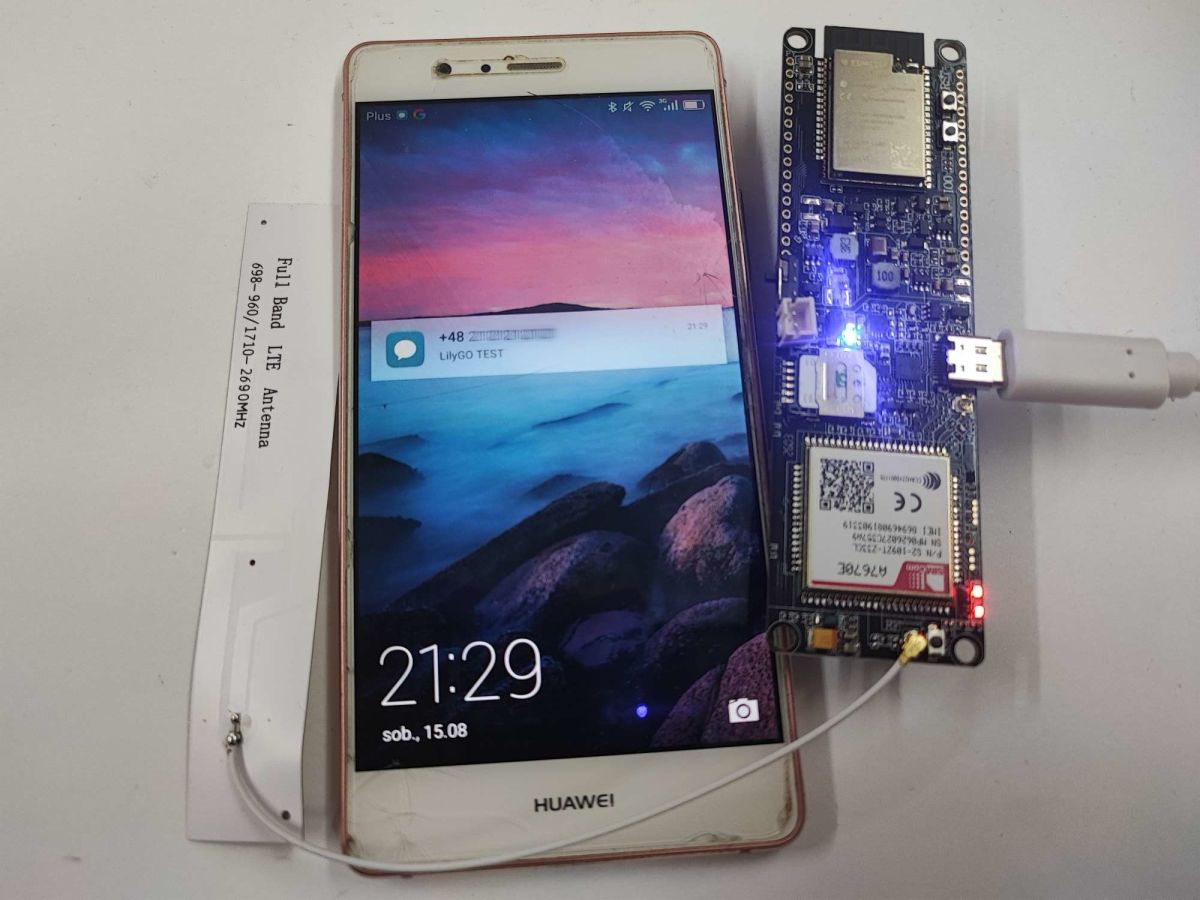
Join us for a presentation of the LilyGO T-A7670E R2, a feature-rich development board based on the ESP32 chip (4 MB Flash, 8 MB PSRAM) combined with the SIMCom A7670E communication module, providing 4G mobile connectivity (LTE Cat. 1) and support for older GSM/GPRS (2G) networks. This solution is designed for applications requiring independent access to mobile internet, outside the range of Wi-Fi networks.
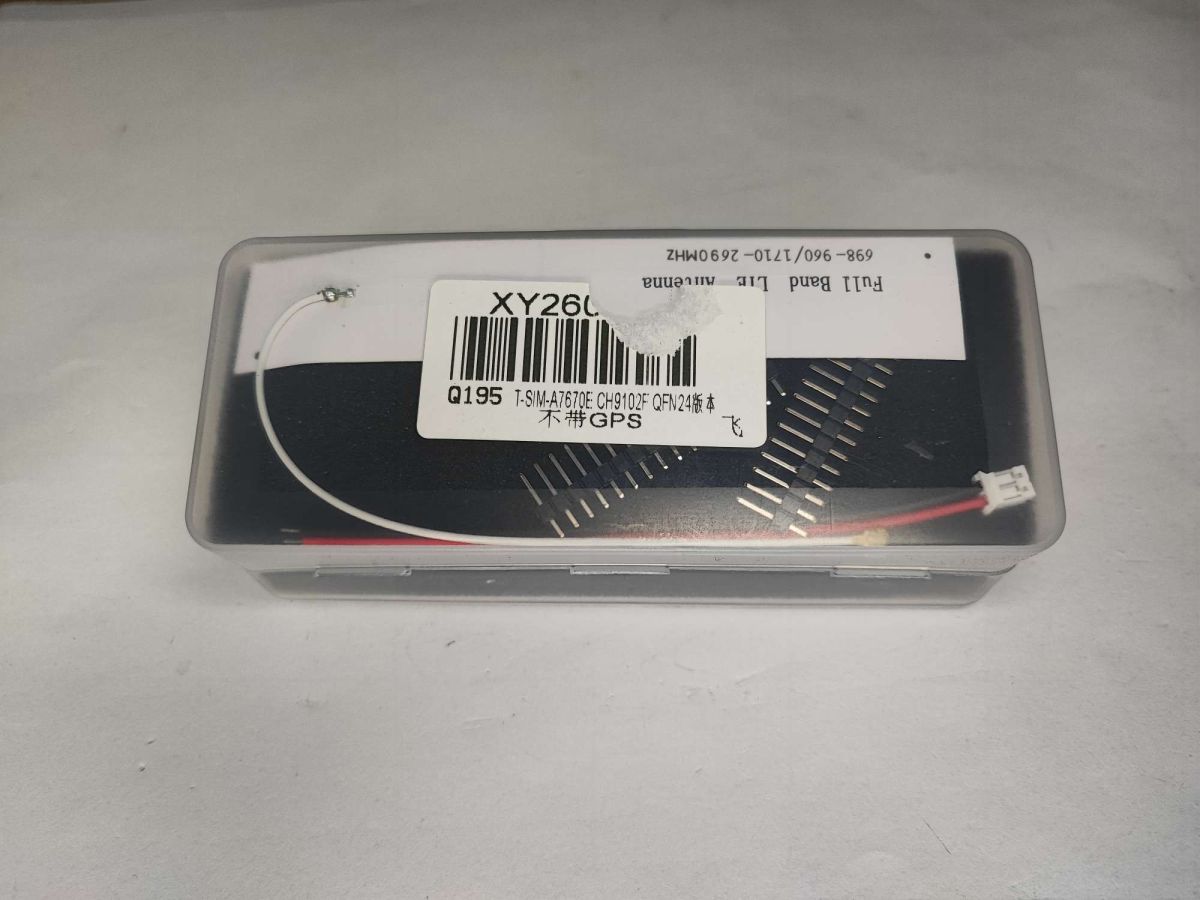
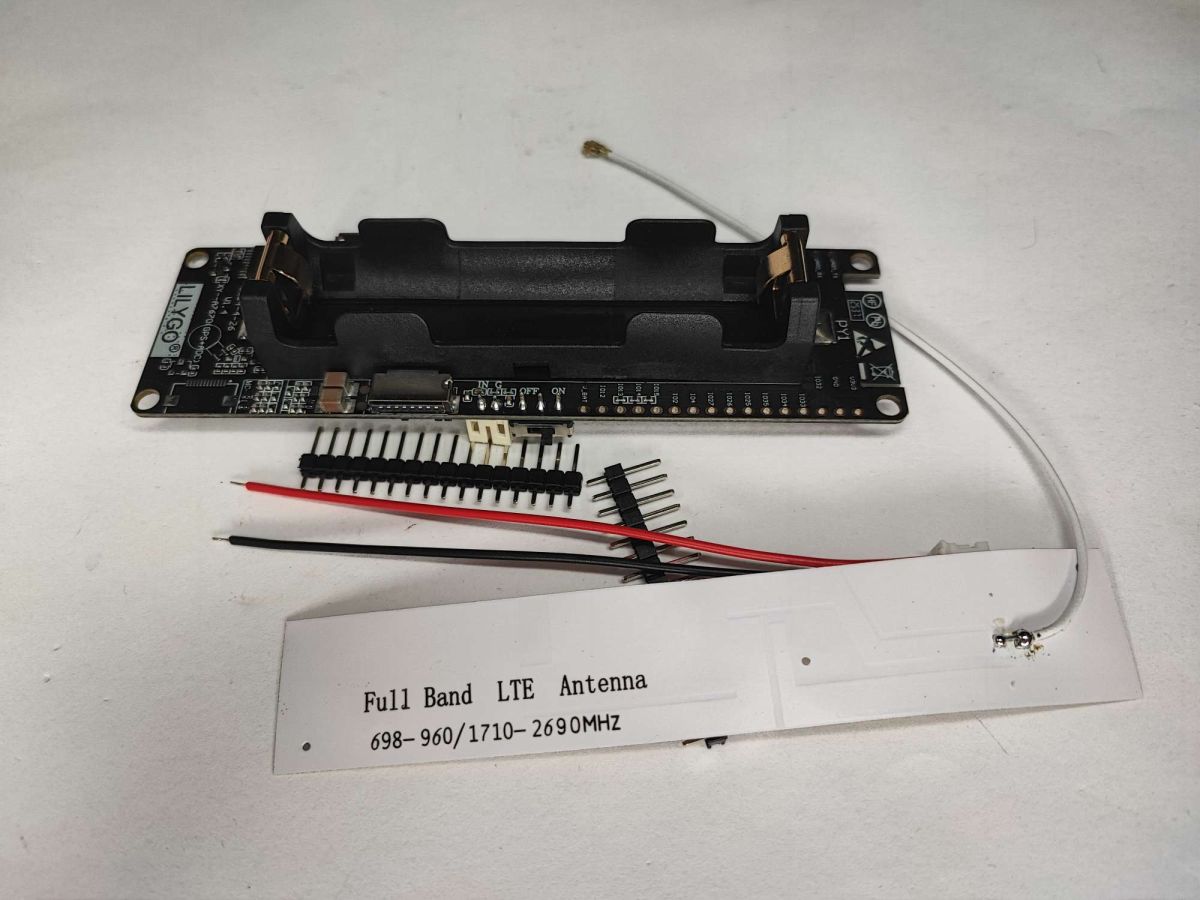
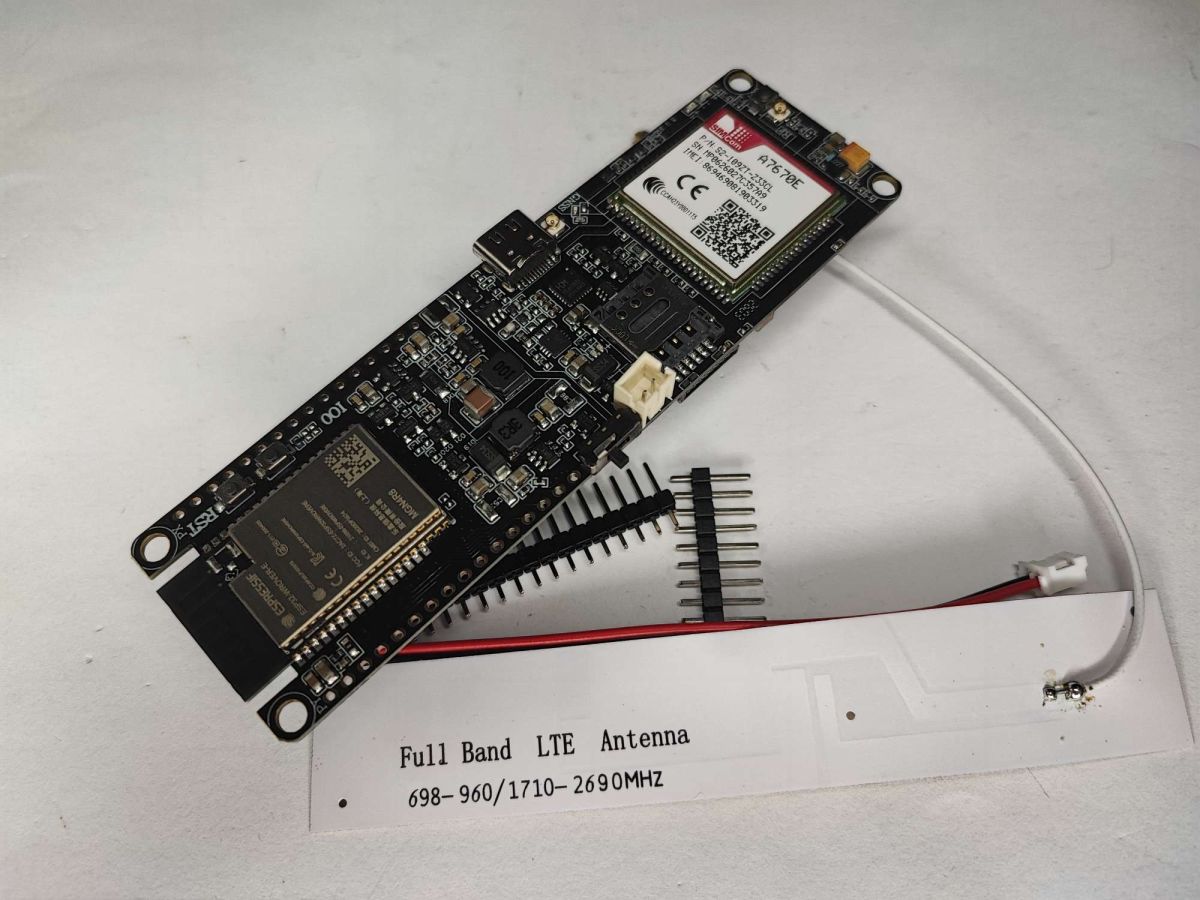
Let’s start with the contents of the pack. I bought it for 200 zł from a Polish importer, although it can be sourced from China slightly cheaper, depending on any special offers. Inside, I received the T-A7670E-R2 board itself, a dedicated LTE antenna, a power cable with a 2.0 mm PH plug (allowing connection to an external power source) and two rows of gold-plated pins for soldering in yourself.
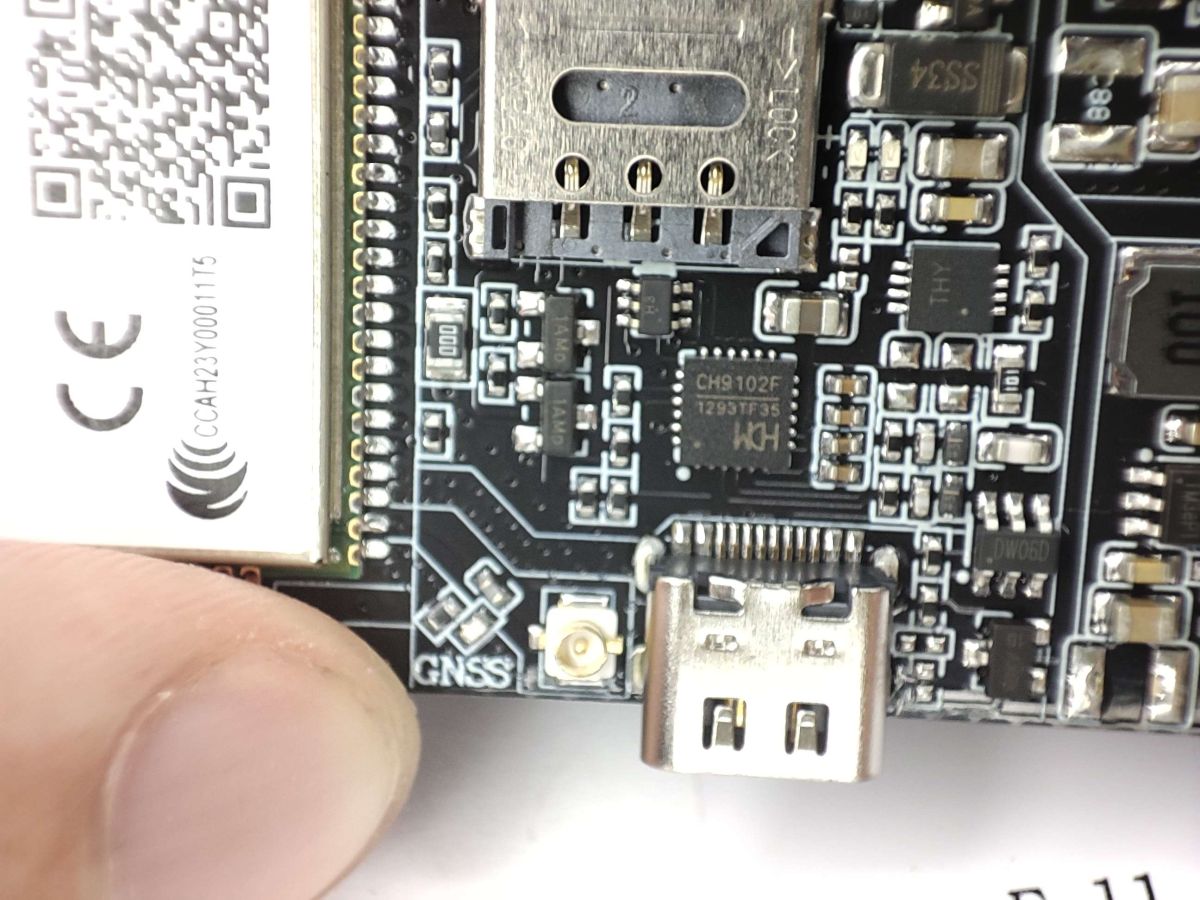
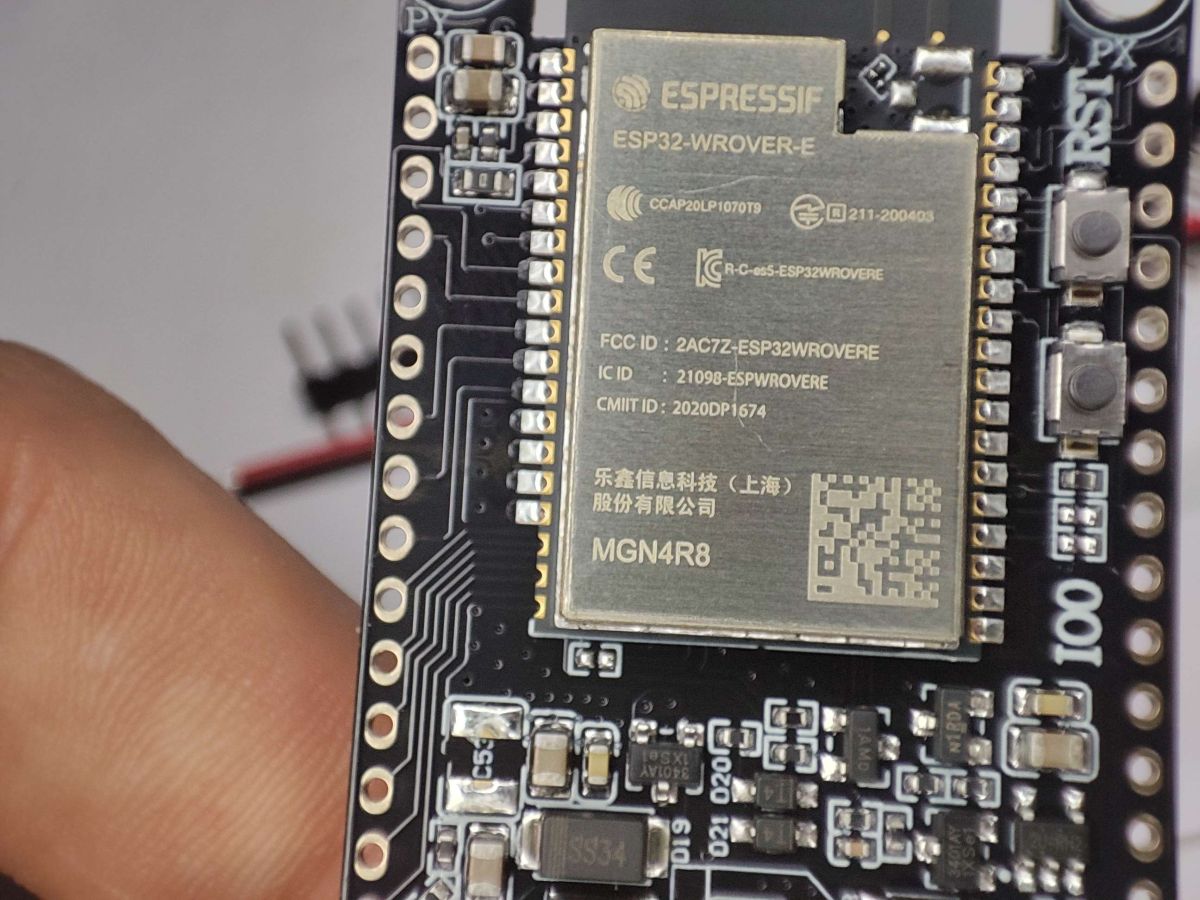
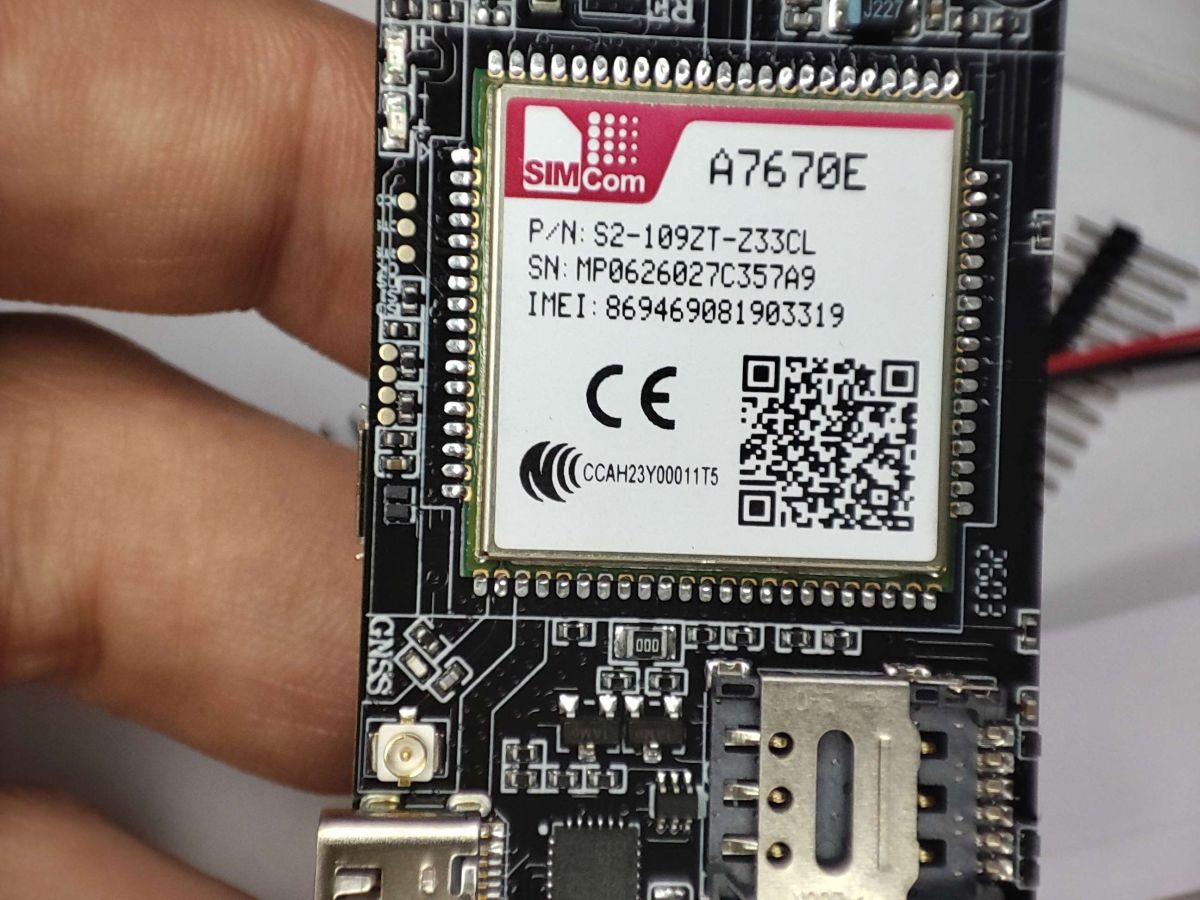
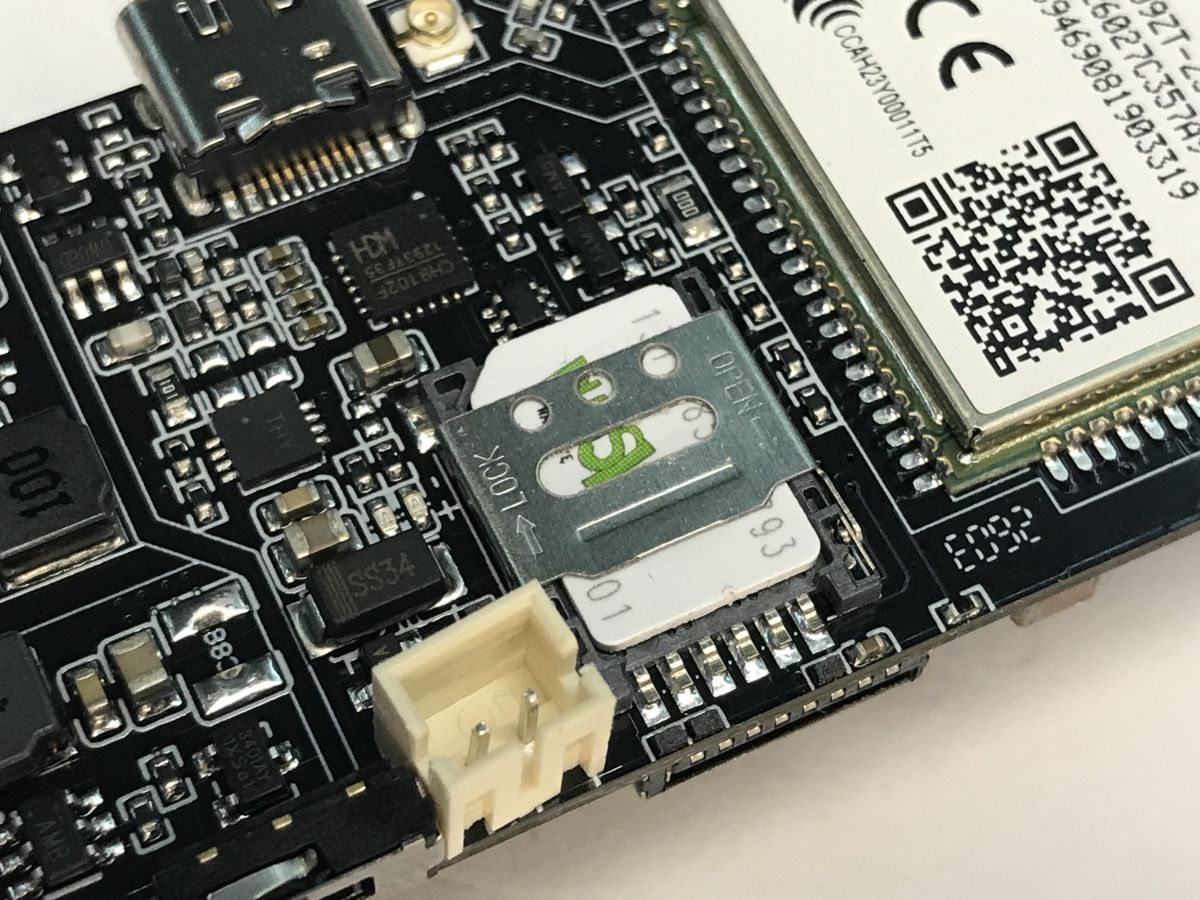
On the board, we can see the aforementioned ESP32-WROVER-E module connected to a SIMCom A7670E mobile modem. The PCB is cleverly designed for portable IoT projects – a holder for an 18650 Li-Ion cell is integrated on the reverse side, allowing for many hours of operation without an external power supply. There is also space here for a microSD card slot (ideal for system logs and measurements) and a nanoSIM card slot. Thanks to the use of the well-known ESP32, the board retains full support for 2.4 GHz Wi-Fi interfaces and Bluetooth communication (the chip supports both classic Bluetooth and its energy-efficient version, BLE – Bluetooth Low Energy).
Pins:
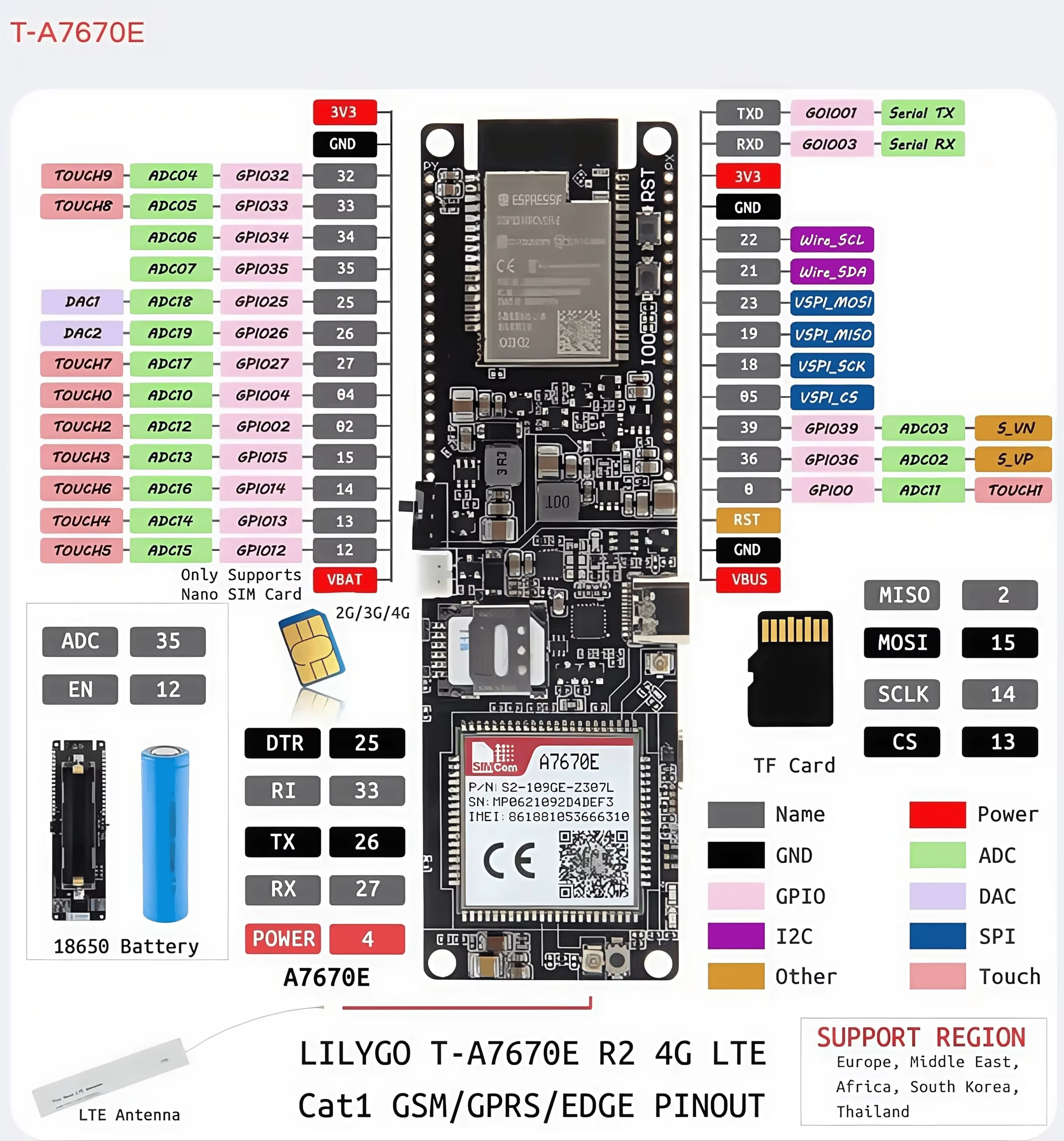
Specifications:
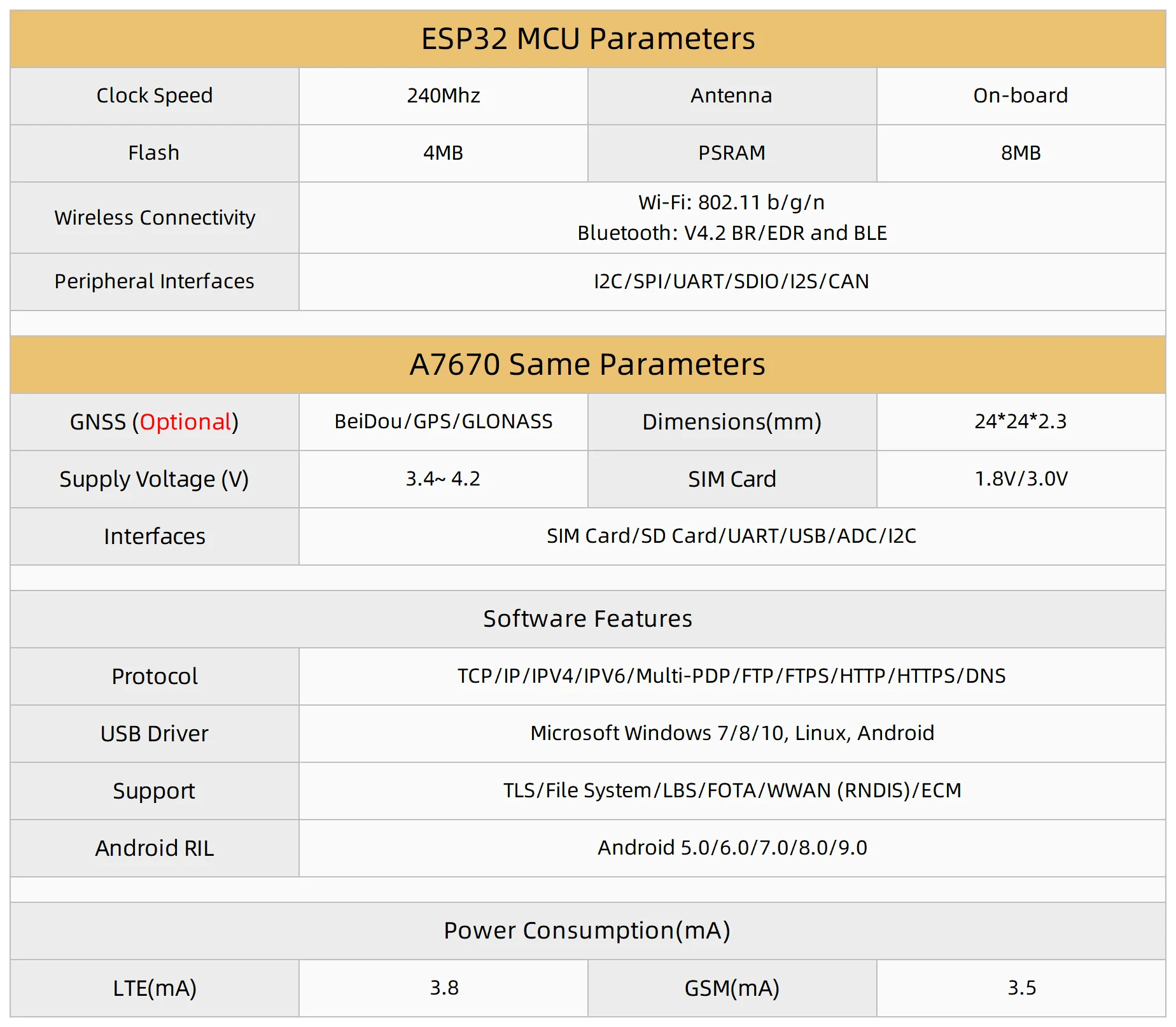
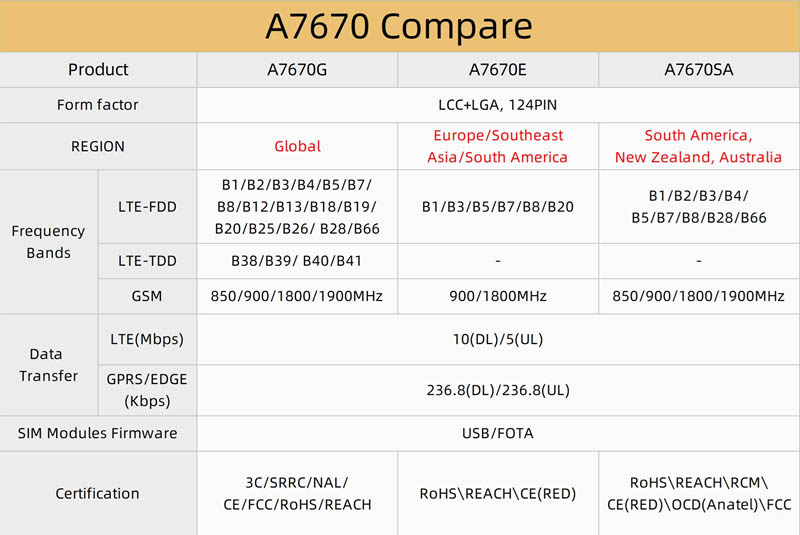
Three versions are available – depending on the region – A7670G, A7670E, A7670SA:
The A7670 module communicates with the ESP32 via the UART interface and is controlled using AT commands, although we will use a ready-made library for this.
PLEASE NOTE! A SIM card is essential
Important note: without an active nanoSIM card, we will not be able to connect to the network. Although the modem will initialise correctly and respond to AT commands, attempts to run the code without a card will hang whilst waiting for the SIM_READY status or network registration. Please also ensure that the card is not PIN-locked (or remove the PIN via software).
How do I send an SMS via the A7670E?
To start with, the simplest test – sending an SMS to the specified number. The script below was written for PlatformIO, but it will work just as well in the Arduino IDE.
[env:esp32dev]
platform = espressif32
board = esp32dev
framework = arduino
monitor_speed = 115200
upload_port = COM22
monitor_port = COM22
lib_deps =
    https://github.com/lewisxhe/TinyGSM-fork.git
It is essential to use the "TinyGSM-fork" library, as the standard "TinyGSM" has had issues with chips in this series. The script also demonstrates the sequence for waking the modem from sleep mode (turning on the power and ‘pressing’ the PWRKEY button via software).
Code: C / C++
Result:
The network registration process went smoothly – the SMS message reached its destination.
How do I make an HTTP connection via the A7670E?
The next test is a standard HTTP connection. We will use the "ArduinoHttpClient" library in conjunction with "TinyGSM" to retrieve data via a GET request from the test server ("vsh.pp.ua") and output it to the serial port. Just remember to replace the APN in the code with your own.
Code: C / C++
Result:
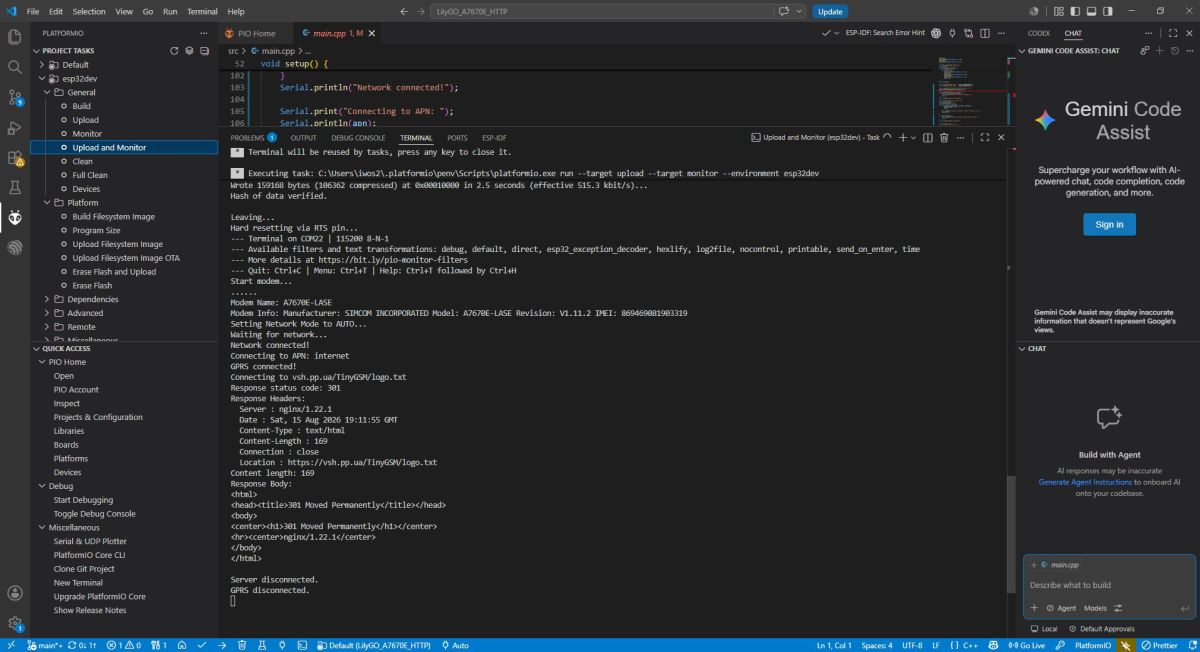
The connection to the server was successful, but the server is attempting to redirect us to the encrypted version of the page. This is becoming increasingly essential in today’s internet. For this reason, we will now handle HTTPS.
How do I establish an HTTPS connection via the A7670E?
Nowadays, HTTP alone is often insufficient. Instead of the “TinyGsmClientSecure” library (which relies on the modem’s SSL sockets), the code below directly utilises the built-in AT commands for HTTPS (“modem.https_begin()”), which tends to be more stable on the A7670E. In both cases, the modem’s hardware-based TLS relieves the microcontroller of the burden of cryptographic calculations. Note: in the demonstration code, validation of the certificate’s date against the modem’s RTC has been deliberately omitted (“ignorertctime”). Whilst this is a convenience in the demo, in production it is a flaw that leaves the system vulnerable to MITM attacks.
Code: C / C++
Result:
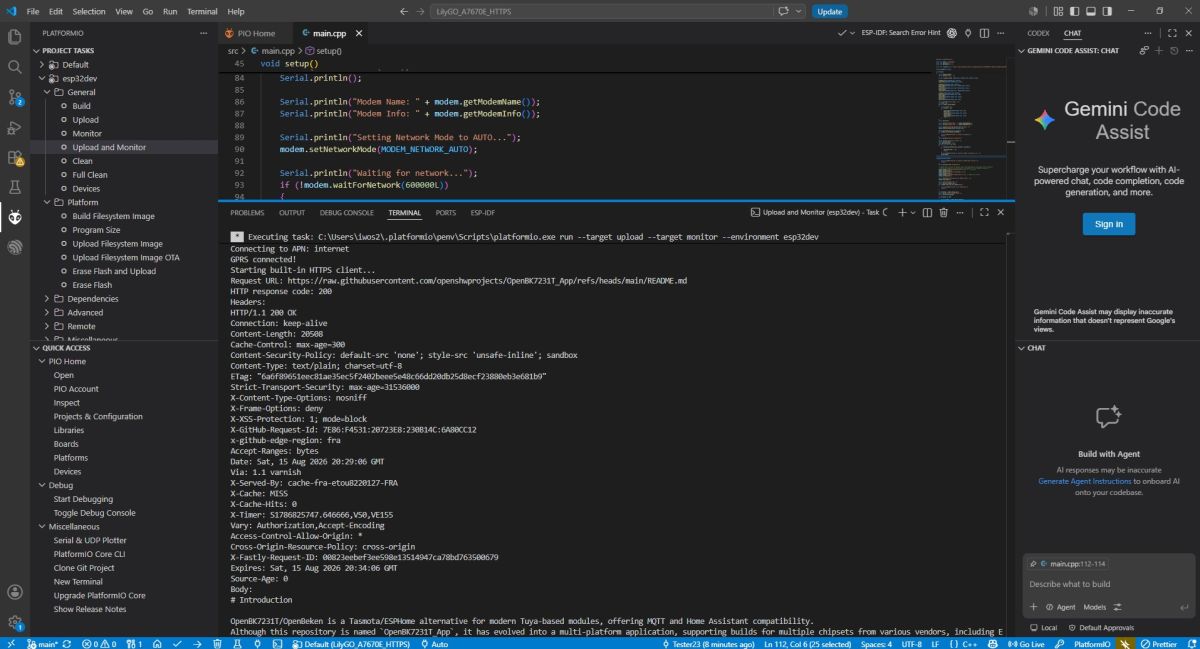
A secure connection to the server has been established – the system correctly handled the encrypted communication and downloaded the file content. In this case, the Readme for my OBK project from GitHub was downloaded.
Summary
The LilyGO T-A7670E R2 is an easy-to-set-up and versatile design, ideal for a wide range of IoT projects. The integration of a high-performance ESP32 microcontroller with an LTE Cat. 1 module enables the seamless development of systems that do not rely on a constant Wi-Fi connection, such as trackers, telemetry stations or emergency notification systems with SMS support. The inclusion of an 18650 battery holder and a microSD card reader means that, once unpacked and programmed, the board is ready for use in the field. Thanks to extensive support from the open-source community and the availability of suitable, ready-made libraries, operating such a feature-rich device is extremely straightforward even for a novice hobbyist, making it a solid foundation for projects requiring reliable connectivity.
Have you used A7670E in your projects?
p.kaczmarek2 wrote 14825 posts with
rating 12999 , helped 659 times.
Been with us since 2014 year.
Comments
The A7670 is an old modem; I’m not sure if it’s still being manufactured, but they have some in stock in China. There are now newer models, the 7672 and 7676, and the 7673 was also due to be available.... [Read more]