logo elektroda
logo elektroda
X
logo elektroda

Samsung UE40EH5300 TV: Affordable WiFi Adapter Recommendations - D-Link DWA-140 & More

matinaszek 72826 39
Best answers

What cheap Wi‑Fi adapter replacement will work with a Samsung UE40EH5300 TV?

For the UE40EH5300, the safest choice is the original Samsung USB Wi‑Fi dongle WIS09ABGNX or WIS12ABGNX; one user reports that the original WIS09ABGNX adapter works with the TV without problems [#13413777][#13895188] Cheap third‑party client routers like the TP‑LINK TL‑WR702N/TL‑WR710N were tried by several people and often did not work with this Samsung TV, even though they worked with other devices [#11582972][#13882361][#15774562] If the TV has a LAN port, several replies recommend skipping Wi‑Fi altogether and using PLC/powerline or a small router in client/AP mode connected by Ethernet instead [#13414479][#11125173] Modified or “replacement” adapters from marketplaces may work, but the thread treats them as a risk rather than a guaranteed solution [#11125515][#11125535]
Generated by the language model.
ADVERTISEMENT
Treść została przetłumaczona polish » english Zobacz oryginalną wersję tematu
  • ADVERTISEMENT
  • #32 14389084
    FineLine
    Level 9  
    Posts: 5
    Thanks for the answer, looks promising :) I'll try, we'll see what comes out.
    Yes, I suspected that this problem was the result of Samsung's deliberate treatment - ugly practice, Apple-style play.
  • #33 15774454
    Daniels111
    Level 10  
    Posts: 86
    Rate: 8
    Hello.
    I have a Samsung LE40C650 TV. I wanted to run Wi-Fi on it.
    On the Allegro I found such cards:
    http://allegro.pl/adapter-wifi-n-samsung-zast-wis12abgn-wis12abgnx-i4836461979.html
    http://allegro.pl/adapter-wifi-samsung-wis12abgn-wis12abgnx-300mb-s-i5435445384.html
    http://allegro.pl/adapter-wifi-samsung-300mb-s-wis12abgn-x-wis09abgn-i5769133150.html

    Any of them will work 100%?

    I read the page linked at the beginning of this topic (on SamyGO) and maybe I could handle it, but a bit too much effort. Maybe today these devices from Allegro are 100% "plug & play"? I mean, I plug it in and it works, I don't have to change the firmware, PIDs, drivers, etc.

    I would prefer not to update the firmware on TV, because the one that I have (from 2010) is praised by the most people, and in the newer ones they allegedly spoiled more and more things, blocked and removed options.

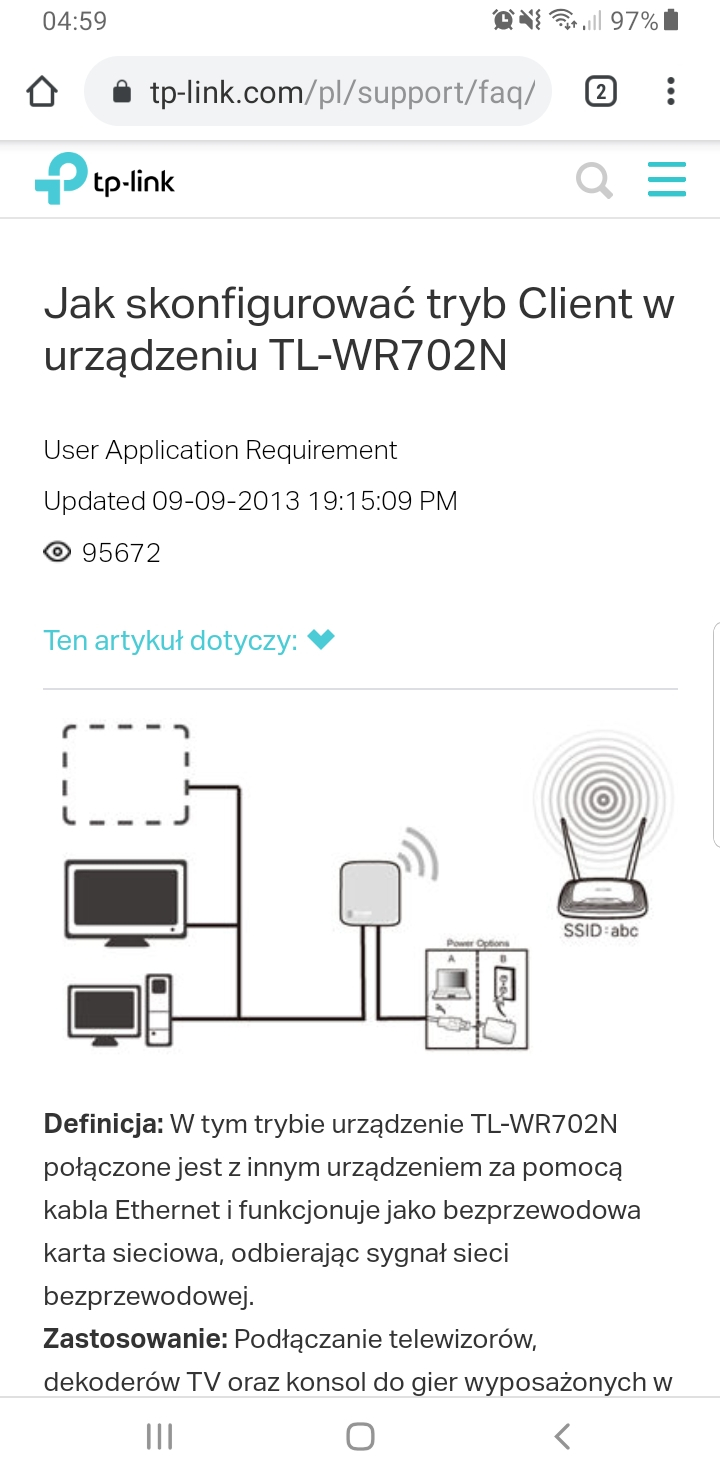
    Or maybe a better option will be a router, eg TP-Link TL-WR702N in AP Client mode? Or Air Live N.MINI?
    The TV is a dozen or so meters away from the router and there are walls on the way, so such a USB card may no longer catch, and the router should. My main router is TP-Link TD-W8960N.

    Does it have a chance to work?
  • ADVERTISEMENT
  • #34 15774562
    FineLine
    Level 9  
    Posts: 5
    Hello,

    I bought the TP-LINK TL-WR710N nano router, which is practically the same device as you propose. Nice gadget but with my Samsung TV in AP client mode it does not work - I wasted many hours and failed to get the TV to work together. In general, Samsung discouraged me from using its products - the amount of work they put into making life difficult for users of their equipment by various limitations is impressive.

    I have the original Samsung WIS09ABGNX / XEC 2009 wifi adapter - I've been using it for 5 years. He's a bit fickle about signal strength, but of course it works.

    Greetings,
    FL
  • #35 15774580
    hermes-80
    Level 43  
    Posts: 12013
    Help: 1177
    Rate: 740
    And PLC - a better solution than wifi?
  • ADVERTISEMENT
  • #37 15774819
    FineLine
    Level 9  
    Posts: 5
    @Hermes: PLC - this is some alternative idea to wifi in this case. The only question is about Samsung TV - I have the impression that it does not like to work with "strange" solutions.

    @Mate k: I tried with the TP-Link DI-524 router
  • ADVERTISEMENT
  • #38 15775323
    hermes-80
    Level 43  
    Posts: 12013
    Help: 1177
    Rate: 740
    The PLC TV connection is perceived as wired and it is not possible to turn your nose.

Topic summary

✨ The discussion revolves around finding affordable WiFi adapter options for the Samsung UE40EH5300 TV. Users recommend several alternatives, including the D-Link DWA-140, TP-LINK TL-WA500G, TL-WR702N, and other models that can be configured in client mode to connect the TV to the internet via Ethernet. Some users express concerns about compatibility and performance, particularly with streaming video. The original Samsung adapters, WIS09ABGN and WIS12ABGNX, are also mentioned as reliable options. Users share experiences with various configurations and troubleshooting steps, highlighting the challenges of using non-Samsung devices and the importance of proper setup for successful connectivity.
Generated by the language model.

FAQ

TL;DR: MPEG-4 HD streaming needs only 5 Mbps, yet Samsung UE40EH5300 often rejects generic Wi-Fi dongles—“add 20 PLN and you have peace” [Elektroda, rwisniewski1, #11629152; polczje, #11126046]. Use a TP-Link N-Mini, PLC kit, or original WIS12ABGNX for hassle-free internet.

Why it matters: Picking the right adapter saves hours of failed pairing and buffering.

Quick Facts

• Official Samsung USB dongles: WIS09ABGN (200 Mbps) & WIS12ABGNX (300 Mbps) [Samsung Datasheet, 2012]. • Auction price for originals: approx. PLN 100–150 (mid-2016 Allegro listings) [Elektroda, Daniels111, post #15774454] • TP-Link TL-WR702N/WR710N: 150 Mbps 802.11n; works in Client mode if set correctly [Elektroda, Michal2211pl, post #18156917] • PLC AV500 starter kit: ~500 Mbps link, PLN 140 retail [TP-Link, 2020]. • Real 802.11g throughput ≈ 25 Mbps under good conditions [Elektroda, hermes-80, post #11629347]

Which USB Wi-Fi adapters does Samsung UE40EH5300 officially support?

Samsung lists two: WIS09ABGN (2009) and WIS12ABGNX (2012). Both use 802.11n and appear in the TV’s on-screen compatible list [Samsung Datasheet, 2012; Elektroda, zeeuss86, #13413777].

Will a D-Link DWA-140 dongle work out of the box?

Sometimes, but success is model- and firmware-dependent. Users report mixed results and warn against “refurbished” cards sold online [Elektroda, matinaszek, #11077760; hermes-80, #11125535]. Expect to reflash PID/VID or risk rejection by the TV.

What is the lowest-cost reliable alternative?

A nano access point such as AirLive N.MINI or TP-Link TL-WR702N in pure Client mode costs ~PLN 80 and delivers 300 Mbps on 802.11n [Elektroda, hermes-80, #11125173; Michal2211pl, #18156917].

How do I set up a TL-WR702N/WR710N for the TV?

  1. Reset router and log in via cable.
  2. Select Client mode, join your main SSID, save.
  3. Disable its DHCP, assign static IP in TV menu. This three-step method solved connectivity for several owners [Elektroda, Michal2211pl, post #18156917]

Why does the TV see the gateway but still shows "No Internet" over client bridges?

Bridges can mask the TV’s MAC, so Samsung’s firmware blocks traffic. Enter static IP, mask, gateway and DNS in the TV, then expose gateway & DNS in the AP Client [Elektroda, hermes-80, post #11608783]

Is 802.11g fast enough for HD streaming?

Yes for most content. HD MPEG-4 averages 5 Mbps; real 802.11g delivers 20–25 Mbps, leaving a 3–4× headroom [Elektroda, rwisniewski1, #11629152; hermes-80, #11629347].

Are PLC (Power-Line Communication) adapters a better choice?

Often yes. The TV treats PLC as wired Ethernet, bypassing USB limitations. AV500 kits provide up to 200 Mbps usable bandwidth and near-zero dropouts through household wiring [Elektroda, hermes-80, #13414479; TP-Link, 2020].

Can I rely on WDS bridge or repeater mode instead of Client?

Users with WR740N and WR710N in WDS/repeater mode report Internet failure despite LAN access [Elektroda, ducall, #11489308; FineLine, #13882361]. Stick to Client mode or wired solutions.

How do I manually assign network settings on the TV?

Menu → Network → Network Settings → IP Settings. Disable DHCP, then enter IP, Subnet Mask, Gateway and DNS from your main router. This bypasses certain handshake bugs [Elektroda, hermes-80, post #11608783]

Are refurbished or PID-patched dongles from auctions safe?

Risky. Sellers admit cards are “stimulated after resuscitation,” meaning used boards with flashed IDs. Spend an extra PLN 20 on a new N.MINI and avoid early failure [Elektroda, hermes-80, post #11125535]

How much bandwidth do Smart TV apps like YouTube or Netflix need?

SD: 2 Mbps, HD: 5 Mbps, 4K: 15–25 Mbps [Netflix Help, 2023]. Even 802.11g handles HD, but 802.11n or PLC is safer for 4K.

Edge-case: TL-WR702N still fails after correct setup—what next?

Update TV firmware, then reset network. If failure persists, try PLC or an original Samsung dongle; client mode success isn’t universal [Elektroda, skorpiontom, #11594694; FineLine, #13895188].

Does a TV firmware update change adapter compatibility?

Yes. Updates add MAC tables and bug fixes. Several owners regained connectivity after flashing the latest firmware [Elektroda, FineLine, #13882366; hermes-80, #11608783].

Can I turn a generic dongle into a Samsung-compatible one?

Yes by editing PID/VID and loading SamyGO-compatible firmware. A full guide covers ID spoofing and driver files [Elektroda, Ostry50, post #14386212] "DIY saves 70 % but voids warranty," warns modders [Thread Guide, 2015].

Why does Samsung limit USB Wi-Fi compatibility?

Firmware whitelists ensure driver stability and lock customers into licensed accessories, similar to Apple’s MFi program [Elektroda, FineLine, post #14389084]

Quick test: how can I confirm my network is fast enough?

Run a LAN speed test app on a laptop wired through the same client or PLC adapter. Aim for ≥10 Mbps sustained; below that, switch to cable or PLC.
Generated by the language model.
ADVERTISEMENT