FAQ
TL;DR: iPhone 6 that flashes the Apple logo 3 times and dies is in a boot-loop; one user also saw only 1-in-10 boots succeed. “waiting for the iPhone” in iTunes points to a DFU/comm issue. [Elektroda, KarMixx, post #16687975]
Why it matters: This FAQ helps DIY fixers diagnose whether the fault is software, a shorted flex, battery, or logic board so they can act fast.
Quick Facts
- Symptom snapshot: Apple logo appears three times, then the phone shuts off (boot-loop behavior). [Elektroda, KarMixx, post #16687735]
- DFU can connect, yet iTunes may hang at “waiting for the iPhone,” indicating comms or storage-side trouble. [Elektroda, gsmowiec, post #16688623]
- Warming the logic board revived the phone briefly, a classic sign of intermittent hardware faults. [Elektroda, KarMixx, post #16687975]
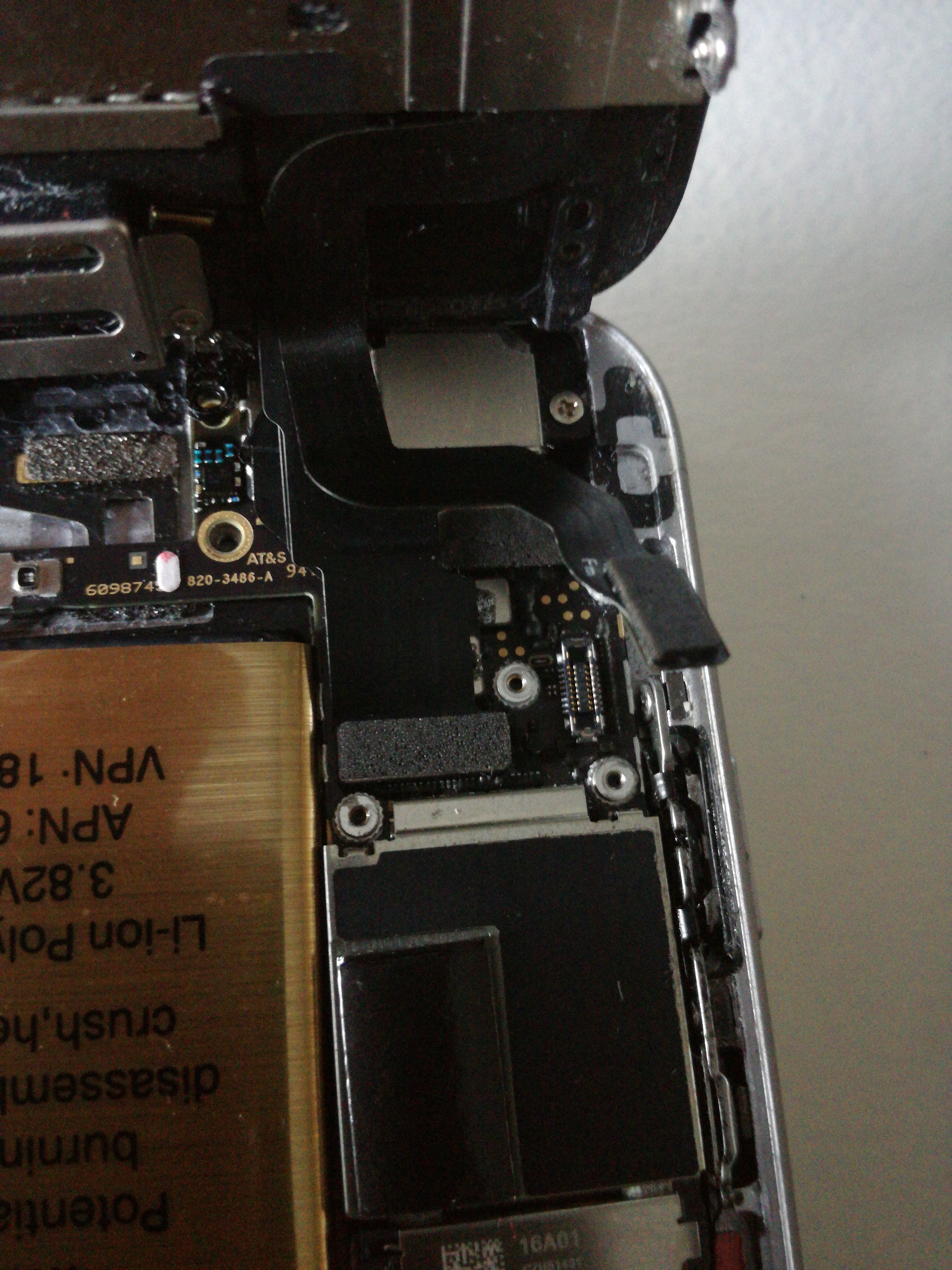
- Connecting the home-button flex prevented boot; that cable was identified as the culprit. [Elektroda, gsmowiec, post #16688975]
- Root causes called out: short circuit, flooding, or mechanical damage to the flex/board. [Elektroda, RafalB, post #16689524]
What does it mean when my iPhone 6 shows the Apple logo three times and shuts off?
That pattern indicates a boot-loop tied to hardware instability. In this thread, the device either looped the logo or died. A shorted flex or board fault is likely. “Because it’s broken” sums up the diagnosis when a flex prevents boot. Replace the damaged part to proceed. [Elektroda, RafalB, post #16689524]
How can I tell if it’s software or hardware?
If iTunes stays on “waiting for the iPhone,” suspect drivers on the PC, NAND/storage, or board-level faults. If heating or flex isolation changes behavior, hardware is implicated. Software-only faults rarely react to cable disconnects. Start with clean drivers, then isolate flexes. [Elektroda, gsmowiec, post #16688623]
Can DFU restore fix this if the phone has a passcode?
DFU connection was achieved here, but iTunes stalled at “waiting for the iPhone.” That shows DFU alone didn’t resolve the fault. Address hardware or communication problems first, then attempt restore. Passcode didn’t block DFU entry in the reported case. [Elektroda, KarMixx, post #16687975]
iTunes is stuck on “waiting for the iPhone.” What should I try next?
Treat this as a communication or storage-layer issue. Check USB drivers and cable, try another PC, then assess NAND or board. One expert noted it could be drivers or “nand or something else.” If multiple PCs fail, proceed to hardware diagnostics. [Elektroda, gsmowiec, post #16688623]
Heating the logic board makes it boot briefly—what does that imply?
Thermal changes temporarily restore marginal joints or components. In this case, warming revived the phone, but it shut off again. That suggests an intermittent board fault, not a pure software issue. Plan for hardware repair or micro-solder work. [Elektroda, KarMixx, post #16687975]
Which cable can stop an iPhone 6 from booting if it’s damaged?
The home-button flex. The thread shows booting resumed when that flex was disconnected. Reconnecting a damaged flex reintroduced the failure. Replace the flex or screen assembly if it’s torn or shorted. [Elektroda, gsmowiec, post #16688975]
Why does connecting the home-button flex kill the boot?
A shorted or mechanically damaged flex can pull down a line, halting startup. The recommended remedy was replacement, since root causes include short circuit, liquid, or physical damage. “Short circuit, flooding, mechanical damage.” [Elektroda, RafalB, post #16689524]
Is it okay to test with cheap third‑party batteries?
Low‑quality batteries complicate diagnosis and can mask faults. One responder called out “tacky Chinese batteries.” Use a known‑good, trusted battery to avoid chasing false leads during troubleshooting. [Elektroda, gsmowiec, post #16688975]
Should I measure motherboard power draw with a bench PSU?
Yes. Verifying board current helps separate shorts from software faults. A pro advised checking motherboard consumption and also swapping the screen, flex, and battery for control tests. This narrows the failure domain quickly. [Elektroda, RafalB, post #16687806]
Quick 3‑step isolation test for a shorted flex?
- Disconnect the home-button flex and attempt to boot.
- If it boots, keep the phone on, then reconnect the flex carefully.
- Observe if the phone keeps running; if it fails, replace that flex.
[Elektroda, KarMixx, post #16688642]
Does replacing the screen assembly and home-button flex actually help?
It often does when a damaged flex causes the loop. An expert advised, “Replace the screen and tape as well as the battery.” Swap known‑good parts to confirm, then install new components. [Elektroda, RafalB, post #16687806]
I get one successful boot in 10 attempts—what does that statistic suggest?
A 10% success rate indicates marginal hardware. Intermittent shorts or failing joints can pass self‑tests sporadically. This aligns with the report: once every 10 tries the logo appeared, then it died again. Plan for hardware repair, not software. [Elektroda, KarMixx, post #16687975]
What is DFU mode, in simple terms?
DFU (Device Firmware Update) is a low‑level state that lets iTunes communicate to reinstall firmware. In the case discussed, DFU connected but restore didn’t proceed, reinforcing a hardware issue. Use DFU after hardware isolation. [Elektroda, KarMixx, post #16687975]
Edge case: It ran 10 minutes after reconnecting the flex—should I trust it?
No. Temporary operation after reconnecting a suspect flex signals intermittent failure. Expect it to relapse under movement, heat, or time. Replace the flex or assembly and retest before concluding the repair. [Elektroda, KarMixx, post #16688642]
Could this be NAND or logic-board damage instead of the flex?
Yes. A pro highlighted possible driver issues on the PC or a NAND/board problem. If multiple known‑good flexes and batteries still fail, escalate to board‑level diagnostics or service. [Elektroda, gsmowiec, post #16688623]