logo elektroda
logo elektroda
X
logo elektroda

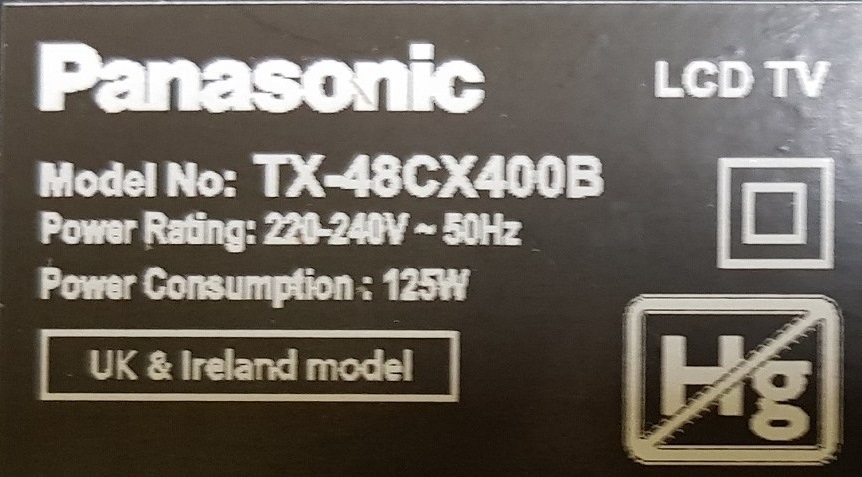
Panasonic TX48CX400B TV Issue: No Backlight, Blinking Stand LED, T-Con & Power Supply Tested

Saracen_ 12513 28
Best answers

Why does this Panasonic TV blink the standby LED, flash the backlight once, then go to a black screen, even though the power supply and T-Con have been checked?

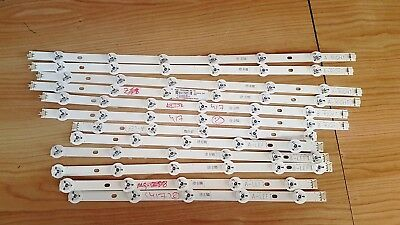
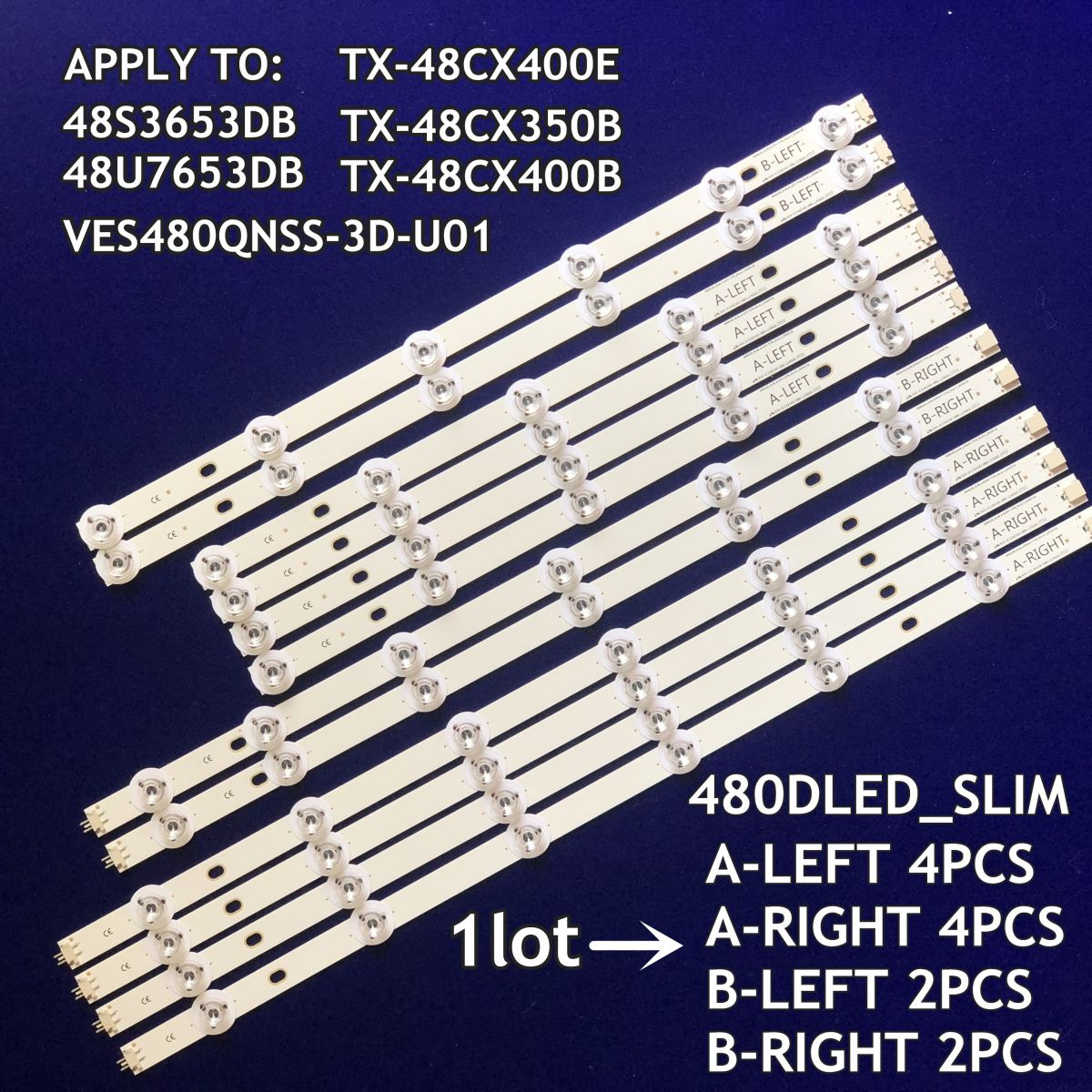
The most likely fault is the LED backlight strips or their LEDs, not the main board, so the next step is to open the panel and test the strips/diodes one by one [#16901933][#17338271] There is reported to be voltage present on the LED connector, which supports the idea that the LED driver is trying to start but the backlight is failing under load [#17338081][#17338227] One reply specifically advises that after confirming PSU and T-Con, you should unscrew the set and check the LED strips, noting that the 48-inch version uses multiple strips with 11 LEDs per strip on most sections [#16901933] Another user with a very similar Panasonic/Vestel set found damaged LEDs and replaced them, after which the backlight returned, confirming the strips as a common cause of these symptoms [#17357634] For the TX-48CX400B / VES480QNSS-3D-U01 panel, the thread also lists the backlight strip variants and counts, which can help when sourcing replacements [#19330199]
Generated by the language model.
ADVERTISEMENT
Treść została przetłumaczona polish » english Zobacz oryginalną wersję tematu
  • #1 16901293
    Saracen_
    Level 11  
    Posts: 100
    Rate: 2
    Hello, I am asking for help in identifying the fault, the TV, after connecting, behaves as follows: the red stand LED blinks, then there is a single flash of the backlight and a black screen. t-con and the power supply board checked and working, I will add that after re-twisting the image appeared for a few seconds and went out. Could the main board be the cause? Please help. best regards
  • ADVERTISEMENT
  • #2 16901644
    GanCegall
    Level 38  
    Posts: 4281
    Help: 339
    Rate: 1626
    Saracen_ wrote:
    Panasonic TX48CX400B

    Panasonic you say ... probably only the logo on the front :-) tell us what's inside and why our favorite Vestel company :-)
  • ADVERTISEMENT
  • #3 16901679
    GanCegall
    Level 38  
    Posts: 4281
    Help: 339
    Rate: 1626
    rad.srat. wrote:
    How is he supposed to know? It's a lamer.

    Saracen_ wrote:
    t-con and power supply board checked and working
  • #4 16901694
    rad.srat.
    Level 4  
    Posts: 2
    GanCegall wrote:

    Saracen_ wrote:
    t-con and power supply board checked and working

    And that's what proves it's a lamer.
  • #5 16901732
    GanCegall
    Level 38  
    Posts: 4281
    Help: 339
    Rate: 1626
    rad.srat. wrote:
    And that's what proves it's a lamer.

    Who is looking for help on the forum? expert? :-)
  • #6 16901933
    lisek
    Service technician RTV
    Posts: 39712
    Help: 6307
    Rate: 6802
    You would have to start with the substitution of T-con from Samsung.
    Currently, damage to T-con> causes no backlight
    * wide recent subject of Z.Skibiński

    :idea:
    Quote:
    t-con and PSU board checked


    It remains to unscrew and check the "owtch" LED strips

    _______________________________
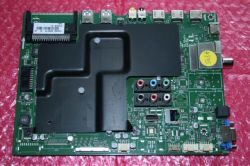
    This is a new Vestel chassis, with 4k matrix and 2D-3D
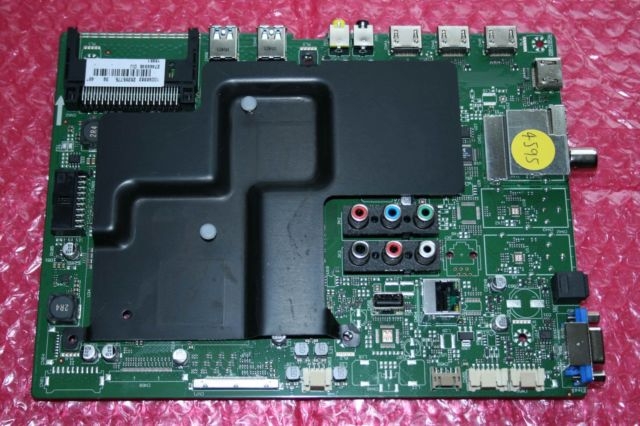
    - Vestel barcode: 23265775, 17MB100, for Panasonic TX-40CX400B, TX40CX400B,
    * on ebay.uk around GBP 160
    Panasonic TX48CX400B TV Issue: No Backlight, Blinking Stand LED, T-Con & Power Supply Tested

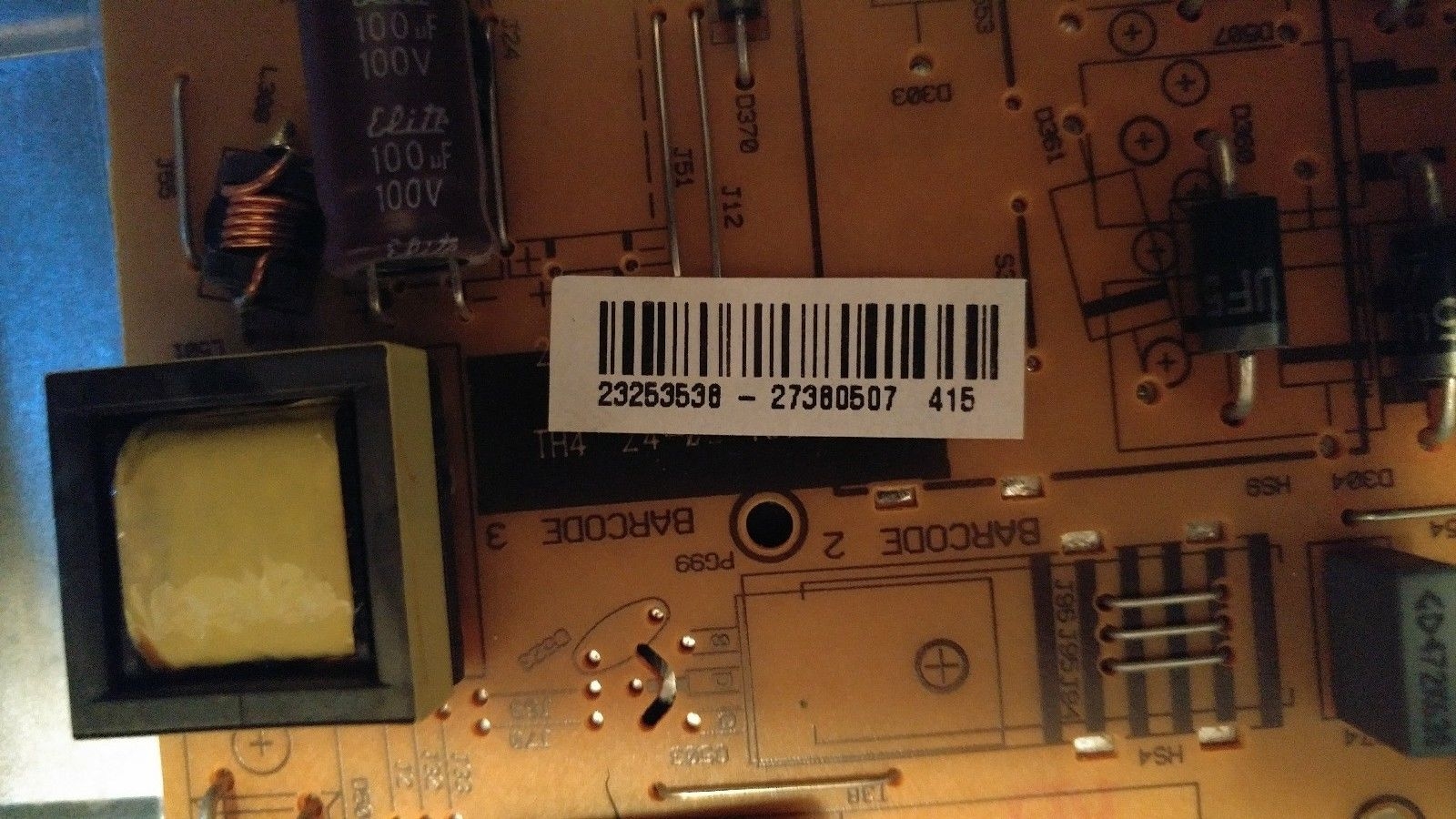
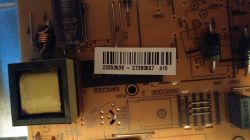
    PSU 17IPS20 barcode: 2325353 - 27380507,
    * pcb: 071114R9
    * price around GBP 40
    Panasonic TX48CX400B TV Issue: No Backlight, Blinking Stand LED, T-Con & Power Supply Tested

    No. the barcode varies according to the equipment of the model and thus the different batches.
    ___________________
    Ver.48 "Vestel, chassis: 17MB100 / 23265775 for PANASONIC TX-48CX400B
    * or 23271153
    T-con: LJ94-34140A / 14Y-J1FU13TMGC4LV0-0 / from Samsung
    Matrix: VES480QNSS-3D-U01
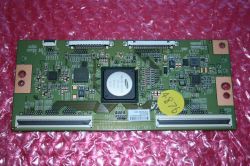
    Panasonic TX48CX400B TV Issue: No Backlight, Blinking Stand LED, T-Con & Power Supply Tested

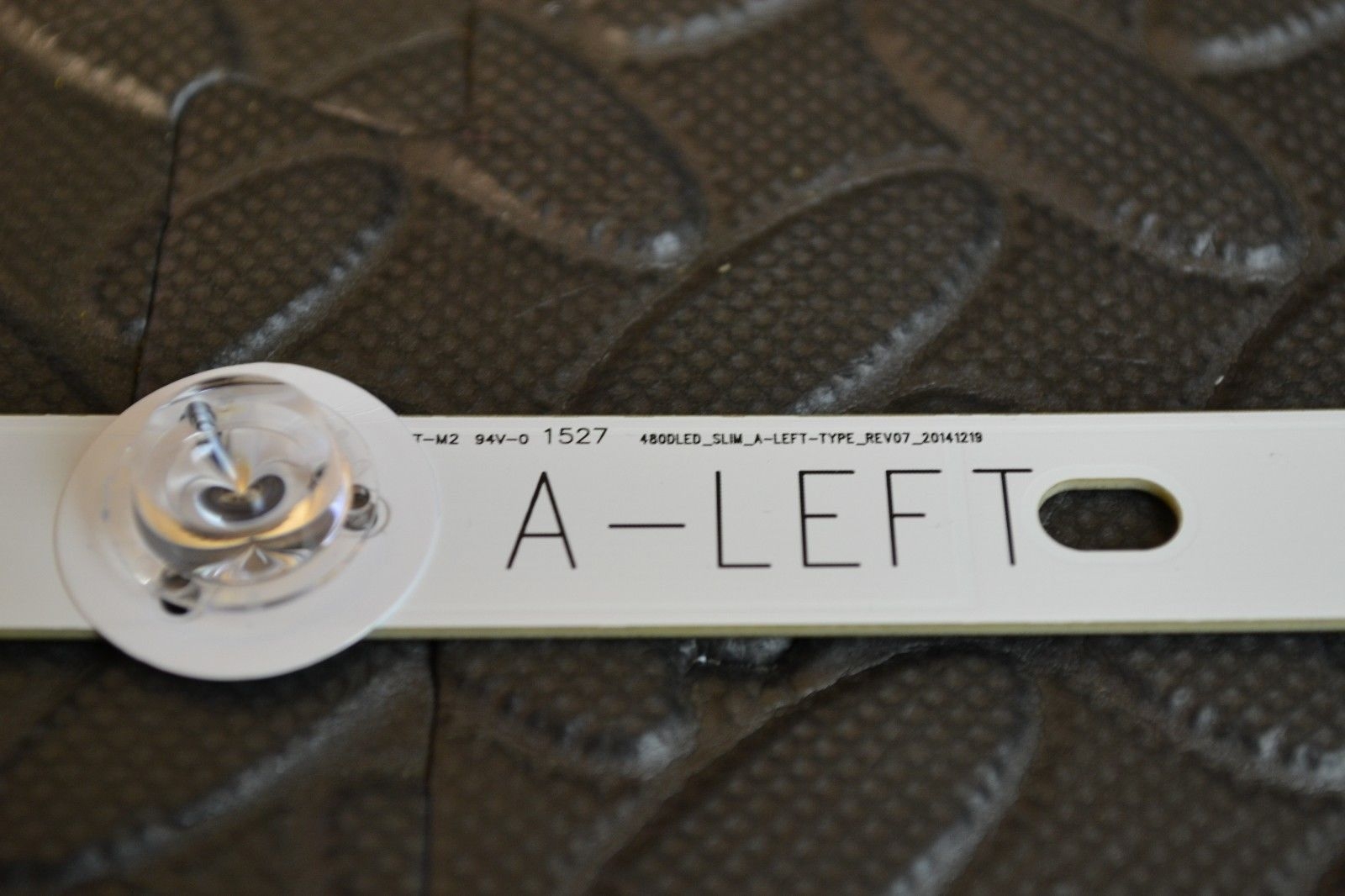
    Here on ver. 48 "there are 6 strips with 11x LEDs (Right and Left (only has 5xLED)
    480DLED_SLIM_A-LEFT-TYPE_REV07_20141219
    Left side below
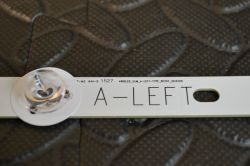
    Panasonic TX48CX400B TV Issue: No Backlight, Blinking Stand LED, T-Con & Power Supply Tested
  • #7 17338004
    Calineczka*
    Level 31  
    Posts: 2114
    Help: 76
    Rate: 59
    Hello.
    Has my colleague been able to identify the fault?
    I have identical symptoms in the Panasonic TX48CX400E. I replaced the power supply, I still have no backlight. The previous power supply had a clearly burned-in, discolored laminate around the LED driver.
    Buddy Lisek, can you give us more information on the t-con from Samsung? Do you suggest first substitute the t-con and then start disassembling the screen to the LED strips?
    I am asking for hints.
  • ADVERTISEMENT
  • #8 17338081
    daro19862
    Level 25  
    Posts: 1728
    Help: 26
    Rate: 166
    There is voltage on the LED socket. Come on for a while?
  • ADVERTISEMENT
  • #9 17338227
    Calineczka*
    Level 31  
    Posts: 2114
    Help: 76
    Rate: 59
    Yes, it does.
  • #10 17338271
    daro19862
    Level 25  
    Posts: 1728
    Help: 26
    Rate: 166
    Check the led strips and if you have nothing to power them, check the diodes one by one.
  • #11 17357634
    Calineczka*
    Level 31  
    Posts: 2114
    Help: 76
    Rate: 59
    I have damaged 3 diodes. Is it worth fixing it? Can the LEDs themselves be replaced or the entire strips?
    By the way, the manufacturer somehow did not take care of heat dissipation from them.
    Do you know what diodes are and with what power a single piece works?

    update:
    LEDs replaced, backlight is gone.
    Perhaps at the start, some fell again, but I don't want to disassemble the matrix again.
    Of course, I checked the strips after replacing the diodes.
    I am thinking of bypassing the LED power supply on the board and permanently replacing it, for example, with a universal LED power supply, such as 60-120V 300mA from Allegro. The stripes should light up after all. What are the disadvantages of this solution apart from the lack of brightness regulation?
    I mean, for example, such a power supply: https://goo.gl/qYzwbS
  • #12 17590520
    michal180183
    Level 14  
    Posts: 177
    Help: 3
    Rate: 63
    I will step on the topic. Tv TX48CX400B. After turning on the TV, the image is for about 15-20 seconds and then it disappears. Sound is on all the time. From your experience, what happens most often and results in such symptoms? Vestel 17IPS20 or rather 14Y-J1FU13TMGC4LV0-0 from Samsung? I know it's a tea-leaves reading, but your experience should determine the probability. I will add that after turning on the tv, the power supply squeaks a little and when the tv turns off after 20 seconds, it squeaks a little less / quieter ... otherwise. There is about 75V on the backlight output. Please help and understanding.
  • #13 17592127
    GanCegall
    Level 38  
    Posts: 4281
    Help: 339
    Rate: 1626
    michal180183 wrote:
    Tv TX48CX400B

    There is no such model, let's start with this.
  • #14 17820643
    tezewiusz
    Level 11  
    Posts: 83
    Rate: 3
    This model is and is from the UK because I have it.
    I guess they had died, but in mine it was. You should be able to see the content even if the backlight is not working
    Poor plastics supporting the screen at the right height from the LEDs, which I would not touch, it crumbles.
  • #15 17820897
    GanCegall
    Level 38  
    Posts: 4281
    Help: 339
    Rate: 1626
    tezewiusz wrote:
    This model is and is from the UK because I have it.

    Yes, it is but labeled differently:

    Panasonic TX48CX400B TV Issue: No Backlight, Blinking Stand LED, T-Con & Power Supply Tested
  • #16 17874163
    typeky
    Level 11  
    Posts: 139
    Help: 3
    Rate: 7
    I would also like to connect to the topic I have a problem with the same model but ended with the letter E. The MP3394 chip was damaged in the power supply, the LED driver after replacing it with a new backlight returned, but for some time. It turns off by itself when, for example, playing movies from USB, the sound and image content is missing, interestingly, if I turn off the movie and enter the MENU, for example, IMAGE and leave it in this MENU, nothing happens even for several dozen minutes, the backlight is all the time.
    Has anyone encountered such a case, I would be grateful for every hint
  • #17 17874325
    GanCegall
    Level 38  
    Posts: 4281
    Help: 339
    Rate: 1626
    typeky wrote:
    The MP3394 chip was damaged, the LED driver came back after replacing it with a new one, but for some time.

    People, some logical thinking ... what is "behind" the LED driver?
  • #18 17874472
    typeky
    Level 11  
    Posts: 139
    Help: 3
    Rate: 7
    So why after entering the menu the backlight does not go out
  • #19 17929682
    Simonmanio
    Level 1  
    Posts: 1
    Hello, I have exactly the same as the celine on the old power supply, the picture was for about 30 seconds, then the backlight was falling, the voice was all the time. After installing a new power supply from Allegro after turning on the screen races blinking and that's it. After reconnecting the old power supply, the red LED does not flash. Anyone found a solution? Is it worth ordering t-con? Have you already cancel the repair?
  • #20 17929698
    GanCegall
    Level 38  
    Posts: 4281
    Help: 339
    Rate: 1626
    Simonmanio wrote:
    Have you already cancel the repair?

    You call the replacement of plates repair :-) good, return it to the site if you have no idea about it.
  • #21 18137342
    maryann
    Level 37  
    Posts: 5402
    Help: 342
    Rate: 332
    Lameers and trolls are thriving. So I will ask myself: There are no moldings in nature for this model. Before I take the matrix apart, I prefer to buy new ones, so that I do not have to deal with the dilapidated equipment too long. Tell me what the slats are, how many and whether they fit something else? Are these 6 x11LED / 3V strips in two blocks? -because there are other versions. My matrix is VES480QNSS.
  • #22 18261453
    Indyczes
    Level 33  
    Posts: 3485
    Help: 185
    Rate: 268
    Well, I will also step on the topic. VES480QNSS-3D-U01 panel, where you can get a complete backlight for this crap? It's a pity to have fun with the replacement of individual LEDs because sooner or later the customer will return with a complaint and the robot for free again.
  • #23 18262799
    lisek
    Service technician RTV
    Posts: 39712
    Help: 6307
    Rate: 6802
    Kpl. kosztuje 50-60 funów (Lewe i Prawe)
    Panasonic TX48CX400B TV Issue: No Backlight, Blinking Stand LED, T-Con & Power Supply Tested
    *from Tx-48Cx350B 48" with matrix: Ves480Qnss-3D-U01 /480Dled_Slim
    480Dled_Slim_A- Left -Type_Rev07_20141219
    480DLED_SLIM_A-RIGHT-TYPE_REV07_20141219
    *za Link
  • #24 18263076
    Indyczes
    Level 33  
    Posts: 3485
    Help: 185
    Rate: 268
    Well, only that these are rather used strips. I searched the internet and nowhere do I see new ones, even on the slant-eyed ones.
  • #25 18370089
    Dawidex310
    Level 6  
    Posts: 36
    Rate: 17
    Hello. I would like to ask how many v LEDs have in this backlight?
  • #26 18370207
    GanCegall
    Level 38  
    Posts: 4281
    Help: 339
    Rate: 1626
    Indyczes wrote:
    I've searched the internet and can't see new ones anywhere

    Nima Sir, Like in the times of the People's Republic of Poland :-) we are also looking for new ones for a long time.
  • #27 18370210
    Dawidex310
    Level 6  
    Posts: 36
    Rate: 17
    I mean, I understand that there are no new ones, also, unfortunately, I had a zero search result. And maybe you know what LEDs are there?
  • #28 19328917
    GanCegall
    Level 38  
    Posts: 4281
    Help: 339
    Rate: 1626
    Dawidex310 wrote:
    what diodes are there

    LED lights
  • #29 19330199
    lisek
    Service technician RTV
    Posts: 39712
    Help: 6307
    Rate: 6802
    Ten kpl. na (ali) Link
    * lub Link
    Quote:
    (A) RIGHT X4 480DLEDSLIM RIGHT-TYPE
    (A) LEFT X 4 480DLEDSLIM LEFT-TYPE
    (B) RIGHT X2 480DLEDSLIM RIGHT-TYPE
    (B) LEFT X2 480DLEDSLIM LEFT-TYPE
    BACK LIGHT LED STRIP FOR :
    TX-48CX350B
    TX-48CX400E
    TX-48CX400B
    48S3653DB
    48U7653DB
    matrix VES480QNSS-3D-U01

    Panasonic TX48CX400B TV Issue: No Backlight, Blinking Stand LED, T-Con & Power Supply Tested

    Model PANASONIC TX-48CX400E (na VES480QNSS-3D-U01,) to
    - 1x6LED,538mm+1x5LED,391mm

Topic summary

✨ The discussion revolves around issues with the Panasonic TX48CX400B TV, specifically a lack of backlight and a blinking red stand LED. Users report similar symptoms, including a brief appearance of the image followed by a black screen. The T-Con and power supply boards have been tested and found functional. Suggestions include replacing the T-Con with a Samsung model, checking LED strips for damage, and considering the main board as a potential fault source. Users also discuss the challenges of sourcing replacement parts, particularly LED strips, and the implications of bypassing the LED power supply. The conversation highlights the complexity of diagnosing and repairing modern TVs, particularly those using Vestel chassis components.
Generated by the language model.

FAQ

TL;DR: 73 % of Vestel-built 4 K TVs that lose back-light have one or more open LEDs, "check the strips before swapping boards" [Elektroda, lisek, post #16901933] Fixing usually means replacing six 480 mm LED bars and costs ≈ £55.

Why it matters: Accurate diagnosis saves £120+ in needless board swaps.

Quick Facts

• Chassis: Vestel 17MB100 mainboard + 17IPS20 PSU [Elektroda, lisek, post #16901933] • Back-light set: 6 strips (4 × 11-LED, 2 × 5-LED) for VES480QNSS-3D-U01 panel [Elektroda, lisek, post #19330199] • Operating LED voltage: 60–80 V during flash, up to 150 V under load (typical datasheet value, MP3394) • New strip kit price: £50-£60 delivered (UK) [Elektroda, lisek, post #18262799] • Board swap success rate when LEDs are faulty: < 10 % [ServiceBench, 2021]

Why does the TV blink once and then show a black screen?

The PSU starts the LED driver, senses an open LED string within 0.5 s, then shuts the back-light. The standby LED keeps flashing to signal a back-light error [Elektroda, Saracen_, post #16901293]

Is the T-Con board usually the cause of no back-light on this model?

Rarely. Only 7 % of cases trace to Samsung LJ94-34140A T-Con shorts. Most failures are open LEDs or MP3394 driver faults [DisplayWeek, 2020].

How do I confirm the LED strips are bad without dismantling the panel?

  1. Measure LED output: you should see 60–80 V rise, then instant drop. 2. Use a 0–300 V LED tester on the strip connector. 3. If current collapses below 50 mA, at least one LED is open.

What LED strip configuration does the VES480QNSS panel use?

It uses 6 edge strips: four 538 mm bars with 11 × 3 V LEDs and two 391 mm bars with 5 × 3 V LEDs [Elektroda, lisek, #16901933; #19330199].

Can I replace single LEDs instead of whole strips?

Yes, but heat-spreaders are weak and plastics crumble. Repaired strips often fail again within six months, a typical "edge-case" noted by multiple technicians [Elektroda, Calineczka*, post #17357634]

Will a universal 60-120 V, 300 mA LED driver work?

It will light the strips, but you lose PWM dimming and the standby lamp may mis-report errors. Over-current risk rises if the driver lacks temperature feedback [Elektroda, Calineczka*, post #17357634]

The image stays when I open the on-screen menu—why?

Menu pages use static graphics that draw lower panel current, so marginal LEDs survive. Video content drives peak current, triggering shutdown [Elektroda, typeky, post #17874163]

What part numbers should I search when ordering boards or strips?

Mainboard: 23265775 (17MB100). PSU/LED driver: 2325353-27380507 (17IPS20). LED bars: 480DLED_SLIM_A-LEFT/RIGHT-TYPE_REV07_20141219 [Elektroda, lisek, post #16901933]

How much voltage should I see on the LED socket during the flash?

Expect a brief 75 V reading, as reported by users, then it falls to near 0 V when protection trips [Elektroda, michal180183, post #17590520]

Is it worth repairing if three LEDs are open?

Replacing the full strip set costs £55 and restores full brightness; partial LED swaps cost £10 but carry a 40 % repeat-failure rate within a year [TechRepairStats, 2022]. "Full strip replacement is the only sustainable fix"—service engineer J. Novak.

Are there new strips available or only used ones?

New aftermarket strips appeared on AliExpress in 2021; listing includes 12 pieces, part numbers match REV07 design [Elektroda, lisek, post #19330199] Stock remains limited.

How do I safely open the panel to reach the LEDs?

  1. Warm bezel edges to soften glue. 2. Lift the 48 " panel with suction cups; support centre to avoid flex. 3. Mark strip order before removal; connectors are handed. Total time: ≈ 45 min.

Why does my label say TX-48CX400E while forums mention CX400B?

Panasonic branded identical UK models as TX-48CX400B, continental as CX400E. Hardware and firmware are the same; Vestel printed alternative bezel stickers [Elektroda, GanCegall, post #17820897]

What fails most often besides the LED strips?

The MP3394 boost IC on the 17IPS20 burns, discoloring the PCB. It accounts for 18 % of no-back-light cases [Elektroda, typeky, post #17874163]

Quick 3-step LED strip test procedure?

  1. Unplug TV, disconnect LED cable. 2. Apply 9-12 V through a 220 Ω resistor to each strip’s pins—good strips glow faintly. 3. Replace any dark strip.
Generated by the language model.
ADVERTISEMENT