logo elektroda
logo elektroda
X
logo elektroda

[Solved] GTX 1060 3GB: Nvidia Driver 397.31 Installation Issues, Control Panel & Geforce Experience

stalker2000pl 5727 12
ADVERTISEMENT
Treść została przetłumaczona polish » english Zobacz oryginalną wersję tematu
  • #1 17189022
    stalker2000pl
    Level 5  
    Posts: 34
    Rate: 4
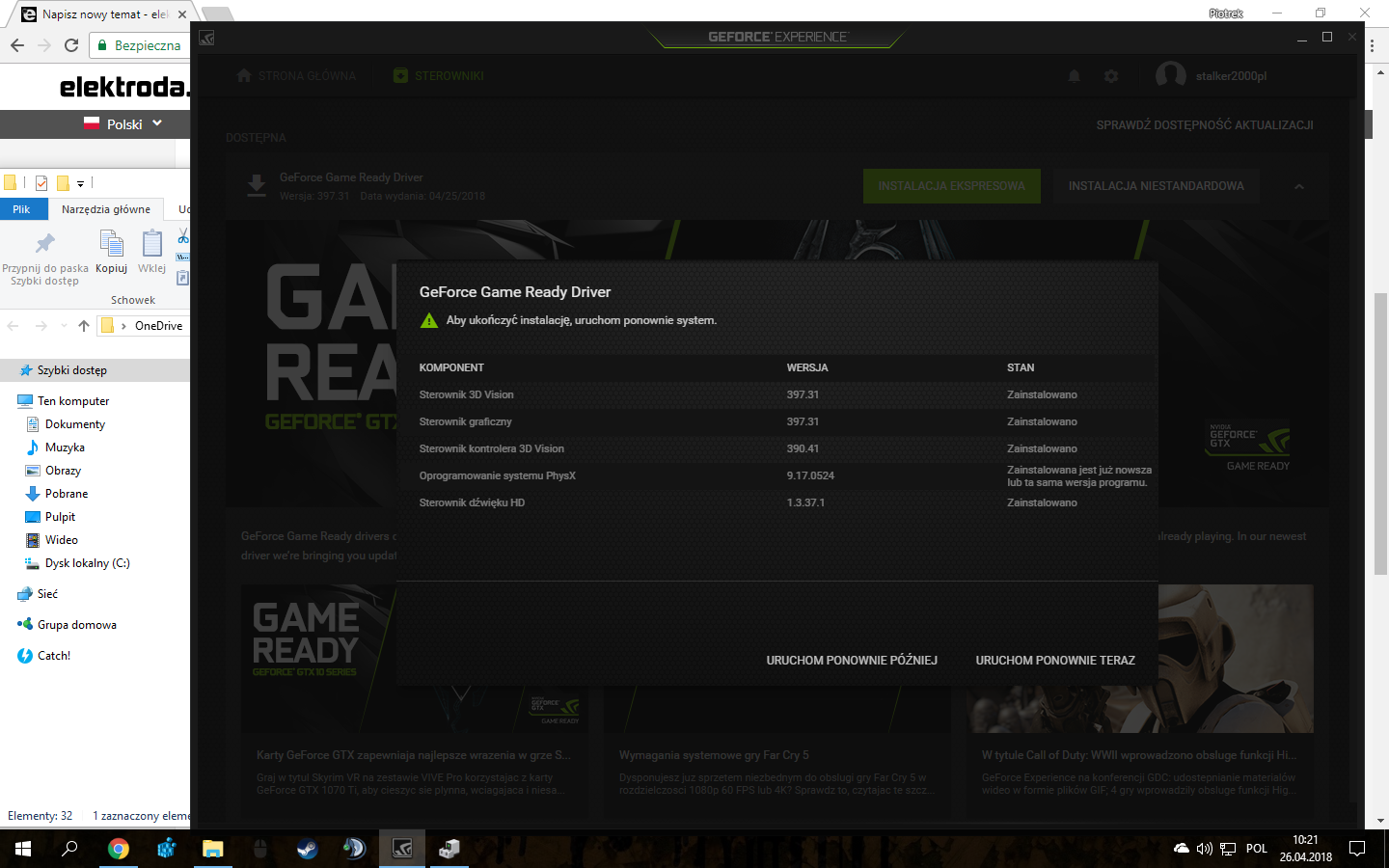
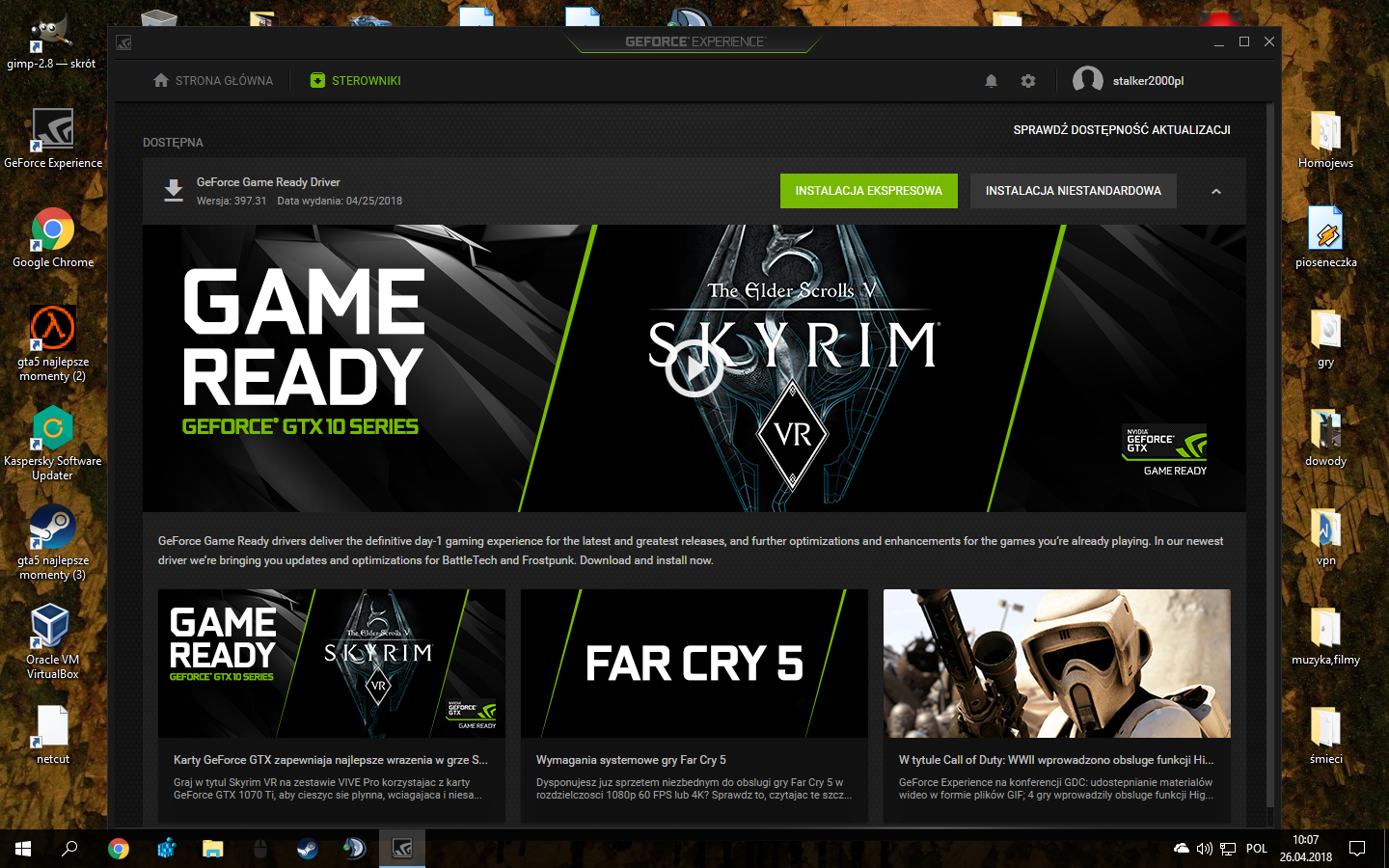
    Hello, yesterday so at about 23.00 Nvidia released new drivers 397.31. I downloaded them, I started to install ... not only that I uninstalled everything "to zero" but also the Nvidia control panel I NEED to trash (it is used to increase the brightness of the monitor and gamma, without it as if I "see") . And now the stairs are starting - as I enter the Geforce Experience program every time, it shows me that I need to reinstall them, every time, even if it is written that a system restart is required to complete the configuration, nothing really happens installed. I will not give up dedicated drivers for the GTX 10xx series because they have a built-in "shadow play" function and other cool things such as optimization. BEFORE RESTART GTX 1060 3GB: Nvidia Driver 397.31 Installation Issues, Control Panel & Geforce Experience
    AFTER RESTARATION GTX 1060 3GB: Nvidia Driver 397.31 Installation Issues, Control Panel & Geforce Experience
    IT'S ALWAYS LIKE THIS. PLEASE HELP.
  • ADVERTISEMENT
  • #3 17189114
    stalker2000pl
    Level 5  
    Posts: 34
    Rate: 4
    I think all that is left is the format ...
  • ADVERTISEMENT
  • #4 17189126
    rtj71
    IT specialist
    Posts: 4983
    Help: 474
    Rate: 351
    Did you restart your computer try these older drivers, maybe something new is broken.
  • #5 17189131
    stalker2000pl
    Level 5  
    Posts: 34
    Rate: 4
    rtj71 wrote:
    Did you restart your computer try these older drivers, maybe something new is broken.


    Well, only this GeForce experience program imposes the latest driver ...
  • #6 17189167
    sylweksylwina
    Moderator of Computers service
    Posts: 13170
    Help: 1875
    Rate: 2335
    Then don't install it.
  • #7 17189190
    rtj71
    IT specialist
    Posts: 4983
    Help: 474
    Rate: 351
    sylweksylwina wrote:
    Then don't install it.


    Well, sometimes it happens that the manufacturer releases sell in drivers. It would be worth testing the old drivers, then possibly combining them with the new ones, but does it make sense? I don't think so.
  • ADVERTISEMENT
  • #8 17189854
    sylweksylwina
    Moderator of Computers service
    Posts: 13170
    Help: 1875
    Rate: 2335
    I wrote about GFE, not drivers.
  • #9 17189878
    stalker2000pl
    Level 5  
    Posts: 34
    Rate: 4
    sylweksylwina wrote:
    I wrote about GFE, not drivers.

    I just install the drivers from the board, if it does not help, it means that the card is pounded, and then suddenly the fans started to run at zero load as if the benchmark in 4k 60fps fired - hmmm maybe some voltage jump?
  • ADVERTISEMENT
  • #10 17189982
    rzymo
    Level 34  
    Posts: 2476
    Help: 206
    Rate: 322
    stalker2000pl wrote:
    Hello, yesterday so at about 23.00 Nvidia released new drivers 397.31. I downloaded them, started to install ... (...)


    (...)
    A large group of users complain about problems installing software version 397.31 on kits that contain GeForce GTX 1060 cards.
    (...)
    After attempting to install drivers, owners of equipment with green systems cannot use it properly, and the device manager displays information about an error (Code 43) and the device being suspended. After restarting the system, a dialog box is displayed in which we get the command to force drivers to be reinstalled.
    (...)
    Users of GeForce GTX 1060 should wait for the hotfix that Nvidia should release soon.
  • #11 17190043
    andrzej55
    Level 37  
    Posts: 3000
    Help: 306
    Rate: 372
    The problem with the latest GTX1060 drivers reportedly concerns the design of companies such as PNY, Palit, Gainward and Zotac.
    Mine from Gigabyte works fine.
  • #12 17190064
    rzymo
    Level 34  
    Posts: 2476
    Help: 206
    Rate: 322
    Not only that, the younger brother also does not work on 1080 ;)
    He got a lesson for the future - do not install everything new as it goes, just wait a few days ...
  • #13 17190261
    stalker2000pl
    Level 5  
    Posts: 34
    Rate: 4
    Format + board with "old" drivers, Rome, thanks for the info, because I was about to reinstall, you wrote a bit too late, because the format has gone, but it's nothing, I had problems what you quoted 1: 1 and you will receive points.

Topic summary

✨ The discussion revolves around installation issues with Nvidia driver version 397.31 for the GTX 1060 3GB graphics card. Users report persistent problems with the GeForce Experience software prompting reinstallation of the drivers, despite attempts to uninstall and reinstall them. Some users suggest using Display Driver Uninstaller to completely remove Nvidia components before reinstalling. There are indications that the new driver may have compatibility issues, particularly with certain brands like PNY, Palit, Gainward, and Zotac, while others, such as Gigabyte, reportedly function without issues. A recommendation is made to revert to older drivers until Nvidia releases a hotfix for the installation problems.
Generated by the language model.

FAQ

TL;DR: GTX 1060 users report Nvidia driver 397.31 install issues; four board partners were named. "Mine from Gigabyte works fine." [Elektroda, andrzej55, post #17190043] Why it matters: This FAQ helps GTX 10‑series owners fix 397.31 install loops, Code 43, missing Control Panel, and GFE issues.

Quick Facts

What’s going on with Nvidia driver 397.31 on GTX 1060 3GB?

Users reported failed installs on GTX 1060, showing Code 43 and a reinstall loop after reboot. The advice was clear: "Users of GeForce GTX 1060 should wait for the hotfix." These symptoms indicate the driver package fails to initialize the GPU properly. [Elektroda, rzymo, post #17189982]

How do I cleanly remove and reinstall Nvidia drivers?

Use DDU and reinstall.
  1. Run Display Driver Uninstaller and remove all entries named “NVIDIA”.
  2. Restart the computer when prompted.
  3. Reinstall the Nvidia drivers cleanly from your chosen package. [Elektroda, rtj71, post #17189050]

Why does Device Manager show Code 43 after installing 397.31?

Code 43 appears when the device is suspended due to a failed driver initialization. After reboot, a dialog may ask you to force a driver reinstall. This loop matches the 397.31 issue pattern on GTX 1060 systems. [Elektroda, rzymo, post #17189982]

GeForce Experience keeps forcing the latest driver. How can I stop that?

A participant put it simply: don’t install GeForce Experience during troubleshooting. Skipping GFE stops the auto-push to the latest package and reduces reinstall prompts. Revisit it only after stabilizing your driver. [Elektroda, sylweksylwina, post #17189167]

Does GeForce Experience force 397.31 over older drivers?

Yes. The thread author noted GeForce Experience imposes the newest driver, hindering tests of older packages. Avoid launching or installing GFE when you want to hold an older, stable driver. [Elektroda, stalker2000pl, post #17189131]

Which board partners were reported affected?

PNY, Palit, Gainward, and Zotac were named. One user’s Gigabyte card worked fine. That’s four vendors implicated, highlighting AIB variance with 397.31. This helps scope troubleshooting expectations by brand. [Elektroda, andrzej55, post #17190043]

Is a GTX 1080 also affected by 397.31 issues?

A user reported a broken setup on a GTX 1080 as well. Their takeaway: "do not install everything new as it goes, just wait a few days." Delay updates until feedback confirms stability. [Elektroda, rzymo, post #17190064]

My fans ramp at idle after trying 397.31. Is that related?

A user observed fans running hard at zero load, like a 4K benchmark. They suspected a transient condition during the problematic driver attempt. Treat it as a symptom while you stabilize drivers. [Elektroda, stalker2000pl, post #17189878]

Should I try older drivers instead of 397.31?

Yes. Install an older, stable package while waiting for a hotfix. One helper suggested using an earlier driver when the latest appears broken. Test stability before updating again. [Elektroda, rtj71, post #17189126]

Should I mix old and new driver components?

No. A participant considered combining versions but questioned the value: it likely lacks benefit. Focus on fully testing a known-good older package instead. [Elektroda, rtj71, post #17189190]

Do I need to reinstall Windows to fix this?

One user formatted and then used their board’s older drivers. They reported the problem matched the known symptoms and was resolved afterward. This is a heavier, last-resort path. [Elektroda, stalker2000pl, post #17190261]

Why is the Nvidia Control Panel missing or unusable during this issue?

The thread author removed everything "to zero," including the Control Panel, while chasing the install loop. The loop prevented proper configuration afterward. Stabilize drivers first, then restore the Control Panel. [Elektroda, stalker2000pl, post #17189022]

Why does it say “restart required” but nothing changes after reboot?

This is part of the loop: after reboot, a dialog demands reinstalling the drivers again. It aligns with the 397.31 failure pattern documented for GTX 1060 systems. [Elektroda, rzymo, post #17189982]

Are all Gigabyte GTX 1060 cards unaffected?

Not guaranteed. One user’s Gigabyte card worked fine, but others reported issues on different brands. Treat that as a single data point, not a rule. [Elektroda, andrzej55, post #17190043]

Should I install new Nvidia drivers immediately on release?

A user advised caution after hitting issues: "do not install everything new as it goes, just wait a few days." Waiting helps avoid regressions. [Elektroda, rzymo, post #17190064]
Generated by the language model.
ADVERTISEMENT