logo elektroda
logo elektroda
X
logo elektroda

Connecting Reversing Camera to Radio 2 Din Eunavi: Cable and Output Guidance Needed

adamos25 8676 8
ADVERTISEMENT
Treść została przetłumaczona polish » english Zobacz oryginalną wersję tematu
  • #1 17328177
    adamos25
    Level 10  
    I bought this radio and I am already playing the second day with this camera and nothing. I do not like where to attach a reversing camera to which outputs maybe someone worked on this topic and help, in the pictures there are entries described, but I do not know which cables to connect with.
    Attachments:
    • Connecting Reversing Camera to Radio 2 Din Eunavi: Cable and Output Guidance Needed IMG_20180714_093150.jpg (3.99 MB) You must be logged in to download this attachment.
    • Connecting Reversing Camera to Radio 2 Din Eunavi: Cable and Output Guidance Needed IMG_20180714_093144.jpg (3.98 MB) You must be logged in to download this attachment.
    • Connecting Reversing Camera to Radio 2 Din Eunavi: Cable and Output Guidance Needed IMG_20180714_093147.jpg (4.1 MB) You must be logged in to download this attachment.
  • ADVERTISEMENT
  • #2 17328607
    darens
    Level 22  
    Hello, connect pin 14 "REVERSE" under the permanent plus if you check the radio on the table, if in the car under +12 from the reversing light bulb, as for input, I think that the video signal from the camera will be in connector E on pin 8 and its weight on pins 3, although the F-CAMERA is more suitable for the front camera ... possibly pin the camera ground with the radio housing and check. Don't forget that the camera has power. I understand that you miss the E connector?
  • #3 17329165
    adamos25
    Level 10  
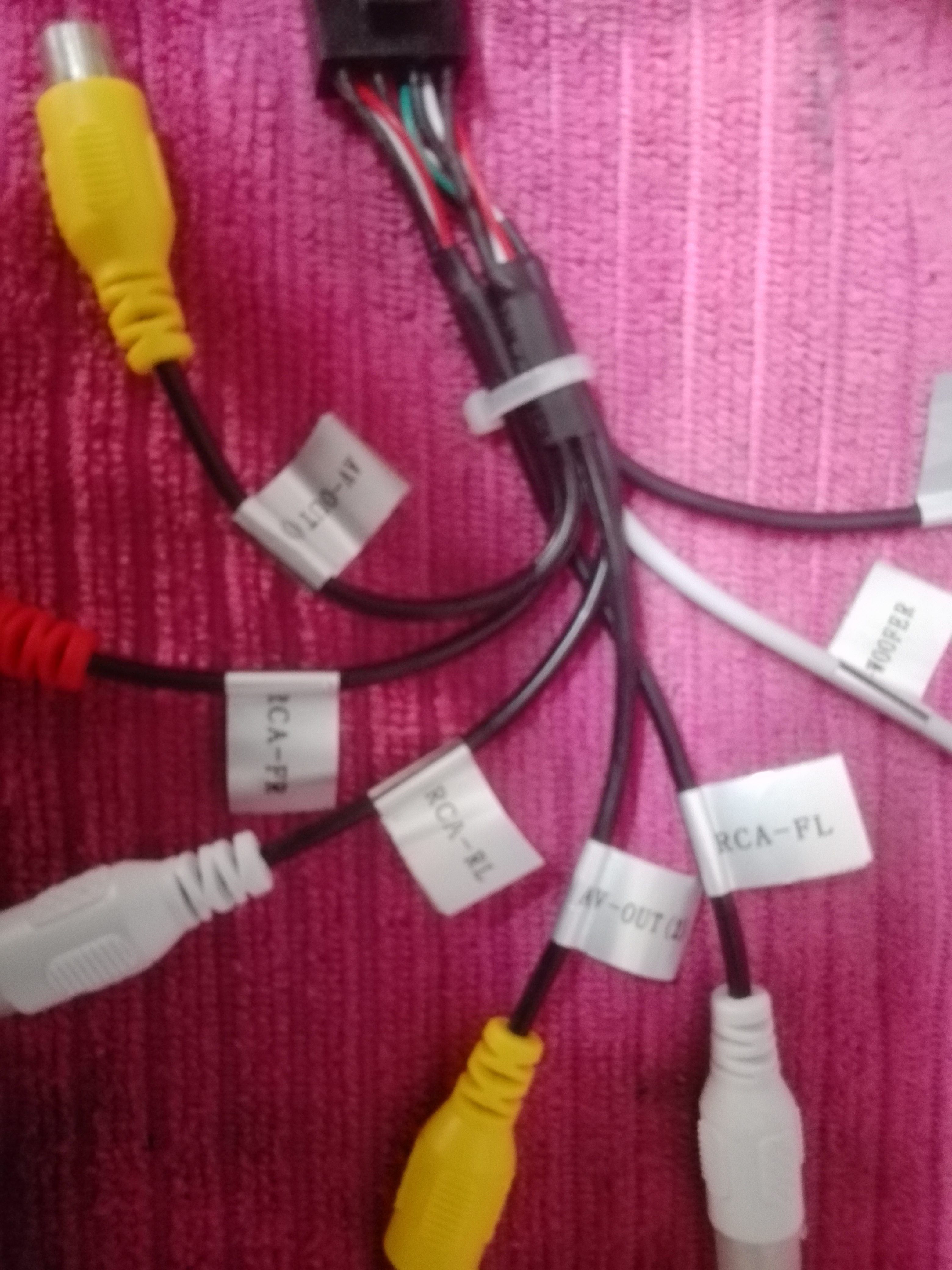
    I took pictures of plugins maybe it will be more readable
    Attachments:
    • Connecting Reversing Camera to Radio 2 Din Eunavi: Cable and Output Guidance Needed IMG_20180714_174824.jpg (3.6 MB) You must be logged in to download this attachment.
    • Connecting Reversing Camera to Radio 2 Din Eunavi: Cable and Output Guidance Needed IMG_20180714_174839.jpg (3.76 MB) You must be logged in to download this attachment.
    • Connecting Reversing Camera to Radio 2 Din Eunavi: Cable and Output Guidance Needed IMG_20180714_174855.jpg (4.04 MB) You must be logged in to download this attachment.
    • Connecting Reversing Camera to Radio 2 Din Eunavi: Cable and Output Guidance Needed IMG_20180714_174824.jpg (3.6 MB) You must be logged in to download this attachment.
    • Connecting Reversing Camera to Radio 2 Din Eunavi: Cable and Output Guidance Needed IMG_20180714_174552.jpg (3.08 MB) You must be logged in to download this attachment.
    • Connecting Reversing Camera to Radio 2 Din Eunavi: Cable and Output Guidance Needed IMG_20180714_174547.jpg (3.06 MB) You must be logged in to download this attachment.
    • Connecting Reversing Camera to Radio 2 Din Eunavi: Cable and Output Guidance Needed IMG_20180714_174542.jpg (3.08 MB) You must be logged in to download this attachment.
    • Connecting Reversing Camera to Radio 2 Din Eunavi: Cable and Output Guidance Needed IMG_20180714_174431.jpg (3.58 MB) You must be logged in to download this attachment.
    • Connecting Reversing Camera to Radio 2 Din Eunavi: Cable and Output Guidance Needed IMG_20180714_174413.jpg (5.06 MB) You must be logged in to download this attachment.
  • ADVERTISEMENT
  • Helpful post
    #4 17329807
    darens
    Level 22  
    Hi, as I wrote - "REVERSE" plus with the reversing light bulb, the signal from the camera on "CAMERA". See in the radio settings the polarization of the reverse signal input, whether it is "positiv" or "negativ", set to "positiv". The second entrance is to the front camera, "FRONT CAMERA". On the radio you have a built-in interface for operating the steering wheel buttons, but only resistive.
  • #5 17331323
    adamos25
    Level 10  
    We connect as you write when we return because we went to the sea.
  • #6 17354835
    adamos25
    Level 10  
    I connected how you described on the table and works only wondering if the power supply on the camera must be permanently / 12V / / or also connect to the reverse? that the electricity would not be in vain and not burned?
  • ADVERTISEMENT
  • #7 17357084
    darens
    Level 22  
    Hi, connect the camera to "reverse" as much as possible. As for Yanosik, I use a different system than Android so I won't help you.
  • #8 17719941
    misiek1111
    Level 37  
    And what, Harnaś works on him?
  • ADVERTISEMENT
  • #9 19982284
    pampeloj
    Level 10  
    Hello, I found your post regarding webcams. I have the same problem as you find the moments. Contact me in advance, thanks 603093801

Topic summary

✨ The discussion revolves around connecting a reversing camera to the Eunavi 2 Din radio. Users provide guidance on wiring, specifically connecting pin 14 "REVERSE" to the reversing light bulb for power, and using connector E pin 8 for the camera's video signal. It is advised to check the radio settings for the reverse signal input polarity, ensuring it is set to "positive." There are inquiries about whether the camera's power supply should be constant or only activated during reverse. Users share their experiences and troubleshooting steps, confirming successful connections based on the provided instructions.
Generated by the language model.
ADVERTISEMENT