logo elektroda
logo elektroda
X
logo elektroda

Hearing System Sounds on Discord/Skype: Solutions & Sound Card Recommendations

Michalstar123 21141 11
ADVERTISEMENT
Treść została przetłumaczona polish » english Zobacz oryginalną wersję tematu
  • #1 18179485
    Michalstar123
    Level 5  
    Posts: 11
    Rate: 1
    Hello,
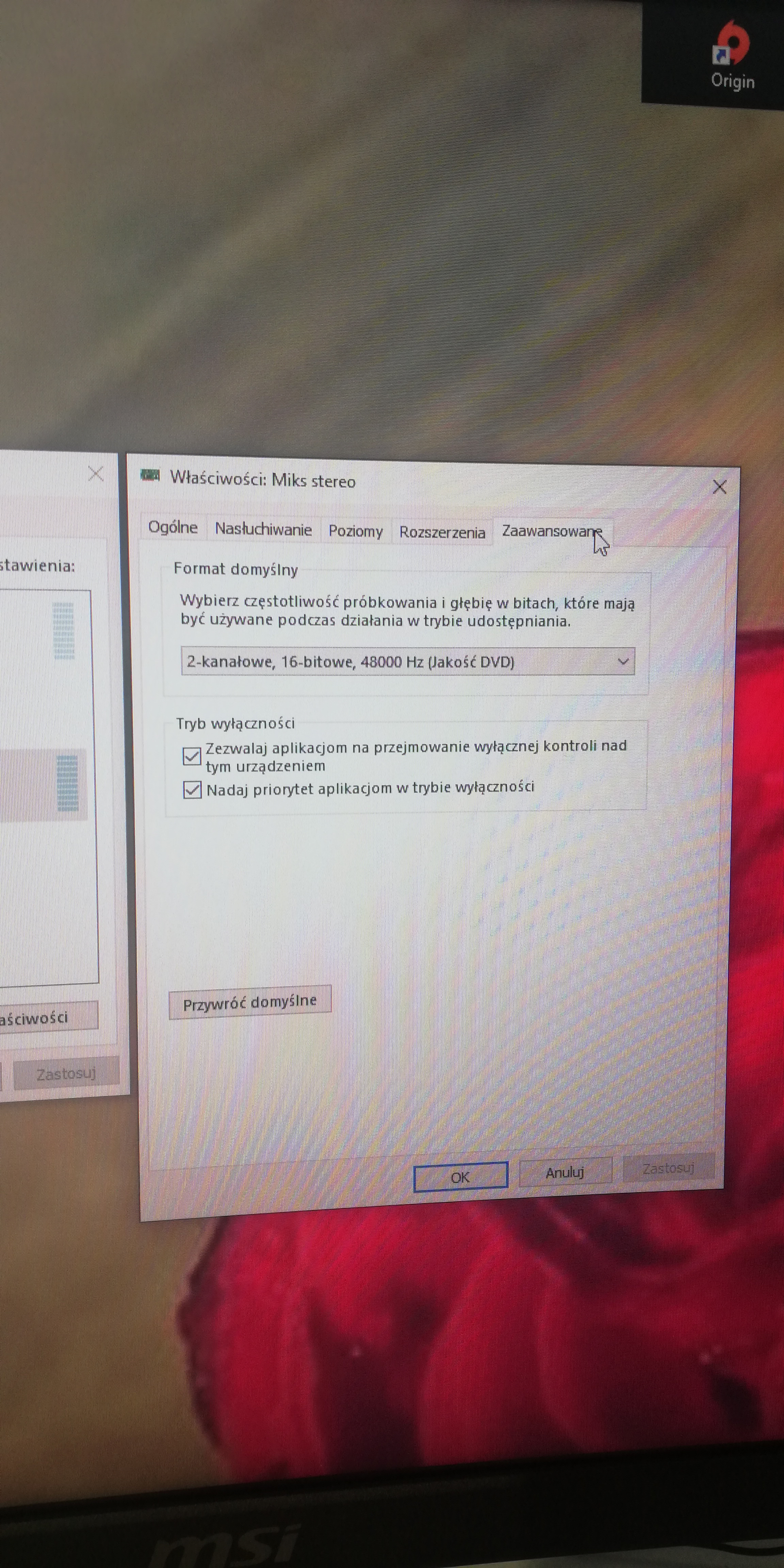
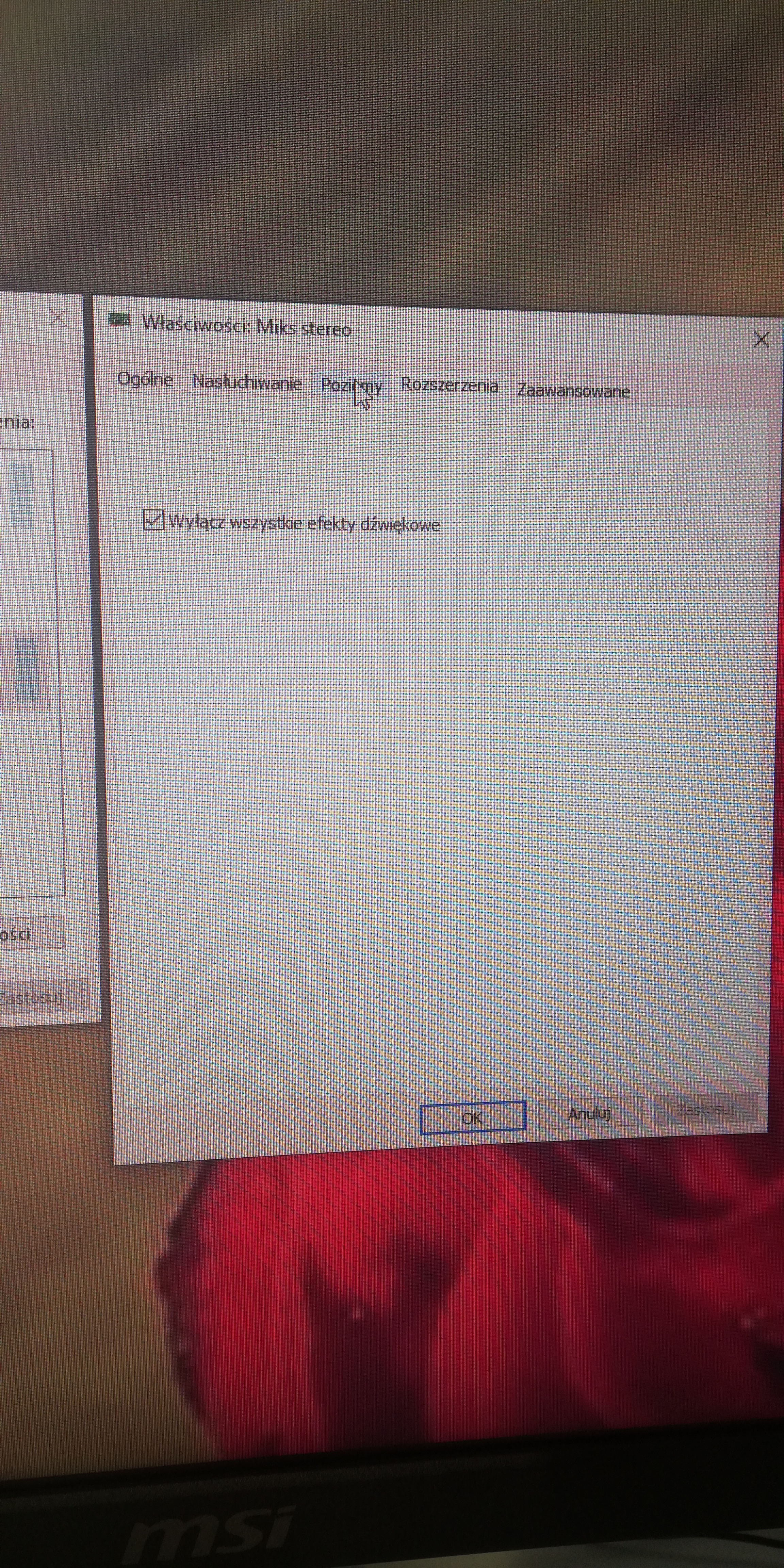
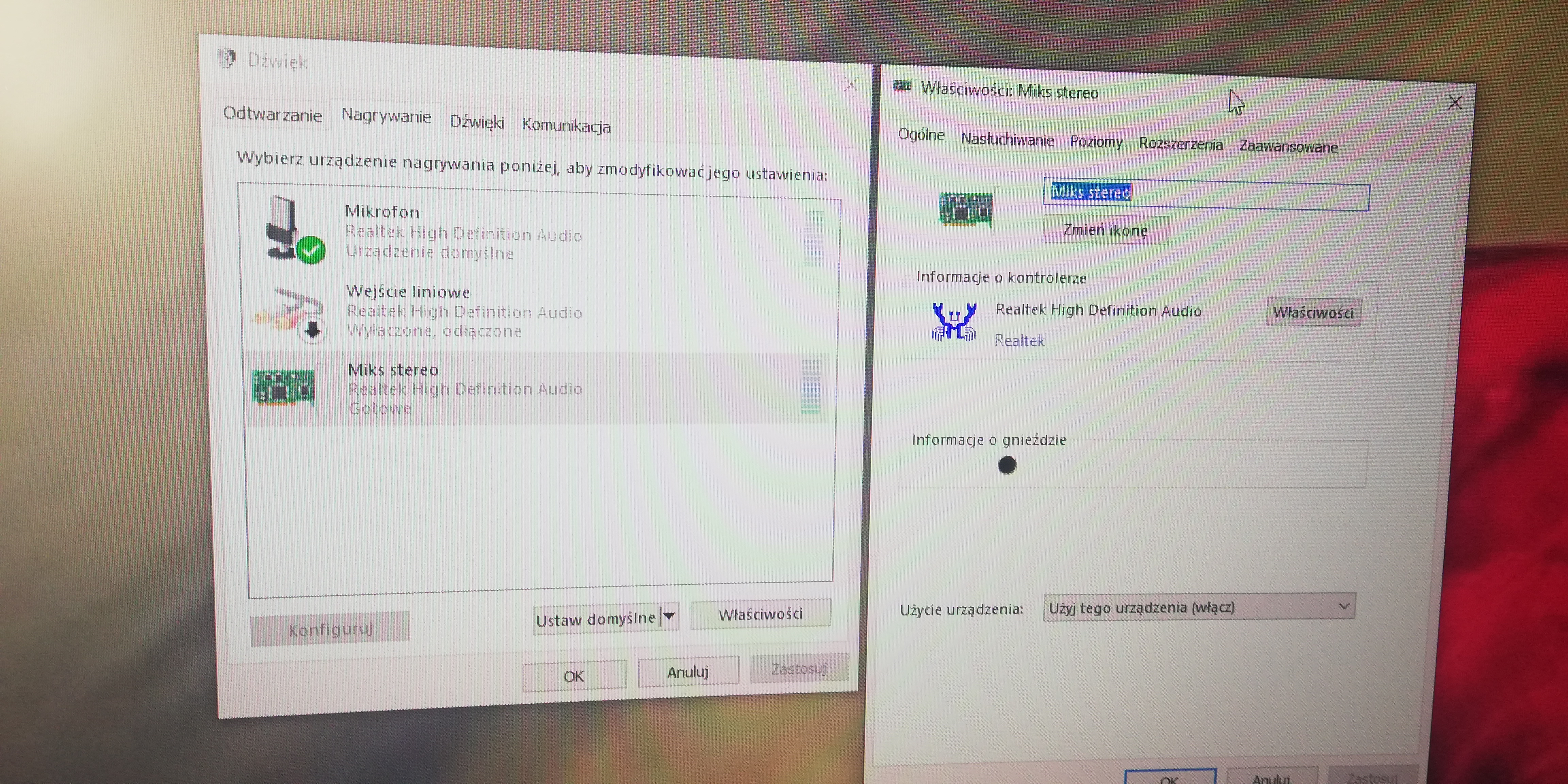
    My problem is this: when chatting on Discord or Skype, my friends can hear all my computer's system sounds, YouTube, notifications, everything. I tried to turn off the stereo mix and unfortunately it didn't help, set the microphone as a recording device in both programs I also tried, which also had no effect, so I'm starting to wonder about buying a sound card, is it sure that it will solve the problem? If so, which one is better to choose external or internal?
  • ADVERTISEMENT
  • #2 18179836
    ArturAVS
    Moderator
    Posts: 25997
    Help: 2293
    Rate: 7709
    Show mixer system recording settings.
  • #3 18179872
    Michalstar123
    Level 5  
    Posts: 11
    Rate: 1
    Hearing System Sounds on Discord/Skype: Solutions & Sound Card Recommendations Hearing System Sounds on Discord/Skype: Solutions & Sound Card Recommendations Hearing System Sounds on Discord/Skype: Solutions & Sound Card Recommendations Hearing System Sounds on Discord/Skype: Solutions & Sound Card Recommendations Hearing System Sounds on Discord/Skype: Solutions & Sound Card Recommendations
  • ADVERTISEMENT
  • #4 18179876
    ArturAVS
    Moderator
    Posts: 25997
    Help: 2293
    Rate: 7709
    This is not a mixer. The mixer is after double-left clicking on the speaker on the bar.
  • #5 18179893
    Michalstar123
    Level 5  
    Posts: 11
    Rate: 1
    Was that it? Because when I double click on the mixer, nothing shows up. Hearing System Sounds on Discord/Skype: Solutions & Sound Card Recommendations
  • ADVERTISEMENT
  • #6 18179925
    ArturAVS
    Moderator
    Posts: 25997
    Help: 2293
    Rate: 7709
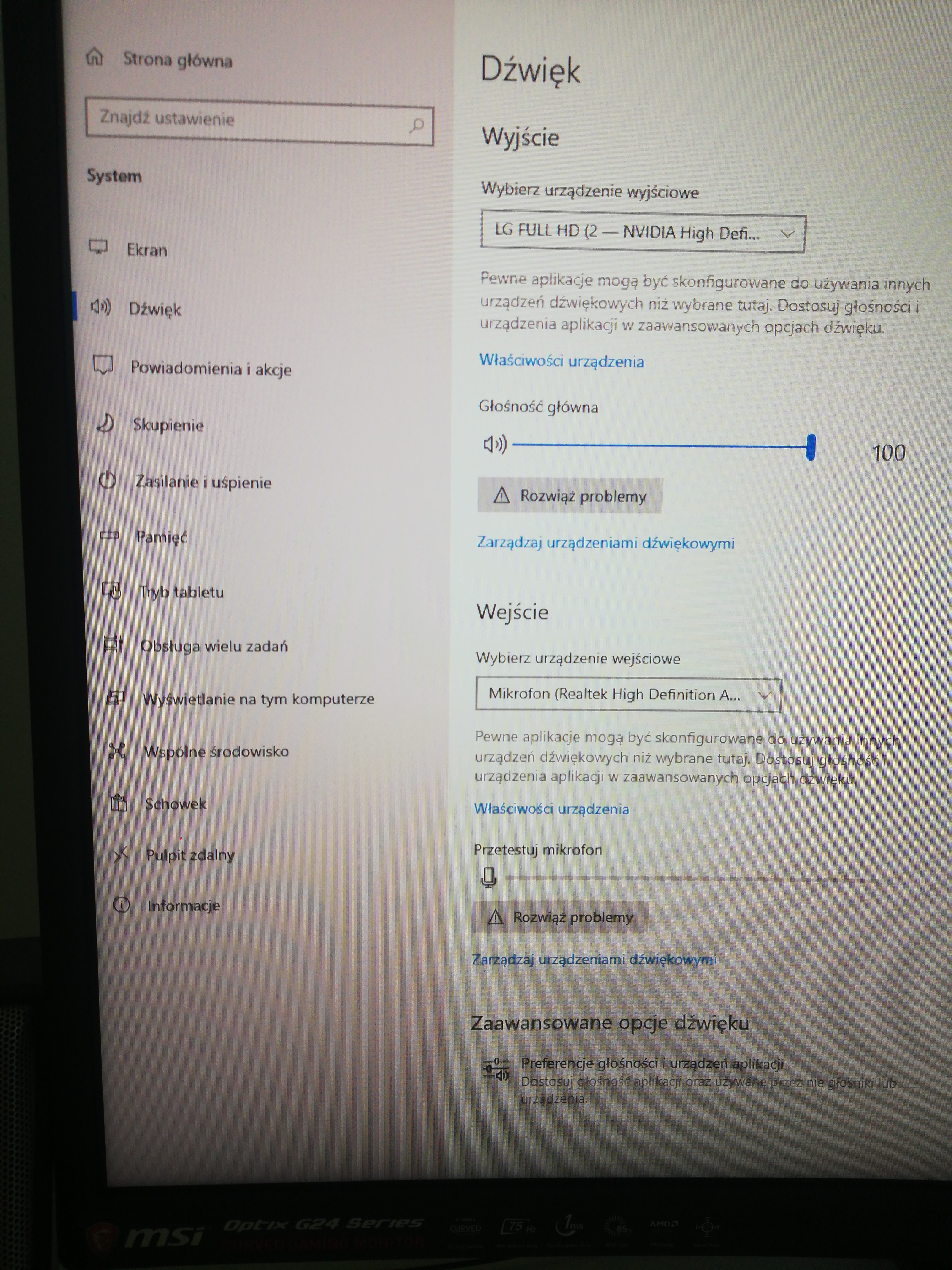
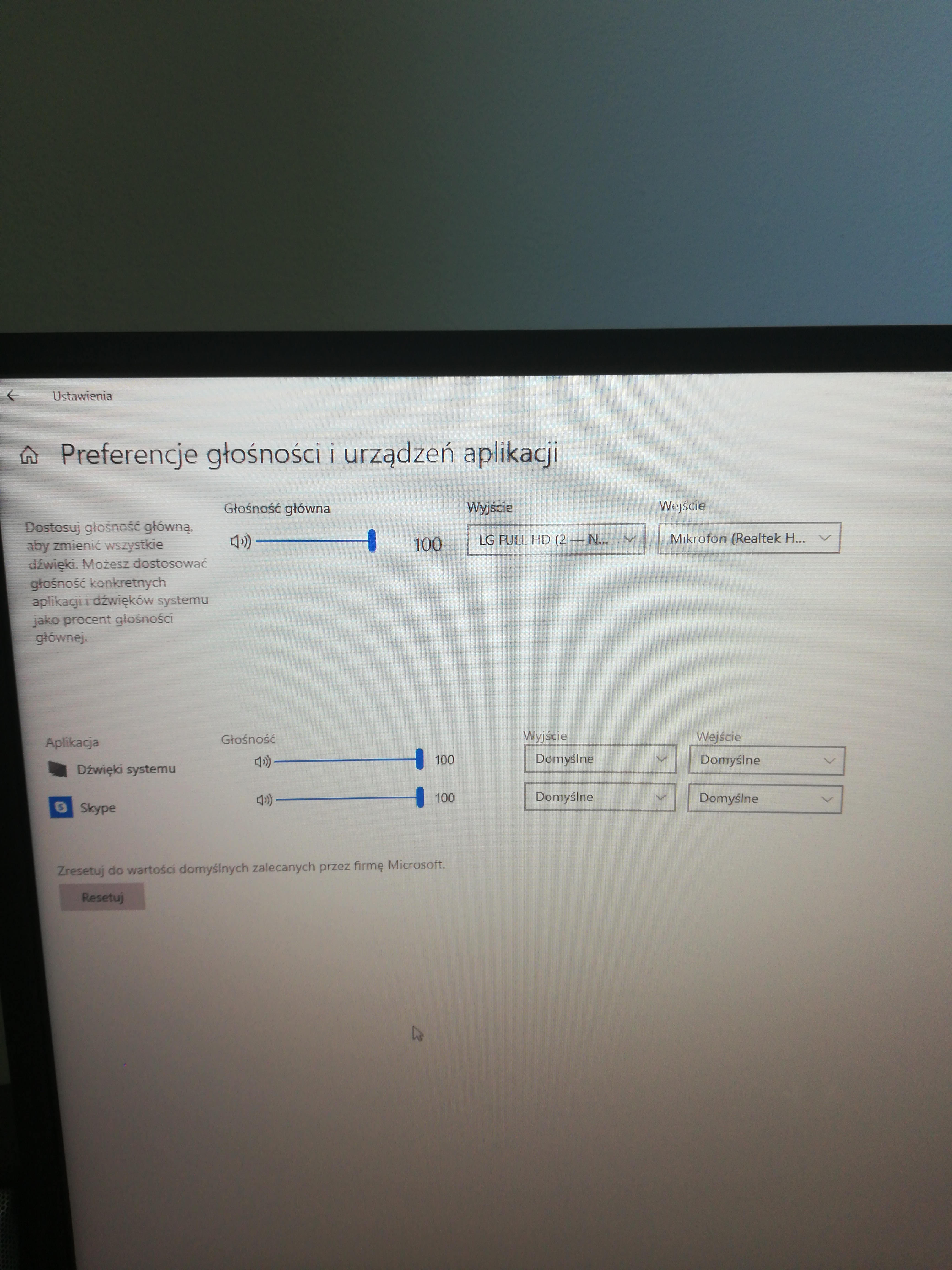
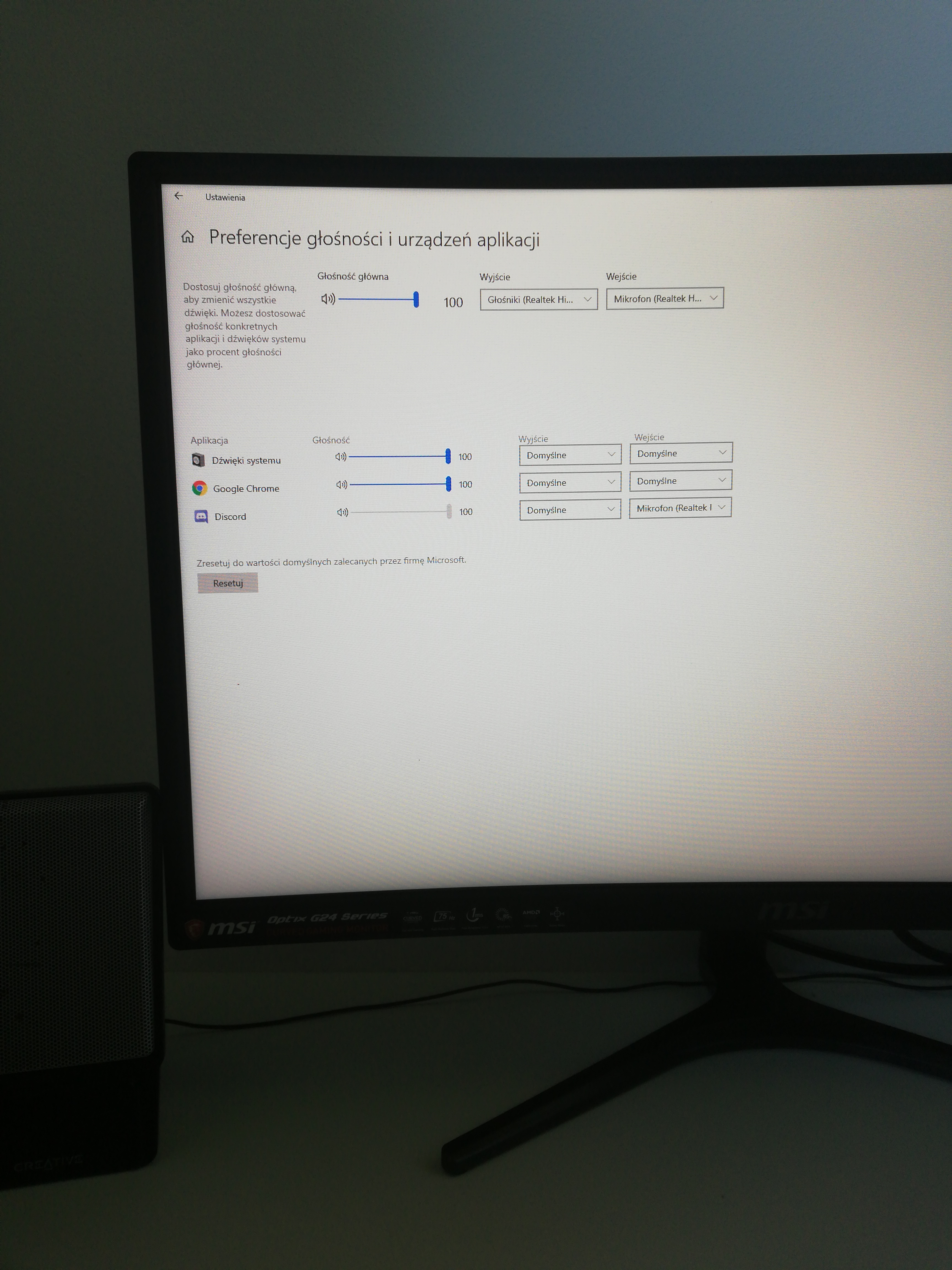
    Go to advanced sound options.
  • #7 18180020
    Michalstar123
    Level 5  
    Posts: 11
    Rate: 1
    Hearing System Sounds on Discord/Skype: Solutions & Sound Card Recommendations
    Attachments:
    • Hearing System Sounds on Discord/Skype: Solutions & Sound Card Recommendations 15691426162057064691692844280757.jpg (4.56 MB) You must be logged in to download this attachment.
  • #8 18180120
    ArturAVS
    Moderator
    Posts: 25997
    Help: 2293
    Rate: 7709
    Set Skype input from default to microphone.
  • #9 18180128
    Michalstar123
    Level 5  
    Posts: 11
    Rate: 1
    I changed it on discord (I use it mostly) but unfortunately nothing has changed.
    Hearing System Sounds on Discord/Skype: Solutions & Sound Card Recommendations
  • ADVERTISEMENT
  • #10 18180138
    ArturAVS
    Moderator
    Posts: 25997
    Help: 2293
    Rate: 7709
    Then turn off the stereo mix.
  • #11 18180153
    Michalstar123
    Level 5  
    Posts: 11
    Rate: 1
    I turned it off and unfortunately no improvement again but I noticed an interesting relationship: the problem occurs only when I connect headphones to the computer, after connecting the speakers everything works normally
  • #12 18180163
    ArturAVS
    Moderator
    Posts: 25997
    Help: 2293
    Rate: 7709
    Michalstar123 wrote:
    The problem only occurs when I connect headphones to the computer, when I connect speakers everything works normally

    Perhaps damaged headphones and the signal from them penetrates into the microphone. Try on other headphones.

Topic summary

✨ The discussion revolves around a user experiencing issues with their friends hearing all system sounds during calls on Discord and Skype. Despite attempts to disable stereo mix and set the microphone as the recording device, the problem persists. The user notes that the issue occurs only when using headphones, suggesting a potential hardware problem. Recommendations include checking advanced sound options, ensuring the correct input device is selected, and testing with different headphones to rule out damage. The possibility of purchasing a sound card is also considered, with a query about whether an external or internal model would be more effective.
Generated by the language model.

FAQ

TL;DR: Friends hearing your system audio on Discord/Skype? Aim for >60 dB channel separation. "Channel separation is a measure of signal leakage between channels." This FAQ helps Windows users stop playback‑to‑mic bleed and misrouting without buying new hardware. ["Channel separation"]

Why it matters: It prevents privacy leaks and improves call clarity for Discord/Skype on Windows.

Quick-Facts

  • Typical stereo channel separation target: ≤ −60 dB (lower is better); quality interfaces can beat −80 dB. ["Channel separation"]
  • External USB audio interfaces commonly start around $50 and suit voice streaming needs. ["Audio Interfaces: How to Choose"]
  • Typical headphone impedance is 16–80 Ω; this affects loudness, not loopback. ["Headphone Impedance Explained"]
  • Windows lets you set per‑app input/output under App volume and device preferences. ["Manage sound settings in Windows"]

Quick Facts

  • Typical stereo channel separation target: ≤ −60 dB (lower is better); quality interfaces can beat −80 dB. ["Channel separation"]
  • External USB audio interfaces commonly start around $50 and suit voice streaming needs. ["Audio Interfaces: How to Choose"]
  • Typical headphone impedance is 16–80 Ω; this affects loudness, not loopback. ["Headphone Impedance Explained"]
  • Windows lets you set per‑app input/output under App volume and device preferences. ["Manage sound settings in Windows"]

Why can others hear my system sounds on Discord or Skype?

Your app likely captures a loopback source or your mic hears your playback. Skype notes echo when speakers feed the mic or when device routing returns system output to the call. Select your microphone as the input and mute loopback sources like Stereo Mix. Headsets reduce acoustic feedback. ["Echo, feedback, or background noise in Skype calls"]

How do I set Discord to use my microphone (not Stereo Mix)?

Do this:
  1. Discord > User Settings > Voice & Video.
  2. Set Input Device to your specific microphone.
  3. Run Mic Test and adjust Input Sensitivity manually. “Make sure your input device is set to the correct microphone.” ["Discord: Voice & Video Settings"]

How do I disable Stereo Mix in Windows?

Disable the loopback device so apps can’t capture system audio.
  1. Right‑click the speaker icon > Sound settings > More sound settings.
  2. Recording tab > right‑click Stereo Mix > Disable.
  3. In Discord/Skype, confirm the input is your microphone. [Elektroda, ArturAVS, post #18180138]

Do I need a sound card to fix this? External or internal?

Usually no—fix input selection and disable loopback first. If analog crosstalk or front‑panel wiring causes bleed, an external USB interface can help by isolating the audio path and simplifying I/O. For voice, a small USB interface is typically preferred over an internal card. ["Audio Interfaces: How to Choose"]

The leak happens only with headphones—why?

On combo jacks, mic and headphones share a TRRS plug. Worn plugs, splitters, or adapters can bridge contacts and leak playback into the mic. Edge case: an OMTP headset in a CTIA jack swaps mic/ground, causing noise or no mic. Try rear panel jacks or a USB interface. ["Phone connector (audio)"]

Could damaged headphones cause this? How do I test fast?

Yes. A damaged cable can couple playback into the mic. Quick test: 1) Swap to another headphone set. 2) Move the plug to the rear jack or use a USB audio dongle. 3) If the leak stops, replace the original headphones or splitter. [Elektroda, ArturAVS, post #18180163]

How do I set Skype to the correct microphone?

Open Skype > Settings > Audio & Video. Choose your specific microphone in the Microphone dropdown. Speak and watch the level meter. Disable any loopback device in Windows if it appears as a microphone. Save settings and retest your call. ["Skype audio and video settings"]

Which Windows setting stops apps from capturing playback audio?

Turn off Listen to this device for your mic. Go to Sound Control Panel > Recording > your Microphone > Properties > Listen tab > uncheck Listen to this device. Also disable Stereo Mix if present. This prevents system output from feeding into the mic path. ["Listen to a device (Windows)"]

Should I avoid front‑panel audio jacks for calls?

Prefer rear I/O for mic and headphones. Long, unbalanced front‑panel leads and shared returns increase susceptibility to noise and crosstalk. Shorter, direct rear connections reduce interference and bleed during calls. A USB interface also shortens unbalanced runs. ["Sound System Interconnection"]

Does Discord’s Echo Cancellation fix playback bleed?

Echo Cancellation and Noise Suppression reduce acoustic echo and background noise. They do not fix misrouted inputs like Stereo Mix. Set the correct input device and disable loopback, then use these features for polish. ["Discord: Voice & Video Settings"]

Does headphone impedance affect this problem?

Impedance affects loudness and drive requirements, not whether playback leaks into the mic. Most headsets are 16–32 Ω, and loopback comes from routing or wiring faults. Fix input selection and connections rather than chasing impedance. ["Headphone Impedance Explained"]

How can I verify the fix before a call?

Use Discord’s Mic Test in Voice & Video. Play a YouTube clip quietly, then speak into your mic. The test should register only your voice, not the clip. If it registers playback, recheck input selection and loopback settings. ["Discord: Voice & Video Settings"]

Where do I set per‑app input in Windows (advanced sound options)?

Open Settings > System > Sound > Advanced sound options (App volume and device preferences). Set the Input for Discord/Skype to your microphone explicitly. This stops them from following the system Default input. [Elektroda, ArturAVS, post #18179925]
Generated by the language model.
ADVERTISEMENT