logo elektroda
logo elektroda
X
logo elektroda

How to configure the ZTE MF258 router and where can I find the APN settings?

nowy_zebowo 40992 9
Best answers LABEL_AI_GENERATED

How do I change the APN on a ZTE MF258 router so it uses DATA instead of INTERNET?

On this firmware, you may not be able to change the APN from the normal admin account because the Settings → Network → APN management tab is missing; access to APN profiles is reportedly available only from the smartadmin account, and on the T-Mobile B04 firmware the APN may not be editable at all [#19495640][#19495964] Look in the WAN/connection settings for an APN profile or access point entry, but if that menu is absent, you will likely need to ask T-Mobile or ZTE for the correct configuration [#19495054][#19495534][#19495964]
AI summary based on the discussion. May contain errors.
ADVERTISEMENT
Treść została przetłumaczona polish » english Zobacz oryginalną wersję tematu
  • #1 19495035
    nowy_zebowo
    Level 9  
    Posts: 11
    Rate: 24
    hello I need help configuring the ZTE MF258 router
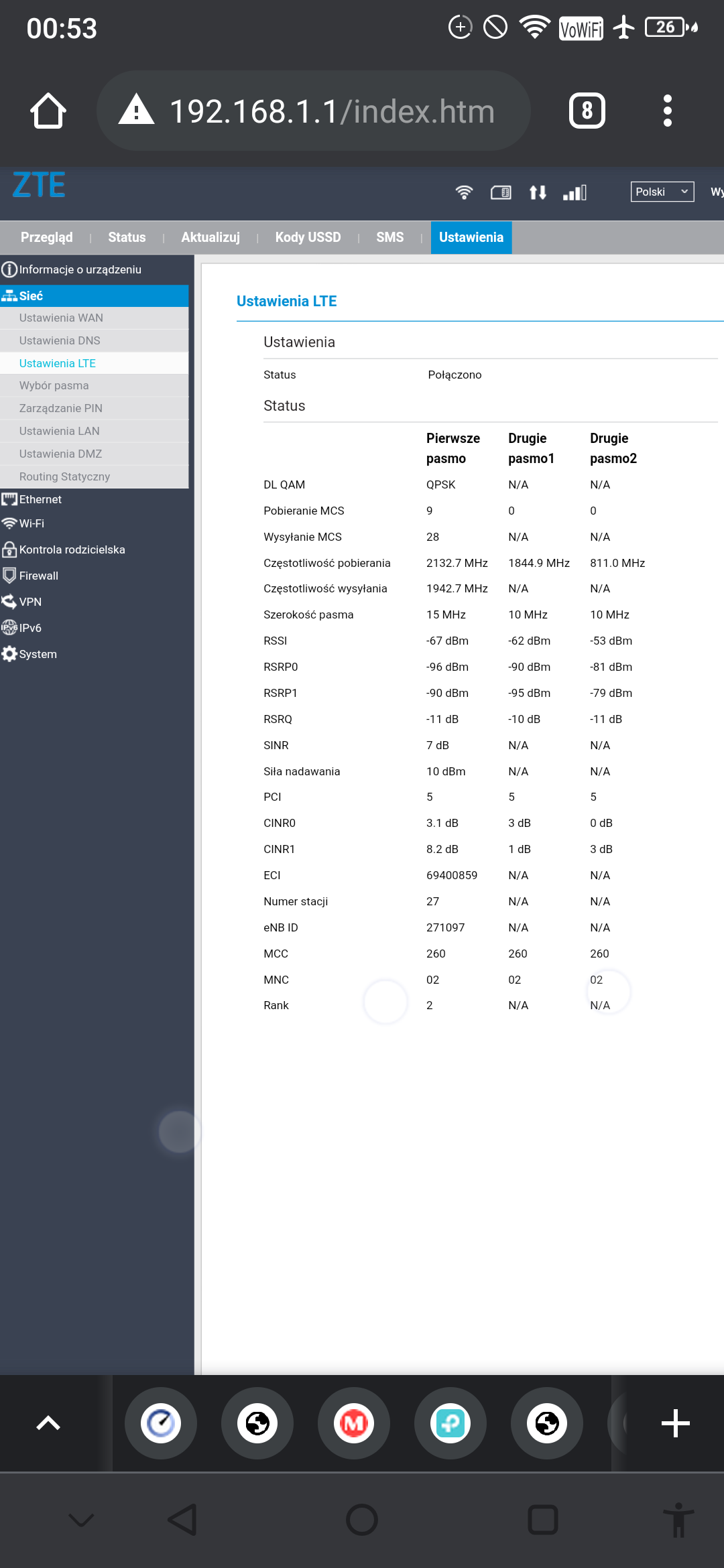
    The router works in the T mobile network, I have a fixed IP address assigned, but for it to work, I have to change the APN in the router from INTERNET to DATA and I can't find where I can change it.
  • ADVERTISEMENT
  • #2 19495054
    sosarek

    Level 43  
    Posts: 83875
    Help: 9320
    Rate: 15533
    In the connection settings (access point) you probably put some screenshots.
    Company Account:
    Z
    Pka, Poznań, 60-850
    Helpful post? Buy me a coffee.
  • #3 19495533
    nowy_zebowo
    Level 9  
    Posts: 11
    Rate: 24
    How to configure the ZTE MF258 router and where can I find the APN settings? How to configure the ZTE MF258 router and where can I find the APN settings?
  • ADVERTISEMENT
  • #4 19495534
    sosarek

    Level 43  
    Posts: 83875
    Help: 9320
    Rate: 15533
    What do you have in WAN settings?
    You need to search for an APN profile.
    Company Account:
    Z
    Pka, Poznań, 60-850
    Helpful post? Buy me a coffee.
  • #5 19495541
    nowy_zebowo
    Level 9  
    Posts: 11
    Rate: 24
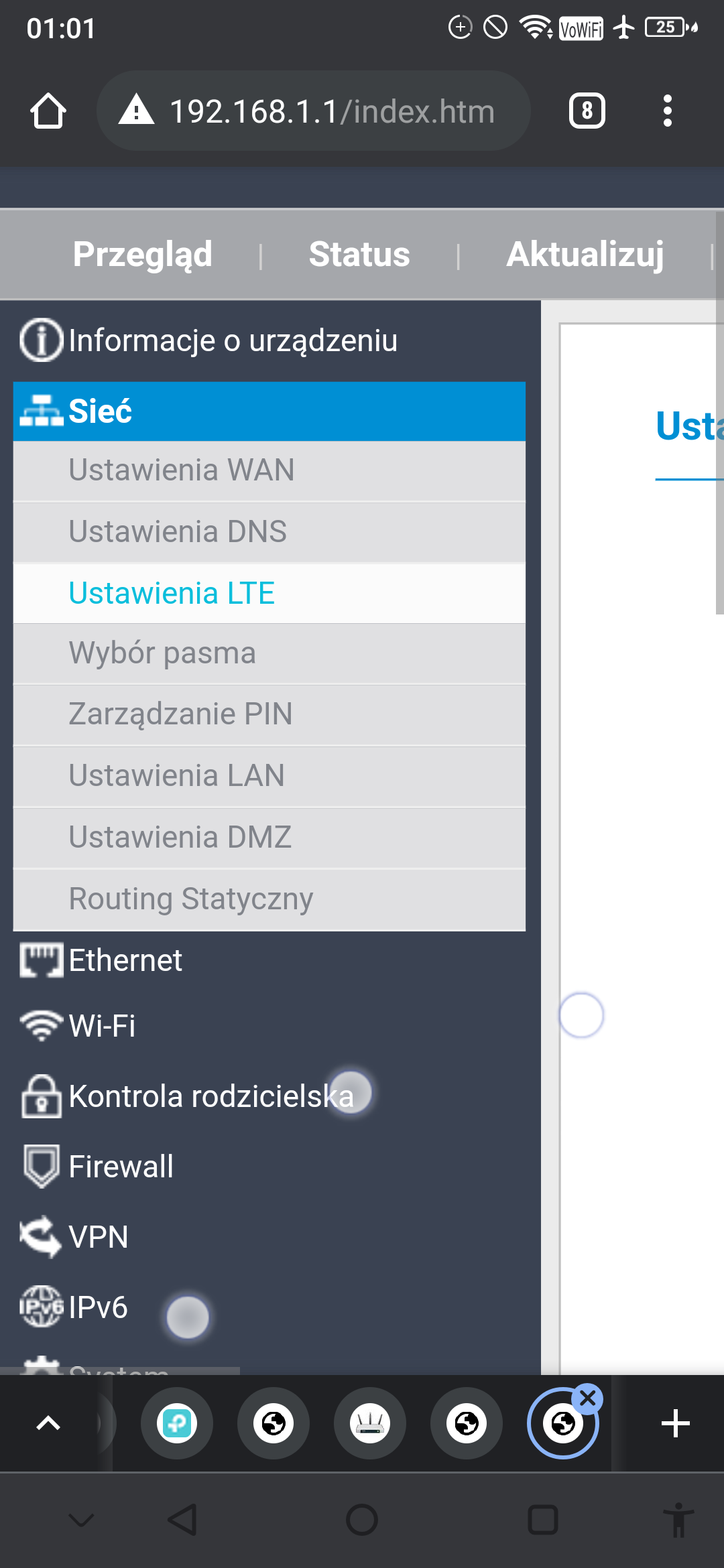
    and here's the catch because I can't find and looked through the entire menu

    Added after 1 [minutes]:

    is there no instructions on the net for this router or I can't look for it ??
  • ADVERTISEMENT
  • #7 19495640
    matek451
    Level 43  
    Posts: 31256
    Help: 4352
    Rate: 5808
    In this FW version, the Settings-Network-APN management tab is missing, the same was true for WF830 / 860, access to this option has been added to the smartadmin account, you are logging in as admin as standard?
    Helpful post? Buy me a coffee.
  • #8 19495921
    nowy_zebowo
    Level 9  
    Posts: 11
    Rate: 24
    hello, how can I ask you, write one by one how to log into it all Smart
  • #9 19495964
    matek451
    Level 43  
    Posts: 31256
    Help: 4352
    Rate: 5808
    I do not know the FW for T-mobile for this equipment, but as far as I know, B04 has a selection of LTE bands from the admin position, but it is not possible to change the APN, you have equipment from T-mobile, they sold you an offer with public IP, so ask them or contact ZTE Polska via their Mesenger.
    You have sufficient signal parameters on LTE2100 / 1800 from BTS Józefowo.
    Helpful post? Buy me a coffee.
  • ADVERTISEMENT
  • #10 21159079
    stavoova
    Level 2  
    Posts: 2
    >>19495035 I recommend purchasing the upgrade service to a non-branded B11 on the "A" auction portal ;) .

Topic summary

LABEL_AI_GENERATED
The discussion revolves around configuring the ZTE MF258 router, specifically changing the APN settings from "INTERNET" to "DATA" for use on the T-Mobile network. Users are unable to locate the APN management option in the router's firmware, with some noting that the option may be missing in certain firmware versions. Suggestions include checking WAN settings, accessing the router's admin interface, and contacting T-Mobile or ZTE for assistance. One user recommended upgrading to a non-branded firmware version for better functionality.
AI summary based on the discussion. May contain errors.
ADVERTISEMENT